> ## Documentation Index
> Fetch the complete documentation index at: https://help.fieldpulse.com/llms.txt
> Use this file to discover all available pages before exploring further.
# Setting Up Ring Duration
> Set how many seconds an Engage call rings before it rolls to voicemail, per phone line.
# How to Customize Ring Duration in FieldPulse Engage
This feature allows you to customize how long your calls ring before being sent to voicemail, tailoring it to the specific needs of your business.
## Accessing Ring Duration Settings
To find this setting, navigate to the Engage section and click on the settings wheel. On the left-hand side, under the audio samples section, you will find a tab labeled *Ring Duration*.
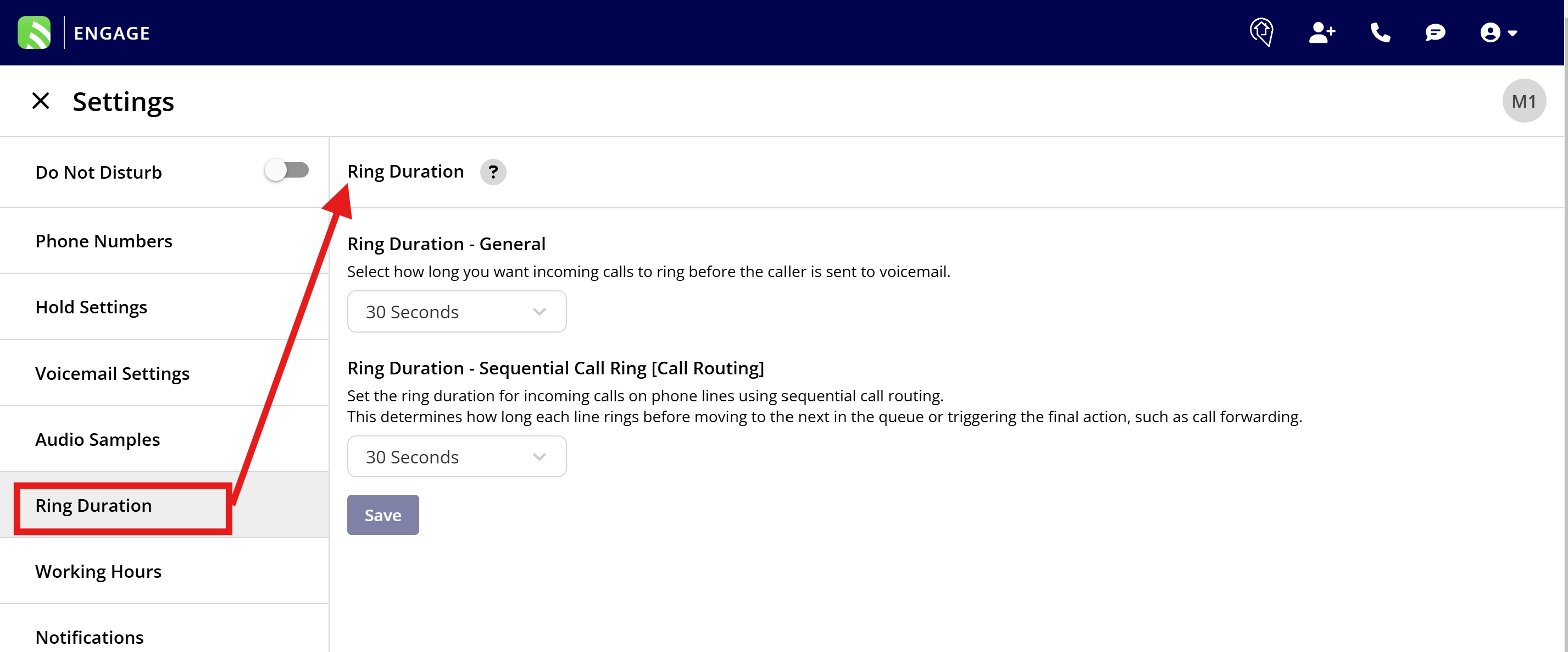 **Setting Up Ring Duration** FieldPulse offers two distinct ring duration settings:
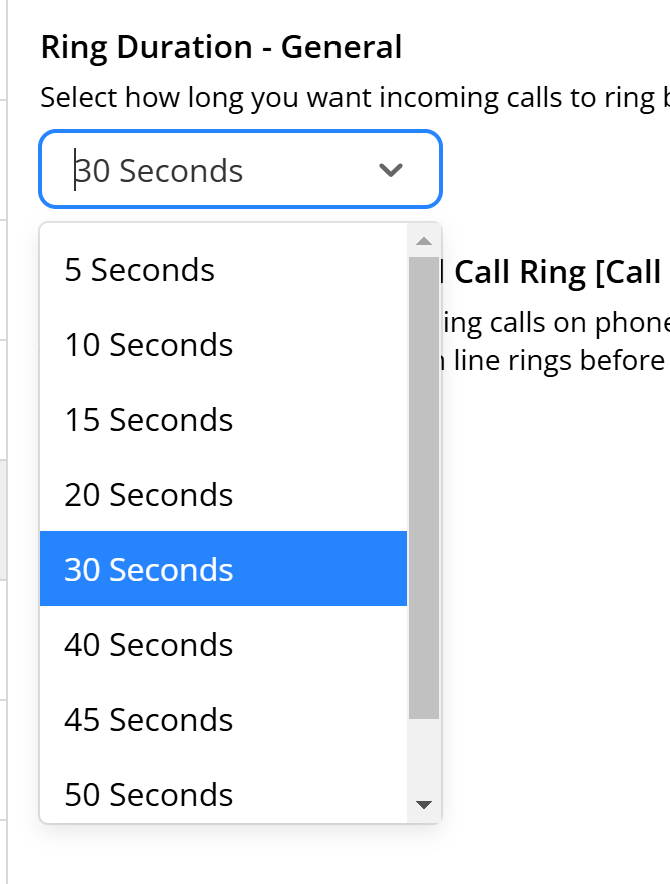
1. **General Calls**: Set how long customer calls ring before going to voicemail when no call routing features are active. By default, this is set to 30 seconds.
2. **Sequential Call Ring**: For calls that utilize *Sequential Call Ring* as a call routing method you can set the ring duration for each step in the sequence.
**Customizing Ring Duration**
* For general calls, you might want to adjust the ring time based on your administrative needs. If your admins typically can't answer within 10 seconds, setting a shorter ring duration might be more efficient.
* For technical staff who might need more time to answer, consider extending the ring time beyond the default 30 seconds to accommodate their availability.
**Setting Up Ring Duration** FieldPulse offers two distinct ring duration settings:
1. **General Calls**: Set how long customer calls ring before going to voicemail when no call routing features are active. By default, this is set to 30 seconds.
2. **Sequential Call Ring**: For calls that utilize *Sequential Call Ring* as a call routing method you can set the ring duration for each step in the sequence.
**Customizing Ring Duration**
* For general calls, you might want to adjust the ring time based on your administrative needs. If your admins typically can't answer within 10 seconds, setting a shorter ring duration might be more efficient.
* For technical staff who might need more time to answer, consider extending the ring time beyond the default 30 seconds to accommodate their availability.
 **[Sequential Ring Duration](/features-add-ons/engage-phone-system/set-up-configuration/setting-up-call-routing)**
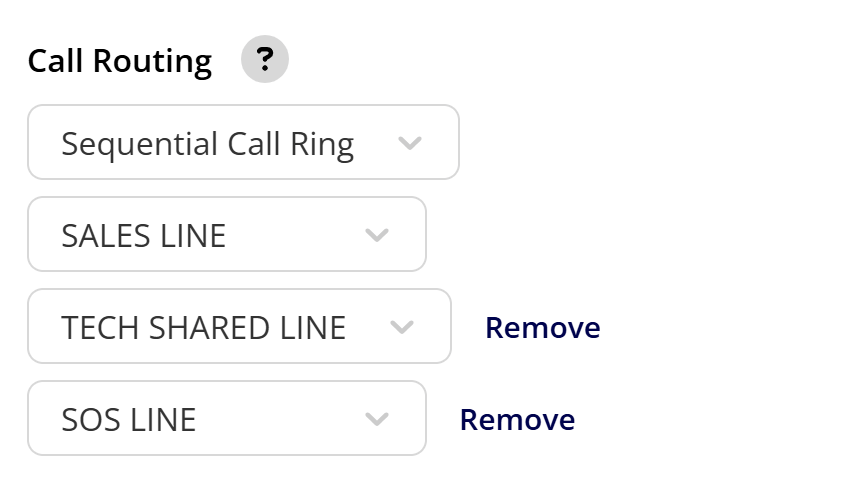
* If you use sequential call routing, the ring duration can be adjusted for each queue. For example, if a customer's call goes unanswered on the main admin line, it can then try the sales tech line, followed by the tech shared line, and finally, an SOS line.
* Adjusting the ring time between these queues can help reduce overall wait time for the caller, ensuring a smoother experience.
**[Sequential Ring Duration](/features-add-ons/engage-phone-system/set-up-configuration/setting-up-call-routing)**
* If you use sequential call routing, the ring duration can be adjusted for each queue. For example, if a customer's call goes unanswered on the main admin line, it can then try the sales tech line, followed by the tech shared line, and finally, an SOS line.
* Adjusting the ring time between these queues can help reduce overall wait time for the caller, ensuring a smoother experience.
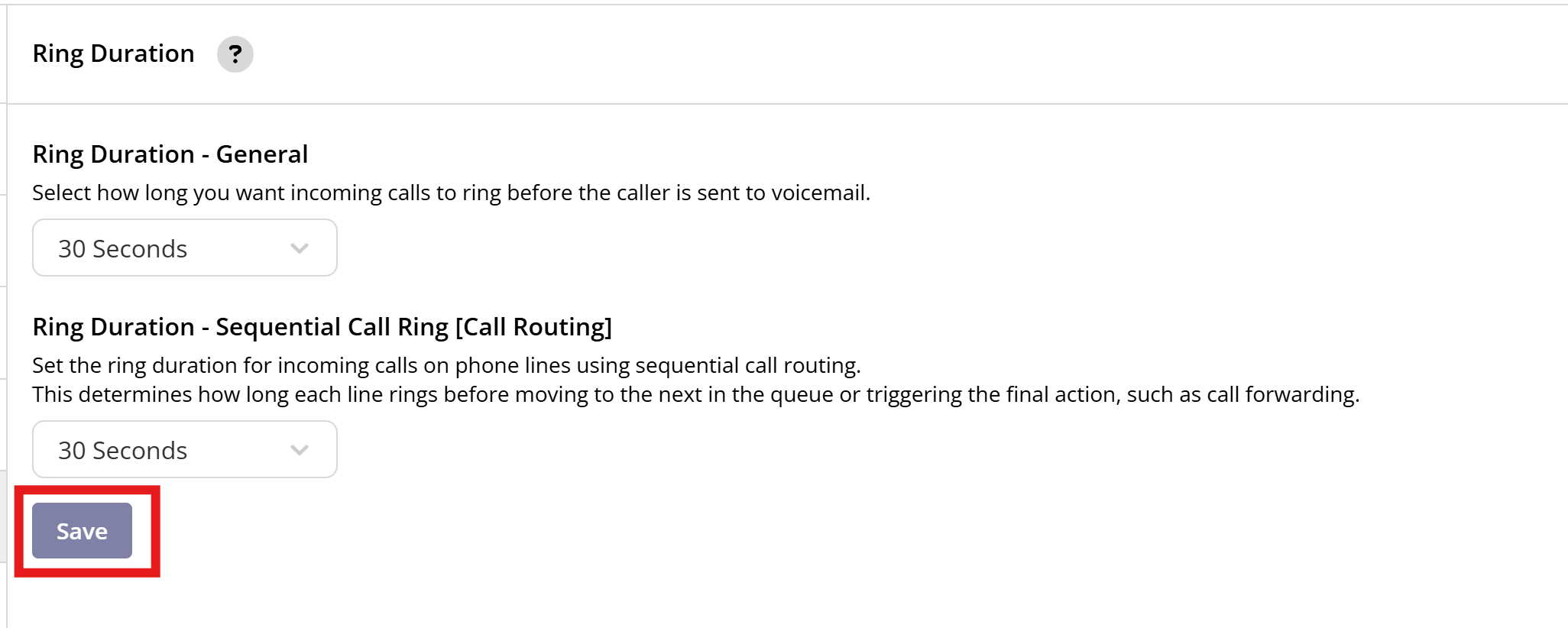
 **Saving Your Settings** After making your adjustments, be sure to click 'Save' to apply the changes.
 **Feedback and Custom Requests** If the current settings do not meet your specific needs, or if you require durations outside the provided options, please reach out to our team. We're committed to enhancing this feature to better serve all Engage users.
***
**Have additional questions?**
*Contact us at [support@fieldpulse.com](mailto:support@fieldpulse.com) or use the chat feature in the bottom right corner of your screen.*
***
**Feedback and Custom Requests** If the current settings do not meet your specific needs, or if you require durations outside the provided options, please reach out to our team. We're committed to enhancing this feature to better serve all Engage users.
***
**Have additional questions?**
*Contact us at [support@fieldpulse.com](mailto:support@fieldpulse.com) or use the chat feature in the bottom right corner of your screen.*
***