> ## Documentation Index
> Fetch the complete documentation index at: https://help.fieldpulse.com/llms.txt
> Use this file to discover all available pages before exploring further.
# Setting Up Voicemail
> Record or type-to-speech a default greeting and give each Engage phone line its own voicemail message.
Engage allows you to set a default voicemail, as well as to create different voicemails for each of your phone lines.
***
# Default Voicemail
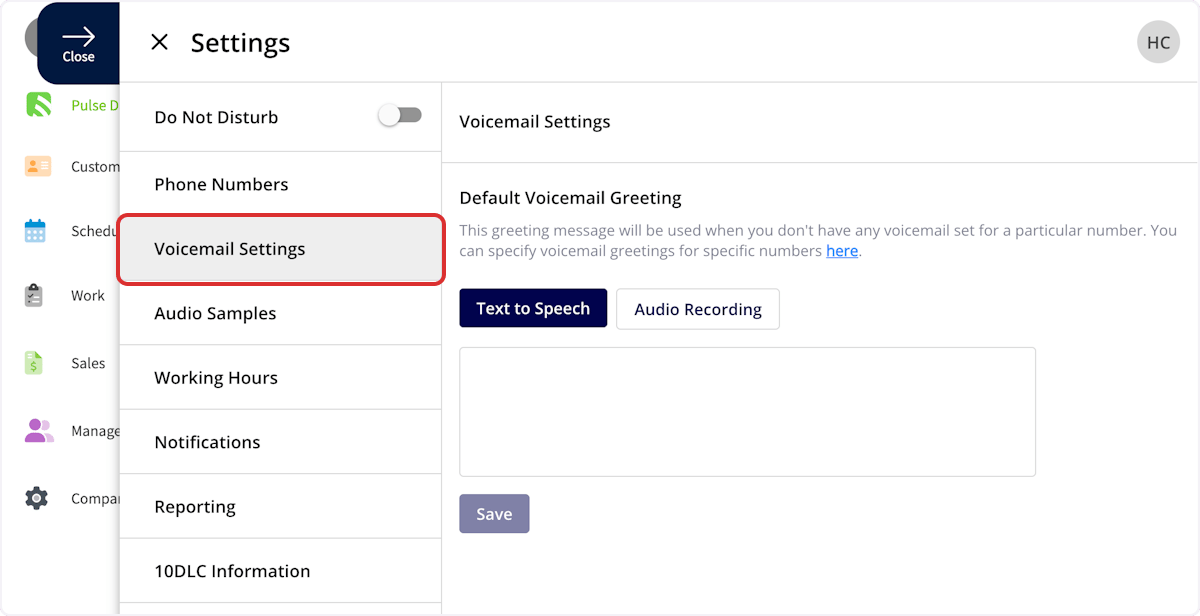
This section allows you to set a default voicemail for all Engage phone lines. Here, you can record your voicemail greeting, or type your message to be read using text to speech. Simply select *Text to Speech* or *Audio Recording* based on your preference. Make sure to press *Save* after making changes.
 ***
# Phone Line Settings
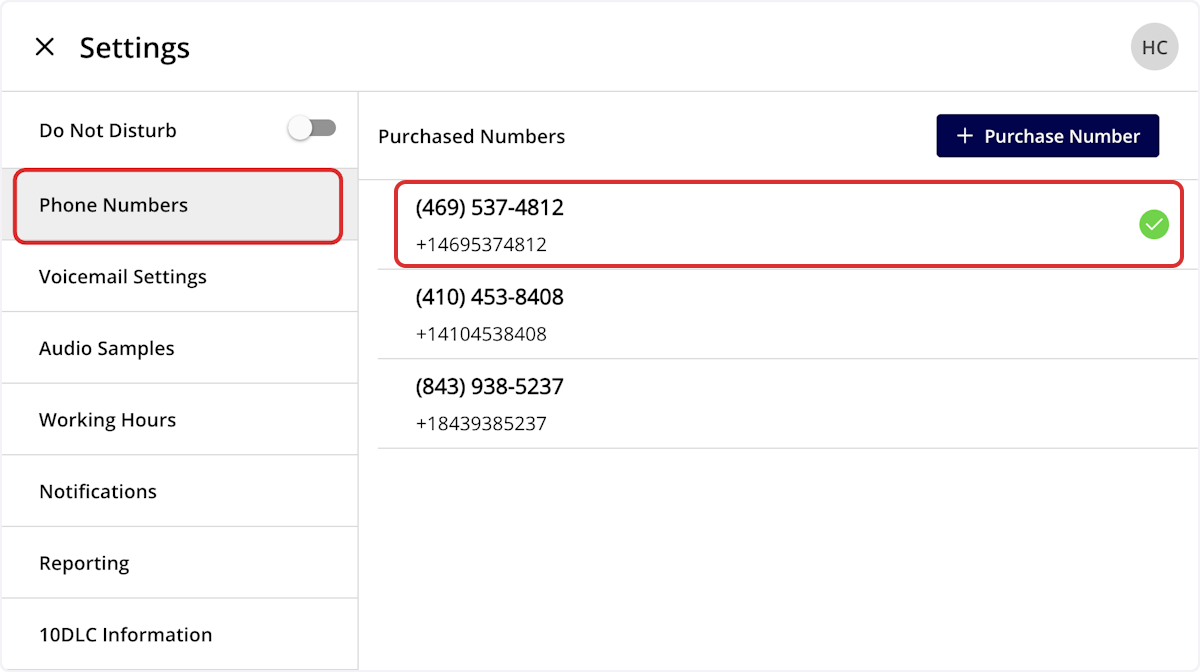
To specify a voicemail for individual phone lines, select *Phone Numbers*, then click on the phone line where you'd like to make changes.
***
# Phone Line Settings
To specify a voicemail for individual phone lines, select *Phone Numbers*, then click on the phone line where you'd like to make changes.
 ## Default Voicemail
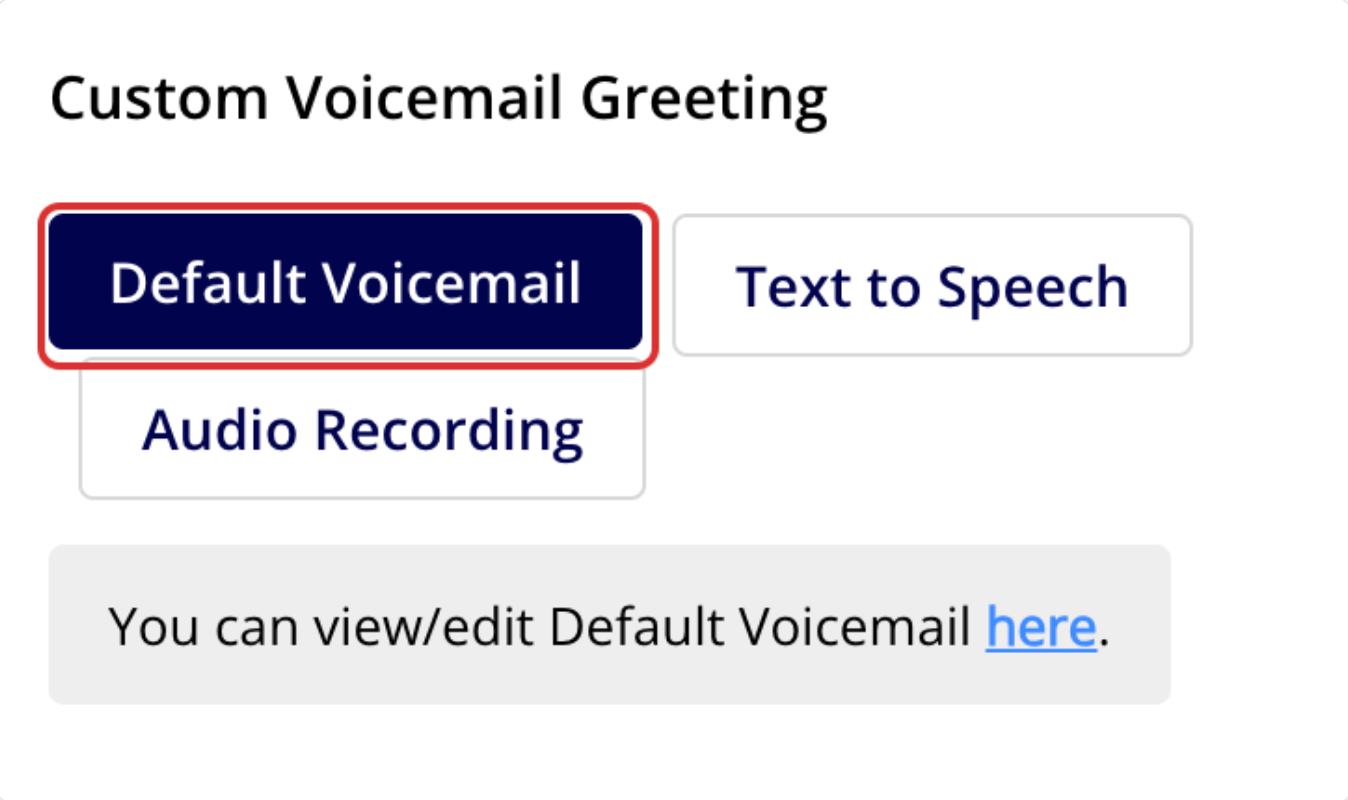
*Default Voicemail* will use the default voicemail set up under *Voicemail Settings* as the voicemail for this line.
## Default Voicemail
*Default Voicemail* will use the default voicemail set up under *Voicemail Settings* as the voicemail for this line.
 ## Text to Speech
*Text to Speech* will create a voicemail message that plays for this phone line based on the text you enter.
## Audio Recording
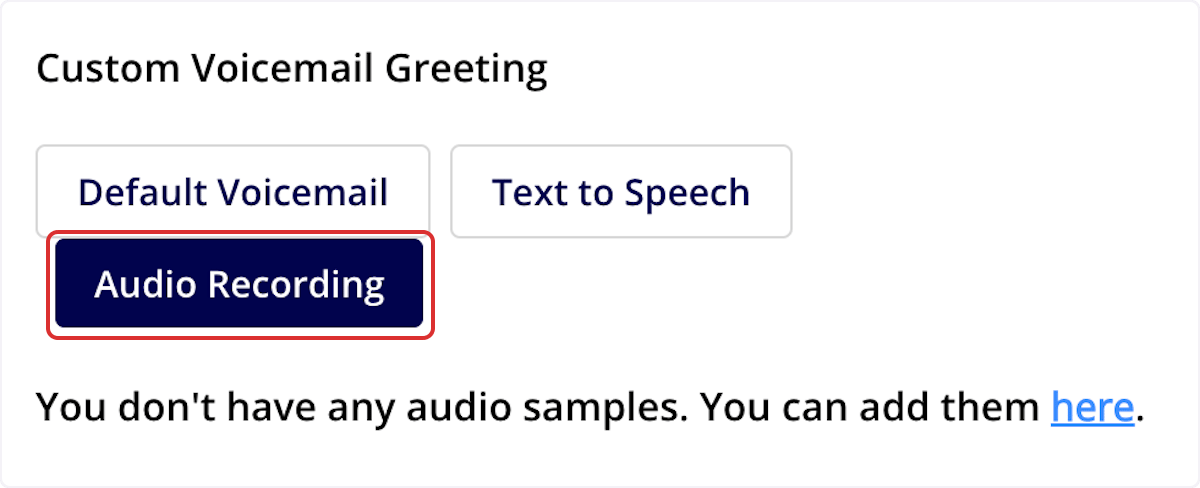
*Audio Recording* allows you to set a custom voicemail greeting. Record or upload an audio sample under the *Audio Samples tab*, then select the applicable sample here to use it as the voicemail for this phone line.
**Web App:** Supports .mp3 audio files. **Mobile App:** Supports both .mp3 and .wav audio files.
## Text to Speech
*Text to Speech* will create a voicemail message that plays for this phone line based on the text you enter.
## Audio Recording
*Audio Recording* allows you to set a custom voicemail greeting. Record or upload an audio sample under the *Audio Samples tab*, then select the applicable sample here to use it as the voicemail for this phone line.
**Web App:** Supports .mp3 audio files. **Mobile App:** Supports both .mp3 and .wav audio files.
 Regardless of the voicemail type you choose, be sure to press *Save* before navigating away from the page.
***
# FAQs
**Can archived or deleted voicemails be restored in Engage?**
No. Once a voicemail has been archived in Engage, it cannot be restored. Be sure to save or act on any voicemails you need before archiving them.
***
**Have additional questions?**
*Contact us at [support@fieldpulse.com](mailto:support@fieldpulse.com) or use the chat feature in the bottom right corner of your screen.*
Regardless of the voicemail type you choose, be sure to press *Save* before navigating away from the page.
***
# FAQs
**Can archived or deleted voicemails be restored in Engage?**
No. Once a voicemail has been archived in Engage, it cannot be restored. Be sure to save or act on any voicemails you need before archiving them.
***
**Have additional questions?**
*Contact us at [support@fieldpulse.com](mailto:support@fieldpulse.com) or use the chat feature in the bottom right corner of your screen.*