> ## Documentation Index
> Fetch the complete documentation index at: https://help.fieldpulse.com/llms.txt
> Use this file to discover all available pages before exploring further.
# Putting a Caller on Hold
> Engage users can now place calls on hold effortlessly through both the web and mobile apps. You can manage multiple calls at a time—in any mix of active…
Engage users can now place calls on hold effortlessly through both the web and mobile apps. You can manage **multiple calls at a time**—in any mix of active and on-hold calls—making it easy to handle multiple conversations without missing important opportunities.
***
# Hold Functionality
### 🔁 Placing a Call on Hold
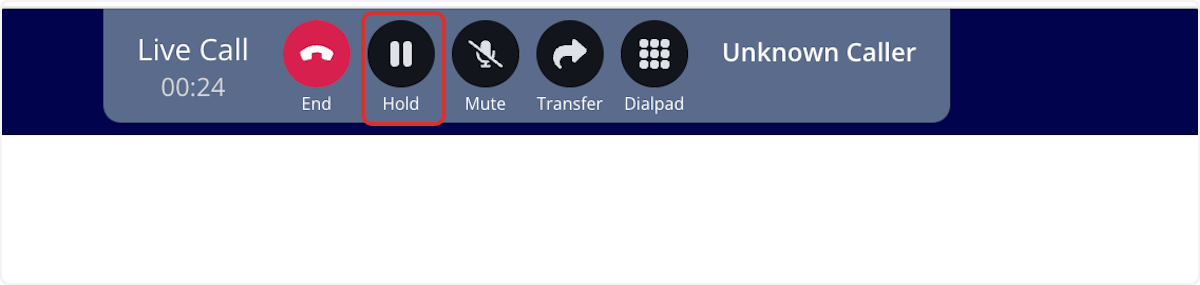
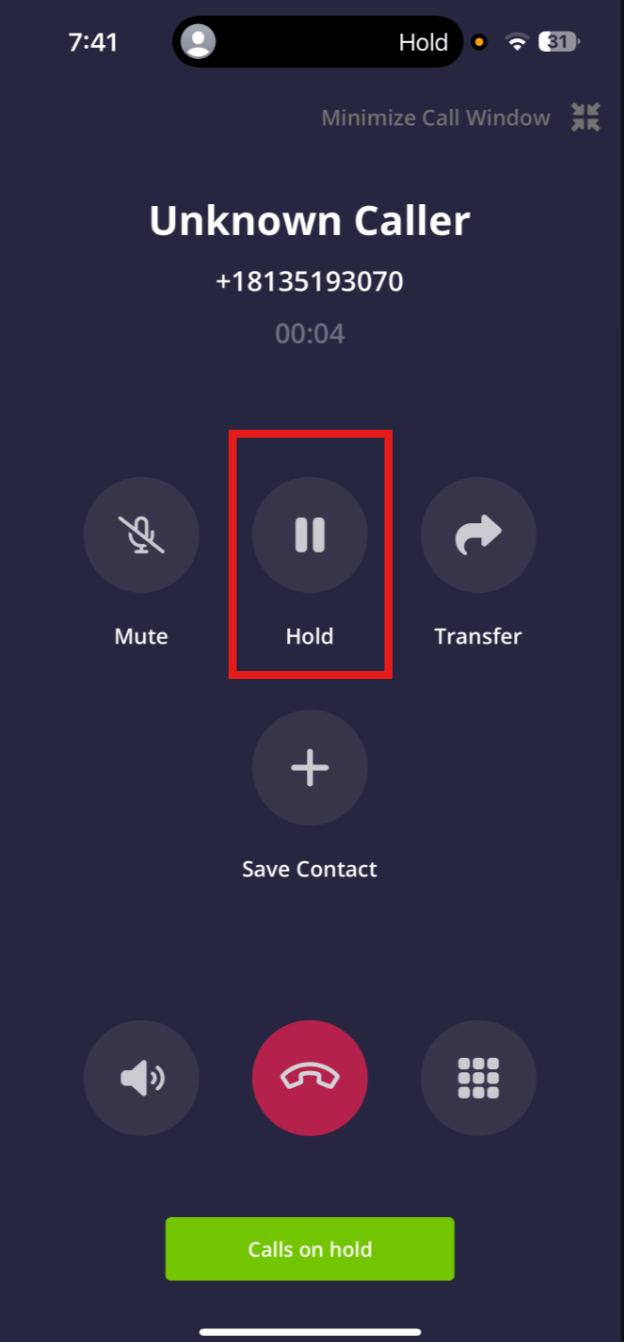
On both **web and mobile**, tap the *Hold* button while on an active call to place it on hold. If hold music is enabled in your Company Settings, the caller will hear it while waiting.
* You won’t hear the caller, and they won’t hear you.
* While on hold, you can freely move around Engage, send SMS, and **accept or make new calls**.
 ### 🔄 Switching Between Calls
#### WebApp
When handling multiple calls, they’ll appear at the top of your FieldPulse screen, with each new call added to the right. Click any call to display it in the main call window. Use the *Hold* button to place a call on hold or tap it again to resume.
### 🔄 Switching Between Calls
#### WebApp
When handling multiple calls, they’ll appear at the top of your FieldPulse screen, with each new call added to the right. Click any call to display it in the main call window. Use the *Hold* button to place a call on hold or tap it again to resume.
 #### Mobile
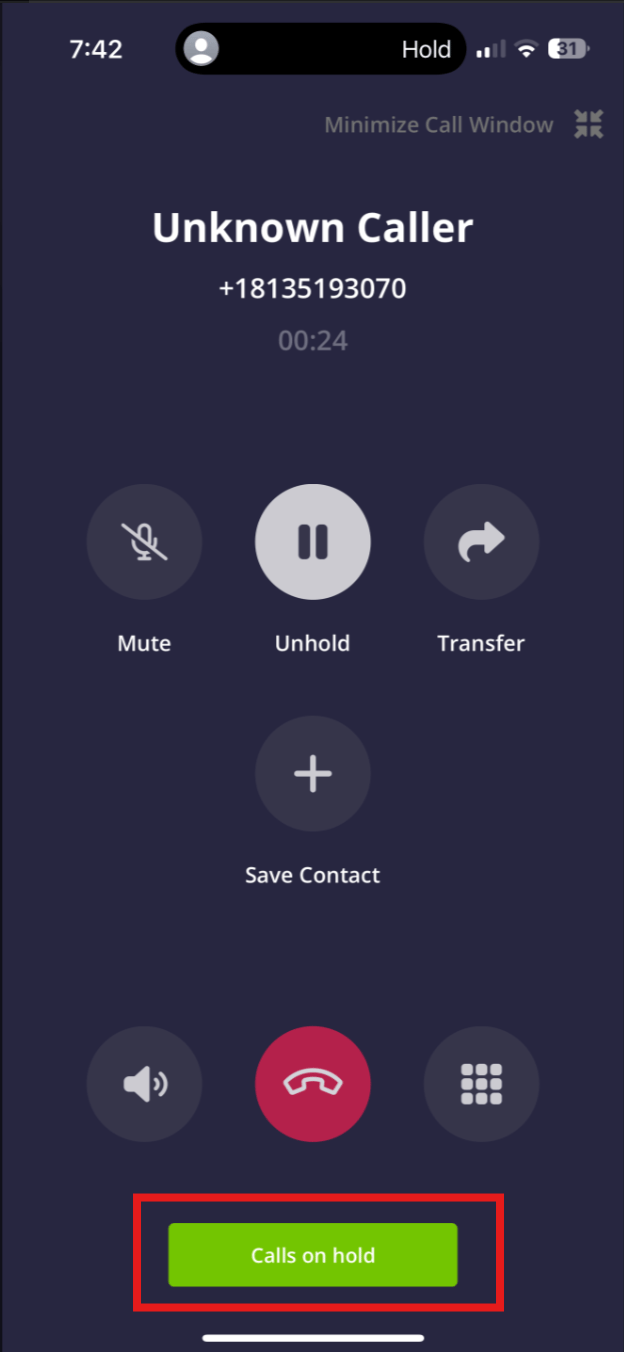
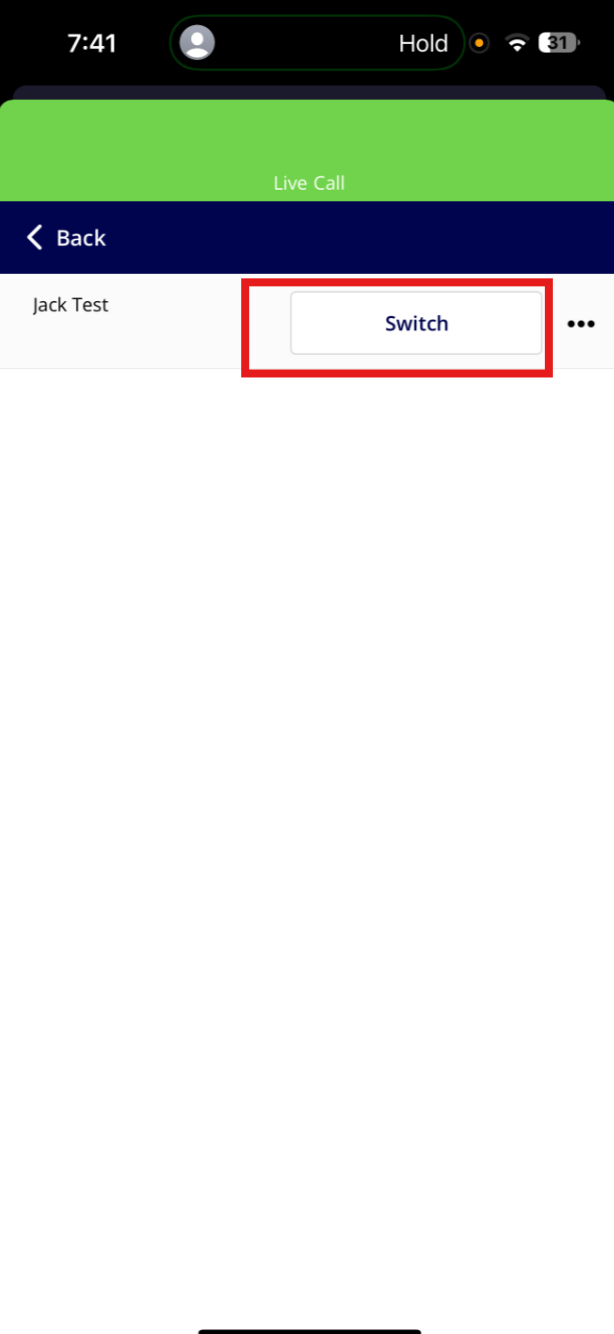
When managing multiple calls, a *Calls on Hold* button will appear at the bottom of your mobile screen. Tap it to view all held calls and use the *Switch* button to swap your active call with one on hold. The current call will be placed on hold automatically.
#### Mobile
When managing multiple calls, a *Calls on Hold* button will appear at the bottom of your mobile screen. Tap it to view all held calls and use the *Switch* button to swap your active call with one on hold. The current call will be placed on hold automatically.
 ***
# 🚫 Transfers & Limits
Transfers can only be performed on active calls. Held calls must be resumed before they can be transferred.
If you try to take a fourth call, a popup will notify you that you’ve hit the call limit. You’ll need to end one of the existing calls to proceed.
***
# 🎵 Custom Hold Music
Customize what callers hear while on hold—whether it’s relaxing music, promotions, or a message about your services. This audio will play on loop until you return to the call.
**Web App:** Supports .mp3 audio files.
**Mobile App:** Supports both .mp3 and .wav audio files.
### To set it up:
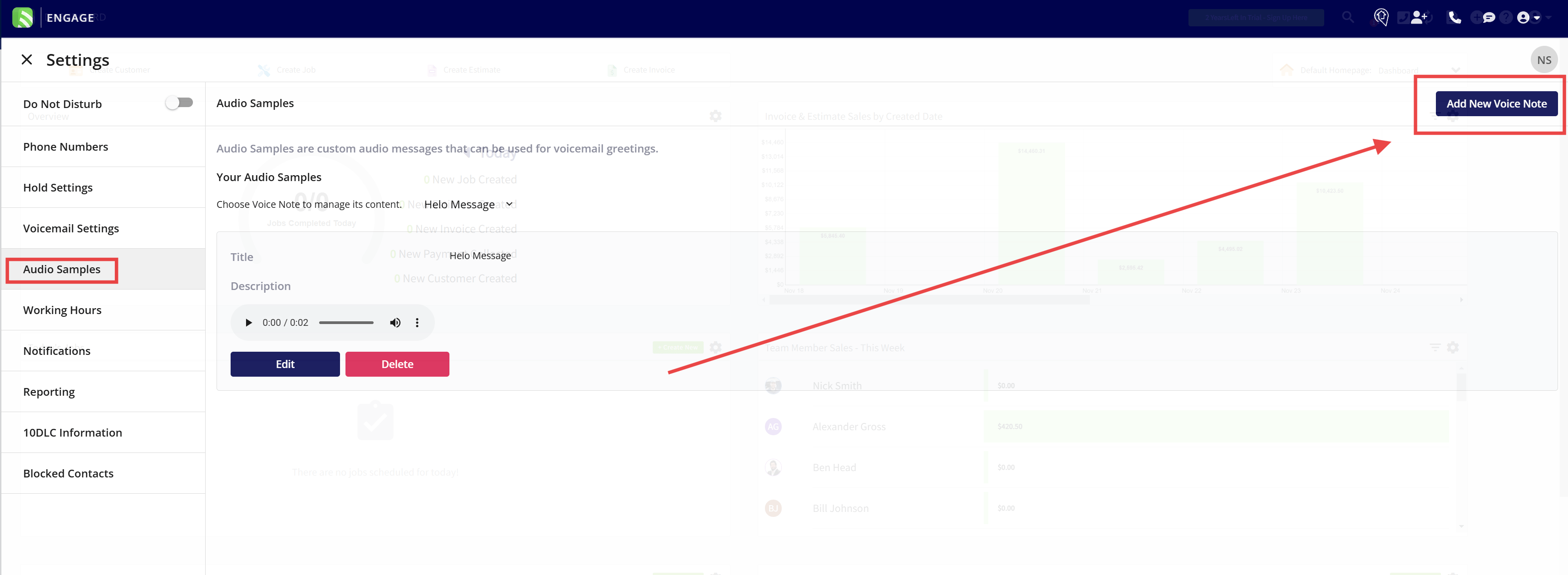
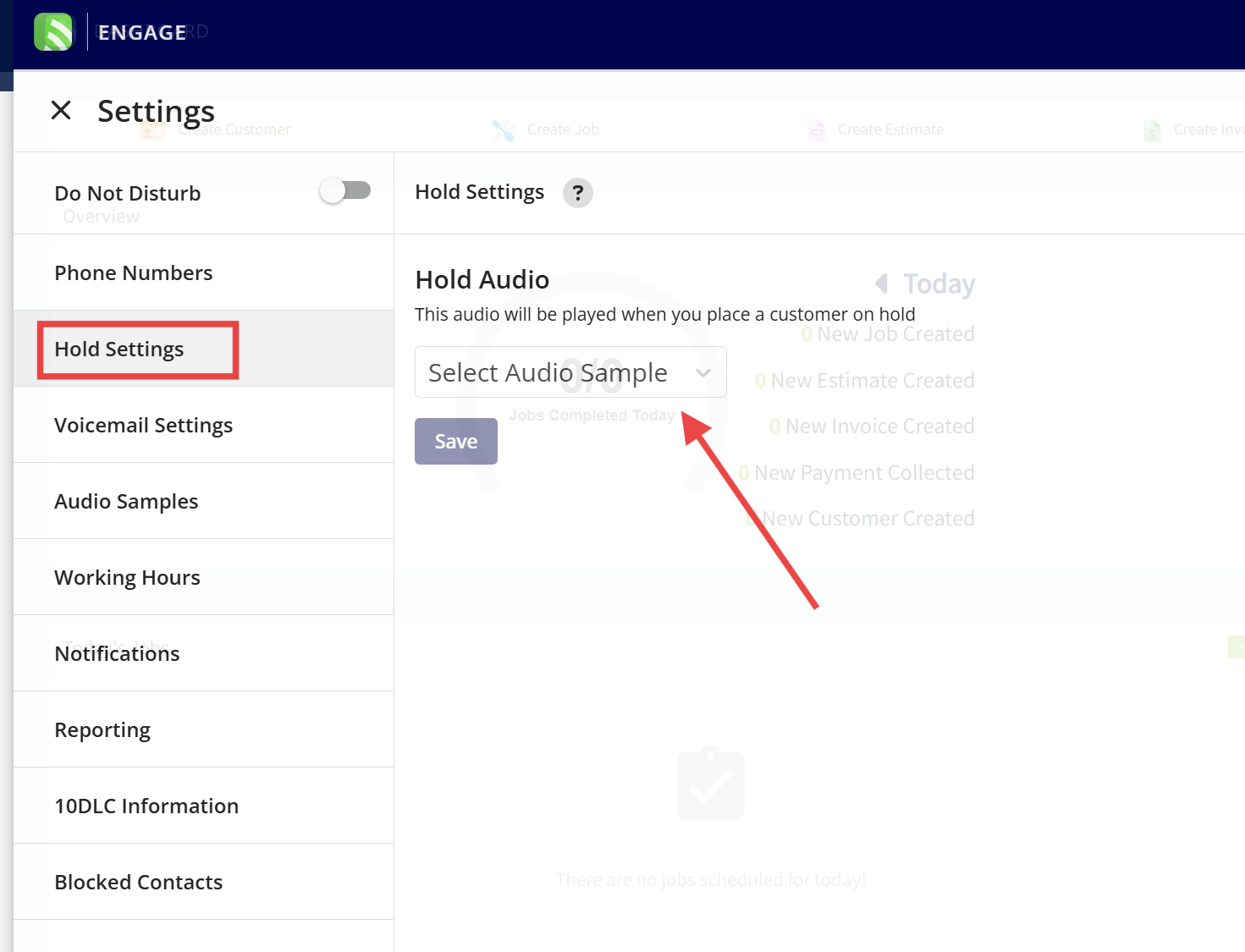
1. Go to *Engage Settings > Hold Settings*
2. Upload your own:
* Go to *Audio Samples* > Add a new voice note
***
# 🚫 Transfers & Limits
Transfers can only be performed on active calls. Held calls must be resumed before they can be transferred.
If you try to take a fourth call, a popup will notify you that you’ve hit the call limit. You’ll need to end one of the existing calls to proceed.
***
# 🎵 Custom Hold Music
Customize what callers hear while on hold—whether it’s relaxing music, promotions, or a message about your services. This audio will play on loop until you return to the call.
**Web App:** Supports .mp3 audio files.
**Mobile App:** Supports both .mp3 and .wav audio files.
### To set it up:
1. Go to *Engage Settings > Hold Settings*
2. Upload your own:
* Go to *Audio Samples* > Add a new voice note
 * Then return to *Hold Settings* and select your new audio
 ***
# ✅ Best Practice
While you can place more than three calls on hold, we recommend managing no more than **three concurrent calls** for optimal performance and call clarity.
***
**Have additional questions?**
*Contact us at [support@fieldpulse.com](mailto:support@fieldpulse.com) or use the chat feature in the bottom right corner of your screen.*
***
# ✅ Best Practice
While you can place more than three calls on hold, we recommend managing no more than **three concurrent calls** for optimal performance and call clarity.
***
**Have additional questions?**
*Contact us at [support@fieldpulse.com](mailto:support@fieldpulse.com) or use the chat feature in the bottom right corner of your screen.*