> ## Documentation Index
> Fetch the complete documentation index at: https://help.fieldpulse.com/llms.txt
> Use this file to discover all available pages before exploring further.
# Pulse Fleet Tracking
> Track every vehicle by live GPS, flag hard braking and speeding, and pull reports that cut fuel and maintenance costs across any size fleet.
Our Fleet Tracking system is simple, cost-effective, and can handle fleets of any size. With live GPS tracking, you'll have eyes on your drivers in real-time, making safety a breeze and protecting your valuable gear.
**Cost Savings**
With our detailed reporting, you can optimize vehicle efficiency and cut operating costs. Easily track events such as hard braking, speeding, and more.
**Safety**
Our Driver Rewards Program will improve your team's safety by reducing accidents, increasing productivity, and saving you money.
**Protect High-Value Equipment**
Employ our asset tracking system and say goodbye to theft and unauthorized use, and hello to simplified billing and real-time visibility of your gear and drivers.
**Employ AI-Powered Smart Detection**
With crystal-clear evidence of road events and driver behavior, keep track of distracted driving and keep your business running smoothly.
***
# Auto Refresh of Tracker Locations Shown on the Schedule Map View
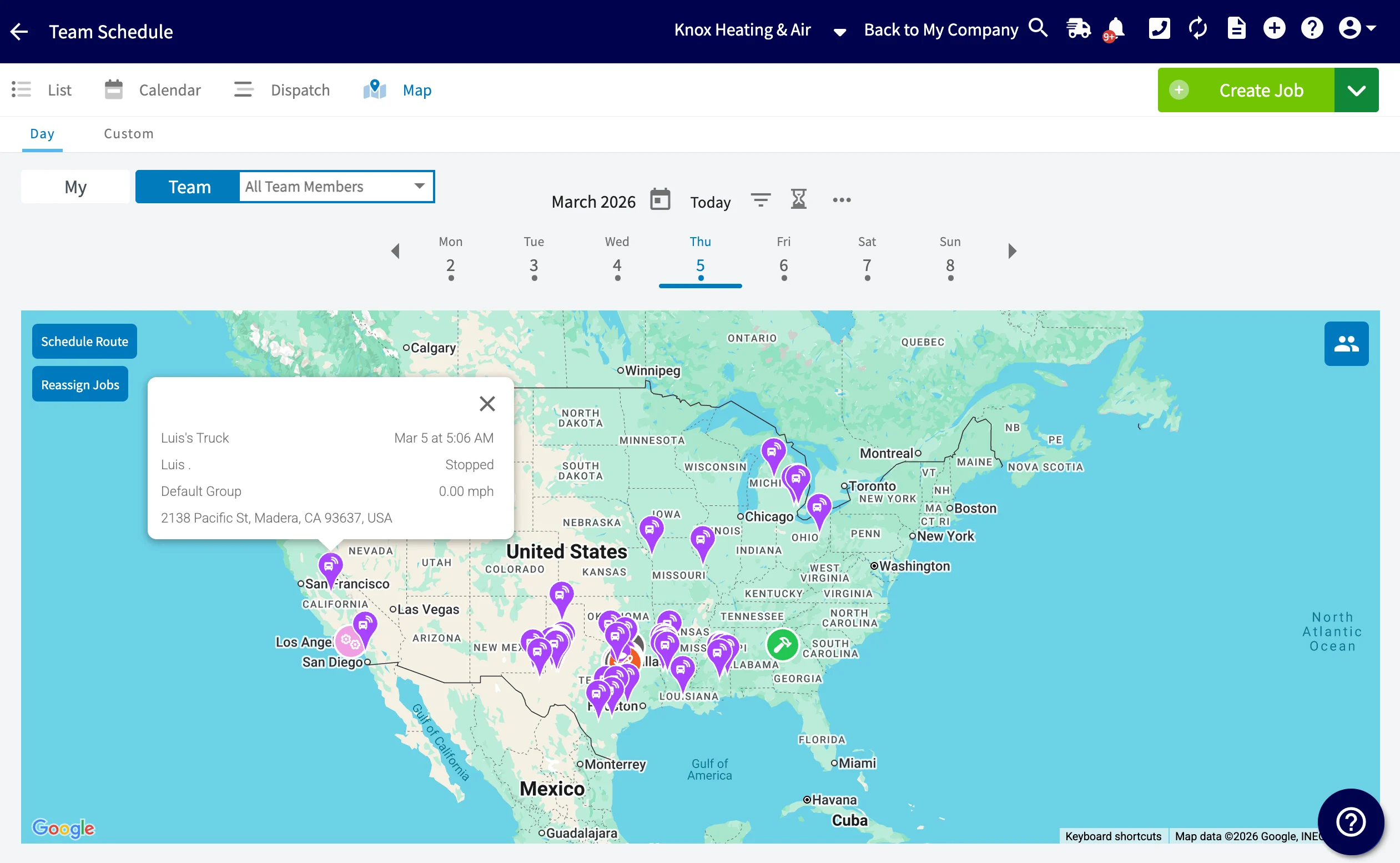
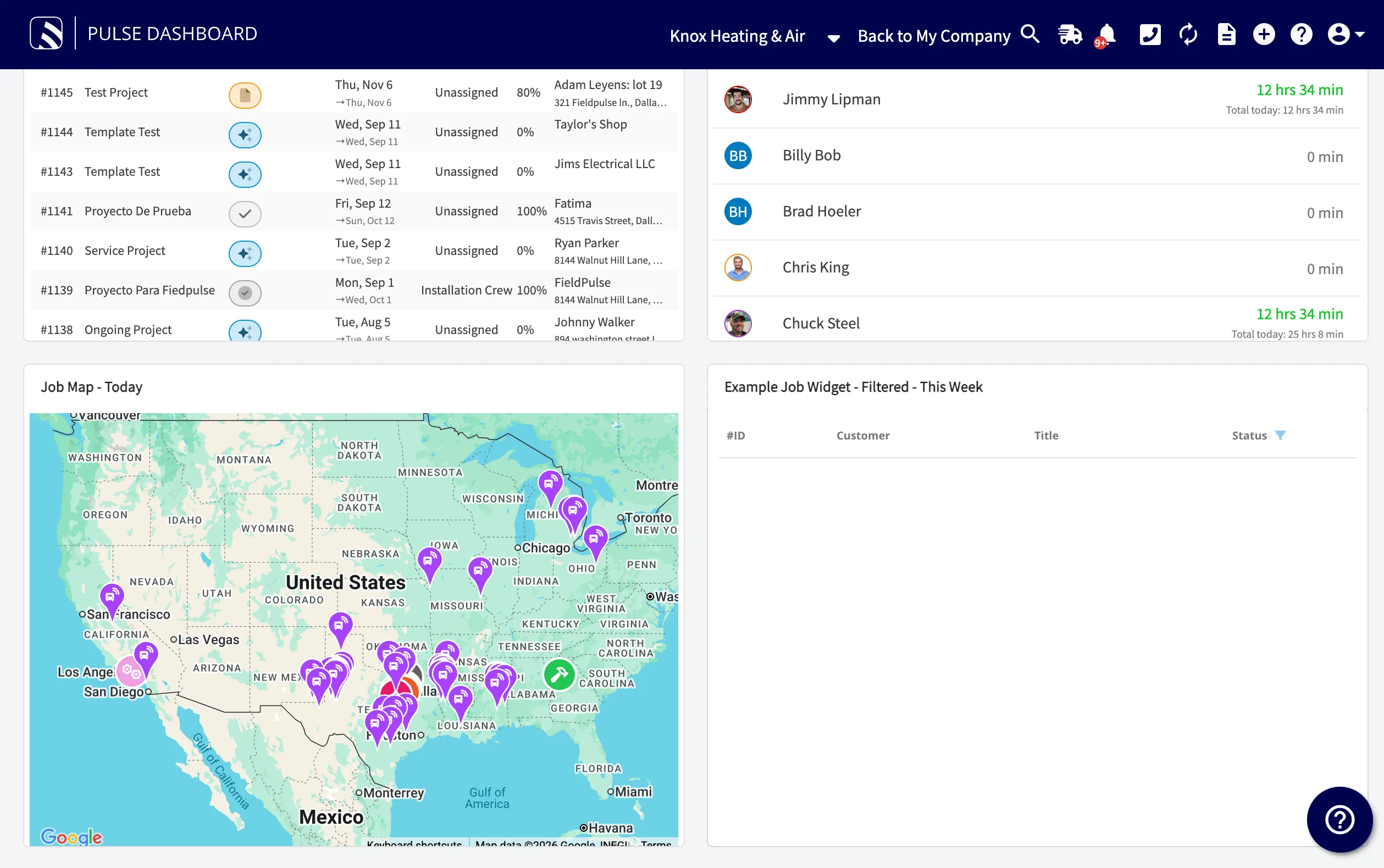
To view the latest GPS tracking device locations, the Schedule Map will auto-refresh every **60 seconds**, ensuring you have real-time access to the latest information.
This automatic updating of location will be available across all instances of the Schedule Map view in the following places:
* Schedule Map View Page
* Your FieldPulse Dashboard Widgets
* On Your Mobile App
*Schedule > Map View*
*Auto Refresh Visible on the Dashboard Widget*
***
# Video Tutorial
***
# Offerings
**Azuga GPS Flex Plan**
\- GPS Datalogger (Hardware)
\- Azuga Fleet Subscription (Software)
\- Includes GPS Tracking, Maintenance Module, Driver Scoring, Engine Diagnostics, Speed Alerts
**Azuga GPS & Surfsight AI Dashcam Flex Plan**
\- GPS Datalogger (Hardware)
\- Azuga AI Dashcam (Hardware)
\- AI video telematics, Cloud DVR, 10 minutes live stream
***
# Enabling Azuga Fleet Tracking
To get started with fleet tracking, contact us at [support@fieldpulse.com](mailto:support@fieldpulse.com) or use the chat feature in the bottom right corner of your screen.
***
# FAQs
**Where is Pulse Fleet Tracking available?**
Fleet Tracking is available in the US and Canada.
**How does it integrate with FieldPulse?**
Your vehicles will appear on the FieldPulse schedule map view. You can also access your full dashboard by selecting Fleet Tracking on the left-side menu.
**How often does it update?**
GPS tracking is updated at 1 minute intervals.
**Is there geo-fencing?**
Yes, you can create geofences for different zones such as head office, client location, and home. Every time a vehicle enters or exits a geofence, it is logged in the application. While creating a geofence, you can also set alerts that inform you when a vehicle enters/exits that geofence.
**Can I get vehicle maintenance reminders?**
Yes, you can set up alerts to inform you when the next service is due for vehicles/assets.
**How can I monitor speeding?**
You can set up speeding alerts and pull reports. Using speeding reports, you can get details such as the maximum speed attained by your vehicle, location at which speeding, and the date/time of the speeding.
**Does the vehicle's ignition need to be on for the GPS tracker and dash cam to work?**
Yes, both the GPS tracker and dash cam require the vehicle's ignition to be on to operate. The dash cam does have a standby mode and it can remain on for up to 120 minutes after the ignition is turned off.
***
**Have additional questions?**
*Contact us at [support@fieldpulse.com](mailto:support@fieldpulse.com) or use the chat feature in the bottom right corner of your screen.*
 *Schedule > Map View*
 *Auto Refresh Visible on the Dashboard Widget*
***
# Video Tutorial
***
# Offerings
**Azuga GPS Flex Plan**
\- GPS Datalogger (Hardware)
\- Azuga Fleet Subscription (Software)
\- Includes GPS Tracking, Maintenance Module, Driver Scoring, Engine Diagnostics, Speed Alerts
**Azuga GPS & Surfsight AI Dashcam Flex Plan**
\- GPS Datalogger (Hardware)
\- Azuga AI Dashcam (Hardware)
\- AI video telematics, Cloud DVR, 10 minutes live stream
***
# Enabling Azuga Fleet Tracking
To get started with fleet tracking, contact us at [support@fieldpulse.com](mailto:support@fieldpulse.com) or use the chat feature in the bottom right corner of your screen.
***
# FAQs
**Where is Pulse Fleet Tracking available?**
Fleet Tracking is available in the US and Canada.
**How does it integrate with FieldPulse?**
Your vehicles will appear on the FieldPulse schedule map view. You can also access your full dashboard by selecting Fleet Tracking on the left-side menu.
**How often does it update?**
GPS tracking is updated at 1 minute intervals.
**Is there geo-fencing?**
Yes, you can create geofences for different zones such as head office, client location, and home. Every time a vehicle enters or exits a geofence, it is logged in the application. While creating a geofence, you can also set alerts that inform you when a vehicle enters/exits that geofence.
**Can I get vehicle maintenance reminders?**
Yes, you can set up alerts to inform you when the next service is due for vehicles/assets.
**How can I monitor speeding?**
You can set up speeding alerts and pull reports. Using speeding reports, you can get details such as the maximum speed attained by your vehicle, location at which speeding, and the date/time of the speeding.
**Does the vehicle's ignition need to be on for the GPS tracker and dash cam to work?**
Yes, both the GPS tracker and dash cam require the vehicle's ignition to be on to operate. The dash cam does have a standby mode and it can remain on for up to 120 minutes after the ignition is turned off.
***
**Have additional questions?**
*Contact us at [support@fieldpulse.com](mailto:support@fieldpulse.com) or use the chat feature in the bottom right corner of your screen.*
*Auto Refresh Visible on the Dashboard Widget*
***
# Video Tutorial
***
# Offerings
**Azuga GPS Flex Plan**
\- GPS Datalogger (Hardware)
\- Azuga Fleet Subscription (Software)
\- Includes GPS Tracking, Maintenance Module, Driver Scoring, Engine Diagnostics, Speed Alerts
**Azuga GPS & Surfsight AI Dashcam Flex Plan**
\- GPS Datalogger (Hardware)
\- Azuga AI Dashcam (Hardware)
\- AI video telematics, Cloud DVR, 10 minutes live stream
***
# Enabling Azuga Fleet Tracking
To get started with fleet tracking, contact us at [support@fieldpulse.com](mailto:support@fieldpulse.com) or use the chat feature in the bottom right corner of your screen.
***
# FAQs
**Where is Pulse Fleet Tracking available?**
Fleet Tracking is available in the US and Canada.
**How does it integrate with FieldPulse?**
Your vehicles will appear on the FieldPulse schedule map view. You can also access your full dashboard by selecting Fleet Tracking on the left-side menu.
**How often does it update?**
GPS tracking is updated at 1 minute intervals.
**Is there geo-fencing?**
Yes, you can create geofences for different zones such as head office, client location, and home. Every time a vehicle enters or exits a geofence, it is logged in the application. While creating a geofence, you can also set alerts that inform you when a vehicle enters/exits that geofence.
**Can I get vehicle maintenance reminders?**
Yes, you can set up alerts to inform you when the next service is due for vehicles/assets.
**How can I monitor speeding?**
You can set up speeding alerts and pull reports. Using speeding reports, you can get details such as the maximum speed attained by your vehicle, location at which speeding, and the date/time of the speeding.
**Does the vehicle's ignition need to be on for the GPS tracker and dash cam to work?**
Yes, both the GPS tracker and dash cam require the vehicle's ignition to be on to operate. The dash cam does have a standby mode and it can remain on for up to 120 minutes after the ignition is turned off.
***
**Have additional questions?**
*Contact us at [support@fieldpulse.com](mailto:support@fieldpulse.com) or use the chat feature in the bottom right corner of your screen.*