> ## Documentation Index
> Fetch the complete documentation index at: https://help.fieldpulse.com/llms.txt
> Use this file to discover all available pages before exploring further.
# Contracts
> Build reusable contracts, attach them to estimates and invoices, and collect customer e-signatures in the app or by email.
In FieldPulse, you have the ability to create contracts that can be attached to your estimates and invoices. Customers can conveniently sign directly within the mobile app, or you can request their signature via email.
If you require a signature on an estimate before starting work for your customer, you **must** attach a contract.
***
# Creating a Contract
To create a new contract, navigate to *Company Settings* in the left-side menu, then click on *Estimates & Invoices*. Navigate to *Contracts* in the sub-header.
Once on the *Contracts* page, click *Create New*.
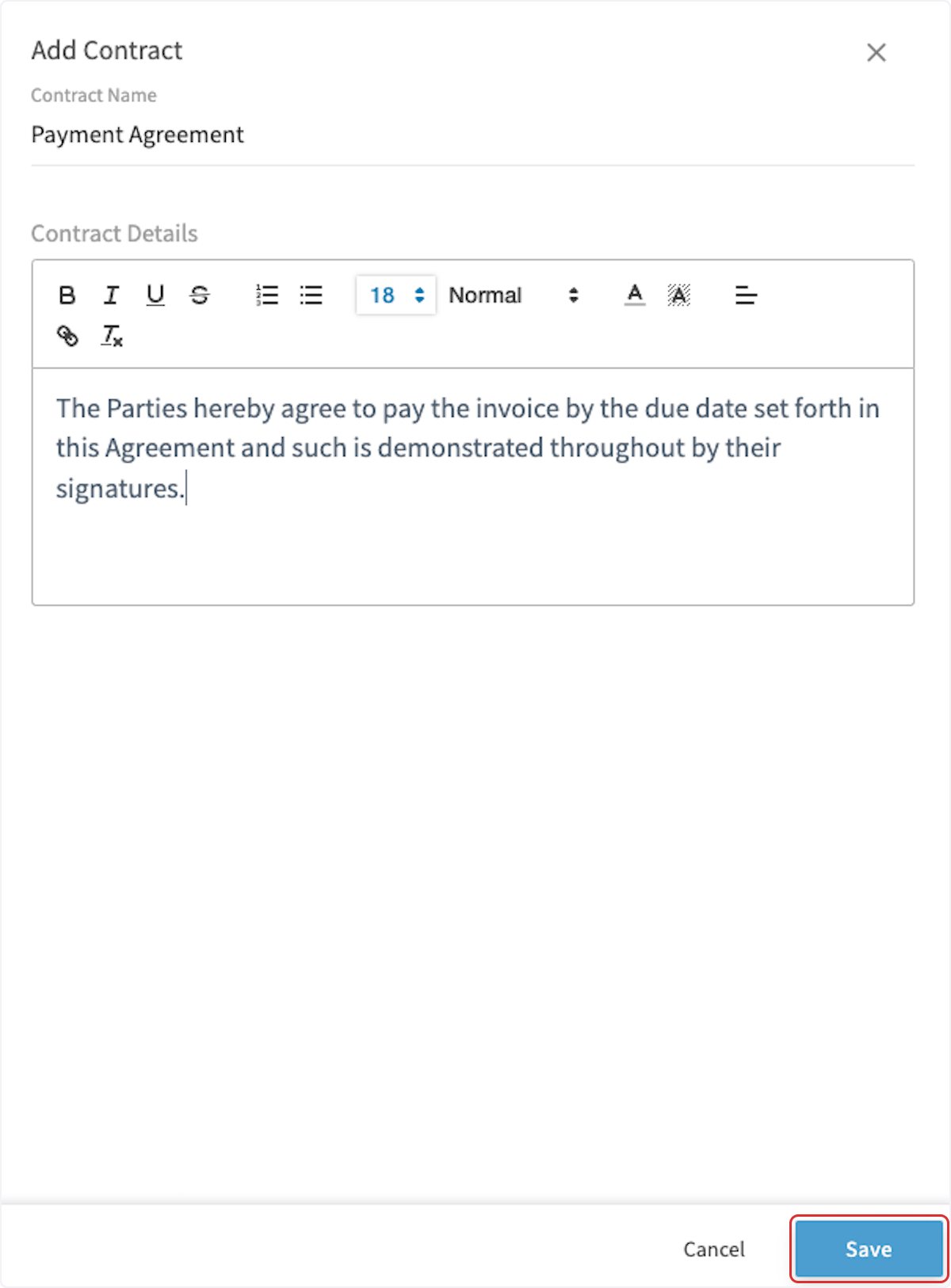
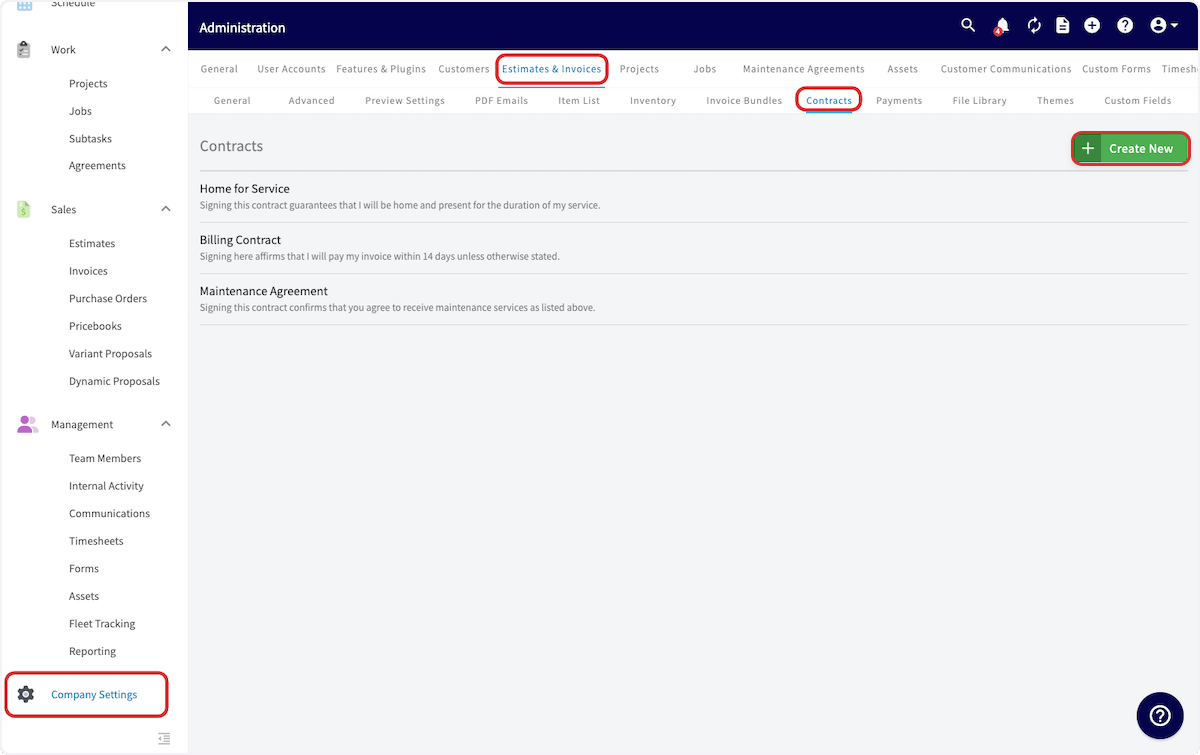 You can add all your details to the contract that you may need. Some customers use this for Service/Maintenance Agreements, General Contracts, Warranties, etc. When you're finished, click *Save*.
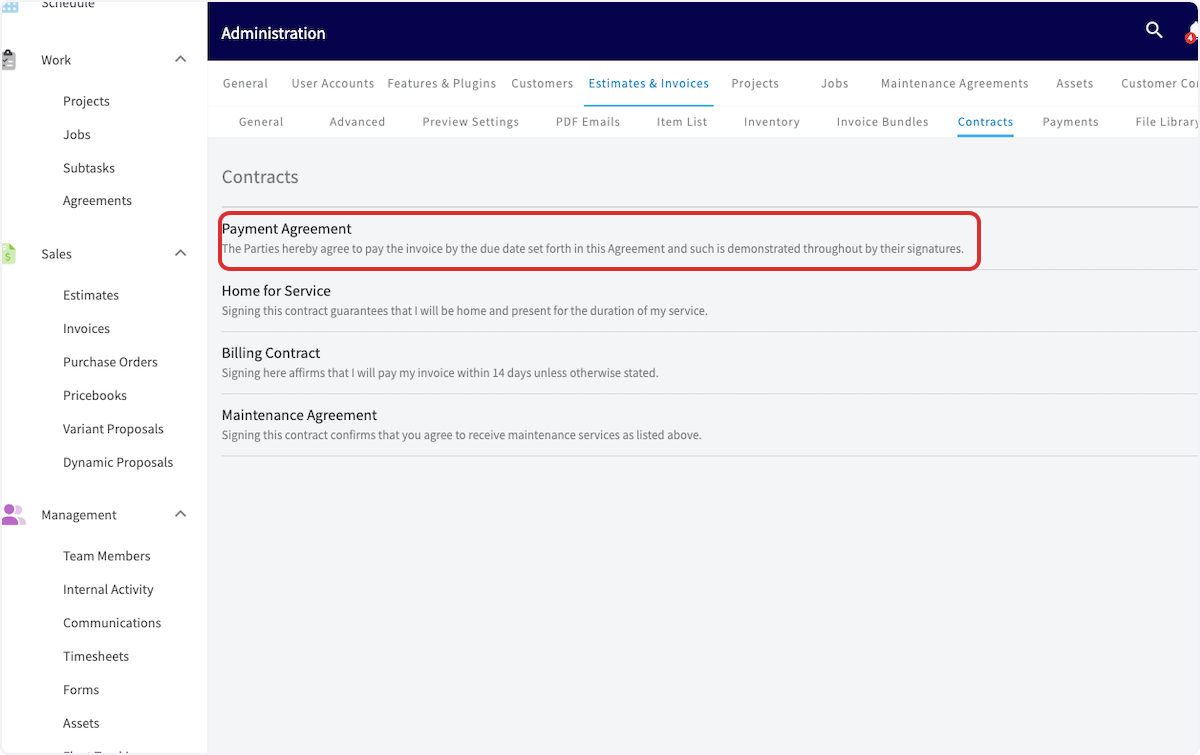
 You'll see your new contract listed on the *Contracts* page.
 ***
# Setting a Default Contract
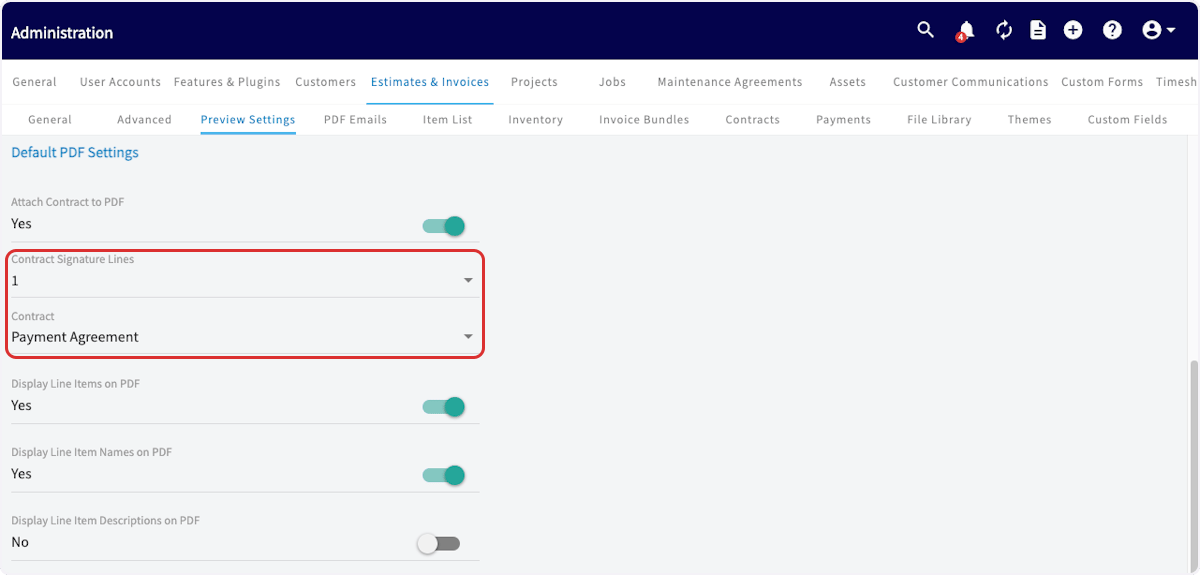
To automatically add your new contract to all of your estimates and invoices, click on *Preview Settings* under *Estimates & Invoices* and toggle on *Attach Contract to PDF*.
***
# Setting a Default Contract
To automatically add your new contract to all of your estimates and invoices, click on *Preview Settings* under *Estimates & Invoices* and toggle on *Attach Contract to PDF*.
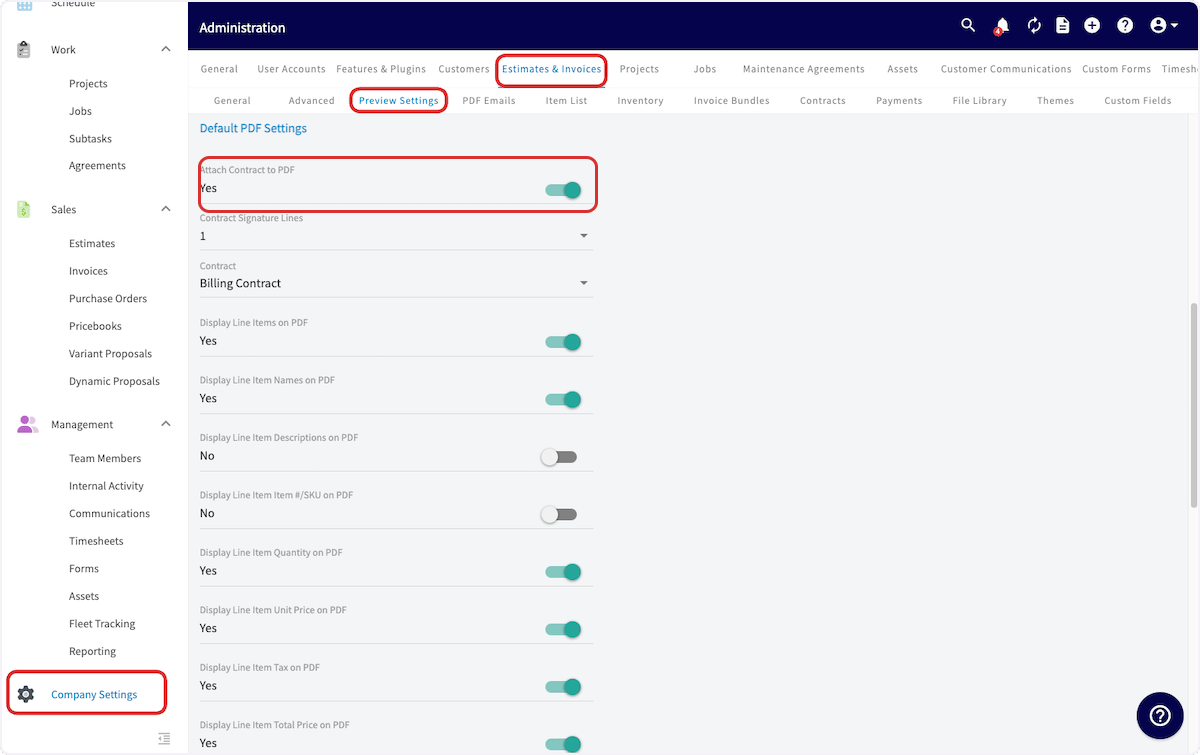 You can then enter how many signature lines you require and which contract to attach.
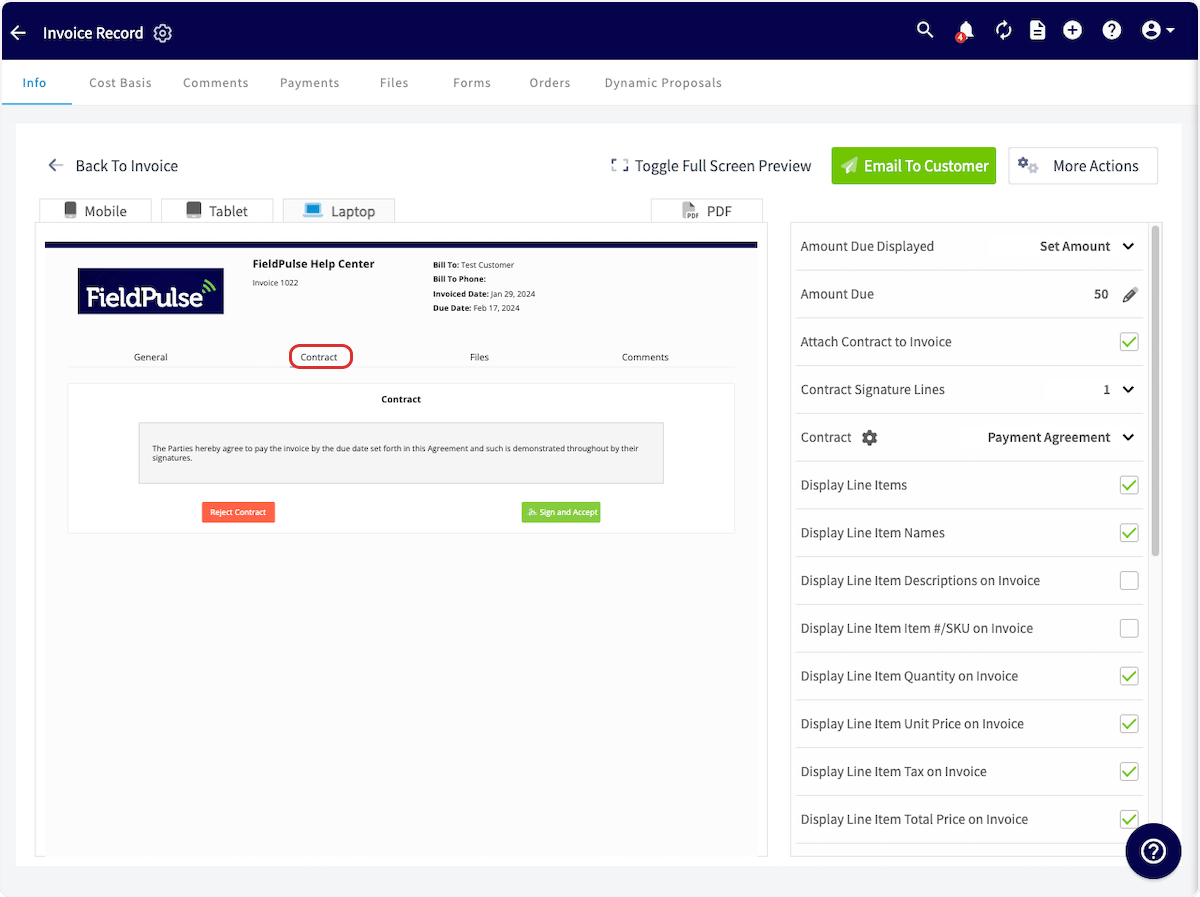
 The next time you create an estimate or invoice, you will see your contract in the Contracts section or on the second page of the PDF. Your customer can sign the contract via email or on the FieldPulse mobile app while your tech is in-field.
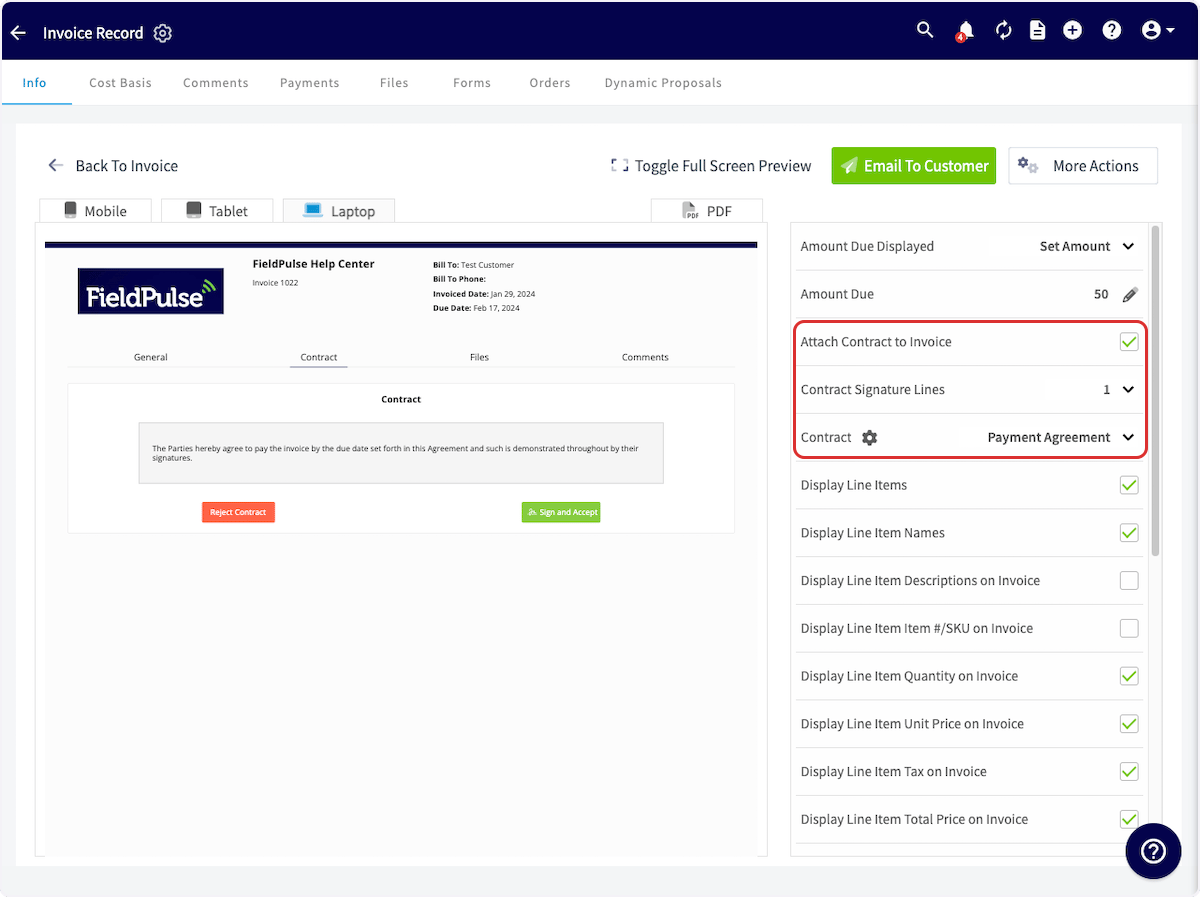
 If you want to remove/change the contract or signature lines on an estimate or invoice from your default contract settings, you can make changes when previewing the estimate/invoice in the right-side menu.
 ***
# Video Tutorial
***
**Have additional questions?**
*Contact us at [support@fieldpulse.com](mailto:support@fieldpulse.com) or use the chat feature in the bottom right corner of your screen.*
***
# Video Tutorial
***
**Have additional questions?**
*Contact us at [support@fieldpulse.com](mailto:support@fieldpulse.com) or use the chat feature in the bottom right corner of your screen.*