> ## Documentation Index
> Fetch the complete documentation index at: https://help.fieldpulse.com/llms.txt
> Use this file to discover all available pages before exploring further.
# Setting Up Your Account
> Configure company info, logo, users, and core defaults from Company Settings so the rest of your setup builds on solid basics.
# Company Settings
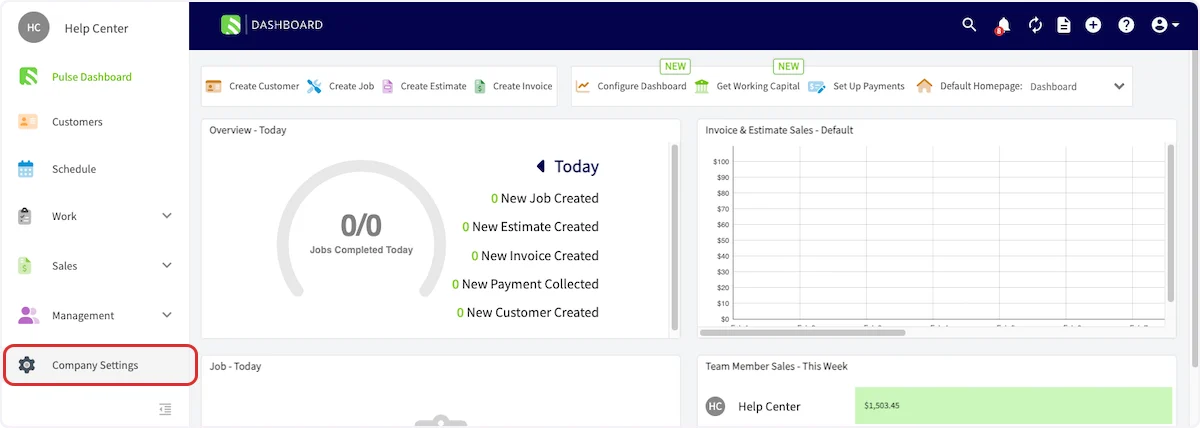
Let's begin by setting up the basics of your FieldPulse account. Navigate to *Company Settings* in the left-side menu. *(**Note:** Only admin users have access.)*
 ## Company Information & Logo
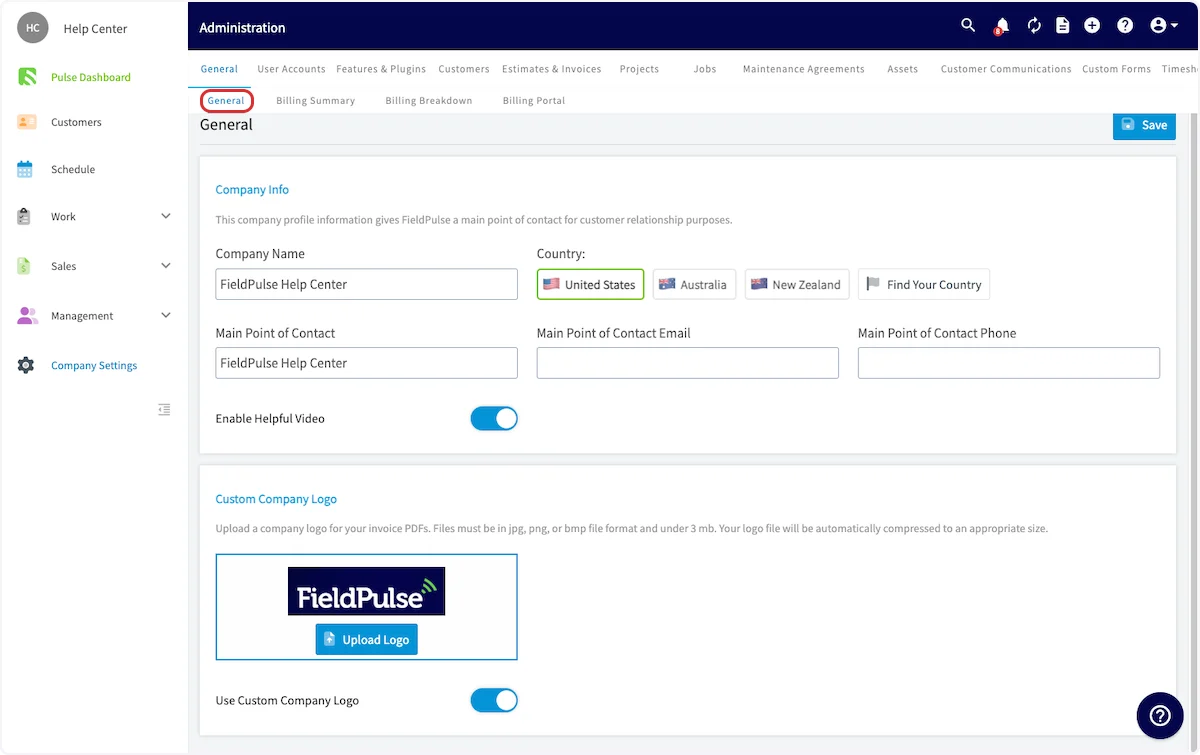
* Add or edit your company name, contact information, and company logo.
## Company Information & Logo
* Add or edit your company name, contact information, and company logo.
 ## User Accounts
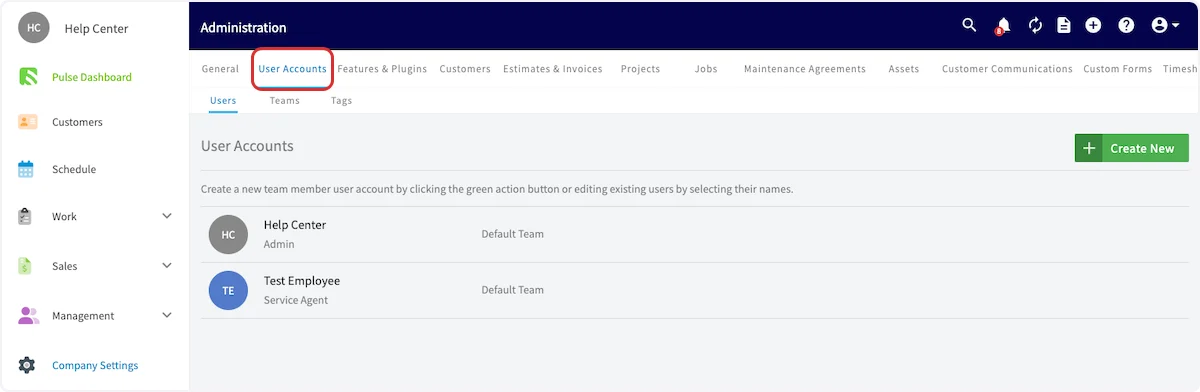
* [Learn about user roles](/using-fieldpulse/users-teams/user-roles)
* [Add new users](/using-fieldpulse/users-teams/adding-new-users)
* [Set up your team(s)](/using-fieldpulse/users-teams/teams-team-member-structure)
## User Accounts
* [Learn about user roles](/using-fieldpulse/users-teams/user-roles)
* [Add new users](/using-fieldpulse/users-teams/adding-new-users)
* [Set up your team(s)](/using-fieldpulse/users-teams/teams-team-member-structure)
 ## Features & Plugins
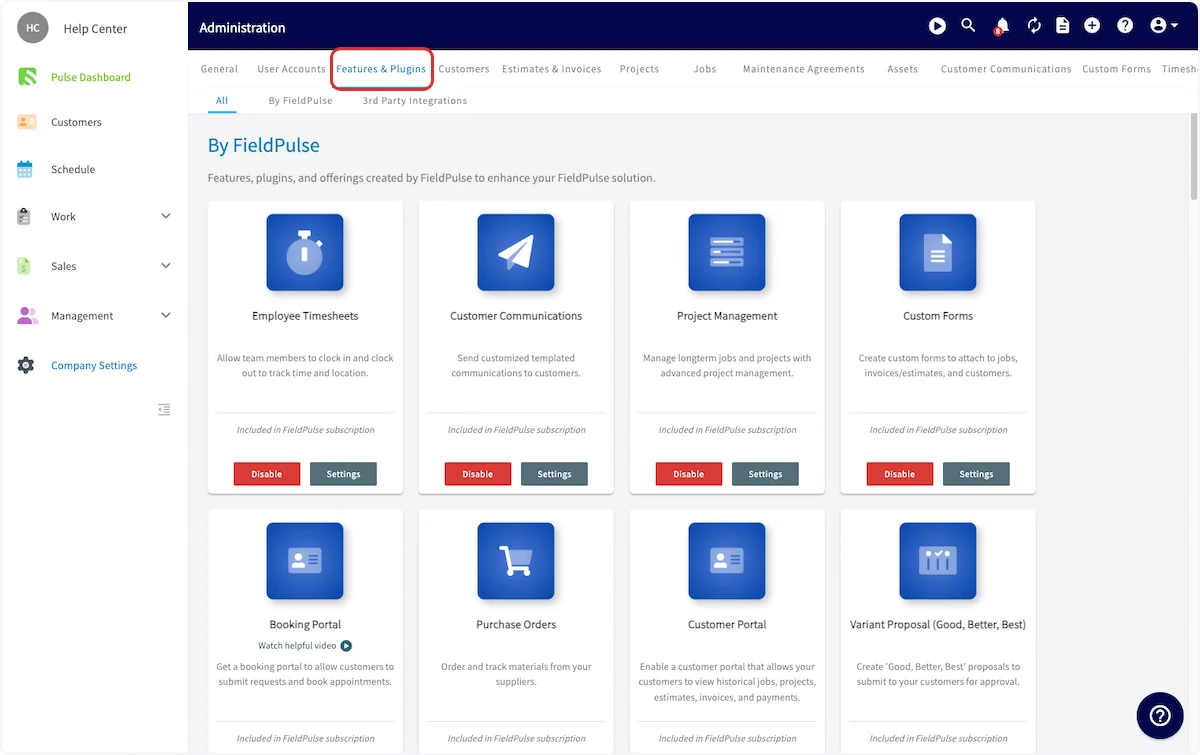
* This page allows you to select the features that you'd like to enable for your business. Simply click the *Enable* button under the features you want to add.
* We've categorized our features and plugins by color:
* **Blue:** The blue icons are included in your base subscription package.
* **Purple:** The purple icons are are add-ons to your base subscription package.
* Our preferred partners and integrations fall below.
* To learn more about our features and plug-ins, [our features and plug-ins overview](/getting-started/core-features-first-tasks/next-steps-support-options/features-plugins-overview).
## Features & Plugins
* This page allows you to select the features that you'd like to enable for your business. Simply click the *Enable* button under the features you want to add.
* We've categorized our features and plugins by color:
* **Blue:** The blue icons are included in your base subscription package.
* **Purple:** The purple icons are are add-ons to your base subscription package.
* Our preferred partners and integrations fall below.
* To learn more about our features and plug-ins, [our features and plug-ins overview](/getting-started/core-features-first-tasks/next-steps-support-options/features-plugins-overview).
 ***
# "My Settings"
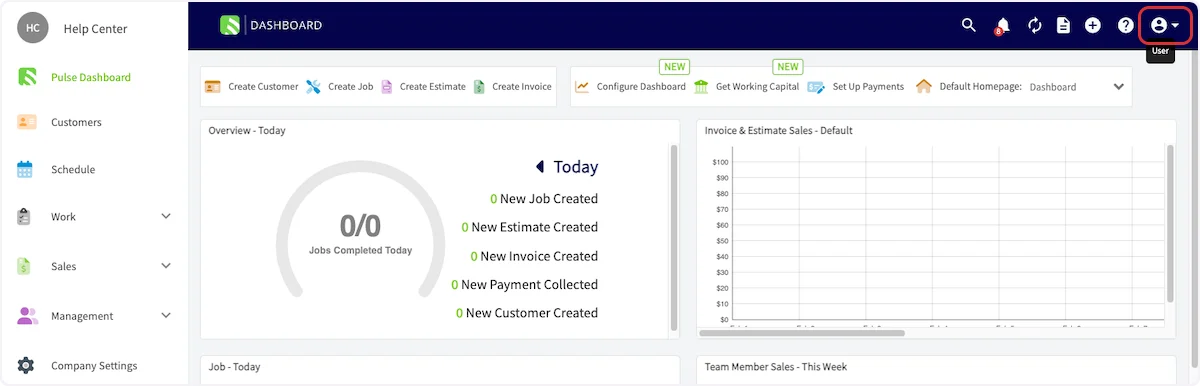
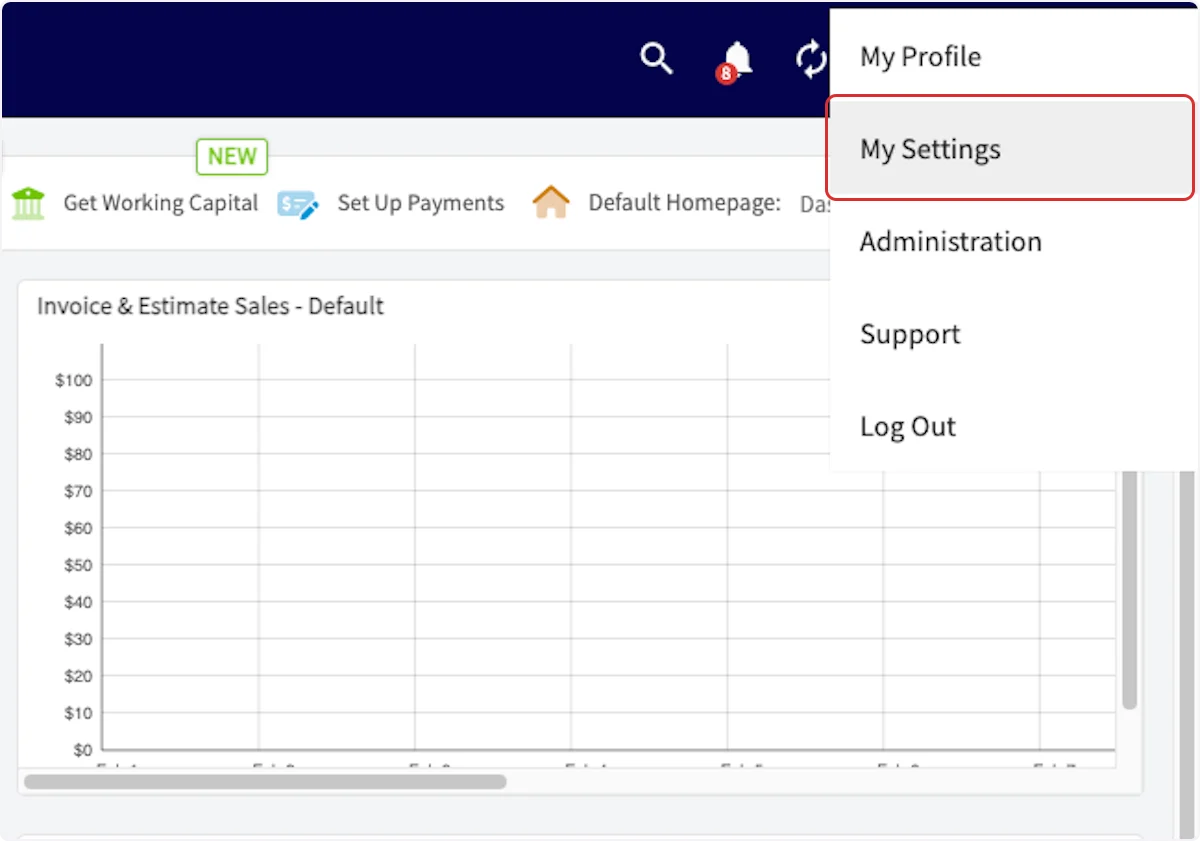
Finally, let’s set up your [notification preferences](https://webapp.fieldpulse.com/my-settings). FieldPulse offers a few different ways to receive reminder and notifications. To set to your preferences, click on the icon on the top right corner of the web app, then click *My Settings*.
***
# "My Settings"
Finally, let’s set up your [notification preferences](https://webapp.fieldpulse.com/my-settings). FieldPulse offers a few different ways to receive reminder and notifications. To set to your preferences, click on the icon on the top right corner of the web app, then click *My Settings*.
 ## What You Should Set Up in This Section
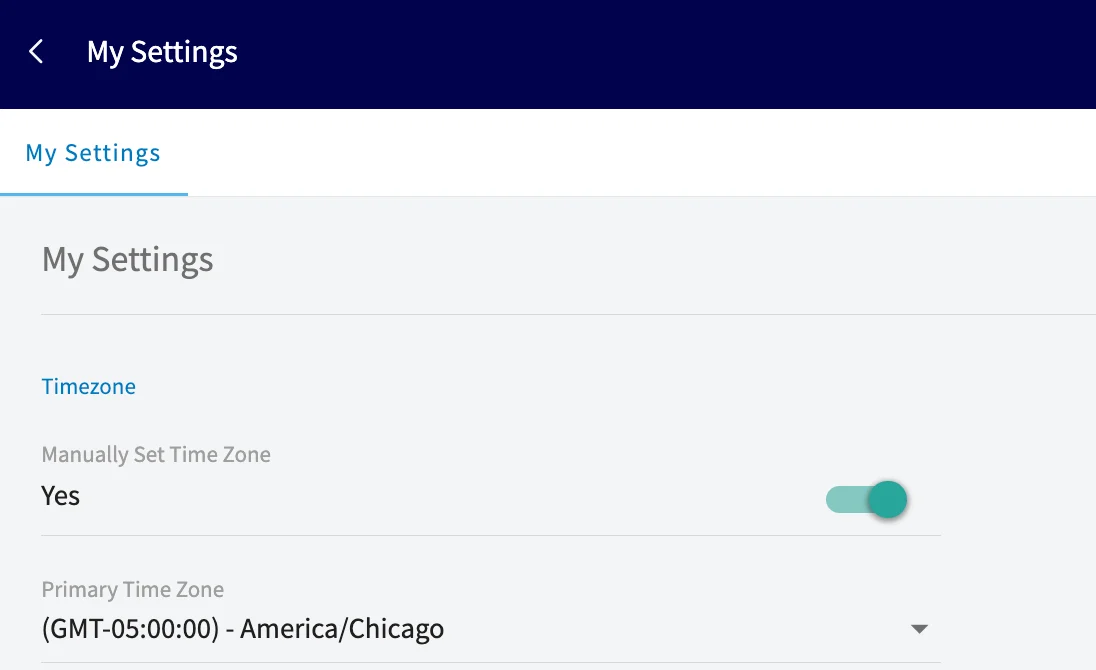
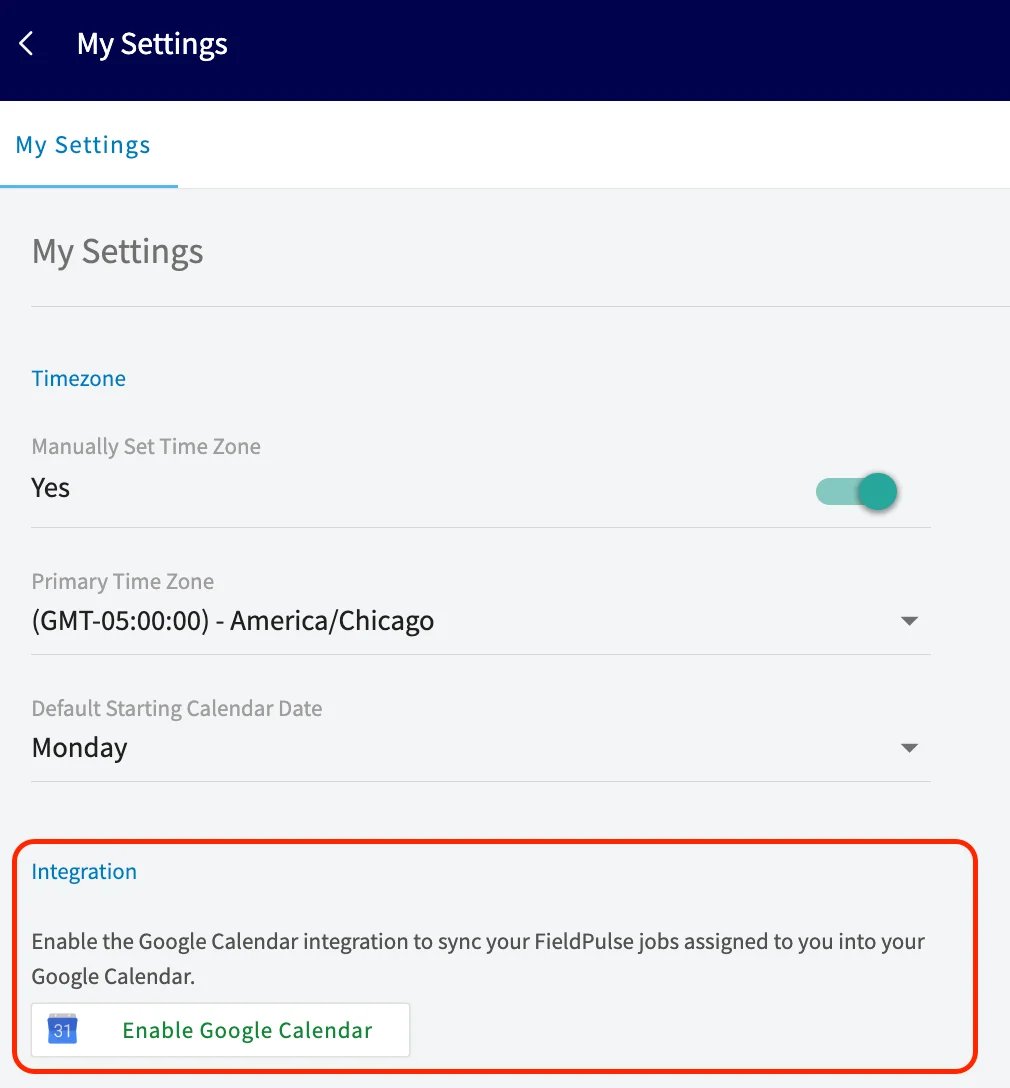
* **Your Timezone:** Set your business timezone so jobs are scheduled correctly and automated customer messages (triggers) go out at the right local time.
## What You Should Set Up in This Section
* **Your Timezone:** Set your business timezone so jobs are scheduled correctly and automated customer messages (triggers) go out at the right local time.
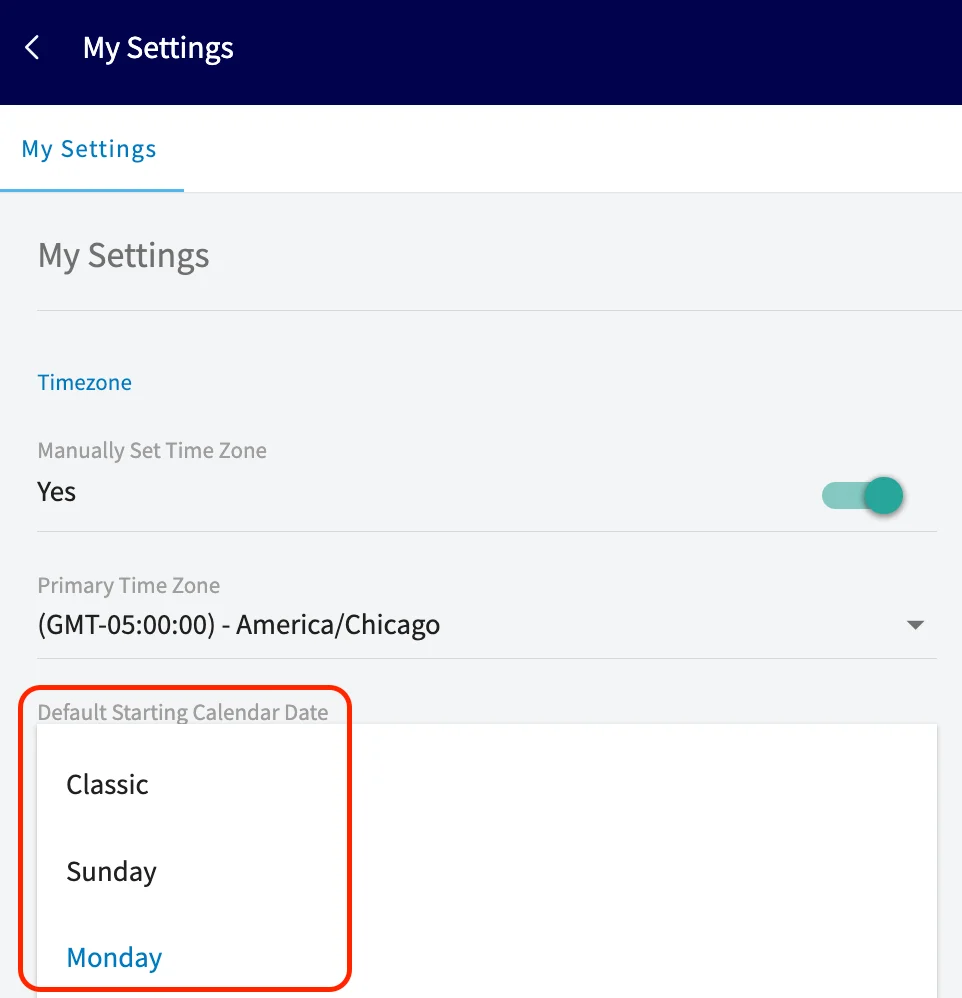
 * **Your Default Calendar Start Date:** Choose Sunday or Monday as the first day of your workweek so your calendar and schedules match your preferred planning style.
 * **Consider Enabling Our Google Calendar Integration:** Enable one-way sync to add FieldPulse Jobs and Site Visits to your Google Calendar. Only Jobs & Site Visits created after connecting and assigned to you will appear; events created in Google Calendar won’t sync back to FieldPulse.
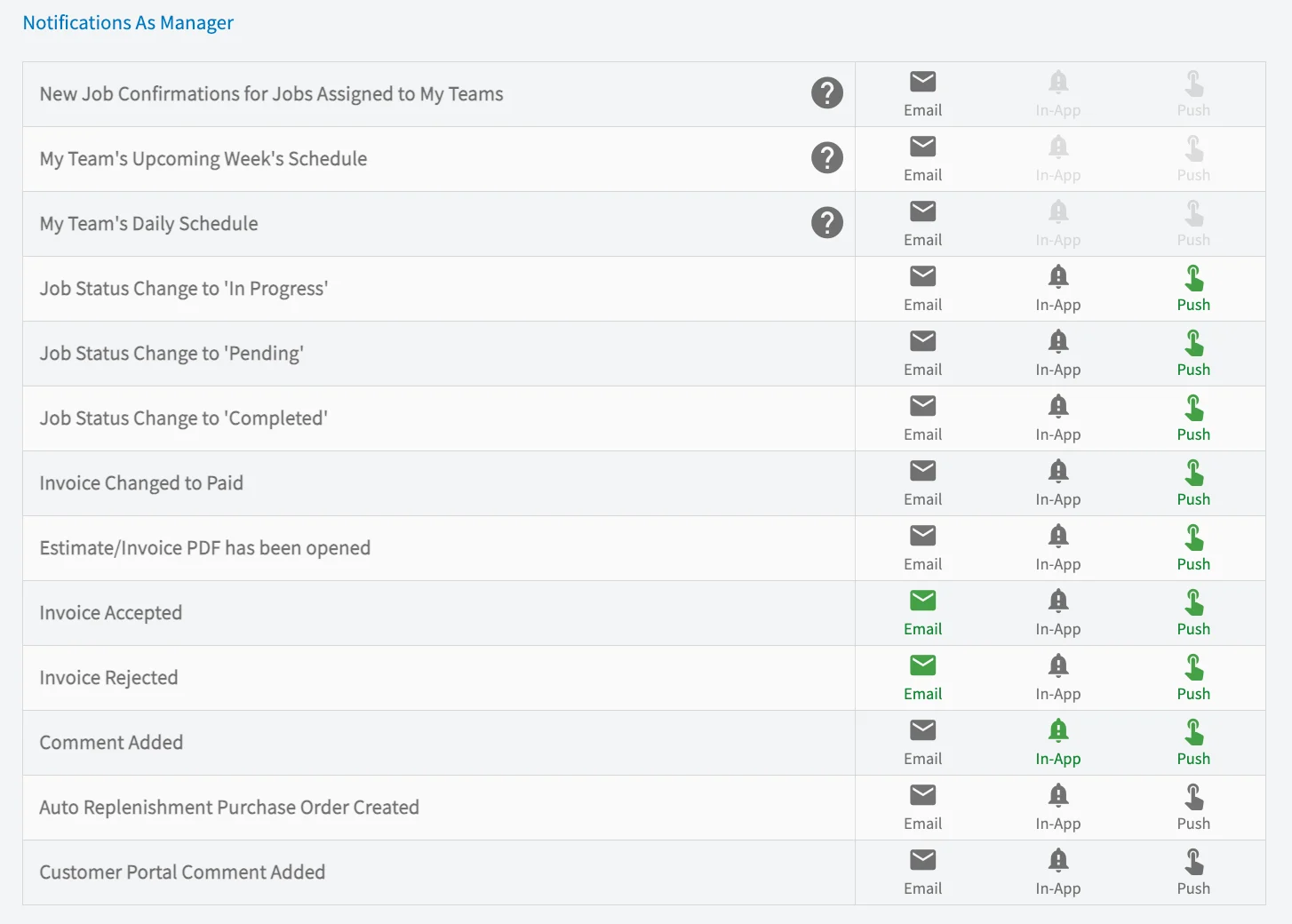
 * **Your Notification Preferences:** Choose how you receive FieldPulse alerts: Email, In‑App, or Push. Most notifications support all three delivery options.
* **Notifications if you are a manager of a team:**
* **Your Notification Preferences:** Choose how you receive FieldPulse alerts: Email, In‑App, or Push. Most notifications support all three delivery options.
* **Notifications if you are a manager of a team:**
 * **Notifications as a team member:**
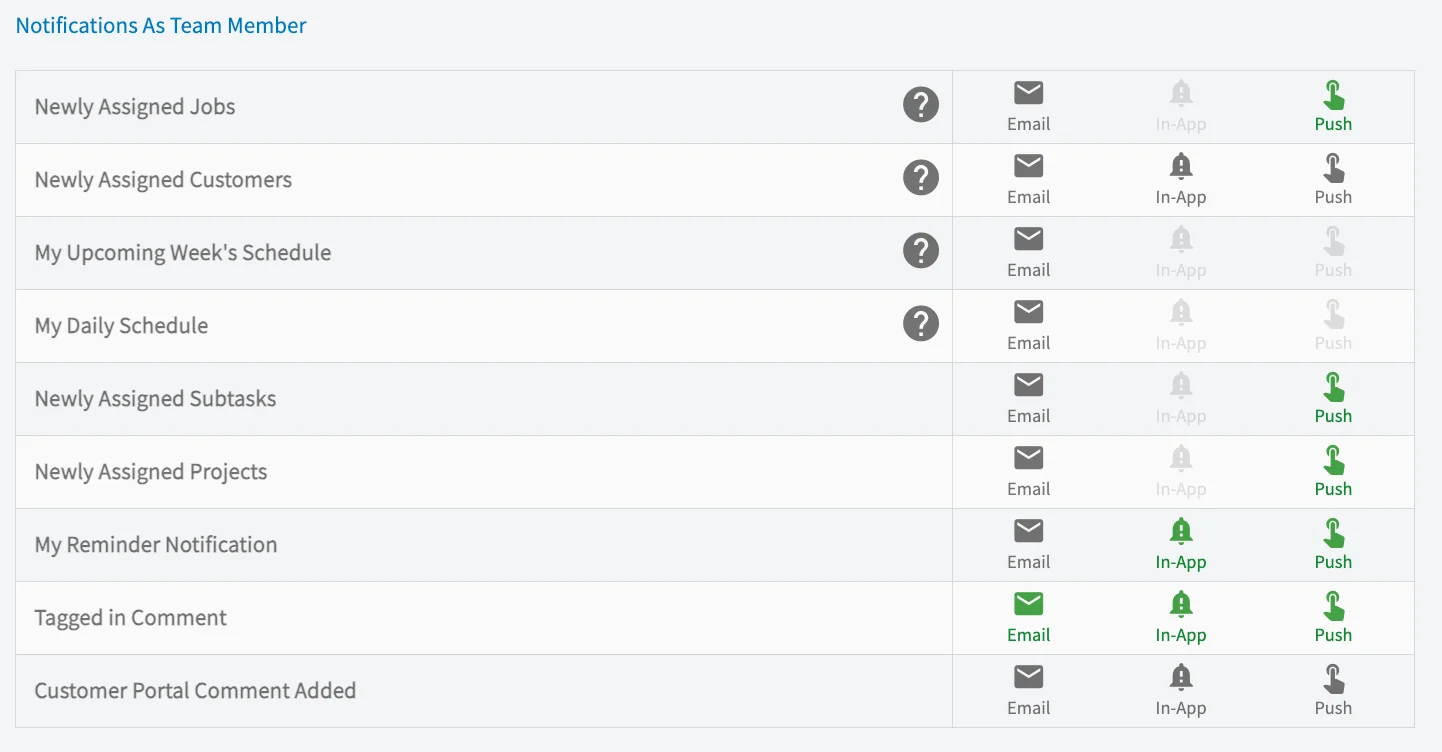 **Note:** Daily emails are sent at 6am in your timezone.
***
**Have additional questions?**
*Contact us at [support@fieldpulse.com](mailto:support@fieldpulse.com) or use the chat feature in the bottom right corner of your screen.*
**Note:** Daily emails are sent at 6am in your timezone.
***
**Have additional questions?**
*Contact us at [support@fieldpulse.com](mailto:support@fieldpulse.com) or use the chat feature in the bottom right corner of your screen.*