> ## Documentation Index
> Fetch the complete documentation index at: https://help.fieldpulse.com/llms.txt
> Use this file to discover all available pages before exploring further.
# Default Customer Name Preference
> Pick which name field shows as the primary name on customers, estimates, and invoices without rewriting your whole QuickBooks customer list.
# Why We've Released This Feature
This feature will significantly benefit QuickBooks Online and QuickBooks Desktop users. Many companies often use different names for customer records and display name fields. With this new feature, you can customize which naming fields appear as the primary name on Customer, Estimate, and Invoice records. This allows you to choose how your customers are displayed without the need to modify your entire customer database.
***
# How to Enable
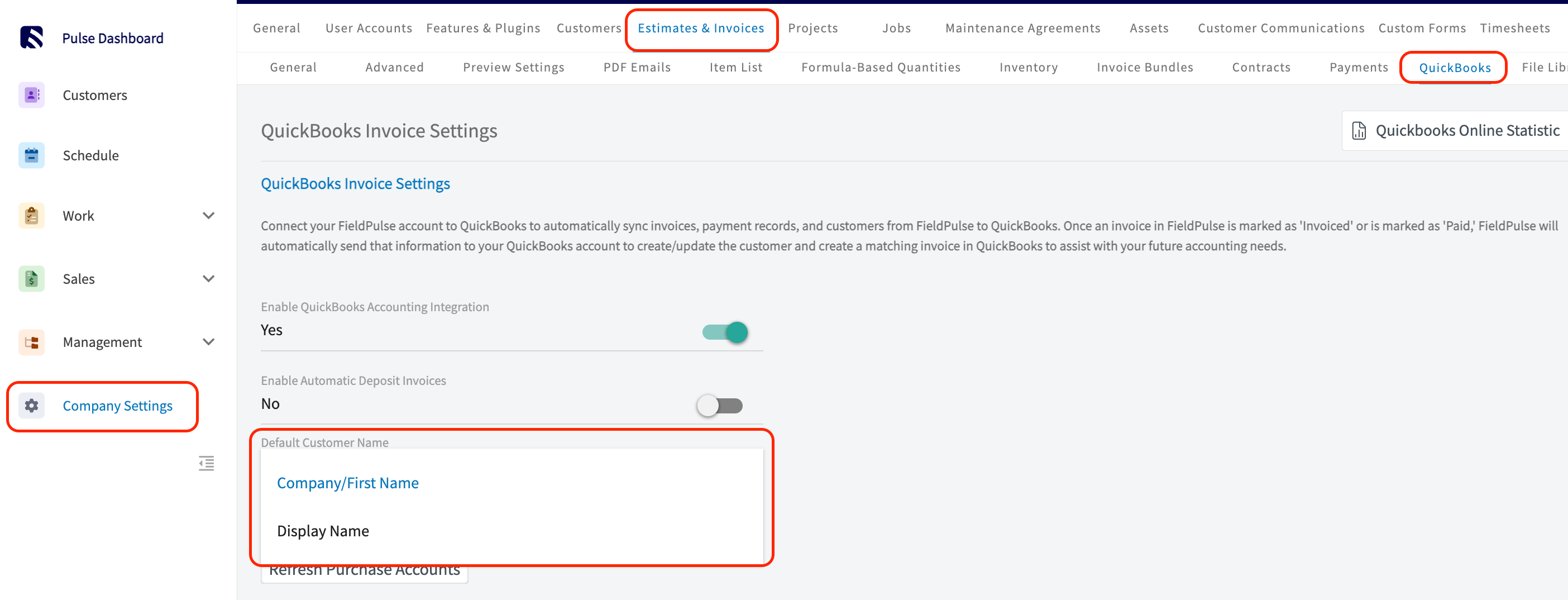
1. Navigate to *Company Settings > Estimates & Invoices > QuickBooks*.
2. From this page, find the field titled *Default Customer Name* and from the drop down menu select either *Company/First Name* or *Display Name*.
 ***
# See it in Action
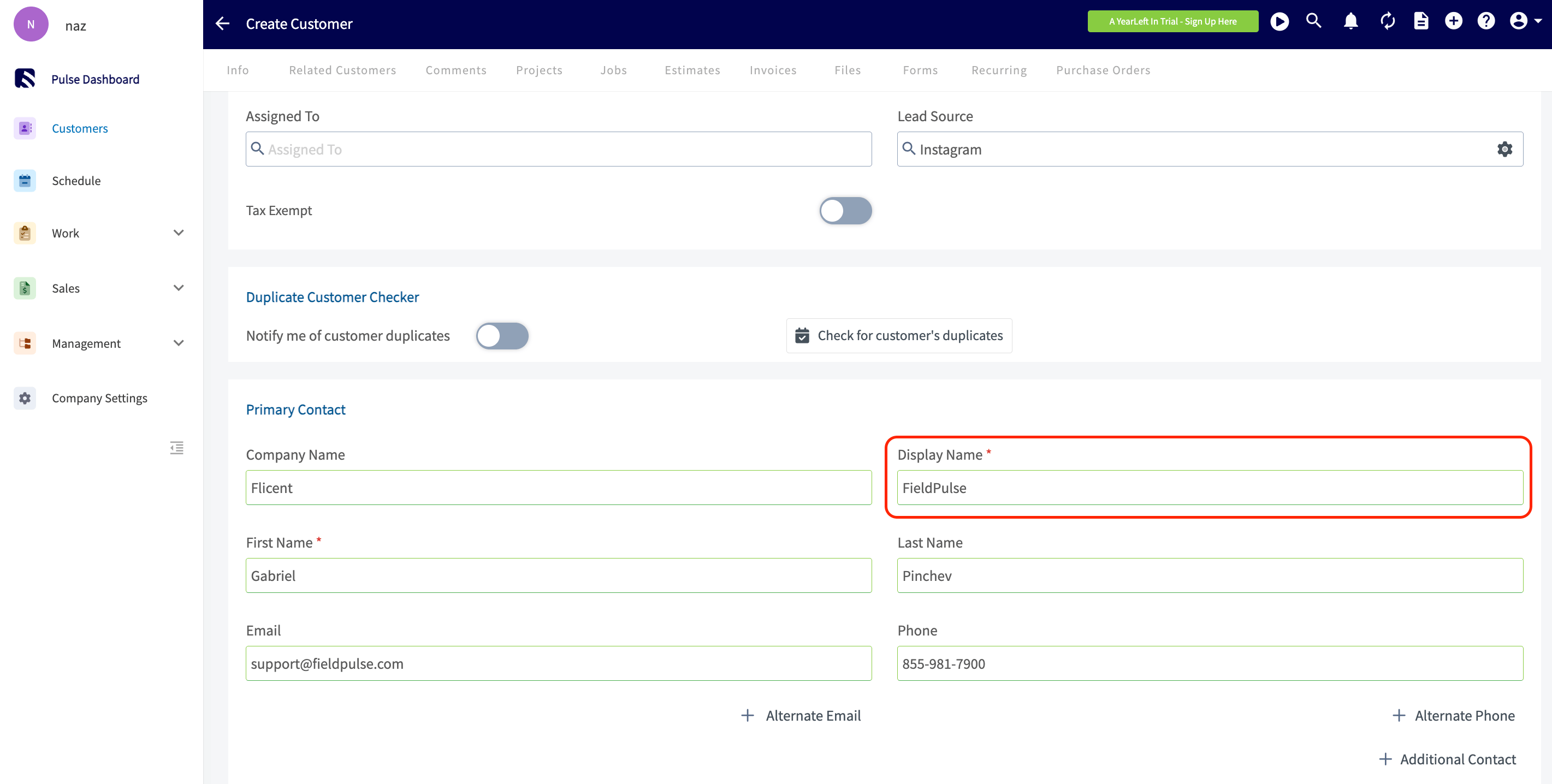
If you selected *Display Name* from the *Default Customer Name* dropdown menu, the *Display Name* field will now appear as a required field on your Customer records.
***
# See it in Action
If you selected *Display Name* from the *Default Customer Name* dropdown menu, the *Display Name* field will now appear as a required field on your Customer records.
 The Name field should reflect the customer “Display Name” instead of the default “Company/First Name” for all of the following records:
* Customers
* Estimates
* Invoices
* Jobs, Assets
* Maintenance Agreements
* Custom Forms
* Dynamic Proposals
The Display Name will also appear in reporting within FieldPulse.
The Name field should reflect the customer “Display Name” instead of the default “Company/First Name” for all of the following records:
* Customers
* Estimates
* Invoices
* Jobs, Assets
* Maintenance Agreements
* Custom Forms
* Dynamic Proposals
The Display Name will also appear in reporting within FieldPulse.
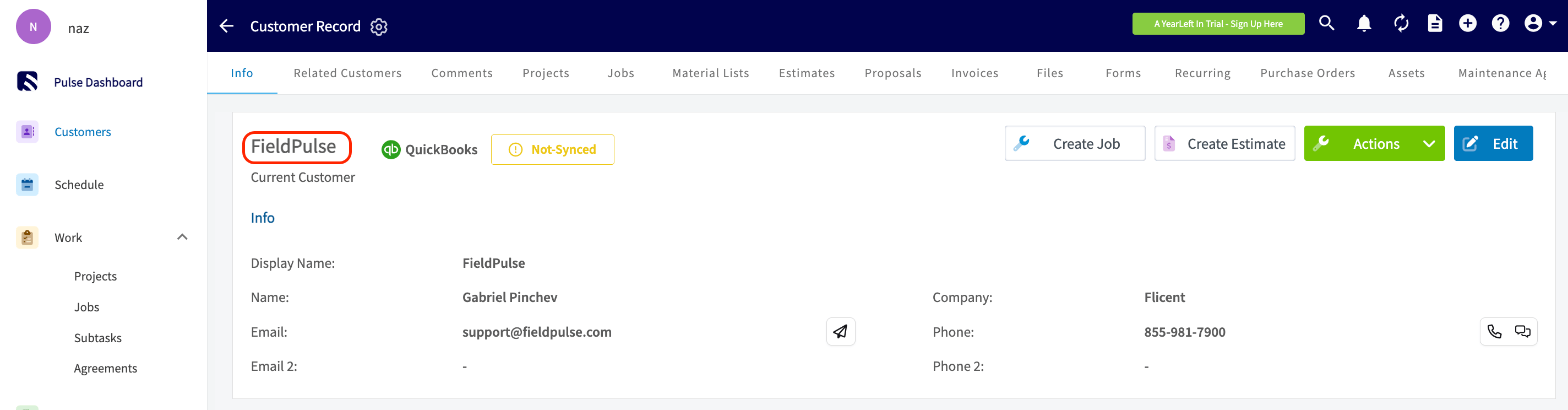 *Customer Record Example*
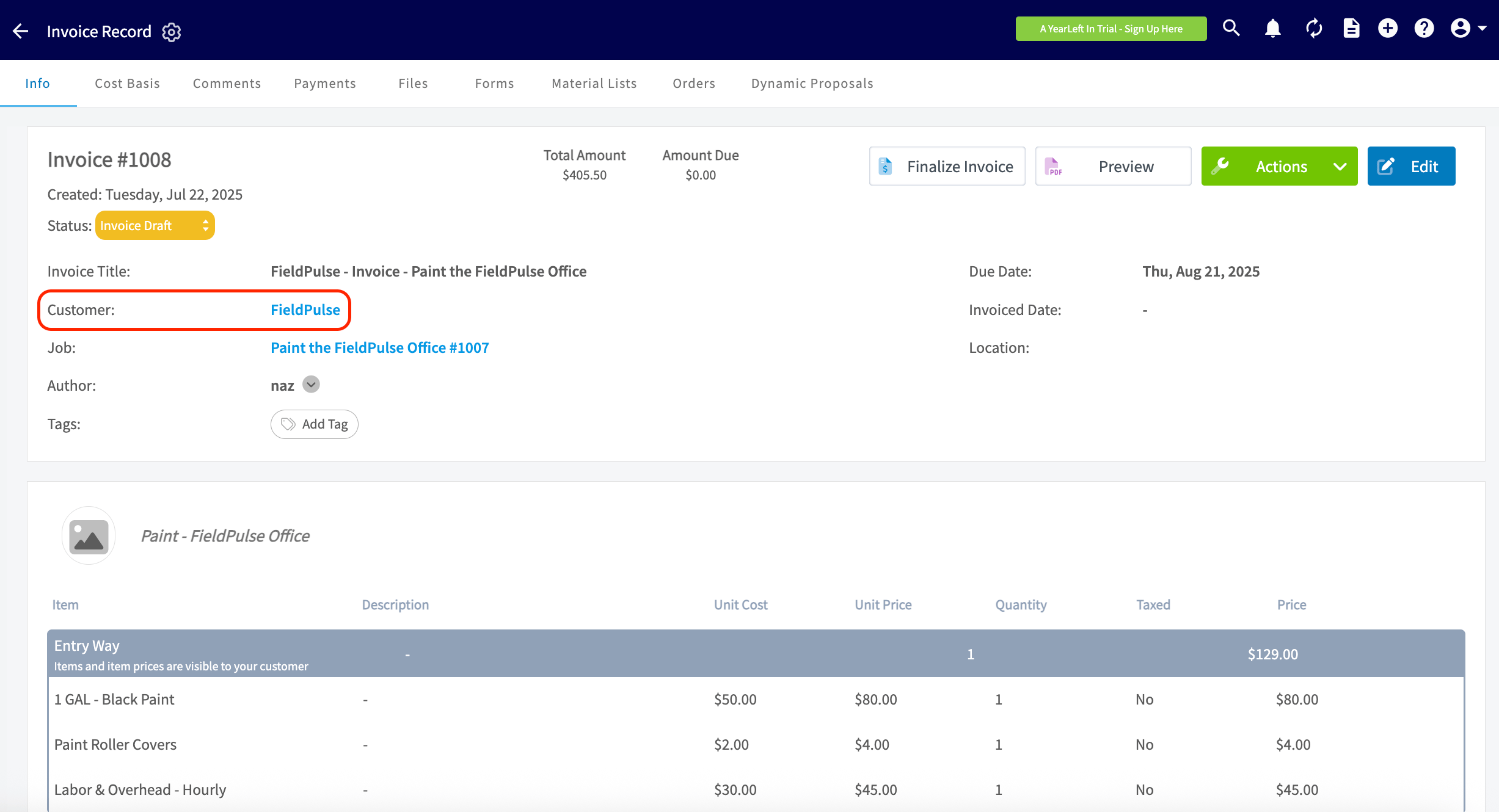 *Invoice Record Example*
***
**Have additional questions?**
*Contact us at [support@fieldpulse.com](mailto:support@fieldpulse.com) or use the chat feature in the bottom right corner of your screen.*
*Invoice Record Example*
***
**Have additional questions?**
*Contact us at [support@fieldpulse.com](mailto:support@fieldpulse.com) or use the chat feature in the bottom right corner of your screen.*