> ## Documentation Index
> Fetch the complete documentation index at: https://help.fieldpulse.com/llms.txt
> Use this file to discover all available pages before exploring further.
# Canadian Dual Tax Rates in QuickBooks Online
> Show GST and PST correctly on invoices synced to QuickBooks Online so Canadian tax stays compliant.
## Introducing Dual-Tax Rate Compatibility for Canadian QuickBooks Online Users
FieldPulse is excited to announce compatibility with [Canadian dual-tax rates](https://www.canada.ca/en/revenue-agency/services/tax/businesses/topics/corporations/provincial-territorial-corporation-tax/dual-tax-rates.html) for users integrating with QuickBooks Online. This new functionality ensures accurate tax presentation for businesses in Canada, keeping you compliant with local tax regulations and streamlining your invoicing process.
***
# Why This Matters
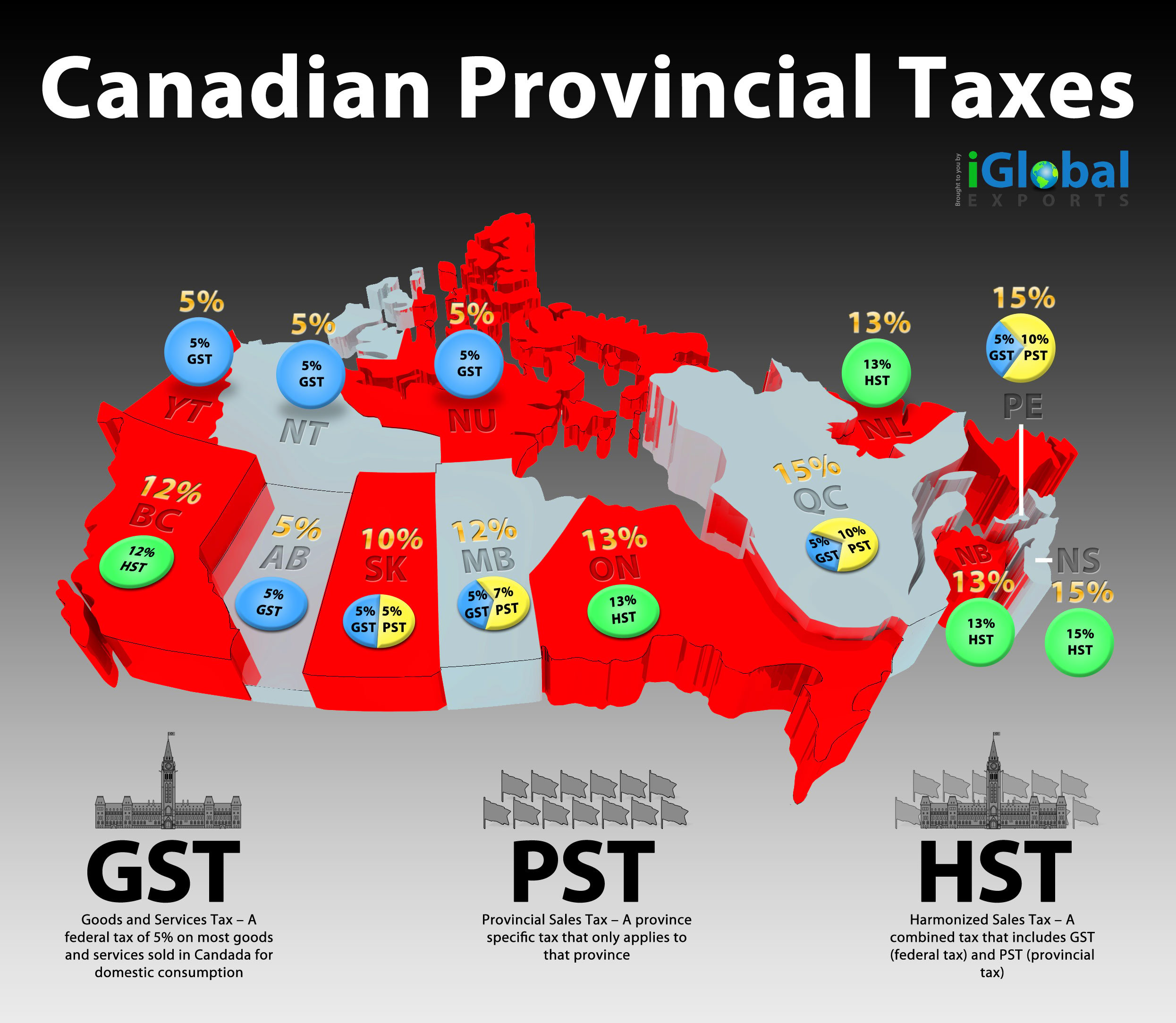
Canadian businesses often deal with two types of taxes, such as GST (Goods and Services Tax) and PST (Provincial Sales Tax), which can vary by province. By enabling dual-tax rate compatibility, FieldPulse makes it easy to:
* Pull dual tax rates directly from QuickBooks Online to display accurate calculations within FieldPulse after finalizing an estimate or invoice.
* Stay compliant with Canadian tax laws without extra effort or manual calculations.
 ***
# How to Enable Canadian Dual-Tax Rates
**Within FieldPulse:**
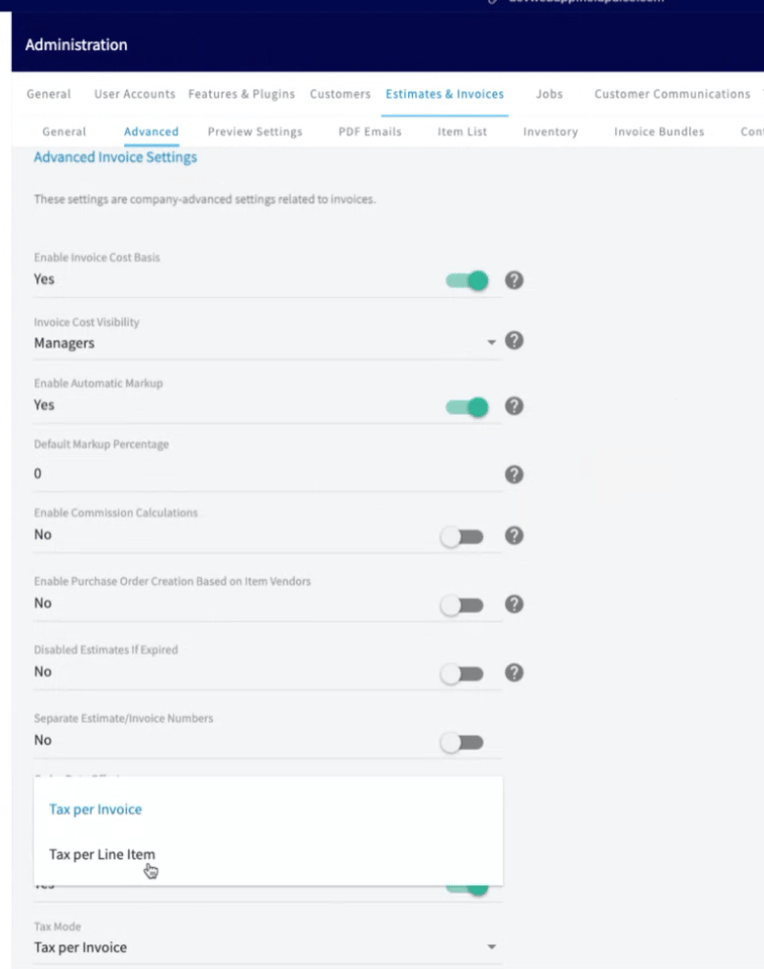
1. Navigate to *Company Settings* in your account.
2. Go to the *Estimates & Invoices* section.
3. Click on *Advanced Settings*.
4. Scroll down to find the *Tax Mode* option.
5. Change the setting from *Tax Per Invoice* to *Tax Per Line Item*.
6. Save your changes by clicking the *Save* button.
***
# How to Enable Canadian Dual-Tax Rates
**Within FieldPulse:**
1. Navigate to *Company Settings* in your account.
2. Go to the *Estimates & Invoices* section.
3. Click on *Advanced Settings*.
4. Scroll down to find the *Tax Mode* option.
5. Change the setting from *Tax Per Invoice* to *Tax Per Line Item*.
6. Save your changes by clicking the *Save* button.
***
# Using Canadian Dual-Tax Rates in FieldPulse
**FieldPulse does not perform in-house tax calculations.** Instead, it pulls tax data directly from QuickBooks Online. When using dual tax for Canada, please note the following:
1. **Tax Reflection:** Your **tax calculations will not appear in FieldPulse until you finalize your record.** FieldPulse pushes the information to QuickBooks Online, which performs the calculations and sends the results back to FieldPulse.
2. **Editing Mode:** **Dual tax will not be displayed while in edit mode**. It will only appear when viewing finalized records, as well as on estimates, invoices, PDFs, or dynamic records.
This ensures accurate tax calculations handled by QuickBooks Online while FieldPulse displays the updated results.
## Invoice Examples
***
# Using Canadian Dual-Tax Rates in FieldPulse
**FieldPulse does not perform in-house tax calculations.** Instead, it pulls tax data directly from QuickBooks Online. When using dual tax for Canada, please note the following:
1. **Tax Reflection:** Your **tax calculations will not appear in FieldPulse until you finalize your record.** FieldPulse pushes the information to QuickBooks Online, which performs the calculations and sends the results back to FieldPulse.
2. **Editing Mode:** **Dual tax will not be displayed while in edit mode**. It will only appear when viewing finalized records, as well as on estimates, invoices, PDFs, or dynamic records.
This ensures accurate tax calculations handled by QuickBooks Online while FieldPulse displays the updated results.
## Invoice Examples
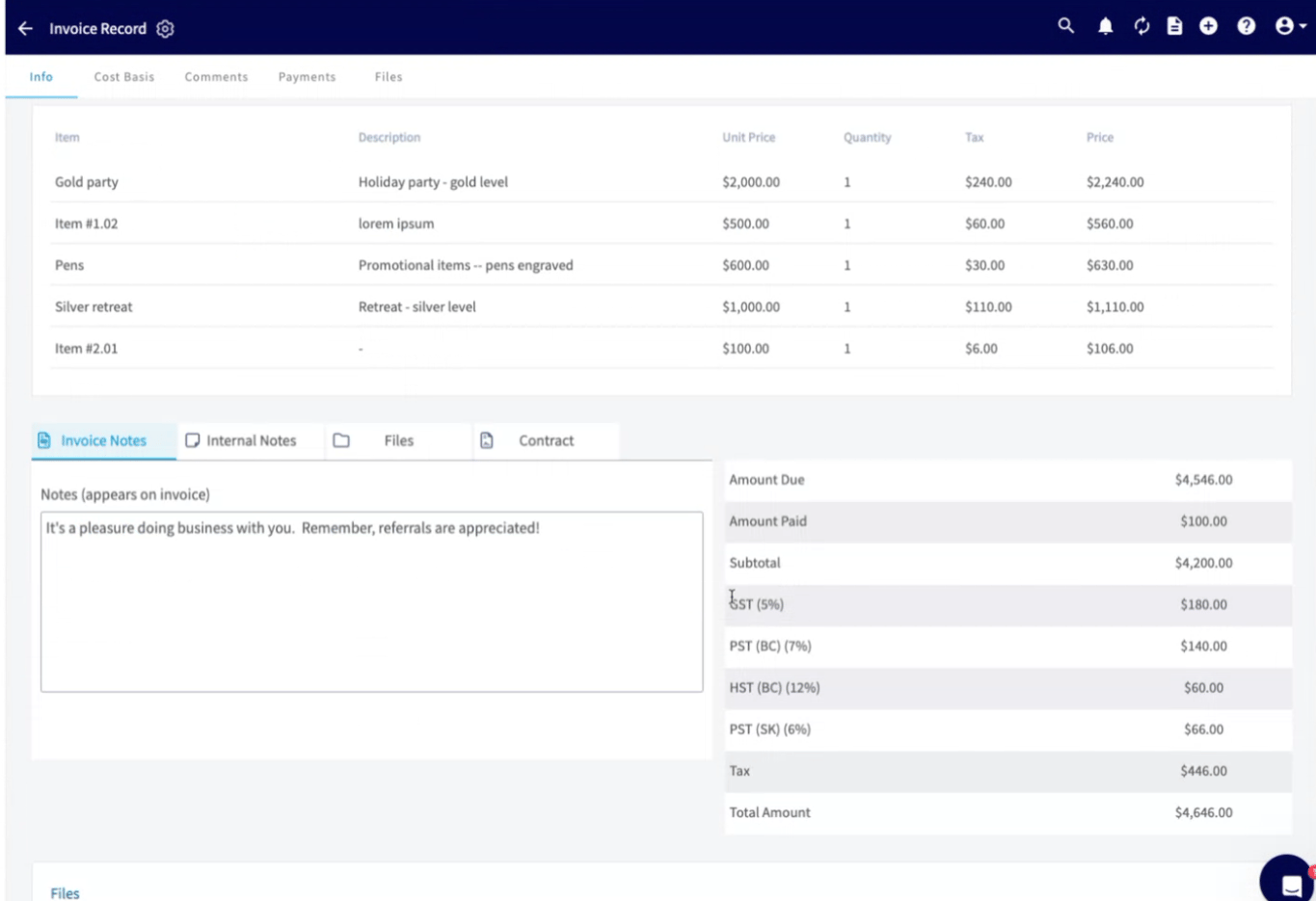 *FieldPulse Invoice View Mode*
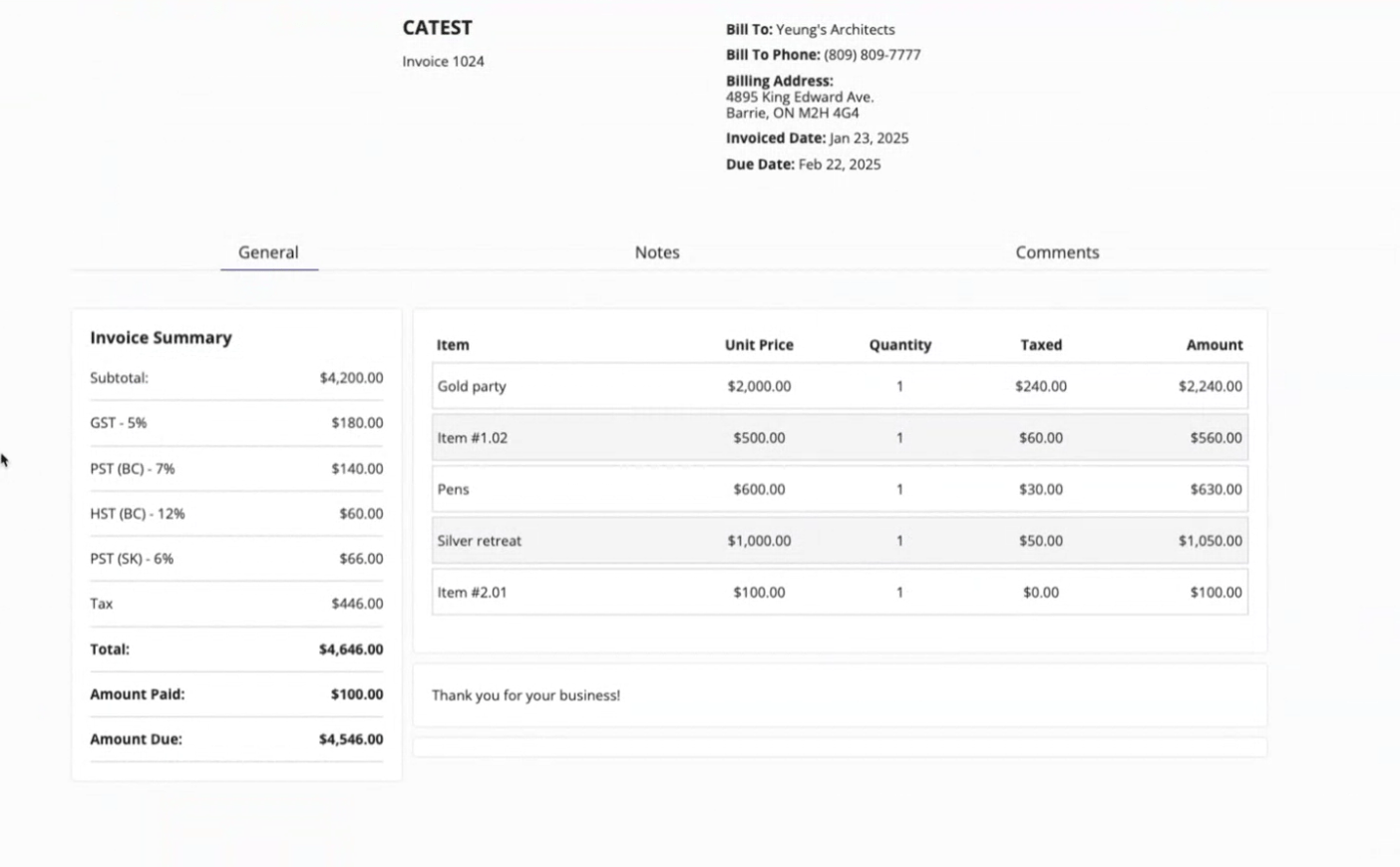 *FieldPulse Dynamic Invoice*
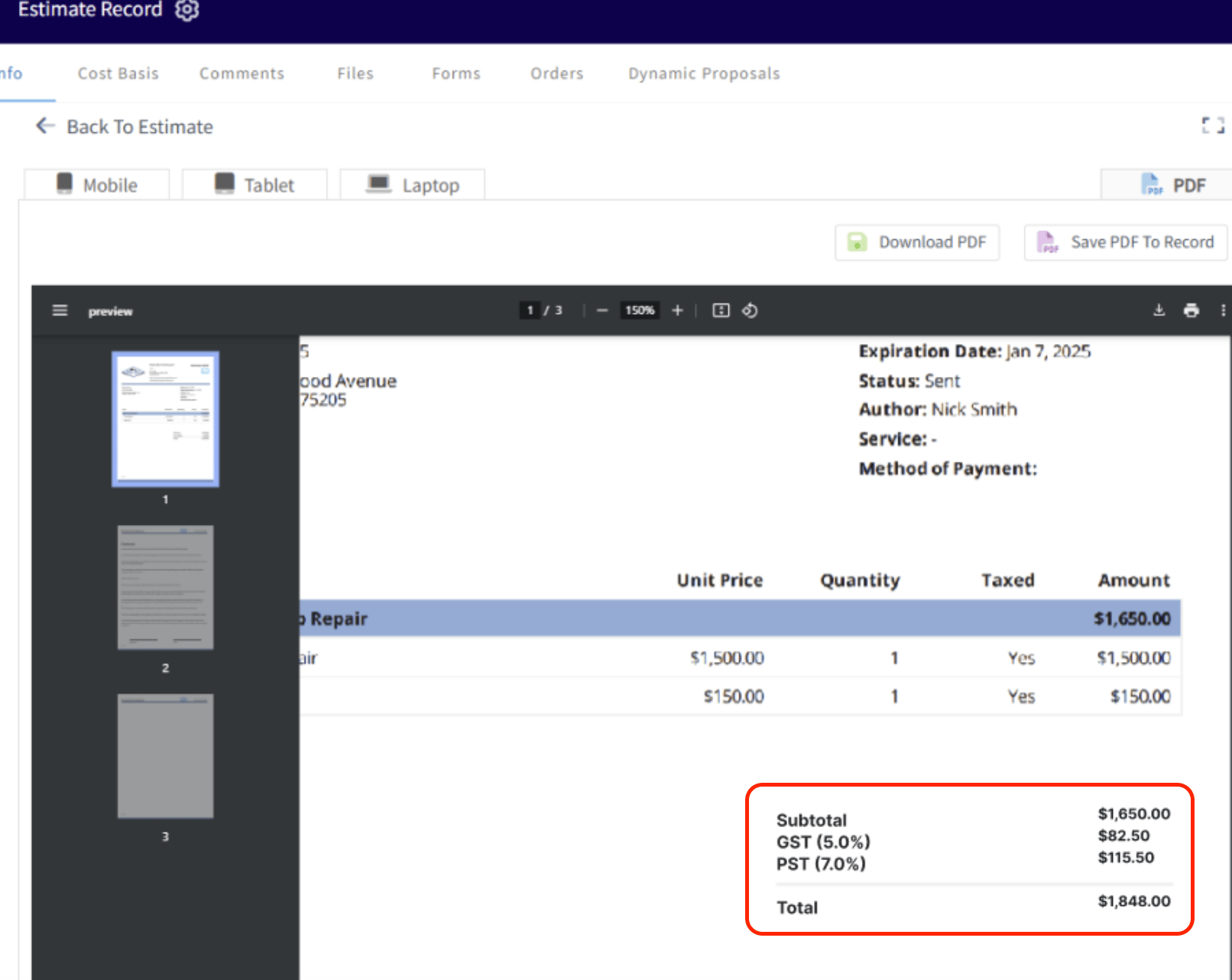 *FieldPulse Invoice PDF*
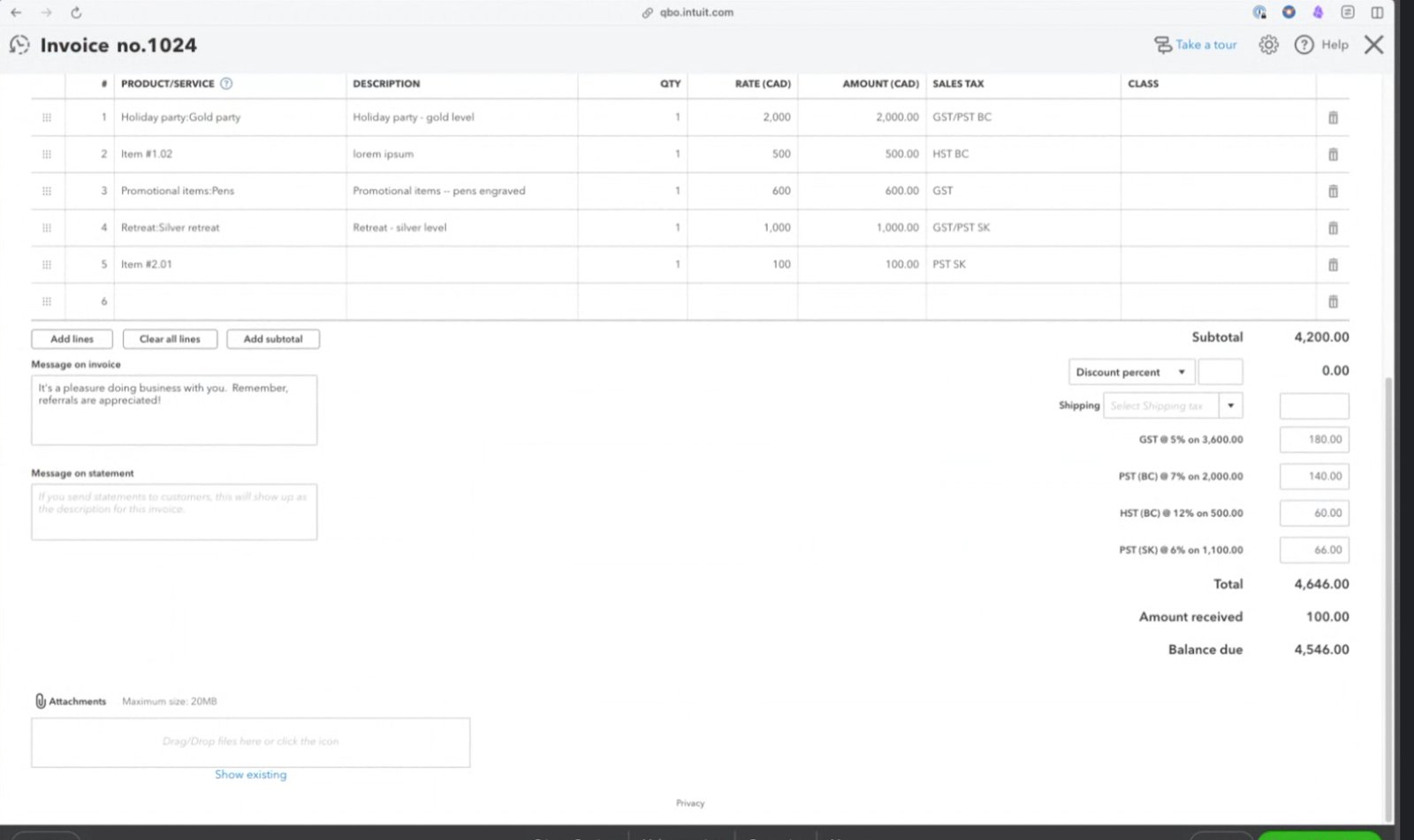 *QuickBooks Online - Invoice*
***
# Canadian Dual Tax Reporting in FieldPulse
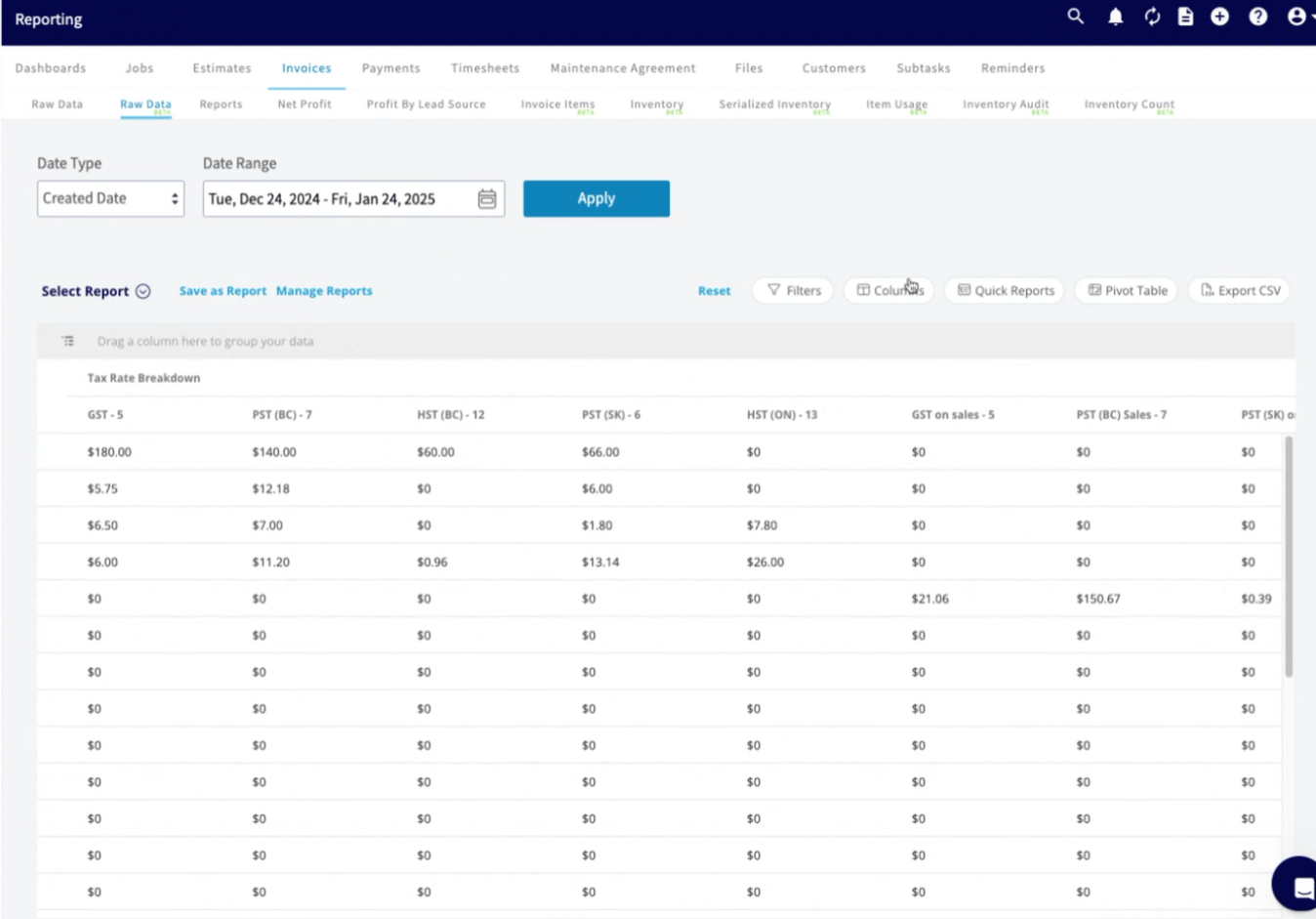
Rest assured, FieldPulse reporting will reflect dual tax rates. Simply pull your invoice reports as usual, and you’ll see additional columns for Canadian taxes.
*QuickBooks Online - Invoice*
***
# Canadian Dual Tax Reporting in FieldPulse
Rest assured, FieldPulse reporting will reflect dual tax rates. Simply pull your invoice reports as usual, and you’ll see additional columns for Canadian taxes.
 ***
**Have additional questions?**
*Contact us at [support@fieldpulse.com](mailto:support@fieldpulse.com) or use the chat feature in the bottom right corner of your screen.*
***
**Have additional questions?**
*Contact us at [support@fieldpulse.com](mailto:support@fieldpulse.com) or use the chat feature in the bottom right corner of your screen.*