> ## Documentation Index
> Fetch the complete documentation index at: https://help.fieldpulse.com/llms.txt
> Use this file to discover all available pages before exploring further.
# Customer & Job Level Default Sales Account (Xero Integration)
> Split revenue by sales account per customer or job so residential, commercial, and service-type income reports cleanly in Xero (AU/NZ).
# Why Enable Customer & Job-Level Sales Accounts?
If your business works across different customer types (e.g. residential vs commercial) or service types (e.g. maintenance vs construction), you may want to separate revenue by sales account in your accounting system. This helps ensure accurate reporting, forecasting, and compliance.
⚠️ **Important:** Always consult your accountant before changing sales account structures or Xero sales accounts. Incorrect settings may impact your financial reporting.
**Note:** *The Xero integration is only available for customers in Australia and New Zealand.*
***
# How It Works
If enabled, sales accounts will now follow a hierarchy:
1. **Company Default** – Used if no other override is set.
2. **Customer-Level Default** – Overrides the company-wide default.
3. **Job-Level Default** – Always overrides both company and customer-level defaults.
This gives you control while keeping your accounting structure organized.
***
# **How to Enable Customer/Job-Level Sales Accounts**
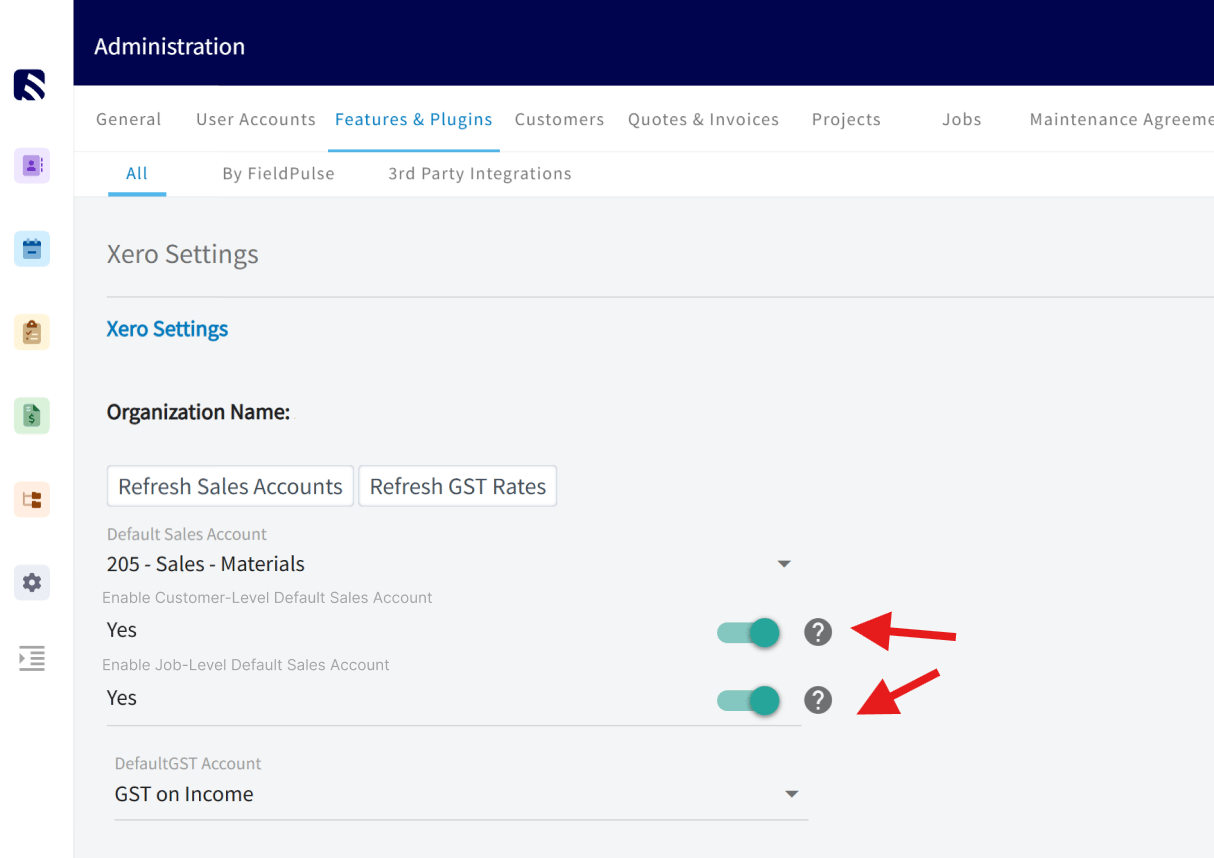
1. Go to *Company Settings*
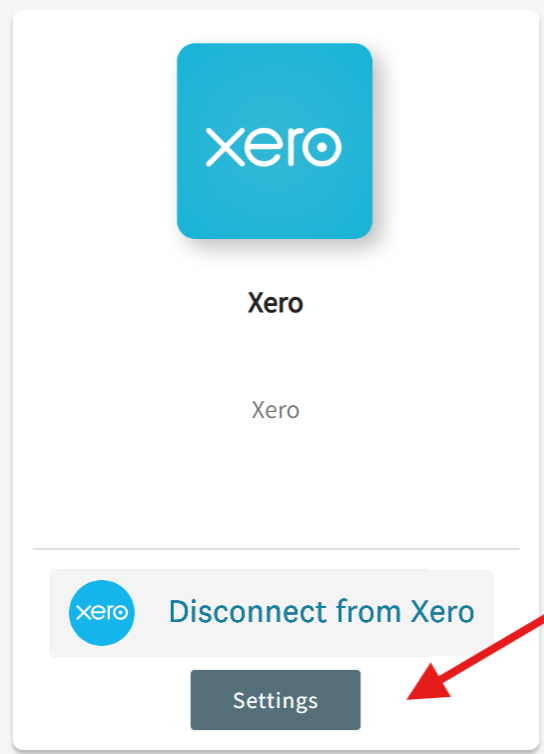
2. Select *Features & Plug-Ins > Xero > Settings*
 3. Toggle *Enable Customer & Job-Level Default Sales Account* to *ON*
 ***
# How to Use It
* **Customer-Level Setup**:\
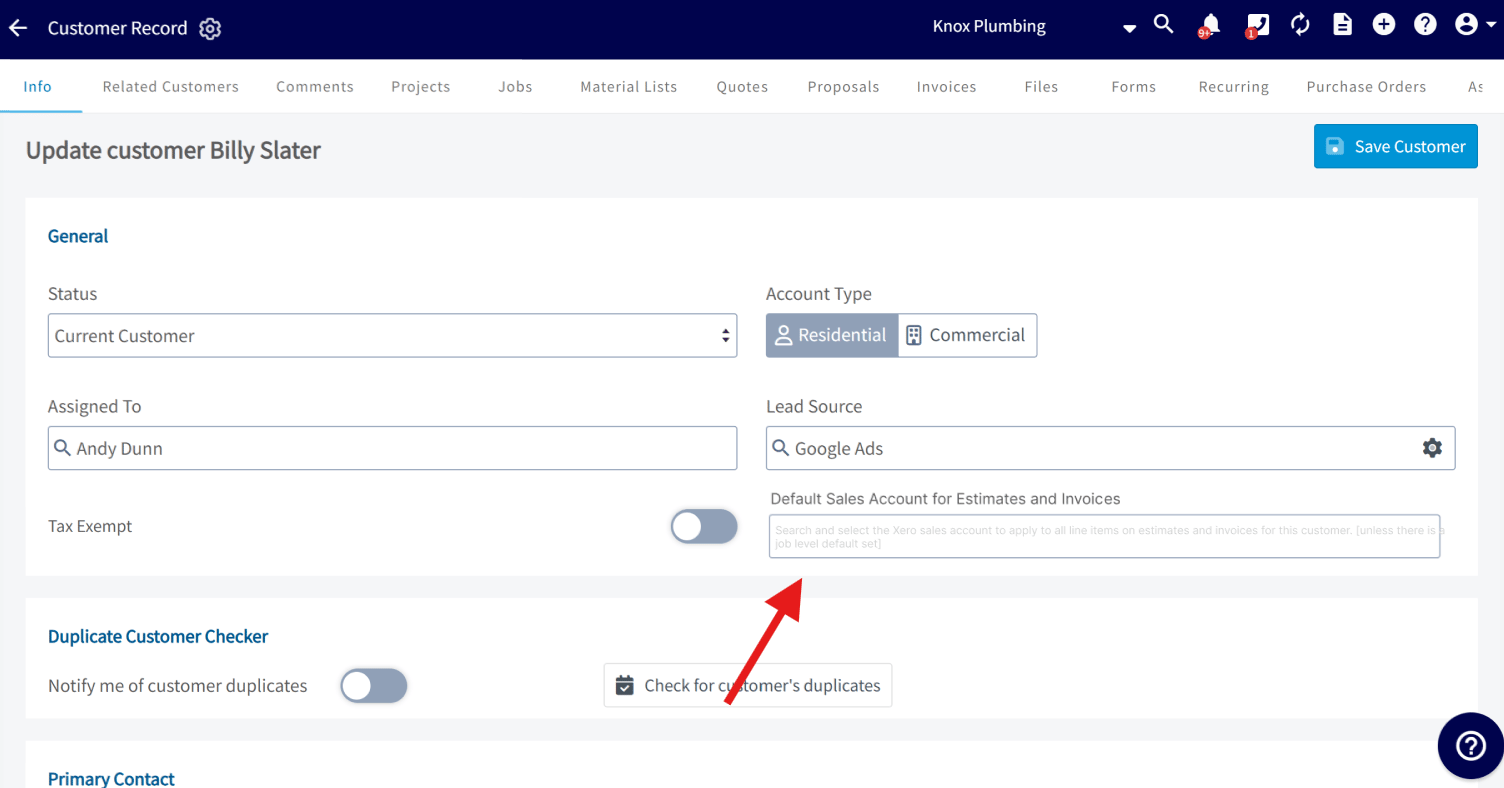
On each customer record, you’ll see a field to select a *Default Sales Account for Estimates and Invoices.* All Estimates & Invoices for this customer will use this account unless a job-level override is set.
***
# How to Use It
* **Customer-Level Setup**:\
On each customer record, you’ll see a field to select a *Default Sales Account for Estimates and Invoices.* All Estimates & Invoices for this customer will use this account unless a job-level override is set.
 * **Job-Level Setup**:\
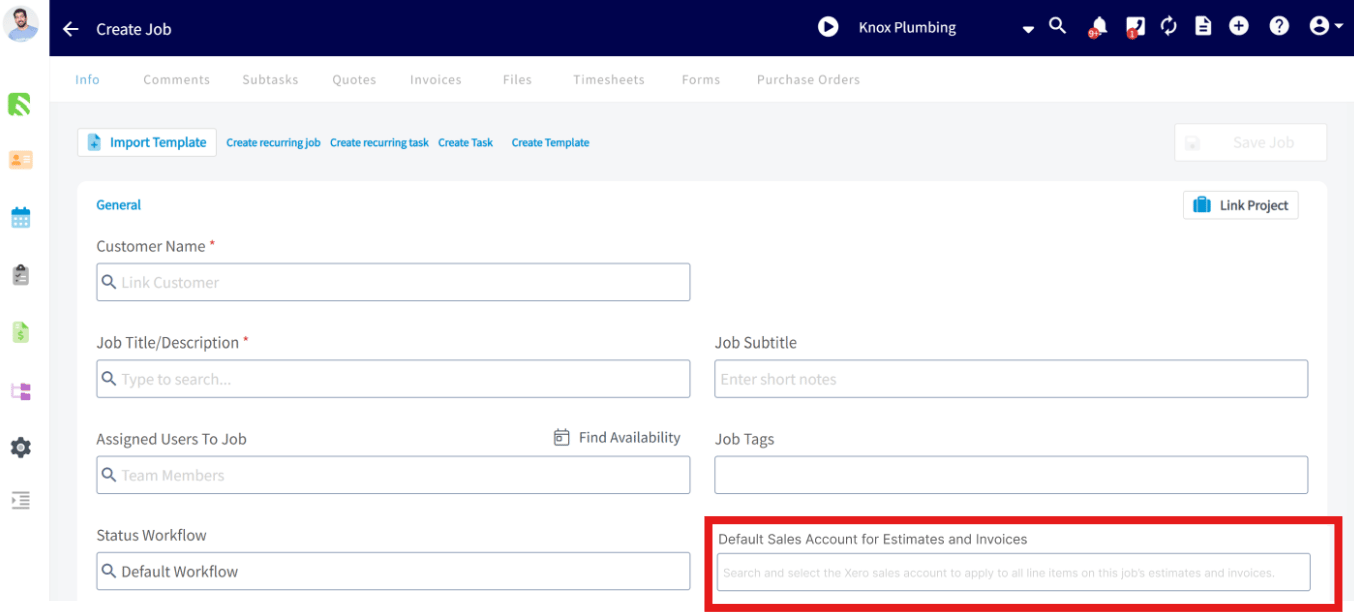
When creating a Job or Job Template, select the *Default Sales Account for Estimates and Invoices*. All estimates and invoices created from this job will use the selected account.
**Remember:** Job-level sales accounts override **both** customer and company level defaults.
* **Job-Level Setup**:\
When creating a Job or Job Template, select the *Default Sales Account for Estimates and Invoices*. All estimates and invoices created from this job will use the selected account.
**Remember:** Job-level sales accounts override **both** customer and company level defaults.
 ***
# Reporting
A new column called *Default Sales Account for Estimates & Invoices* will appear in Customer & Job reports, so you can easily track and filter your customers and jobs by their associated sales account.
***
## Important Note
This feature only applies to **new estimates and invoices** created **after** customer or job level sales account defaults have been enabled. FieldPulse **will not retroactively update** the sales account on any existing estimates or invoices — regardless of their status. The new defaults only apply moving forward from the time the feature is turned on.
***
# Video Tutorial
***
**Have additional questions?**
*Contact us at [support@fieldpulse.com](mailto:support@fieldpulse.com) or use the chat feature in the bottom right corner of your screen.*
***
# Reporting
A new column called *Default Sales Account for Estimates & Invoices* will appear in Customer & Job reports, so you can easily track and filter your customers and jobs by their associated sales account.
***
## Important Note
This feature only applies to **new estimates and invoices** created **after** customer or job level sales account defaults have been enabled. FieldPulse **will not retroactively update** the sales account on any existing estimates or invoices — regardless of their status. The new defaults only apply moving forward from the time the feature is turned on.
***
# Video Tutorial
***
**Have additional questions?**
*Contact us at [support@fieldpulse.com](mailto:support@fieldpulse.com) or use the chat feature in the bottom right corner of your screen.*