> ## Documentation Index
> Fetch the complete documentation index at: https://help.fieldpulse.com/llms.txt
> Use this file to discover all available pages before exploring further.
# The Seal Integration
> Send customers verified tech background checks and ID before every visit so crews arrive already trusted.
 Reputation is everything in the service industry. That’s why we’ve partnered with **[The Seal](https://theseal.com/)**[,](https://theseal.com/) a leader in reputation management, to help you provide customers with trusted, verified service notifications—automatically. Unlike traditional reputation management systems that focus on post-service reviews, The Seal aims to create a 5-star impression before service delivery by offering industry-leading employee background screenings & ID services.
***
# How It Works
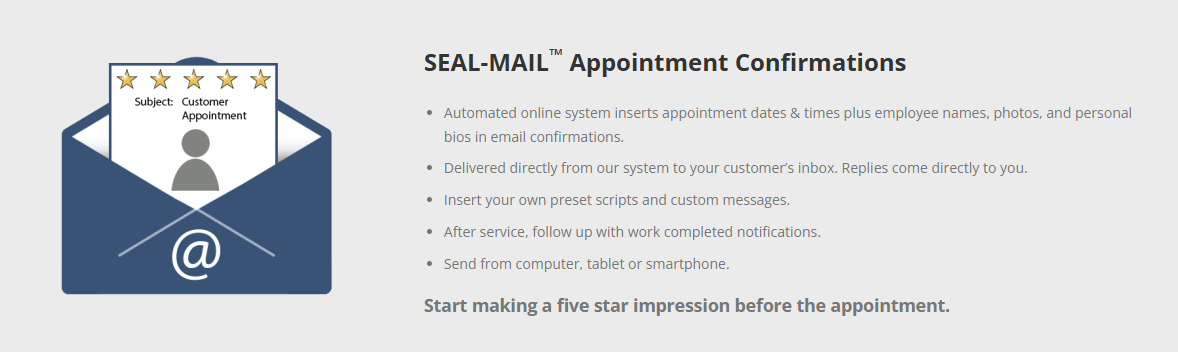
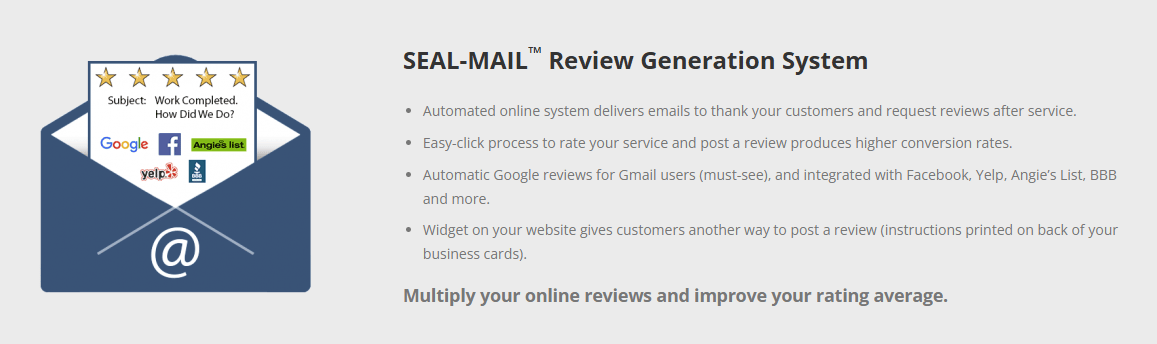
With this integration,The Seal automatically sends your customers notifications when jobs are scheduled, dispatched, or completed. These notifications include key details about the assigned employee—such as their photo, proof of background check, and bio—providing a professional and trustworthy experience.
Reputation is everything in the service industry. That’s why we’ve partnered with **[The Seal](https://theseal.com/)**[,](https://theseal.com/) a leader in reputation management, to help you provide customers with trusted, verified service notifications—automatically. Unlike traditional reputation management systems that focus on post-service reviews, The Seal aims to create a 5-star impression before service delivery by offering industry-leading employee background screenings & ID services.
***
# How It Works
With this integration,The Seal automatically sends your customers notifications when jobs are scheduled, dispatched, or completed. These notifications include key details about the assigned employee—such as their photo, proof of background check, and bio—providing a professional and trustworthy experience.
 ***
# Why Use This Integration?
* **Automatic Notifications**: Save time and ensure consistency.
* **Build Customer Confidence**: Share verified details about your team.
* **Improve Reputation**: Strengthen trust with your customers.
***
# Get Started
1. **Don't have a Seal account? [Sign up today](https://theseal.com/)!**
2. **Enable the Integration within FieldPulse**:
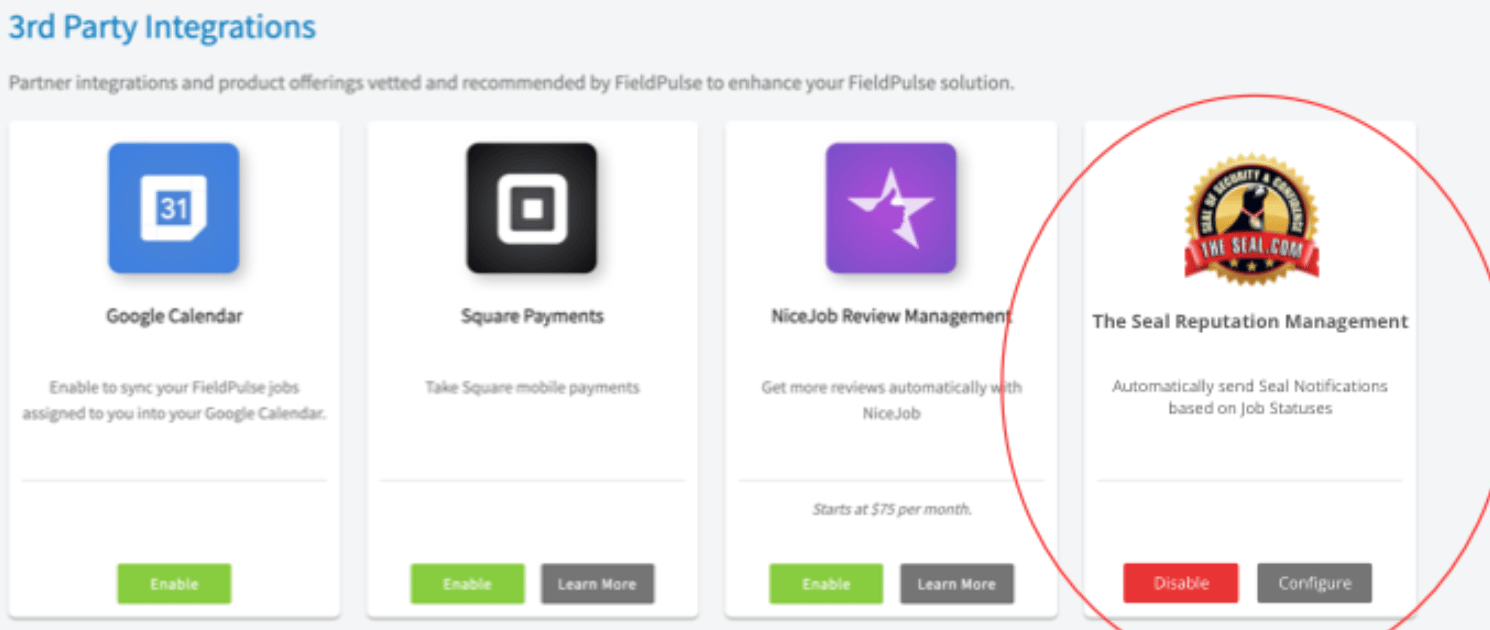
* Go to **Company Settings > Features & Plugins** and enable *The Seal Reputation Management*.
* Log in to your The Seal account. This will direct you to a Microsoft Entra login page. This is the intended behavior. The Seal will then create a Microsoft tenant account for you. This is needed to ensure the integration is between FieldPulse and The Seal is linked correctly.
***
# Why Use This Integration?
* **Automatic Notifications**: Save time and ensure consistency.
* **Build Customer Confidence**: Share verified details about your team.
* **Improve Reputation**: Strengthen trust with your customers.
***
# Get Started
1. **Don't have a Seal account? [Sign up today](https://theseal.com/)!**
2. **Enable the Integration within FieldPulse**:
* Go to **Company Settings > Features & Plugins** and enable *The Seal Reputation Management*.
* Log in to your The Seal account. This will direct you to a Microsoft Entra login page. This is the intended behavior. The Seal will then create a Microsoft tenant account for you. This is needed to ensure the integration is between FieldPulse and The Seal is linked correctly.
 3. **Map Users**:
* FieldPulse automatically matches users with The Seal by email. Any unmatched users can be mapped manually by The Seal team.
4. **Configure Statuses**:
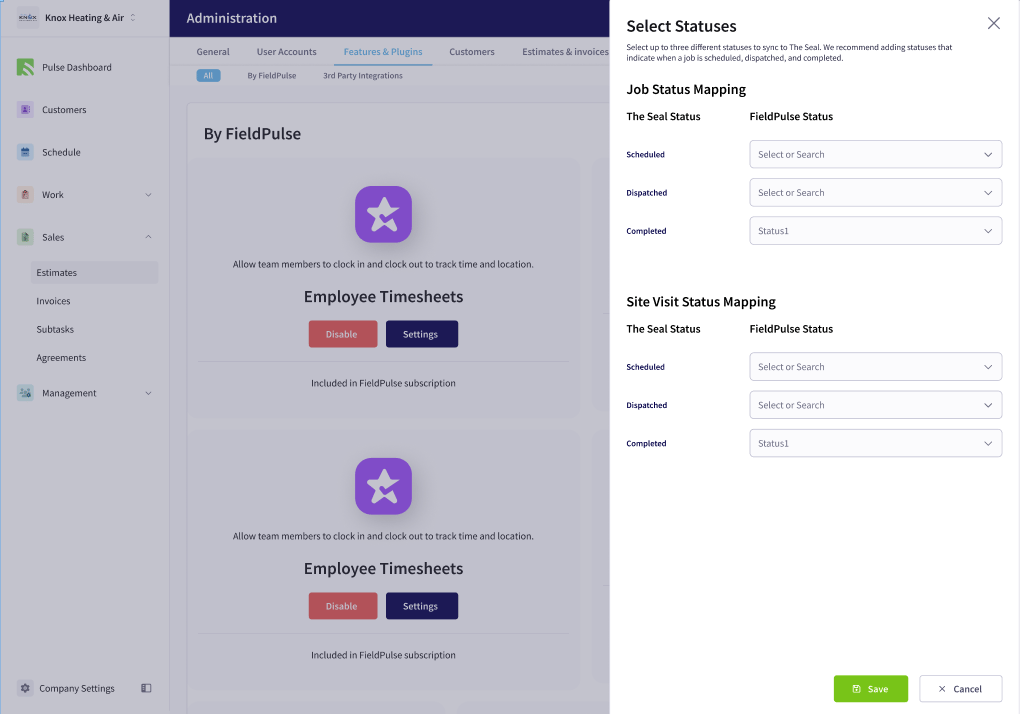
* Map your FieldPulse statuses (Scheduled, Dispatched, Completed) to The Seal’s statuses.
3. **Map Users**:
* FieldPulse automatically matches users with The Seal by email. Any unmatched users can be mapped manually by The Seal team.
4. **Configure Statuses**:
* Map your FieldPulse statuses (Scheduled, Dispatched, Completed) to The Seal’s statuses.
 **If you need additional support, feel free to reach out to the team at The Seal by contacting them at [info@theseal.com](mailto:info@theseal.com)**
***
**Have additional questions?**
*Contact us at [support@fieldpulse.com](mailto:support@fieldpulse.com) or use the chat feature in the bottom right corner of your screen.*
**If you need additional support, feel free to reach out to the team at The Seal by contacting them at [info@theseal.com](mailto:info@theseal.com)**
***
**Have additional questions?**
*Contact us at [support@fieldpulse.com](mailto:support@fieldpulse.com) or use the chat feature in the bottom right corner of your screen.*