> ## Documentation Index
> Fetch the complete documentation index at: https://help.fieldpulse.com/llms.txt
> Use this file to discover all available pages before exploring further.
# Reece maX Integration CMP Pricing (ANZ)
> Auto-apply Reece's Competitive Market Price to every maX item you import, so job costing uses trade rates without manual markup.
***
# What is Reece maX CMP?
**CMP** stands for **Competitive Market Price** — it’s an automated price designed to help you cost jobs more effectively.
For more details or questions about CMP, please speak with your **Reece Branch Manager**.
***
# What Does it Do?
✅ **Automatically applies the Competitive Market Price (CMP)** to all items imported from maX.
✅ **Works seamlessly** across all Reece import methods — from catalogue to API.
⛔️ **Does not apply** to non-Reece items — your standard markup settings will be used instead.
⛔️ **Customer-facing prices** will not display your trade rate.
***
# How to Enable CMP Pricing
* Go to *Company Settings > Features & Plug-ins*
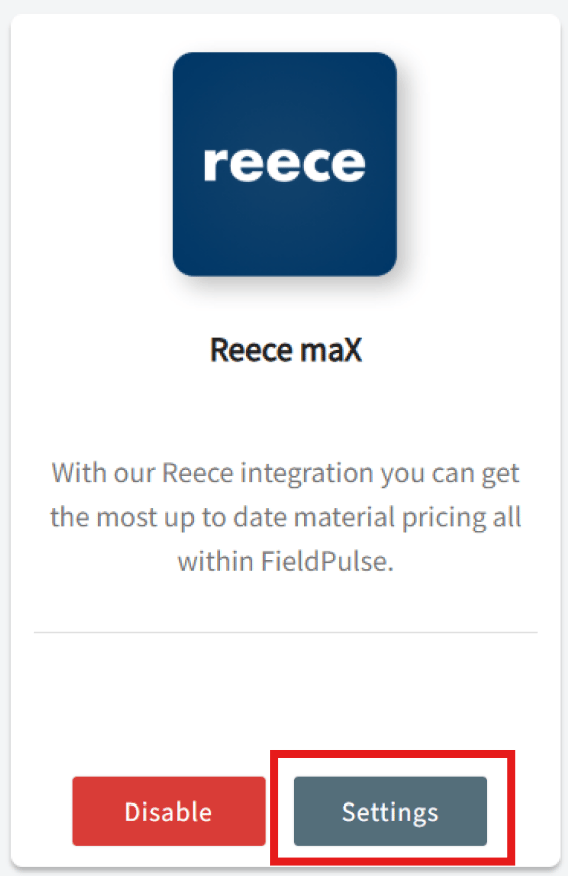
* Scroll down to *Reece maX (ANZ)* and make sure it’s *enabled*
* Click *Settings*
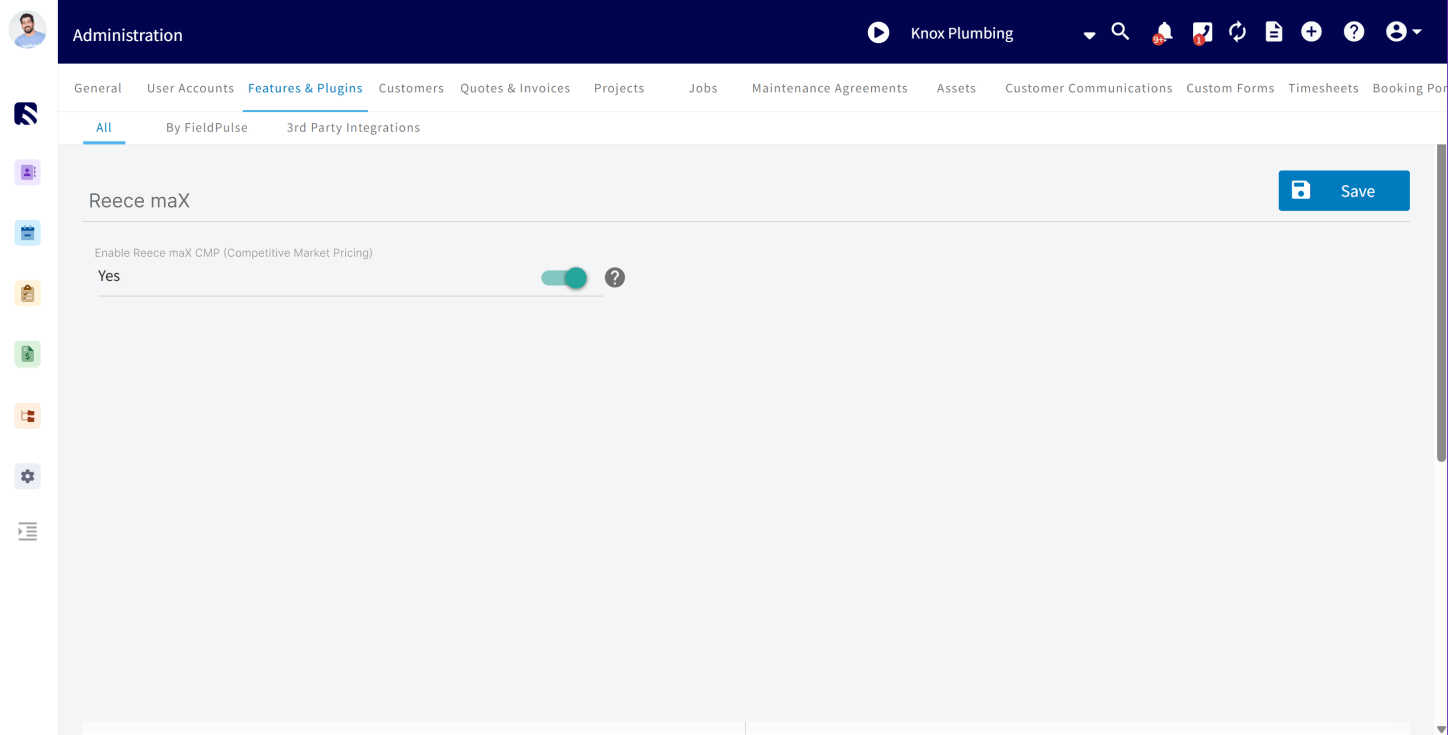
 * Toggle *Enable CMP Pricing* to *ON*
* Click *Save* to apply your changes
* Toggle *Enable CMP Pricing* to *ON*
* Click *Save* to apply your changes
 **Once enabled, all Reece-sourced items will reflect CMP pricing going forward.**
***
# **Important Notes About CMP Pricing:**
* ✅ **CMP applies automatically** to all Reece (maX ANZ) items imported *after* it’s enabled
* ⚙️ **Non-Reece items** will still use your existing default markup settings (set in *Company Settings > Estimates & Invoices > Advanced > Default Markup*)
* ⛔ **CMP does not retroactively update** existing quotes or invoices — it only applies to **new** maX items imported after CMP is enabled.
***
***
**Have additional questions?**
*Contact us at [support@fieldpulse.com](mailto:support@fieldpulse.com) or use the chat feature in the bottom right corner of your screen.*
**Once enabled, all Reece-sourced items will reflect CMP pricing going forward.**
***
# **Important Notes About CMP Pricing:**
* ✅ **CMP applies automatically** to all Reece (maX ANZ) items imported *after* it’s enabled
* ⚙️ **Non-Reece items** will still use your existing default markup settings (set in *Company Settings > Estimates & Invoices > Advanced > Default Markup*)
* ⛔ **CMP does not retroactively update** existing quotes or invoices — it only applies to **new** maX items imported after CMP is enabled.
***
***
**Have additional questions?**
*Contact us at [support@fieldpulse.com](mailto:support@fieldpulse.com) or use the chat feature in the bottom right corner of your screen.*