> ## Documentation Index
> Fetch the complete documentation index at: https://help.fieldpulse.com/llms.txt
> Use this file to discover all available pages before exploring further.
# QuickBooks Online Sync Examples and Details
> See how customers, line items, estimates, invoices, and payments map field-by-field between FieldPulse and QuickBooks Online, and how statuses translate.
> **Who uses this:** Anyone reviewing how records transfer to QuickBooks Online. **Availability:** Requires the customer's own QuickBooks Online subscription and an active QuickBooks Online integration — available in the United States, Canada, and Australia.
Use this page to preview how each record maps between [FieldPulse and QuickBooks Online](https://www.fieldpulse.com/company/partners/quickbooks) — which fields carry over, where they land, and how statuses translate — before you rely on the sync for your books.
## Overview
When a record syncs, FieldPulse maps its fields onto the matching QuickBooks Online fields. The tables below show that mapping for each record type, plus how [estimate](https://www.fieldpulse.com/features/estimates-and-invoices) statuses translate. Fields not listed here do not sync — see [Setting Up QuickBooks Online Before Syncing](/integrations/accounting/quickbooks-online/pre-sync) for the full "what won't sync" reference.
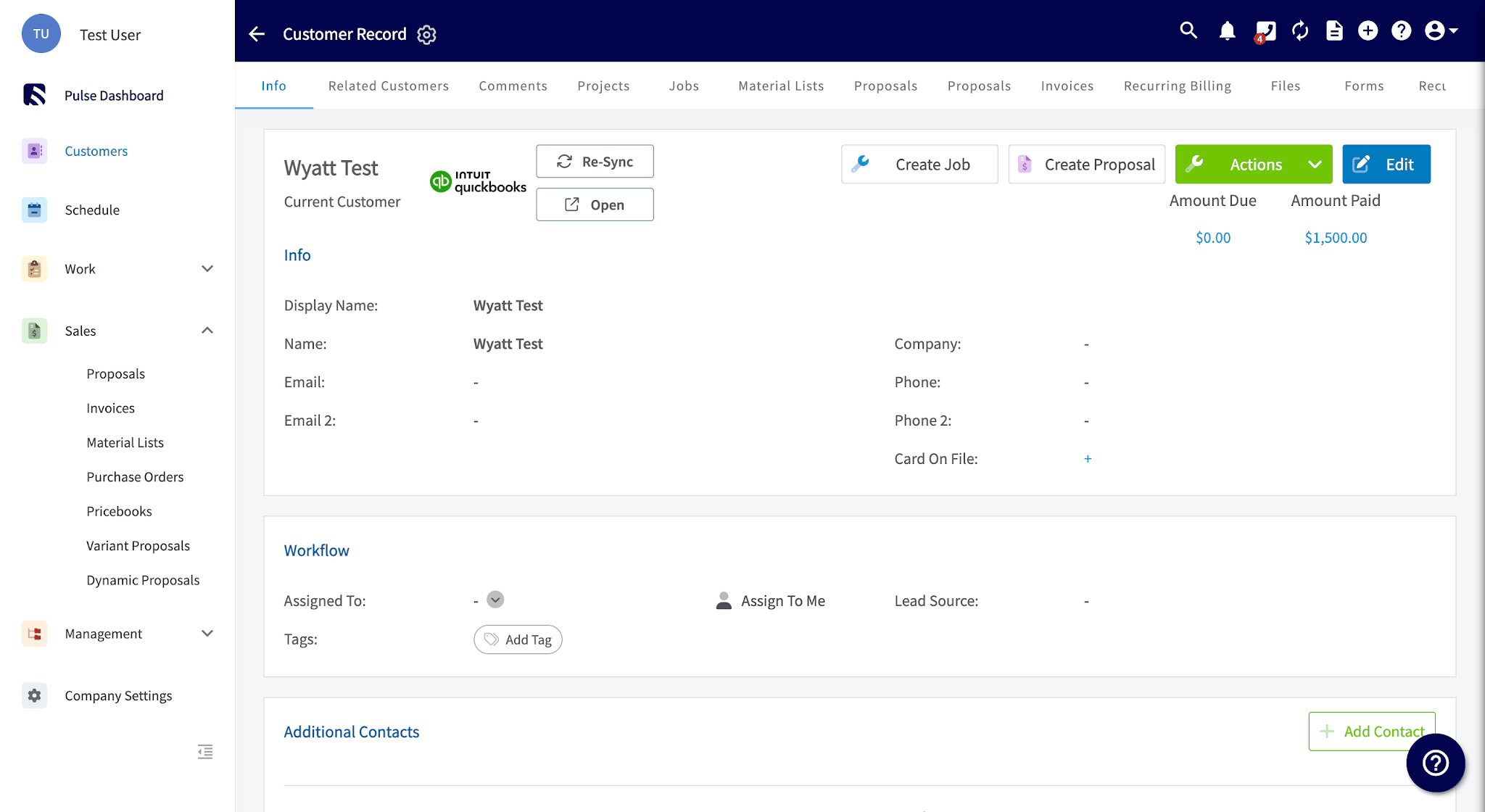
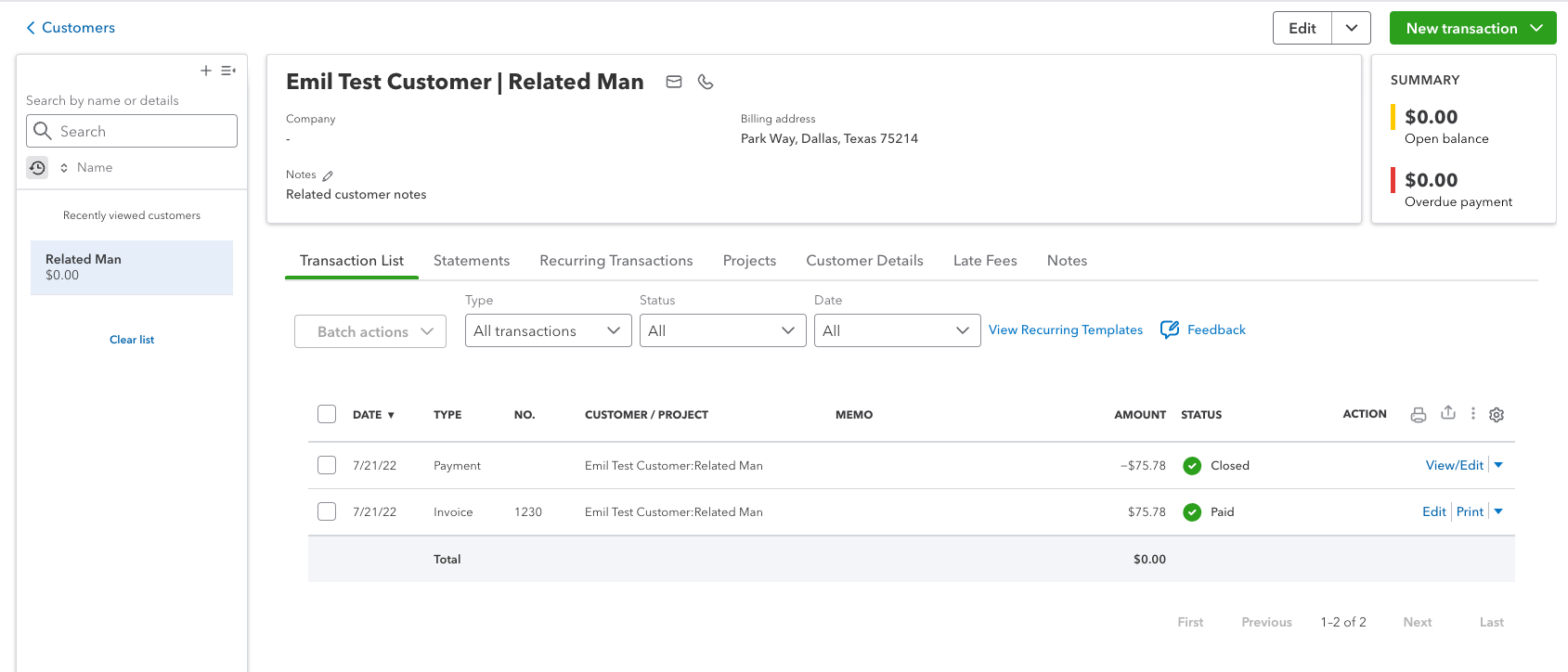
## Customer mapping
| **FieldPulse field** | **QuickBooks Online field** |
| ------------------------------------------------------ | --------------------------- |
| Primary contact: full name, company name, phone, email | Customer primary contact |
| Notes | Note to Customer |
| Service address | Shipping Address |
| Billing address (Address Line 1/2, City, State, Zip) | Billing Address |
FieldPulse
 QuickBooks
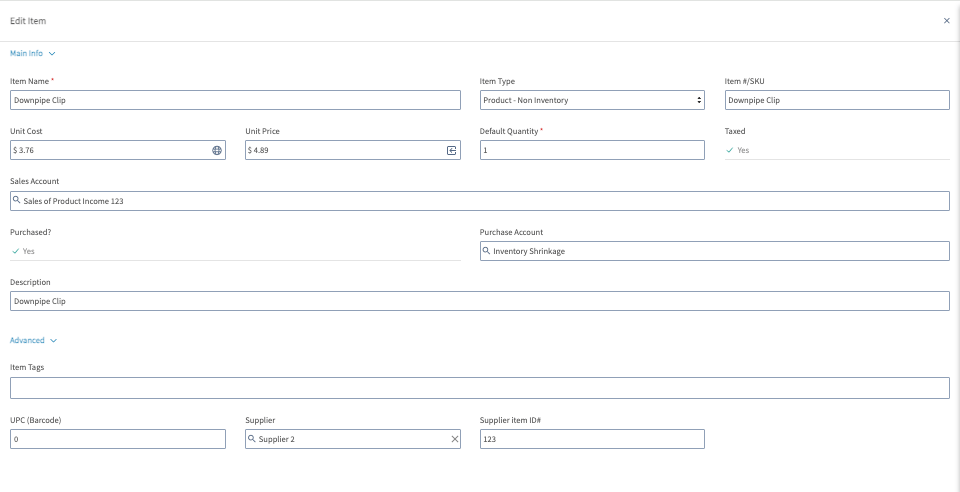
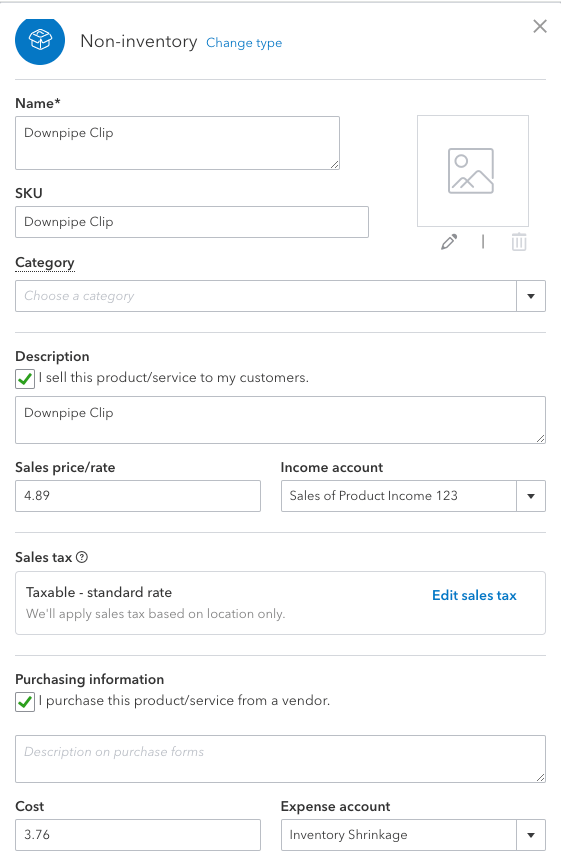
 ## Line item mapping
| **FieldPulse field** | **QuickBooks Online field** |
| --------------------------------- | --------------------------- |
| Item name | Name |
| Description | Description |
| SKU / Item # | SKU |
| Unit cost / price | Cost / Price |
| Quantities | Quantity on hand |
| Related sales / purchase accounts | Income / Expense account |
| Tax / non-tax | Tax status |
FieldPulse
## Line item mapping
| **FieldPulse field** | **QuickBooks Online field** |
| --------------------------------- | --------------------------- |
| Item name | Name |
| Description | Description |
| SKU / Item # | SKU |
| Unit cost / price | Cost / Price |
| Quantities | Quantity on hand |
| Related sales / purchase accounts | Income / Expense account |
| Tax / non-tax | Tax status |
FieldPulse
 QuickBooks
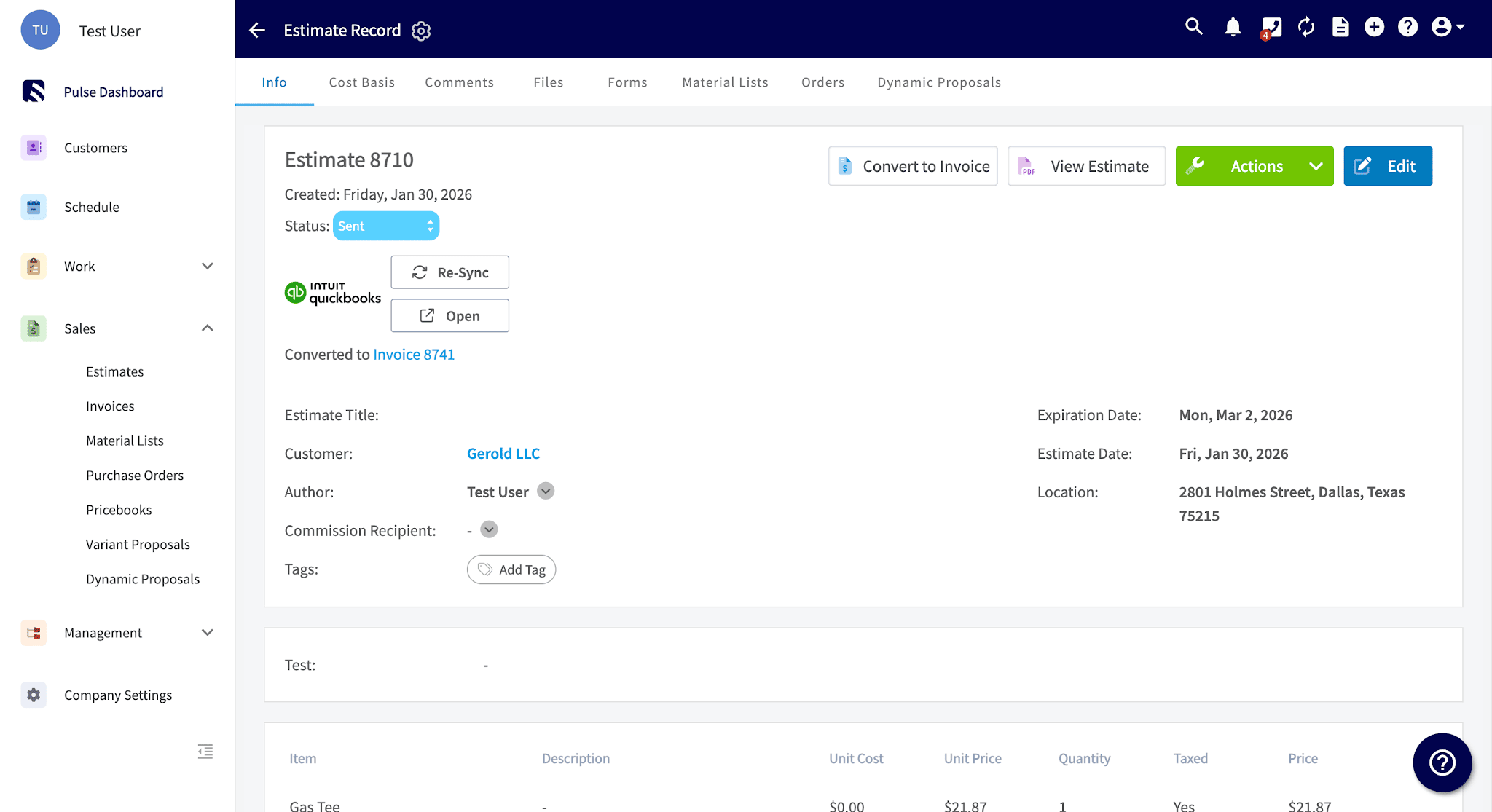
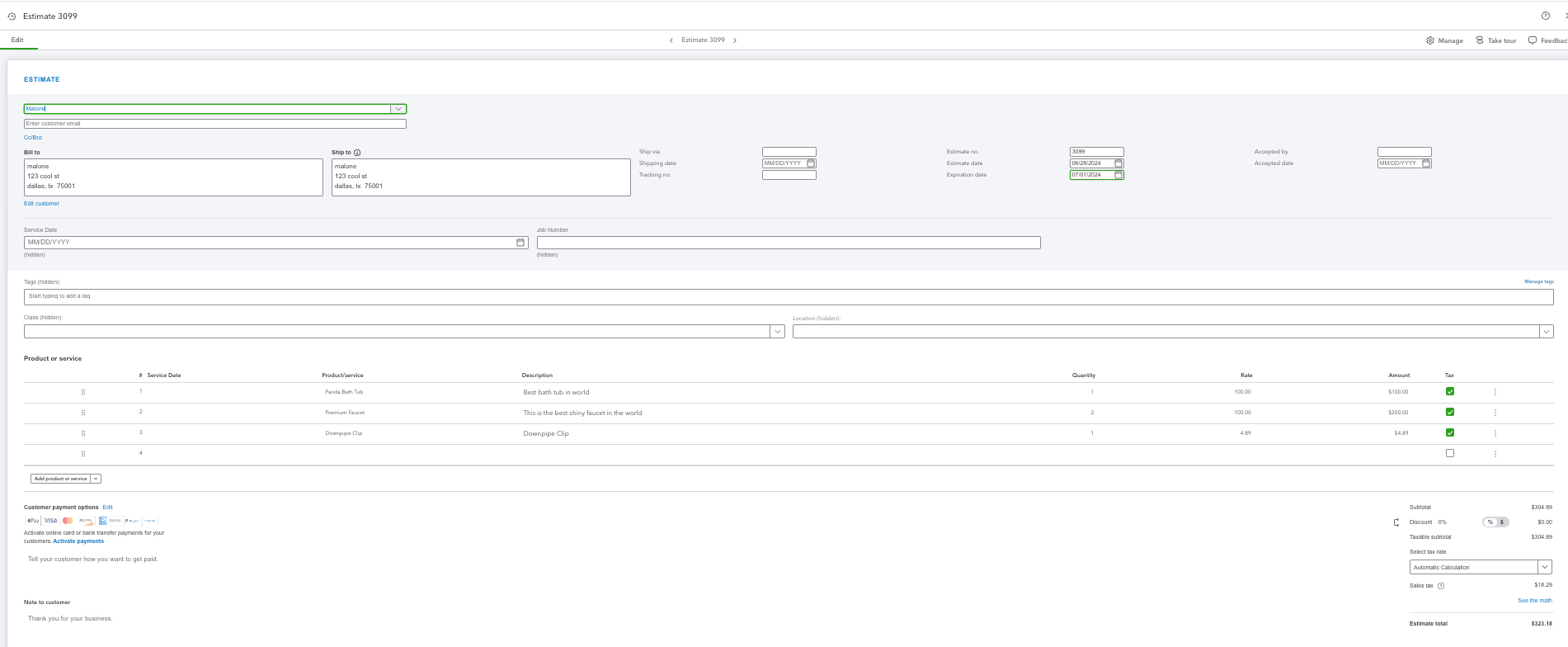
 ## Estimate mapping
| **FieldPulse field** | **QuickBooks Online field** |
| -------------------- | --------------------------- |
| Estimate date | Estimate date |
| Expiration date | Expiration date |
| Line items | Line items |
| Estimate notes | Notes |
| Business class | Class |
Estimates sync regardless of their status, and each FieldPulse status maps to a QuickBooks Online status:
| **FieldPulse estimate status** | **QuickBooks Online status** |
| ------------------------------------- | ---------------------------- |
| Draft, Estimate, Sent | Pending |
| Accepted, Scheduled, Ready, Completed | Accepted |
| Rejected | Declined |
| Lost | Closed |
FieldPulse
## Estimate mapping
| **FieldPulse field** | **QuickBooks Online field** |
| -------------------- | --------------------------- |
| Estimate date | Estimate date |
| Expiration date | Expiration date |
| Line items | Line items |
| Estimate notes | Notes |
| Business class | Class |
Estimates sync regardless of their status, and each FieldPulse status maps to a QuickBooks Online status:
| **FieldPulse estimate status** | **QuickBooks Online status** |
| ------------------------------------- | ---------------------------- |
| Draft, Estimate, Sent | Pending |
| Accepted, Scheduled, Ready, Completed | Accepted |
| Rejected | Declined |
| Lost | Closed |
FieldPulse
 QuickBooks
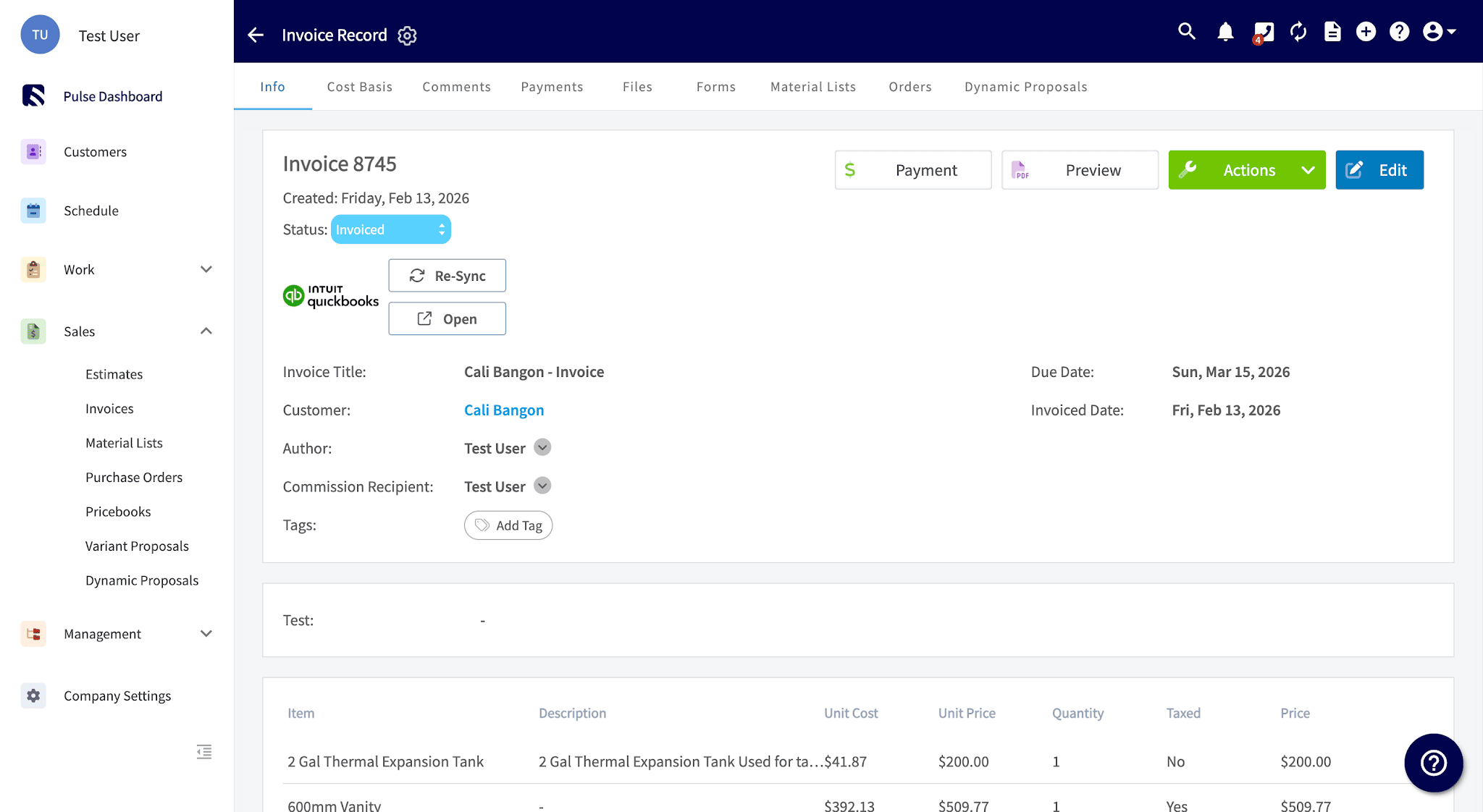
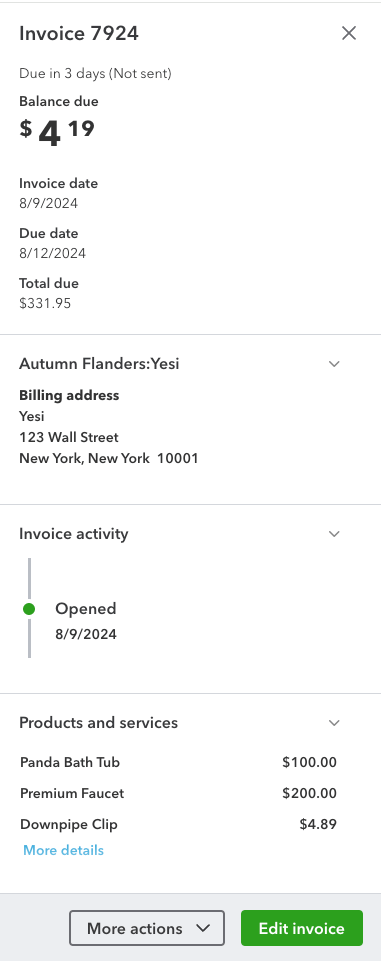
 ## Invoice mapping
| **FieldPulse field** | **QuickBooks Online field** |
| -------------------- | --------------------------- |
| Invoice date | Invoice date |
| Expiration date | Expiration date |
| Line items | Line items |
| Internal notes | Memo on Statement |
| Invoice notes | Message on statement |
| Business class | Class |
| Related payments | Payments |
An invoice begins syncing once it reaches **Invoiced** status; its attached customer, invoice items, and tax rate sync with it.
FieldPulse
## Invoice mapping
| **FieldPulse field** | **QuickBooks Online field** |
| -------------------- | --------------------------- |
| Invoice date | Invoice date |
| Expiration date | Expiration date |
| Line items | Line items |
| Internal notes | Memo on Statement |
| Invoice notes | Message on statement |
| Business class | Class |
| Related payments | Payments |
An invoice begins syncing once it reaches **Invoiced** status; its attached customer, invoice items, and tax rate sync with it.
FieldPulse
 QuickBooks
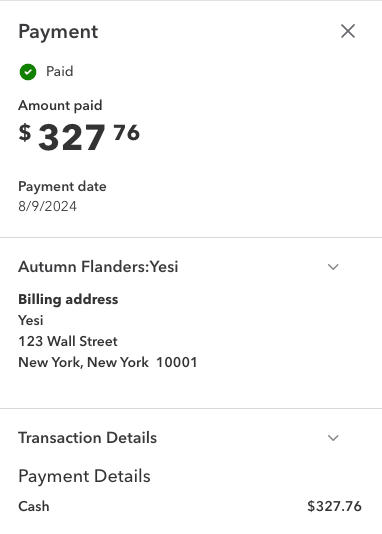
 ## Payment mapping
| **FieldPulse field** | **QuickBooks Online field** |
| -------------------------------------------------------- | --------------------------- |
| Payment method (Cash, Check, Card, Bank Transfer, Other) | Payment method |
| Payment total | Amount |
| Payment notes | Notes |
A collected payment follows this flow in QuickBooks Online: **Invoice → Payment → Undeposited Funds**, matching a standard QuickBooks workflow.
FieldPulse
## Payment mapping
| **FieldPulse field** | **QuickBooks Online field** |
| -------------------------------------------------------- | --------------------------- |
| Payment method (Cash, Check, Card, Bank Transfer, Other) | Payment method |
| Payment total | Amount |
| Payment notes | Notes |
A collected payment follows this flow in QuickBooks Online: **Invoice → Payment → Undeposited Funds**, matching a standard QuickBooks workflow.
FieldPulse
 QuickBooks
 ## Notes & limitations
* **Estimate and invoice authors:** For estimates and invoices created in QuickBooks Online, the QuickBooks author does not carry into FieldPulse — the author is filled in as the FieldPulse founding admin user.
* **Custom transaction numbers:** With them on in QuickBooks Online, invoice numbers follow the FieldPulse sequence; off, they follow QuickBooks Online's sequence.
* **Tips do not sync.** A payment that exceeds the invoice total because of a tip can create a negative balance in QuickBooks Online.
* The original source page presented these examples as side-by-side screenshots only.
## Related articles
* [QuickBooks Online Overview](/integrations/accounting/quickbooks-online/overview)
* [Setting Up QuickBooks Online Before Syncing](/integrations/accounting/quickbooks-online/pre-sync)
* [How to Manage QuickBooks Online After Syncing](/integrations/accounting/quickbooks-online/post-sync)
* [Troubleshooting QuickBooks Online Sync Errors](/integrations/accounting/quickbooks-online/sync-errors)
## Related topics
- [QuickBooks Online Overview](/integrations/accounting/quickbooks-online/overview.md)
- [QuickBooks Online](/integrations/accounting/quickbooks-online/index.md)
- [How to Manage QuickBooks Online After Syncing](/integrations/accounting/quickbooks-online/post-sync.md)
- [QuickBooks Desktop Sync Examples and Details](/integrations/accounting/quickbooks-desktop/sync-examples.md)
## Notes & limitations
* **Estimate and invoice authors:** For estimates and invoices created in QuickBooks Online, the QuickBooks author does not carry into FieldPulse — the author is filled in as the FieldPulse founding admin user.
* **Custom transaction numbers:** With them on in QuickBooks Online, invoice numbers follow the FieldPulse sequence; off, they follow QuickBooks Online's sequence.
* **Tips do not sync.** A payment that exceeds the invoice total because of a tip can create a negative balance in QuickBooks Online.
* The original source page presented these examples as side-by-side screenshots only.
## Related articles
* [QuickBooks Online Overview](/integrations/accounting/quickbooks-online/overview)
* [Setting Up QuickBooks Online Before Syncing](/integrations/accounting/quickbooks-online/pre-sync)
* [How to Manage QuickBooks Online After Syncing](/integrations/accounting/quickbooks-online/post-sync)
* [Troubleshooting QuickBooks Online Sync Errors](/integrations/accounting/quickbooks-online/sync-errors)
## Related topics
- [QuickBooks Online Overview](/integrations/accounting/quickbooks-online/overview.md)
- [QuickBooks Online](/integrations/accounting/quickbooks-online/index.md)
- [How to Manage QuickBooks Online After Syncing](/integrations/accounting/quickbooks-online/post-sync.md)
- [QuickBooks Desktop Sync Examples and Details](/integrations/accounting/quickbooks-desktop/sync-examples.md)