> ## Documentation Index
> Fetch the complete documentation index at: https://help.fieldpulse.com/llms.txt
> Use this file to discover all available pages before exploring further.
# ClearPath Widget Details
> Browse the Focus View widgets you can add to a ClearPath Status Action Flow in FieldPulse, with what each one shows and what techs can do from it.
> **Who uses this:** Administrators choose and order widgets as part of each Status Action Flow's setup in Company Settings; Service Agents use the widgets in the mobile-first Focus View. **Availability:** Included with your FieldPulse subscription at no extra cost.
Widgets are the building blocks of the [ClearPath](https://www.fieldpulse.com/features/clearpath) Focus View. Each widget displays one piece of the current job in an easy-to-read format, and widgets appear only on the Focus View screen. Up to 32 unique widgets are available, and you select and order them separately for each Status Action Flow. This page groups the widgets by type, with what each widget shows and what a technician can do from it.
Add, remove, and reorder widgets while [Setting Up ClearPath Status Action Flows](/jobs/workflows/clearpath/status-action-flows) — the widget layout is part of each Status Action Flow's setup.
## Overview
A widget is a block on the Focus View screen that shows one detail of the current job — the status, the customer's contact information, the attached estimates — so a technician can read and act on the job from one screen. A technician sees only the widgets selected for the job's Status Action Flow, in the order they were arranged in that flow.
In that setup, the Focus View Layout picker lists the available widgets on the left and the visible widgets on the right, with arrows to move a widget between the two lists and to reorder the visible ones.
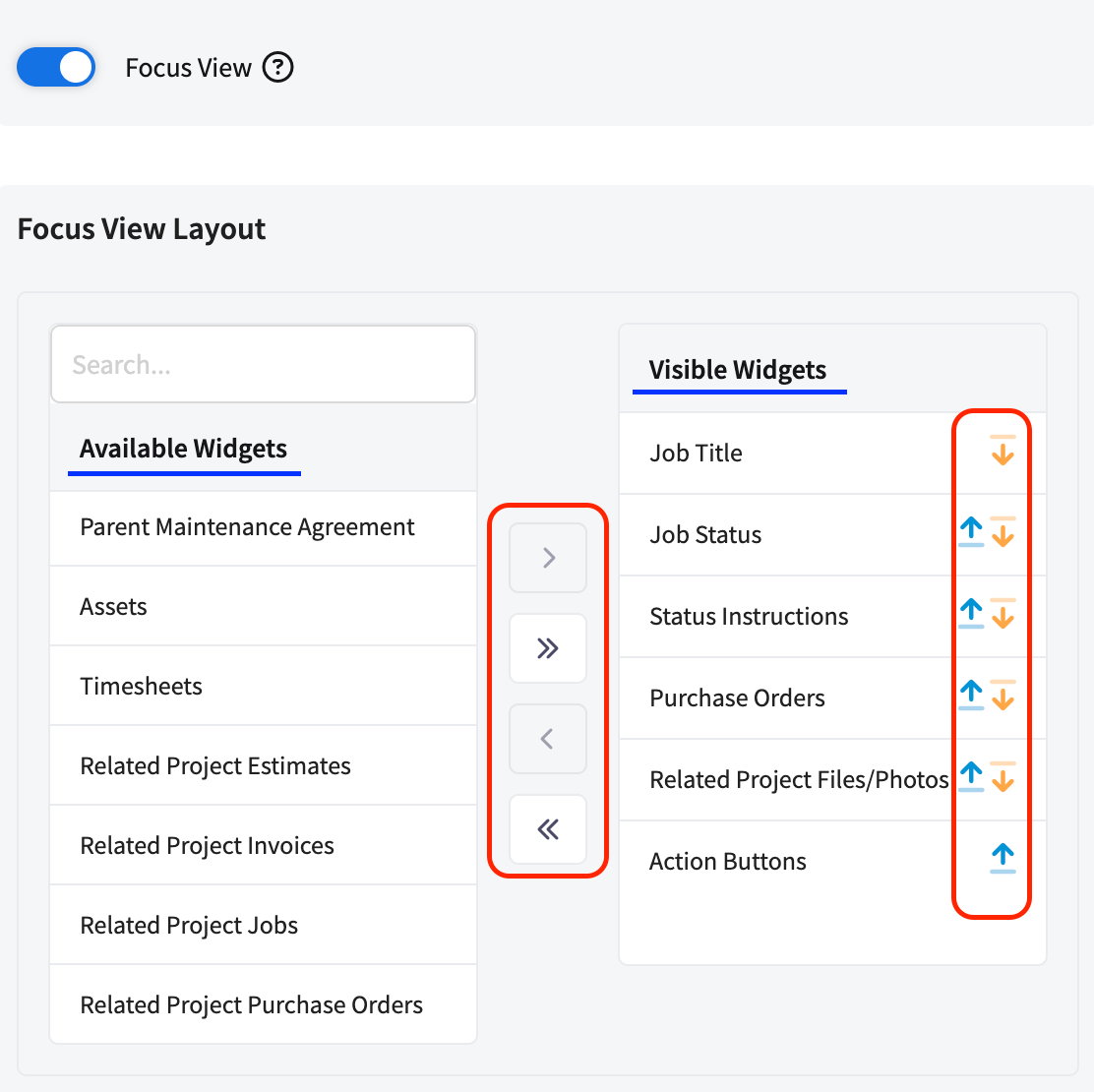 The widgets below are grouped into five sets:
| **Widget group** | **What the widgets cover** |
| ----------------- | -------------------------------------------------------------------------------------- |
| Job details | The core job — title, status, instructions, action buttons, notes, files, and subtasks |
| Customer details | Who the customer is and how to contact them |
| Scheduling & team | When and where the job is, who else is assigned, and time tracked on the job |
| Related project | Records on the project the job belongs to |
| Related records | Estimates, invoices, and other records attached to the job |
For how a technician works through a job with these widgets, see [How to Use ClearPath in the Field (Focus View)](/jobs/workflows/clearpath/focus-view).
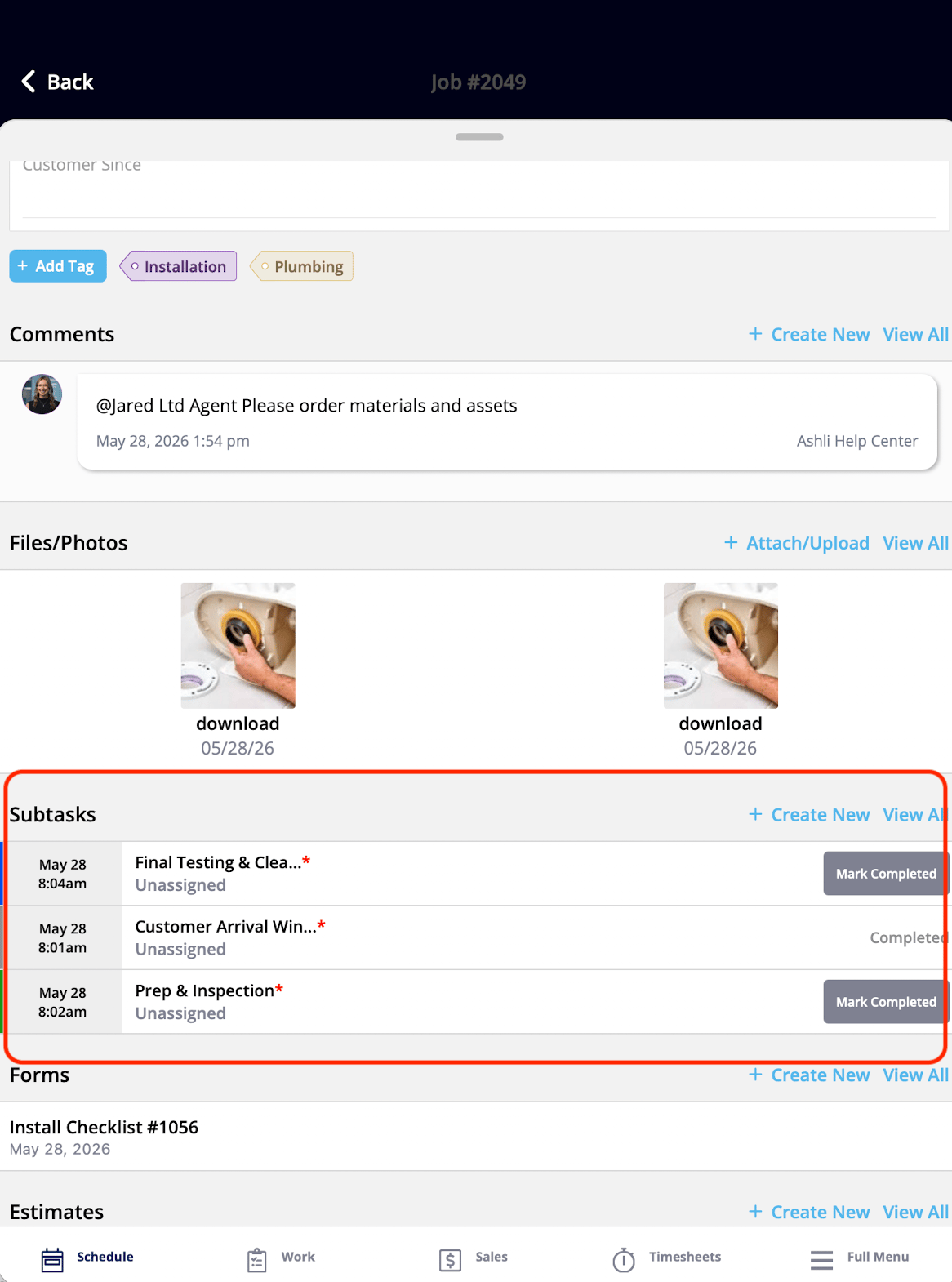
## Job details widgets
The Job details widgets are the core building blocks of the Focus View experience — they put the essential job information in front of the technician on one screen. Status Instructions and Action Buttons are both configured per status in the Status Action Flow — see [Setting Up ClearPath Status Action Flows](/jobs/workflows/clearpath/status-action-flows).
| **Widget** | **What it shows** | **What the tech can do** |
| ------------------- | ------------------------------------------------------------------- | ------------------------------------------------------------------------------------------------------------------------ |
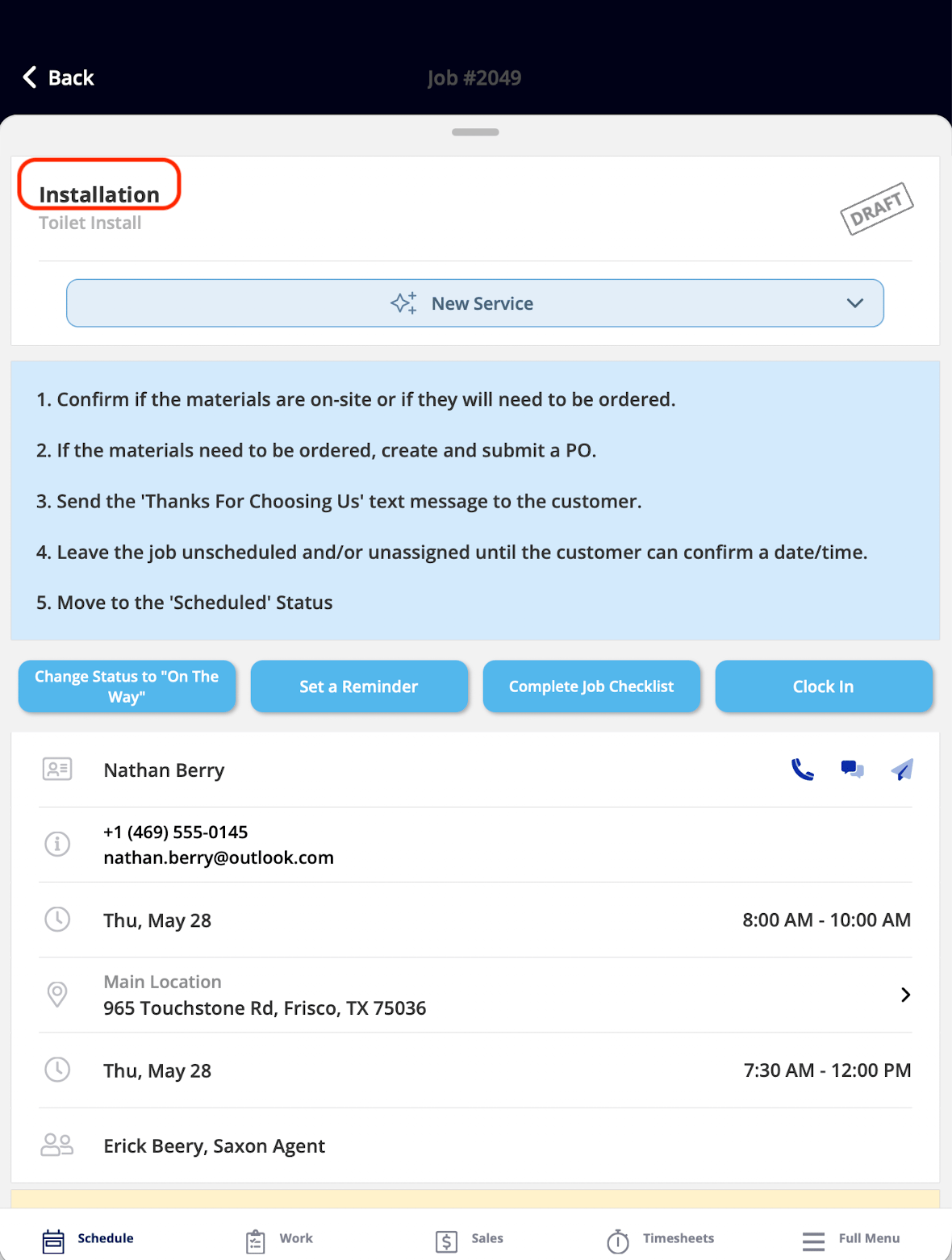
| Job Title | The name of the current job | View only |
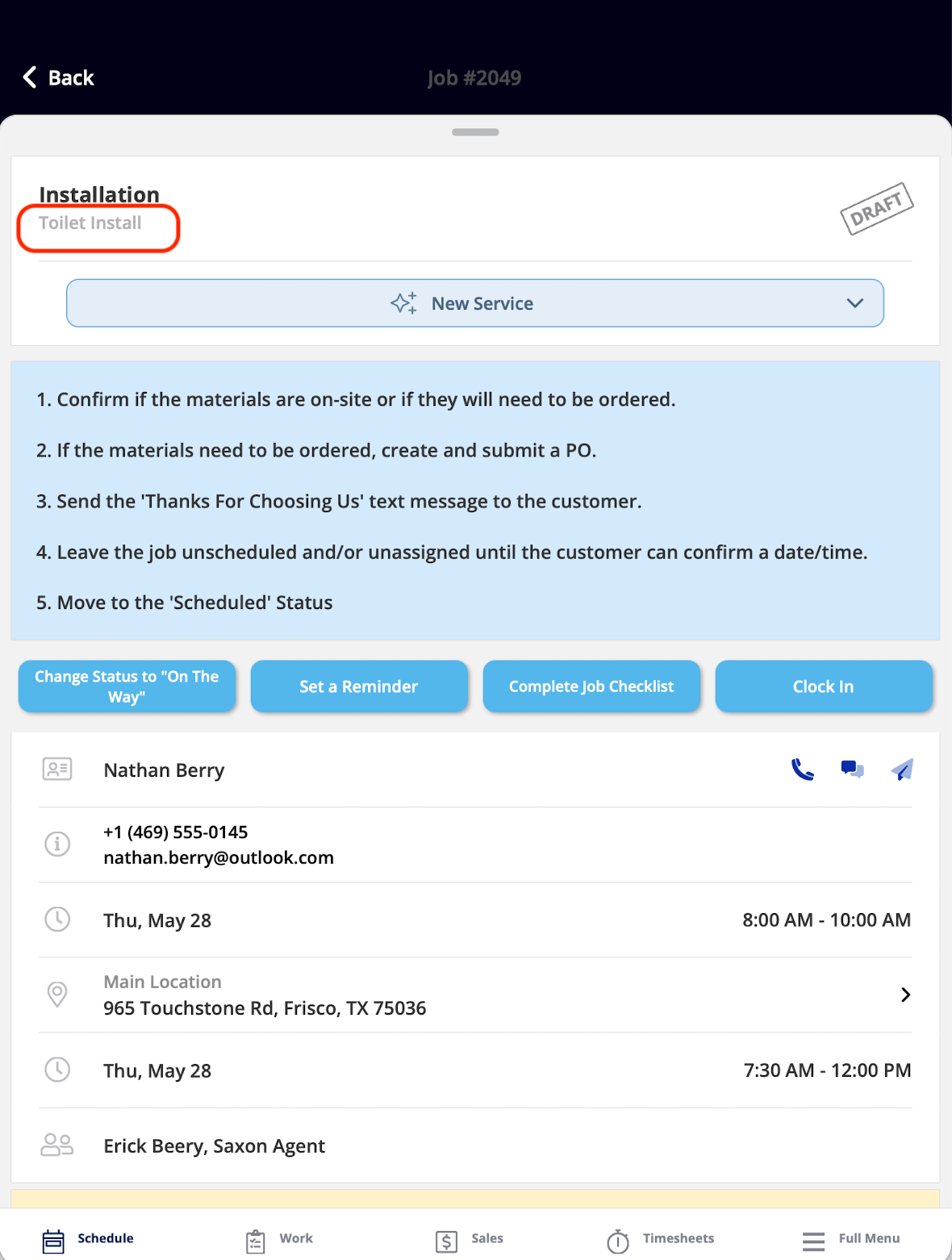
| Job Subtitle | The job's subtitle | View only |
| Job Status | The job's position in its assigned workflow | Tap to change the status — unavailable when the **Ability to Change Status** toggle is off in the Status Action Flow |
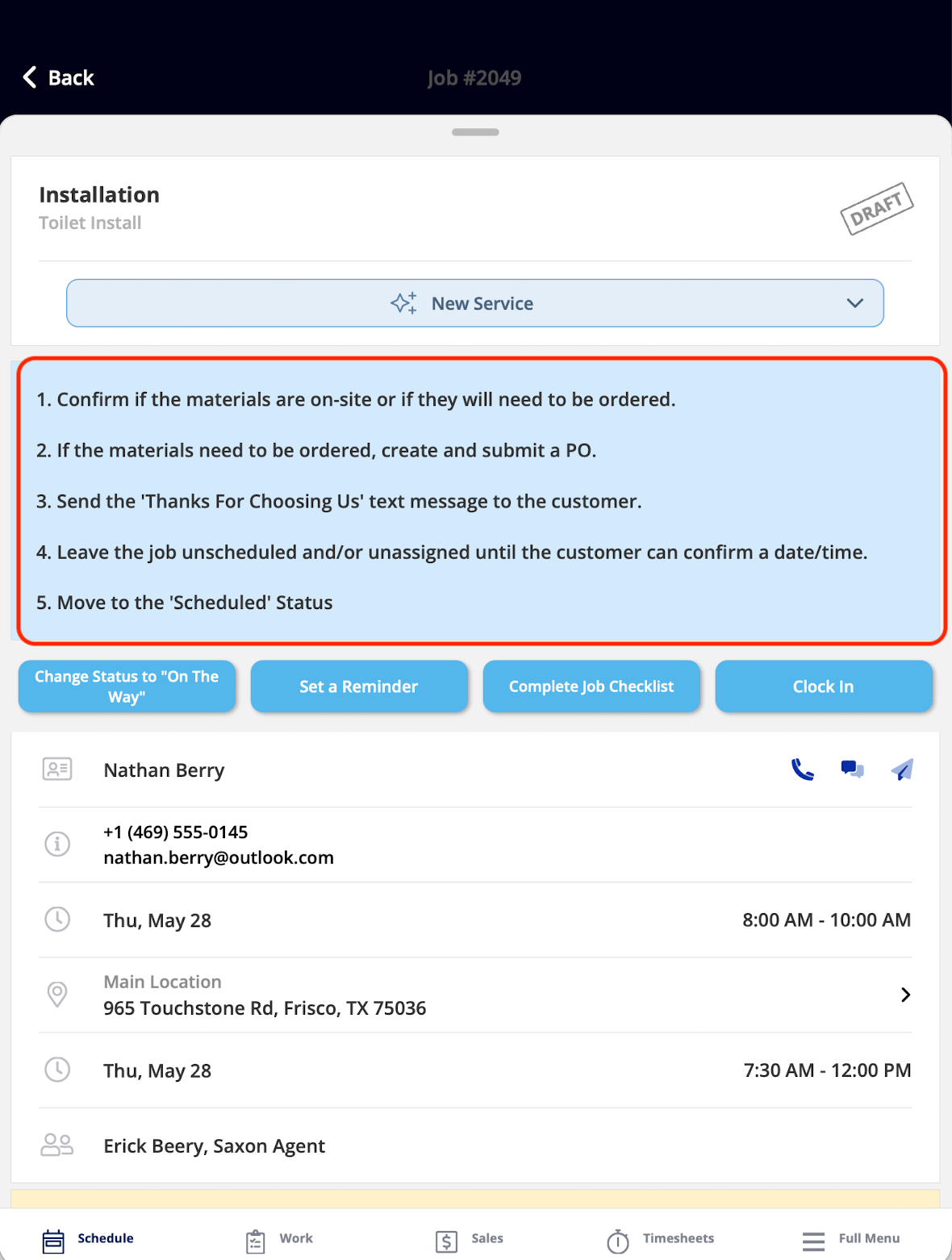
| Status Instructions | Step-by-step guidance for the current status | View only — an Admin sets the instructions in the Status Action Flow |
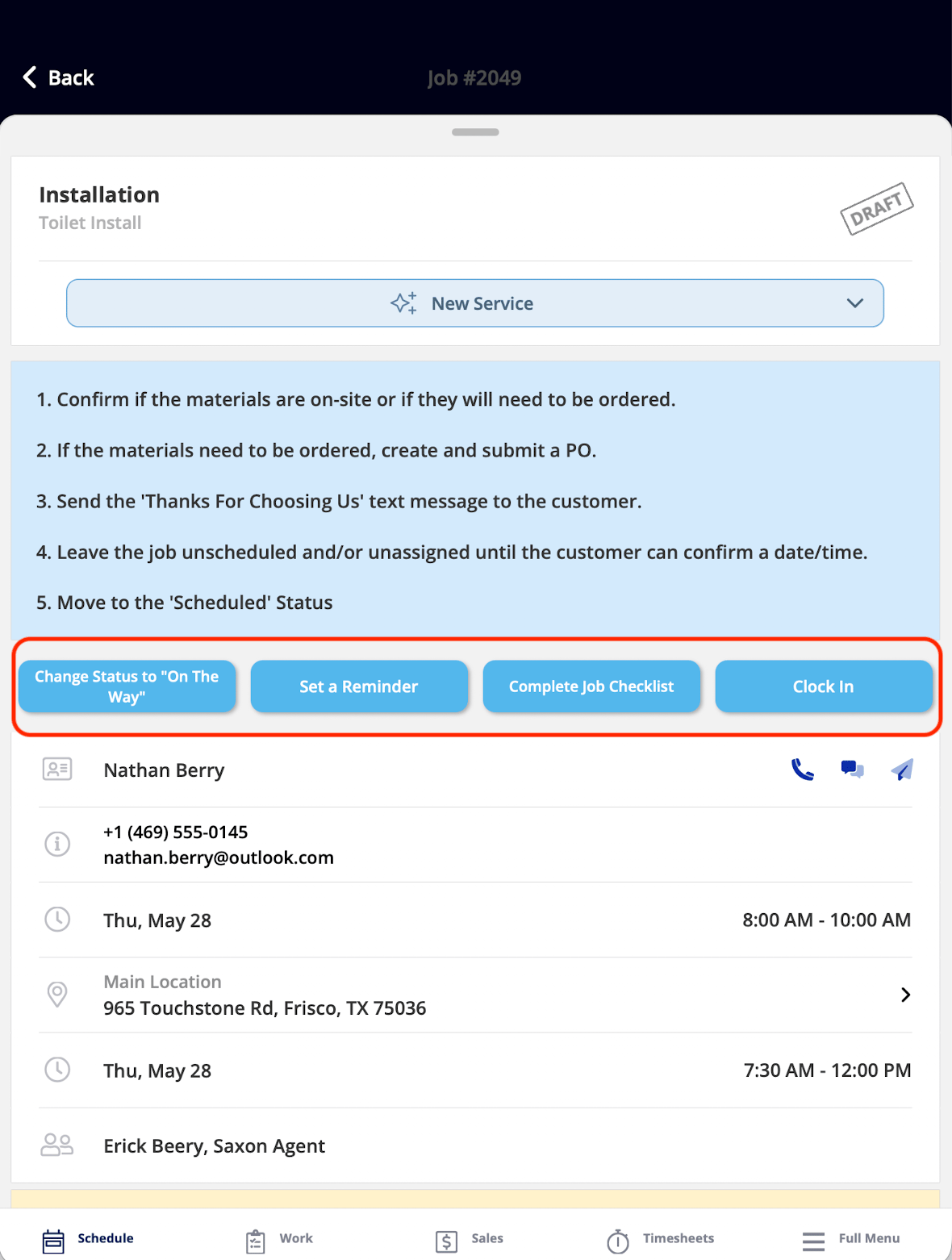
| Action Buttons | The custom buttons for the current status | Tap a button to complete its task — up to 10 buttons can be displayed per status, with up to 27 unique actions available |
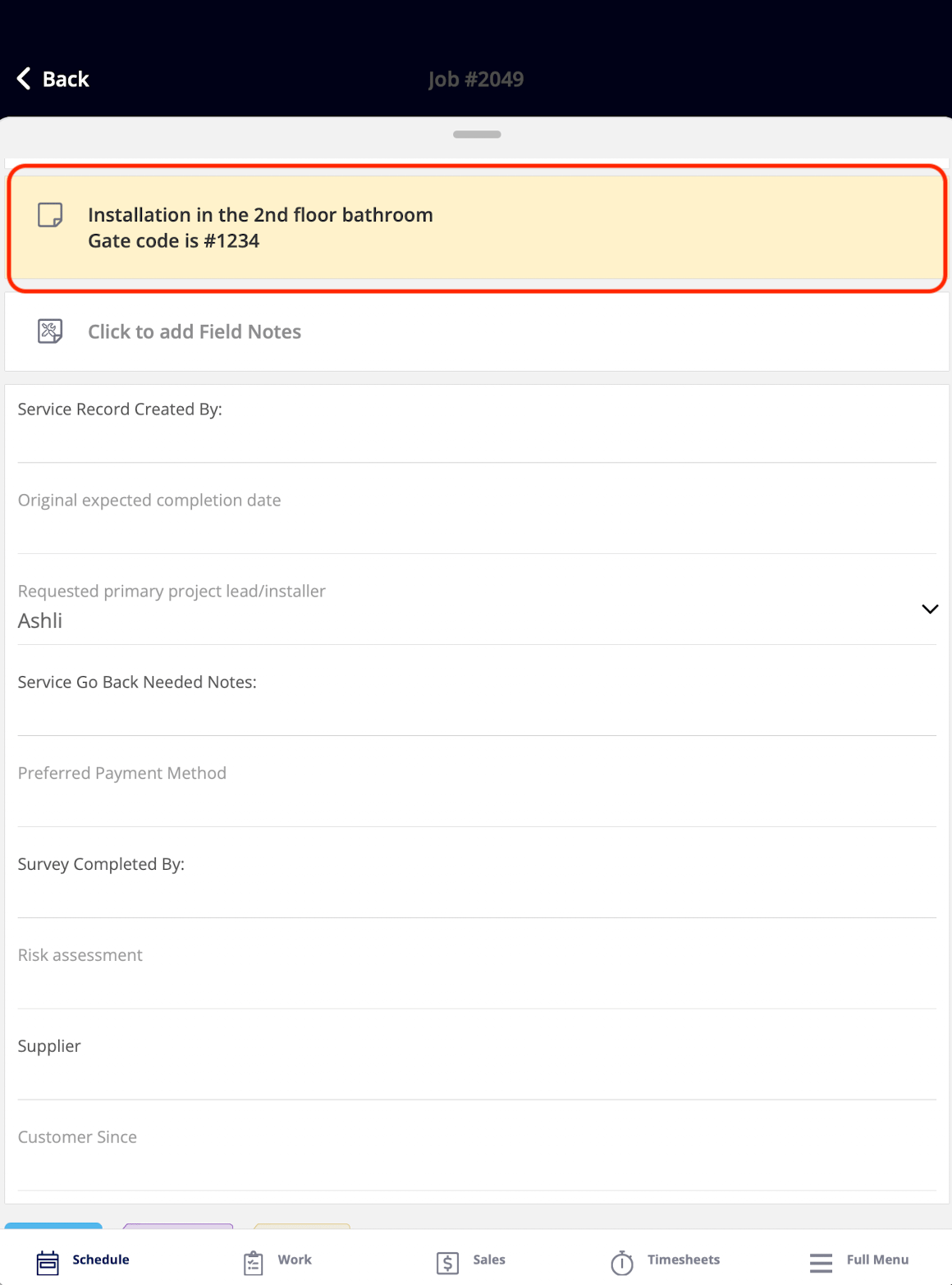
| Notes | Office notes added when the job was created | View only — Service Agents cannot add or edit notes from this widget |
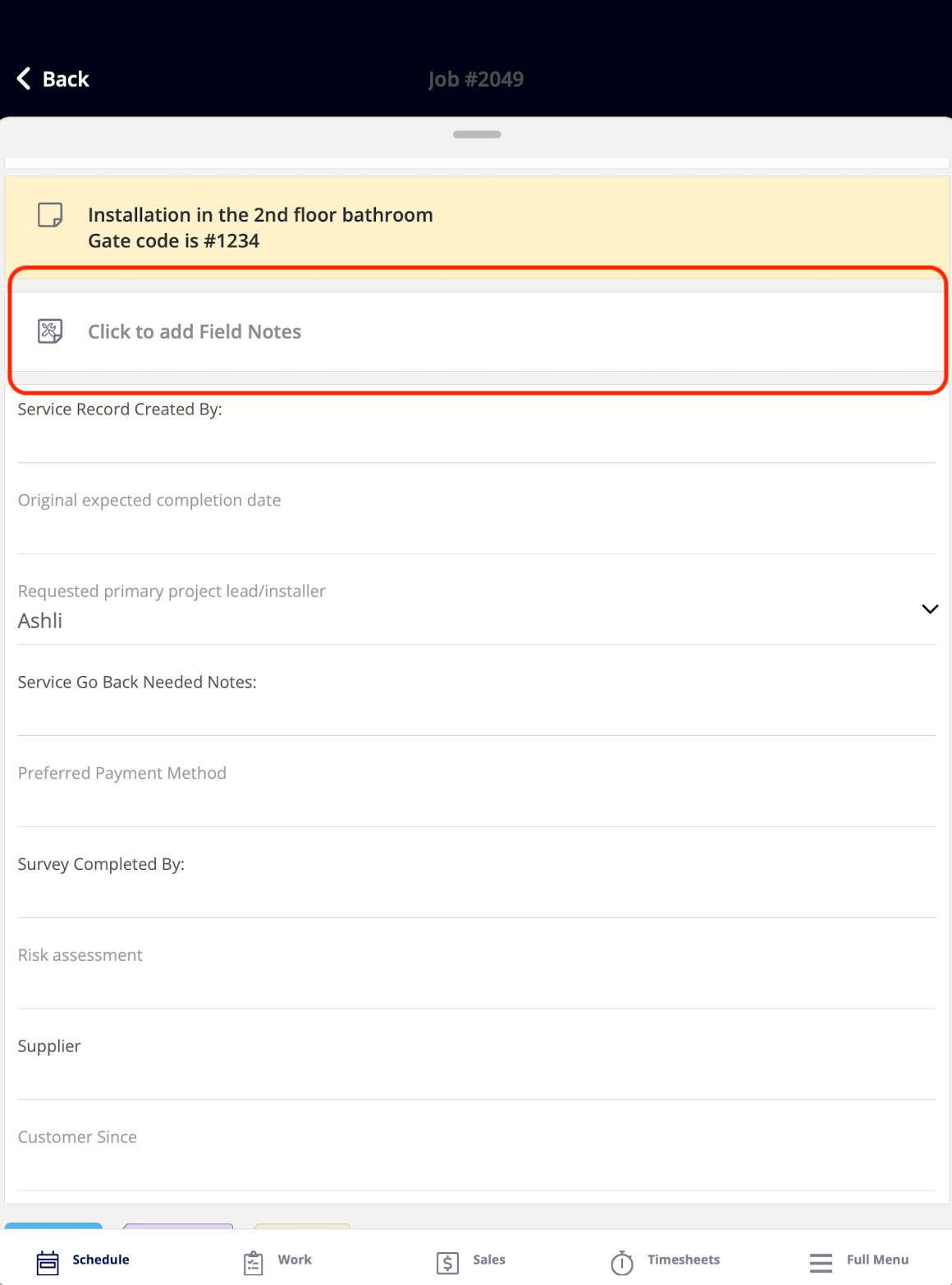
| Field Notes | Notes the technician creates on-site | Add field notes |
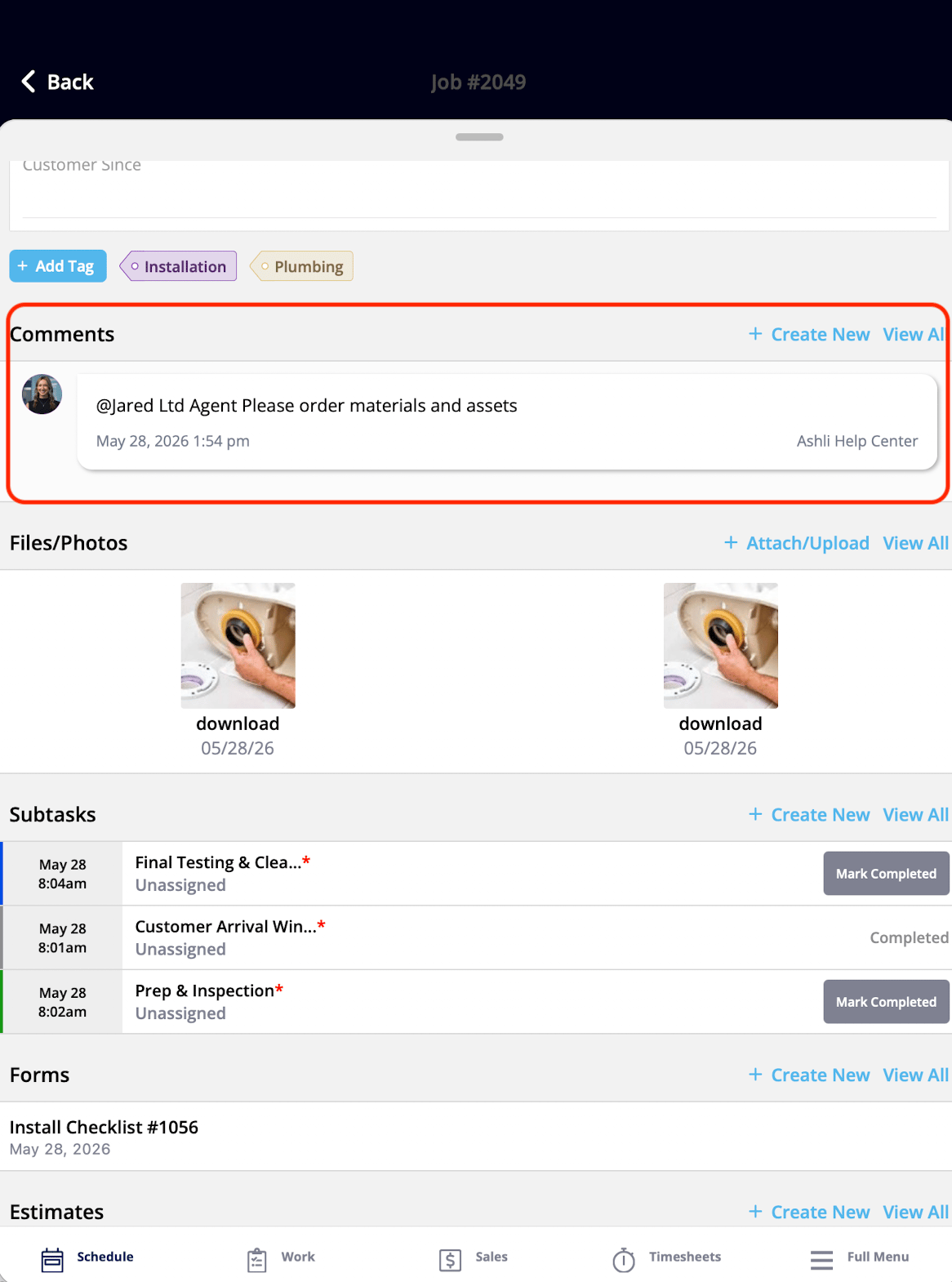
| Comments | All comments on the job | View and post comments |
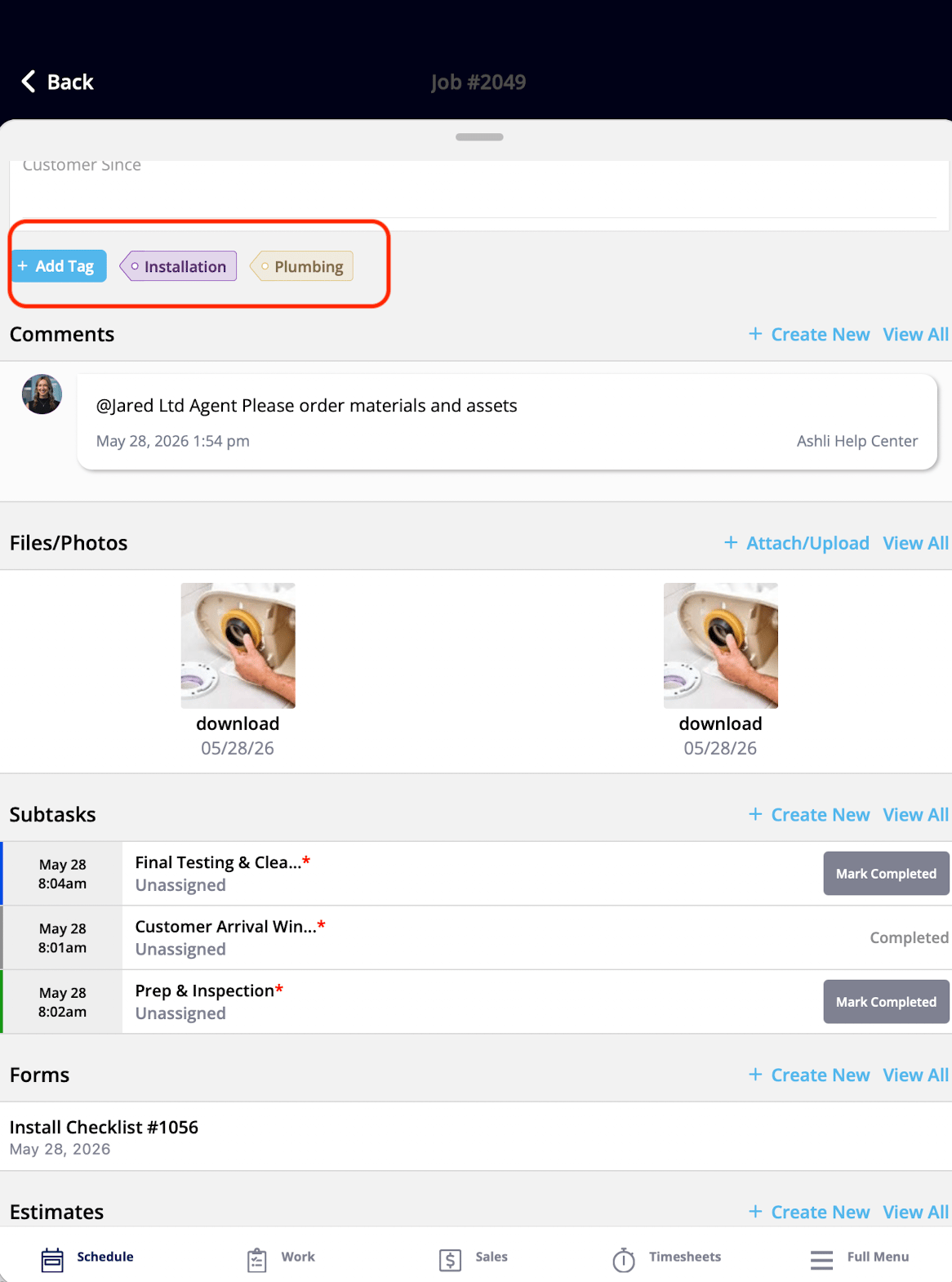
| Tags | All tags on the job | View and add tags |
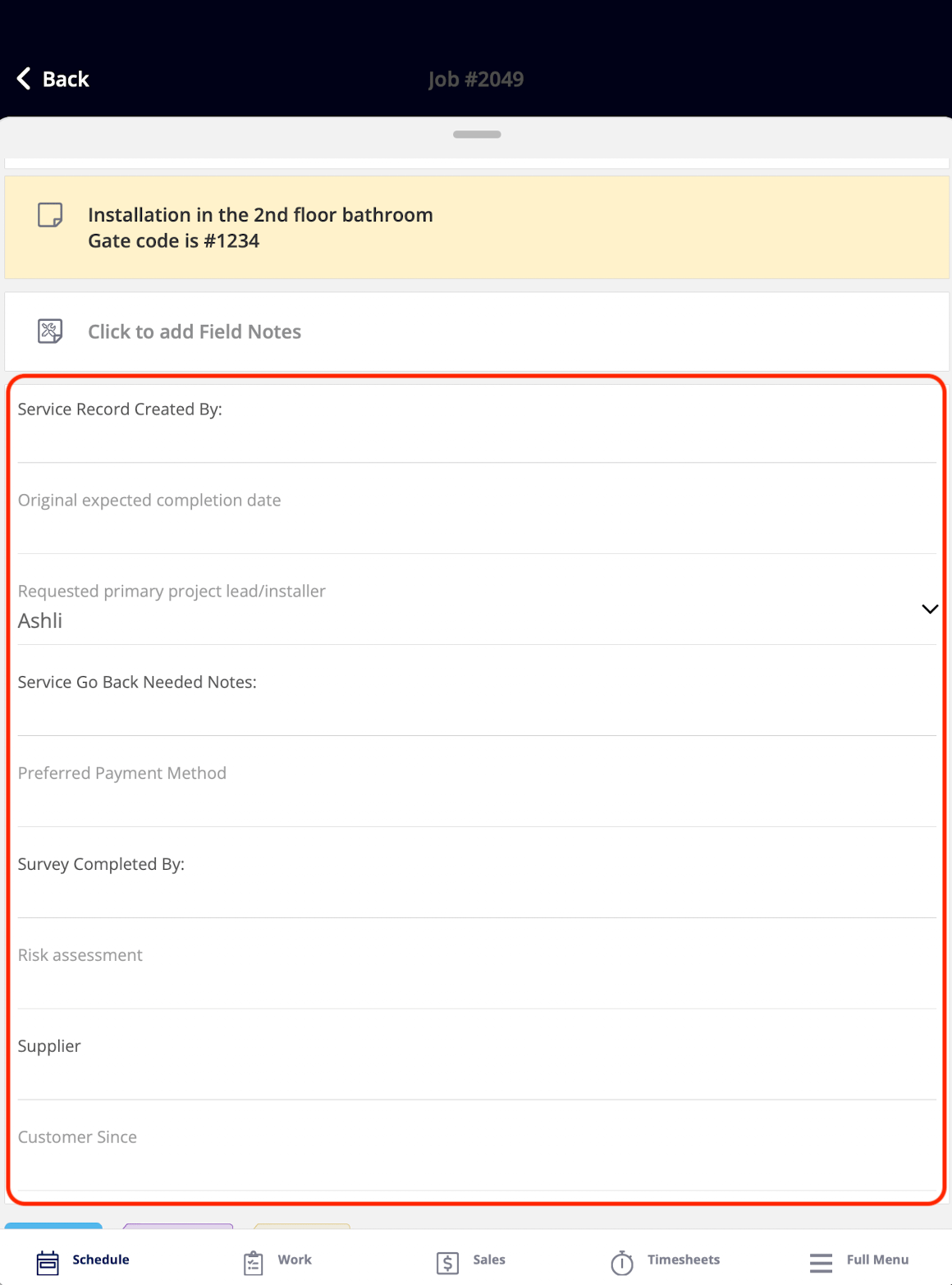
| Custom Fields | Business-specific fields on the job, configured in Company Settings | View and edit — per-field permissions apply |
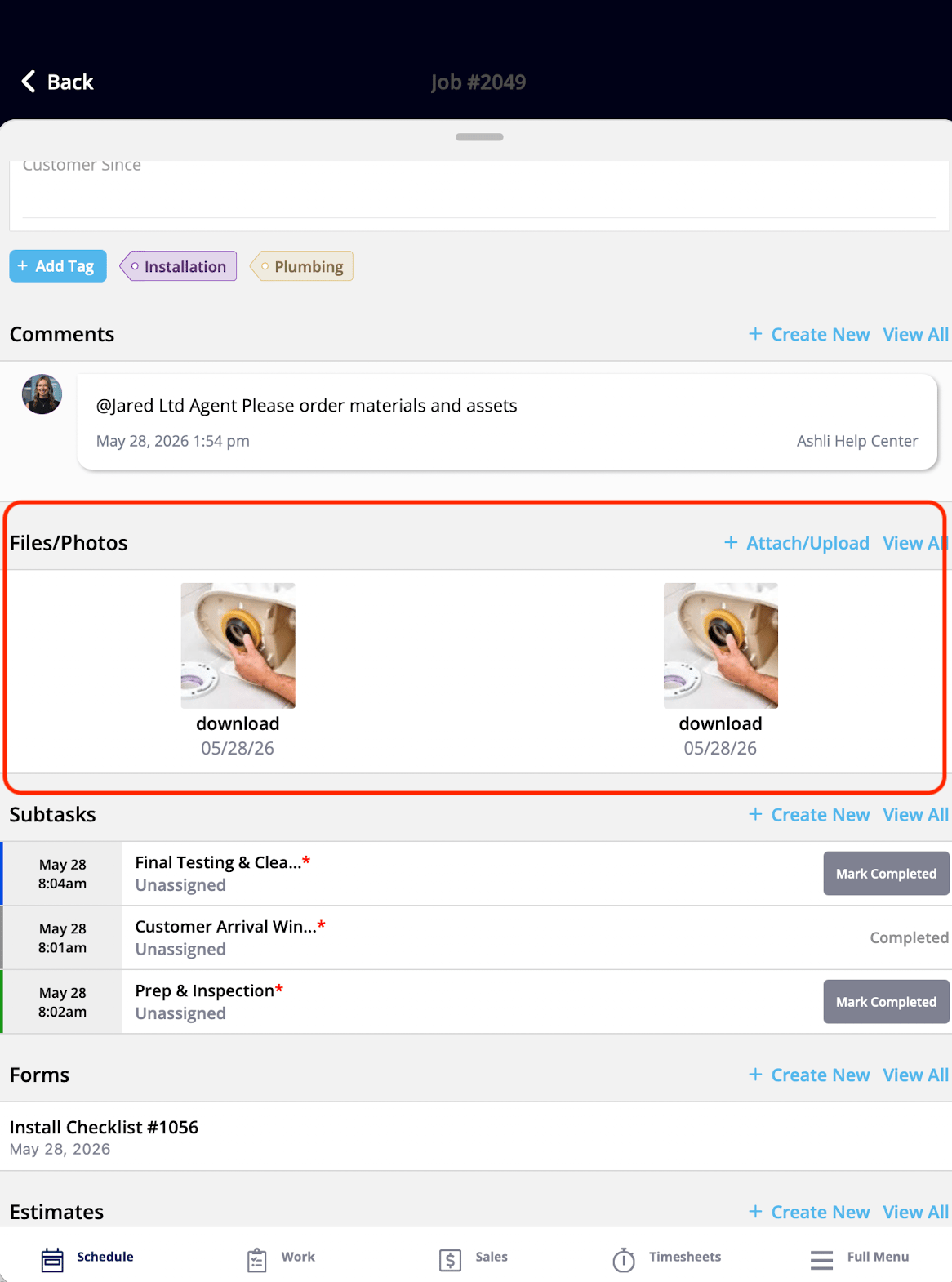
| Files/Photos | Attachments on the job | View and upload files or photos |
| Subtasks | The job's subtasks as a checklist | View, add, and check off subtasks |
The widgets below are grouped into five sets:
| **Widget group** | **What the widgets cover** |
| ----------------- | -------------------------------------------------------------------------------------- |
| Job details | The core job — title, status, instructions, action buttons, notes, files, and subtasks |
| Customer details | Who the customer is and how to contact them |
| Scheduling & team | When and where the job is, who else is assigned, and time tracked on the job |
| Related project | Records on the project the job belongs to |
| Related records | Estimates, invoices, and other records attached to the job |
For how a technician works through a job with these widgets, see [How to Use ClearPath in the Field (Focus View)](/jobs/workflows/clearpath/focus-view).
## Job details widgets
The Job details widgets are the core building blocks of the Focus View experience — they put the essential job information in front of the technician on one screen. Status Instructions and Action Buttons are both configured per status in the Status Action Flow — see [Setting Up ClearPath Status Action Flows](/jobs/workflows/clearpath/status-action-flows).
| **Widget** | **What it shows** | **What the tech can do** |
| ------------------- | ------------------------------------------------------------------- | ------------------------------------------------------------------------------------------------------------------------ |
| Job Title | The name of the current job | View only |
| Job Subtitle | The job's subtitle | View only |
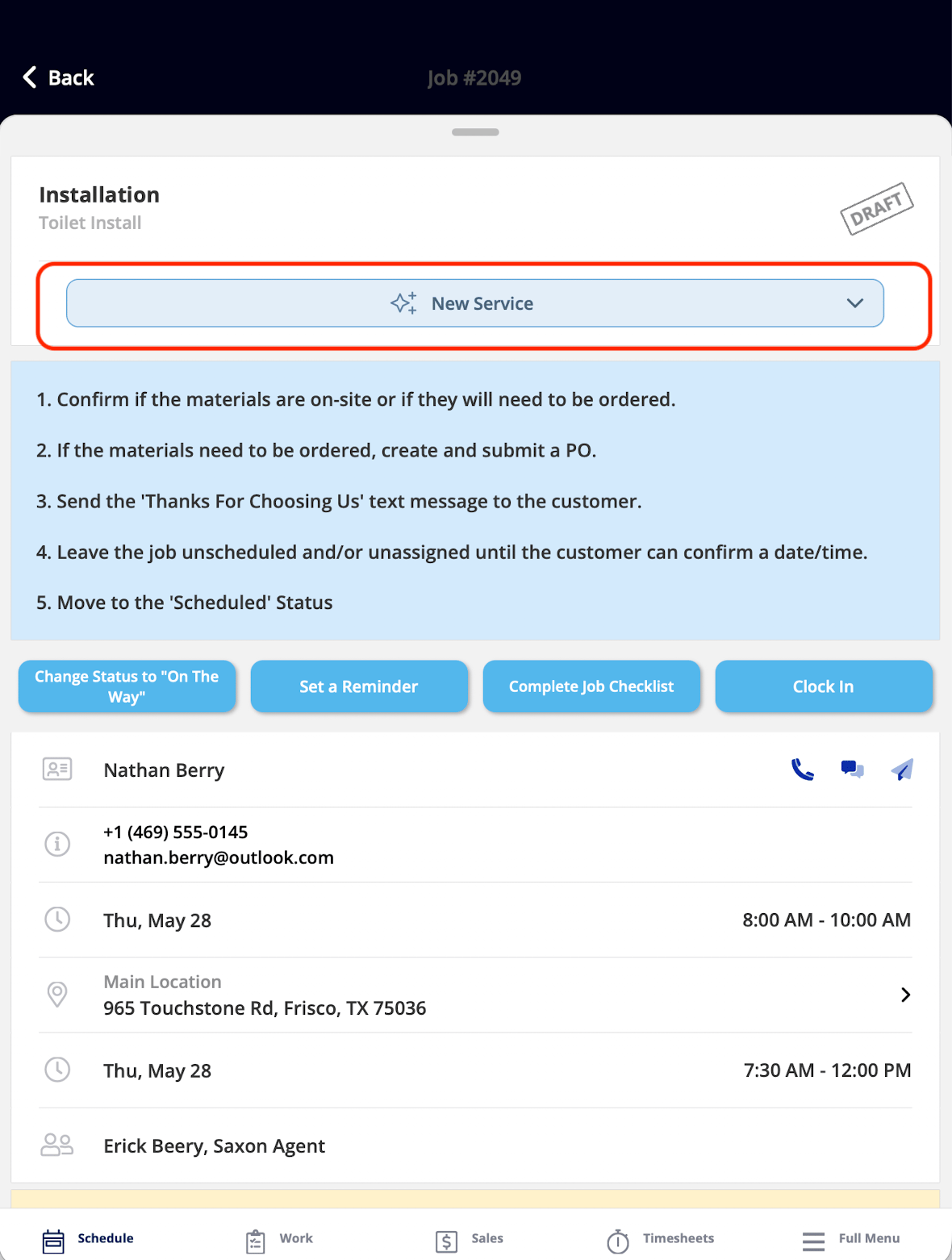
| Job Status | The job's position in its assigned workflow | Tap to change the status — unavailable when the **Ability to Change Status** toggle is off in the Status Action Flow |
| Status Instructions | Step-by-step guidance for the current status | View only — an Admin sets the instructions in the Status Action Flow |
| Action Buttons | The custom buttons for the current status | Tap a button to complete its task — up to 10 buttons can be displayed per status, with up to 27 unique actions available |
| Notes | Office notes added when the job was created | View only — Service Agents cannot add or edit notes from this widget |
| Field Notes | Notes the technician creates on-site | Add field notes |
| Comments | All comments on the job | View and post comments |
| Tags | All tags on the job | View and add tags |
| Custom Fields | Business-specific fields on the job, configured in Company Settings | View and edit — per-field permissions apply |
| Files/Photos | Attachments on the job | View and upload files or photos |
| Subtasks | The job's subtasks as a checklist | View, add, and check off subtasks |
 \|
\|  |
|  |
\|
|
\|  |
|  |
\|
|
\|  |
|  |
\|
|
\|  |
|  |
\|
|
\|  |
|  |
## Customer details widgets
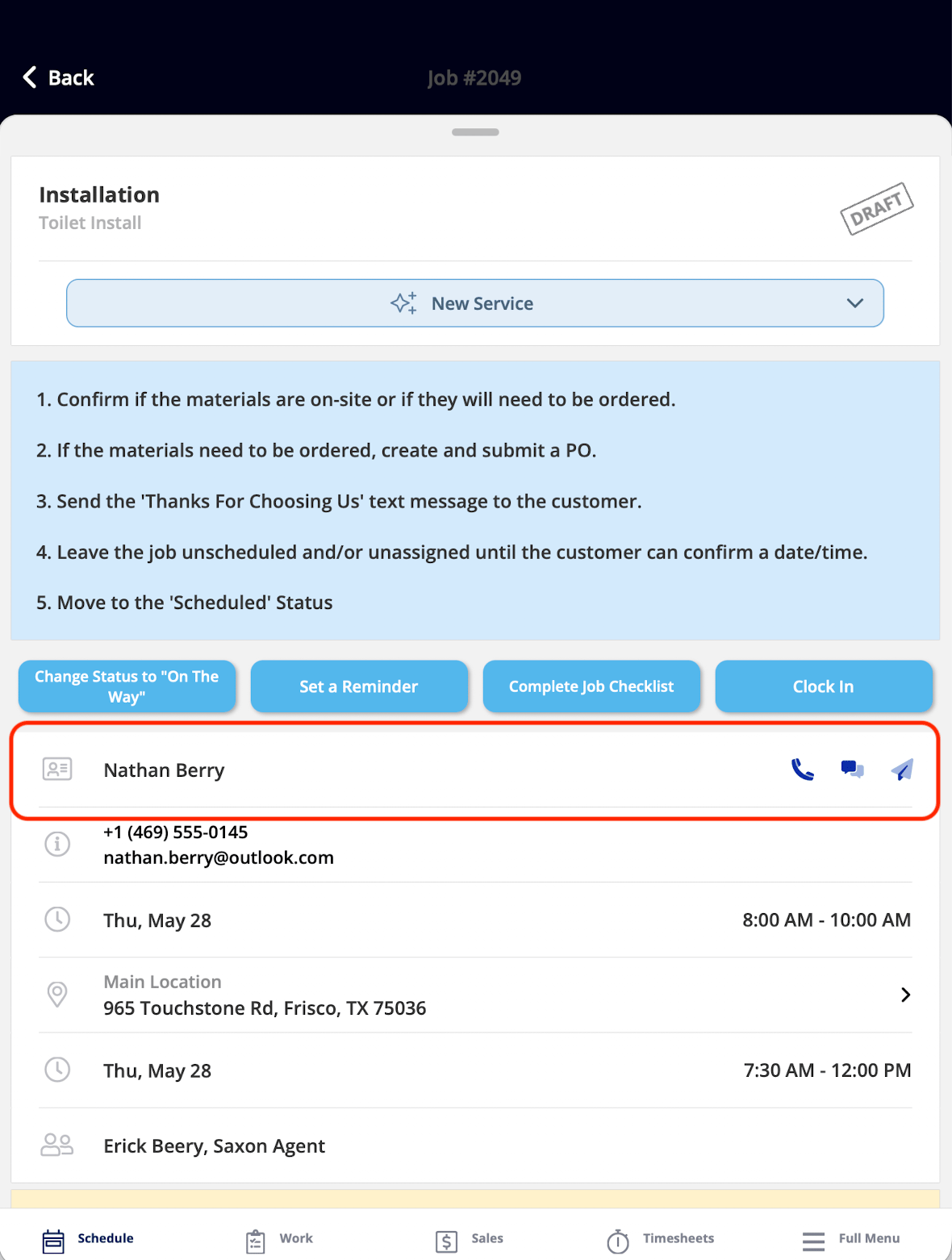
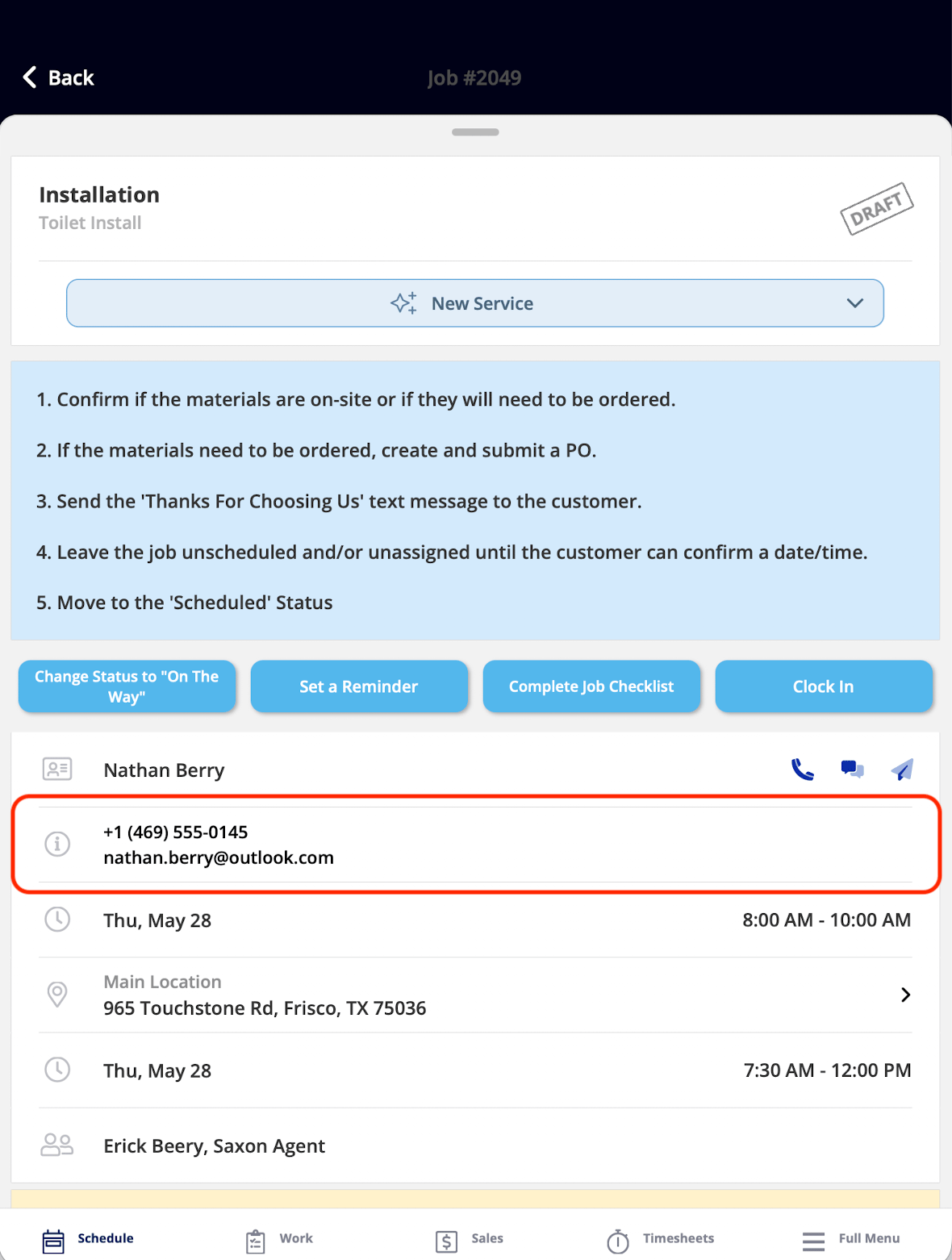
The Customer details widgets put the customer's name, contact details, and quick-contact actions in front of the technician, so there is no hunting for how to reach the customer.
| **Widget** | **What it shows** | **What the tech can do** |
| ---------------- | -------------------------------------------------------- | ------------------------------------------------------------------------------------------------------- |
| Customer Name | The customer's name with phone, message, and email icons | Tap the widget to open the full customer record, or tap an icon to call, message, or email the customer |
| Customer Contact | The customer's phone number and email address | View only |
|
## Customer details widgets
The Customer details widgets put the customer's name, contact details, and quick-contact actions in front of the technician, so there is no hunting for how to reach the customer.
| **Widget** | **What it shows** | **What the tech can do** |
| ---------------- | -------------------------------------------------------- | ------------------------------------------------------------------------------------------------------- |
| Customer Name | The customer's name with phone, message, and email icons | Tap the widget to open the full customer record, or tap an icon to call, message, or email the customer |
| Customer Contact | The customer's phone number and email address | View only |
 ## Scheduling & team widgets
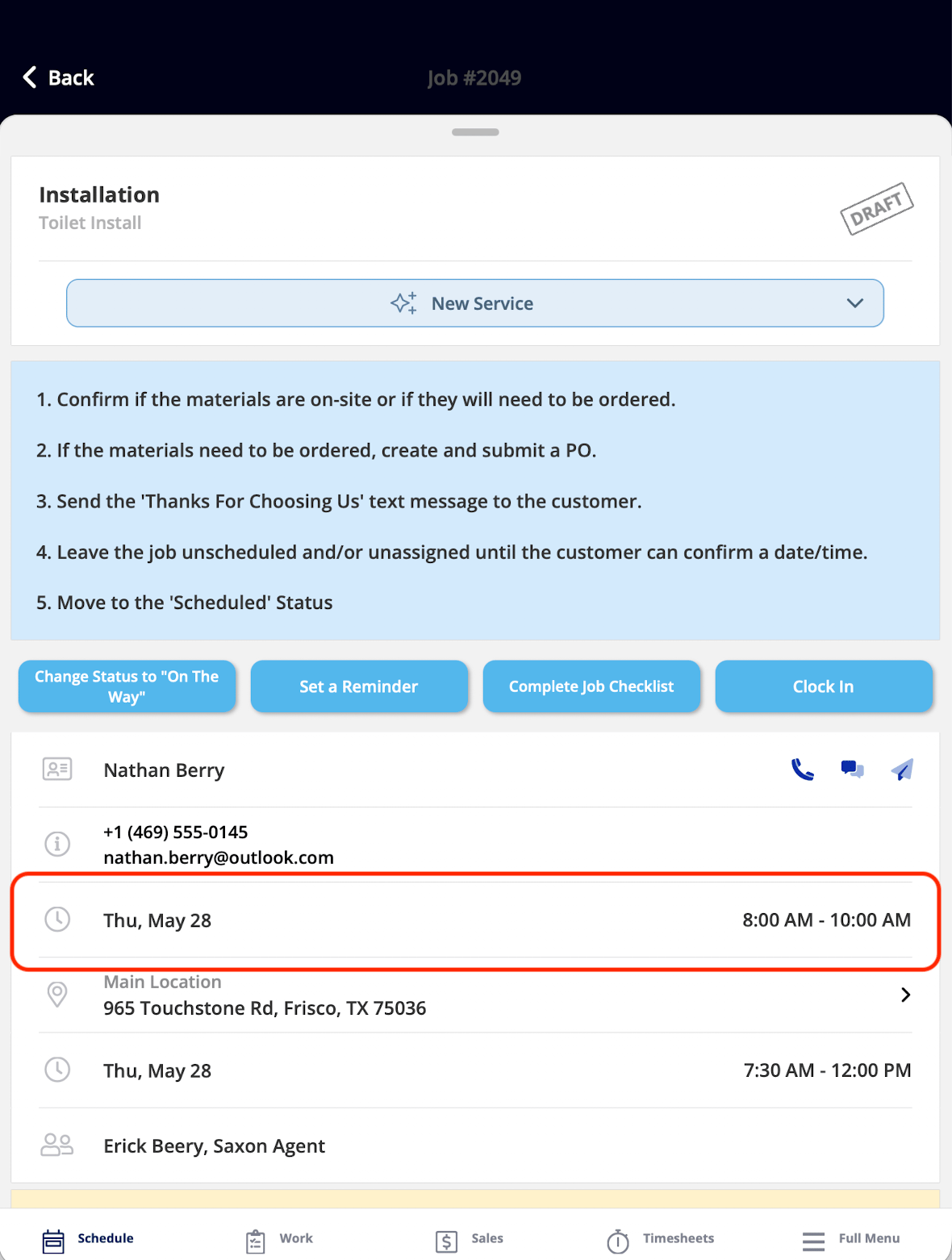
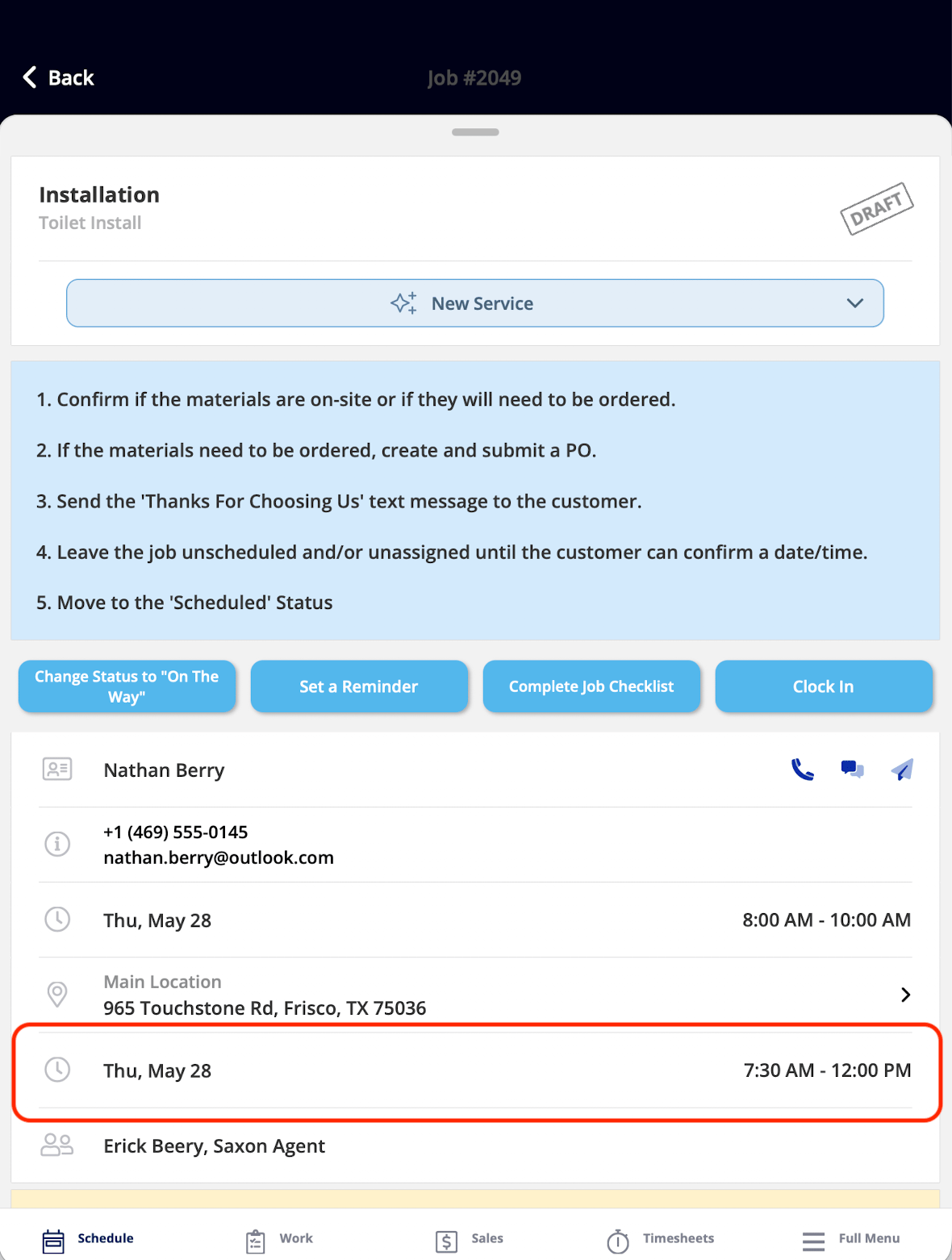
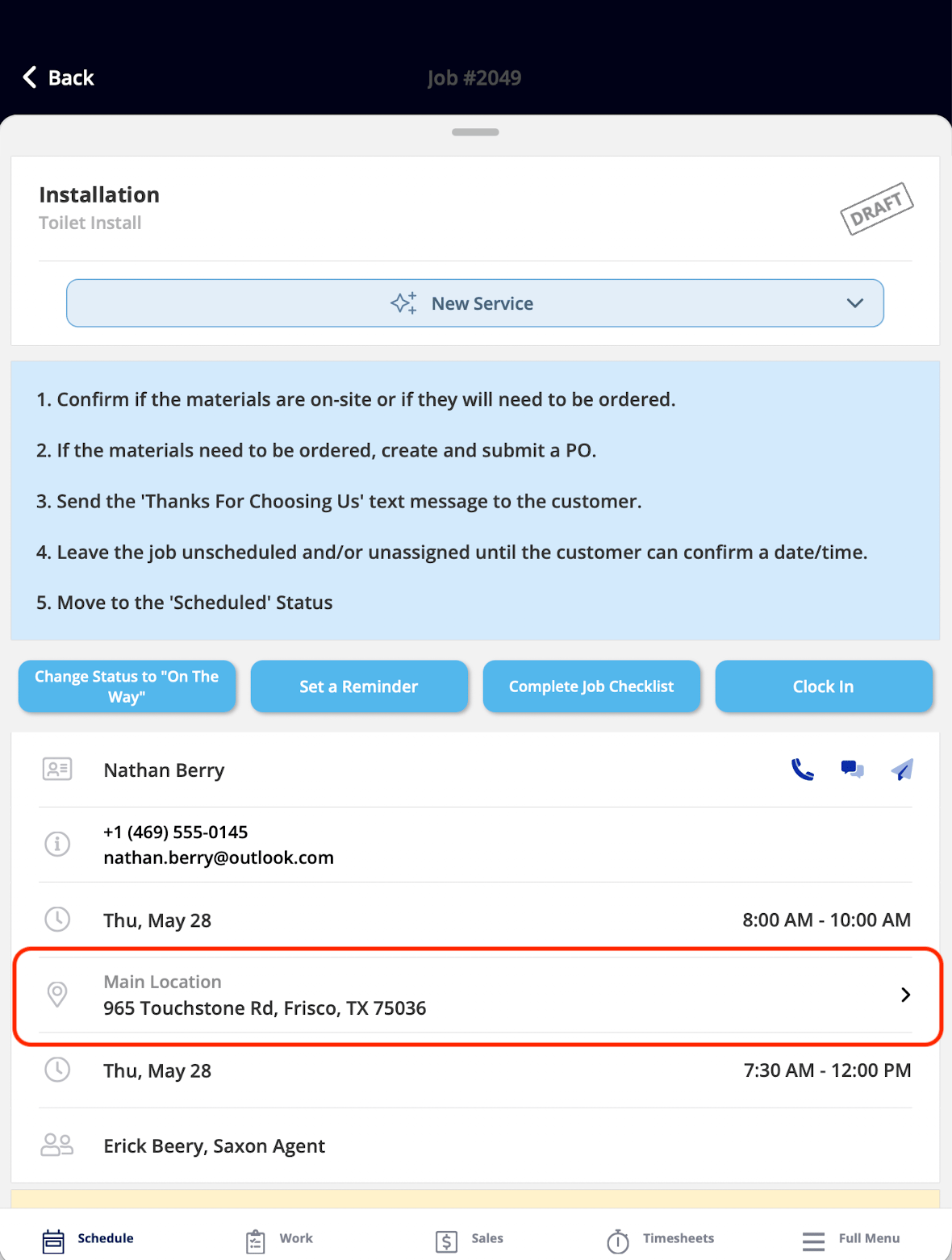
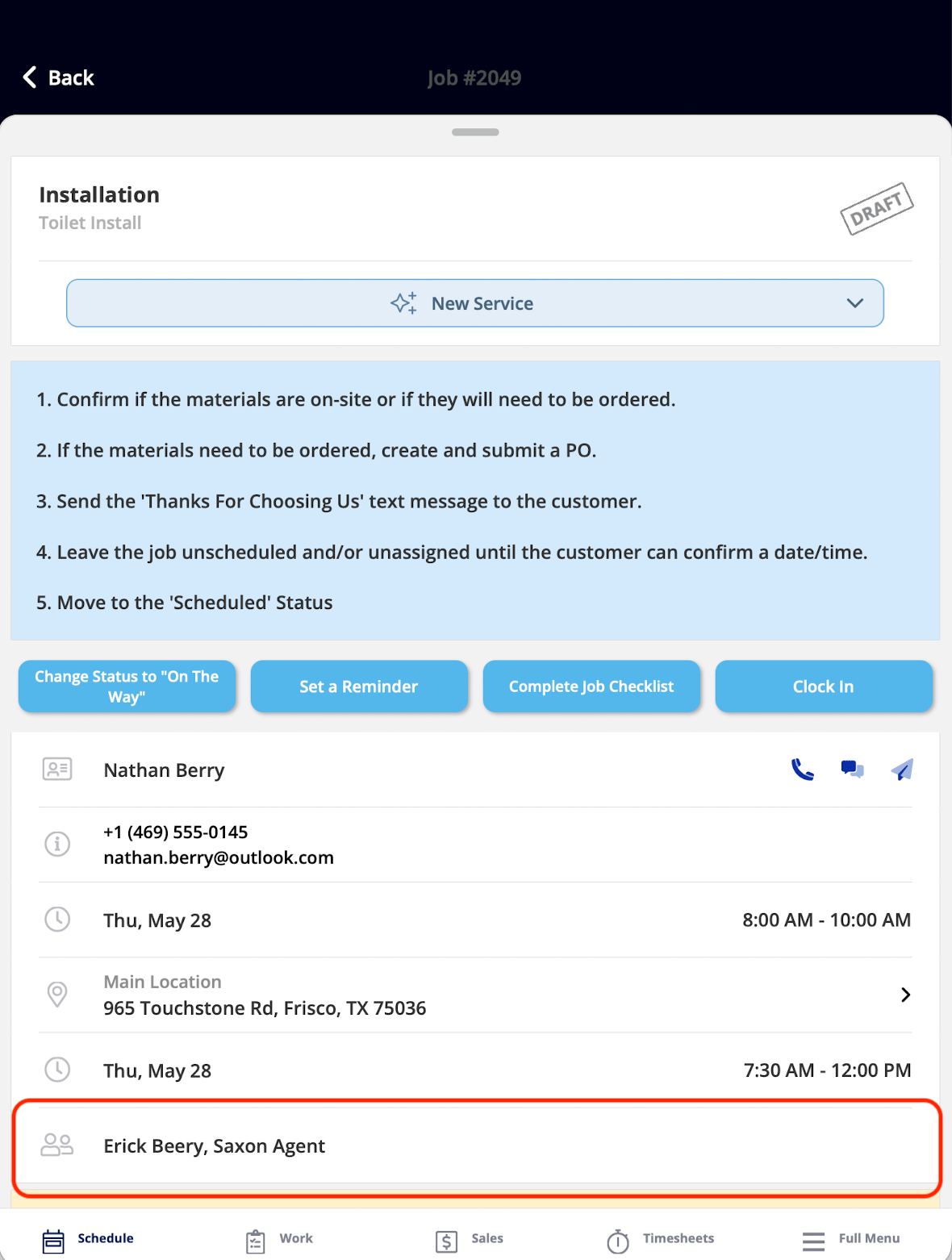
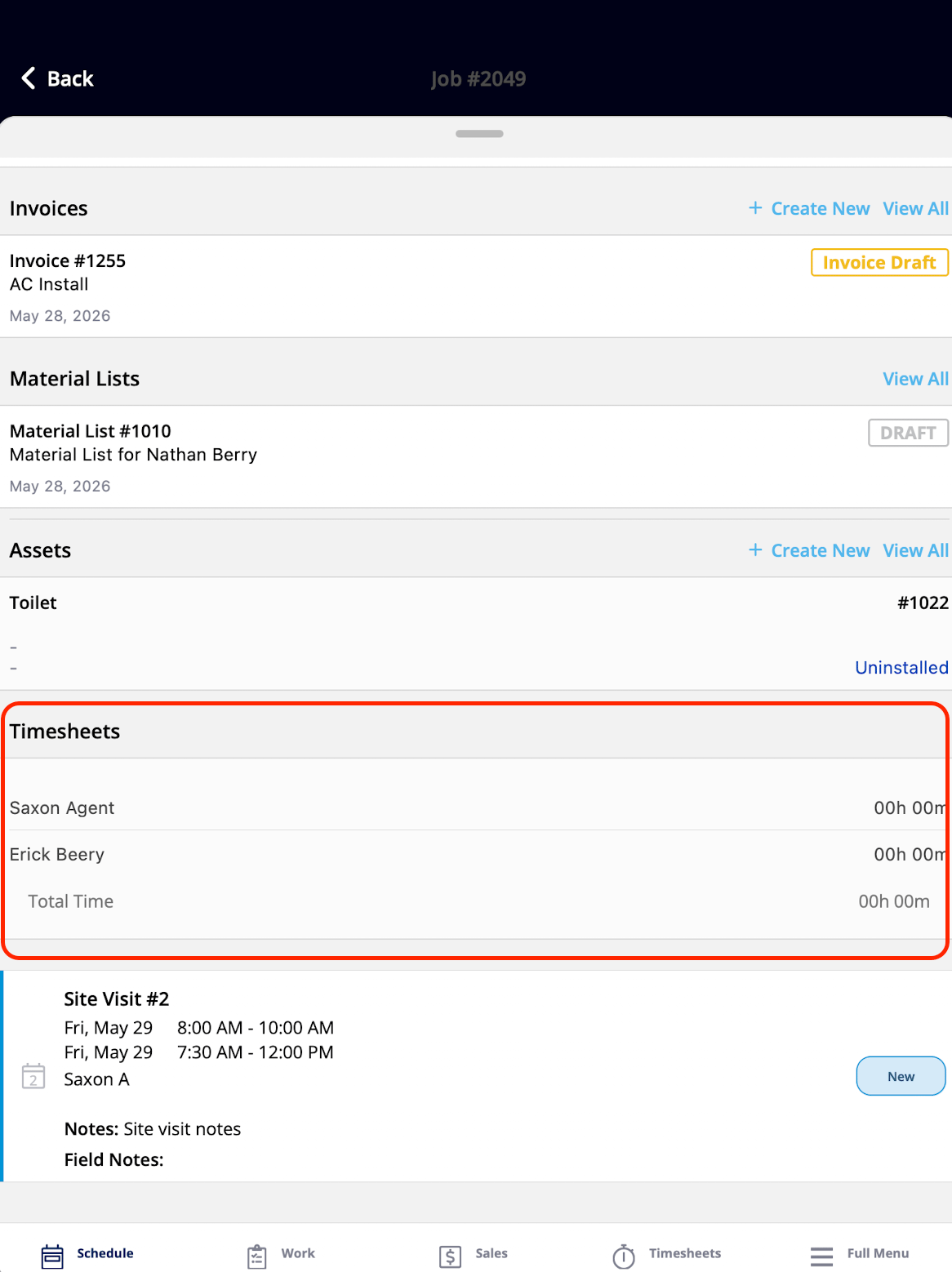
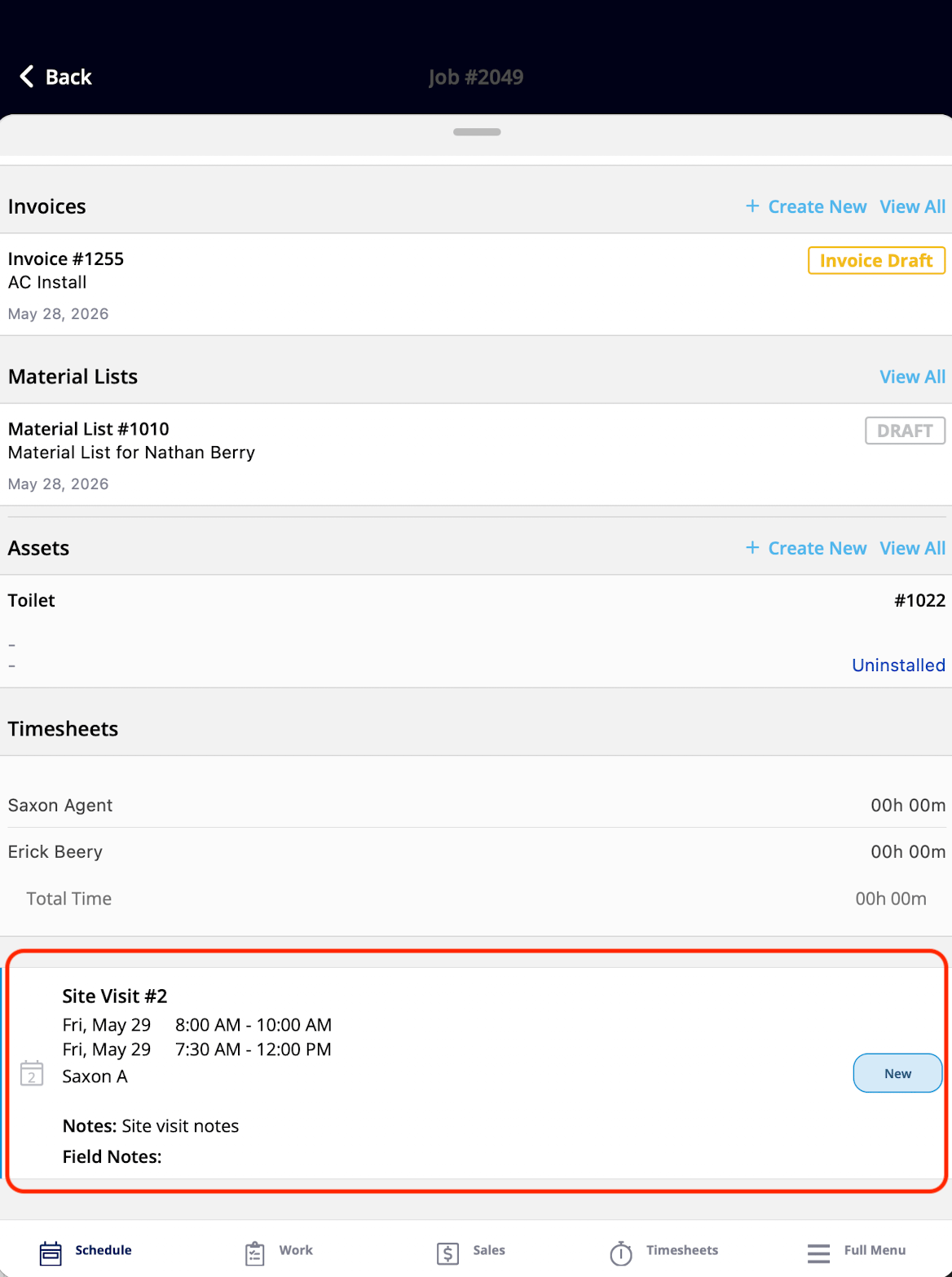
The Scheduling & team widgets cover the job's logistics — when and where the job is, who else is assigned, and the time tracked on the job.
| **Widget** | **What it shows** | **What the tech can do** |
| -------------------------- | ------------------------------------------------------------------------ | ---------------------------------------------------------- |
| Scheduled Date/Time | When the job is scheduled | View only — Admins and Team Managers set the date and time |
| Customer Arrival Window | The arrival window promised to the customer for the technician's arrival | View only — Admins and Team Managers set the window |
| Location Address | The service address for the job | Tap to see the job on the FieldPulse map |
| View Assigned Team Members | Who else is assigned to the job | View only |
| Timesheets | Time logged on the job so far | Tap to open the Timesheets page and clock in or out |
| Site Visits | All site visits on the job, as a list | Tap an entry to open the full site visit record |
## Scheduling & team widgets
The Scheduling & team widgets cover the job's logistics — when and where the job is, who else is assigned, and the time tracked on the job.
| **Widget** | **What it shows** | **What the tech can do** |
| -------------------------- | ------------------------------------------------------------------------ | ---------------------------------------------------------- |
| Scheduled Date/Time | When the job is scheduled | View only — Admins and Team Managers set the date and time |
| Customer Arrival Window | The arrival window promised to the customer for the technician's arrival | View only — Admins and Team Managers set the window |
| Location Address | The service address for the job | Tap to see the job on the FieldPulse map |
| View Assigned Team Members | Who else is assigned to the job | View only |
| Timesheets | Time logged on the job so far | Tap to open the Timesheets page and clock in or out |
| Site Visits | All site visits on the job, as a list | Tap an entry to open the full site visit record |
 \|
\|  |
|  |
\|
|
\|  |
|  |
## Related project widgets
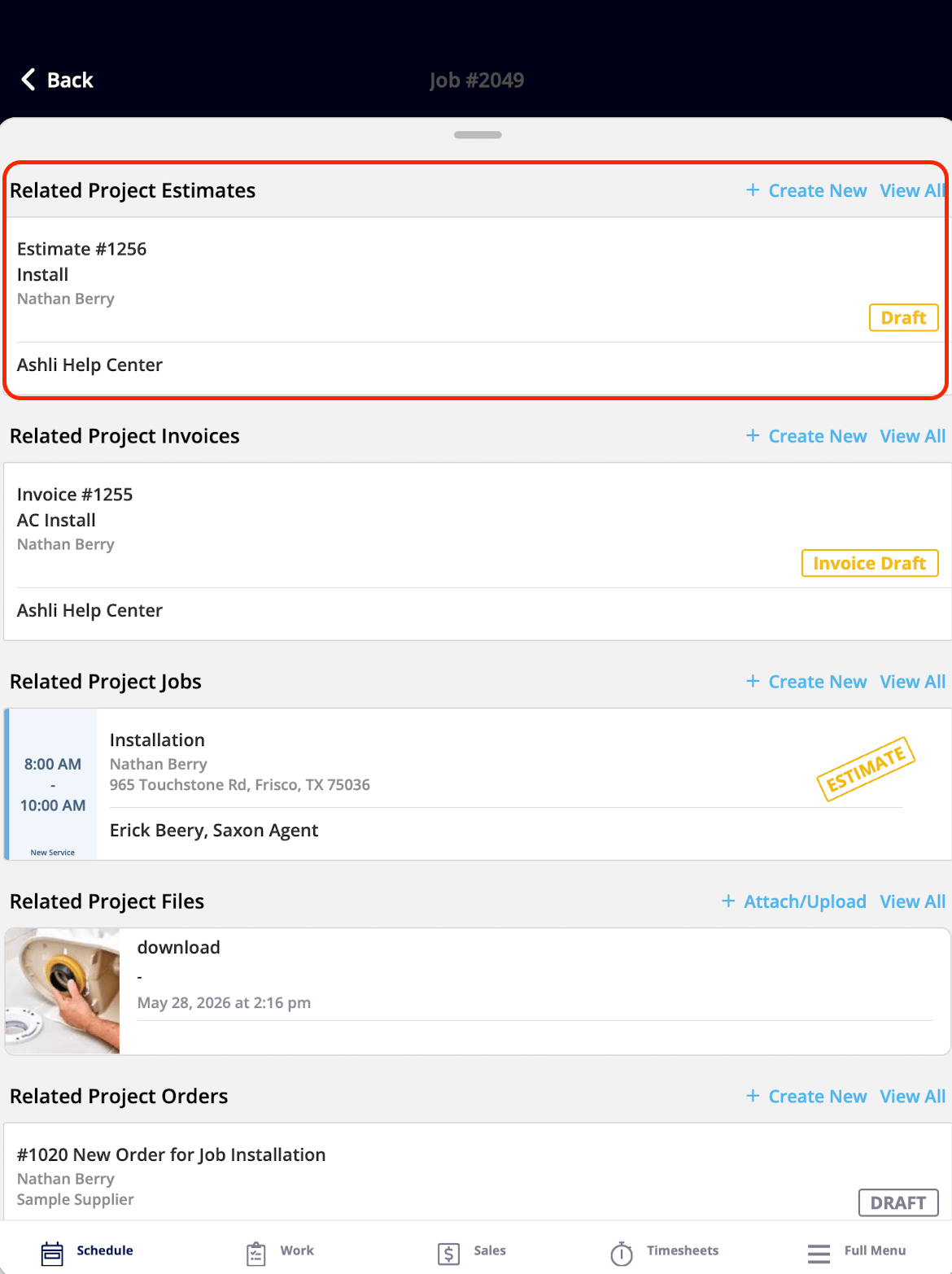
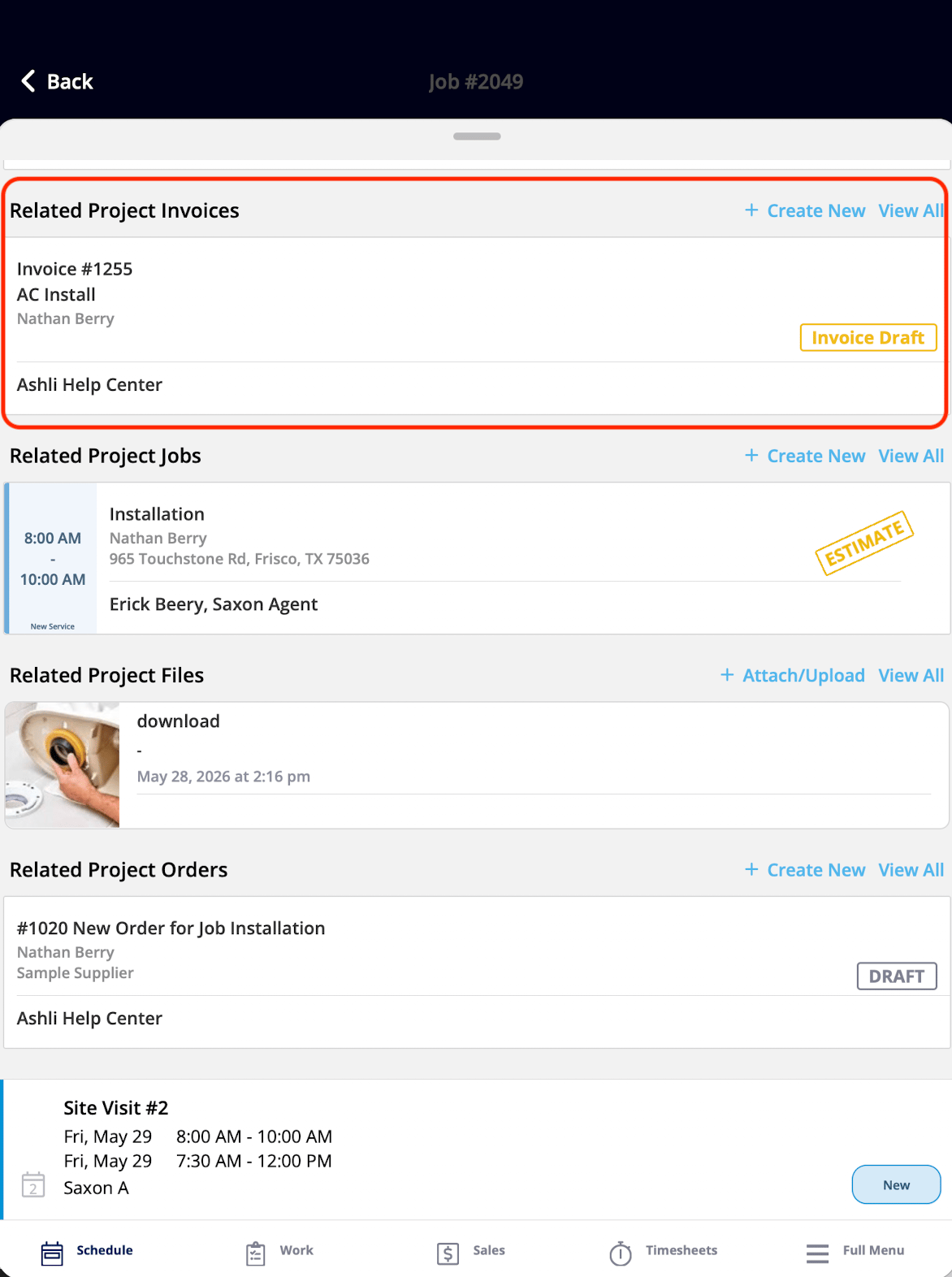
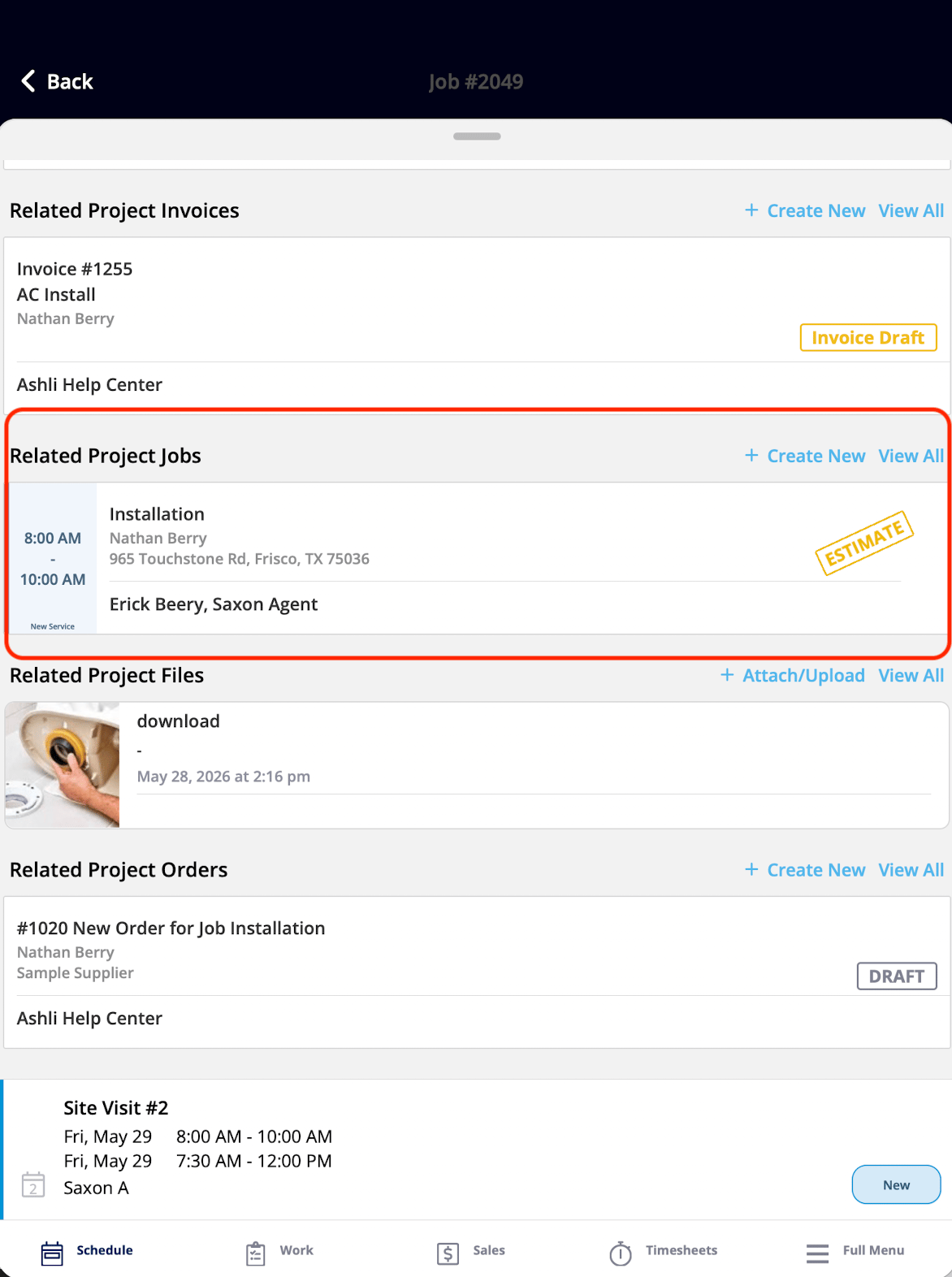
The Related project widgets display records from the project the current job is associated with, and they are shown when the job belongs to a project. These widgets give the technician visibility into the broader project context — estimates, invoices, other jobs, files, and purchase orders — all from the Focus View.
| **Widget** | **What it shows** | **What the tech can do** |
| ------------------------------- | ------------------------------------------------------------------ | --------------------------------------------------- |
| Related Project Estimates | Estimates on the related project | View the list and tap any record to open it in full |
| Related Project Invoices | Invoices on the related project | View the list and tap any record to open it in full |
| Related Project Jobs | Other jobs in the project, showing the full scope of work under it | View the list and tap any record to open it in full |
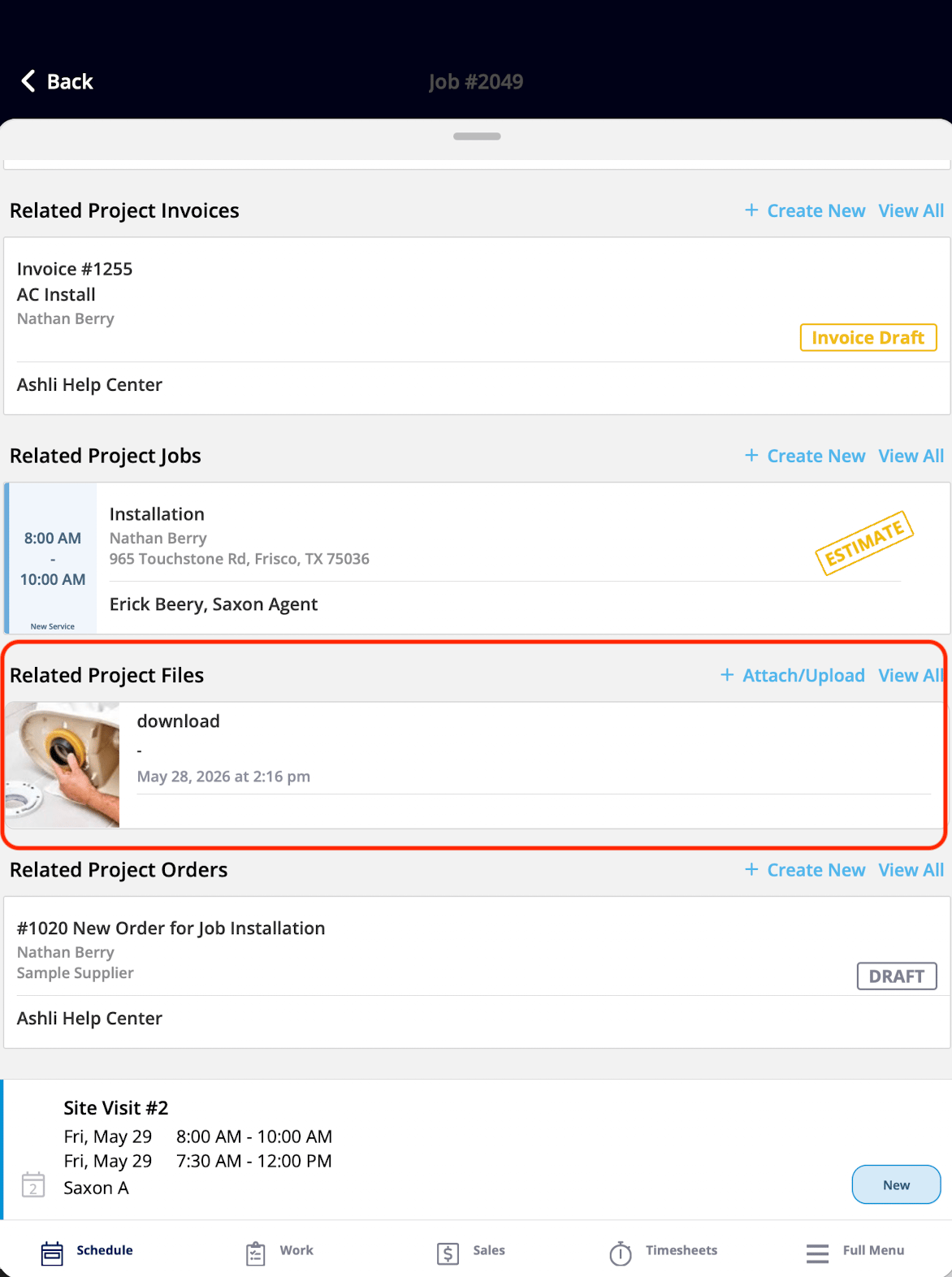
| Related Project Files/Photos | Files and photos on the project | View the list and tap any file to open it in full |
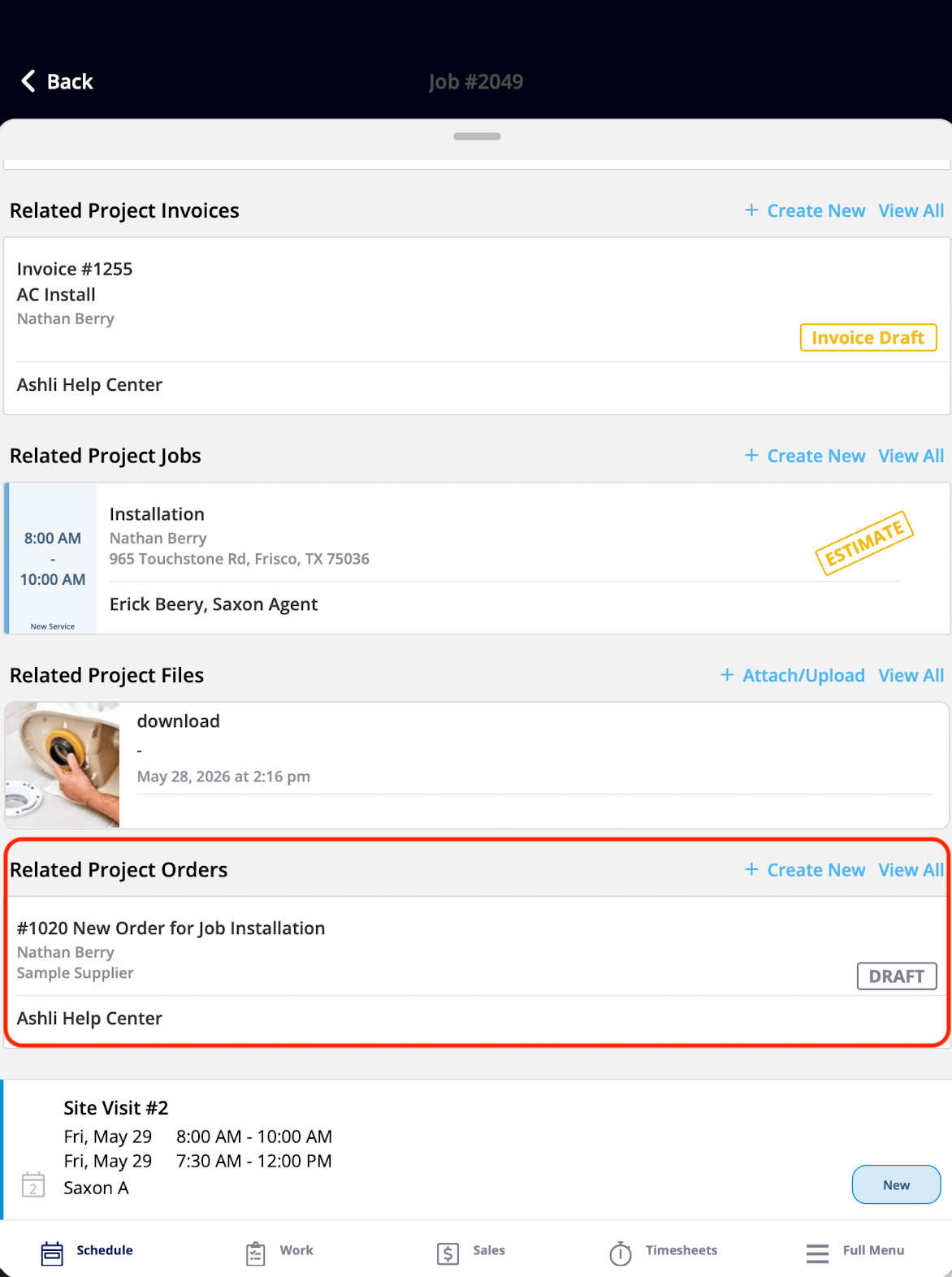
| Related Project Purchase Orders | Purchase orders on the project | View the list and tap any record to open it in full |
|
## Related project widgets
The Related project widgets display records from the project the current job is associated with, and they are shown when the job belongs to a project. These widgets give the technician visibility into the broader project context — estimates, invoices, other jobs, files, and purchase orders — all from the Focus View.
| **Widget** | **What it shows** | **What the tech can do** |
| ------------------------------- | ------------------------------------------------------------------ | --------------------------------------------------- |
| Related Project Estimates | Estimates on the related project | View the list and tap any record to open it in full |
| Related Project Invoices | Invoices on the related project | View the list and tap any record to open it in full |
| Related Project Jobs | Other jobs in the project, showing the full scope of work under it | View the list and tap any record to open it in full |
| Related Project Files/Photos | Files and photos on the project | View the list and tap any file to open it in full |
| Related Project Purchase Orders | Purchase orders on the project | View the list and tap any record to open it in full |
 \|
\|  |
|  |
\|
|
\|  | |
## Related records widgets
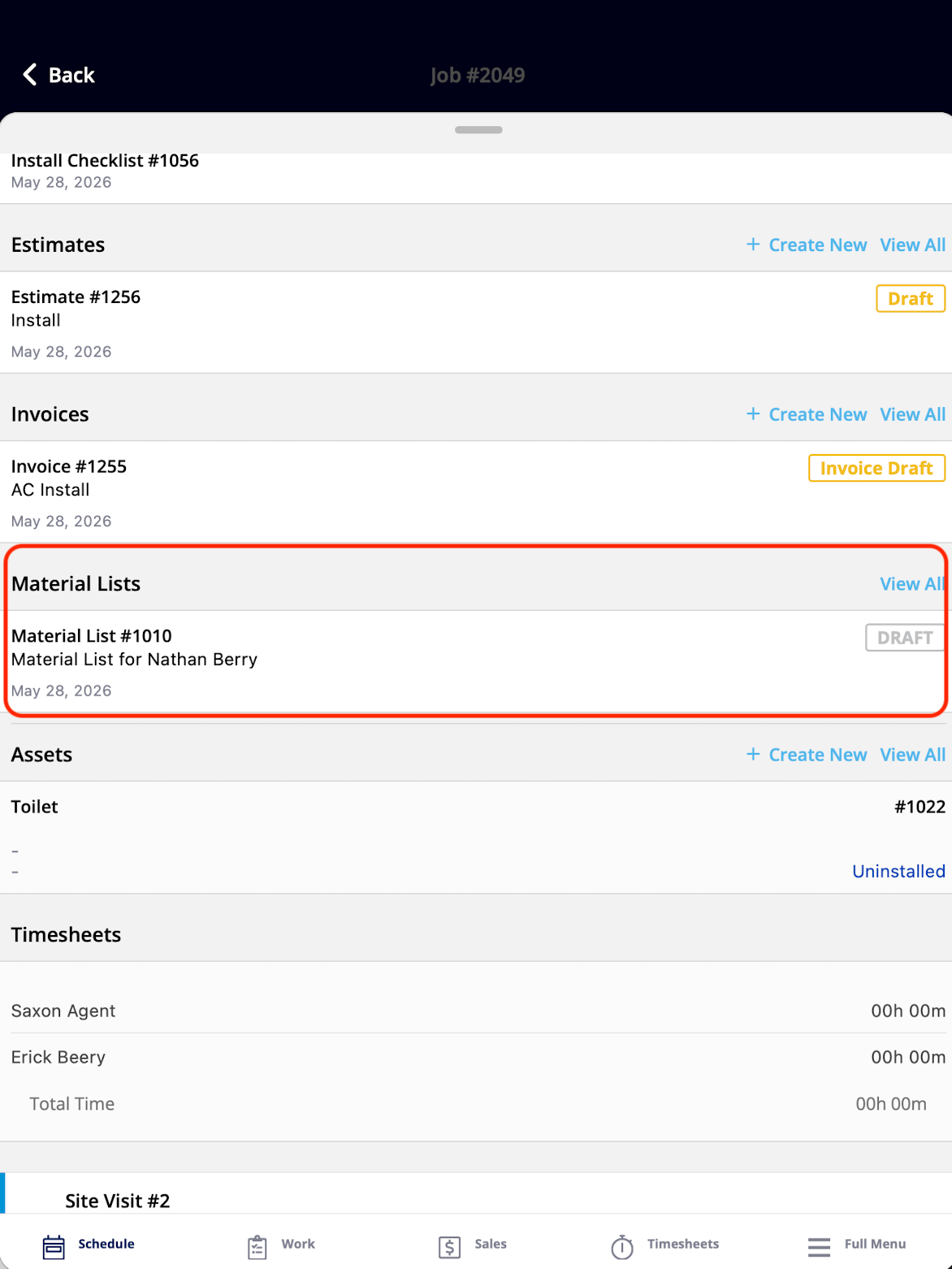
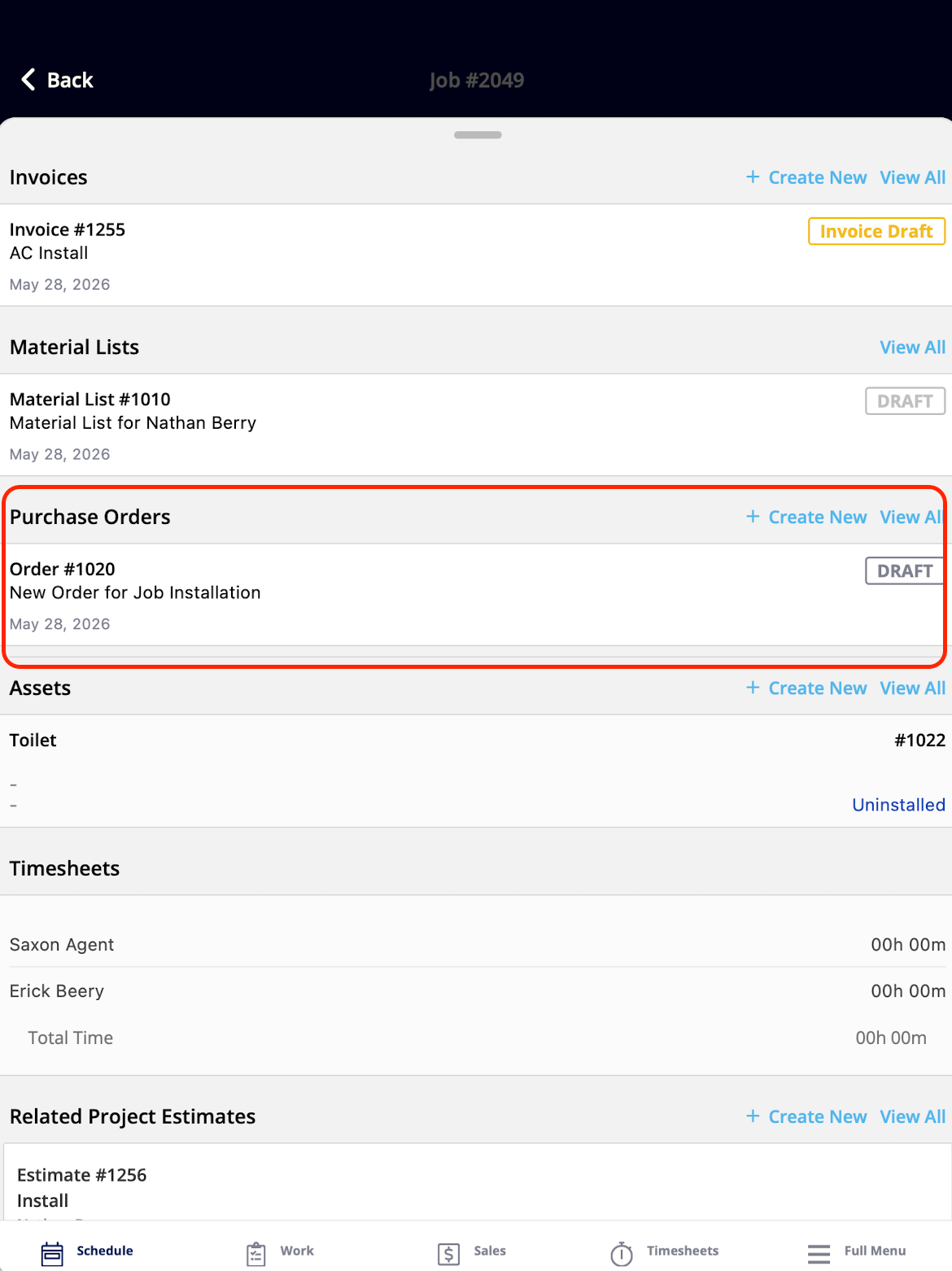
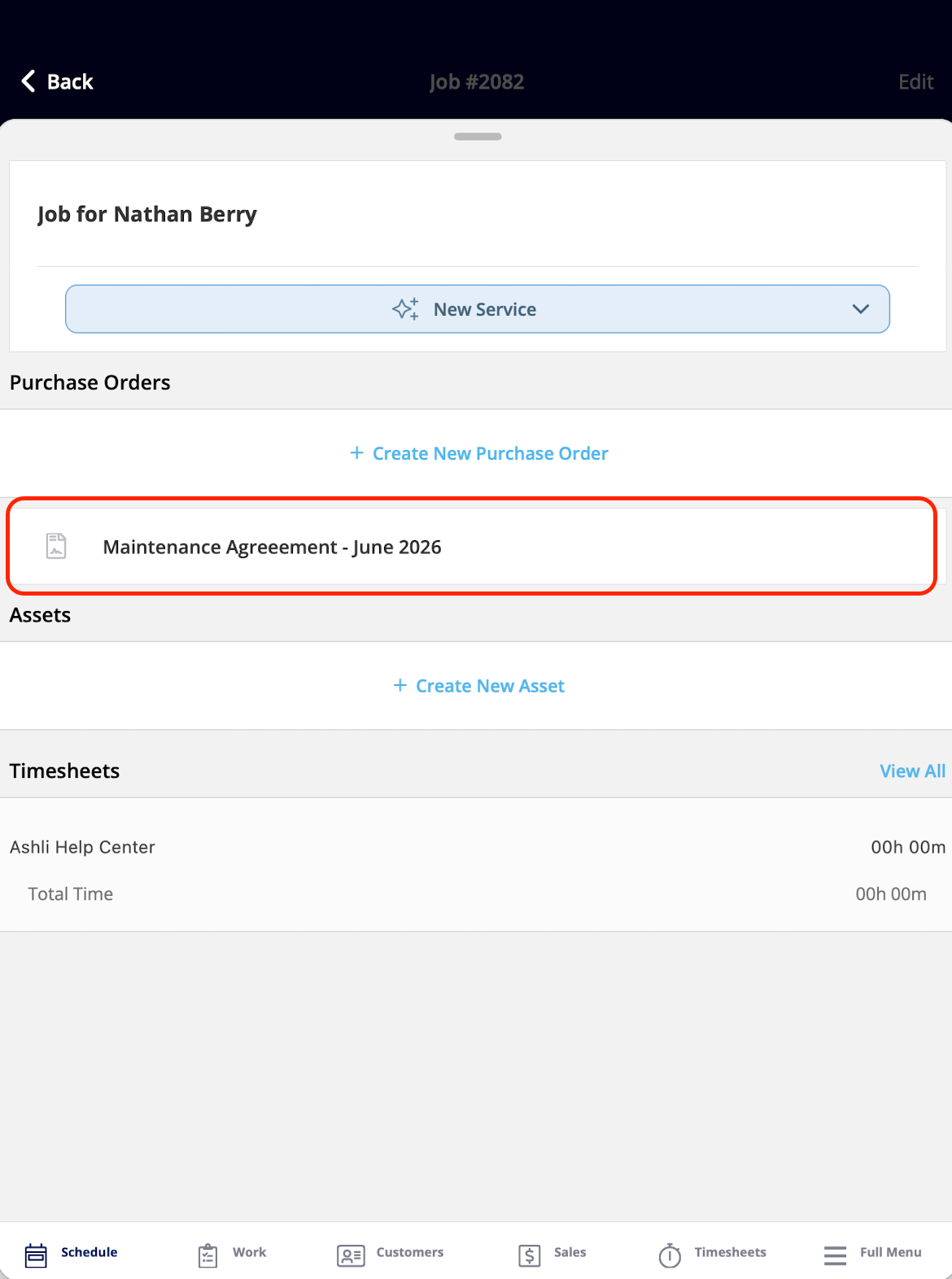
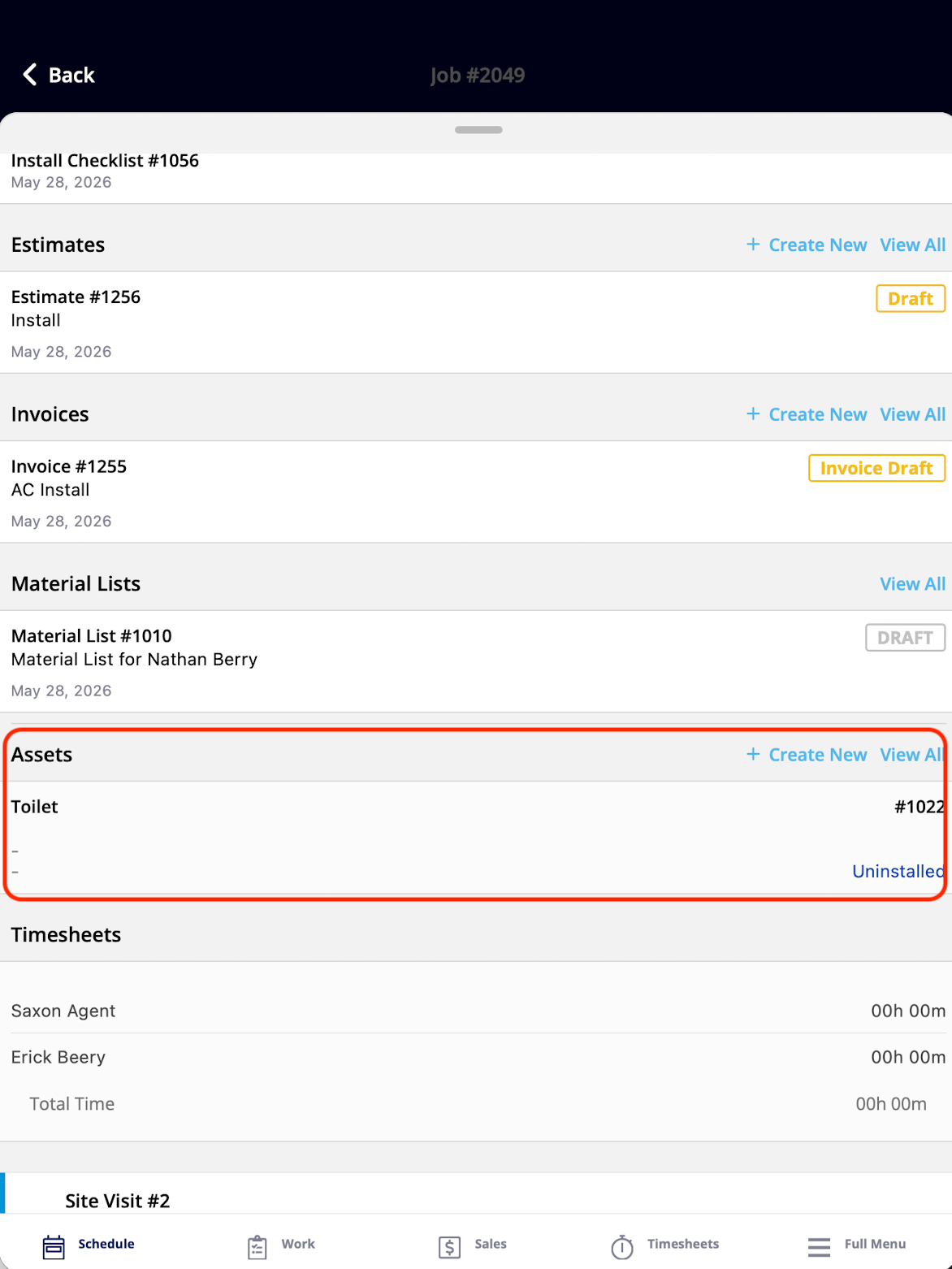
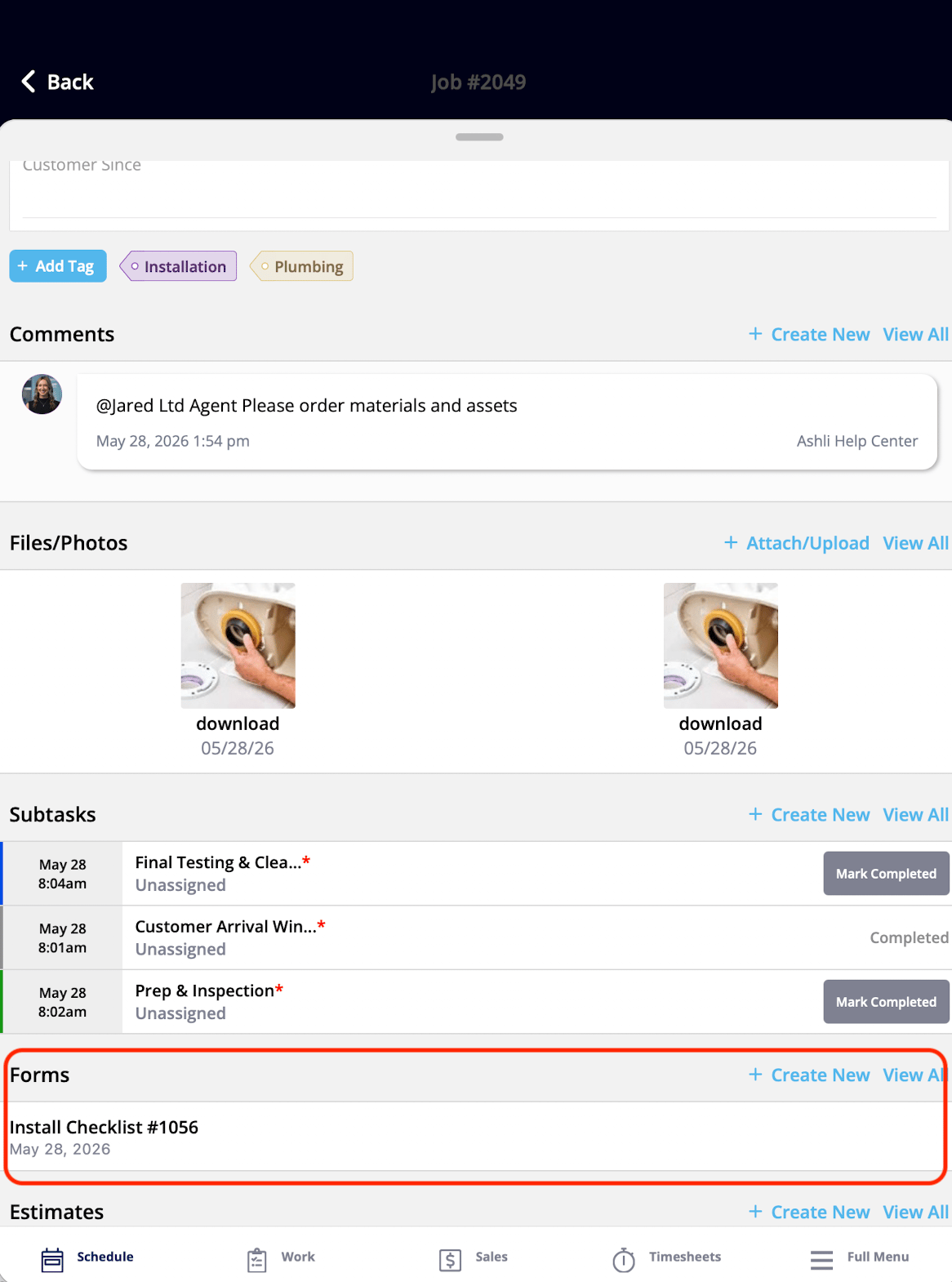
The Related records widgets give the technician access to the records tied to the current job — estimates, invoices, material lists, purchase orders, the parent maintenance agreement, assets, and forms. A technician can review, open, and create these records without ever leaving the Focus View.
| **Widget** | **What it shows** | **What the tech can do** |
| ---------------------------- | ----------------------------------------------------------------------------------------------------- | -------------------------------------------------- |
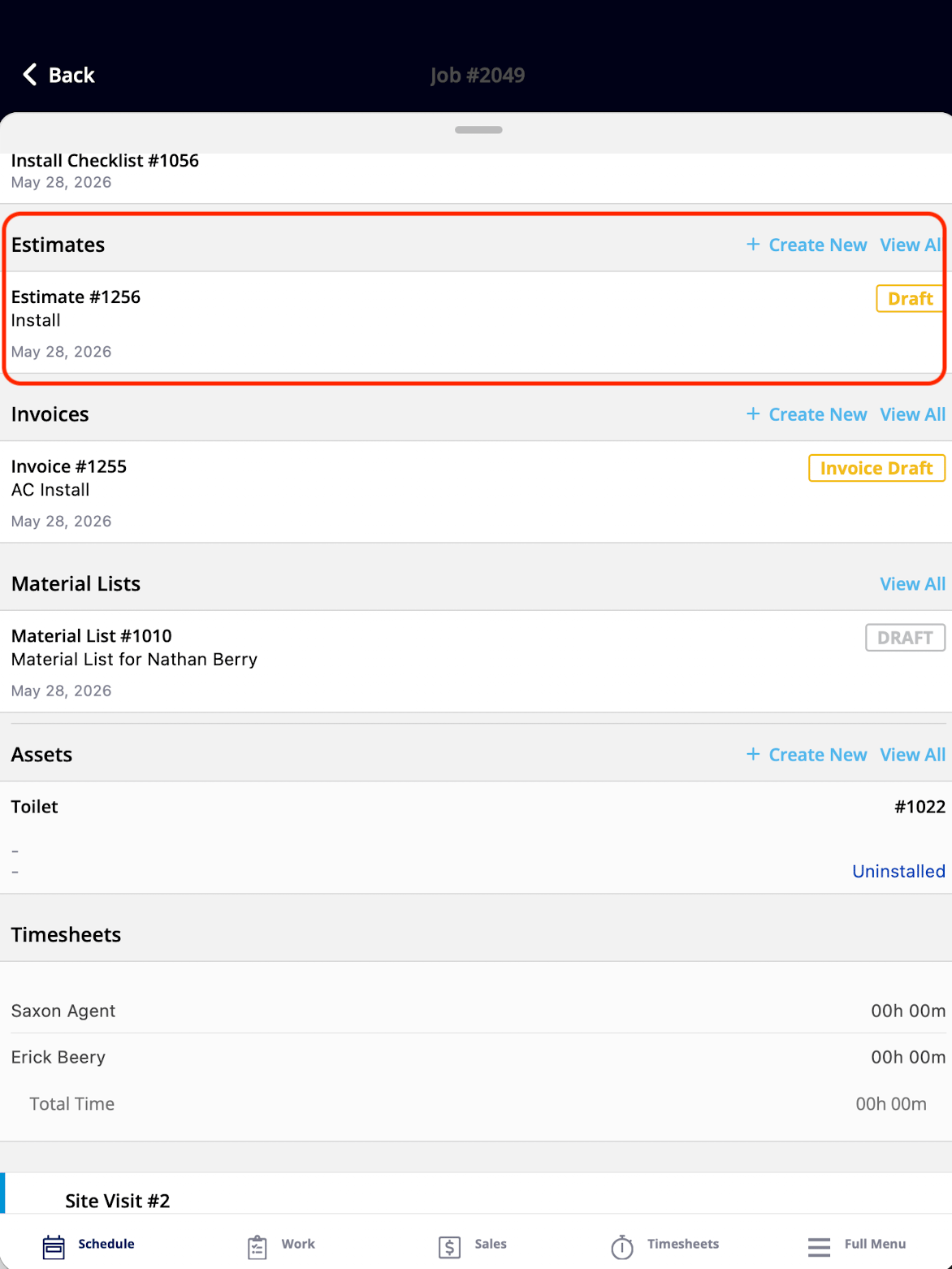
| Estimates | Estimates attached to the job | View, open, and create (with permission) |
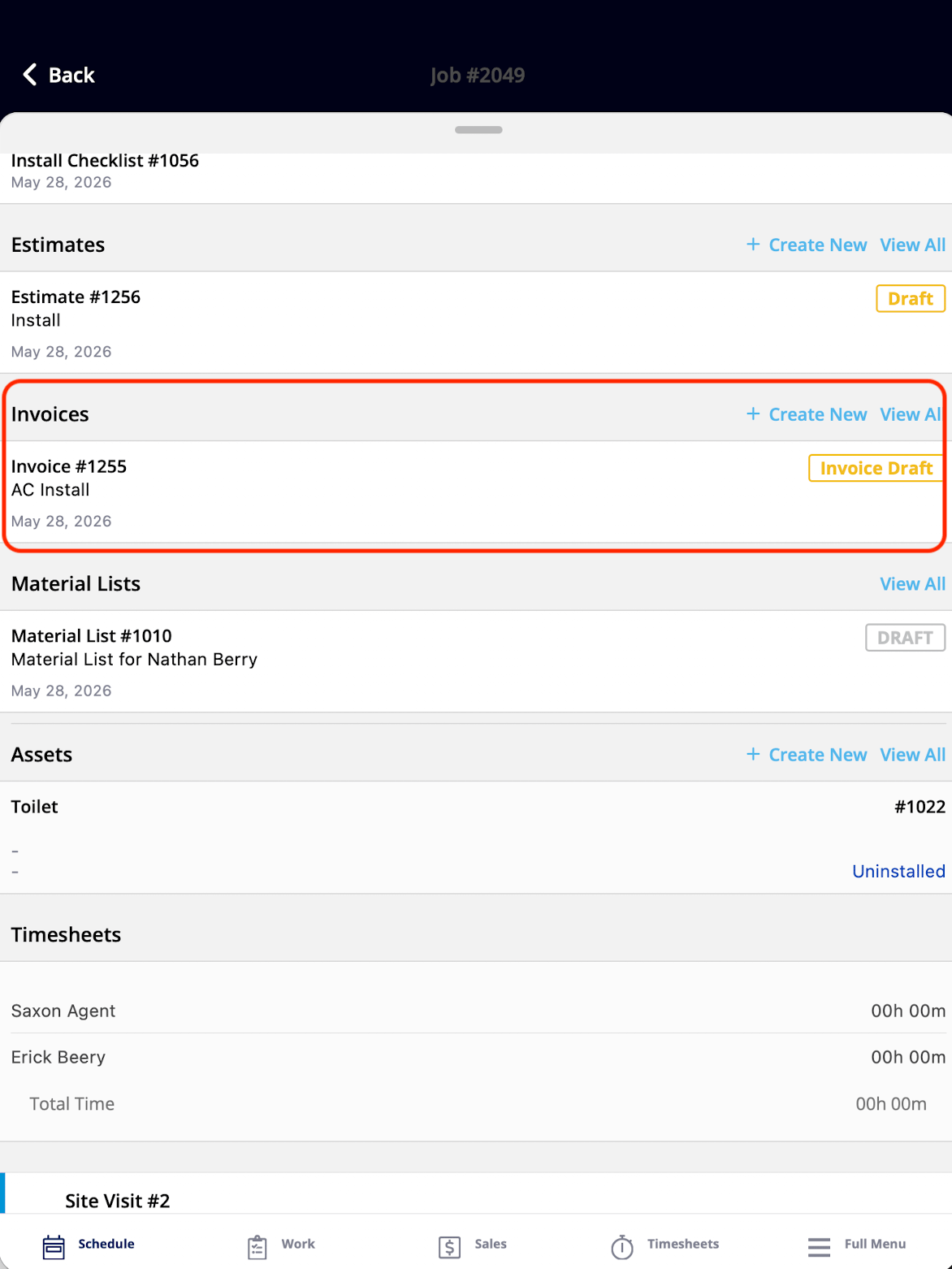
| Invoices | Invoices attached to the job | View, open, and create (with permission) |
| Material Lists | Material lists attached to the job | View, open, and create (with permission) |
| Purchase Orders | Purchase orders attached to the job | View, open, and create (with permission) |
| Parent Maintenance Agreement | The maintenance agreement the job falls under, showing the job is part of an ongoing service contract | View and open (with permission) |
| Assets | Assets associated with the job | View, open, and create (with permission) |
| Forms | Forms attached to the job | View, open, fill out, and create (with permission) |
| |
## Related records widgets
The Related records widgets give the technician access to the records tied to the current job — estimates, invoices, material lists, purchase orders, the parent maintenance agreement, assets, and forms. A technician can review, open, and create these records without ever leaving the Focus View.
| **Widget** | **What it shows** | **What the tech can do** |
| ---------------------------- | ----------------------------------------------------------------------------------------------------- | -------------------------------------------------- |
| Estimates | Estimates attached to the job | View, open, and create (with permission) |
| Invoices | Invoices attached to the job | View, open, and create (with permission) |
| Material Lists | Material lists attached to the job | View, open, and create (with permission) |
| Purchase Orders | Purchase orders attached to the job | View, open, and create (with permission) |
| Parent Maintenance Agreement | The maintenance agreement the job falls under, showing the job is part of an ongoing service contract | View and open (with permission) |
| Assets | Assets associated with the job | View, open, and create (with permission) |
| Forms | Forms attached to the job | View, open, fill out, and create (with permission) |
 \|
\|  |
|  |
\|
|
\|  |
|  |
\|
|
\|  | |
## Notes & limitations
* **Creating records requires the matching permission.** The create actions in the Related records widgets — estimates, invoices, material lists, purchase orders, assets, and forms — only work when the technician's user account has the required permission.
* **Custom Field access is controlled per field.** Custom Fields are configured in Company Settings, and a technician can edit a custom field's value only when that field's permissions allow it. Custom field permissions are managed at the field level in your account settings.
* **Manual status changes can be turned off.** When the **Ability to Change Status** toggle is off in a Status Action Flow, the Job Status widget cannot be used to change the job's status manually. The toggle is covered in [Setting Up ClearPath Status Action Flows](/jobs/workflows/clearpath/status-action-flows).
* **The Notes widget is view-only for Service Agents.** The Notes widget shows notes added when the job was created, typically by the office; a technician adds their own on-site notes through the Field Notes widget instead.
## FAQs
### How many widgets can I show in Focus View?
Up to 32. Add, remove, and reorder widgets in each Status Action Flow — the [ClearPath Widget Details](/jobs/workflows/clearpath/widget-catalog) lists every option.
## Still need help?
Reach the [FieldPulse support team](https://www.fieldpulse.com/company/contact-us) at [support@fieldpulse.com](mailto:support@fieldpulse.com) or through the chat feature in the bottom-right corner of your screen.
## Related articles
* [ClearPath Overview](/jobs/workflows/clearpath/overview)
* [Setting Up ClearPath Status Action Flows](/jobs/workflows/clearpath/status-action-flows)
* [How to Use ClearPath in the Field (Focus View)](/jobs/workflows/clearpath/focus-view)
* [Workflow & ClearPath FAQs](/jobs/workflows/clearpath/overview)
## Related topics
- [ClearPath Overview](/jobs/workflows/clearpath/overview.md)
- [ClearPath](/jobs/workflows/clearpath/index.md)
- [Setting Up ClearPath Status Action Flows](/jobs/workflows/clearpath/status-action-flows.md)
- [How to Use ClearPath in the Field (Focus View)](/jobs/workflows/clearpath/focus-view.md)
| |
## Notes & limitations
* **Creating records requires the matching permission.** The create actions in the Related records widgets — estimates, invoices, material lists, purchase orders, assets, and forms — only work when the technician's user account has the required permission.
* **Custom Field access is controlled per field.** Custom Fields are configured in Company Settings, and a technician can edit a custom field's value only when that field's permissions allow it. Custom field permissions are managed at the field level in your account settings.
* **Manual status changes can be turned off.** When the **Ability to Change Status** toggle is off in a Status Action Flow, the Job Status widget cannot be used to change the job's status manually. The toggle is covered in [Setting Up ClearPath Status Action Flows](/jobs/workflows/clearpath/status-action-flows).
* **The Notes widget is view-only for Service Agents.** The Notes widget shows notes added when the job was created, typically by the office; a technician adds their own on-site notes through the Field Notes widget instead.
## FAQs
### How many widgets can I show in Focus View?
Up to 32. Add, remove, and reorder widgets in each Status Action Flow — the [ClearPath Widget Details](/jobs/workflows/clearpath/widget-catalog) lists every option.
## Still need help?
Reach the [FieldPulse support team](https://www.fieldpulse.com/company/contact-us) at [support@fieldpulse.com](mailto:support@fieldpulse.com) or through the chat feature in the bottom-right corner of your screen.
## Related articles
* [ClearPath Overview](/jobs/workflows/clearpath/overview)
* [Setting Up ClearPath Status Action Flows](/jobs/workflows/clearpath/status-action-flows)
* [How to Use ClearPath in the Field (Focus View)](/jobs/workflows/clearpath/focus-view)
* [Workflow & ClearPath FAQs](/jobs/workflows/clearpath/overview)
## Related topics
- [ClearPath Overview](/jobs/workflows/clearpath/overview.md)
- [ClearPath](/jobs/workflows/clearpath/index.md)
- [Setting Up ClearPath Status Action Flows](/jobs/workflows/clearpath/status-action-flows.md)
- [How to Use ClearPath in the Field (Focus View)](/jobs/workflows/clearpath/focus-view.md)