> ## Documentation Index
> Fetch the complete documentation index at: https://help.fieldpulse.com/llms.txt
> Use this file to discover all available pages before exploring further.
# Custom Status Timesheet Triggers
> Set job and site-visit status changes to auto-prompt techs to clock in or out, so time entries never get missed.
In the mobile app, set up triggers to prompt you to clock in or clock out when you select specific custom statuses on jobs and site visits.
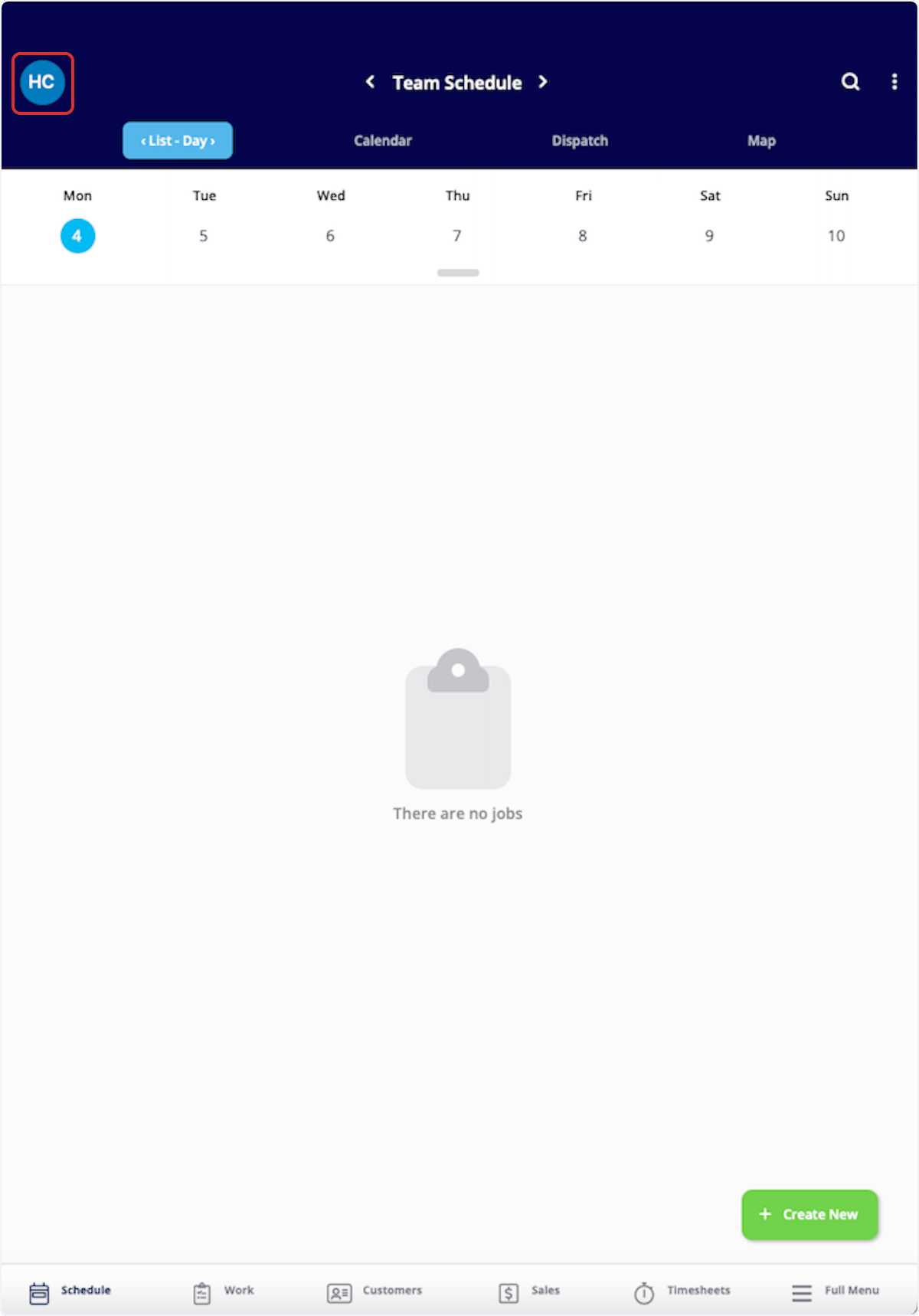
To begin, select your photo or initials in the top corner of the mobile app.
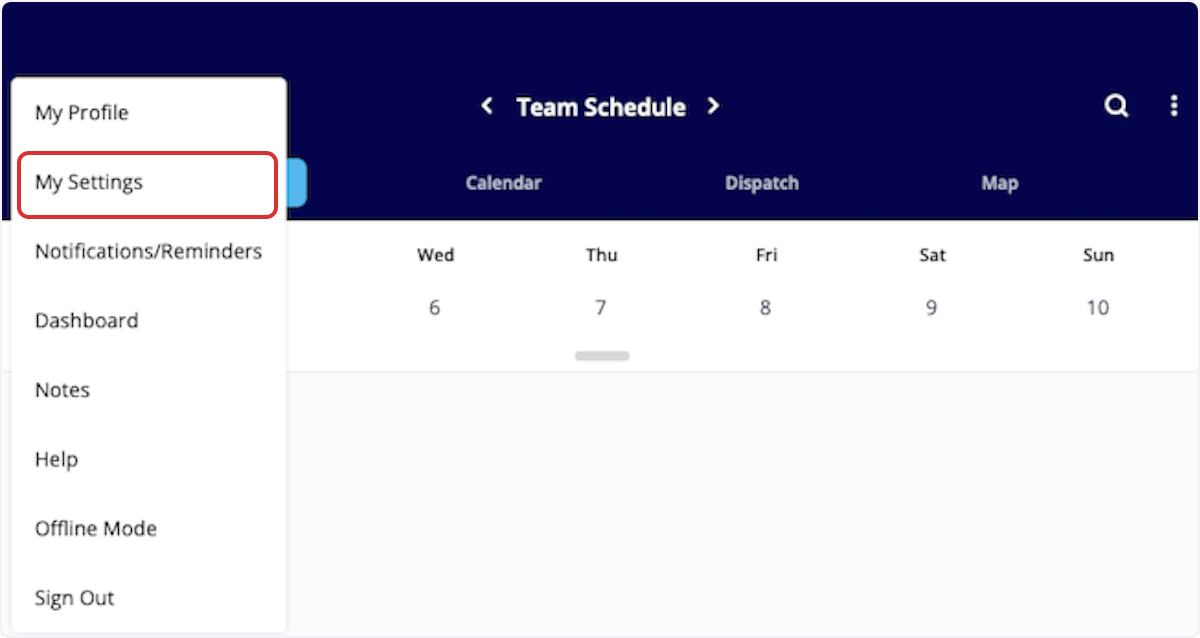
 Next, click *My Settings*.
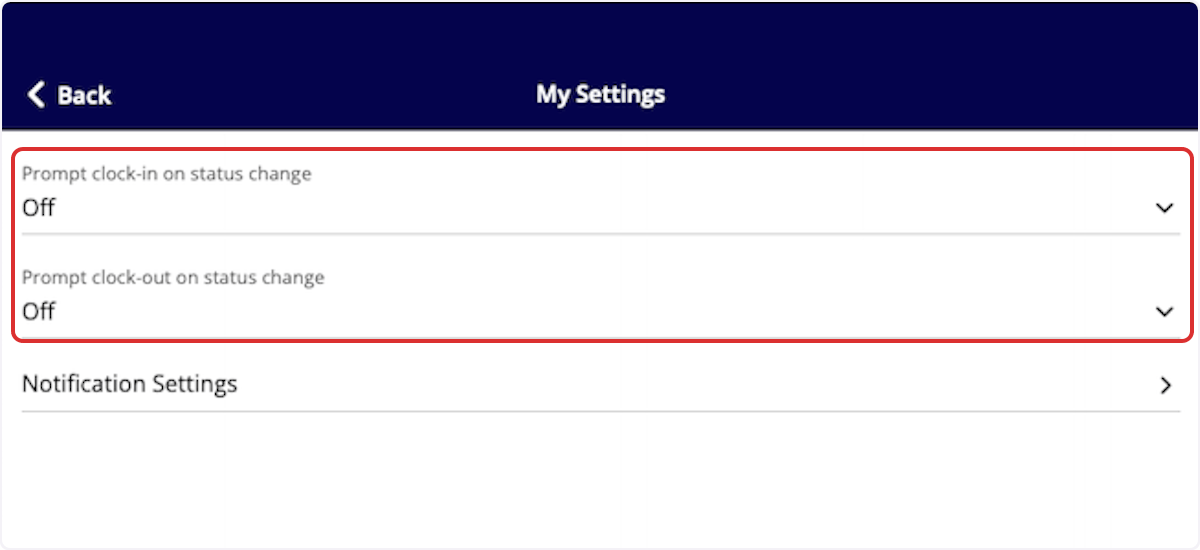
 You will now see the option to prompt a clock-in or clock-out based on a status change. Select the field you'd like to edit first.
 Once here, select all the statuses under *Job* and *Site Visit* for which you'd like to be prompted to clock in. For example, you may select *In Progress* as the status that triggers you to clock in for a job. If you have multiple custom status workflows, you'll need to select the applicable statuses on each workflow. Press *Done* to save your selections.
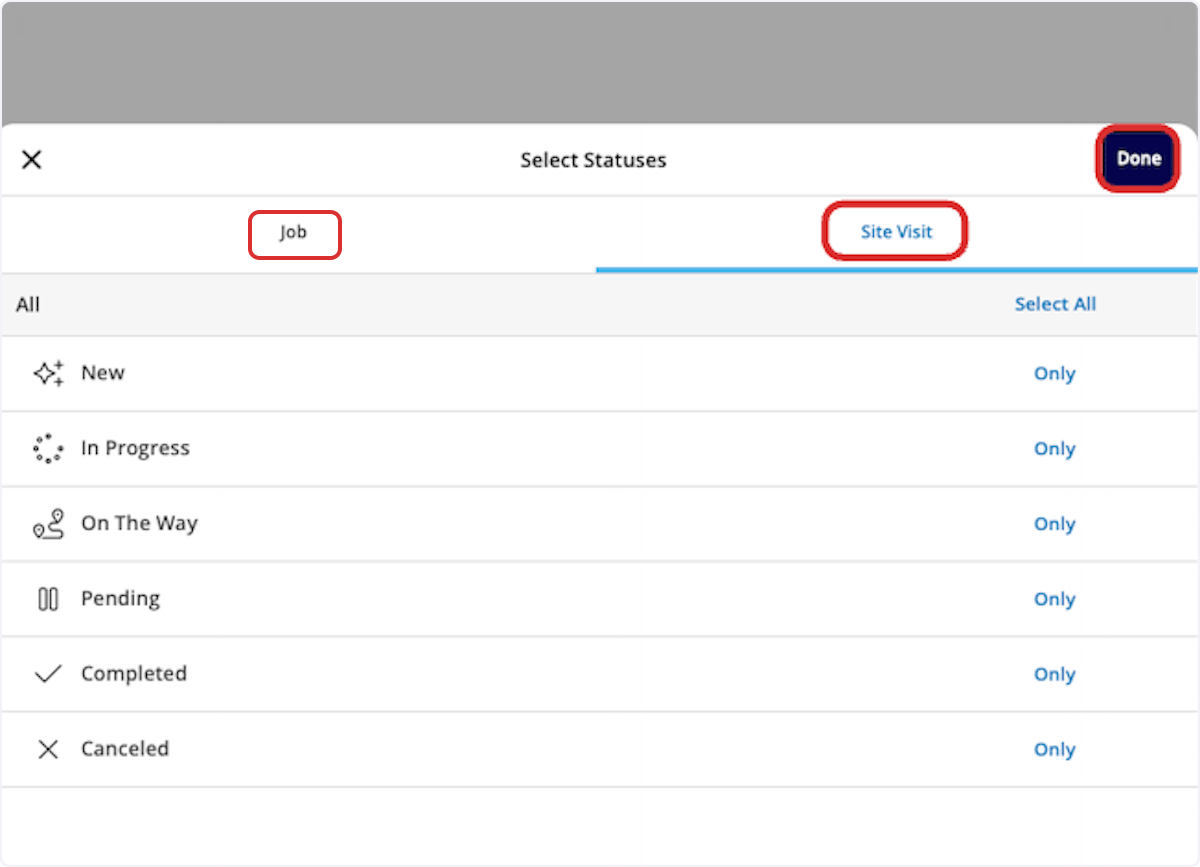 Repeat this process for clock out status triggers. Select all the statuses under *Job* and *Site Visit* for which you'd like to be prompted to clock out. For example, you may select *Completed* as the status that triggers you to clock out for a job. If you have multiple custom status workflows, you'll need to select the applicable statuses on each workflow. Press *Done* to save your selections.
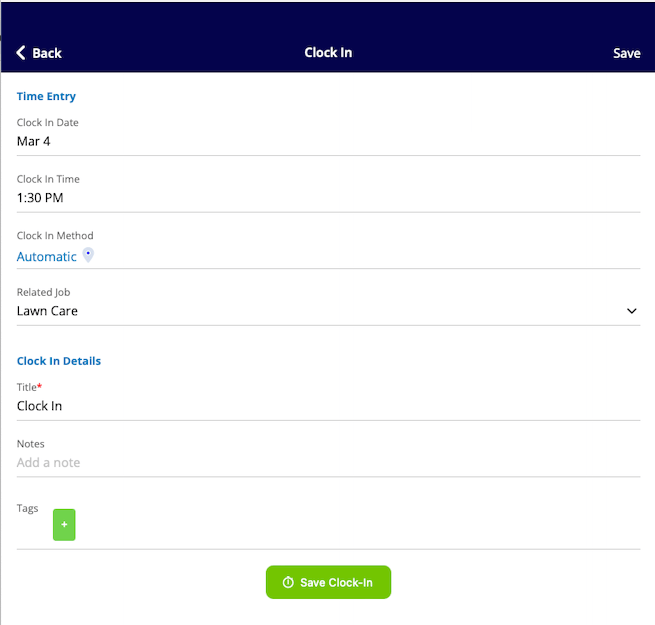
When you change the status of a job or site visit to one of the statuses you selected above, the mobile app will now prompt you to clock in/out.
Repeat this process for clock out status triggers. Select all the statuses under *Job* and *Site Visit* for which you'd like to be prompted to clock out. For example, you may select *Completed* as the status that triggers you to clock out for a job. If you have multiple custom status workflows, you'll need to select the applicable statuses on each workflow. Press *Done* to save your selections.
When you change the status of a job or site visit to one of the statuses you selected above, the mobile app will now prompt you to clock in/out.
 ***
***
**Have additional questions?**
*Contact us at [support@fieldpulse.com](mailto:support@fieldpulse.com) or use the chat feature in the bottom right corner of your screen.*
## Related topics
- [Employee Timesheets](/using-fieldpulse/work/employee-timesheets.md)
- [Timesheets Sync: QuickBooks Online](/integrations-partners/accounting/quickbooks-online/timesheets-sync-quickbooks-online.md)
- [Custom Status Workflows](/using-fieldpulse/work/custom-status-workflows.md)
- [Service Fusion to FieldPulse: Migration Guide](/training-resources/migration-guides/service-fusion-to-fieldpulse-migration-guide.md)
- [Custom Estimate & Invoice Workflows](/using-fieldpulse/estimates-invoices/custom-estimate-invoice-workflows.md)
***
***
**Have additional questions?**
*Contact us at [support@fieldpulse.com](mailto:support@fieldpulse.com) or use the chat feature in the bottom right corner of your screen.*
## Related topics
- [Employee Timesheets](/using-fieldpulse/work/employee-timesheets.md)
- [Timesheets Sync: QuickBooks Online](/integrations-partners/accounting/quickbooks-online/timesheets-sync-quickbooks-online.md)
- [Custom Status Workflows](/using-fieldpulse/work/custom-status-workflows.md)
- [Service Fusion to FieldPulse: Migration Guide](/training-resources/migration-guides/service-fusion-to-fieldpulse-migration-guide.md)
- [Custom Estimate & Invoice Workflows](/using-fieldpulse/estimates-invoices/custom-estimate-invoice-workflows.md)