> ## Documentation Index
> Fetch the complete documentation index at: https://help.fieldpulse.com/llms.txt
> Use this file to discover all available pages before exploring further.
# Job Templates - Mobile App
> Job Templates allow you to specify pre-defined, common jobs to quickly fill out a new job form with one click. With Job Templates, you can specify the Job…
Job Templates allow you to specify pre-defined, common jobs to quickly fill out a new job form with one click. With Job Templates, you can specify the Job Title, Location, Notes, and an Auto-generated Basic Invoice to be automatically inserted into your new job form. In this guide, we'll demonstrate how to create a new Job Template in the mobile app.
***
To create a job template, follow the process of creating a new job. (To learn more about how to create a job in the mobile app, [click here](https://help.fieldpulse.com/en/articles/6167457-creating-a-job-in-the-mobile-app).)
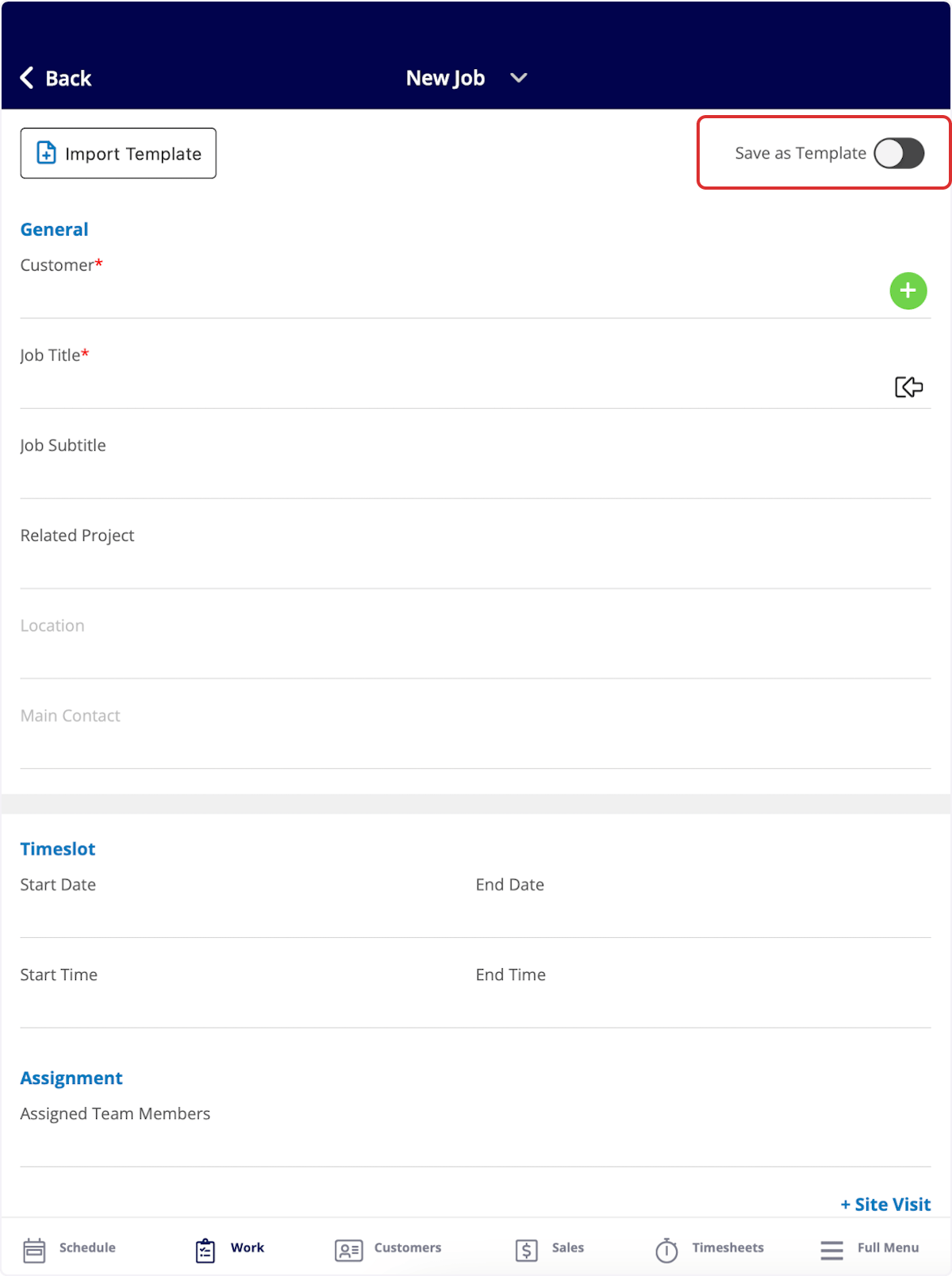
Once you are creating a new job record, toggle on *Save as Template* in the top right corner. The details you enter for this job will now be saved as a template for future use!
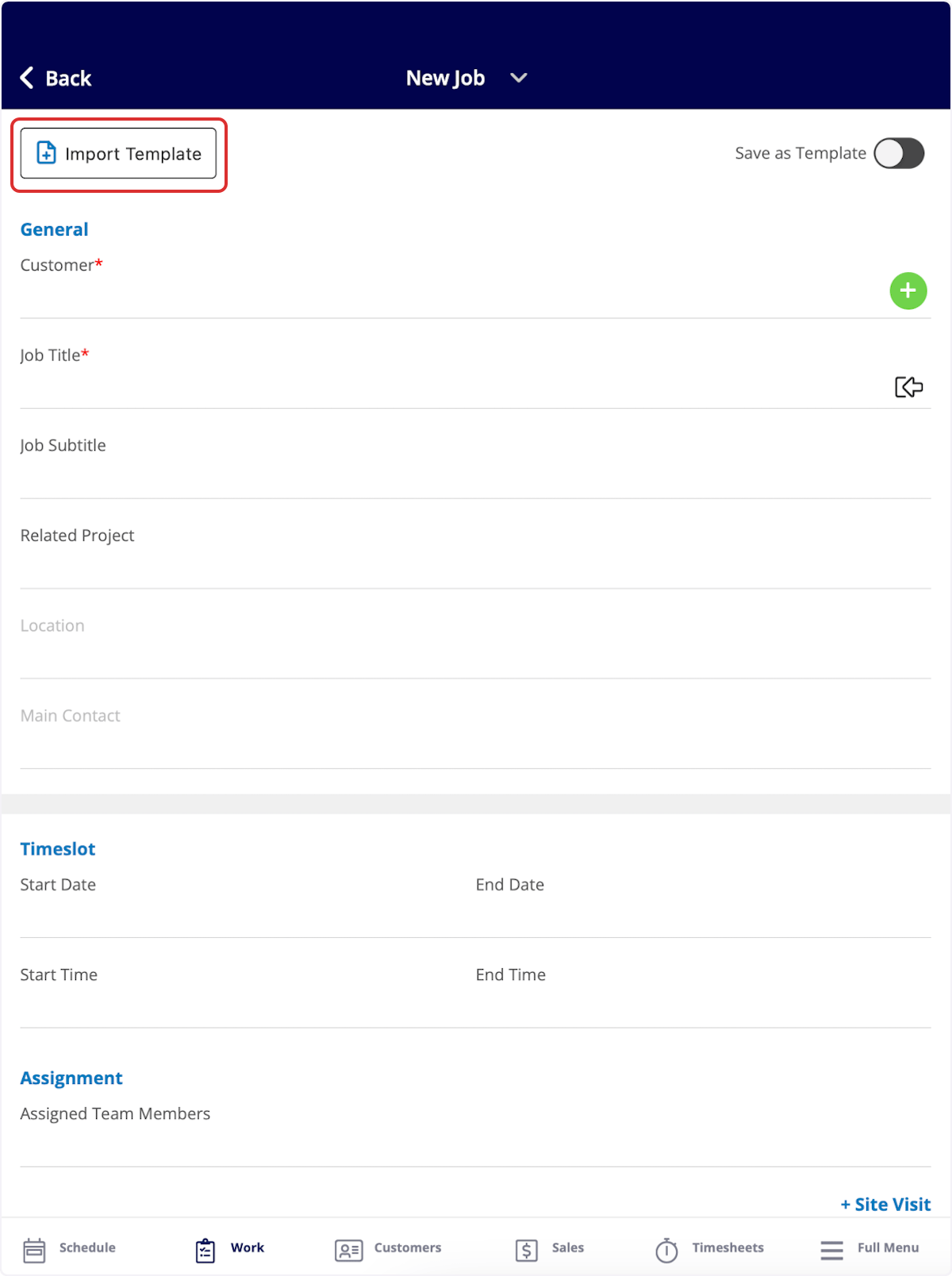
 If you'd like to use a job template in the future, select *Import Template* in the top left corner when creating a job.
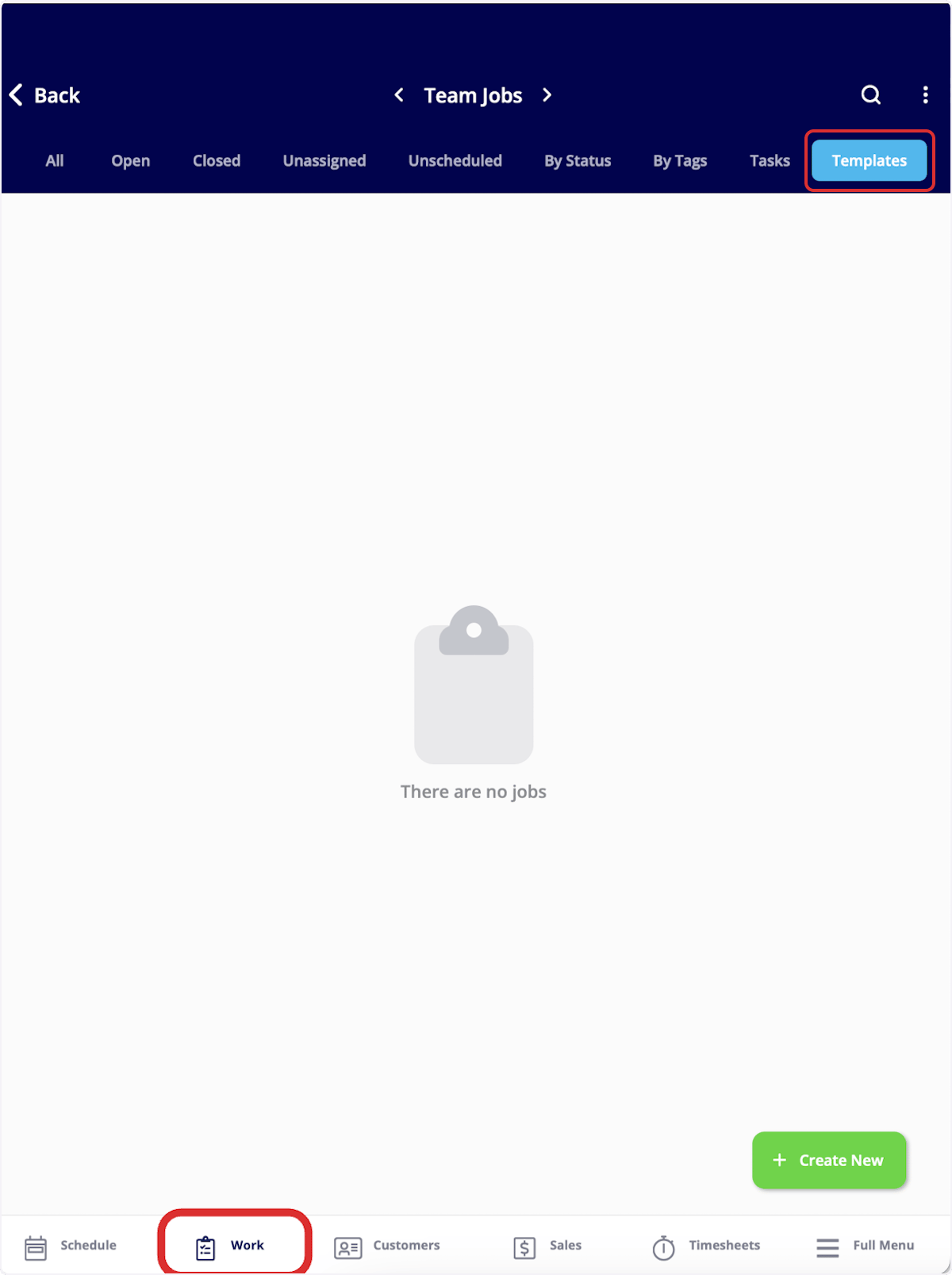
 To view all of your job templates, navigate to the *Work* tab in the bottom menu and then select *Templates*.
 ***
# Video Tutorial
***
**Have additional questions?**
*Contact us at [support@fieldpulse.com](mailto:support@fieldpulse.com) or use the chat feature in the bottom right corner of your screen.*
***
# Video Tutorial
***
**Have additional questions?**
*Contact us at [support@fieldpulse.com](mailto:support@fieldpulse.com) or use the chat feature in the bottom right corner of your screen.*