> ## Documentation Index
> Fetch the complete documentation index at: https://help.fieldpulse.com/llms.txt
> Use this file to discover all available pages before exploring further.
# Maintenance Agreements - Mobile App
> Set up recurring maintenance agreements and next-service reminders from the mobile app so techs manage recurring-service accounts in the field.
FieldPulse Maintenance Agreements allow you to easily attach maintenance agreements, as well as create/schedule reminders for when the next service is needed.
To learn how to enable maintenance agreements and use them in the WebApp, visit the [Maintenance Agreements article](/using-fieldpulse/work/maintenance-agreements).
***
# Creating a Maintenance Agreement
To view existing maintenance agreements or create a new one, navigate to the *Work* tab in the bottom menu. Then select *Maintenance Agreements*.
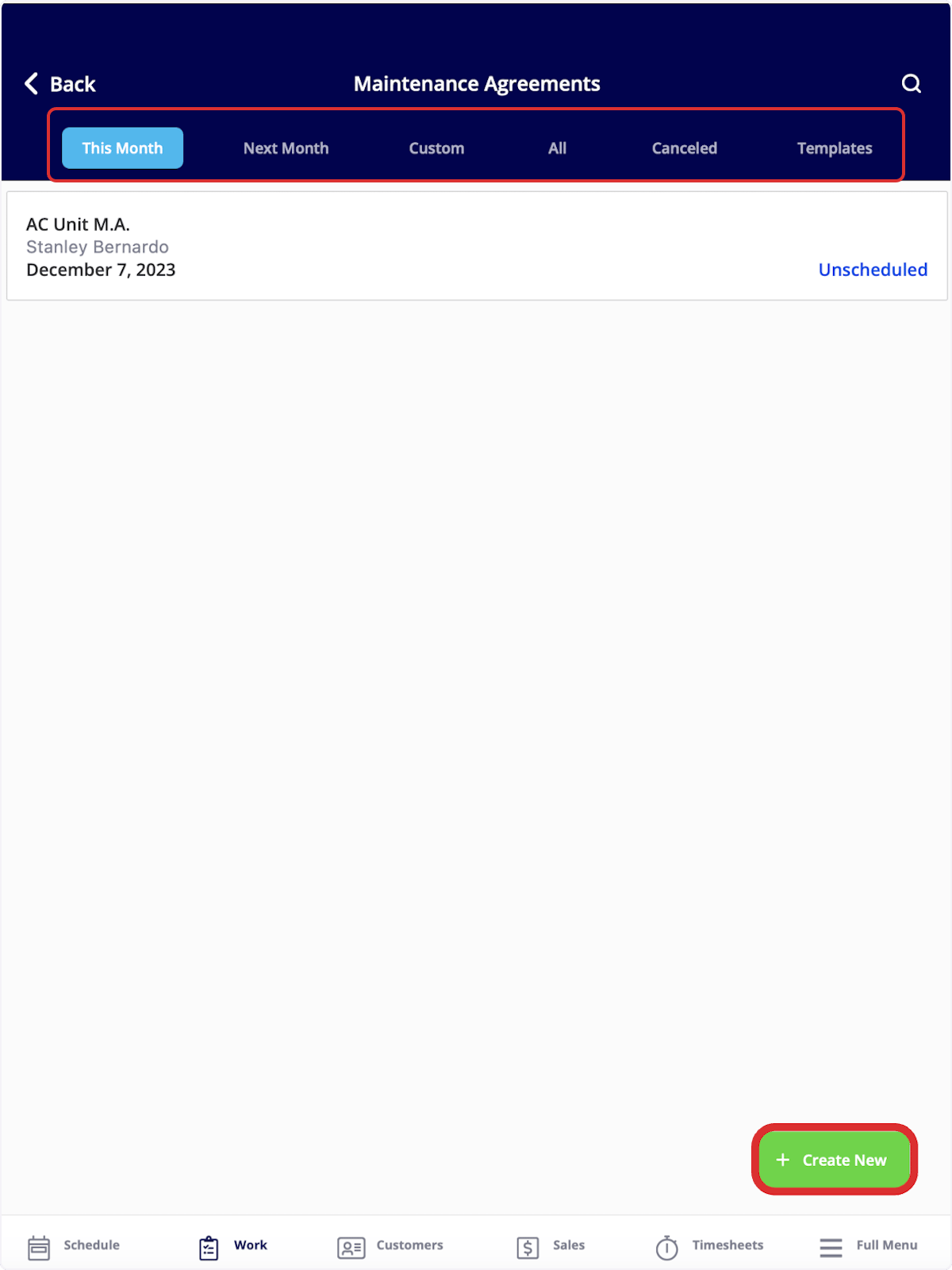
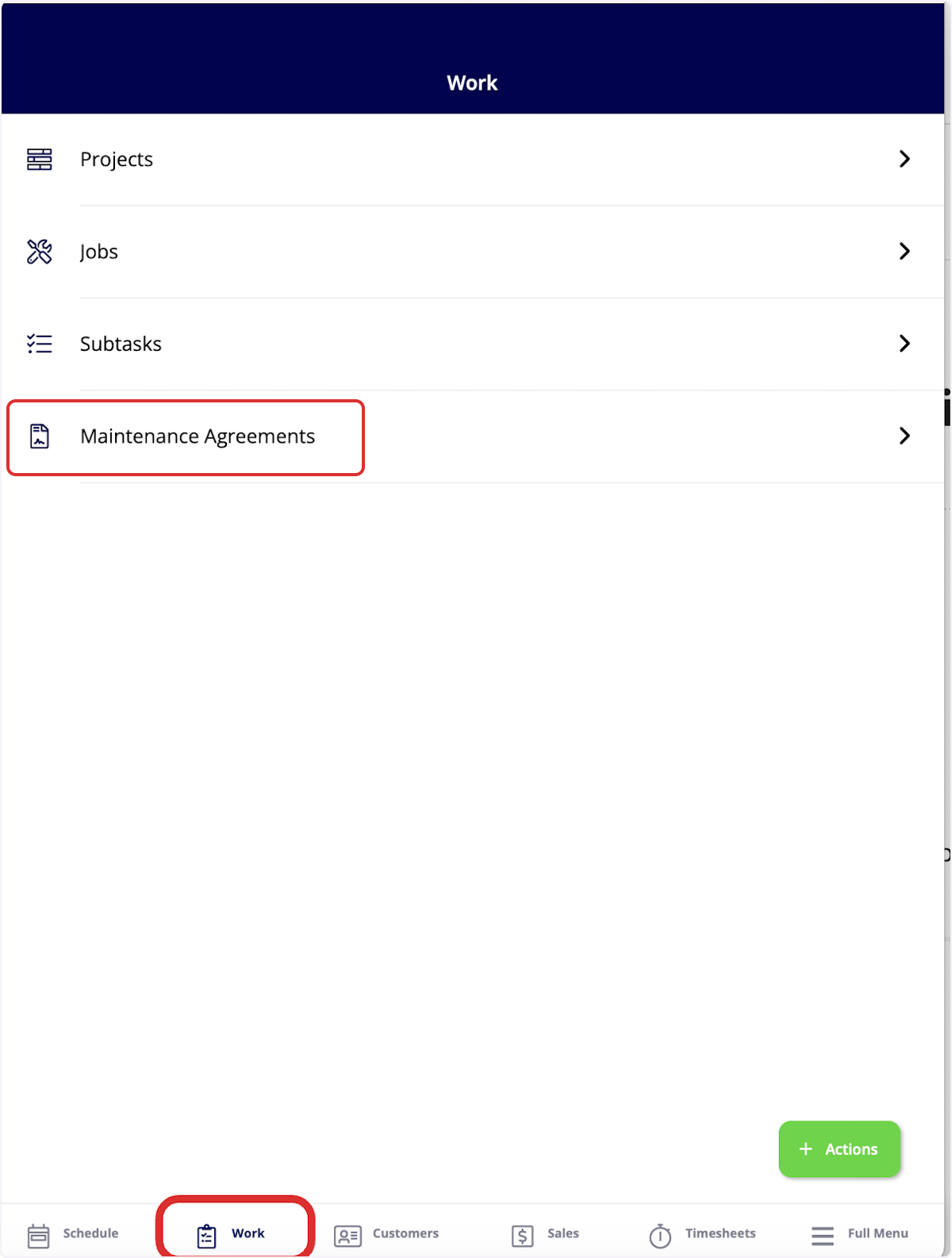 Once here, you can sort your maintenance agreements using the bar at the top of the screen by *This Month*, *Next Month*, *Custom*, *All*, *Canceled*, and *Templates*. To create a new maintenance agreement, select *Create New*.
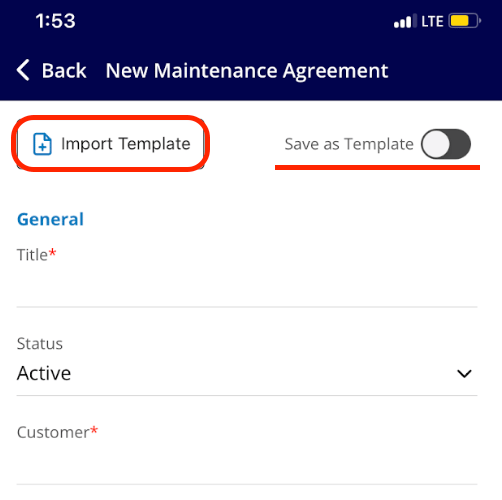
 You can select *Import Template* to build your new maintenance agreement from an existing template, or fill out the details to start from scratch. When creating a new maintenance agreement, you will have the option to turn on the *Save as Template* toggle. More details on completing these fields can be found [the maintenance agreements guide](/using-fieldpulse/work/maintenance-agreements).
 ***
# Attaching a Maintenance Agreement
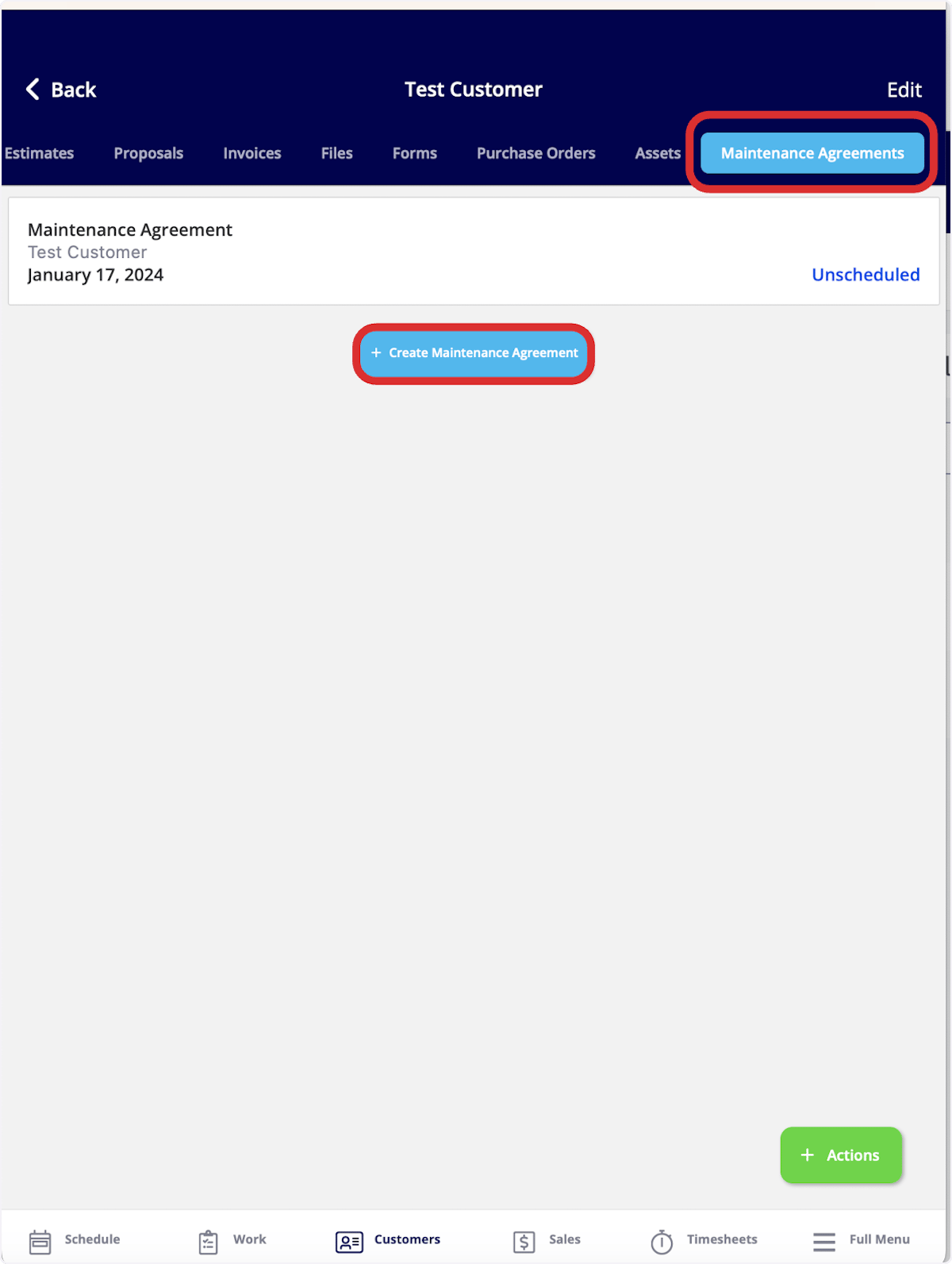
In the mobile app, you can view maintenance agreements attached to your customers. To do so, click on the *Customers* tab in the bottom menu, then select a customer. At the top of the customer record, select *Maintenance Agreements.*
Once here, you can view and edit existing maintenance agreements linked to this customer, as well as create a new maintenance agreement by selecting *Create Maintenance Agreement*.
***
# Attaching a Maintenance Agreement
In the mobile app, you can view maintenance agreements attached to your customers. To do so, click on the *Customers* tab in the bottom menu, then select a customer. At the top of the customer record, select *Maintenance Agreements.*
Once here, you can view and edit existing maintenance agreements linked to this customer, as well as create a new maintenance agreement by selecting *Create Maintenance Agreement*.
 ***
# Video Tutorial
***
**Have additional questions?**
*Contact us at [support@fieldpulse.com](mailto:support@fieldpulse.com) or use the chat feature in the bottom right corner of your screen.*
***
# Video Tutorial
***
**Have additional questions?**
*Contact us at [support@fieldpulse.com](mailto:support@fieldpulse.com) or use the chat feature in the bottom right corner of your screen.*