> ## Documentation Index
> Fetch the complete documentation index at: https://help.fieldpulse.com/llms.txt
> Use this file to discover all available pages before exploring further.
# Projects - Mobile App
> Create and manage multi-task Projects from the mobile app to track long-running work and phased invoicing away from the office.
While jobs can span across several days, if you are dealing with long-term projects that involve intricate work assignments and specific invoicing requirements, it may be beneficial to utilize the *Project* record. This approach helps you manage initiatives that extend over a longer timeframe and encompass multiple tasks assigned to them.
To enable Projects or learn more, visit the [Project Management article](/using-fieldpulse/project-management/project-management).
***
# Creating a Project
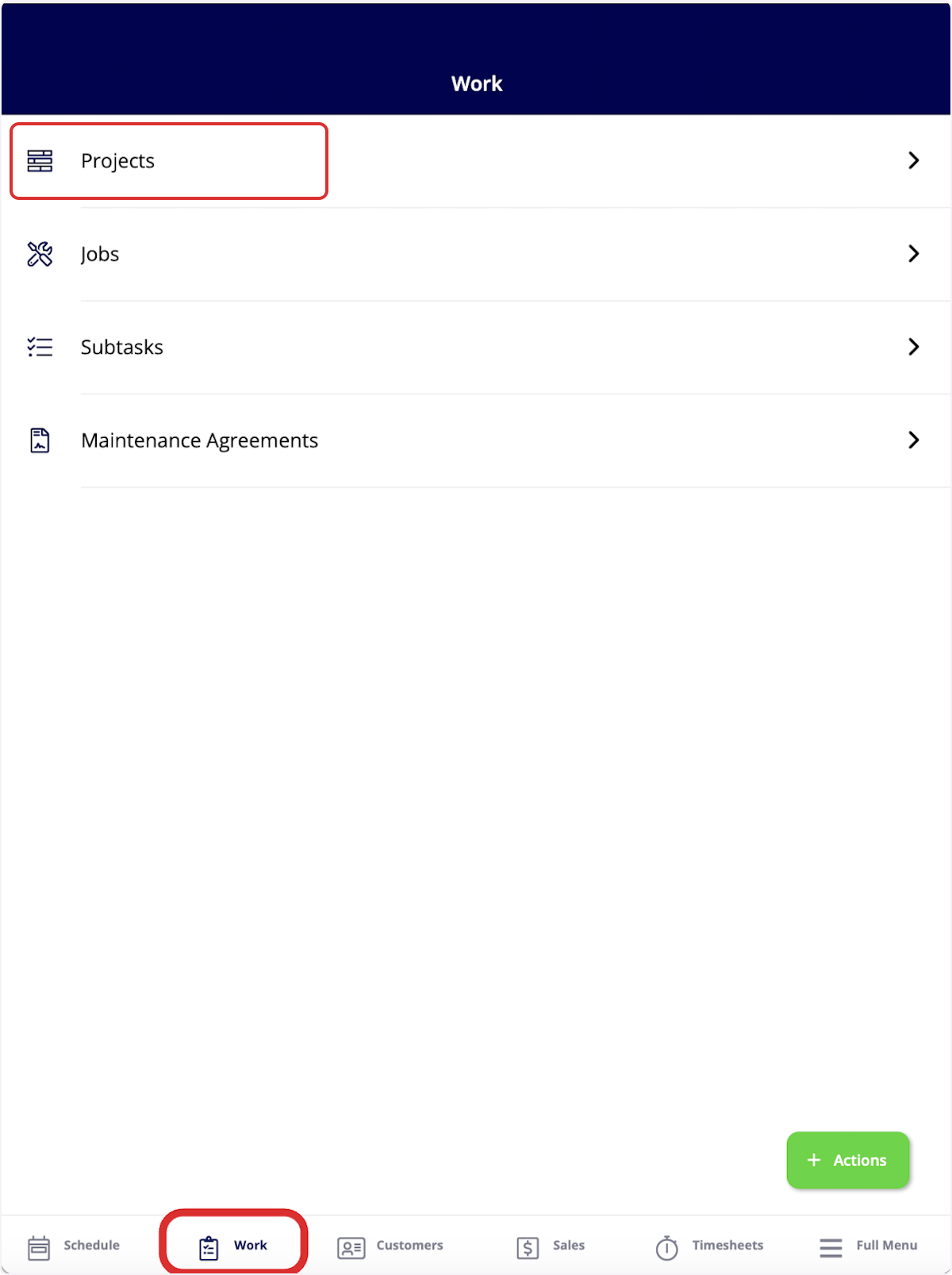
To create a project, begin by selecting the *Work* tab from the bottom menu. Then select *Projects*.
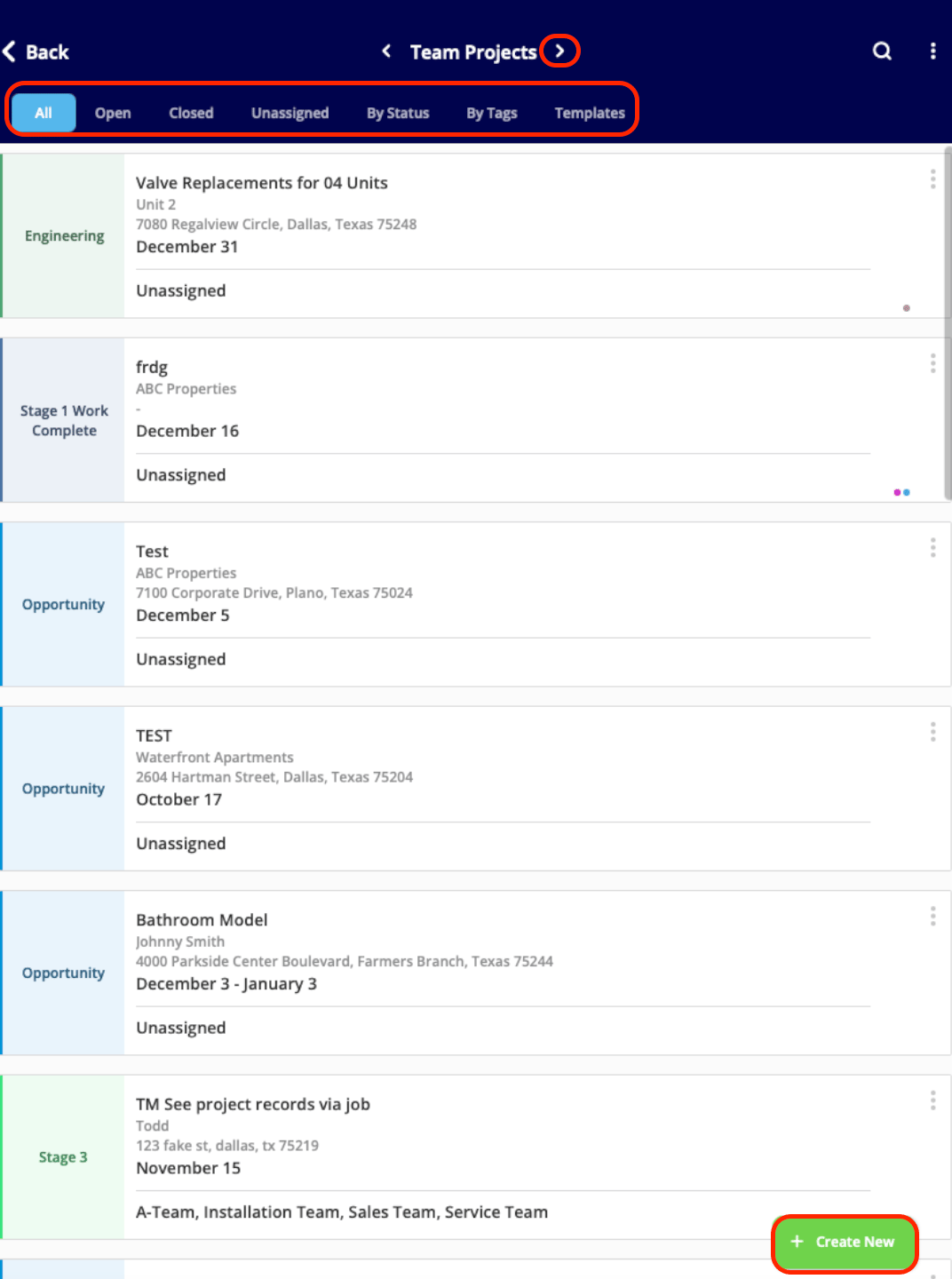
 To organize your existing projects, select from the menu at the top of the screen (*All*, *Open*, *Closed*, *Unassigned*, *By Status*). Additionally, sort between *Team Projects* and *My Projects* using the arrows.
To create a new project, click *Create New*.
To organize your existing projects, select from the menu at the top of the screen (*All*, *Open*, *Closed*, *Unassigned*, *By Status*). Additionally, sort between *Team Projects* and *My Projects* using the arrows.
To create a new project, click *Create New*.
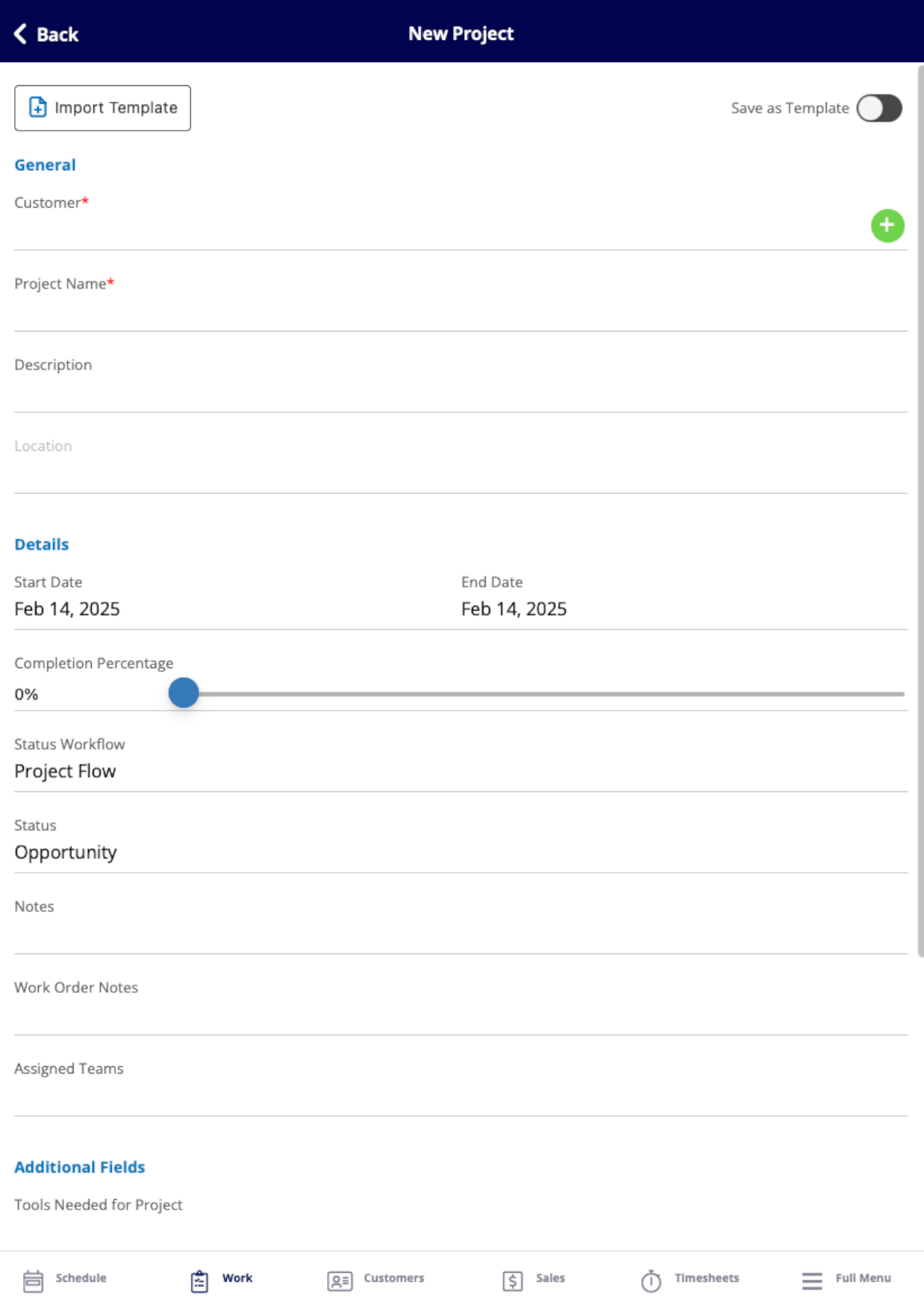
 Now you can fill in the details of your project. To learn more about filling in these details, read the [Project Management article](/using-fieldpulse/project-management/project-management).
 After completing and saving your new project, you can view the project record. On this page, you can change the project status and track your progress using the completion percentage slider to indicate your current completion level.
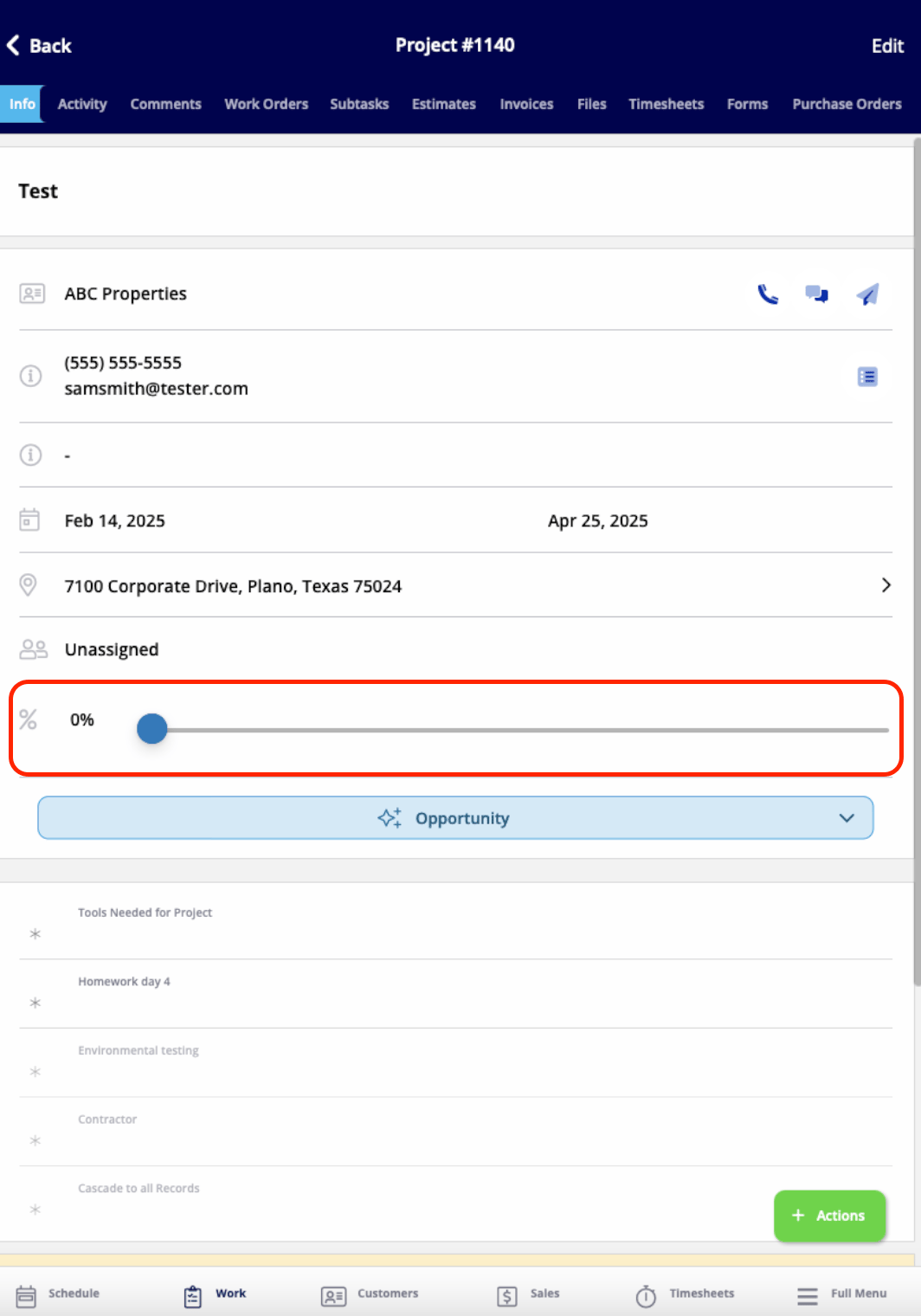 From this page, you can also:
* View and edit all the details you just entered
* Add comments
* Add jobs or subtasks
* Create estimates and invoices
* Attach files
* Track employee timesheets
* And more!
Click *Actions* to perform any of these actions, or select any of these actions from the tabs at the top of the screen.
***
**Have additional questions?**
*Contact us at [support@fieldpulse.com](mailto:support@fieldpulse.com) or use the chat feature in the bottom right corner of your screen.*
## Related topics
- [Material Lists - Mobile App](/using-fieldpulse/material-lists/material-lists-mobile-app.md)
- [Mobile App Overview - Admins & Team Managers](/getting-started/core-features-first-tasks/in-the-field-overview-mobile-experience/mobile-app-overview-admins-team-managers.md)
- [Mobile App Overview - Service Agents](/getting-started/core-features-first-tasks/in-the-field-overview-mobile-experience/mobile-app-overview-service-agents.md)
- [Mobile App Overview - Limited Agents](/getting-started/core-features-first-tasks/in-the-field-overview-mobile-experience/mobile-app-overview-limited-agents.md)
- [FieldPulse360: Mobile App 101](/training-resources/fieldpulse360/fieldpulse360-archives/fieldpulse360-mobile-app-101.md)
From this page, you can also:
* View and edit all the details you just entered
* Add comments
* Add jobs or subtasks
* Create estimates and invoices
* Attach files
* Track employee timesheets
* And more!
Click *Actions* to perform any of these actions, or select any of these actions from the tabs at the top of the screen.
***
**Have additional questions?**
*Contact us at [support@fieldpulse.com](mailto:support@fieldpulse.com) or use the chat feature in the bottom right corner of your screen.*
## Related topics
- [Material Lists - Mobile App](/using-fieldpulse/material-lists/material-lists-mobile-app.md)
- [Mobile App Overview - Admins & Team Managers](/getting-started/core-features-first-tasks/in-the-field-overview-mobile-experience/mobile-app-overview-admins-team-managers.md)
- [Mobile App Overview - Service Agents](/getting-started/core-features-first-tasks/in-the-field-overview-mobile-experience/mobile-app-overview-service-agents.md)
- [Mobile App Overview - Limited Agents](/getting-started/core-features-first-tasks/in-the-field-overview-mobile-experience/mobile-app-overview-limited-agents.md)
- [FieldPulse360: Mobile App 101](/training-resources/fieldpulse360/fieldpulse360-archives/fieldpulse360-mobile-app-101.md)