> ## Documentation Index
> Fetch the complete documentation index at: https://help.fieldpulse.com/llms.txt
> Use this file to discover all available pages before exploring further.
# Estimates & Invoices: What Your Customers See
> Preview the branded email, PDF, and approval-and-signature page a client gets when you send an estimate or invoice.
# Overview
When you send an Estimate or Invoice from FieldPulse, your customer receives more than just a number. They get a branded, professional experience that reflects your business. This article covers what that looks like, from the email they receive to the PDF, and the approval and signature page.
***
# Estimate & Invoice Emails
When you send an Estimate or Invoice from FieldPulse, your customer receives an email with a link to view their estimate/invoice. If you've added your logo in your Company Settings, it will display in the header.
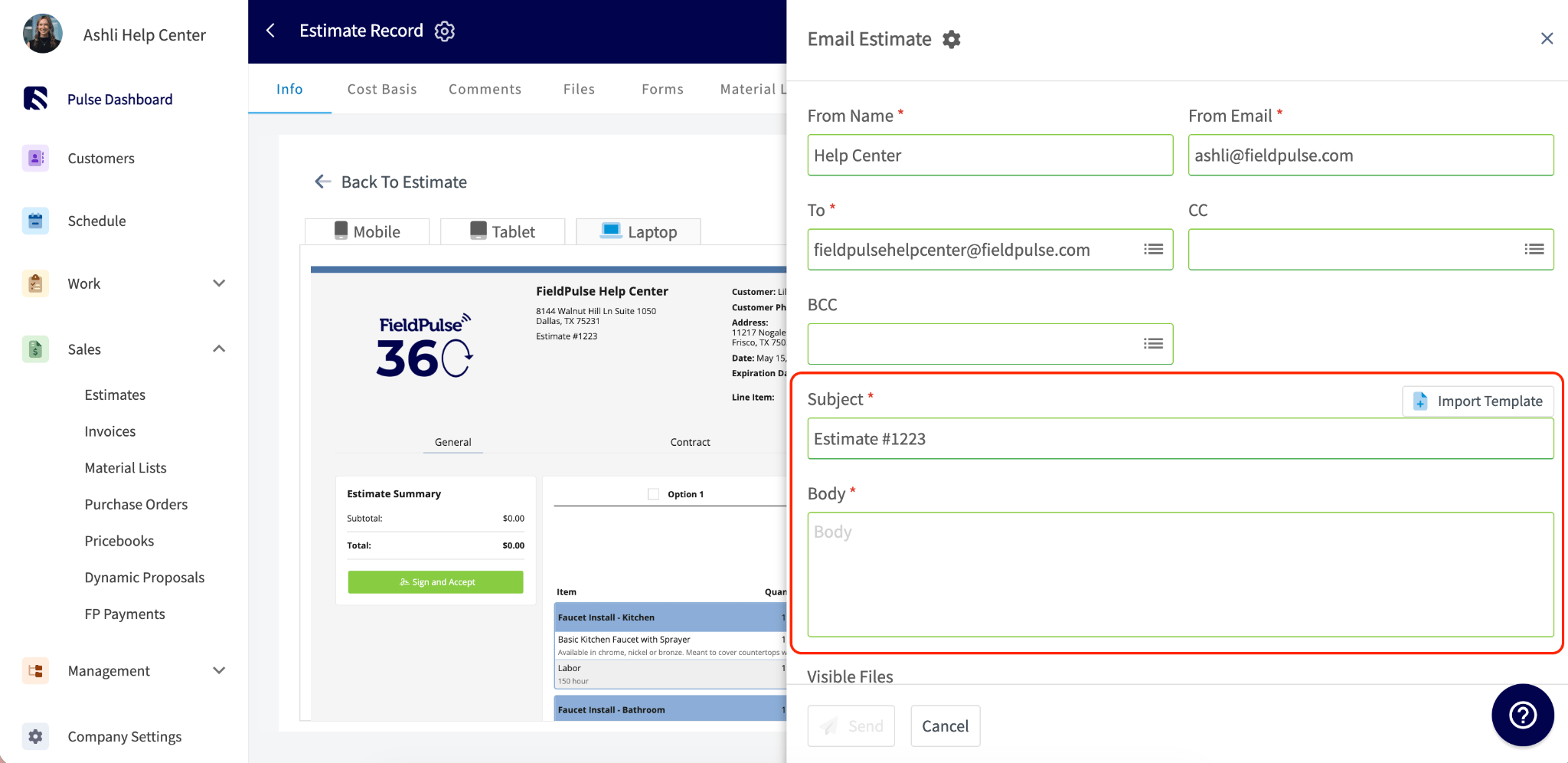
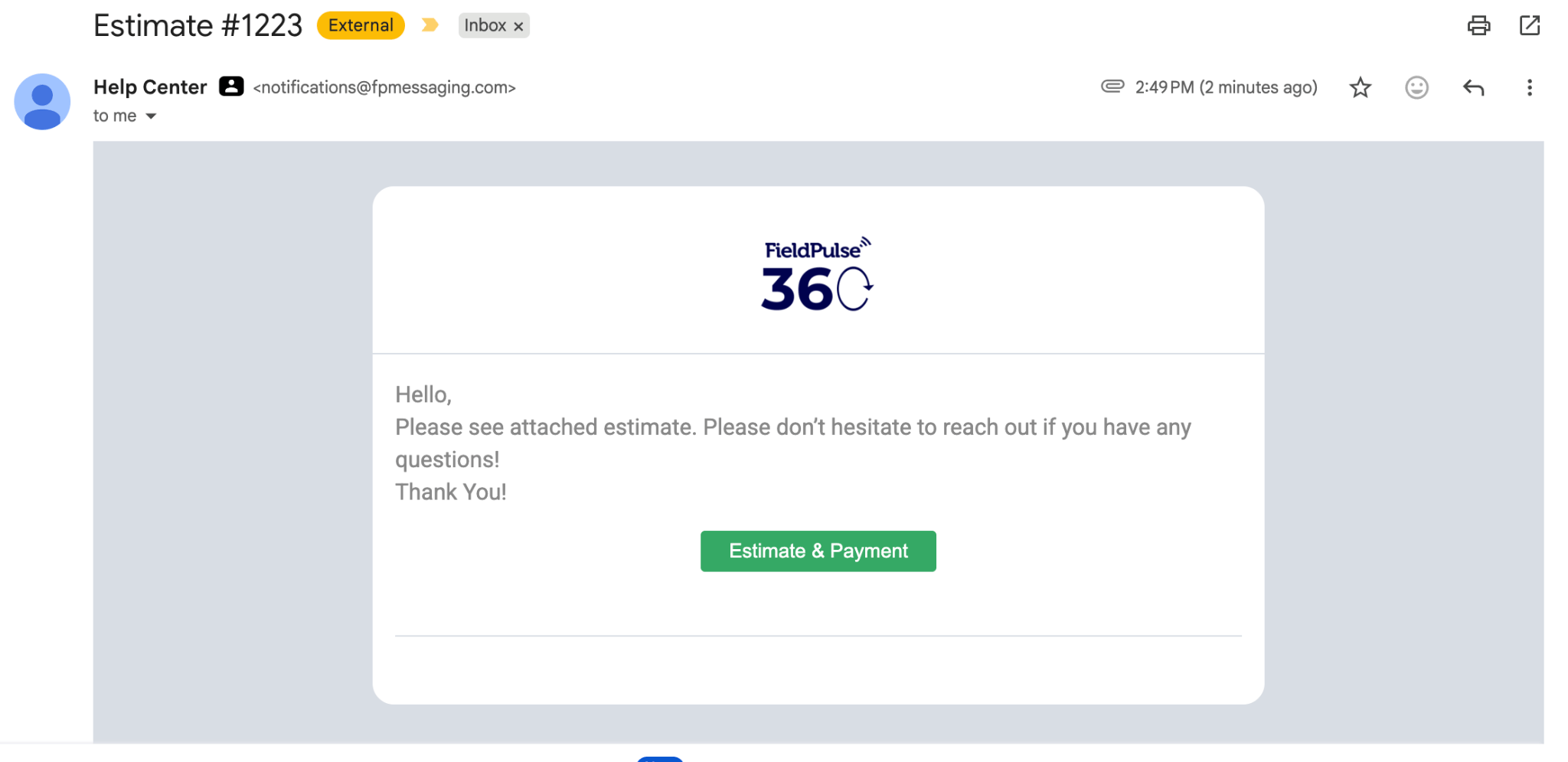 **What's configurable:** Email body text, subject line, from name, from email address, logo display, and CC address.
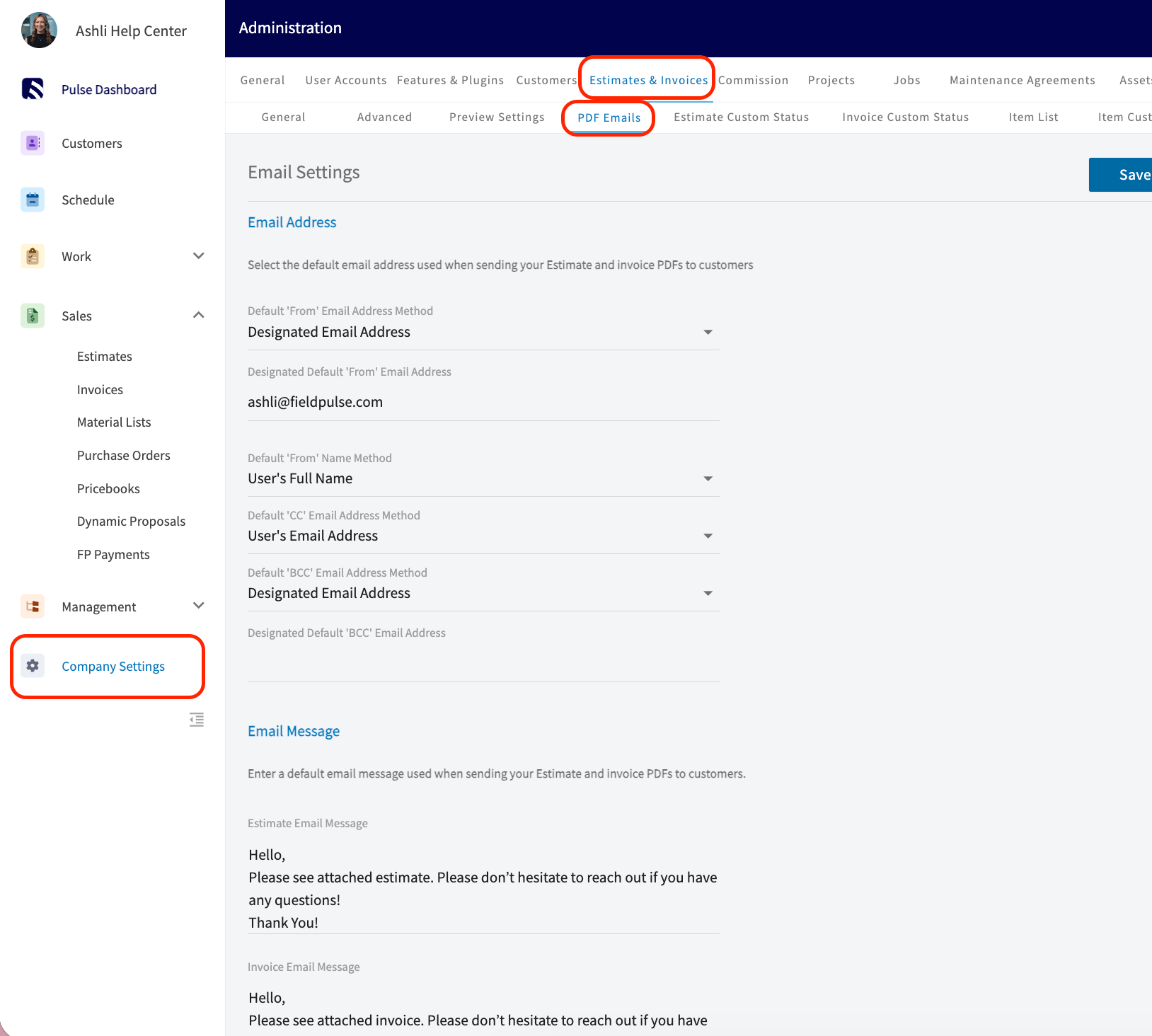
 The email body text, from name, from email address, and CC address can be defaulted by going to *Company Settings > Estimates & Invoices > PDF Emails.*
 To learn more about Sending Estimates and Invoices to Customers, click [the guide to sending estimates and invoices](/using-fieldpulse/estimates-invoices/sending-estimates-invoices-to-customers).
***
# Estimate & Invoice PDFs
When you send an Estimate or Invoice from FieldPulse, you can choose to send your customer a PDF version.
To view the PDF, go to your *Estimate/Invoice record > View Estimate/Invoice > PDF*
To learn more about Sending Estimates and Invoices to Customers, click [the guide to sending estimates and invoices](/using-fieldpulse/estimates-invoices/sending-estimates-invoices-to-customers).
***
# Estimate & Invoice PDFs
When you send an Estimate or Invoice from FieldPulse, you can choose to send your customer a PDF version.
To view the PDF, go to your *Estimate/Invoice record > View Estimate/Invoice > PDF*
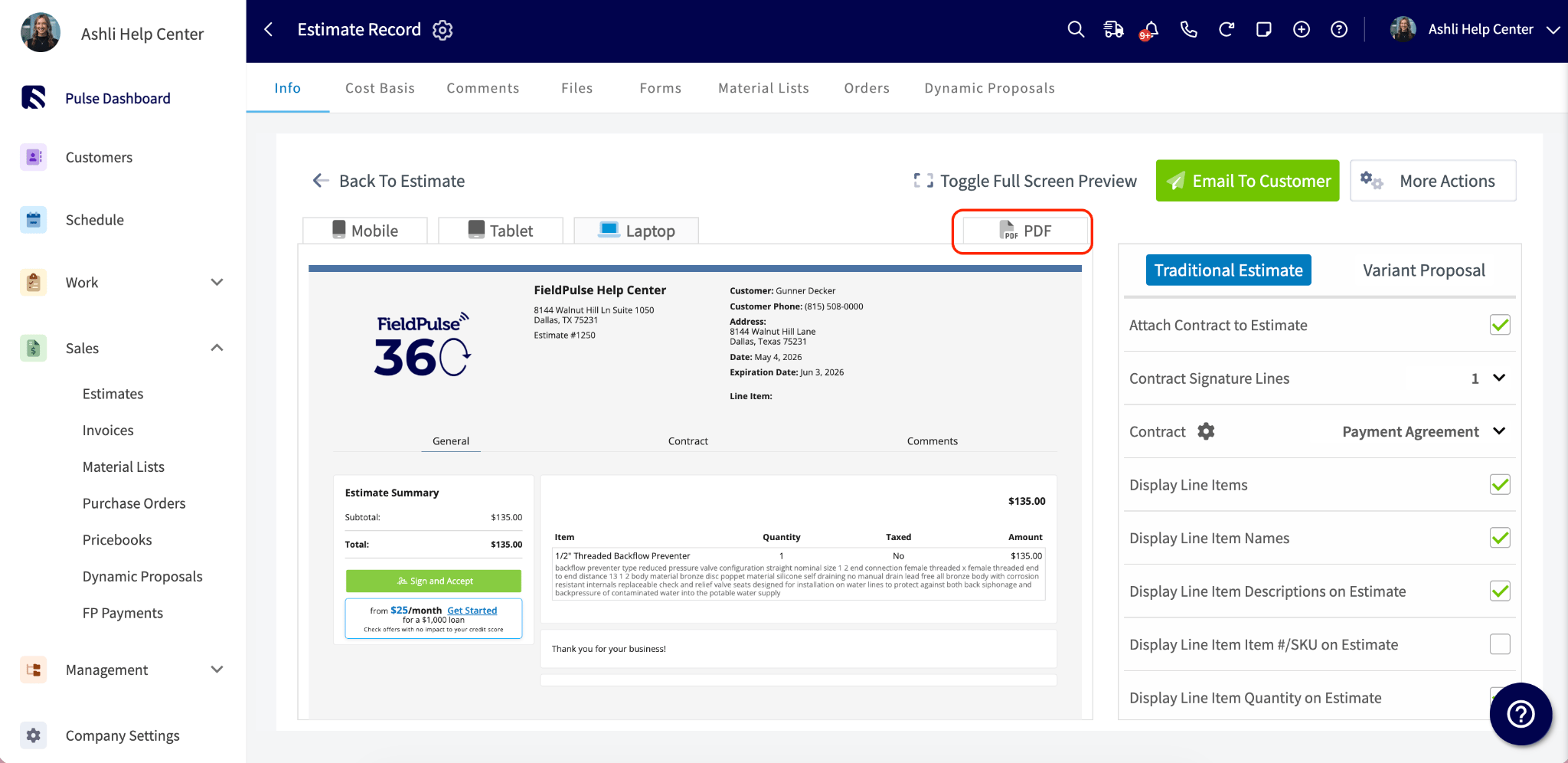 To send your Estimate/Invoice PDF, press *Email to Customer* and toggle on *Attach Estimate/Invoice PDF*
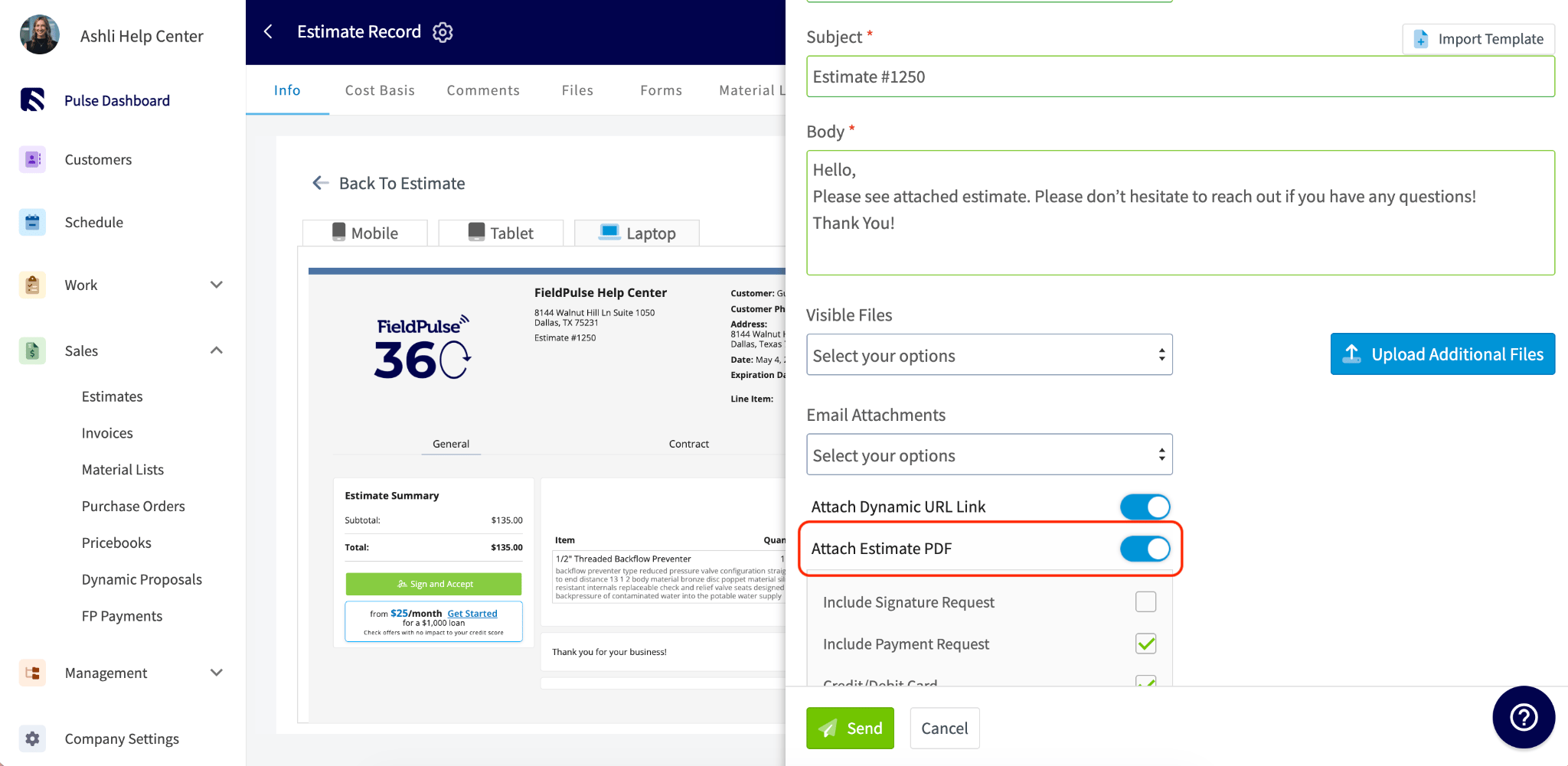 **What's configurable:** Estimate/Invoice theme (colors, fonts, layout), logo, company info, contract attachments, and what line item details are shown.
To learn more about Estimate & Invoice Themes, click [the estimate and invoice themes guide](/using-fieldpulse/estimates-invoices/custom-estimate-invoice-themes). To learn more about Estimate & Invoice Preview Settings, click [the estimate and invoice preview settings](/using-fieldpulse/estimates-invoices/default-estimate-invoice-settings).
***
# The Approval and Signature Page
If you've requested a customer signature, customers can approve their estimate/invoice directly from the dynamic link. They'll see the record details and a green button to accept, no account or login required.
**What's configurable:** Estimate/Invoice theme (colors, fonts, layout), logo, company info, contract attachments, and what line item details are shown.
To learn more about Estimate & Invoice Themes, click [the estimate and invoice themes guide](/using-fieldpulse/estimates-invoices/custom-estimate-invoice-themes). To learn more about Estimate & Invoice Preview Settings, click [the estimate and invoice preview settings](/using-fieldpulse/estimates-invoices/default-estimate-invoice-settings).
***
# The Approval and Signature Page
If you've requested a customer signature, customers can approve their estimate/invoice directly from the dynamic link. They'll see the record details and a green button to accept, no account or login required.
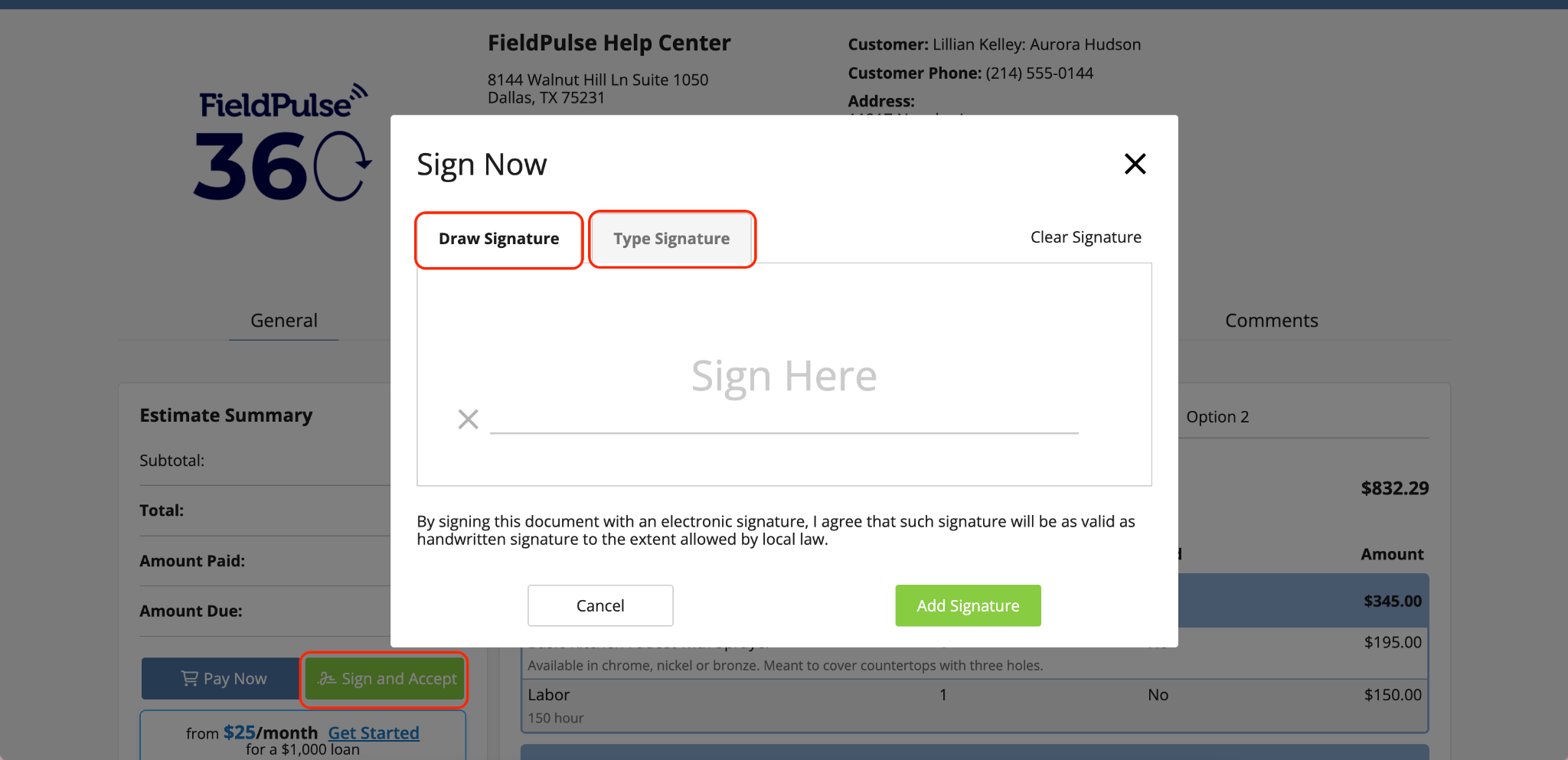 **What's configurable:** Whether a signature is required.
To learn more about Requesting a Customer Signature, click [the customer signature request guide](/using-fieldpulse/estimates-invoices/requesting-a-customer-signature)
***
**Have additional questions?**
*Contact us at [support@fieldpulse.com](mailto:support@fieldpulse.com) or use the chat feature in the bottom right corner of your screen.*
**What's configurable:** Whether a signature is required.
To learn more about Requesting a Customer Signature, click [the customer signature request guide](/using-fieldpulse/estimates-invoices/requesting-a-customer-signature)
***
**Have additional questions?**
*Contact us at [support@fieldpulse.com](mailto:support@fieldpulse.com) or use the chat feature in the bottom right corner of your screen.*