> ## Documentation Index
> Fetch the complete documentation index at: https://help.fieldpulse.com/llms.txt
> Use this file to discover all available pages before exploring further.
# Review Management: What Your Customer Sees
> Preview the review-request emails clients receive, both public review-site links and internal feedback prompts you trigger during the job.
# Overview
FieldPulse's Review Management feature lets you automatically send review requests at any point of your Job workflow. This article covers what those review request emails look like to your customer, whether you're sending them to a public review site or collecting internal feedback.
***
# Review Requests
## Third-Party Review Request
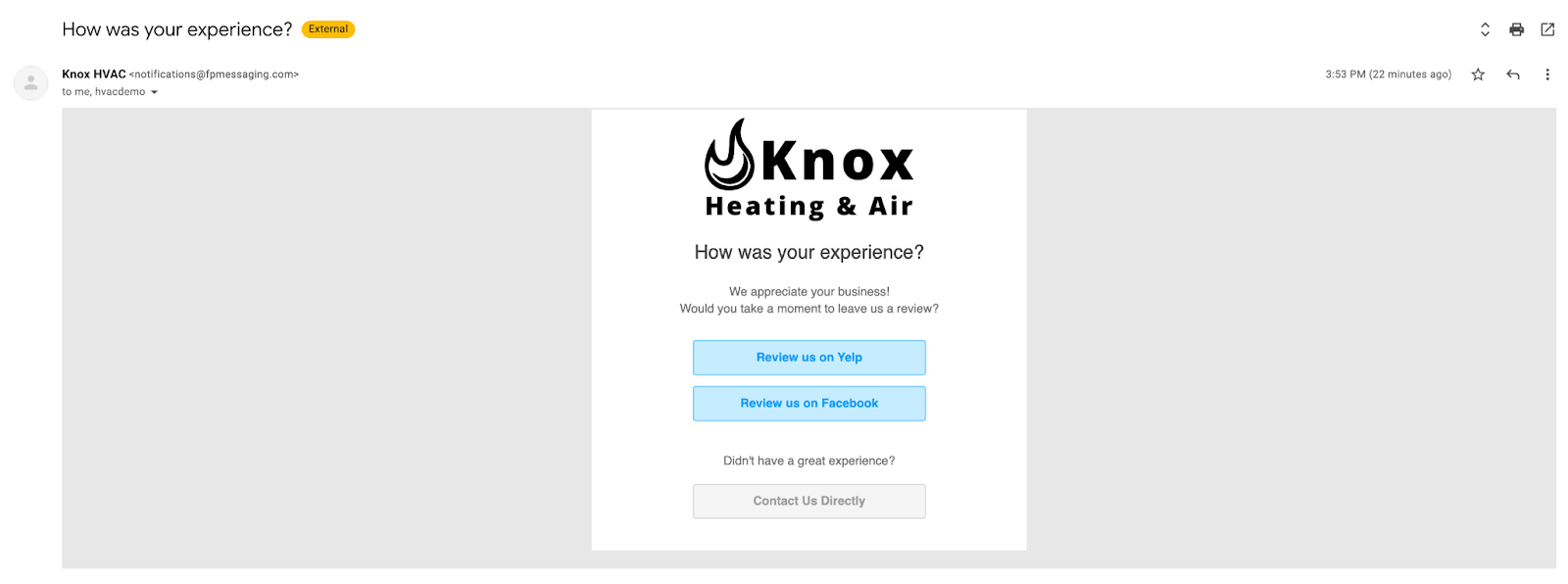
This email directs your customer to leave a public review on sites like Google, Yelp, or Facebook. You can include multiple review site links and turn each on or off.
 ## Internal Feedback Request
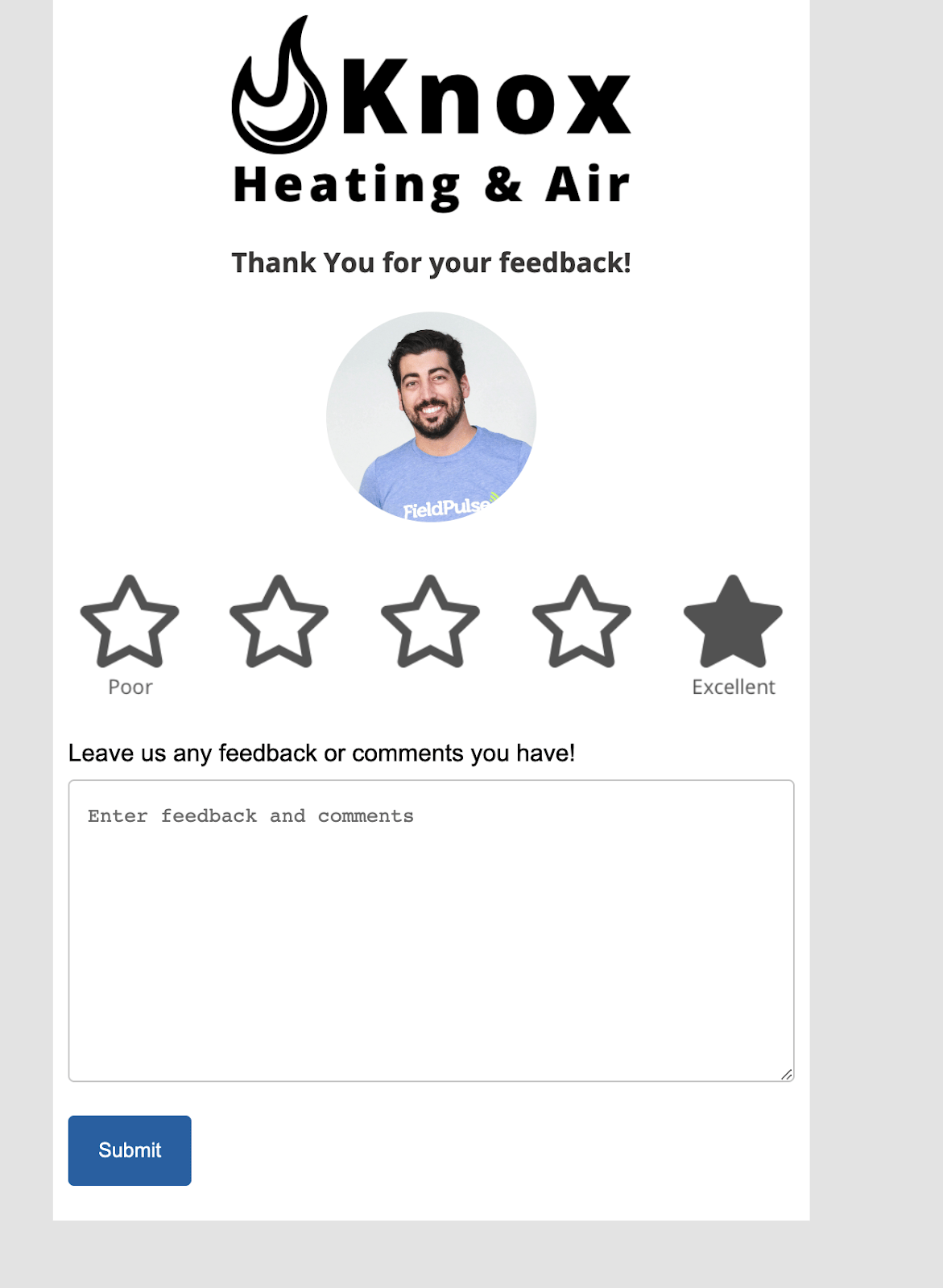
This email asks your customer to rate their experience with your company or the assigned technician. The feedback is internal only and never gets posted publicly. It's a great way to catch issues early and recognize standout team members.
## Internal Feedback Request
This email asks your customer to rate their experience with your company or the assigned technician. The feedback is internal only and never gets posted publicly. It's a great way to catch issues early and recognize standout team members.
 **What's configurable:** Email subject and body, which review sites to include, whether feedback scores apply to the company or the assigned technician, and automatic trigger timing.
To learn more about Review Management, click [the review management guide](/using-fieldpulse/win-repeat-business/review-management)
***
**Have additional questions?**
*Contact us at [support@fieldpulse.com](mailto:support@fieldpulse.com) or use the chat feature in the bottom right corner of your screen.*
**What's configurable:** Email subject and body, which review sites to include, whether feedback scores apply to the company or the assigned technician, and automatic trigger timing.
To learn more about Review Management, click [the review management guide](/using-fieldpulse/win-repeat-business/review-management)
***
**Have additional questions?**
*Contact us at [support@fieldpulse.com](mailto:support@fieldpulse.com) or use the chat feature in the bottom right corner of your screen.*