> ## Documentation Index
> Fetch the complete documentation index at: https://help.fieldpulse.com/llms.txt
> Use this file to discover all available pages before exploring further.
# Creating Custom Barcodes for Easy Scanning with the FieldPulse Mobile App
> Generate Code-128 barcodes with a free web tool so the mobile app can scan your items, inventory, and assets.
We've had customers ask about creating barcodes that the FieldPulse mobile app can scan. While the FieldPulse platform does not provide the ability to generate custom barcodes, [we recommend using this free online tool](https://barcode.tec-it.com/en/Code128) to create your own. You can then efficiently track your items, inventory, or assets within FieldPulse using our barcode scanner.
***Note: FieldPulse is compatible with the Code-128 format.***
***
# How to Generate Custom Barcodes
Navigate to the specified online barcode generator tool: [https://barcode.tec-it.com/en/Code128](https://barcode.tec-it.com/en/Code128)
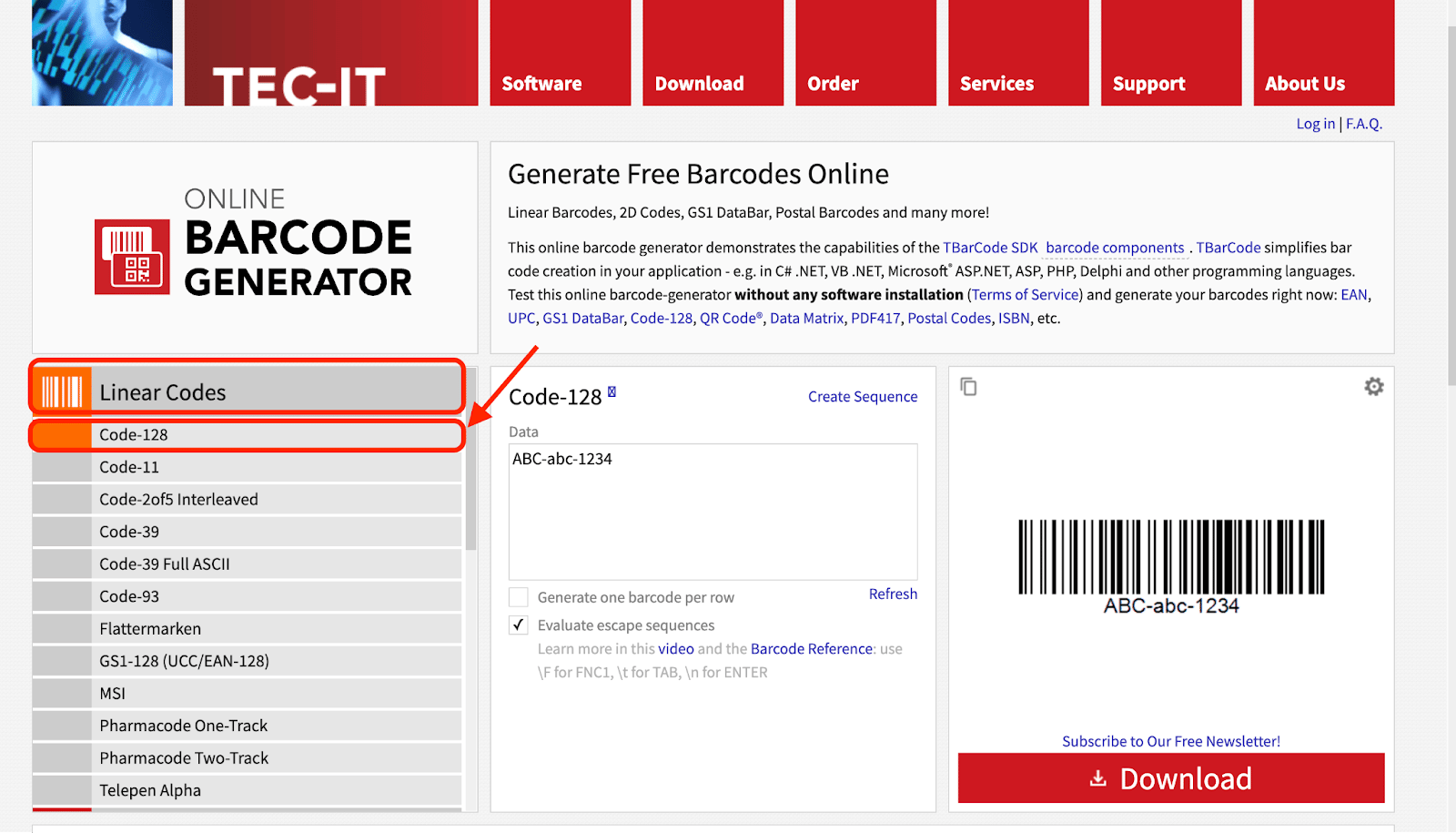
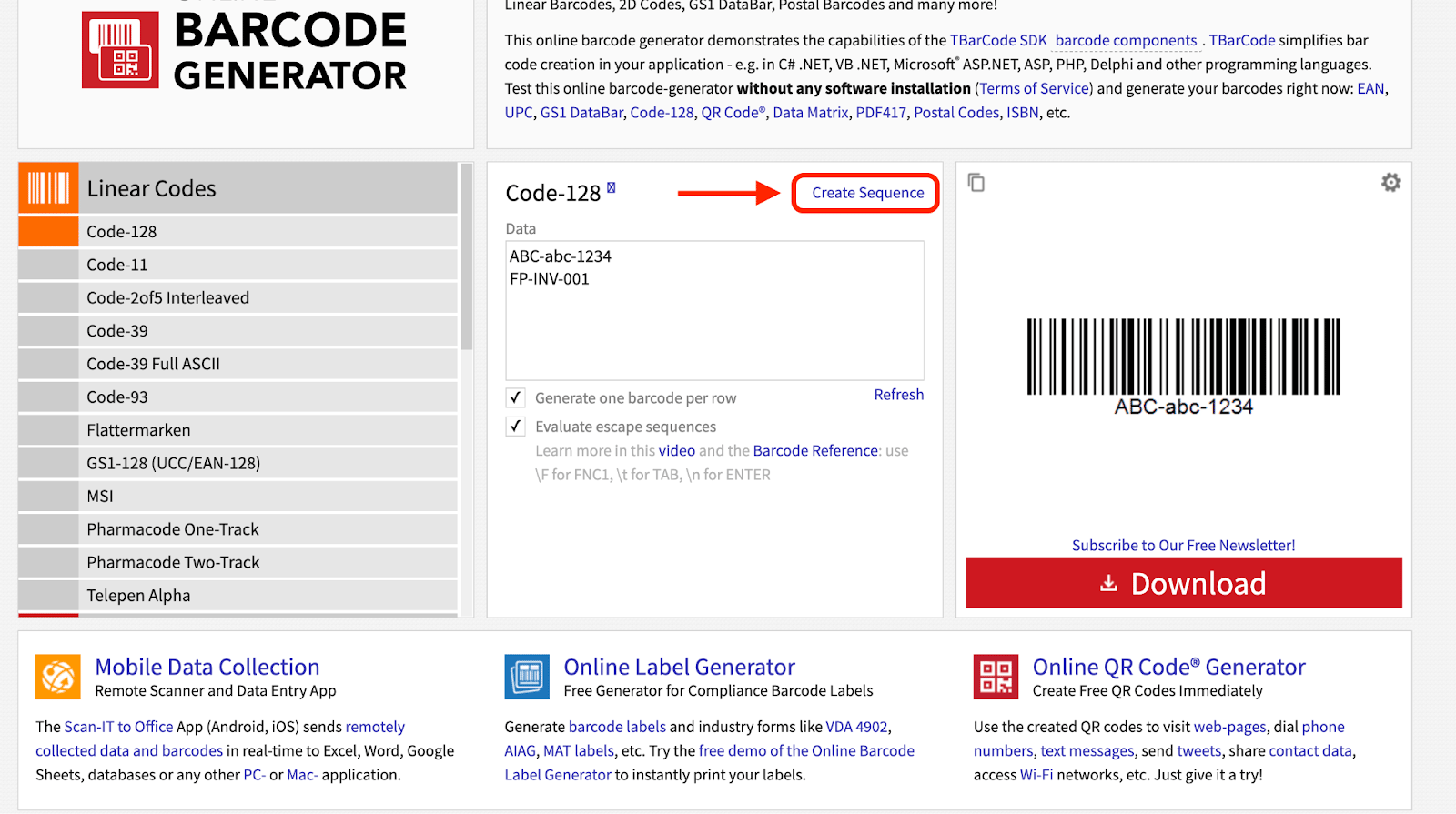
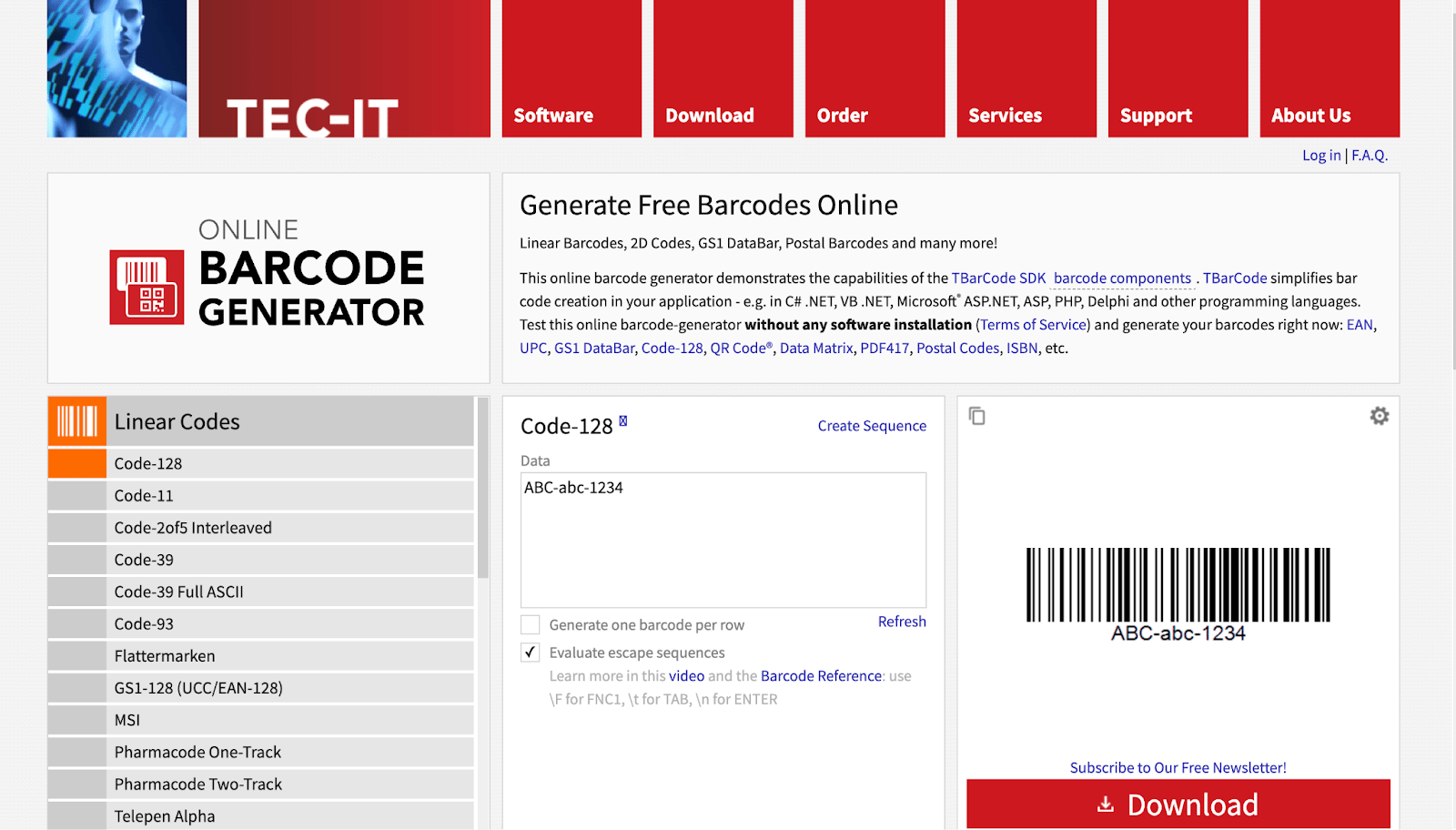 Locate the *Linear Codes* section and select *Code-128* as the barcode type.
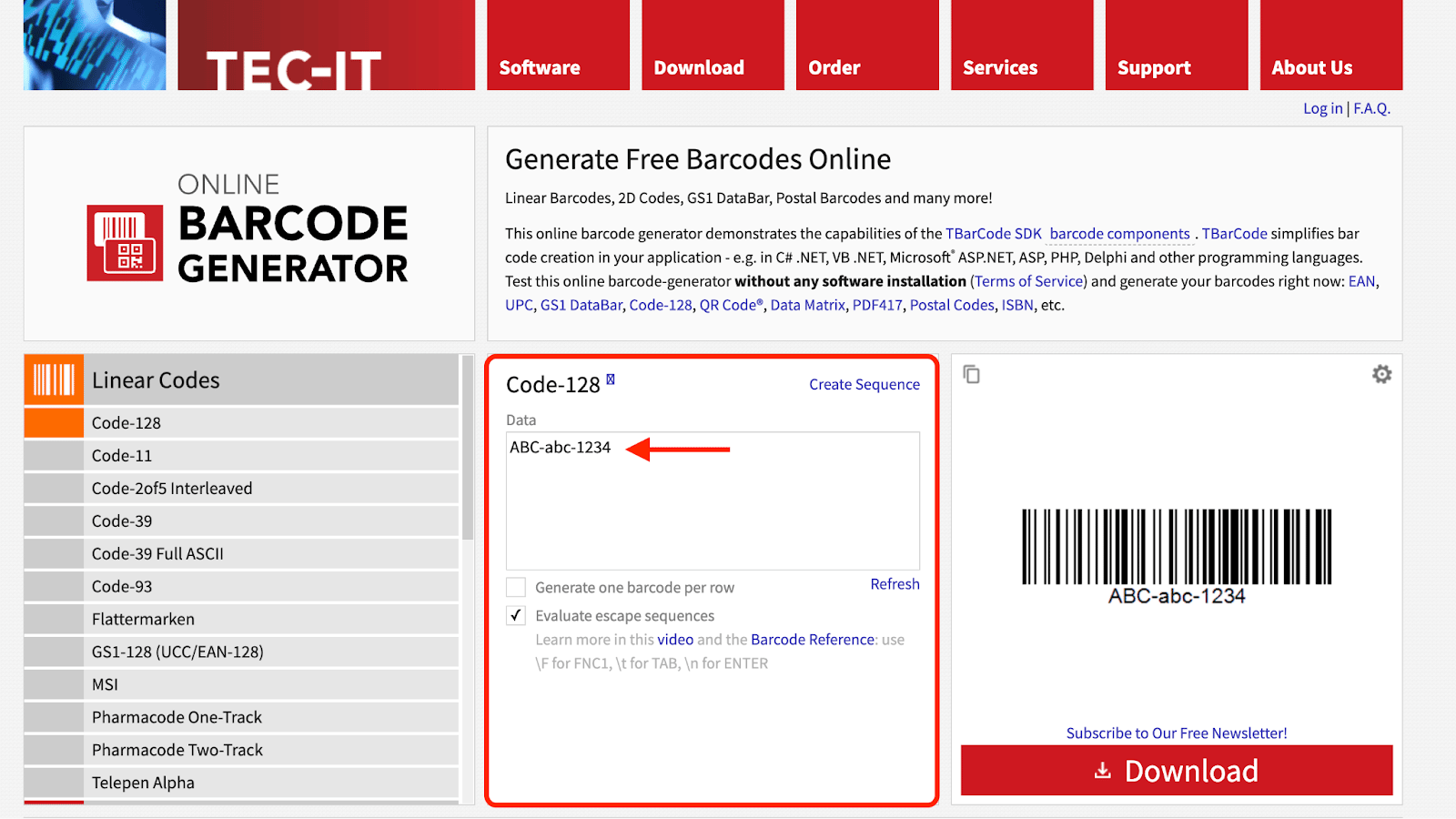
 In the middle of the page, you'll find the *Bar Code Data* input area. This is where you enter the information you want encoded in your barcodes.
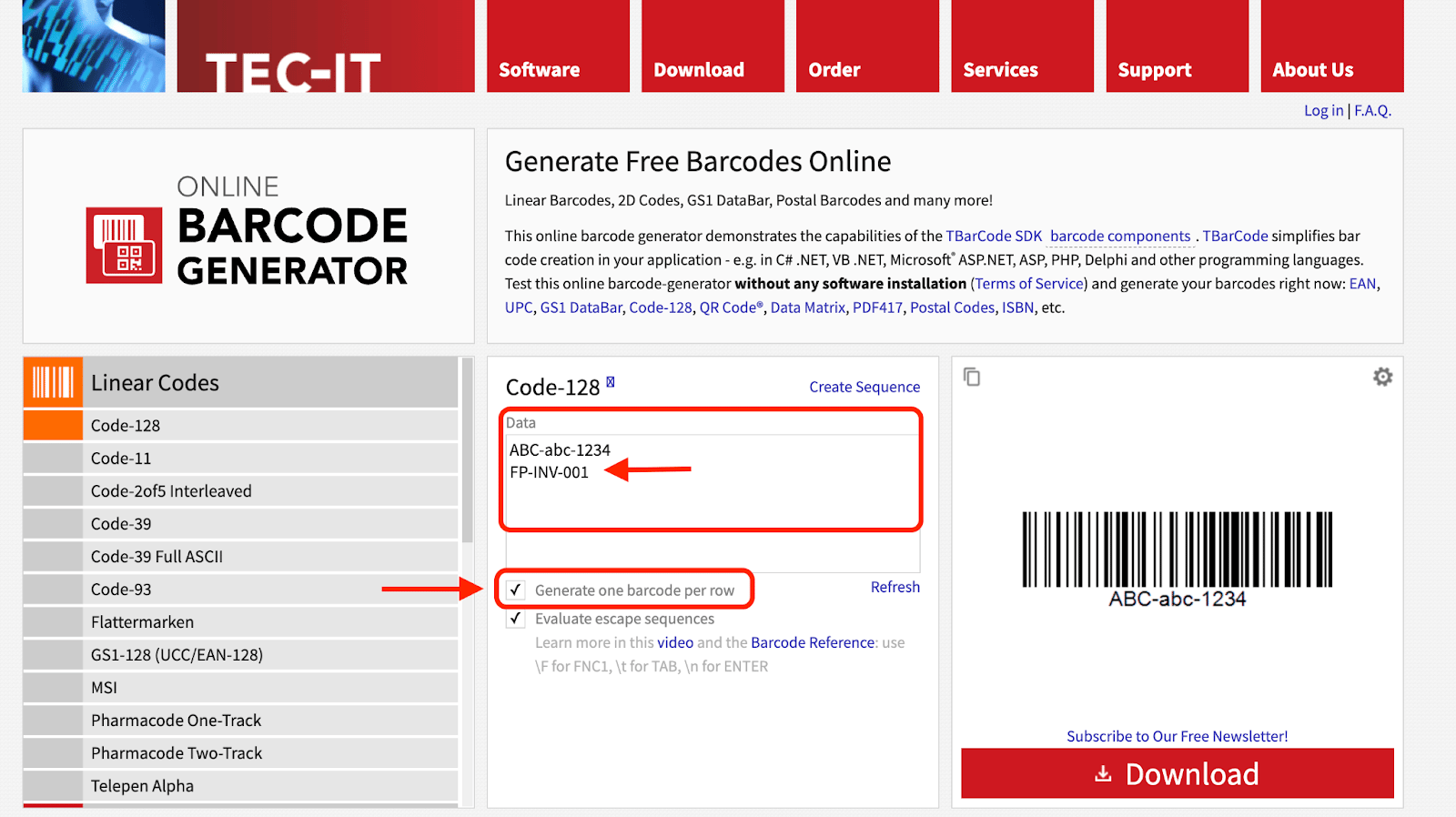
 To create multiple barcodes at once, first click the *Generate one barcode per row* checkbox. Then, list each desired barcode number (such as SKU numbers or asset IDs) on a new line.
 You can also click *Create Sequence* to **automatically create 10 barcodes** within a sequence. Once you have input all information, click *Generate*.
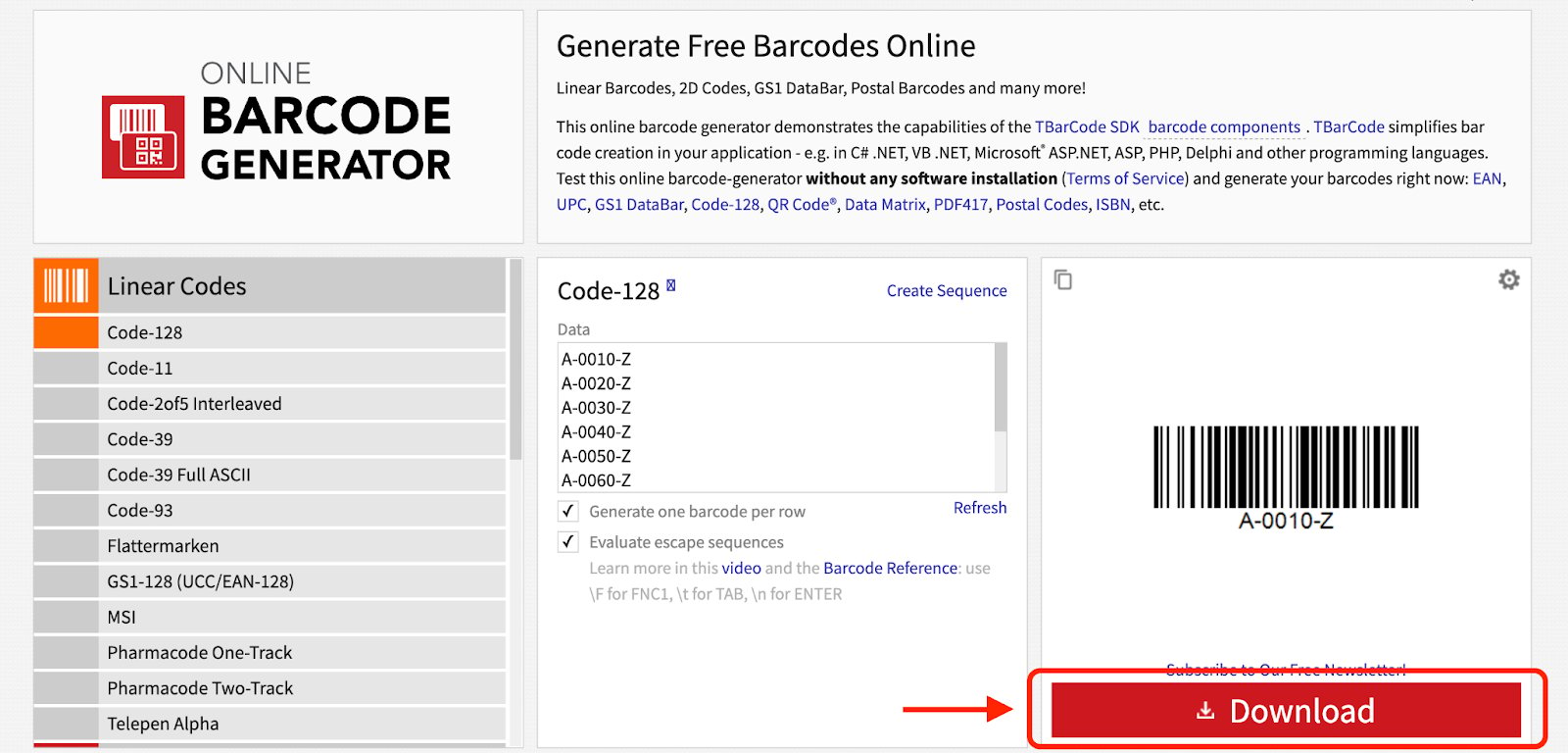
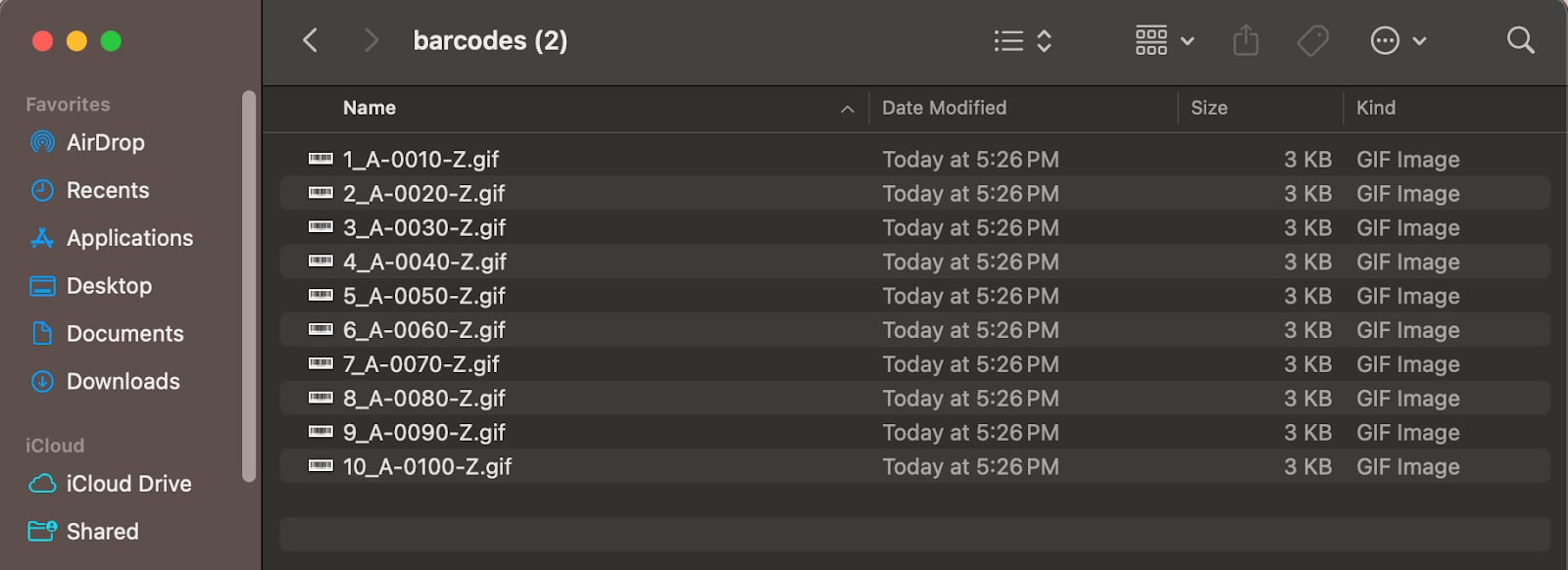
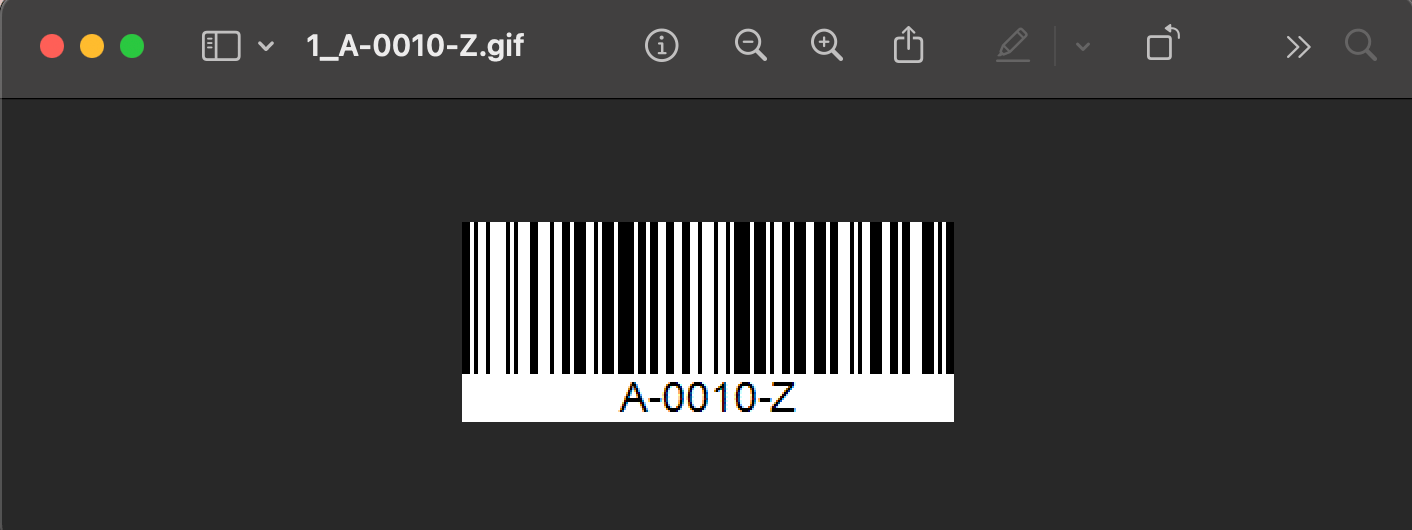
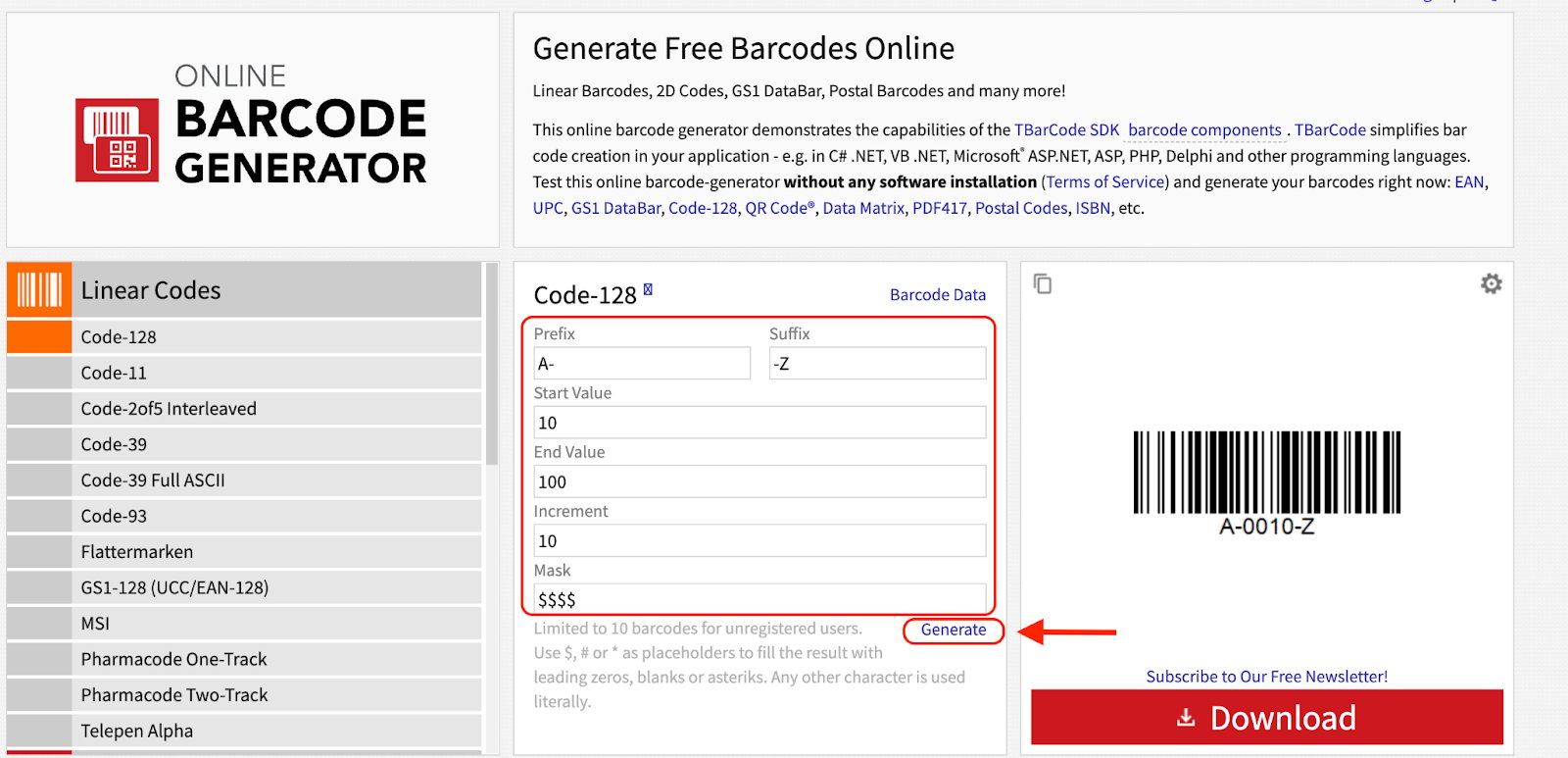 Once you have entered your data, click the *Download* button. This button processes each line of data and creates a separate barcode image for each entry.
 A ZIP file containing each of your barcode numbers saved as separate image files (e.g., .png or .jpg) will be generated and downloaded.
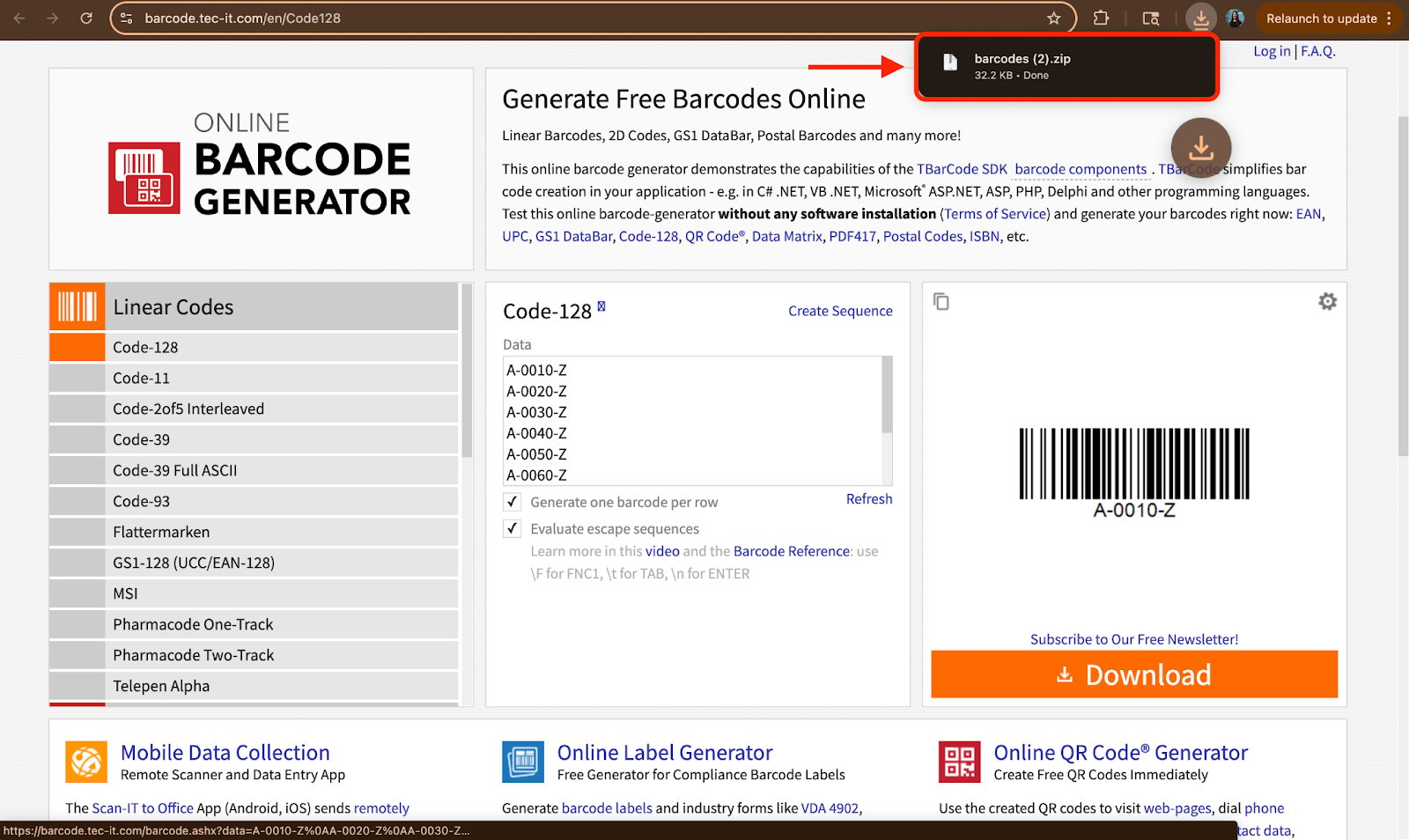 Locate the downloaded files on your device, print your barcode images, and then apply them to your inventory or assets. These labels are now ready to be scanned directly within the FieldPulse mobile app.
 ***
**Have additional questions?**
*Contact us at [support@fieldpulse.com](mailto:support@fieldpulse.com) or use the chat feature in the bottom right corner of your screen.*
***
**Have additional questions?**
*Contact us at [support@fieldpulse.com](mailto:support@fieldpulse.com) or use the chat feature in the bottom right corner of your screen.*