> ## Documentation Index
> Fetch the complete documentation index at: https://help.fieldpulse.com/llms.txt
> Use this file to discover all available pages before exploring further.
# Can I generate a report to track reviews for each service technician?
> Build a Review Management report that scores customer feedback per technician over any daily, weekly, or monthly interval.
Yes, you can generate a report to track reviews for each service technician.
# **How to Create This Report**
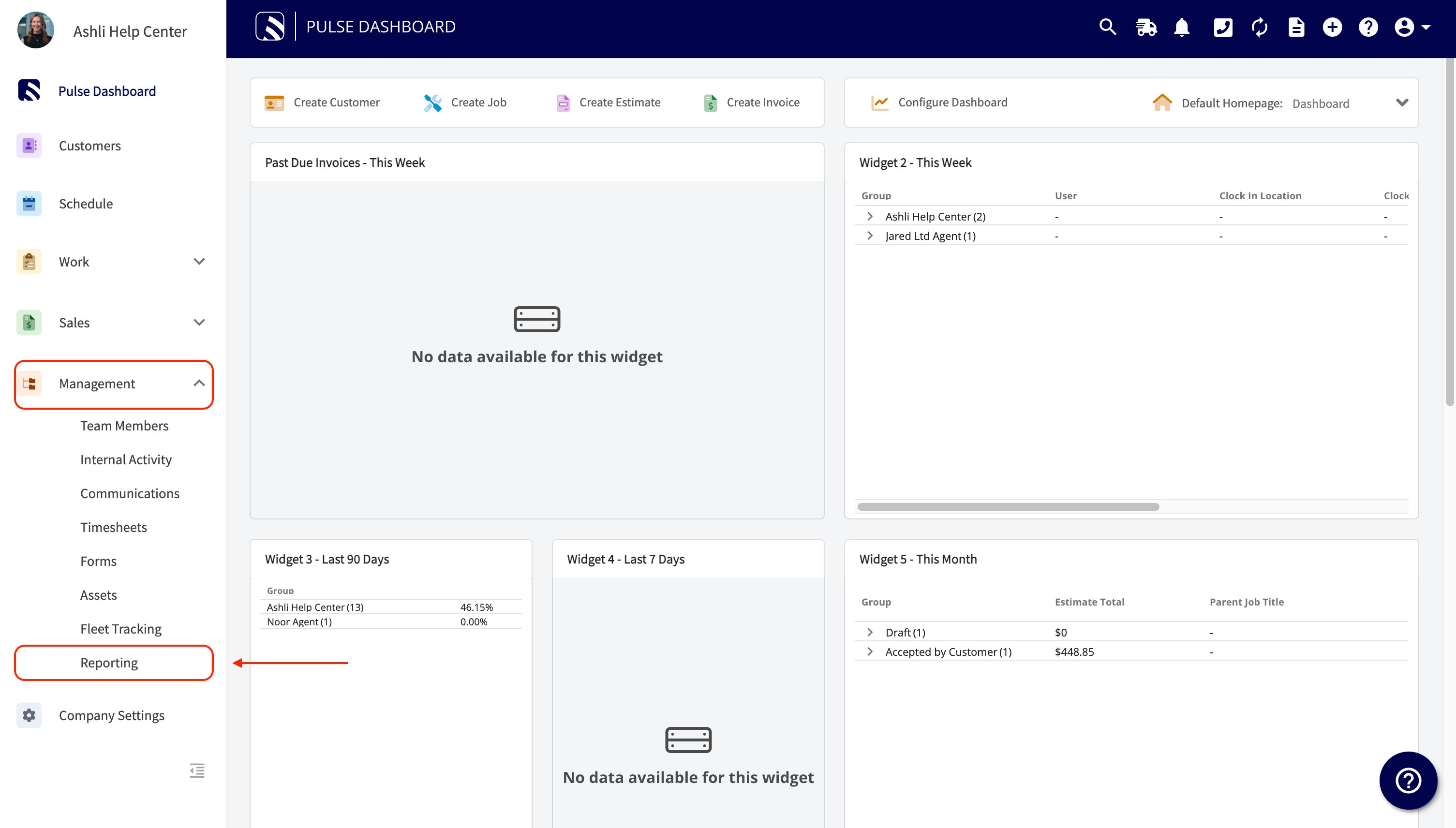
1. Navigate to the *Management* tab.
2. Select *Reporting.*
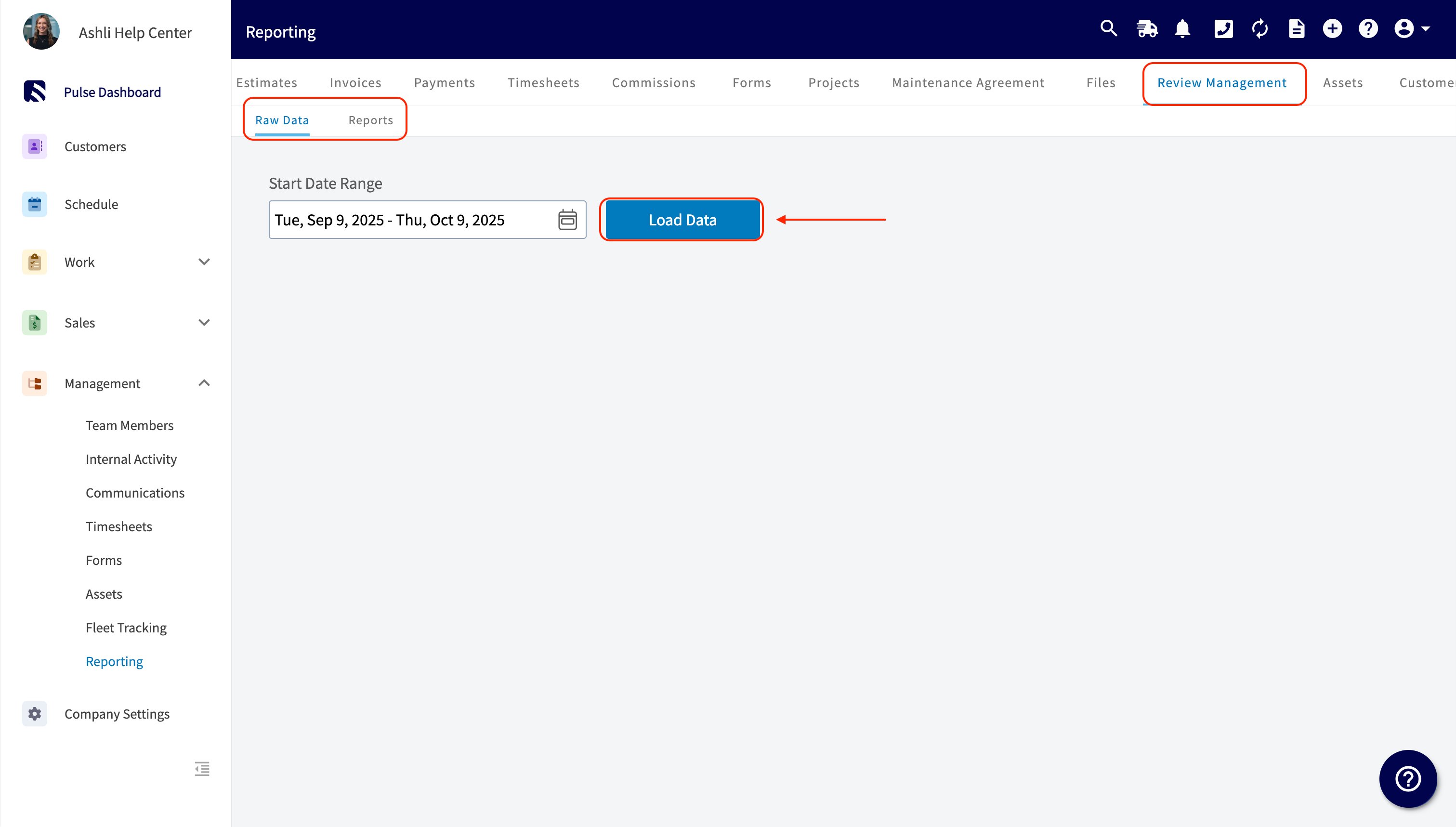
3. Locate the *Review Management* tab at the top of your screen and click it.
4. Define your desired report criteria:
* **Report Type:** Select whether you want Raw data or a processed Report.
* **Metric:** Choose *Feedback Score Average* (or another metric from the dropdown).
* **Time Interval:** Select the frequency for the data, such as Daily, Weekly, Monthly, or Quarterly (or Total).
5. Under *Group By*, select *By User*. This is the key step to organize the report by individual service technicians.
This report will now show review data tracked by each service technician.
 ***
**Have additional questions?**
*Contact us at [support@fieldpulse.com](mailto:support@fieldpulse.com) or use the chat feature in the bottom right corner of your screen.*
## Related topics
- [Review Management Report](/using-fieldpulse/reporting/raw-data-reporting-tutorials/review-management-report.md)
- [Job Reports](/using-fieldpulse/reporting/raw-data-reporting-tutorials/job-reports.md)
- [Geofences in Pulse Fleet Tracking](/features-add-ons/pulse-fleet-tracking/geofences-in-pulse-fleet-tracking.md)
- [Review Management](/using-fieldpulse/win-repeat-business/review-management.md)
- [Reporting Templates](/using-fieldpulse/reporting/reporting-templates.md)
***
**Have additional questions?**
*Contact us at [support@fieldpulse.com](mailto:support@fieldpulse.com) or use the chat feature in the bottom right corner of your screen.*
## Related topics
- [Review Management Report](/using-fieldpulse/reporting/raw-data-reporting-tutorials/review-management-report.md)
- [Job Reports](/using-fieldpulse/reporting/raw-data-reporting-tutorials/job-reports.md)
- [Geofences in Pulse Fleet Tracking](/features-add-ons/pulse-fleet-tracking/geofences-in-pulse-fleet-tracking.md)
- [Review Management](/using-fieldpulse/win-repeat-business/review-management.md)
- [Reporting Templates](/using-fieldpulse/reporting/reporting-templates.md)