> ## Documentation Index
> Fetch the complete documentation index at: https://help.fieldpulse.com/llms.txt
> Use this file to discover all available pages before exploring further.
# Can I limit certain team members from seeing invoices and financial information?
> Hide invoices and financials from chosen staff by assigning roles and toggling invoicing visibility in User Feature Permissions.
Yes. FieldPulse offers different roles for employees depending on the functions they need access to. From Managers to Subcontractors, FieldPulse has roles with varying permissions to align with your company's structure.
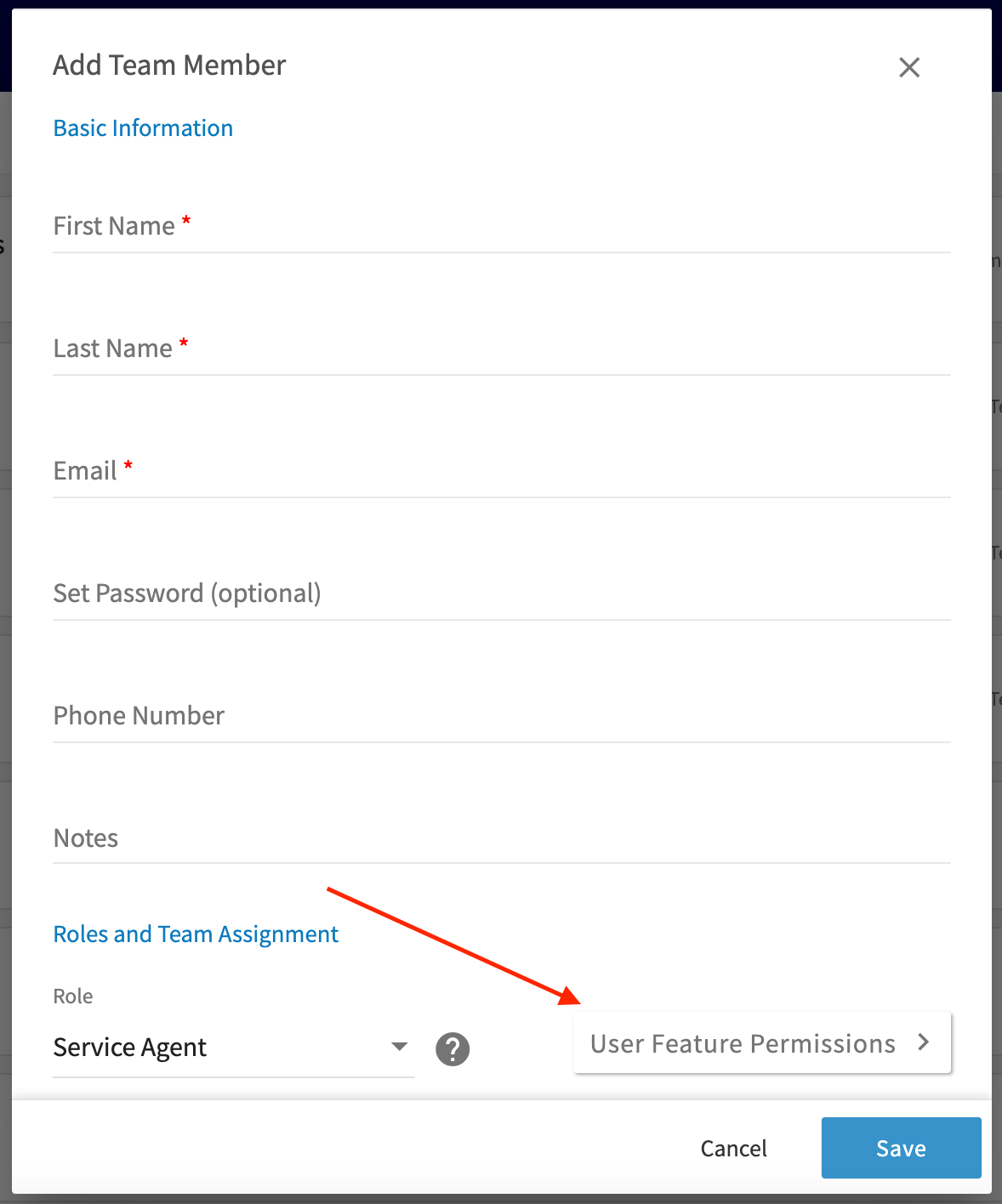
If you don’t want an employee to be able to see or send out invoices, set them up as a *Service Agent* with disabled invoice access. When setting up a team member you can disable invoice visibility by clicking on *User Feature Permissions*.
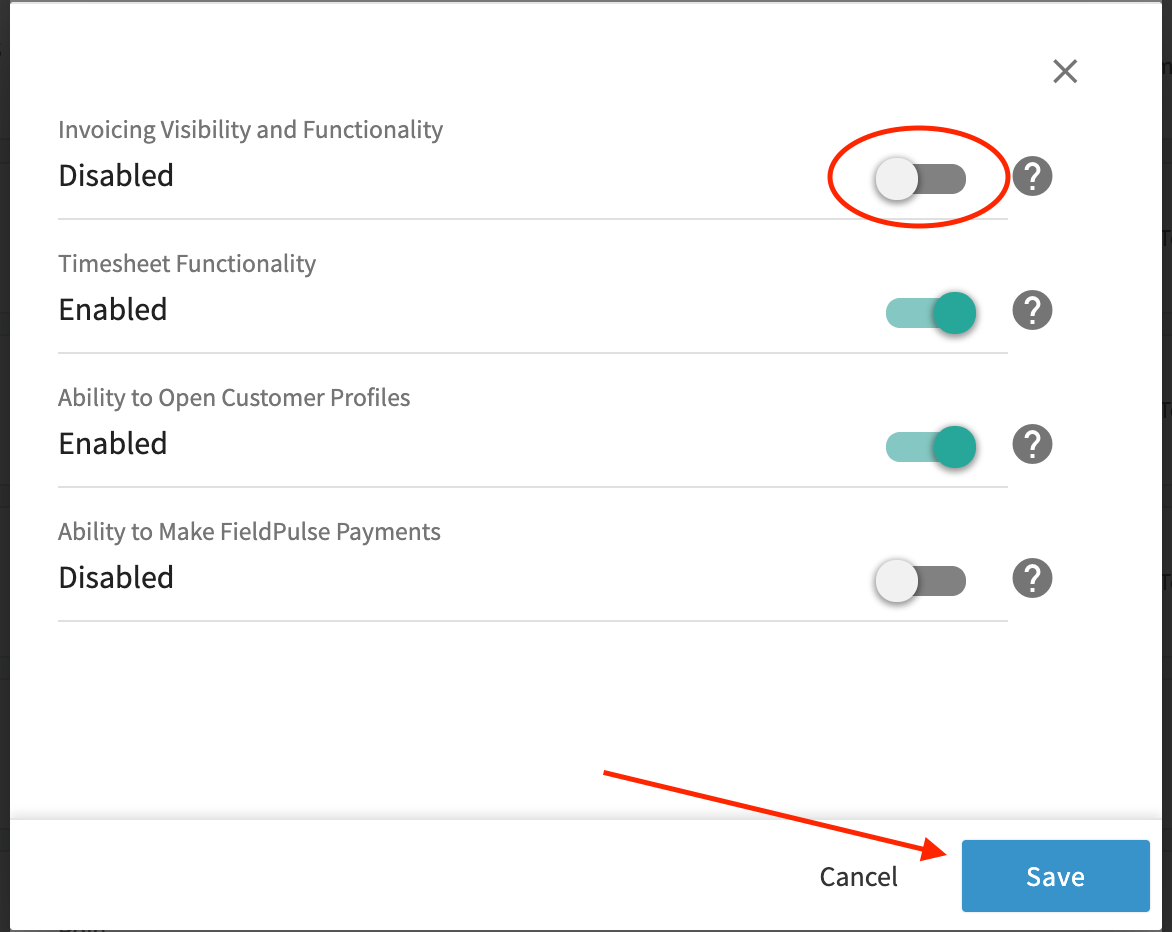
 Then toggle *Invoicing Visibility and Functionality* off and click *Save*.
 ***
**Have additional questions?**
*Contact us at [support@fieldpulse.com](mailto:support@fieldpulse.com) or use the chat feature in the bottom right corner of your screen.*
***
**Have additional questions?**
*Contact us at [support@fieldpulse.com](mailto:support@fieldpulse.com) or use the chat feature in the bottom right corner of your screen.*