> ## Documentation Index
> Fetch the complete documentation index at: https://help.fieldpulse.com/llms.txt
> Use this file to discover all available pages before exploring further.
# How to Reset or Change Your Password
> Recover a forgotten password from the login page, or change any user's password yourself from Company Settings.
# Forgotten Passwords
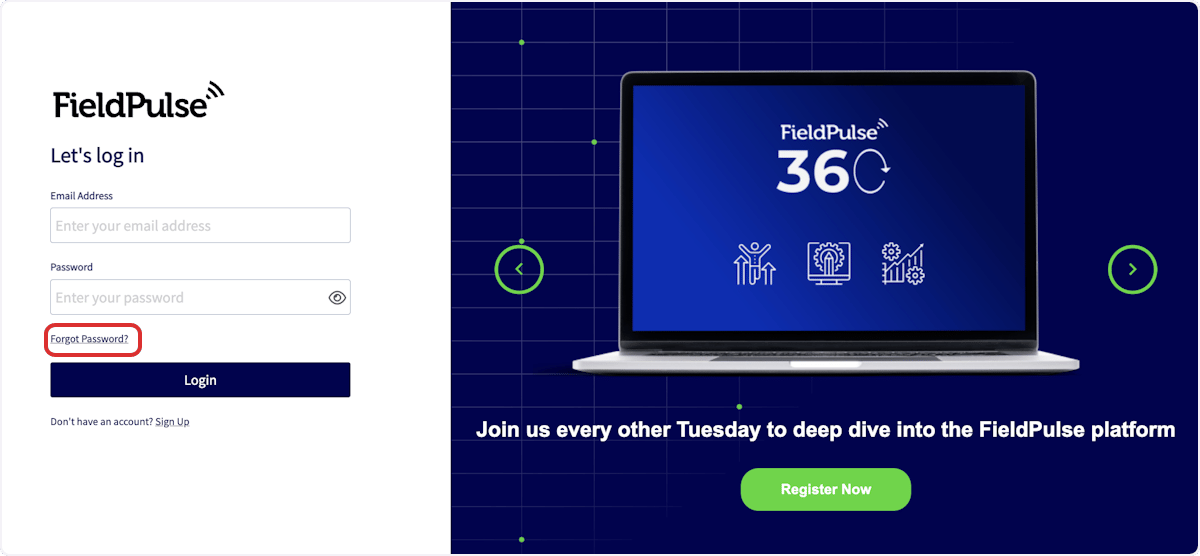
If you've forgotten your password, click the *Forgot Password?* button on the login page.
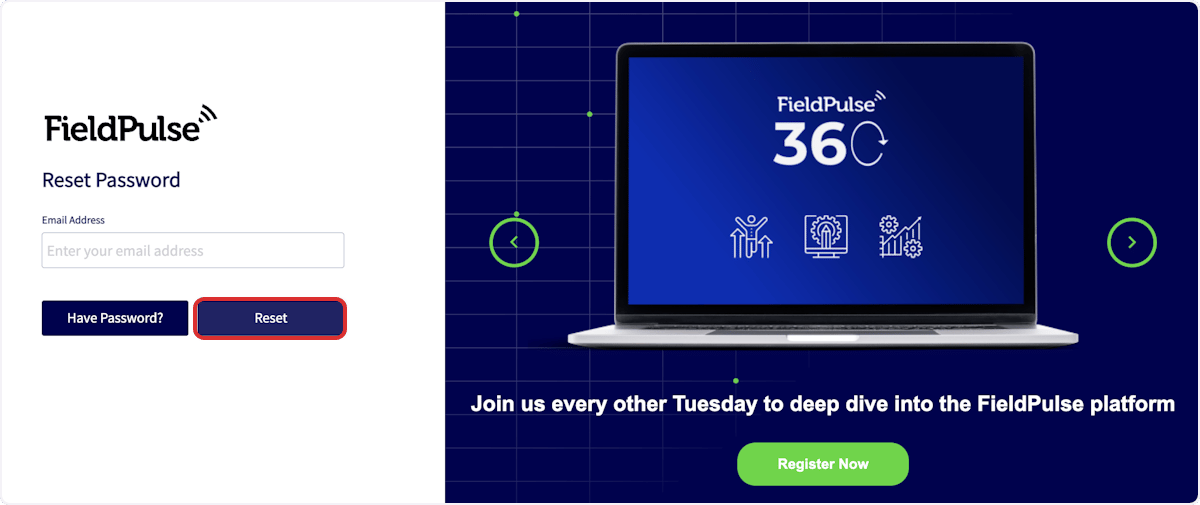
 You can then enter your sign-in email address, then press *Reset*. FieldPulse will email you a link to reset your password.
 # Changing Passwords
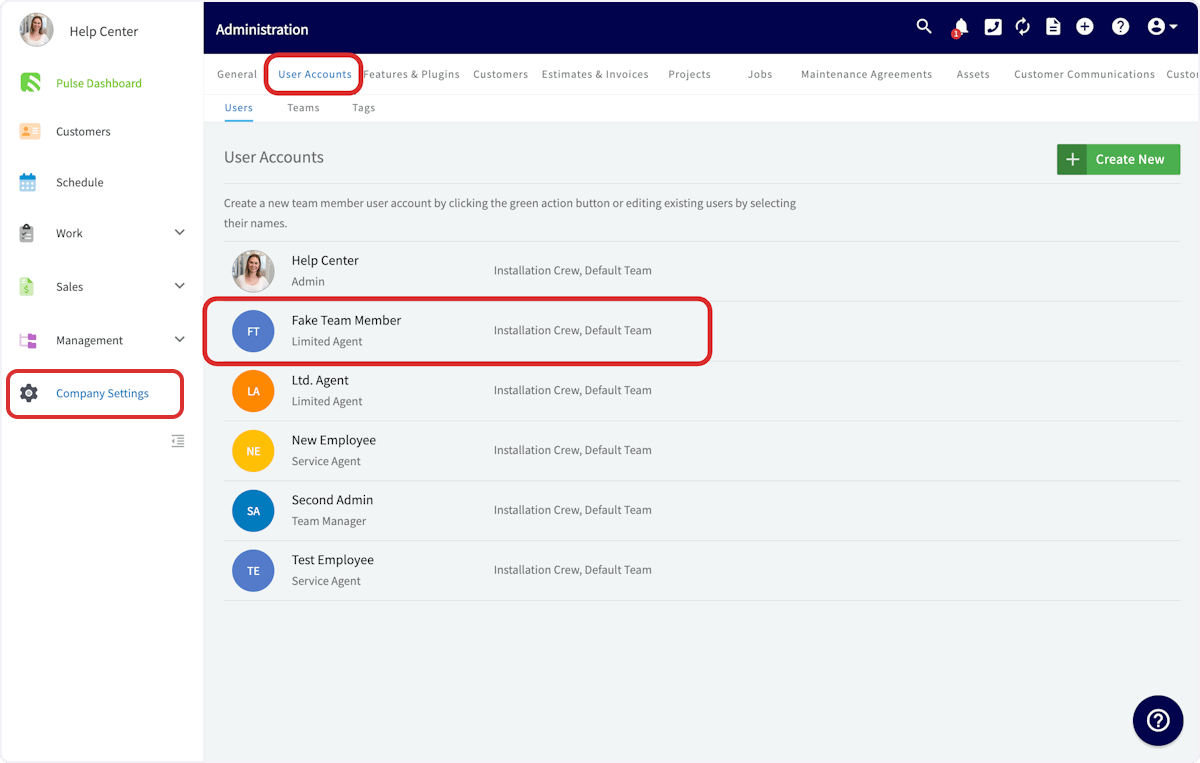
As an administrator, you can change your password or the password of any of your users. To do so, navigate to *Company Settings*, then select *User Accounts*.
# Changing Passwords
As an administrator, you can change your password or the password of any of your users. To do so, navigate to *Company Settings*, then select *User Accounts*.
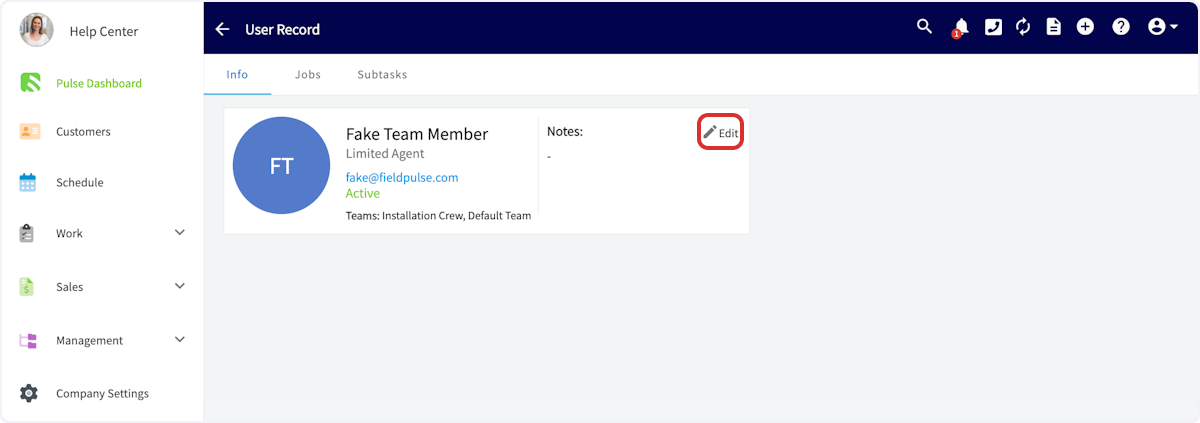
 Click on the user for whom you'd like to change the password and press *Edit*.
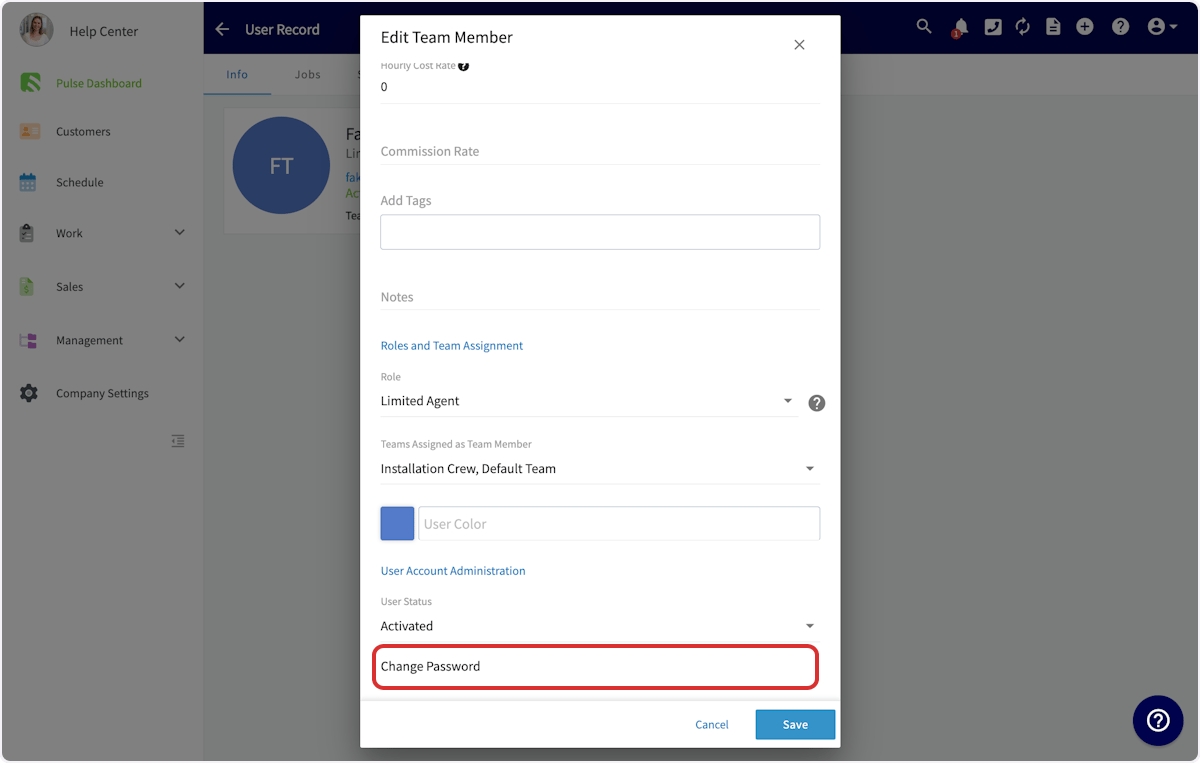
 Scroll down until you see *Change Password*. From here, you can enter a new password and click *Save* to set the new password, or click *Send Password Reset Email* to send a password reset request email to the user’s email address.
 ***
**Have additional questions?**
*Contact us at [support@fieldpulse.com](mailto:support@fieldpulse.com) or use the chat feature in the bottom right corner of your screen.*
## Related topics
- [Adding New Users](/using-fieldpulse/users-teams/adding-new-users.md)
- [Setting Up Two-Factor Authentication (2FA)](/getting-started/account-setup-access/setting-up-two-factor-authentication-2fa.md)
- [Mobile App Overview - Admins & Team Managers](/getting-started/core-features-first-tasks/in-the-field-overview-mobile-experience/mobile-app-overview-admins-team-managers.md)
- [Operator AI](/features-add-ons/field-intelligence/operator-ai.md)
- [Connecting Email to Engage](/features-add-ons/engage-phone-system/set-up-configuration/connecting-email-to-engage.md)
***
**Have additional questions?**
*Contact us at [support@fieldpulse.com](mailto:support@fieldpulse.com) or use the chat feature in the bottom right corner of your screen.*
## Related topics
- [Adding New Users](/using-fieldpulse/users-teams/adding-new-users.md)
- [Setting Up Two-Factor Authentication (2FA)](/getting-started/account-setup-access/setting-up-two-factor-authentication-2fa.md)
- [Mobile App Overview - Admins & Team Managers](/getting-started/core-features-first-tasks/in-the-field-overview-mobile-experience/mobile-app-overview-admins-team-managers.md)
- [Operator AI](/features-add-ons/field-intelligence/operator-ai.md)
- [Connecting Email to Engage](/features-add-ons/engage-phone-system/set-up-configuration/connecting-email-to-engage.md)