> ## Documentation Index
> Fetch the complete documentation index at: https://help.fieldpulse.com/llms.txt
> Use this file to discover all available pages before exploring further.
# Cost Basis and Invoice Profitability
> Track cost basis and profit margin on every invoice while keeping unit costs hidden from the techs who build them.
By recording the costs of your line items internally, you can easily track the cost basis and profit margins of your estimate or invoice. Don't want team members to see the costs of the line items? Although your item list can store the unit cost, you can hide the unit costs from your team members when they create estimate or invoices.
*(**Note:** If you have not entered costs for your line items, a cost basis cannot be generated.)*
***
# Enabling Invoice Cost Basis
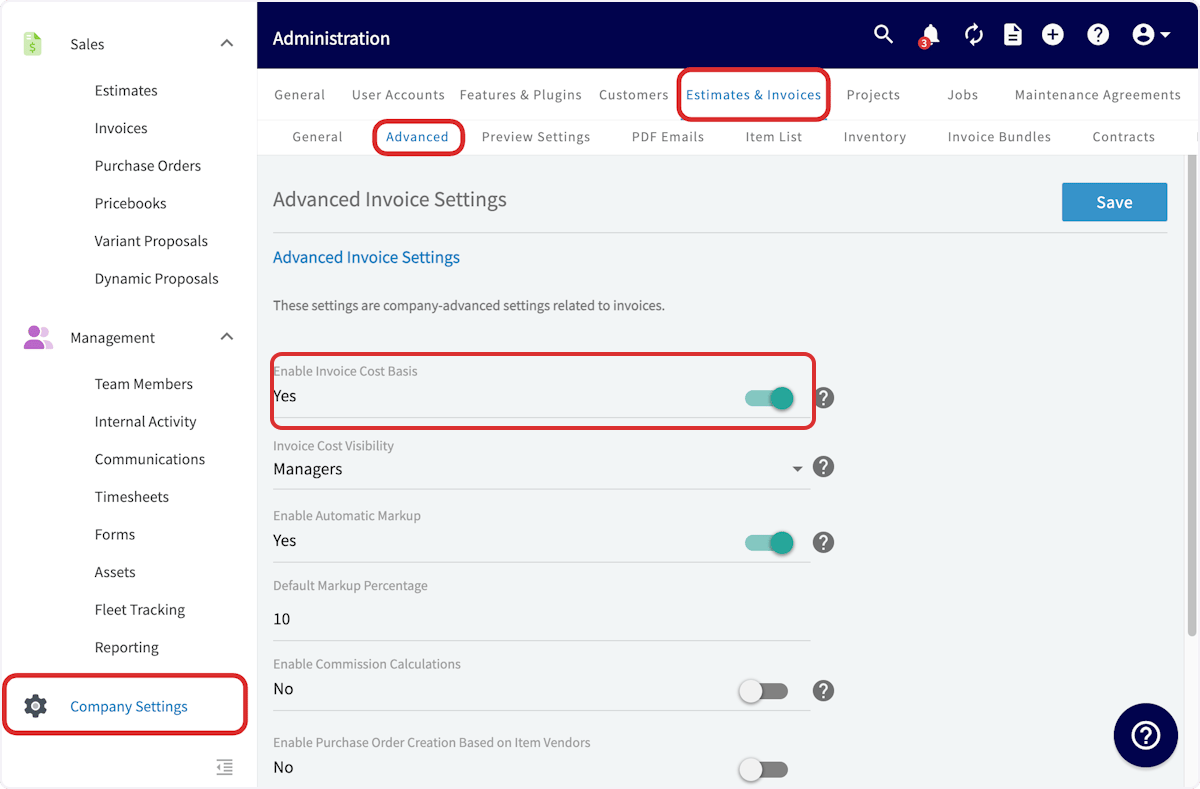
To enable invoice cost basis, navigate to *Company Settings* in the left-side menu and click *Estimates & Invoices*. Then click *Advanced* in the sub header. On the *Advanced Invoice Settings* page, toggle *Invoice Cost Basis* on.
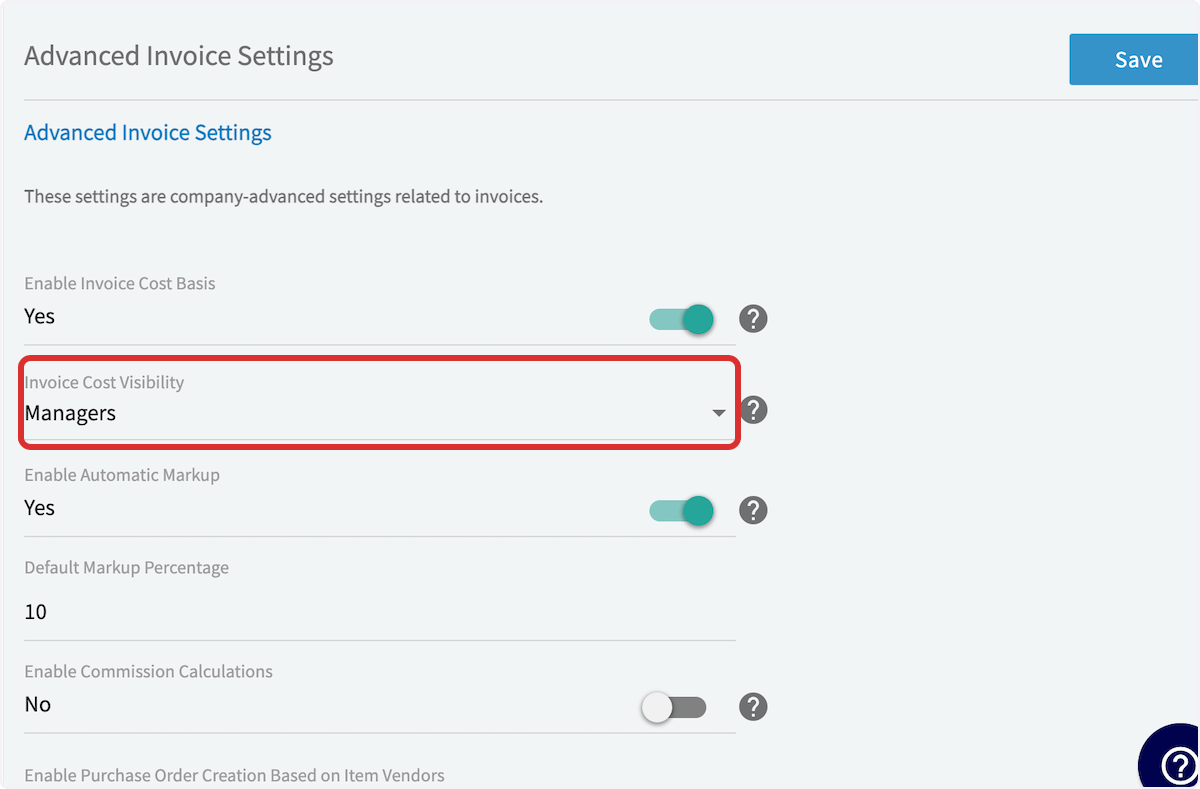
 Then select the visibility of unit costs, either Managers and Service Agents or Managers only. When you've made your selection, press *Save*.
 ***
# Viewing Invoice Cost Basis
Now, you'll want to open an existing invoice record or create a new invoice. Once you've entered your line items with their respective unit costs and the other relevant information, scroll down to the bottom of the page and click *Save* to create the invoice.
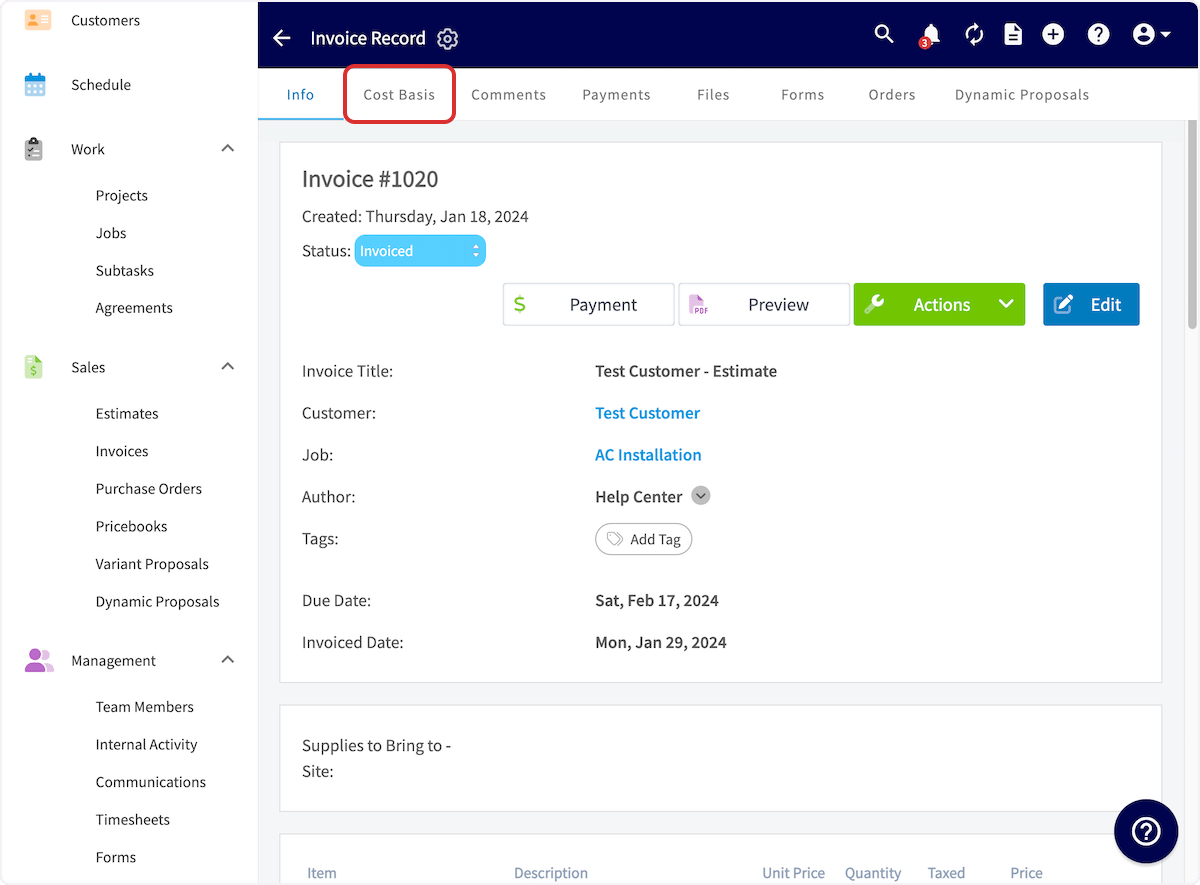
Then, on the Invoice Record page, click on *Cost Basis* in the top menu.
***
# Viewing Invoice Cost Basis
Now, you'll want to open an existing invoice record or create a new invoice. Once you've entered your line items with their respective unit costs and the other relevant information, scroll down to the bottom of the page and click *Save* to create the invoice.
Then, on the Invoice Record page, click on *Cost Basis* in the top menu.
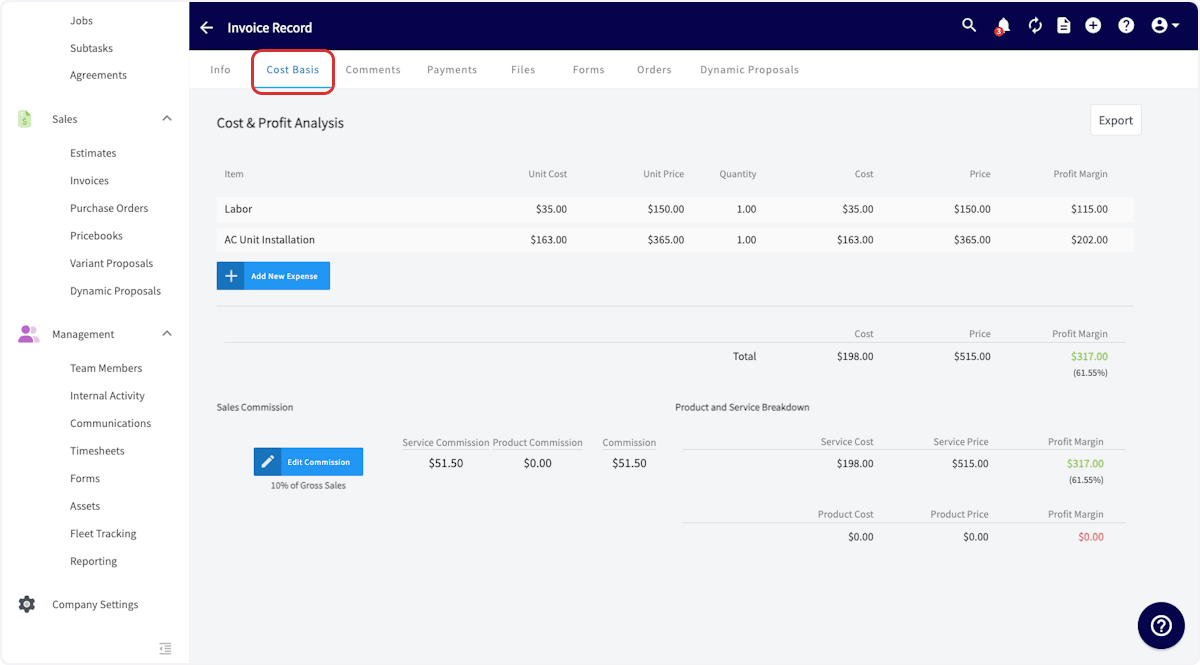
 On this page, you'll see your costs and profit margin on each line item as well for the job overall. If you need to add additional expenses not documented on the invoice record, select *Add New Expense*. You can export this page by selecting *Export*.
 ## Reminder: Discounts will not appear on the invoice cost basis tab and are not factored into the cost basis calculation. The total invoice amount displayed reflects the pre-discount total
***
# Video Tutorial
***
**Have additional questions?**
*Contact us at [support@fieldpulse.com](mailto:support@fieldpulse.com) or use the chat feature in the bottom right corner of your screen.*
## Reminder: Discounts will not appear on the invoice cost basis tab and are not factored into the cost basis calculation. The total invoice amount displayed reflects the pre-discount total
***
# Video Tutorial
***
**Have additional questions?**
*Contact us at [support@fieldpulse.com](mailto:support@fieldpulse.com) or use the chat feature in the bottom right corner of your screen.*