> ## Documentation Index
> Fetch the complete documentation index at: https://help.fieldpulse.com/llms.txt
> Use this file to discover all available pages before exploring further.
# Tracking Lead Sources
> Record how each customer found you and report on lead sources to see which marketing channels actually bring in work.
A lead source is how a lead initially hears about a business. Tracking lead sources is essential as it allows businesses to better measure, plan, and optimize their marketing efforts to generate results for their business. Through FieldPulse, you can track and manage how your customers - or potential customers - find your business.
***
# Creating & Using Lead Sources
You can manage your company's lead sources in FieldPulse's company settings. To begin, navigate to *Company Settings*, then *Customers*. Finally, select *Lead Source*. You have the ability to edit, remove or create your own.
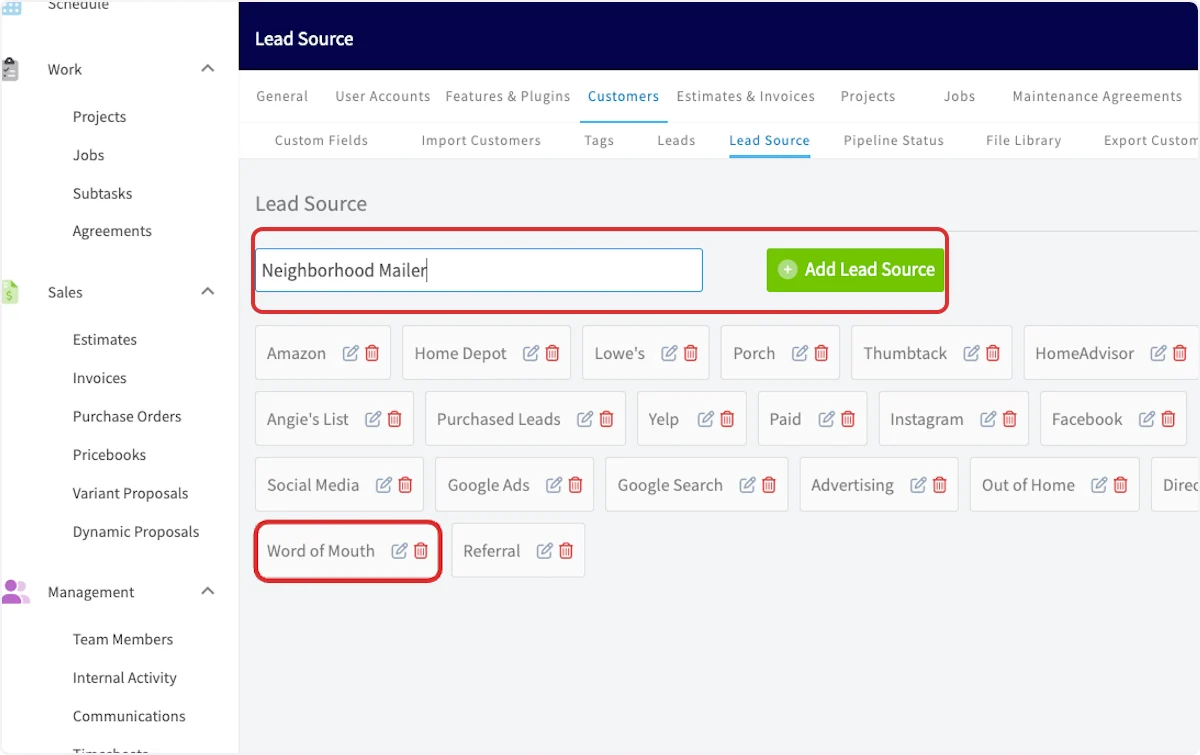
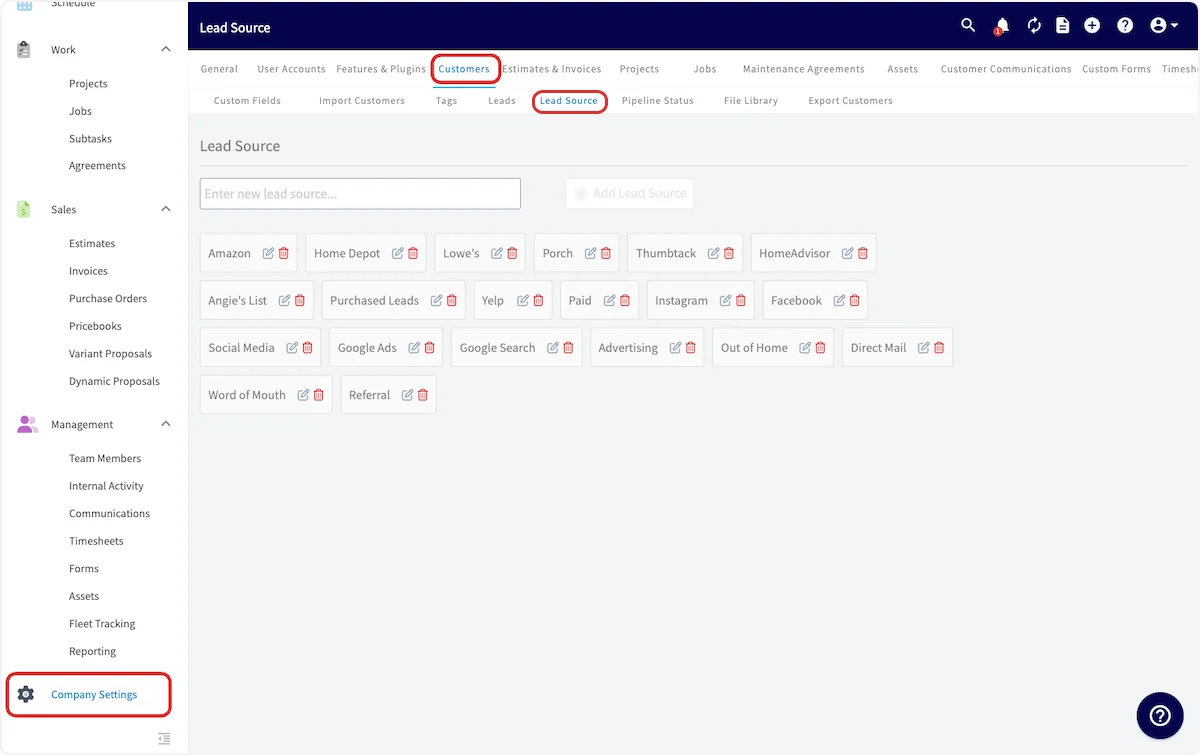 **To add a new lead source:** type the lead source name, then select *Add Lead Source*.
**To edit a lead source:** select the pencil icon next to the lead source.
**To delete a lead source:** select the trash can icon next to the lead source.
**To add a new lead source:** type the lead source name, then select *Add Lead Source*.
**To edit a lead source:** select the pencil icon next to the lead source.
**To delete a lead source:** select the trash can icon next to the lead source.
 Once you've set up your lead sources, you can begin tracking the lead source on the customer record.
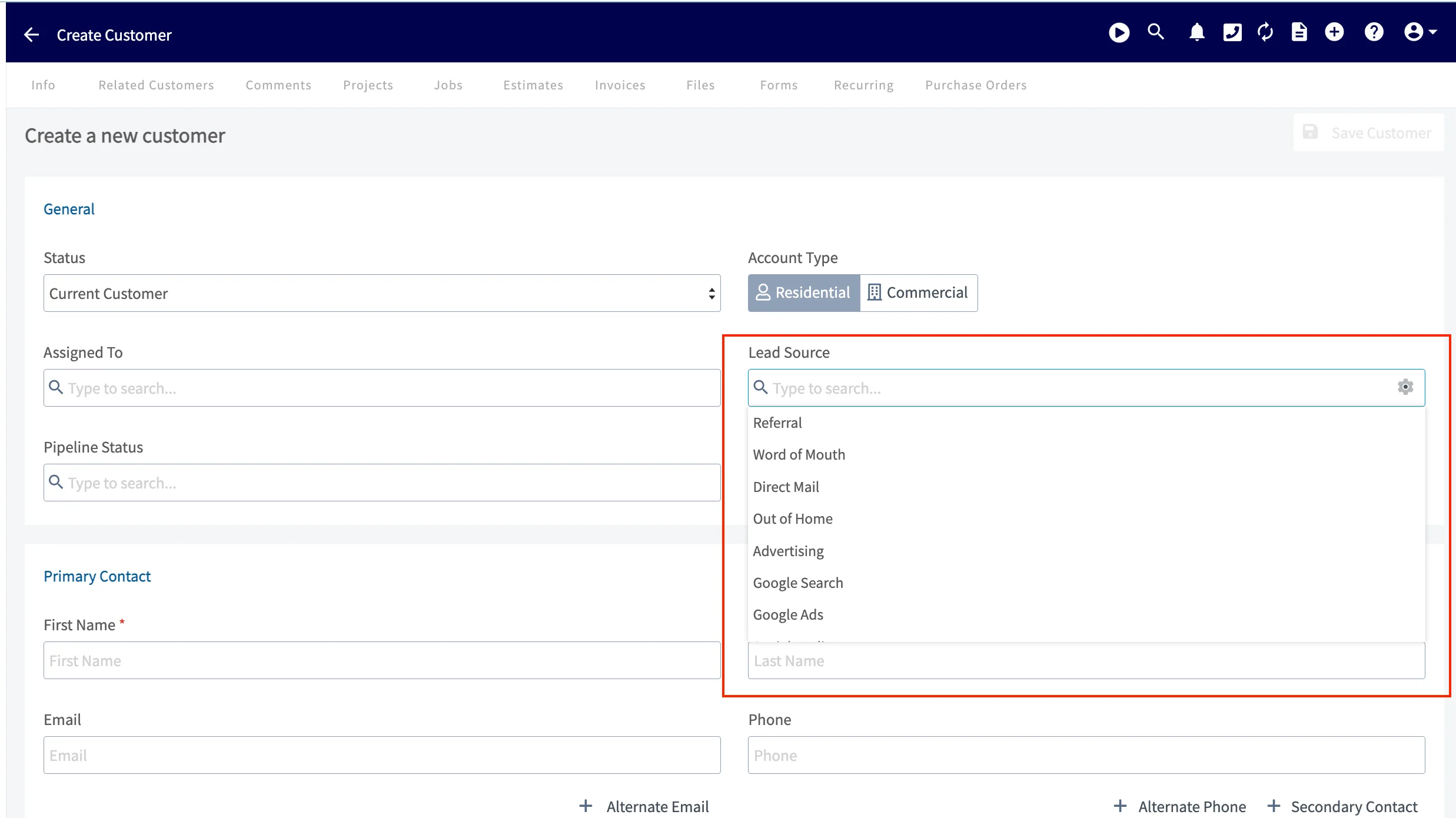
When creating a new customer record, click on the *Lead Source* box to reveal a dropdown menu. You can now select the applicable lead source for this customer.
Once you've set up your lead sources, you can begin tracking the lead source on the customer record.
When creating a new customer record, click on the *Lead Source* box to reveal a dropdown menu. You can now select the applicable lead source for this customer.
 ***
# Video Tutorial
***
**Have additional questions?**
*Contact us at [support@fieldpulse.com](mailto:support@fieldpulse.com) or use the chat feature in the bottom right corner of your screen.*
***
# Video Tutorial
***
**Have additional questions?**
*Contact us at [support@fieldpulse.com](mailto:support@fieldpulse.com) or use the chat feature in the bottom right corner of your screen.*