> ## Documentation Index
> Fetch the complete documentation index at: https://help.fieldpulse.com/llms.txt
> Use this file to discover all available pages before exploring further.
# Line Item Bundles & Groupings
> Bundle services and parts you always sell together, and group line items under one title and price to keep documents clean.
In FieldPulse you can set up invoice bundles for services and parts that are often added together on an estimate or invoice, to save you time.
You can also create groupings to group line items together with a title and total price to create a more streamlined estimate/invoice. Hide the line item names and/or prices from customers at your discretion.
***
# Invoice Bundles
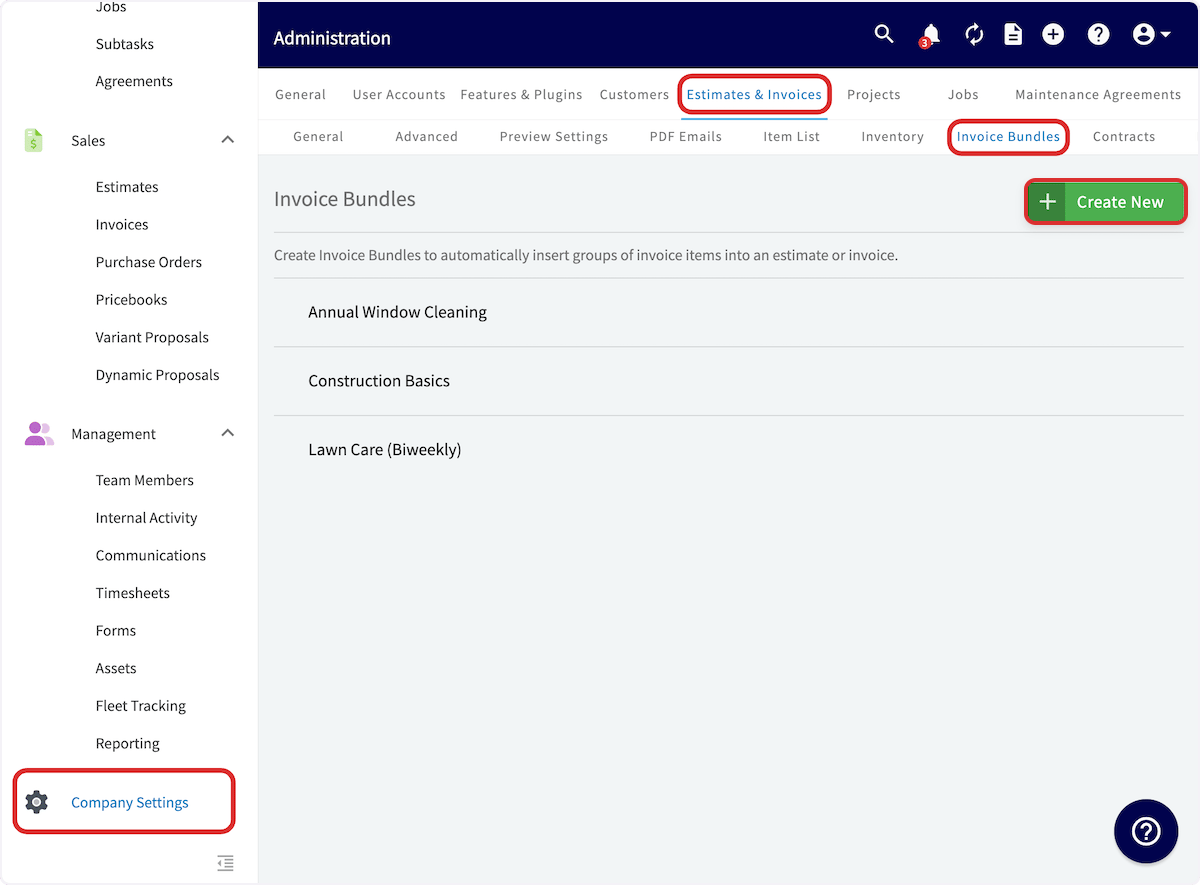
To set up an invoice bundle, navigate to *Company Settings* in the left-side menu and click *Estimates & Invoices*. Then click *Invoice Bundles* in the sub header. On the *Invoice Bundles* page, click *Create New*. *(**Note:** You can also edit and delete existing invoice bundles from this page by clicking on them.)*
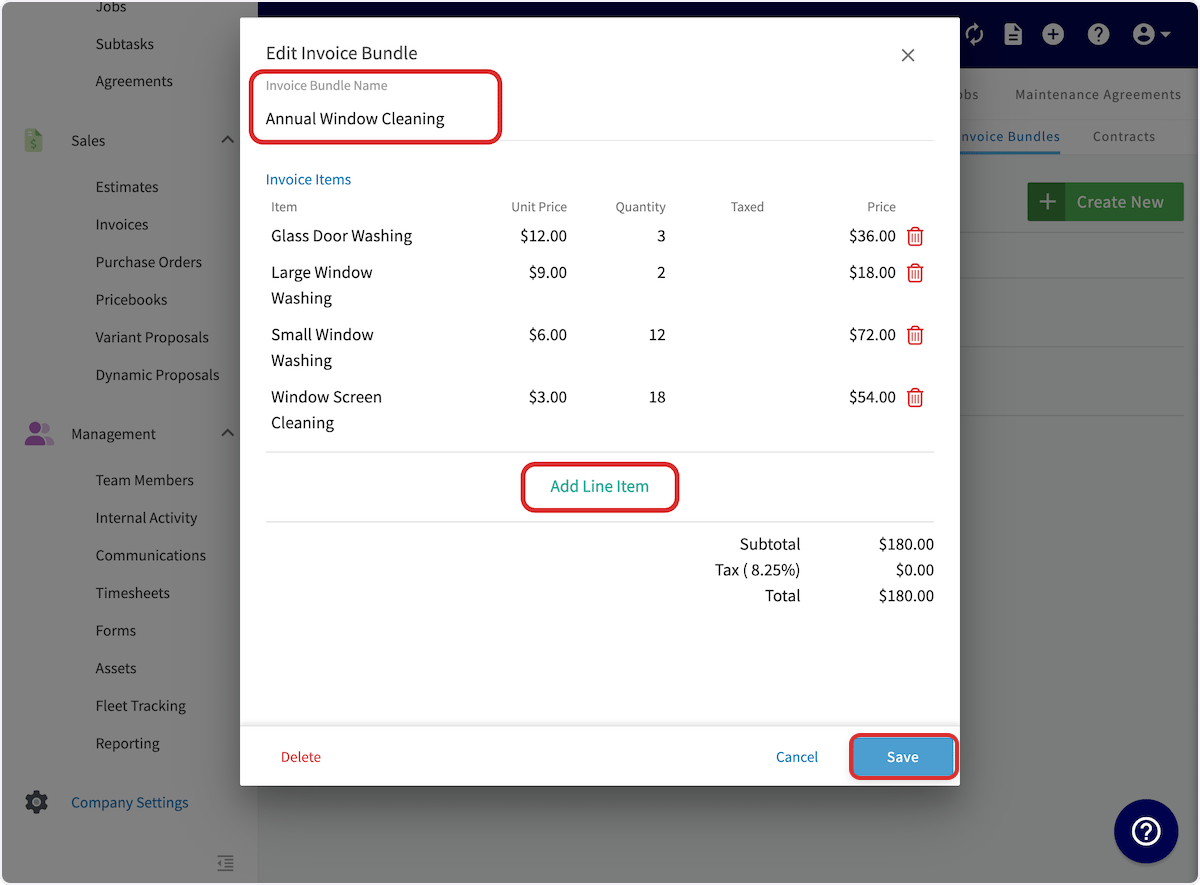
 In the window that pops up, enter a name for the invoice bundle and add the line items that make up your bundle. Then, click *Save*.
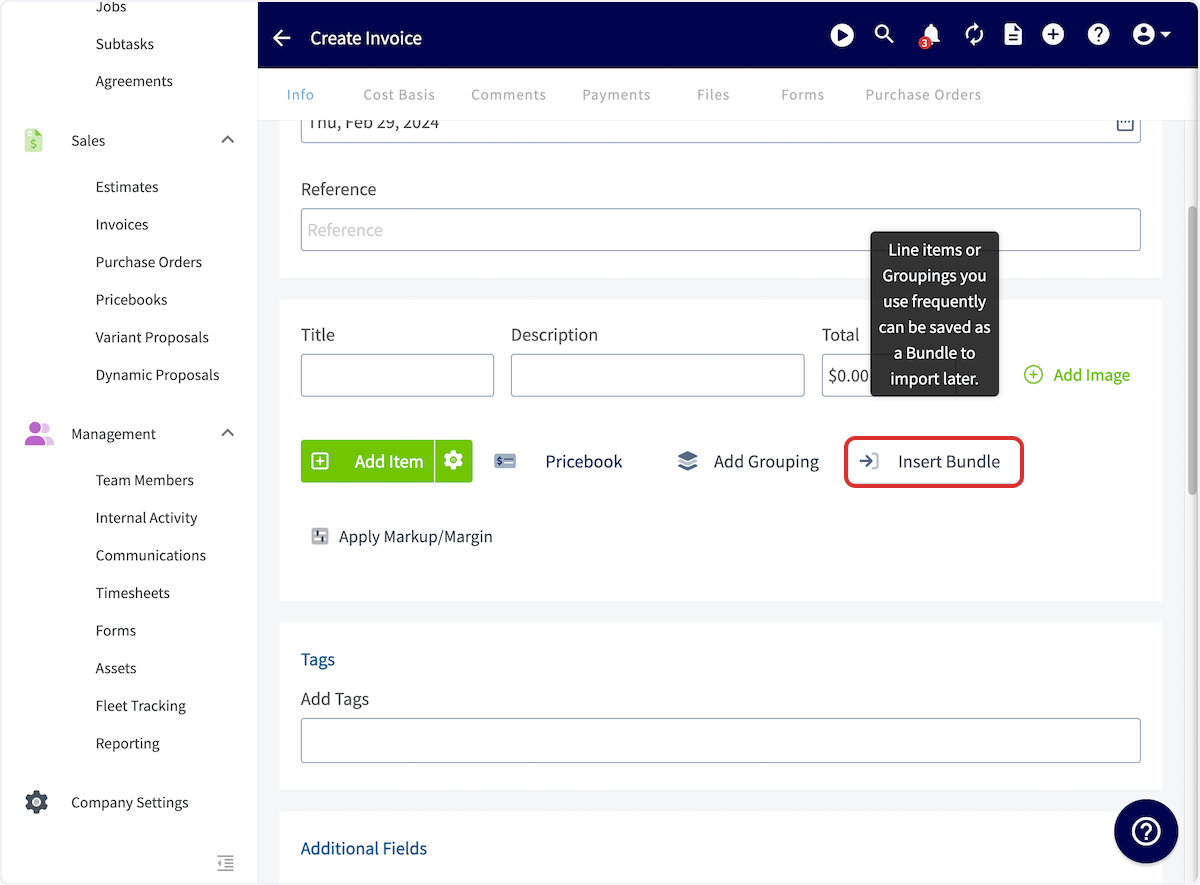
 Once you have a bundle set up, when building an invoice or estimate, you can add that bundle by clicking *Insert Bundle* and then selecting the bundle you want to add.
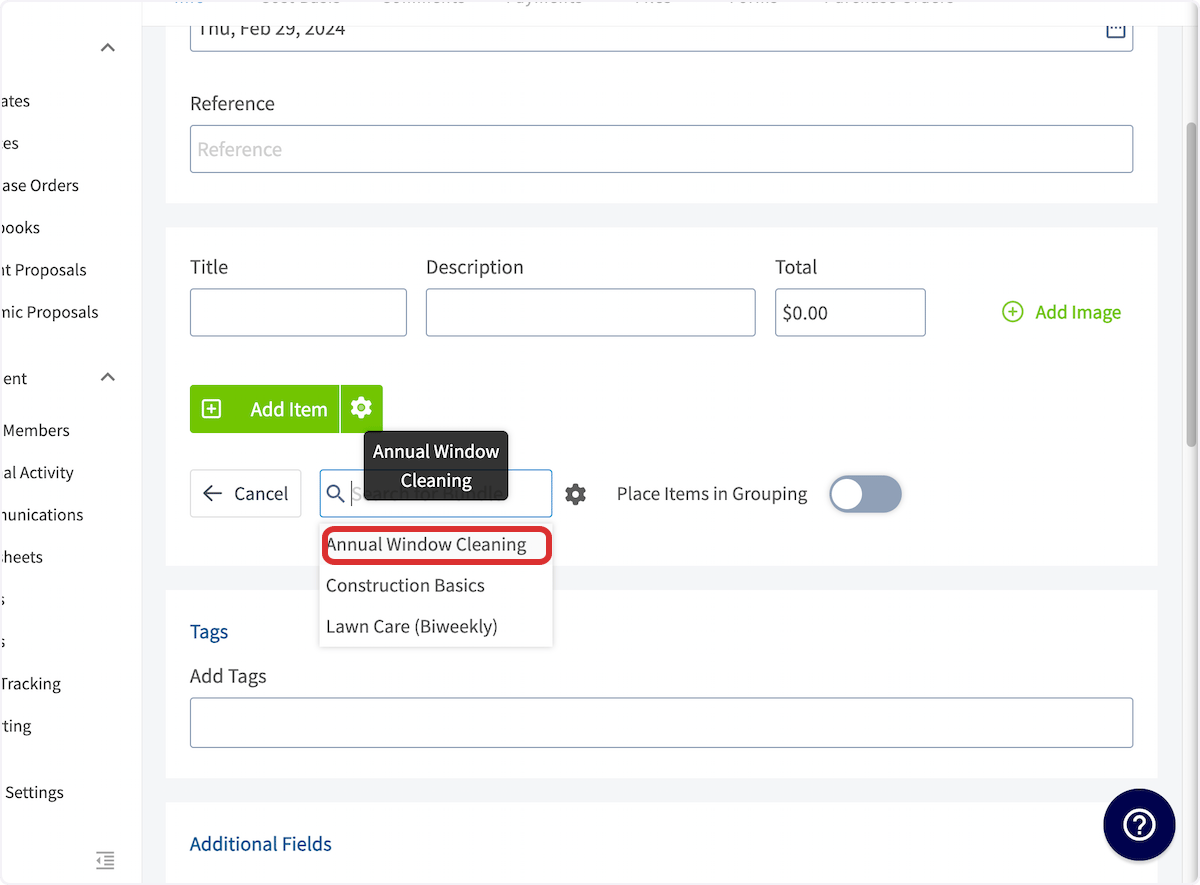
 To place your bundle in a grouping, toggle on *Place Items in Grouping*.
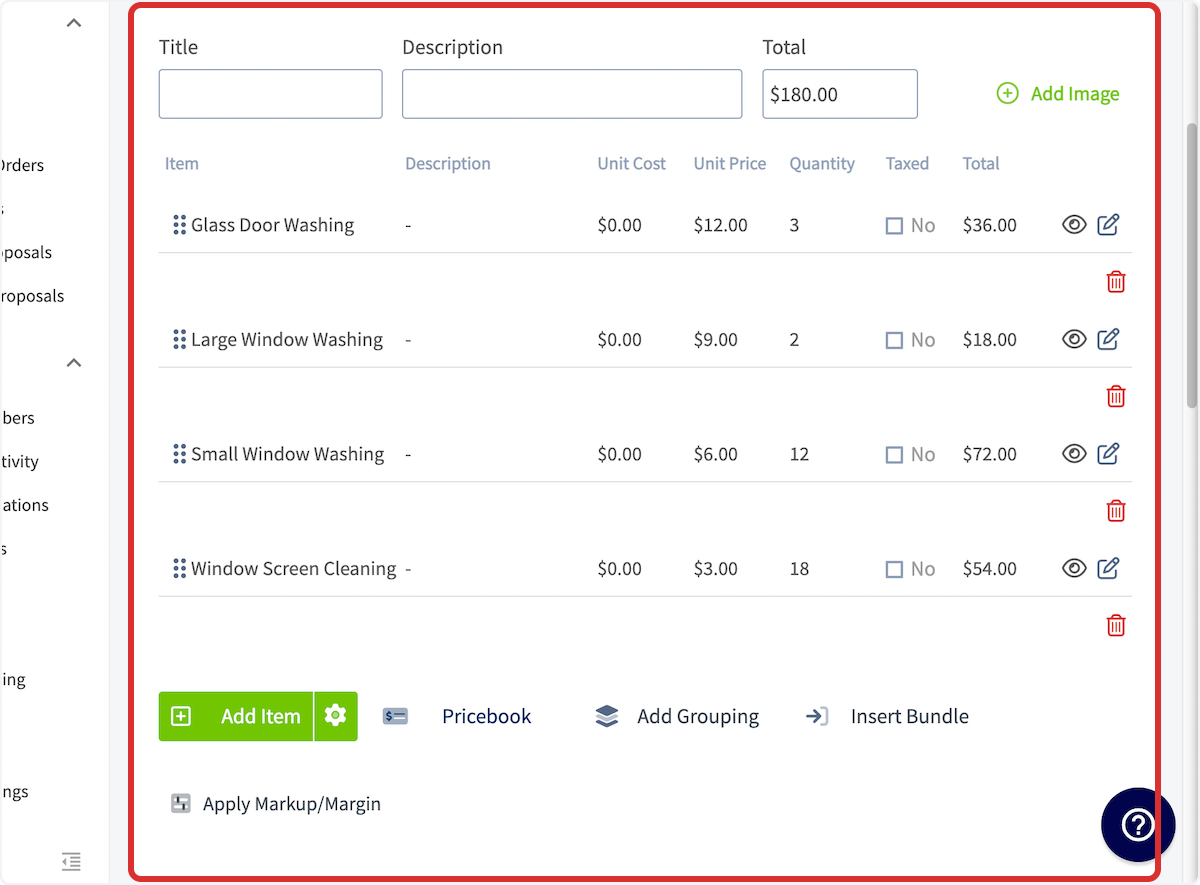
 You'll then see the bundled items reflected in the invoice items.
 ***
# Groupings
Groupings allow you to group together related line items with a title and price. You can then customize what the customer can view in the grouping. You can add invoice bundles directly into groupings or create a grouping.
When creating an invoice, select *Add Grouping* to build a grouping.
***
# Groupings
Groupings allow you to group together related line items with a title and price. You can then customize what the customer can view in the grouping. You can add invoice bundles directly into groupings or create a grouping.
When creating an invoice, select *Add Grouping* to build a grouping.
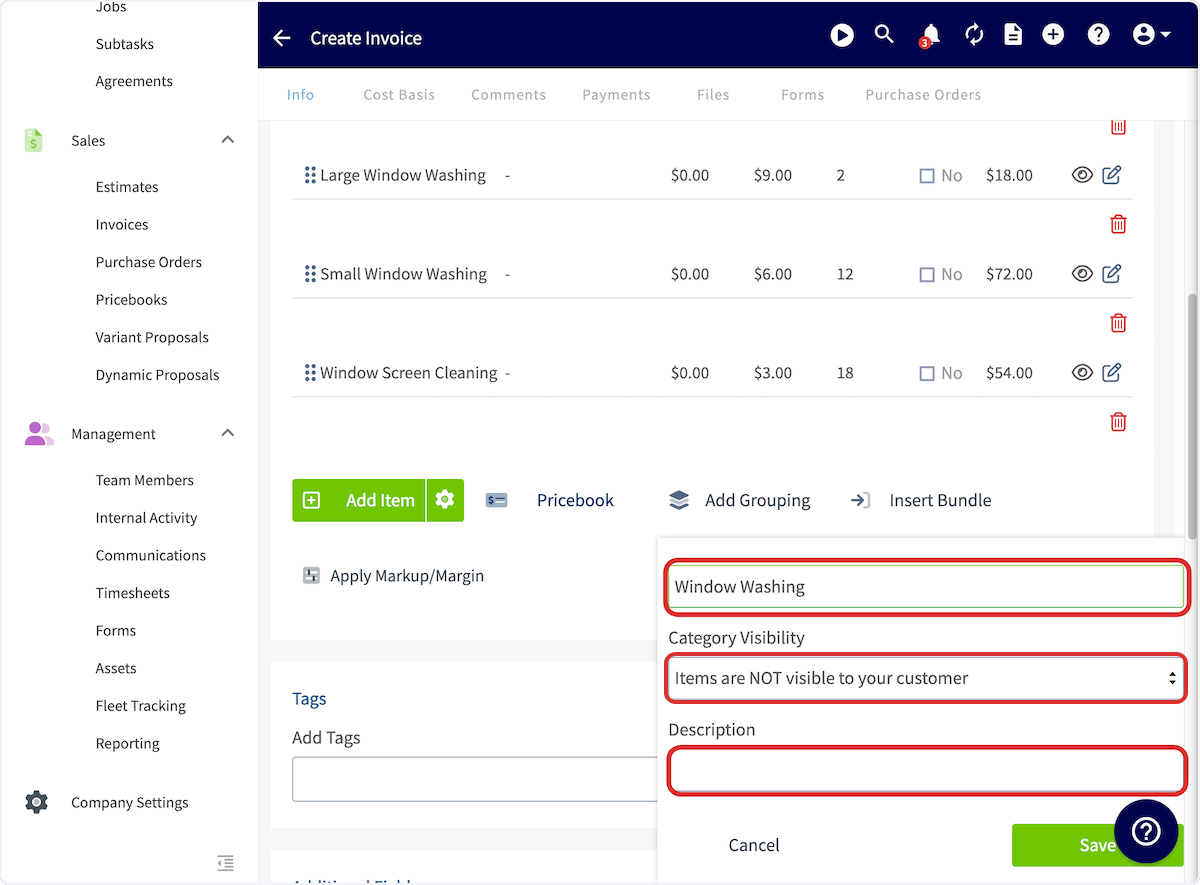
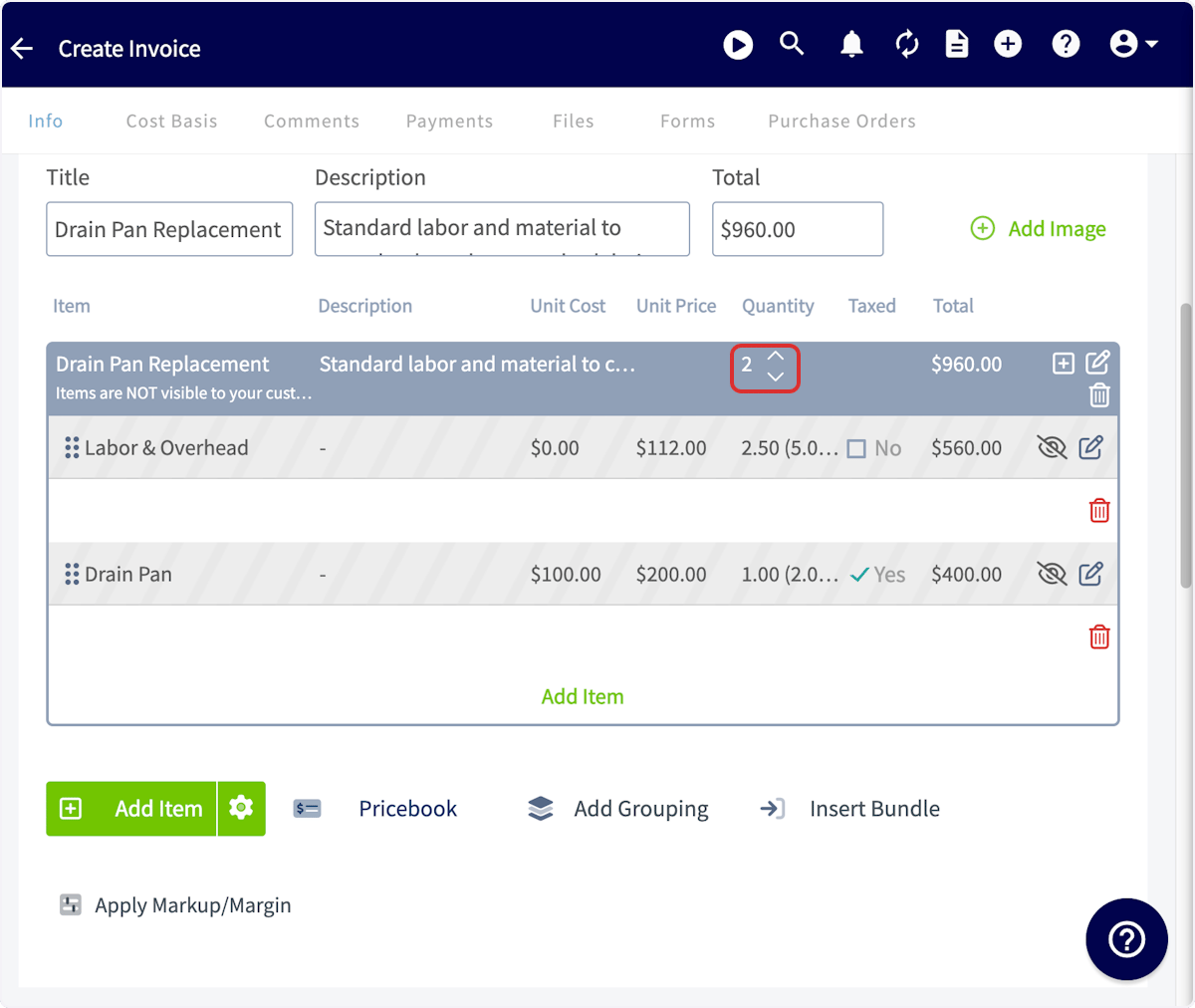
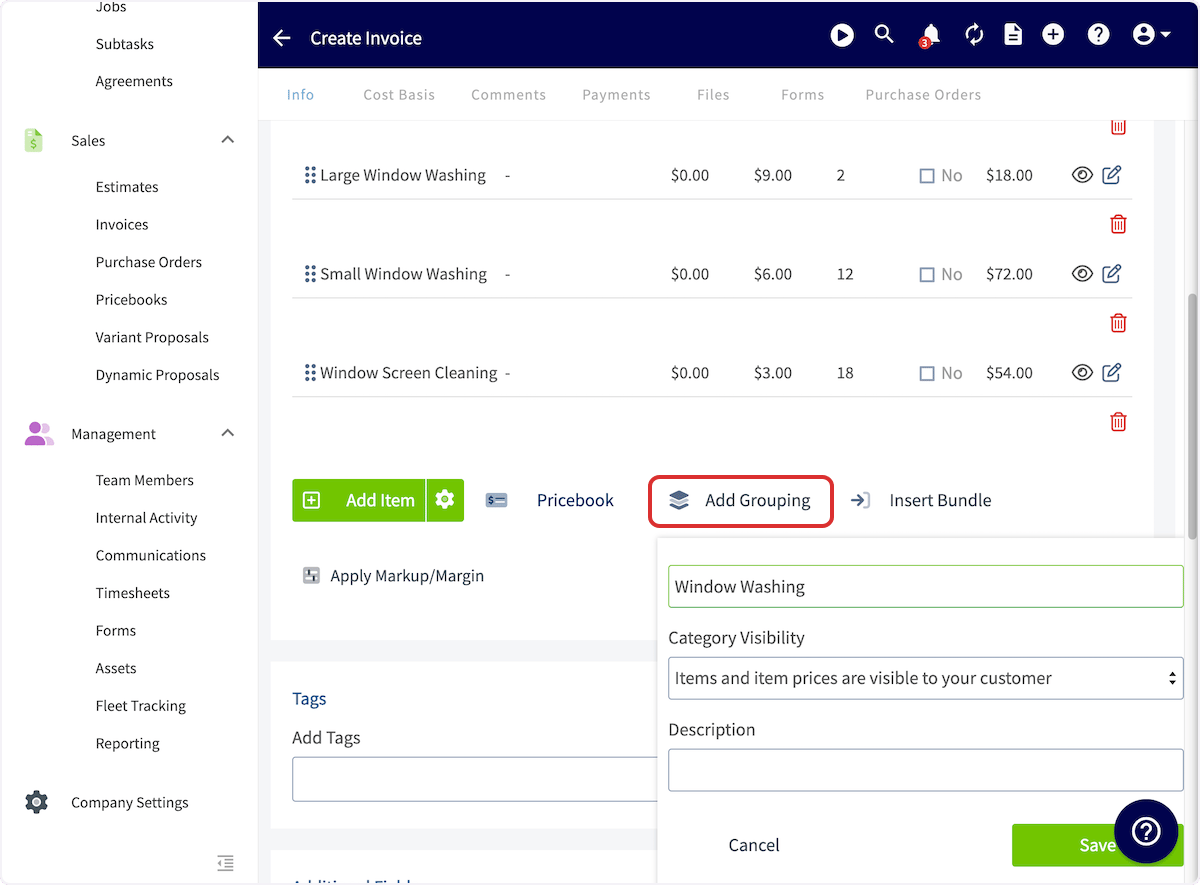 You can then title the grouping, select what visibility the grouping has, and add a description.
 You can then drag your line items under the grouping. Repeat the process to create a new grouping.
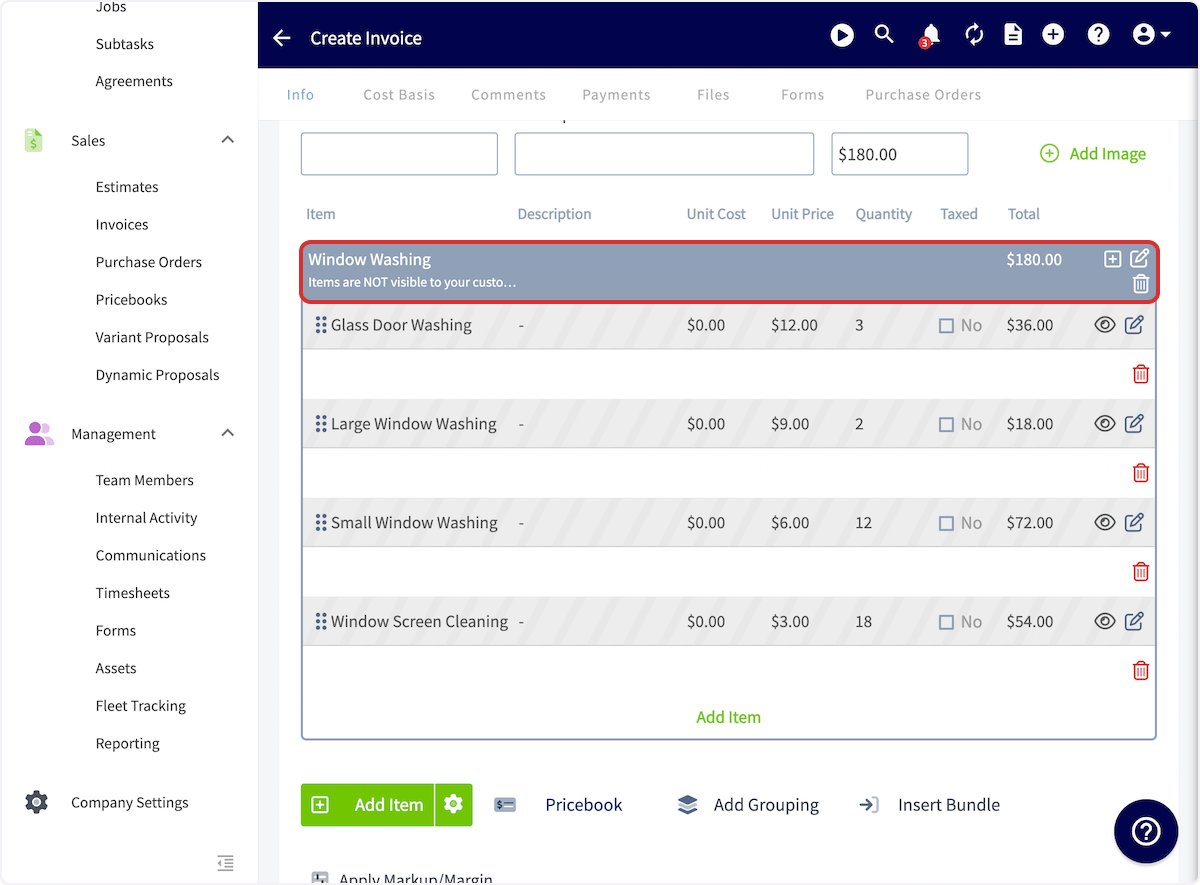 Adjusting the quantity of your grouping will adjust the quantities of all items placed under that grouping.
 ## Grouping Examples
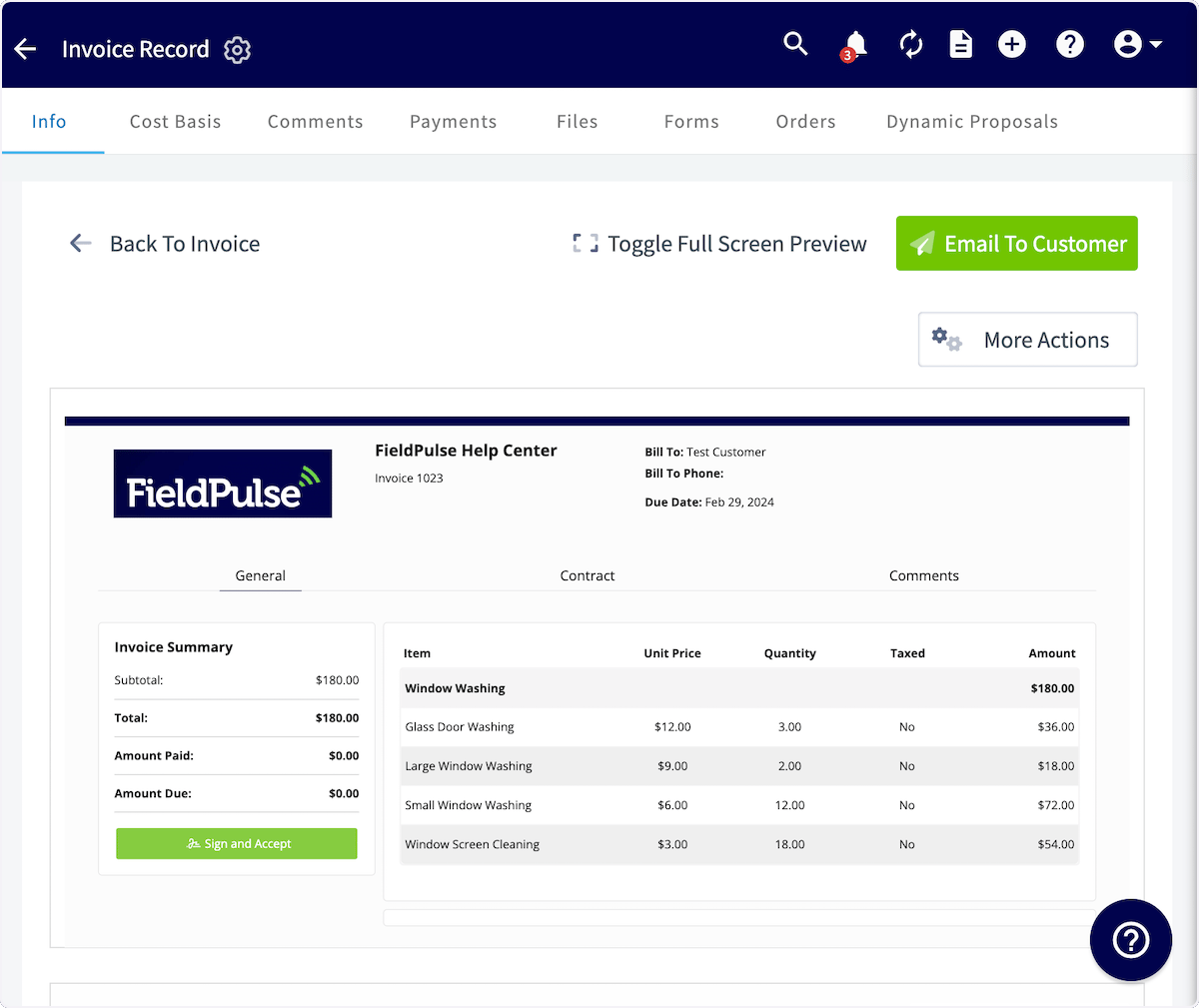
If you select *Items and prices are visible to your customer*, your invoice will look like this:
## Grouping Examples
If you select *Items and prices are visible to your customer*, your invoice will look like this:
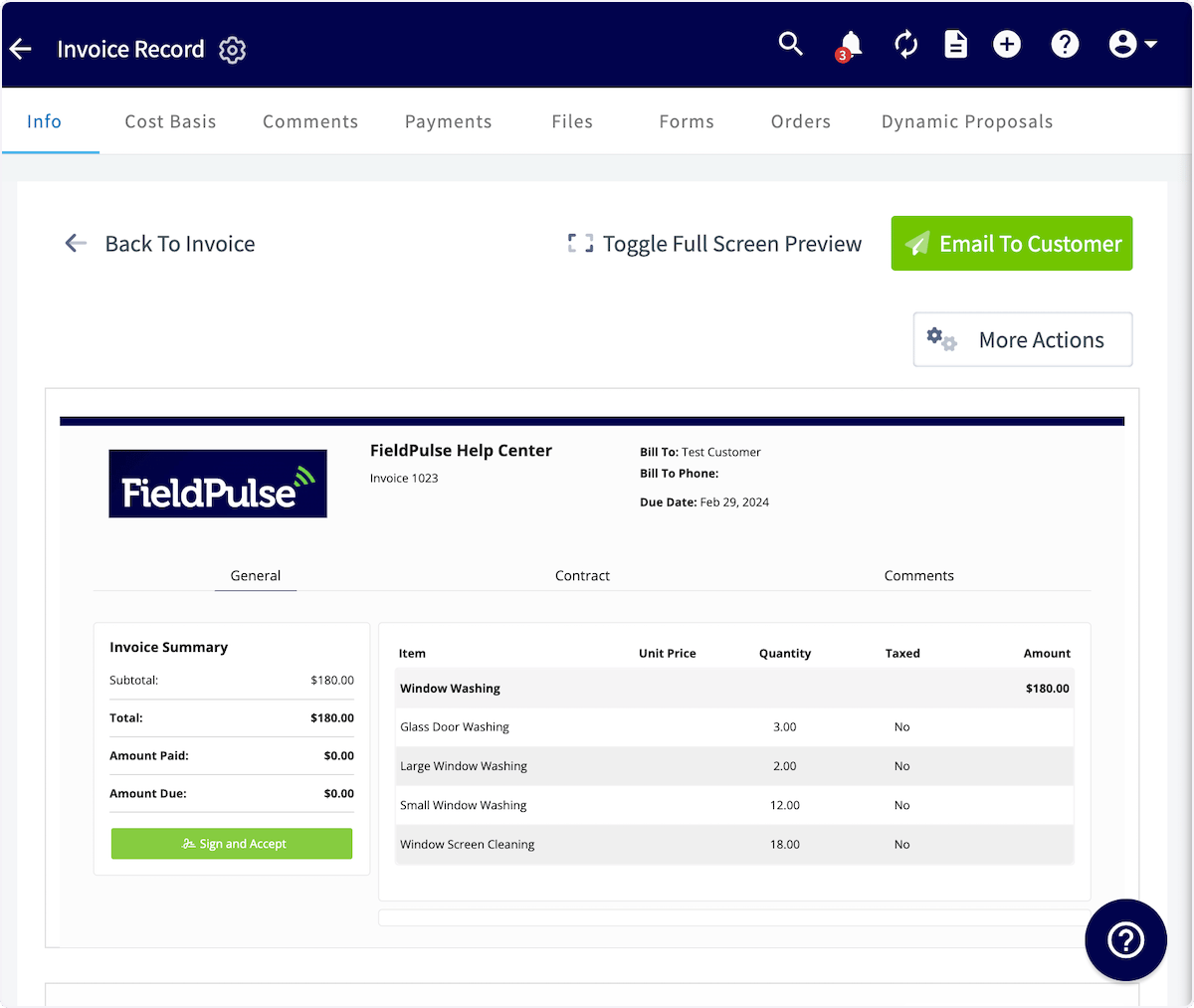
 If you select *Prices are not visible to your customer*, your invoice will look like this:
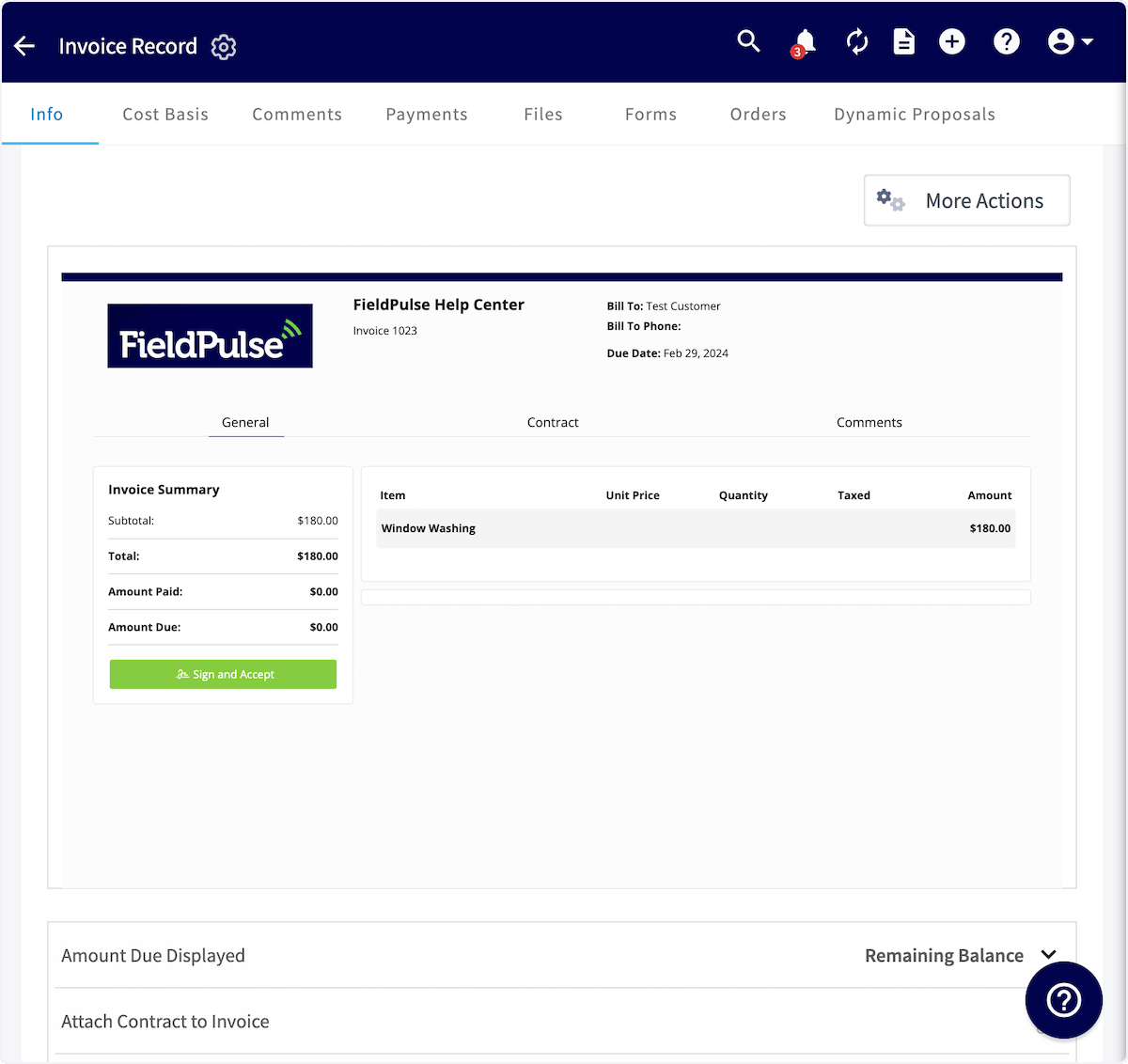
 If you select *Items are not visible to your customer*, your invoice will look like this:
 ***
# Video Tutorial
***
**Have additional questions?**
*Contact us at [support@fieldpulse.com](mailto:support@fieldpulse.com) or use the chat feature in the bottom right corner of your screen.*
***
# Video Tutorial
***
**Have additional questions?**
*Contact us at [support@fieldpulse.com](mailto:support@fieldpulse.com) or use the chat feature in the bottom right corner of your screen.*