> ## Documentation Index
> Fetch the complete documentation index at: https://help.fieldpulse.com/llms.txt
> Use this file to discover all available pages before exploring further.
# Communications
> See every message your team sends from one tab, filter by record type, and check each one's delivery status.
The communications tab allows you to oversee all communications sent from your team, as well as to sort them by record type and view the status of each communication.
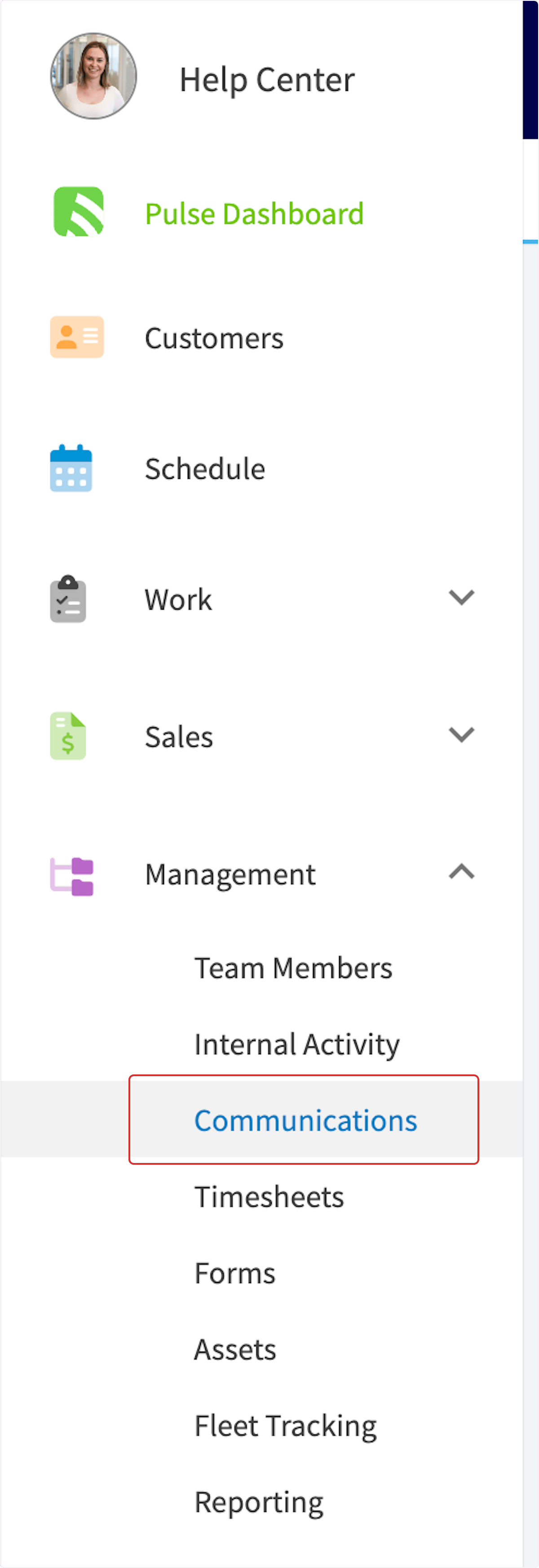
To access communications, navigate to *Management* in the left-side menu, then click *Communications*.
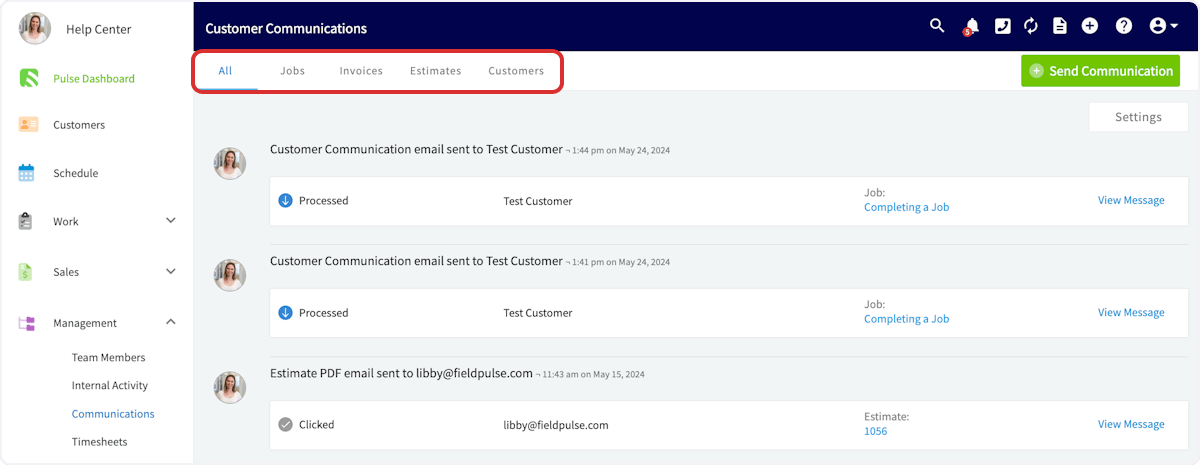
 You can view all communications, or sort them by related record type using the tabs at the top of the screen.
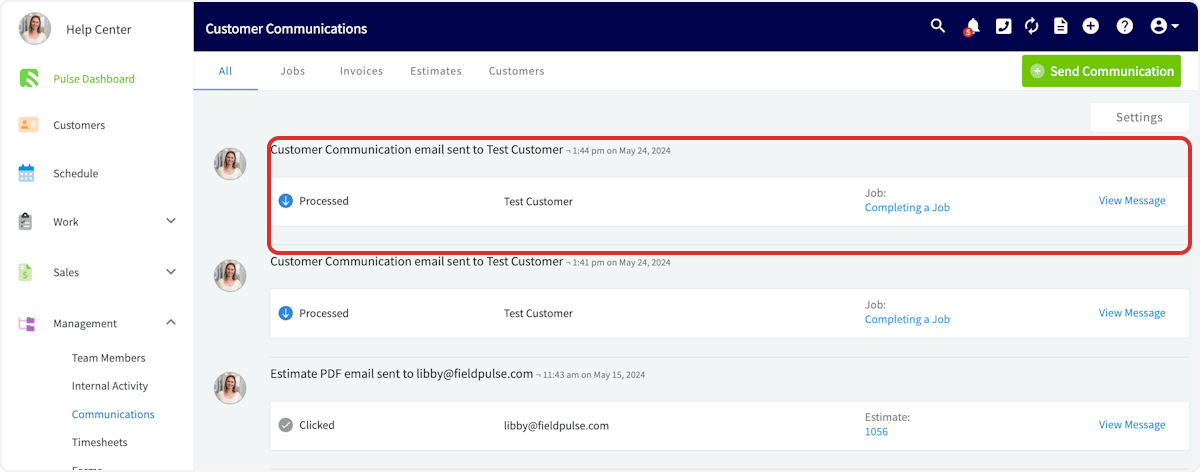
 You can also view details about each communication, including:
* User who sent the communication
* Sent date and time
* Status
* Customer
* Related record
* Full message
You can also view details about each communication, including:
* User who sent the communication
* Sent date and time
* Status
* Customer
* Related record
* Full message
 Check out this table to learn more about the various communication statuses:
| **Status** | **Meaning** |
| ---------- | ---------------------------------------------------------------------------------------------------------------------------------------------------------------------------- |
| Delivered | The message has been successfully delivered to your customer. |
| Clicked | Your customer has clicked on a link in your message. |
| Opened | Your customer has opened your message. |
| Bounced | The message has not reached your customer. The reasons may include that the email address does not exist, or that your customer has previously reported your emails as spam. |
***
**Have additional questions?**
*Contact us at [support@fieldpulse.com](mailto:support@fieldpulse.com) or use the chat feature in the bottom right corner of your screen.*
Check out this table to learn more about the various communication statuses:
| **Status** | **Meaning** |
| ---------- | ---------------------------------------------------------------------------------------------------------------------------------------------------------------------------- |
| Delivered | The message has been successfully delivered to your customer. |
| Clicked | Your customer has clicked on a link in your message. |
| Opened | Your customer has opened your message. |
| Bounced | The message has not reached your customer. The reasons may include that the email address does not exist, or that your customer has previously reported your emails as spam. |
***
**Have additional questions?**
*Contact us at [support@fieldpulse.com](mailto:support@fieldpulse.com) or use the chat feature in the bottom right corner of your screen.*