> ## Documentation Index
> Fetch the complete documentation index at: https://help.fieldpulse.com/llms.txt
> Use this file to discover all available pages before exploring further.
# Reminders
> Attach reminders to jobs, customers, estimates, and invoices so follow-ups never fall off your radar.
You can set reminders for jobs, customers, estimates, invoices, and more in FieldPulse. You will follow the same process regardless of the record type. For this example, we will set a reminder for a job.
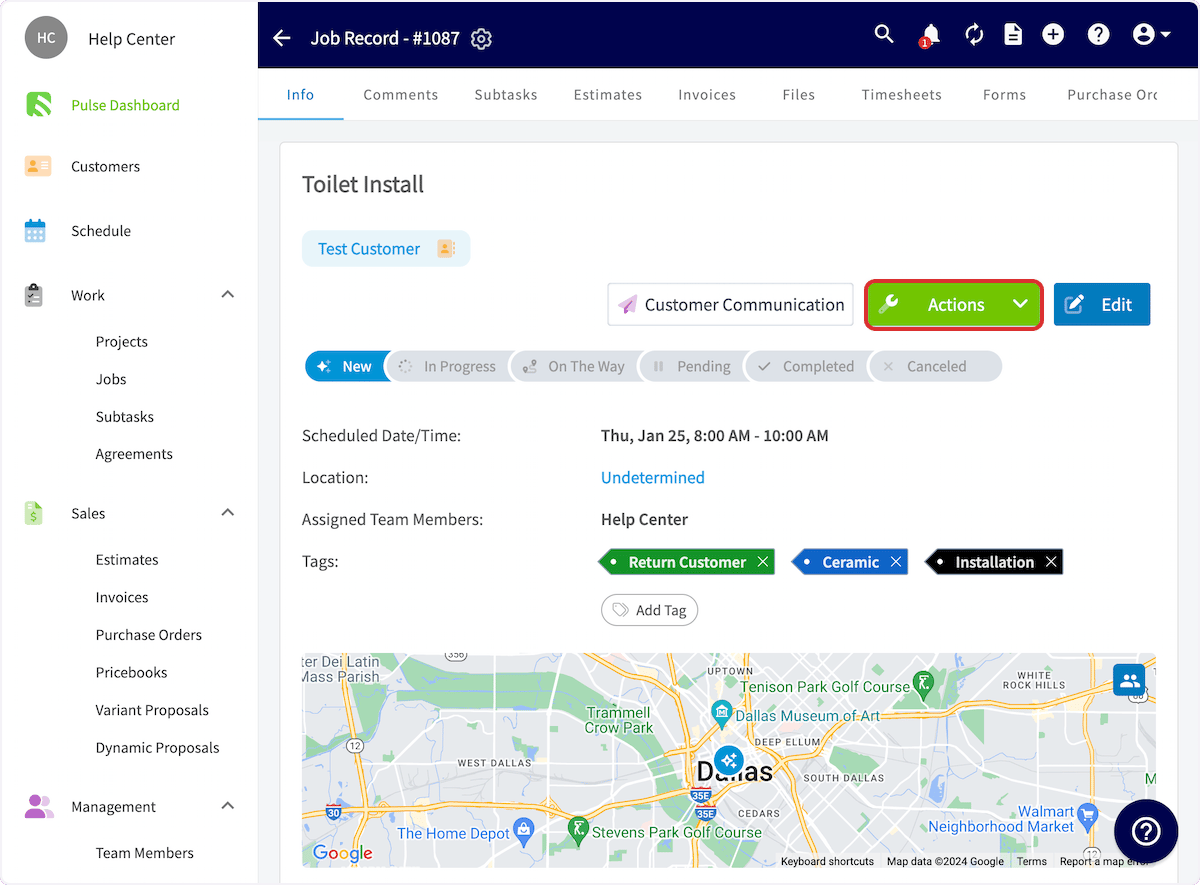
To set up a reminder, open the job you want to be reminded about and click *Actions*.
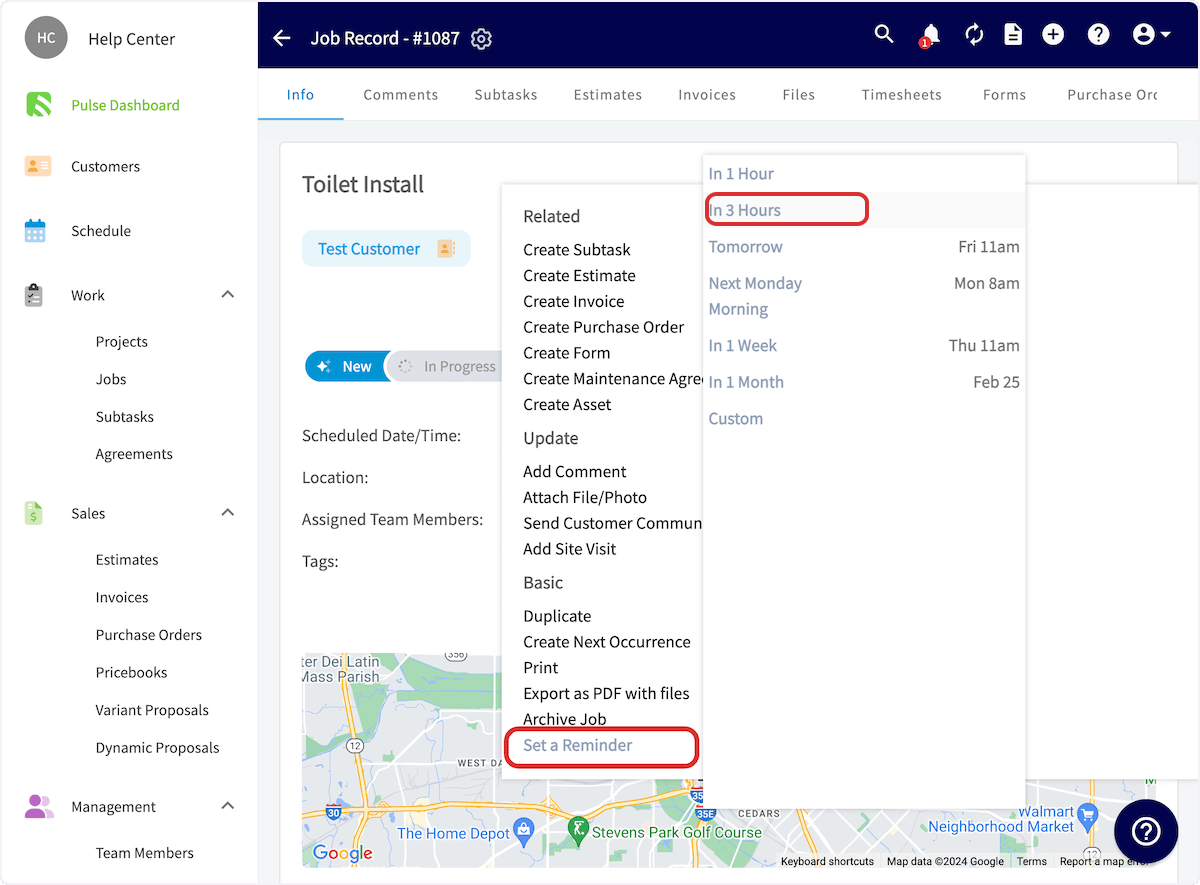
 In the dropdown menu, select *Set a Reminder,* then select when you'd like to receive the reminder.
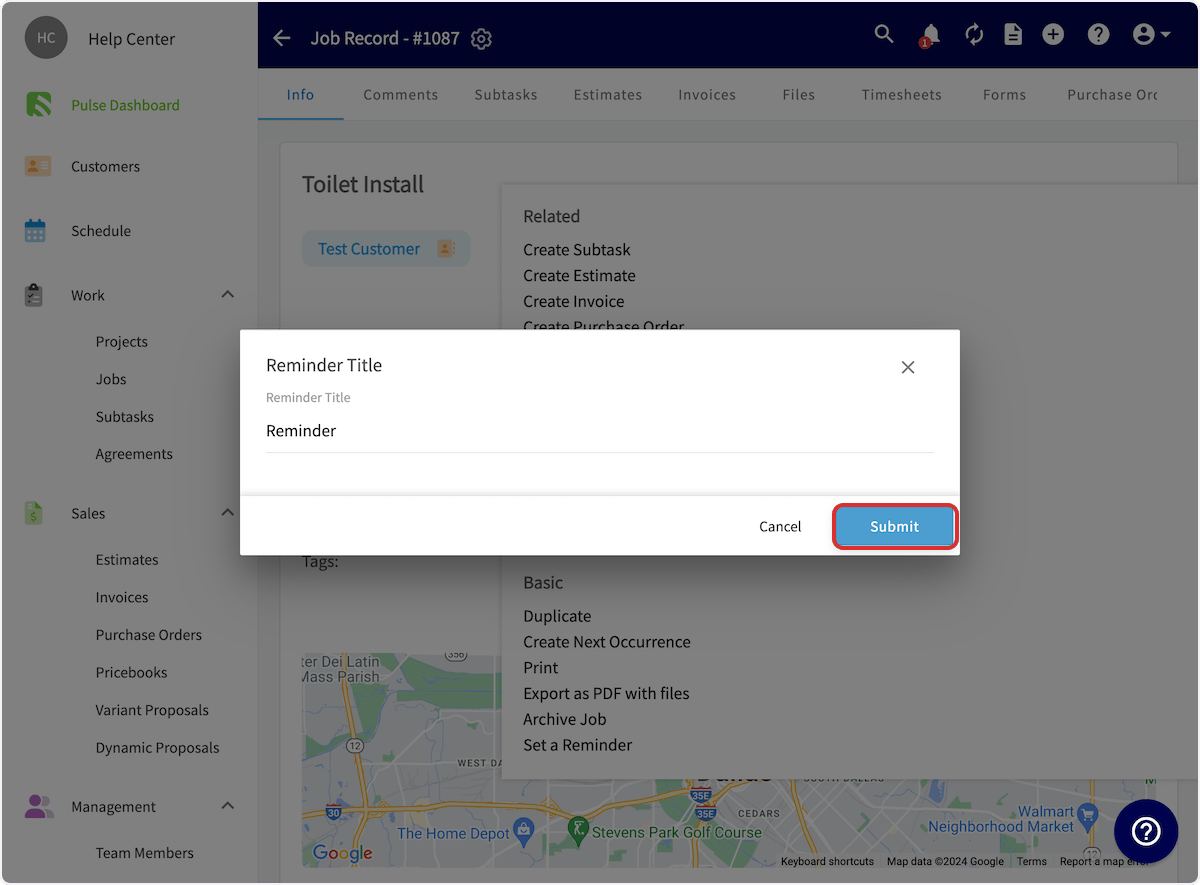
 You can set the reminder message, then click *Submit*. You'll see a pop up confirming you have set the reminder. Now you'll be reminded at the selected time.
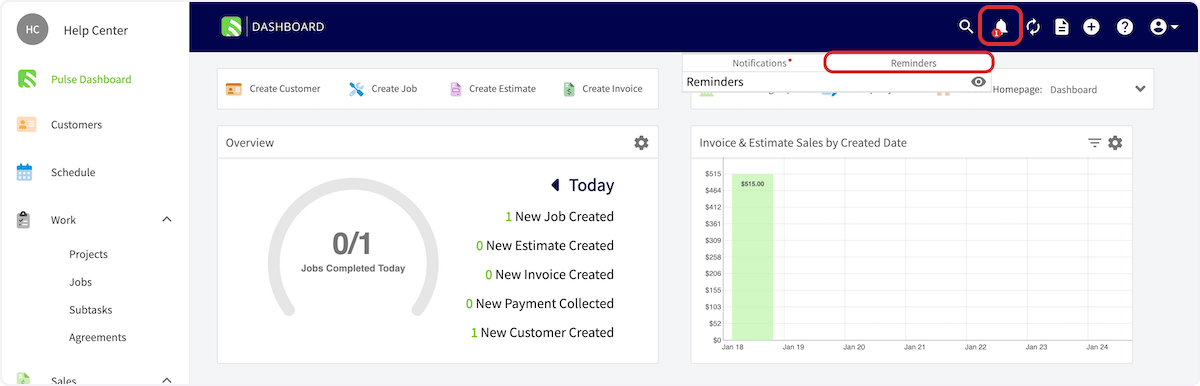
 Your reminders are housed under the bell icon in the FieldPulse header.
 ***
# Video Tutorial
***
**Have additional questions?**
*Contact us at [support@fieldpulse.com](mailto:support@fieldpulse.com) or use the chat feature in the bottom right corner of your screen.*
***
# Video Tutorial
***
**Have additional questions?**
*Contact us at [support@fieldpulse.com](mailto:support@fieldpulse.com) or use the chat feature in the bottom right corner of your screen.*