> ## Documentation Index
> Fetch the complete documentation index at: https://help.fieldpulse.com/llms.txt
> Use this file to discover all available pages before exploring further.
# Review Management Report
> Measure review performance per technician over any interval to see who drives customer feedback.
Within *Reporting*, use the *Review Management* tab to create reports that show each technician's review data per the time interval you select.
To learn more about Review Management, [the Review Management guide](/using-fieldpulse/win-repeat-business/review-management).
***
# Create a Review Performance by Technician Report
## Step 1: Date Range
Select the start date for the reporting period. Click on the calendar icon to choose a preset date range, then click *Load Data*.
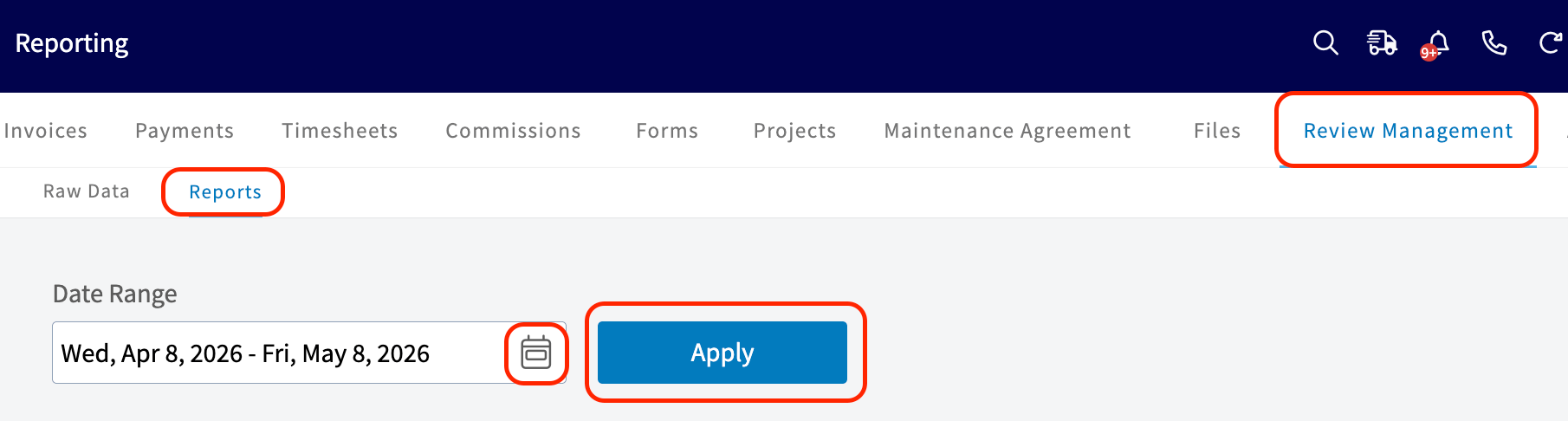 * **Today:** From 12:00 AM to the current time
* **Yesterday:** Previous day from 12:00 AM to 11:59 PM
* **This Week:** From Monday through Sunday of the current week
* **Last Week:** Previous week
* **Last 7 Days:** Previous seven days, including today
* **This Month:** From the first of the current month to the current day
* **Last Month:** Entire month before the current month
* **Last 30 Days:** Previous 30 days, including today
* **Custom:** Use the calendar to select start and end dates
## Step 2: Configure Criteria
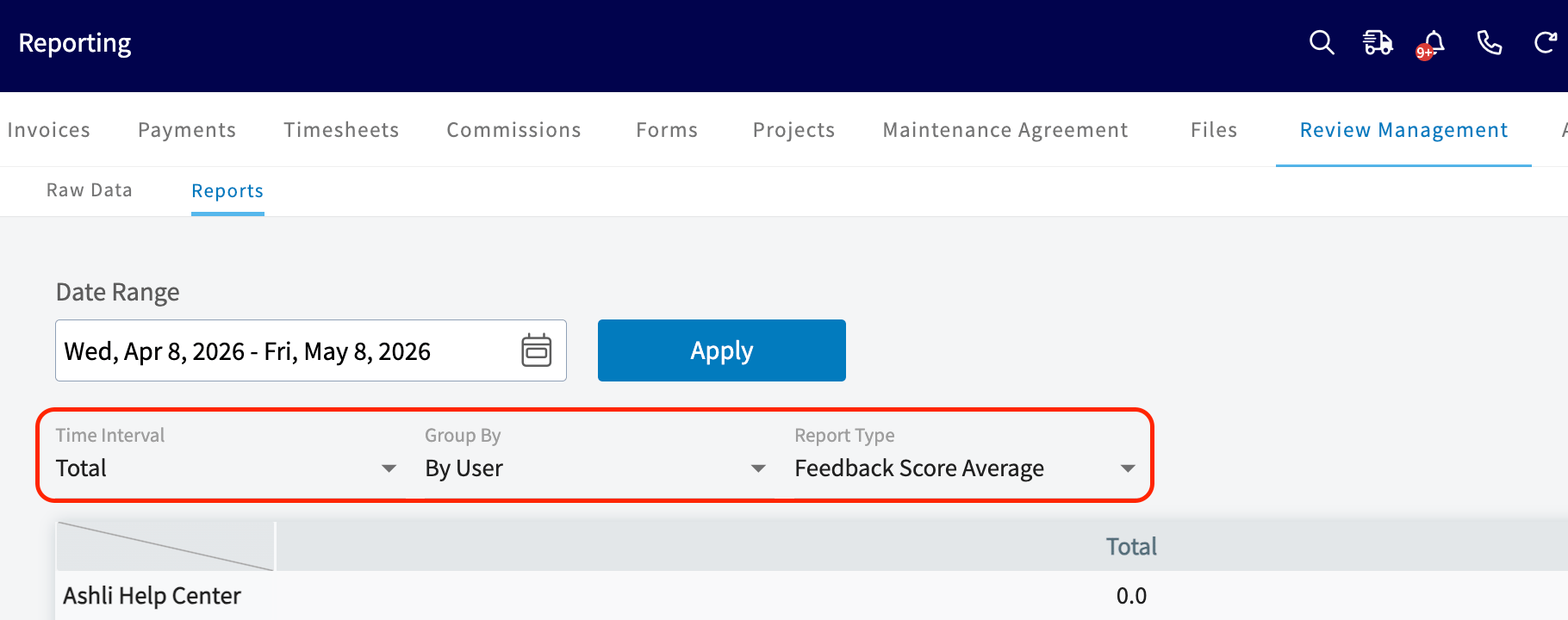
Configure your criteria:
* **Time Interval:** Daily, Weekly, Monthly, Quarterly, or Total
* **Group by:** *By user*
* **Metric:** *Feedback Score Average*
* **Today:** From 12:00 AM to the current time
* **Yesterday:** Previous day from 12:00 AM to 11:59 PM
* **This Week:** From Monday through Sunday of the current week
* **Last Week:** Previous week
* **Last 7 Days:** Previous seven days, including today
* **This Month:** From the first of the current month to the current day
* **Last Month:** Entire month before the current month
* **Last 30 Days:** Previous 30 days, including today
* **Custom:** Use the calendar to select start and end dates
## Step 2: Configure Criteria
Configure your criteria:
* **Time Interval:** Daily, Weekly, Monthly, Quarterly, or Total
* **Group by:** *By user*
* **Metric:** *Feedback Score Average*
 ***
**Have additional questions?**
*Contact us at [support@fieldpulse.com](mailto:support@fieldpulse.com) or use the chat feature in the bottom right corner of your screen.*
***
**Have additional questions?**
*Contact us at [support@fieldpulse.com](mailto:support@fieldpulse.com) or use the chat feature in the bottom right corner of your screen.*