> ## Documentation Index
> Fetch the complete documentation index at: https://help.fieldpulse.com/llms.txt
> Use this file to discover all available pages before exploring further.
# Setting the Default Calendar Start Date
> Set your calendar week to begin on Sunday or Monday from your profile so the schedule matches how your business plans.
You are in control of your work calendar! You can customize your schedule to start on either Sunday or Monday, aligning your planning with your personal or organizational preferences. Whether you prefer to kick off your week on Sunday or stick to the traditional Monday start, our flexible calendar options cater to your unique workflow. Experience enhanced productivity and a more tailored approach to your scheduling needs. Take charge of your time and make your calendar truly yours!
***
# Where to Customize
To begin, locate your *Profile* icon at the top right hand of your screen.
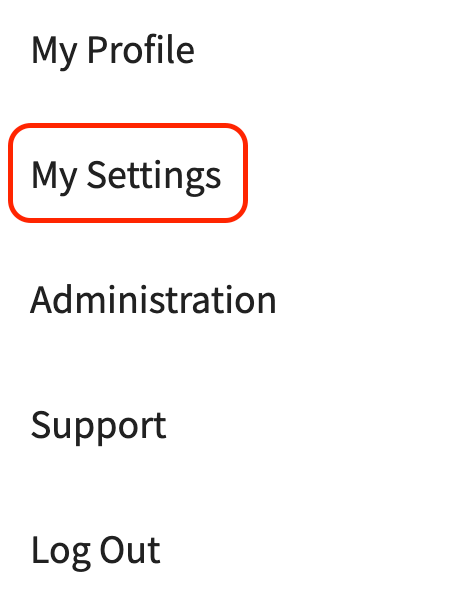
 After clicking your *Profile* icon, you will see a drop down menu of options to choose from. Here you will select *My Settings*.
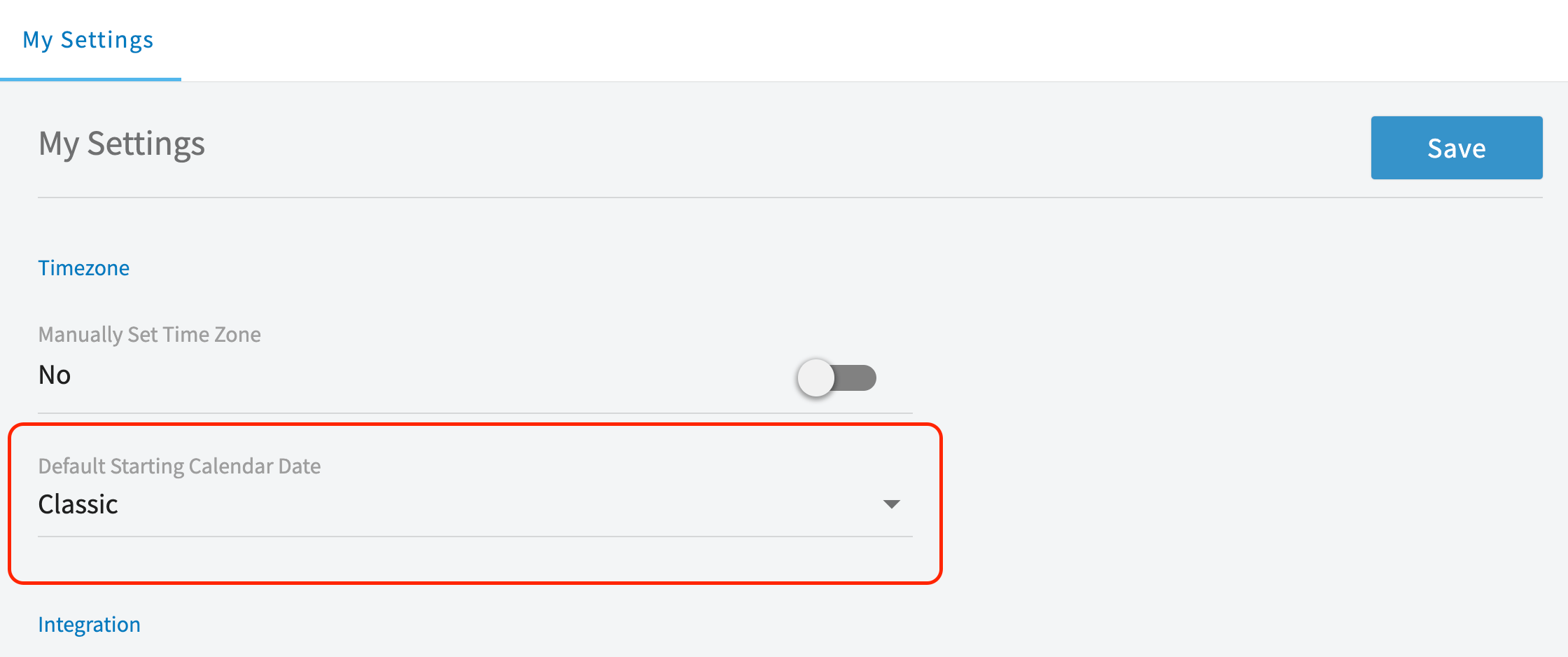
 The *My Settings* page will open up and from here you can locate the heading that says "*Default Starting Calendar Date*".
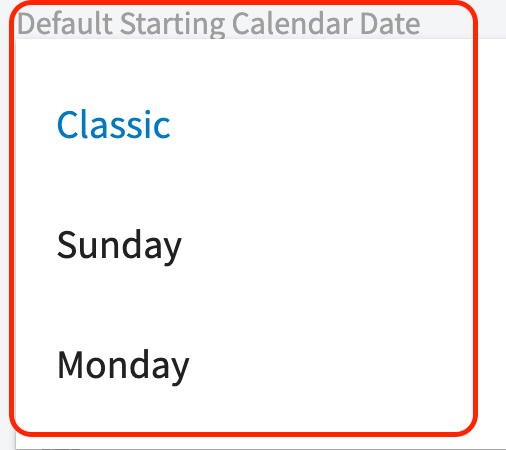
 From here, choose which option works best for you and your team! This could be having your calendar/schedule begin with Sunday, Monday, or our Classic view.
 ***
**Have additional questions?**
*Contact us at [support@fieldpulse.com](mailto:support@fieldpulse.com) or use the chat feature in the bottom right corner of your screen.*
***
**Have additional questions?**
*Contact us at [support@fieldpulse.com](mailto:support@fieldpulse.com) or use the chat feature in the bottom right corner of your screen.*