> ## Documentation Index
> Fetch the complete documentation index at: https://help.fieldpulse.com/llms.txt
> Use this file to discover all available pages before exploring further.
# April 2024
> April 2024 release notes covering required subtasks that block status changes plus two-factor authentication for account security.
# Subtasks & Job Statuses
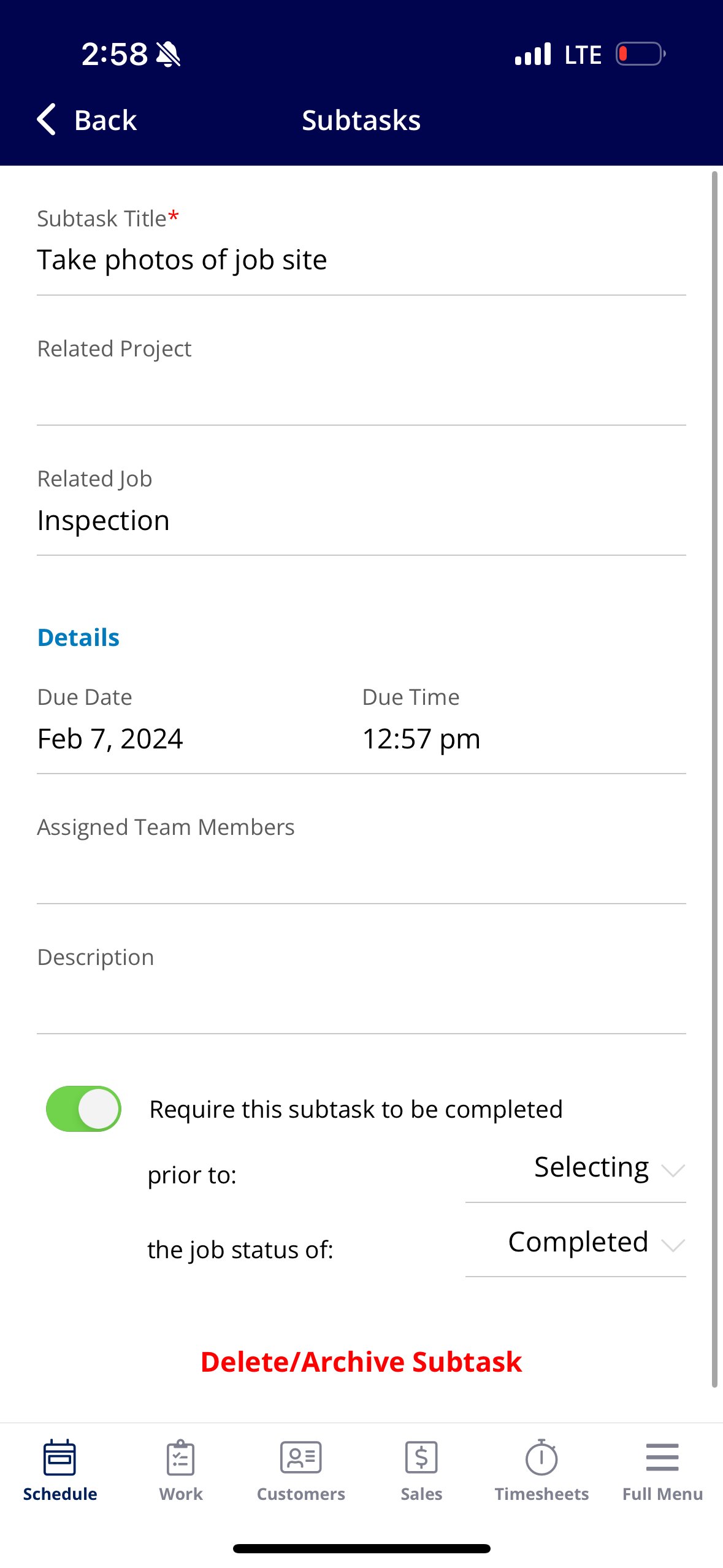
Require subtasks to be completed before changing the job status! When creating a subtask or a subtask template, you can now require that a subtask be completed before selecting or bypassing a status. If you try to change a status without completed the required subtask(s), FieldPulse will display an error and prompt you to complete it.
 \*
\* # Two-Factor Authentication
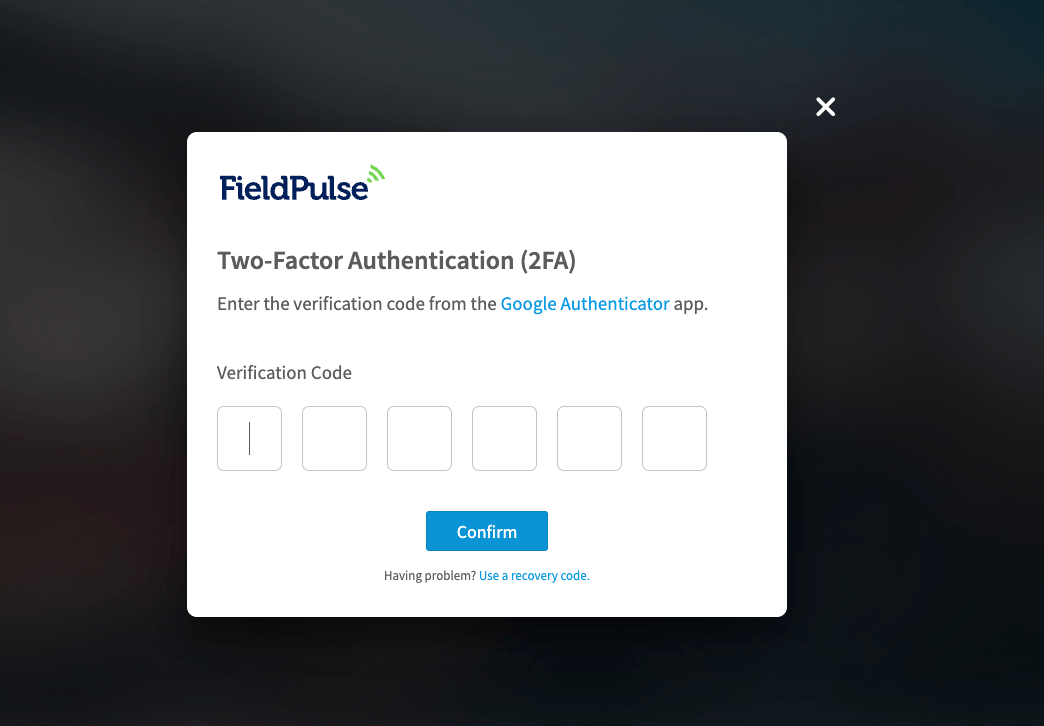
Two-factor authentication (2FA) provides an added layer of security by requiring two forms of identification to access FieldPulse. To enable two-factor authentication, contact us using the chat feature in the bottom right corner of your screen. To learn more, visit the [Two-Factor Authentication (2FA) article](/getting-started/account-setup-access/setting-up-two-factor-authentication-2fa).
# Two-Factor Authentication
Two-factor authentication (2FA) provides an added layer of security by requiring two forms of identification to access FieldPulse. To enable two-factor authentication, contact us using the chat feature in the bottom right corner of your screen. To learn more, visit the [Two-Factor Authentication (2FA) article](/getting-started/account-setup-access/setting-up-two-factor-authentication-2fa).
 # Inventory Permissions
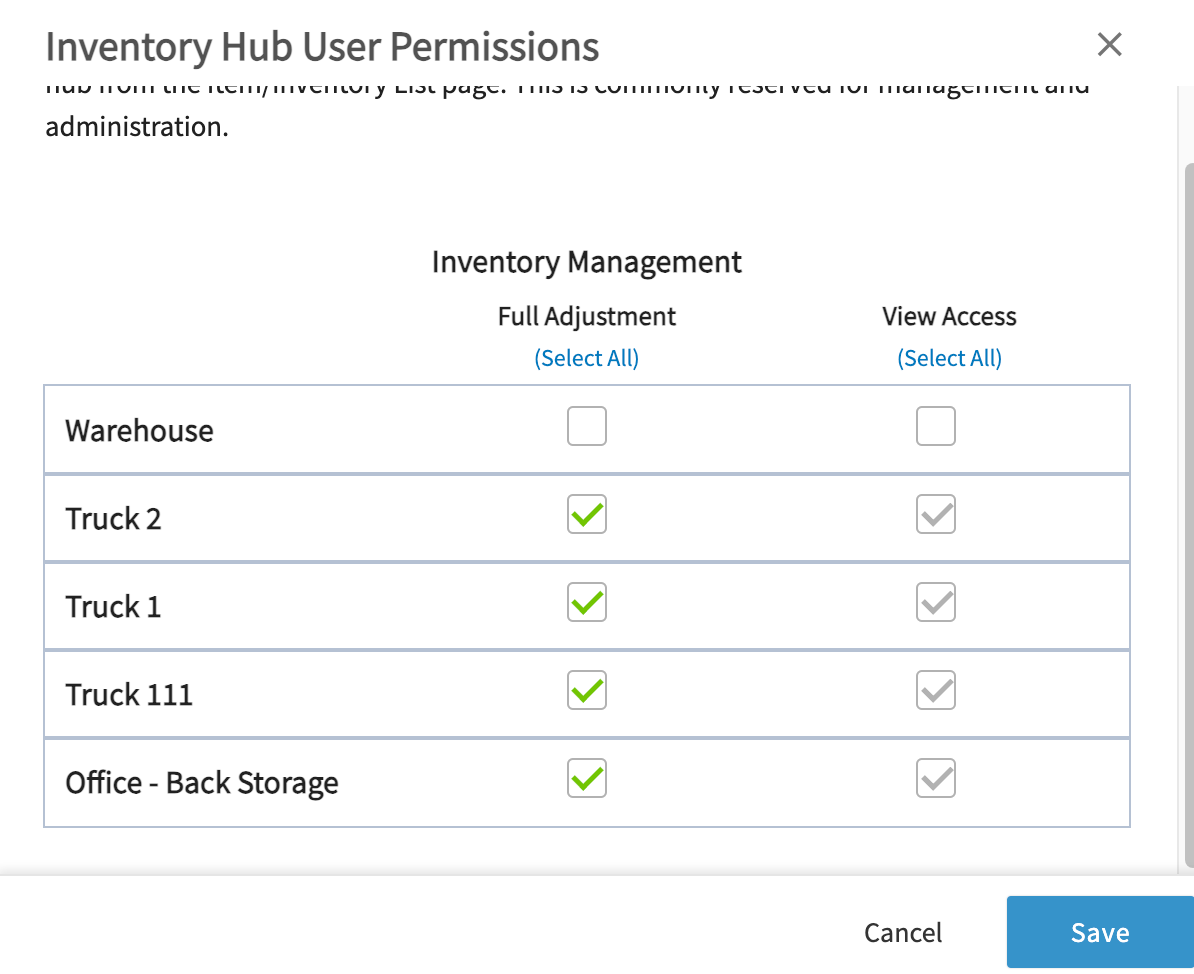
Customize and adjust inventory permissions for each user! This feature is valuable for teams that work out of multiple inventory locations such as vans or warehouses and may need to view or adjust inventory across those locations. To learn more, visit the [Inventory Permissions article](/using-fieldpulse/item-list-inventory/inventory-permissions).
# Inventory Permissions
Customize and adjust inventory permissions for each user! This feature is valuable for teams that work out of multiple inventory locations such as vans or warehouses and may need to view or adjust inventory across those locations. To learn more, visit the [Inventory Permissions article](/using-fieldpulse/item-list-inventory/inventory-permissions).
 # Require a Job Template to Create a Job
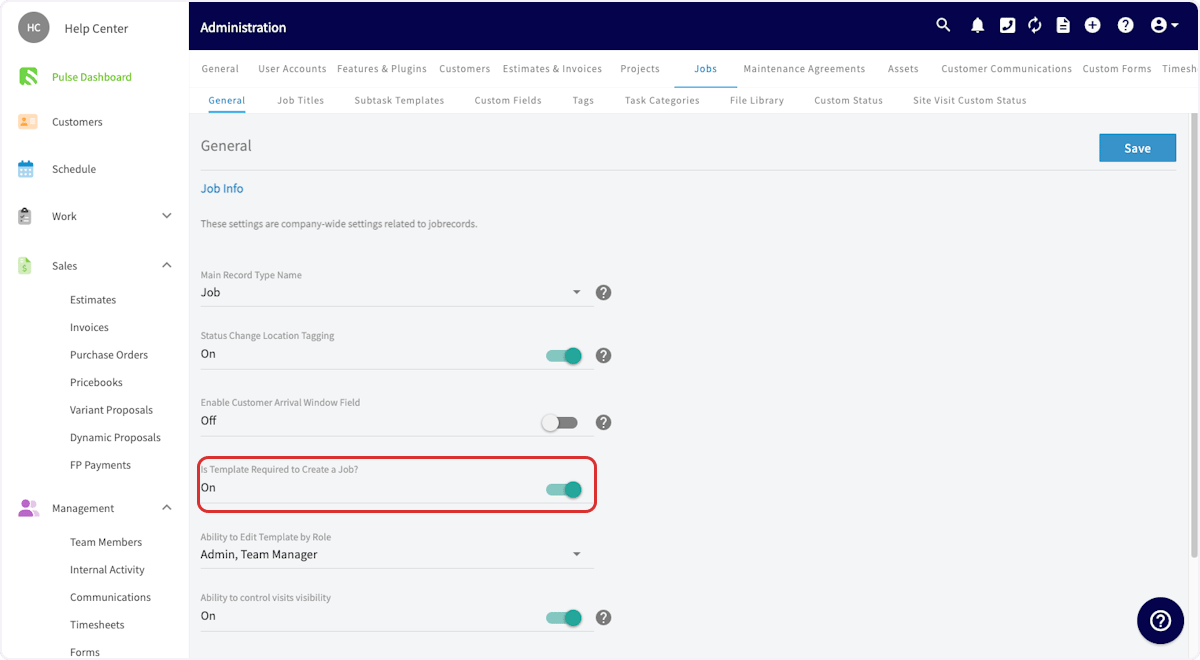
You can now mandate that a job template is used when creating a job. This can be toggled on in Company Settings\*, under *Jobs*.
# Require a Job Template to Create a Job
You can now mandate that a job template is used when creating a job. This can be toggled on in Company Settings\*, under *Jobs*.
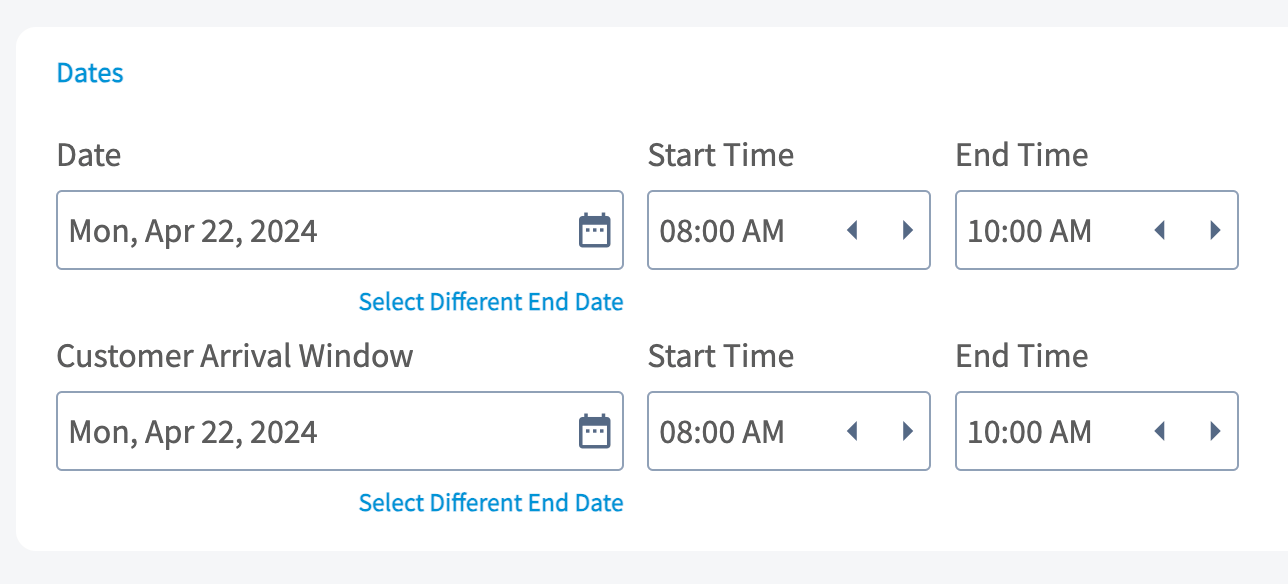
 # Customer Arrival Windows
Let your customers know when to expect you! You can now set a Customer Arrival Window date/time on jobs. This can be used in customer communication templates to send a different time window to the customer than what you store on the job for internal use. To learn more, visit the [Customer Arrival Window article](/using-fieldpulse/work/setting-a-customer-arrival-window).
# Customer Arrival Windows
Let your customers know when to expect you! You can now set a Customer Arrival Window date/time on jobs. This can be used in customer communication templates to send a different time window to the customer than what you store on the job for internal use. To learn more, visit the [Customer Arrival Window article](/using-fieldpulse/work/setting-a-customer-arrival-window).
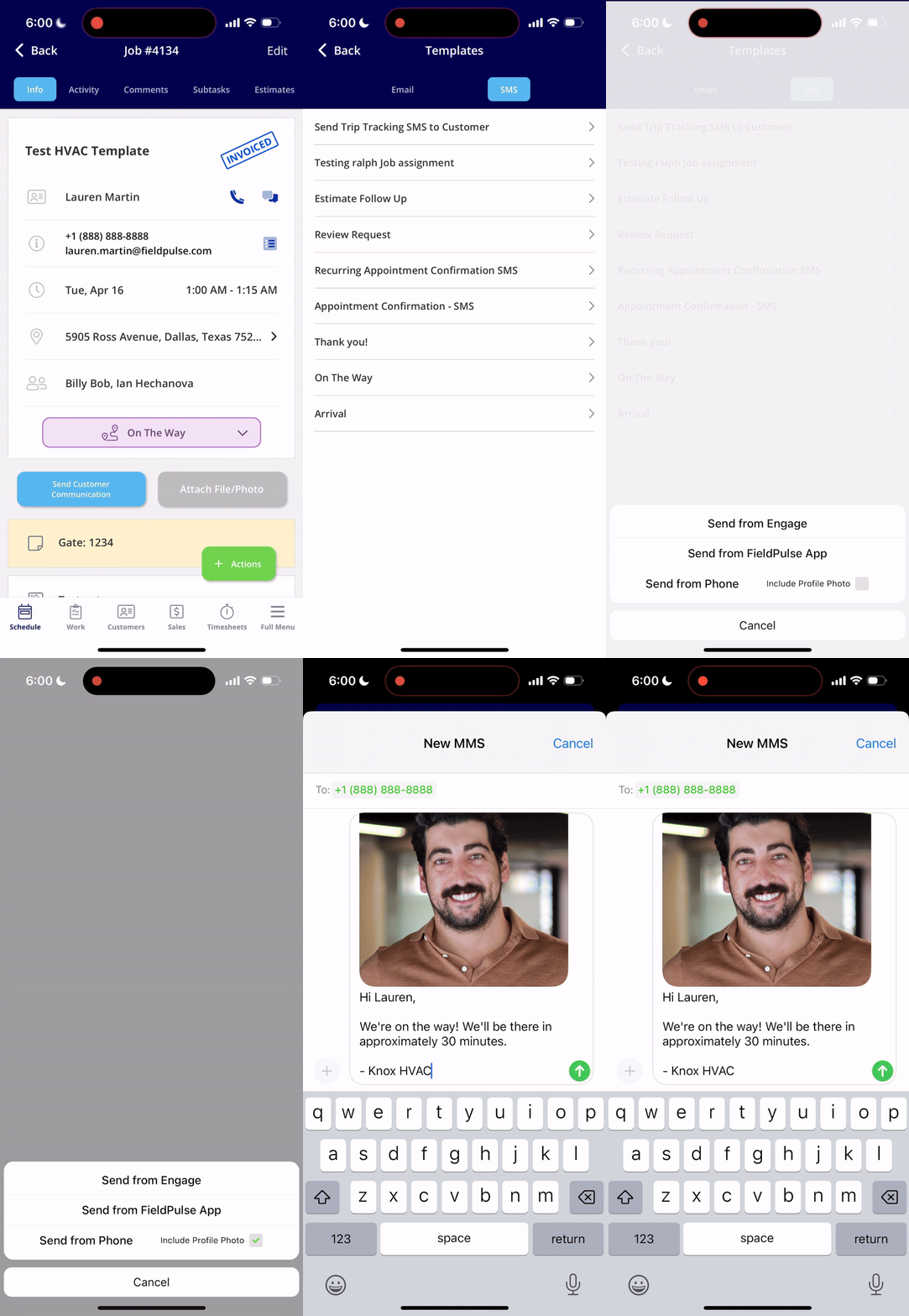
 # Send User Profile Photo via SMS
Let your customers know who to expect! The ability to send the user's profile photo along with a customer communication SMS has been released. This is available when sending SMS via your native phone, and can't be used with automatic communication triggers at this time.
# Send User Profile Photo via SMS
Let your customers know who to expect! The ability to send the user's profile photo along with a customer communication SMS has been released. This is available when sending SMS via your native phone, and can't be used with automatic communication triggers at this time.
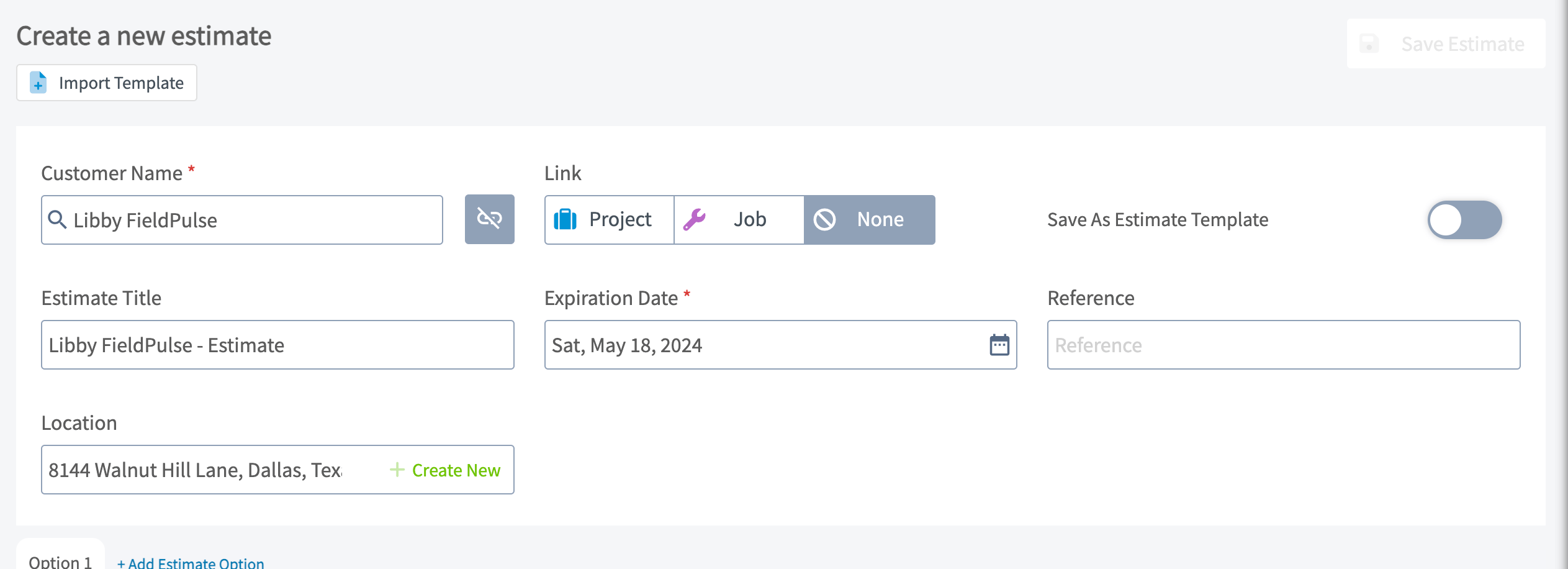
 # Location on Estimate & Invoice Records
FieldPulse users can now specify a location when creating estimates and invoices! This feature makes it easy to identify which location an estimate or invoice was created for when working with customers who have multiple locations.
# Location on Estimate & Invoice Records
FieldPulse users can now specify a location when creating estimates and invoices! This feature makes it easy to identify which location an estimate or invoice was created for when working with customers who have multiple locations.
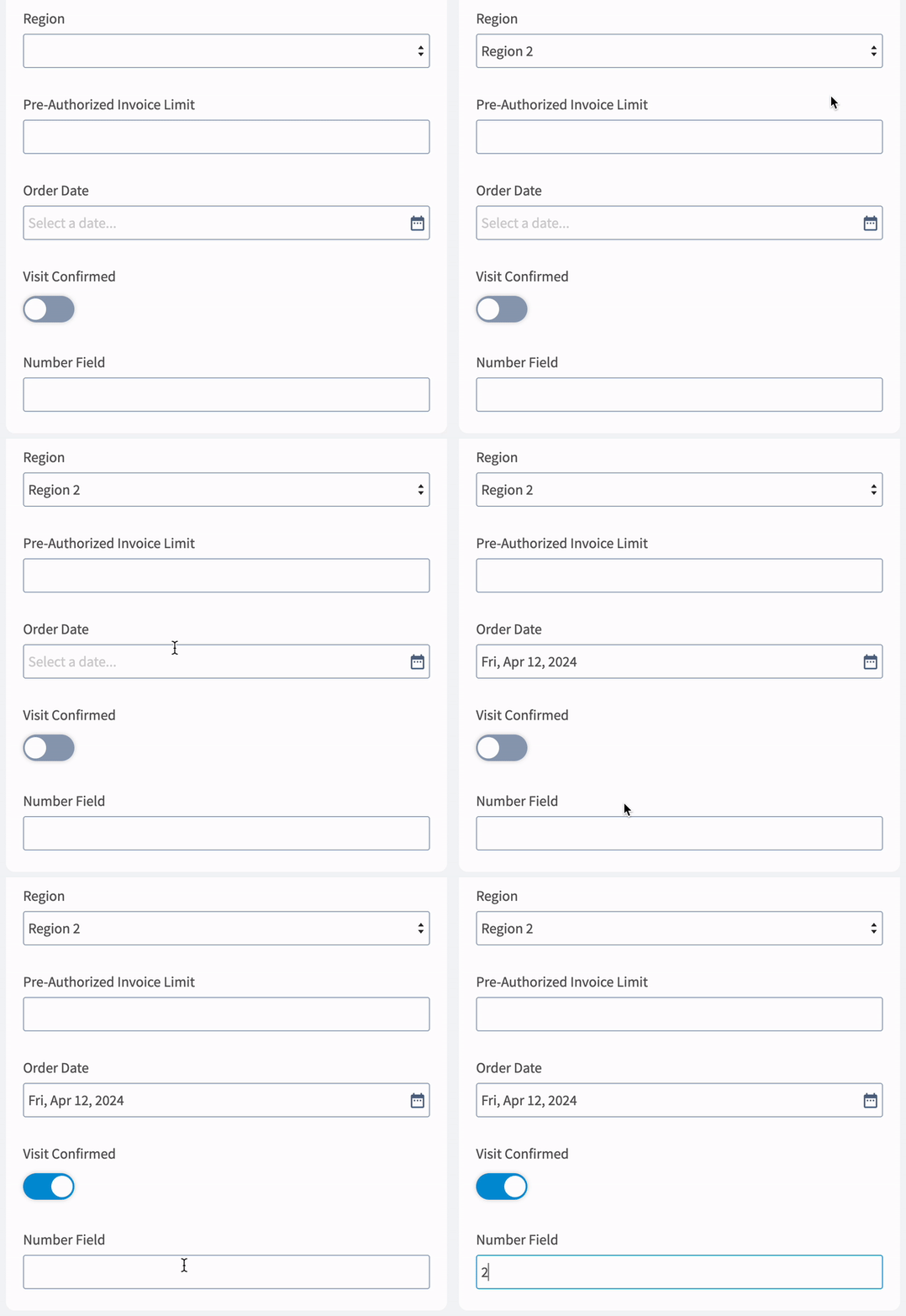
 # New Custom Field Types
Hello customization! FieldPulse administrators now have the ability to create different types of custom fields, including Free Text, Number, Date, Drop-down, and Checkbox. To learn more, visit [Custom Fields on Customer Records](/using-fieldpulse/customers/custom-fields-on-customer-records) or [Custom Fields on Job Records](/using-fieldpulse/work/custom-fields-on-job-records).
# New Custom Field Types
Hello customization! FieldPulse administrators now have the ability to create different types of custom fields, including Free Text, Number, Date, Drop-down, and Checkbox. To learn more, visit [Custom Fields on Customer Records](/using-fieldpulse/customers/custom-fields-on-customer-records) or [Custom Fields on Job Records](/using-fieldpulse/work/custom-fields-on-job-records).
 # Custom Reporting Dashboard
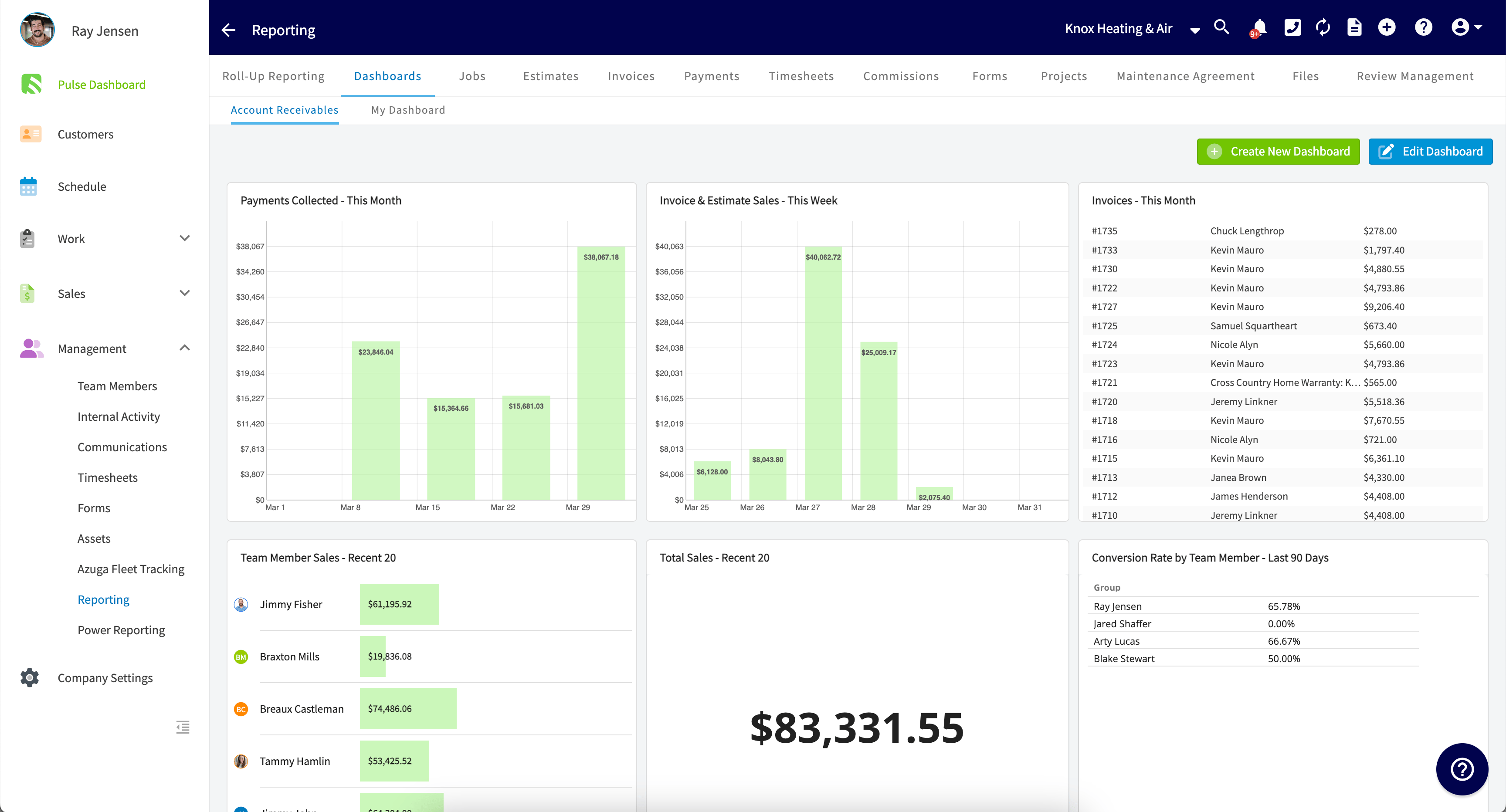
FieldPulse's Custom Reporting Dashboard puts all your business data in one place. It updates automatically, so you can see everything you need at a glance. Plus, you can customize it to include only the reports that matter most to you. Create your own Custom Reporting Dashboard, or build additional dashboards created to be accessible for all Admin users and Team Managers with reporting permissions. To learn more, visit the [Custom Reporting Dashboard article](/using-fieldpulse/reporting/custom-reporting-dashboard).
# Custom Reporting Dashboard
FieldPulse's Custom Reporting Dashboard puts all your business data in one place. It updates automatically, so you can see everything you need at a glance. Plus, you can customize it to include only the reports that matter most to you. Create your own Custom Reporting Dashboard, or build additional dashboards created to be accessible for all Admin users and Team Managers with reporting permissions. To learn more, visit the [Custom Reporting Dashboard article](/using-fieldpulse/reporting/custom-reporting-dashboard).
 **Have additional questions?**
*Contact us at [support@fieldpulse.com](mailto:support@fieldpulse.com) or use the chat feature in the bottom right corner of your screen.*
## Related topics
- [What's New](/changelog/index.md)
- [FieldPulse360 Archives](/training-resources/fieldpulse360/fieldpulse360-archives/index.md)
- [FieldPulse360: Job Management](/training-resources/fieldpulse360/fieldpulse360-archives/fieldpulse360-job-management.md)
- [FieldPulse360: Estimates & Invoices](/training-resources/fieldpulse360/fieldpulse360-archives/fieldpulse360-estimates-invoices.md)
- [FieldPulse360: From Request to Reality - Showcasing Features Built for You](/training-resources/fieldpulse360/fieldpulse360-archives/fieldpulse360-from-request-to-reality-showcasing-features-built-for-you.md)
**Have additional questions?**
*Contact us at [support@fieldpulse.com](mailto:support@fieldpulse.com) or use the chat feature in the bottom right corner of your screen.*
## Related topics
- [What's New](/changelog/index.md)
- [FieldPulse360 Archives](/training-resources/fieldpulse360/fieldpulse360-archives/index.md)
- [FieldPulse360: Job Management](/training-resources/fieldpulse360/fieldpulse360-archives/fieldpulse360-job-management.md)
- [FieldPulse360: Estimates & Invoices](/training-resources/fieldpulse360/fieldpulse360-archives/fieldpulse360-estimates-invoices.md)
- [FieldPulse360: From Request to Reality - Showcasing Features Built for You](/training-resources/fieldpulse360/fieldpulse360-archives/fieldpulse360-from-request-to-reality-showcasing-features-built-for-you.md)