> ## Documentation Index
> Fetch the complete documentation index at: https://help.fieldpulse.com/llms.txt
> Use this file to discover all available pages before exploring further.
# January 2024
> January 2024 release notes covering manual dispatch to hide or show jobs and visits plus new per-feature user permissions.
# Manual Job Dispatch \[Hide/Un-Hide]
Hide or un-hide jobs and site visits at your discretion, ensuring optimal control over assignments. To enable this, navigate to *Company Settings* then select *Jobs*. Toggle on *Ability to control visits visibility* and choose your default visibility as well as who can hide/unhide jobs.
# New User Feature Permissions
To access the new user permissions, navigate to Company Settings\*, select a team member, click *Edit* and select *User Feature Permissions*.
**Reporting Visibility**
**Line Item Title Visibility**
**Pricebook Grouping Item Visibility**
\*\*Individual File Service Agent File Visibility \*\*
Now, when administrators and team managers select a file and click *Edit*, they have the capability to restrict specific files from service agents.
**Customer Phone Number & Email Address Visibility**
When disabled, users can still initiate calls and emails to customers without viewing phone numbers or email addresses. Instead, they will utilize call and email icons in the web app, mobile platform, and Engage (if enabled). This approach maintains user functionality while protecting sensitive customer contact information.
# Scan Barcodes & Transfer Serialized Inventory to Different Hubs on Mobile App
This mobile feature enables users to transfer serialized inventory items to different hubs directly from their mobile devices. Field workers or warehouse personnel can efficiently manage inventory movements between hubs without relying on desktop systems, improving operational agility.
# Timesheets Reporting Enhancements
**Sort date & time components**
This enhancement adds four columns to timesheet reporting, separating date and time components while retaining existing functionality.
**Show duration in decimal format**
This enhancement introduces a new field in timesheets reporting that displays the duration in decimal format, representing hours and minutes.
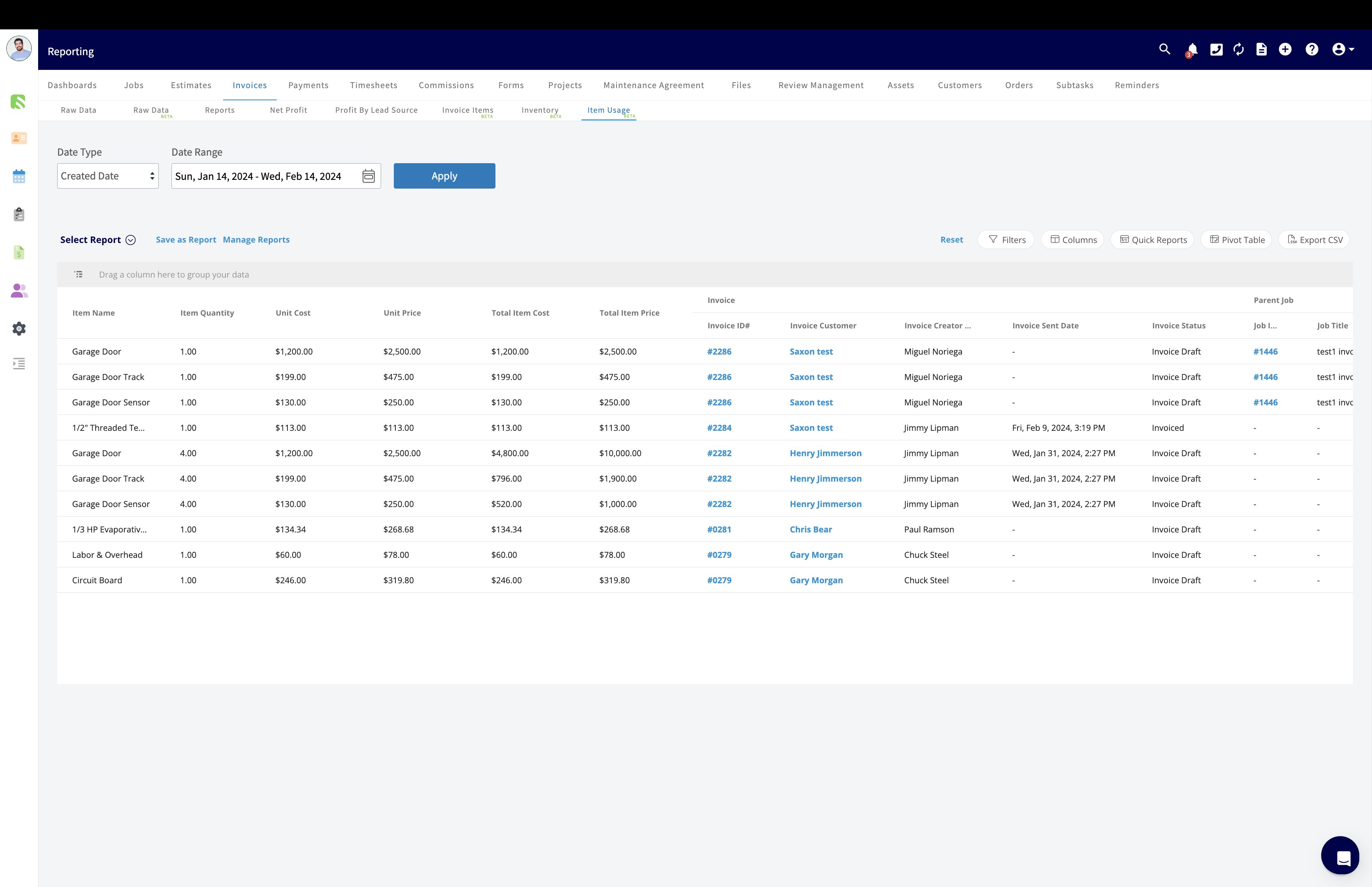
# New Report: Item Usage Report
This feature enables users to generate item usage reports, providing insights into the consumption and utilization of specific items within the system.
 # Offline Mode Enhancements
This feature allows users to store images locally on their devices and provides the option to retry failed uploads. Users can capture images in areas with poor network connectivity or unstable connections and upload them later when network conditions improve.
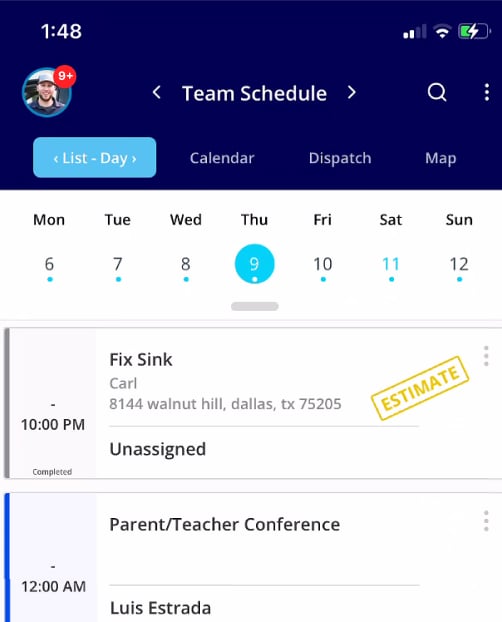
# Notification/Reminders on Mobile App
This feature delivers notifications and reminders to users directly on their mobile devices. Users can stay informed about important updates, tasks, or deadlines even when they are away from their desktops.
# Offline Mode Enhancements
This feature allows users to store images locally on their devices and provides the option to retry failed uploads. Users can capture images in areas with poor network connectivity or unstable connections and upload them later when network conditions improve.
# Notification/Reminders on Mobile App
This feature delivers notifications and reminders to users directly on their mobile devices. Users can stay informed about important updates, tasks, or deadlines even when they are away from their desktops.
 **Have additional questions?**
Contact us at [support@fieldpulse.com](mailto:support@fieldpulse.com) or use the chat feature in the bottom right corner of your screen.\*
## Related topics
- [What's New](/changelog/index.md)
- [10DLC Compliance](/features-add-ons/engage-phone-system/set-up-configuration/10dlc-compliance.md)
- [FieldPulse360 Archives](/training-resources/fieldpulse360/fieldpulse360-archives/index.md)
- [FieldPulse Payments](/using-fieldpulse/payments/start-here/fieldpulse-payments.md)
- [FieldPulse360: Customer Communications](/training-resources/fieldpulse360/fieldpulse360-archives/fieldpulse360-customer-communications.md)
**Have additional questions?**
Contact us at [support@fieldpulse.com](mailto:support@fieldpulse.com) or use the chat feature in the bottom right corner of your screen.\*
## Related topics
- [What's New](/changelog/index.md)
- [10DLC Compliance](/features-add-ons/engage-phone-system/set-up-configuration/10dlc-compliance.md)
- [FieldPulse360 Archives](/training-resources/fieldpulse360/fieldpulse360-archives/index.md)
- [FieldPulse Payments](/using-fieldpulse/payments/start-here/fieldpulse-payments.md)
- [FieldPulse360: Customer Communications](/training-resources/fieldpulse360/fieldpulse360-archives/fieldpulse360-customer-communications.md)