> ## Documentation Index
> Fetch the complete documentation index at: https://help.fieldpulse.com/llms.txt
> Use this file to discover all available pages before exploring further.
# October 2024
> October 2024 releases: purchase orders for service agents, Payrix customer portal payments, and other updates.
# Purchase Order Functionality for Service Agents
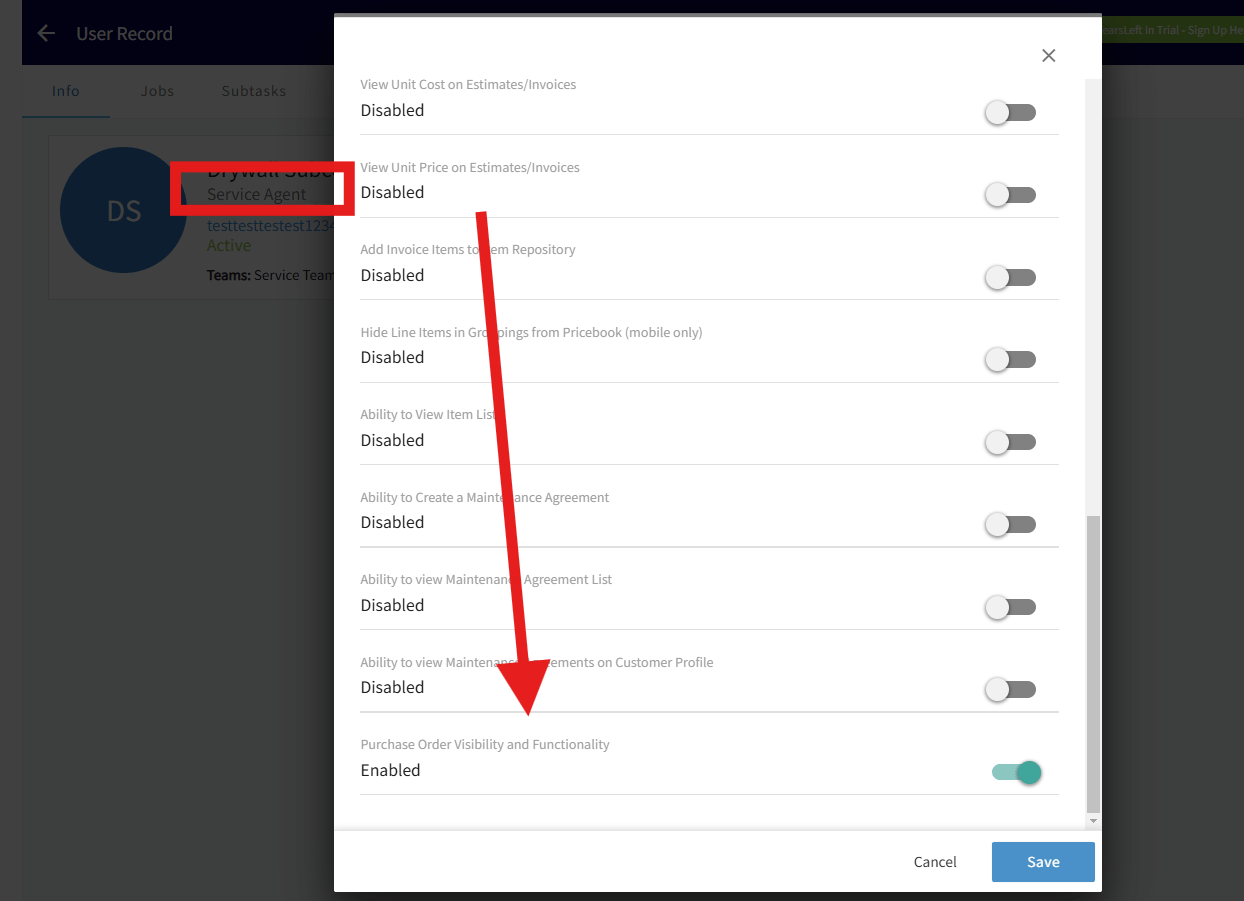
Service agents can now manage purchase orders directly in FieldPulse. To give a service agent this permission:
* Go to *Company Settings* > *User Accounts*.
* Select a user, click *Edit* > *User Feature Permissions*.
* Toggle on "Purchase Order Visibility and Functionality" and save.
Agents will see an "Order" tab on jobs, estimates, and invoices, and may use this feature to place orders with suppliers like The Granite Group directly from a job site.
 # Customer Portal Payments - Payrix
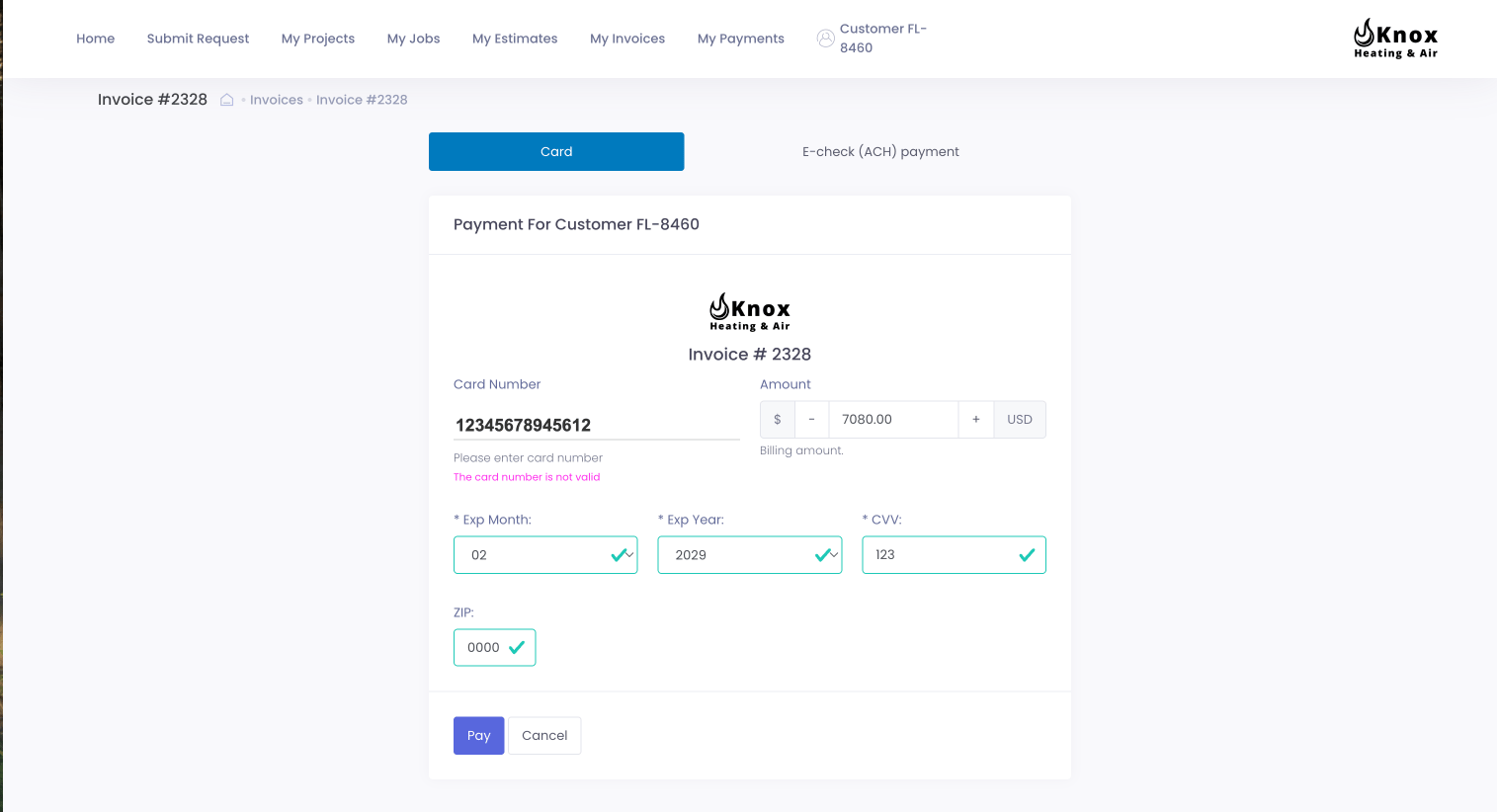
If you're a Payrix user, your customers can now make payments via the Customer Portal using FieldPulse Payments! This feature has been available for CardConnect users, and is now available for both processors.
# Customer Portal Payments - Payrix
If you're a Payrix user, your customers can now make payments via the Customer Portal using FieldPulse Payments! This feature has been available for CardConnect users, and is now available for both processors.
 # Enhanced File Upload Capacity - Mobile App
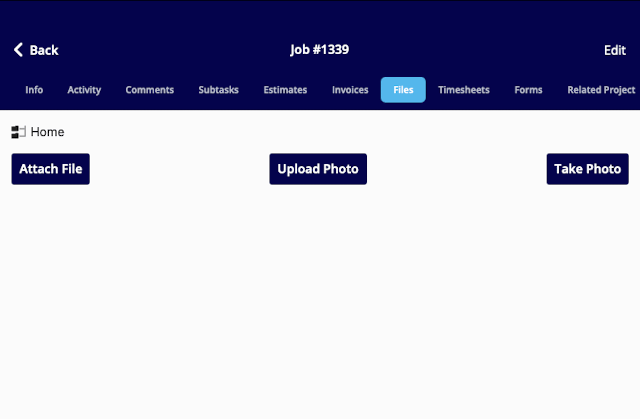
FieldPulse users can now upload up to 50 files at a time on the mobile app.
# Enhanced File Upload Capacity - Mobile App
FieldPulse users can now upload up to 50 files at a time on the mobile app.
 # Engage Call Hold: Web App
Engage users can now place calls on hold with ease via the web app! You can manage up to three calls simultaneously, with any combination of held and active calls, to ensure that you can juggle calls effectively without missing critical interactions. To learn more, visit the [Engage Call Hold article](/features-add-ons/engage-phone-system/using-engage/putting-a-caller-on-hold).
# Engage Call Hold: Web App
Engage users can now place calls on hold with ease via the web app! You can manage up to three calls simultaneously, with any combination of held and active calls, to ensure that you can juggle calls effectively without missing critical interactions. To learn more, visit the [Engage Call Hold article](/features-add-ons/engage-phone-system/using-engage/putting-a-caller-on-hold).
 # Price Tiers
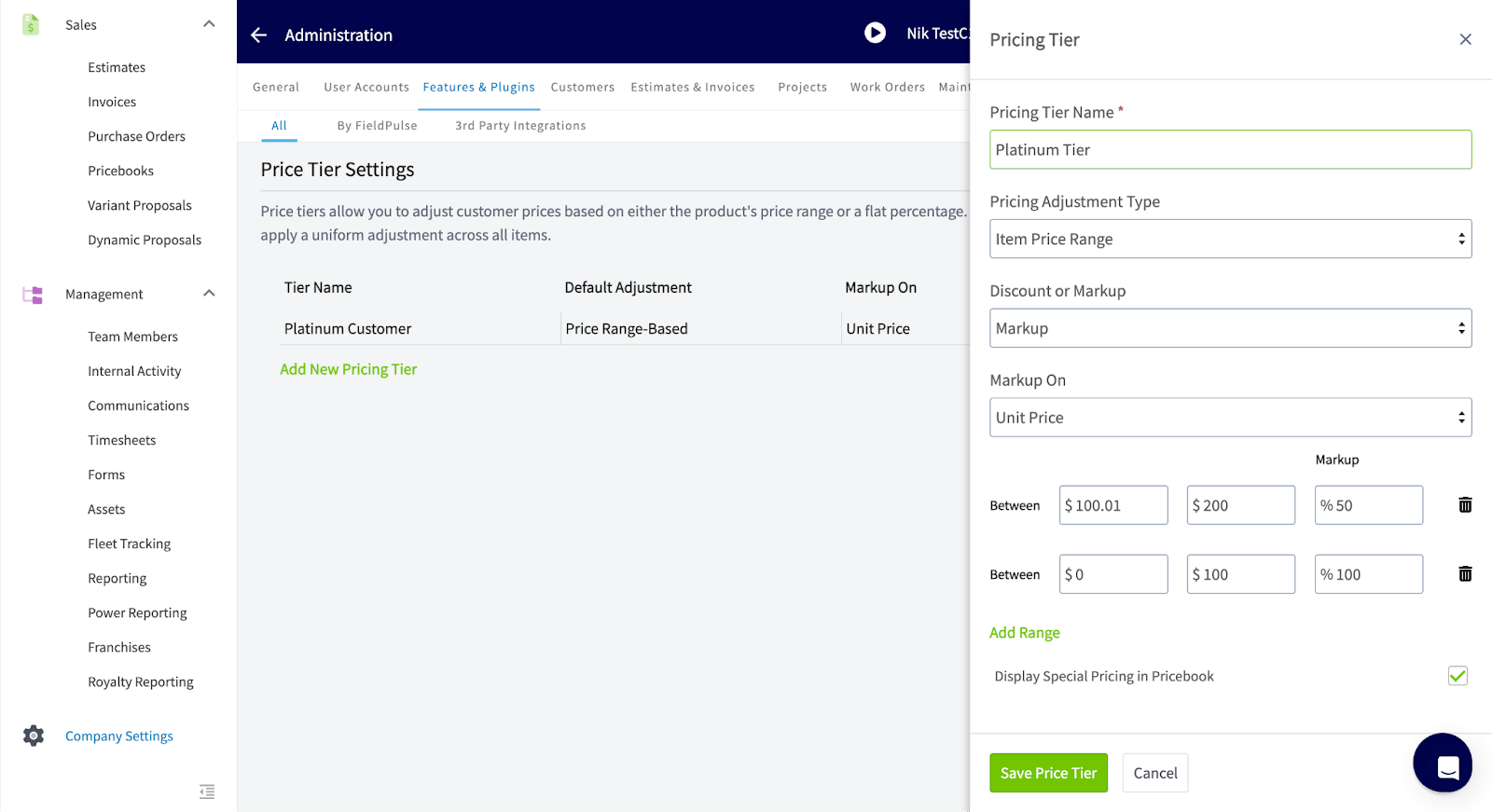
Price Tiers offer a flexible way to manage customer-specific pricing by automatically applying markups or discounts based on customer categories. Whether you're rewarding loyal members with tiered discounts or offering wholesale pricing to frequent buyers, the system ensures consistent, tailored pricing. To learn more, visit the [Price Tiers article](/using-fieldpulse/customers/price-tiers).
# Price Tiers
Price Tiers offer a flexible way to manage customer-specific pricing by automatically applying markups or discounts based on customer categories. Whether you're rewarding loyal members with tiered discounts or offering wholesale pricing to frequent buyers, the system ensures consistent, tailored pricing. To learn more, visit the [Price Tiers article](/using-fieldpulse/customers/price-tiers).
 # Collect Payment via ACH - Mobile App
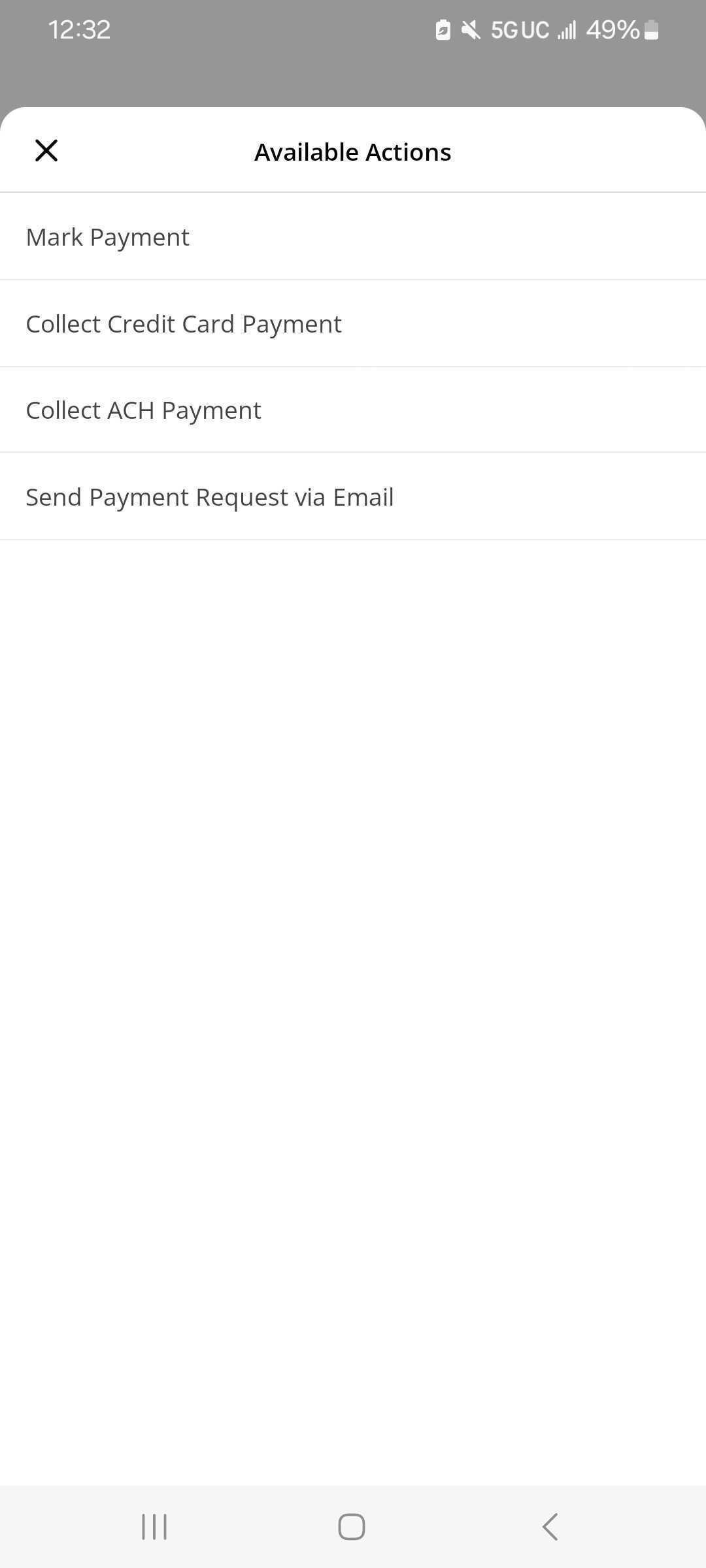
Like in the web app, users can now process payments from personal checking/savings account or business checking/savings on the FieldPulse mobile app. *(**Note:** This is supported for Payrix users only at this time.)*
# Collect Payment via ACH - Mobile App
Like in the web app, users can now process payments from personal checking/savings account or business checking/savings on the FieldPulse mobile app. *(**Note:** This is supported for Payrix users only at this time.)*
 # Save Card on File - Mobile App
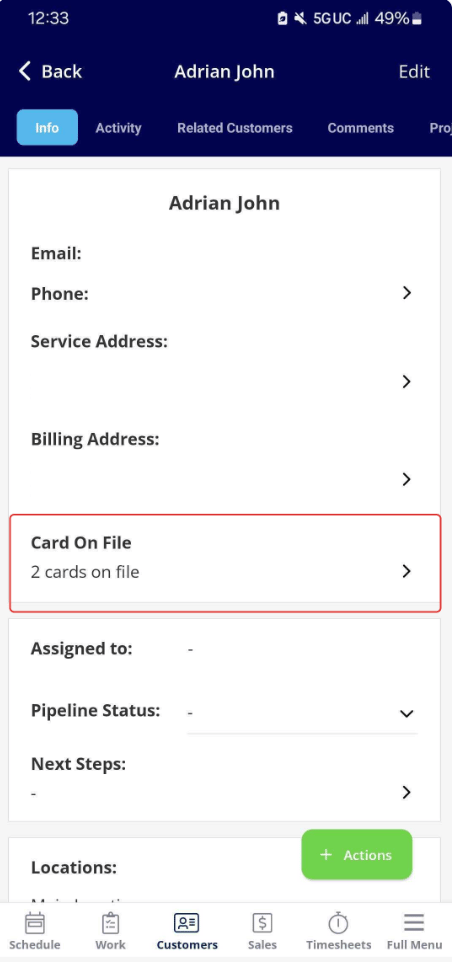
Users can now save cards on file in the mobile app, in addition to the web app. Save multiple cards on a customer profile by going directly to the customer's profile or at the time of collecting payment. If there are multiple cards on file, the FieldPulse user can select which one to charge. *(**Note:** This is supported for both Payrix and CardConnect users.)*
# Save Card on File - Mobile App
Users can now save cards on file in the mobile app, in addition to the web app. Save multiple cards on a customer profile by going directly to the customer's profile or at the time of collecting payment. If there are multiple cards on file, the FieldPulse user can select which one to charge. *(**Note:** This is supported for both Payrix and CardConnect users.)*
 \*
\* # Asset Scanning
We’re excited to announce our new asset scanning feature on the mobile app. This works similarly to our existing barcode scanning feature, allowing users to scan and add new assets or update existing ones. Whether you're in the field picking up or dropping off assets, this tool makes it easy to quickly identify items and update important details, like their condition, on the go.
**Have additional questions?**
Contact us at [support@fieldpulse.com](mailto:support@fieldpulse.com) or use the chat feature in the bottom right corner of your screen.\*
## Related topics
- [What's New](/changelog/index.md)
- [FieldPulse360 Archives](/training-resources/fieldpulse360/fieldpulse360-archives/index.md)
- [FieldPulse360: Make Your Data Make Sense](/training-resources/fieldpulse360/fieldpulse360-archives/fieldpulse360-make-your-data-make-sense.md)
- [FieldPulse360: Mastering Extended Timeline Work](/training-resources/fieldpulse360/fieldpulse360-archives/fieldpulse360-mastering-extended-timeline-work.md)
- [FieldPulse360: ClearPath Best Practices](/training-resources/fieldpulse360/fieldpulse360-archives/fieldpulse360-clearpath-best-practices.md)
# Asset Scanning
We’re excited to announce our new asset scanning feature on the mobile app. This works similarly to our existing barcode scanning feature, allowing users to scan and add new assets or update existing ones. Whether you're in the field picking up or dropping off assets, this tool makes it easy to quickly identify items and update important details, like their condition, on the go.
**Have additional questions?**
Contact us at [support@fieldpulse.com](mailto:support@fieldpulse.com) or use the chat feature in the bottom right corner of your screen.\*
## Related topics
- [What's New](/changelog/index.md)
- [FieldPulse360 Archives](/training-resources/fieldpulse360/fieldpulse360-archives/index.md)
- [FieldPulse360: Make Your Data Make Sense](/training-resources/fieldpulse360/fieldpulse360-archives/fieldpulse360-make-your-data-make-sense.md)
- [FieldPulse360: Mastering Extended Timeline Work](/training-resources/fieldpulse360/fieldpulse360-archives/fieldpulse360-mastering-extended-timeline-work.md)
- [FieldPulse360: ClearPath Best Practices](/training-resources/fieldpulse360/fieldpulse360-archives/fieldpulse360-clearpath-best-practices.md)