
Who uses this: Administrators turn on Acorn Finance in Company Settings > Features & Plugins; once enabled, every FieldPulse user can offer it. Availability: United States — available online across all 50 states, and all FieldPulse users qualify with no approval process.Acorn Finance is a lending platform that helps your customers find personalized loan options from 12+ top online lenders. Once the integration is enabled, financing appears as a payment option on the estimates and invoices you send from FieldPulse, and your customer can get pre-qualified in about 60 seconds without affecting their credit score.

Overview
Acorn Finance strives to bring together the leading lenders in the country, allowing them to compete to better serve your customers. Acorn Finance uses a soft credit check to connect eligible customers to competitive loan offers through an online process, so a customer can get financing for an emergency repair when money is tight, or funding for a large, costly project. Acorn Finance is integrated directly with FieldPulse, so customers apply for financing in seconds without your business having to handle any sensitive information. Your customer applies for and, if approved, receives the loan directly from the lender. The lender funds your customer, your customer pays you directly for the services rendered, and you get paid as you normally would — Acorn Finance facilitates the loan. Your customers can get loans up to $100,000, with a minimum loan amount of $1,000, and terms have the option to go up to 20 years. Customers use Acorn Finance for a variety of projects, including but not limited to:- HVAC replacements
- Plumbing services and repairs
- Garage purchasing or building
- Kitchen remodeling
- Pool installation
- Bathroom remodeling or adding a new bathroom
- Finishing a basement
To learn more about Acorn Finance, see the Acorn Finance partner page.
Video walkthrough
Video walkthrough: FieldPulse + Acorn Finance
Before you begin
- You need the Administrator role — Company Settings is visible only to Administrators.
- There is nothing to apply for. All FieldPulse users can access the Acorn Finance integration, with no qualification requirements and no approval process.
- Acorn Finance is available online across all 50 U.S. states — no states are excluded.
Step-by-step setup
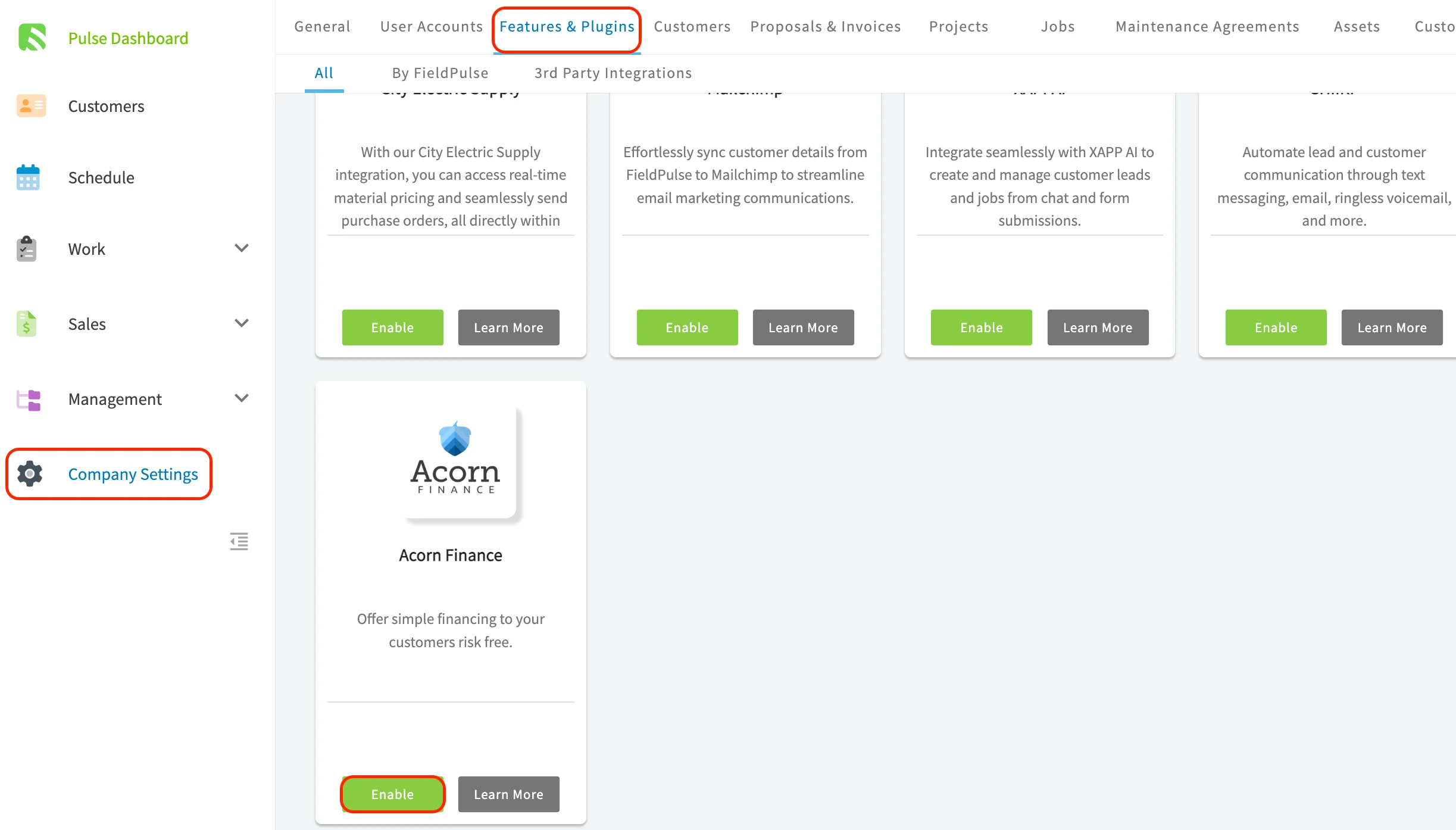
- In the left-hand menu, select Company Settings.
- Select Features & Plugins.
- Scroll toward the bottom of the tile list to find the Acorn Finance tile.
- Select Enable, or select Learn More to read the details first.
Adding financing to an estimate
After Acorn Finance is enabled, the send options on an estimate record in the web app include Include Customer Loan Offer Through Acorn, alongside the credit/debit card and bank transfer (ACH) payment options.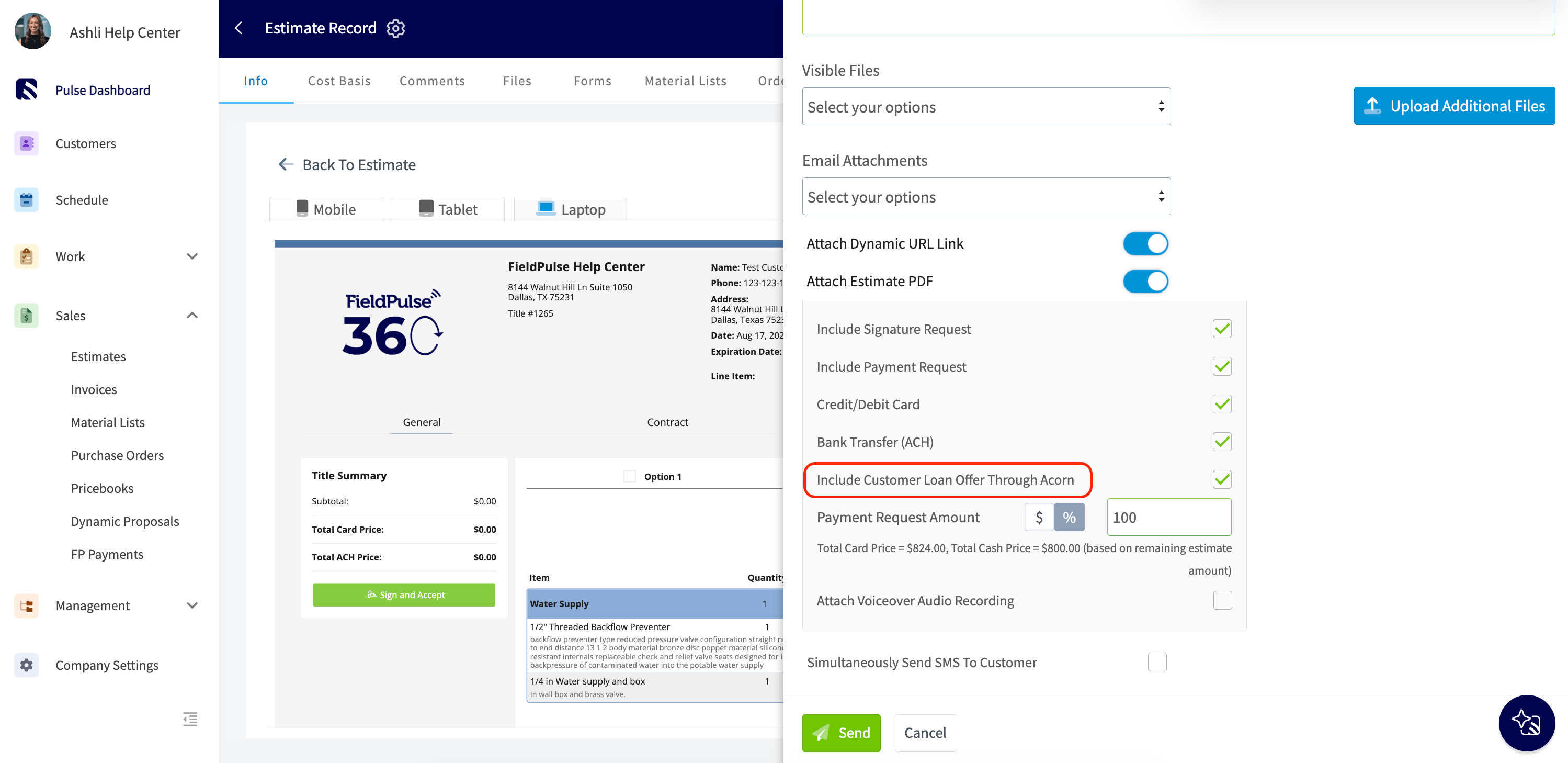
What your customer sees
On the estimate your customer opens, the Acorn Finance offer sits under the totals with an estimated monthly payment, a link to get started, and a line confirming that checking offers has no impact on their credit score.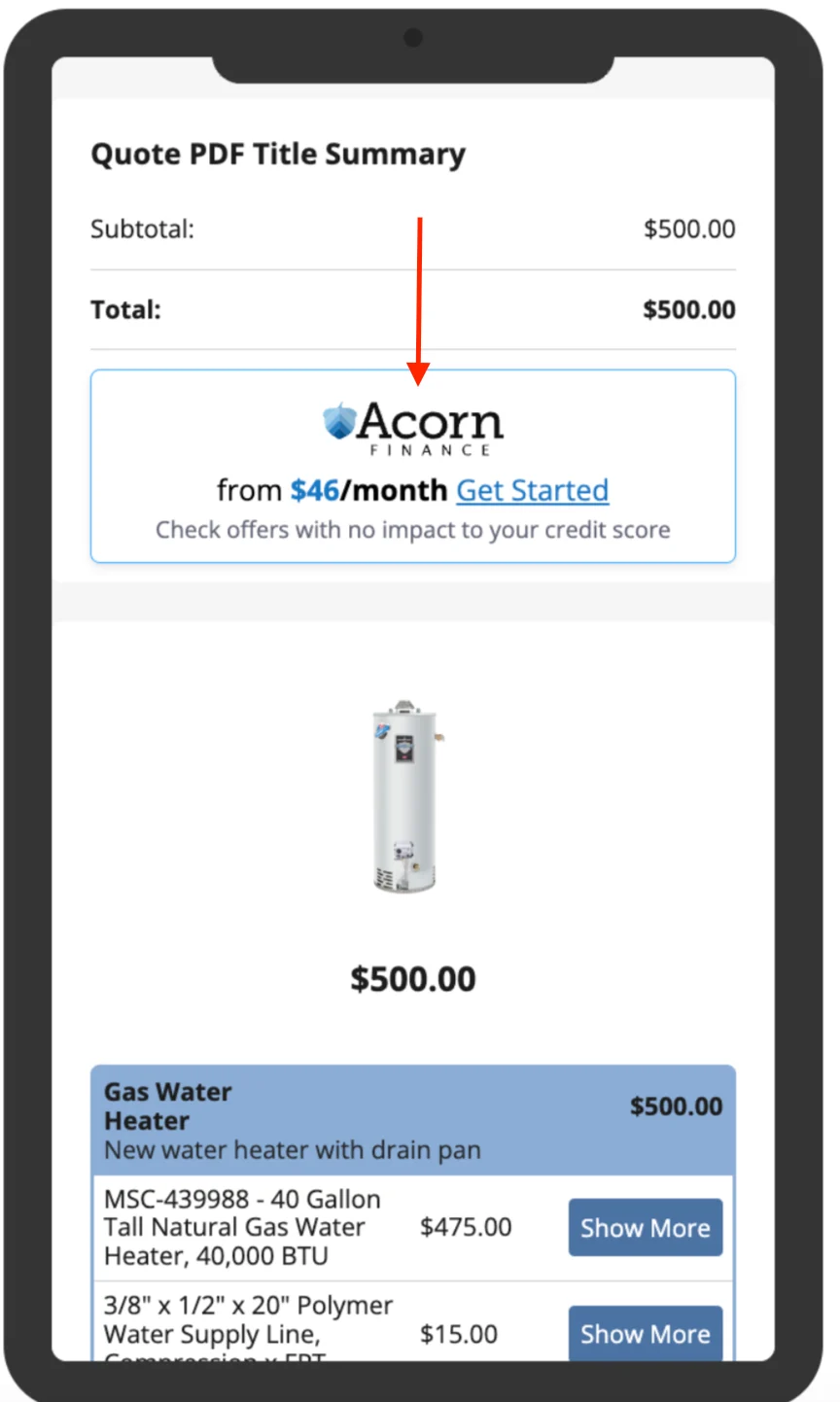
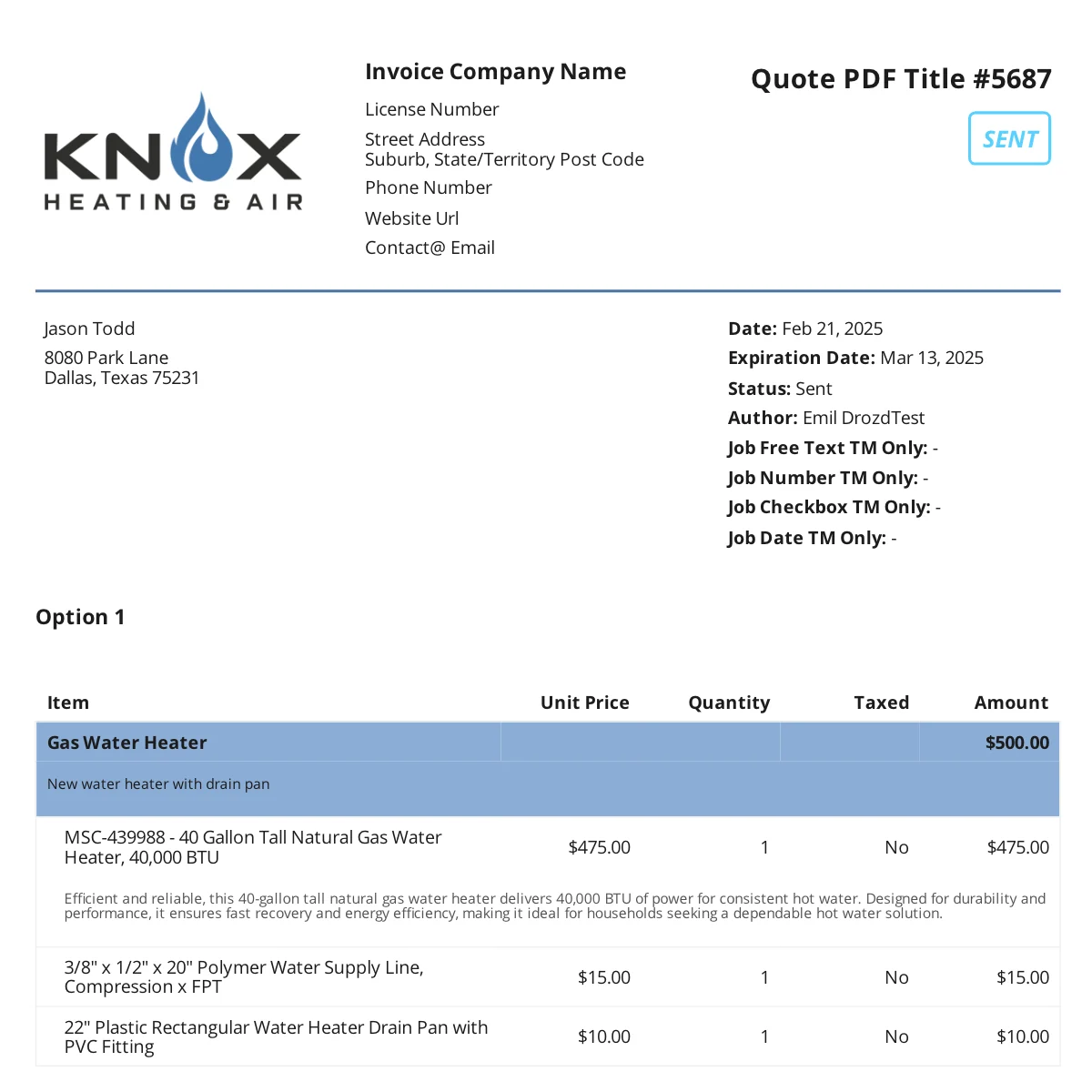
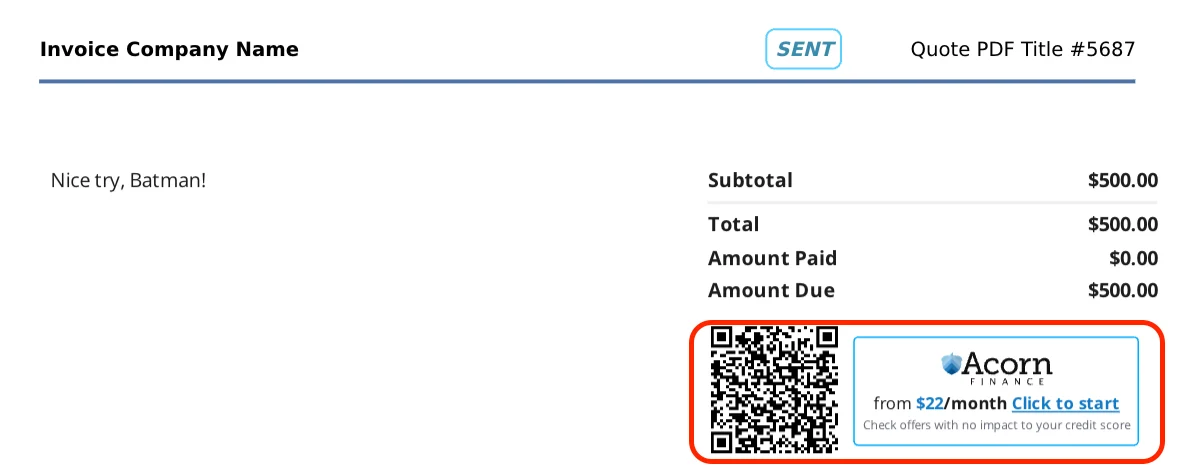
Because funding times differ among lenders, offer the financing on all of your estimates rather than waiting until you invoice. That gives the funds enough time to appear in your customer’s account before you invoice them.
Your setup is working when the Acorn Finance tile in Company Settings shows as enabled and Include Customer Loan Offer Through Acorn appears in the send options on your next estimate.