
Creating Commission Templates
To begin crafting your commission templates, navigate to Company Settings > Estimates & Invoices > Commission tab then select the Create New button.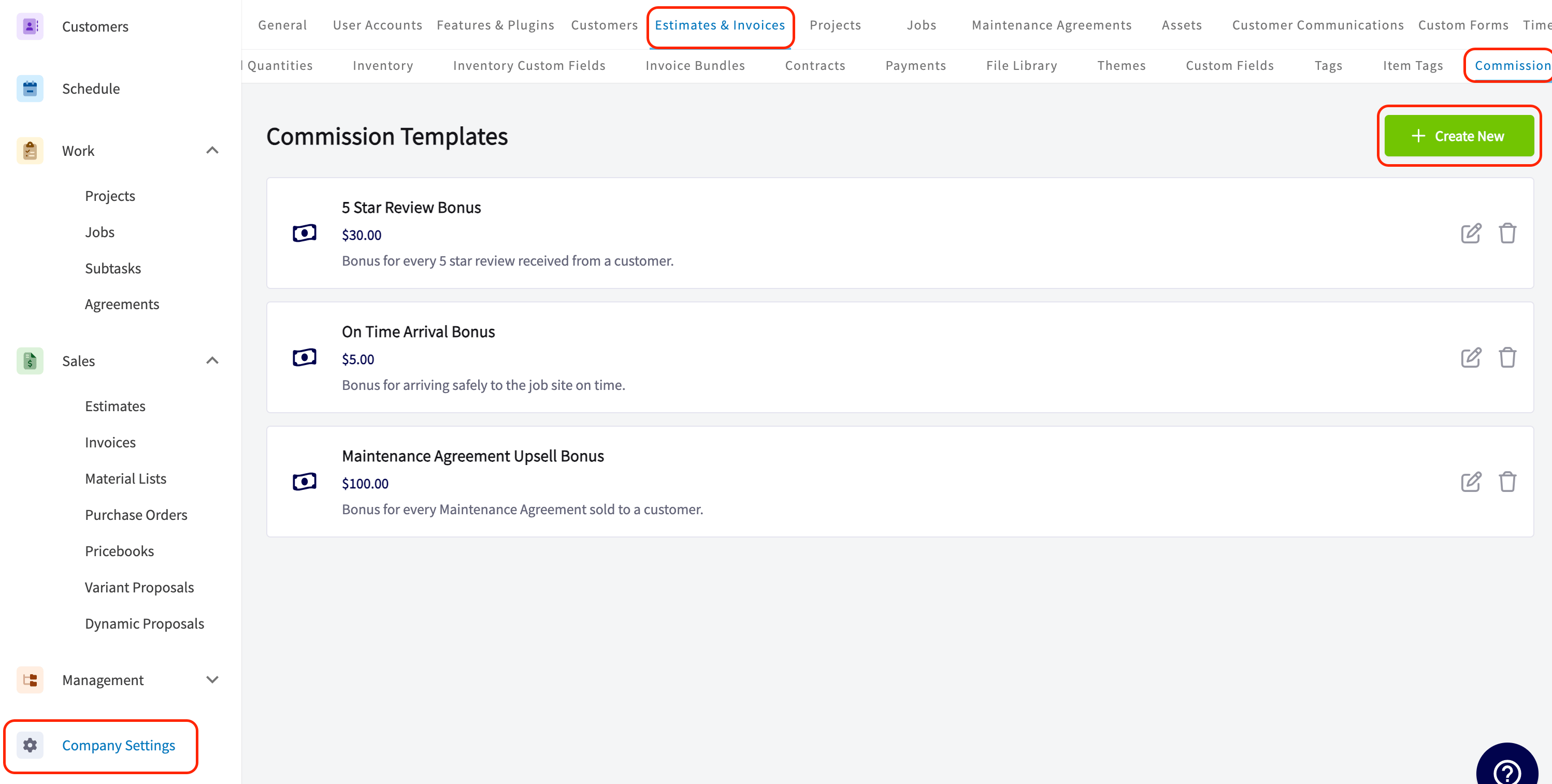
Essential Template Elements
- Commission Title: This field allows you to uniquely name your template, making it easy to find what you need when generating estimates or invoices.
- Commission Description: Provide additional context or details about the commission in this text field. These descriptions will appear as selectable suggestions when you click into the field, eliminating the need for manual entry.
- Calculation Method: Select from Flat Dollar Amount, Percentage of Gross Sales, or Percentage of Gross Margin.
- Commission Amount: Easily input the commission percentage or dollar value, pre-formatted to reduce entry errors—starting at $0.00. This feature helps maintain precise financial records.
Use Cases for Commission Templates
By setting up templates for common commission scenarios, you save time and ensure consistency. Here are some use cases to consider:- Customer Satisfaction Bonuses: If you frequently reward employees for securing five-star reviews from customers, a commission template can streamline the process. This motivates your staff to provide exceptional service and enhances your brand’s reputation.
- Upsell Commissions: For businesses that encourage employees to promote additional services or products, a template for upsell commissions is a no brainer. For instance, this can be used if a technician suggests a preventive maintenance plan during a service call.
- On-Time Arrival Bonuses: Recognizing punctuality can improve reliability and customer satisfaction.
- Safety Performance Bonuses: Recognize safe driving records or adherence to safety protocols, contributing to a safer work environment.
Using Your Commission Templates
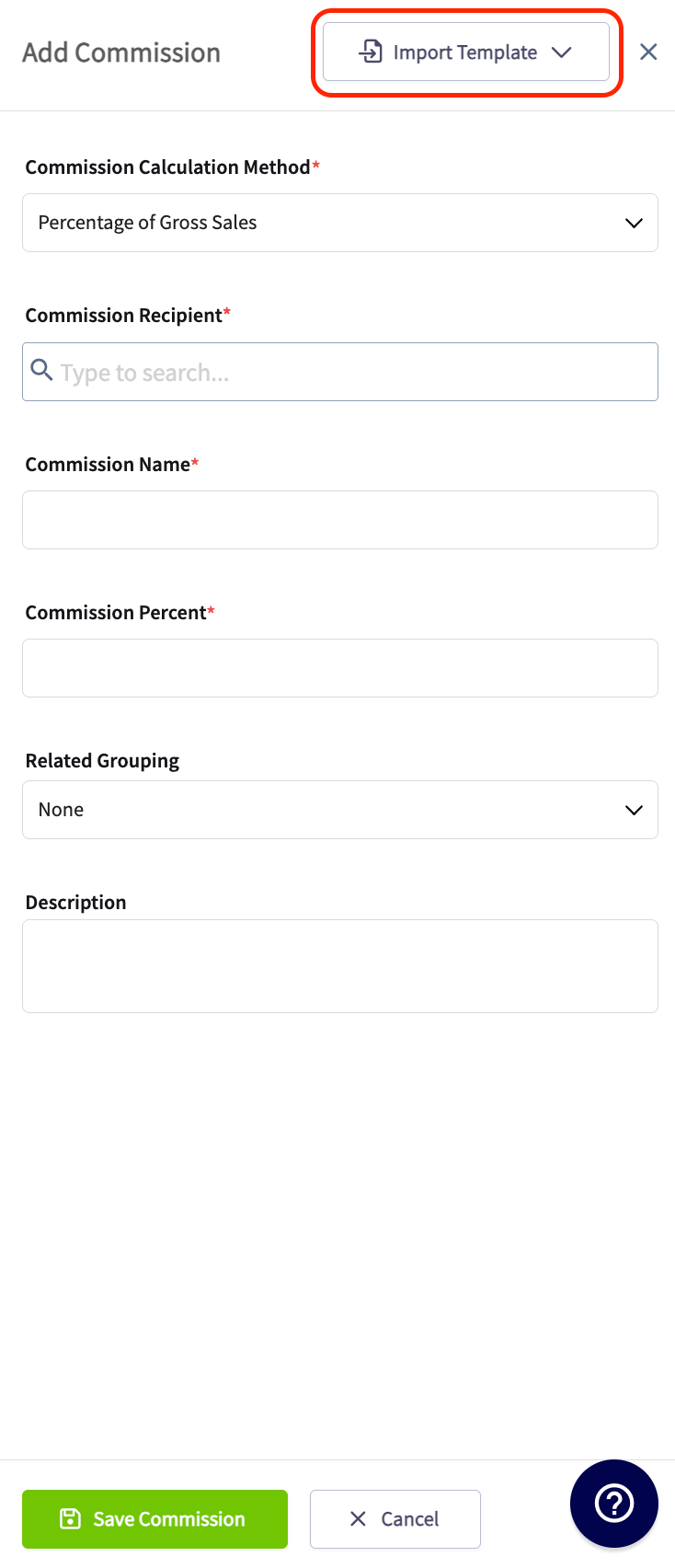
When on an Estimate or Invoice Record, navigate to the Cost Basis tab then the associated Commission tab. You then will click the Add Commission button.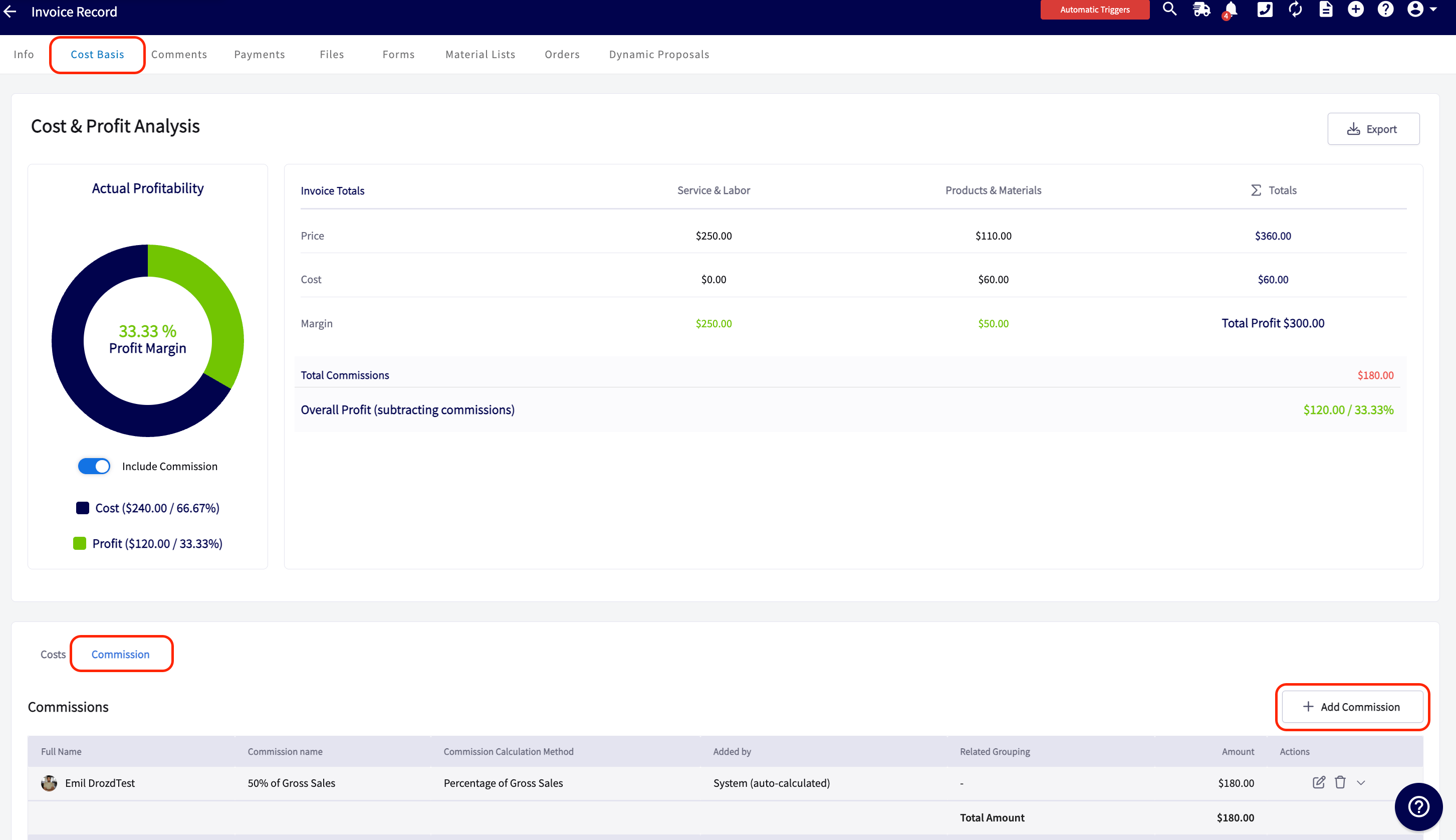
Have additional questions? Contact us at support@fieldpulse.com or use the chat feature in the bottom right corner of your screen.