
Overview
Sync errors happen when a record doesn’t meet a QuickBooks Online rule — a duplicate name, a missing account, a closed accounting period, an item set up as the wrong type. Most are fixed by correcting the record in FieldPulse or QuickBooks Online and re-syncing. This page lists the common errors by the record they affect, with the cause and the fix for each. To see which records currently need attention, use the QuickBooks Online Statistic page (see How to Manage QuickBooks Online After Syncing).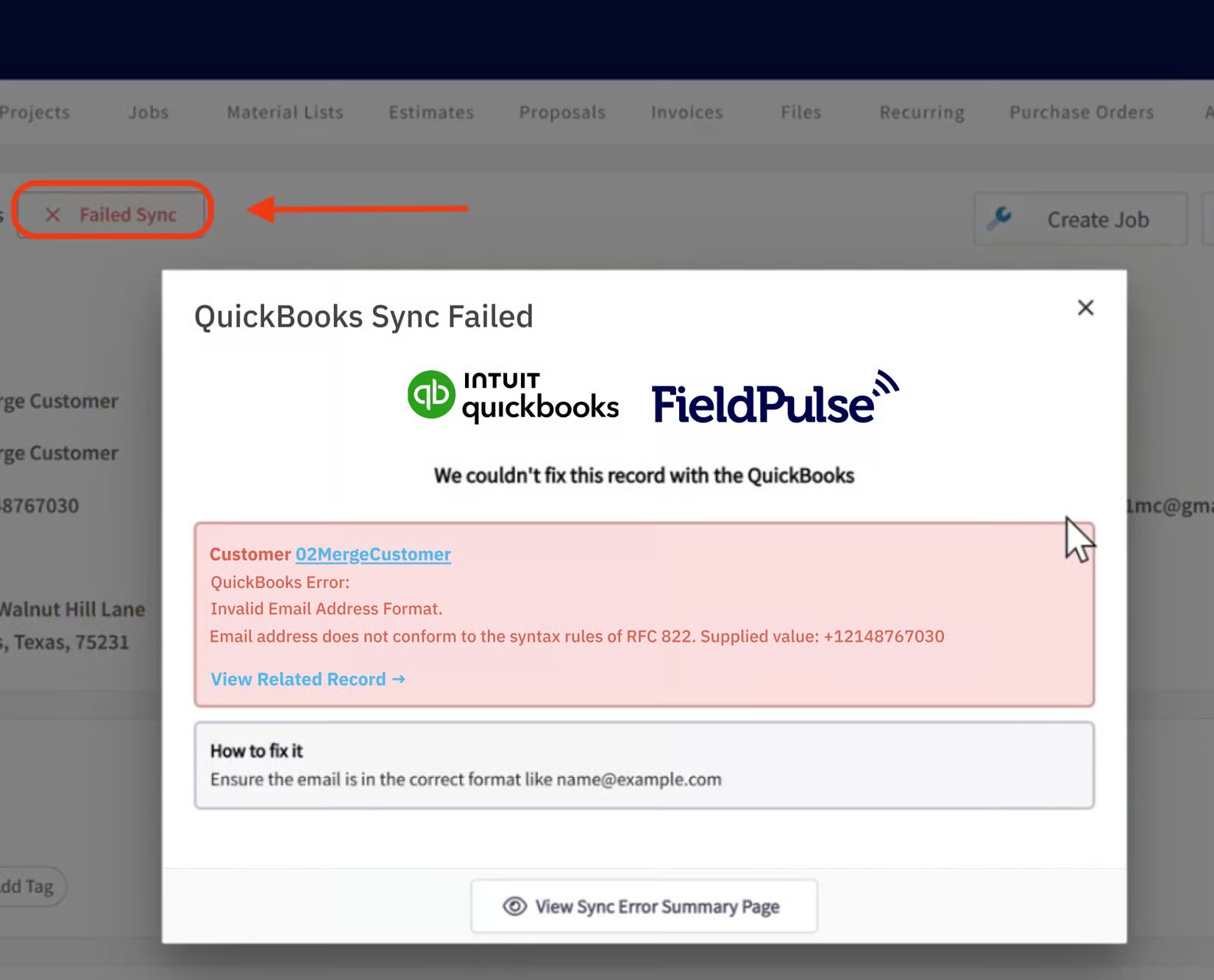
Why records don’t sync
Before looking up a specific message, these are the most common reasons each record type fails to sync:- A customer may not sync because its email is missing or badly formatted; its name duplicates another vendor; the email or phone exceeds 31 characters, or notes exceed 4,000 characters; its name uses a colon ( : ); it is the child of a parent customer that isn’t synced; or it is archived in QuickBooks Online.
- A line item may not sync because: a field is missing or badly formatted; the name exceeds 100 characters or the SKU exceeds 30; the name duplicates another item; it’s not marked as a product or service in QuickBooks Online; its sales or purchase account is not active in QuickBooks Online; or it’s a Product - Inventory item but your QuickBooks Online plan doesn’t support inventory.
- An invoice may not sync because: the customer isn’t synced; a line item isn’t synced; internal notes exceed 4,000 characters; or it falls in a closed accounting period in QuickBooks Online.
- A payment may not sync because: there is an archived payment already synced on the invoice; or the related invoice isn’t synced.
Common issues
Customer errors
| Error message | Cause | Fix |
|---|---|---|
| ”This name is being used by another vendor. Please use a different name.” | Customers and vendors must have unique display names. | Give the customer a different display name. |
| ”Duplicate Name Exists Error… Another entity is already using this name.” | Two customers or vendors share a display name. | Choose a different name or add an abbreviation to the end. |
| ”Invalid Customer… The customer you have specified has been deleted.” | The customer is archived in QuickBooks Online. | Reactivate the customer, let it re-sync, then sync related records. |
| ”Invalid Email Address format…” | The email on the customer record is invalid. | Correct the email to a valid format, e.g. name@example.com. |
| ”Please make the parent customer active first. Then you can make this sub-customer active.” | The parent customer is archived. | Activate the parent customer first, then the related customer. |
| ”Related Parent Customer # sync failed!” | The parent customer hasn’t synced. | Open the parent customer and select Sync with QuickBooks first. |
| ”This customer cannot be deleted because it has one or more projects.” | The customer has an active project (related customer) in QuickBooks Online. | You can’t archive a customer with an active project or related customer. |
| Customer is archived in QuickBooks Online (no error text — the record just stops syncing) | The customer record was made inactive in QuickBooks Online. | Reactivate the customer in QuickBooks Online, then let it re-sync. |
| ”Cannot Change Who Customer Bills With Error…” | You can’t unlink a parent-child relationship while payments on the parent are applied to invoices for the related customer. | Delete those payments/invoices in QuickBooks Online first. |
| ”Cannot Delete Object… You can’t make this customer inactive because it has sub customers.” | The customer has active related customers. | Archive the child customers first. |
| ”Delete Customer Has Unbilled Expenses Error…” | The customer has unbilled charges. | Remove or close out the unbilled charges in QuickBooks Online before archiving the customer. |
| ”Delete List Has Balance Error… This customer can’t be deleted because it has a non-zero balance.” | The customer has open invoices. | Remove or close out open invoices in QuickBooks Online before archiving the customer. |
| ”You must enter the email address for this customer in order to email statements.” | The customer record has no email address. | Add an email address to the customer record. |
| ”No name provided” (Title/GivenName/MiddleName/FamilyName/DisplayName/Suffix must be non-empty) | No name field is filled in. | Fill in at least one required name field. |
| ”Parent Cannot Be Child… This item can’t be a sub-item of itself.” | A customer is linked to itself as its own parent. | Link the customer to a different customer, not itself. |
| ”Invalid Reference Id: Customer assigned to this transaction has been deleted…” | The customer on the transaction is archived. | Reactivate the customer in QuickBooks Online, then re-sync before syncing related records. |
| ”A project must be a sub-customer billed to its parent.” | The project (related customer) isn’t linked to a parent customer. | Edit the project and link it to its parent customer. |
| ”A project cannot contain sub-customers.” | A related customer is linked to a project instead of a regular customer. | Link the related customer to the appropriate parent customer instead. |
| ”Project records sync disabled” / “Related Project records sync disabled” | This record exists as a project in QuickBooks Online and project sync is currently disabled. | Contact support to enable the QuickBooks Online project sync. |
| ”This customer cannot be deleted because it is used on a recurring template.” | The customer is used on a recurring invoice template in QuickBooks Online. | Archive the recurring invoice first, then archive the customer. |
| ”Another customer is already using this name and it cannot be merged because this customer has sub-customers.” | The customer has related customers linked to it. | Reallocate the related customers first, then merge. |
Line item and account errors
| Error message | Cause | Fix |
|---|---|---|
| ”Not a valid product or service name. Names must have at least one character and cannot include tabs, newlines or ’:’.” | The item name has invalid characters. | Use a simple name with no colons, extra spaces, or line breaks. |
| ”You can’t change a Category into another item type.” | The item exists as a Category in QuickBooks Online. | Replace it on the estimate/invoice with a product or service type item. |
| ”Item # sync failed!” | The item on the invoice isn’t synced. | Open the item and re-sync it before the invoice. |
| ”There is no income account associated with the item.” | The item has no sales/income account. | Select a sales account on the item, then re-sync. |
| ”Invalid account type used… the income account must have Account Type: ‘Income’…” | The wrong account type is used for an inventory item. | In your QuickBooks Online chart of accounts, set the income account to Type ‘Income’ / Detail ‘Sales of Product Income’ (and the expense account to ‘Cost of Goods Sold’ / ‘Supplies and Materials’). |
| ”When you create an item, if Track Quantity on Hand is turned on, the item must be of type Inventory.” | An item tracks quantity but isn’t set to Inventory type. | Change the item type to Inventory. |
| ”Feature Not Supported Error… This feature is not included in your QuickBooks Online subscription.” | Your QuickBooks Online plan doesn’t support the feature (often inventory). | Inventory items won’t sync on plans without inventory support — use a service/non-inventory item or upgrade your QuickBooks Online plan. |
| ”Invalid Type… Item of type Inventory cannot be changed to Service/Non-inventory item type.” | You can’t convert an inventory item to another type. | Create a new item of the correct type. |
| The item’s sales or purchase account is inactive in QuickBooks Online (silent sync failure) | The account tied to the item was made inactive in QuickBooks Online. | Reactivate the account in QuickBooks Online, then re-sync the item. |
| ”You can’t change a bundle to another product or service type.” | This item exists as a bundle in QuickBooks Online. | This item’s type can’t be changed. |
| ”The account associated with this product or service has been deleted. Please undelete first or pick another one.” | The item’s sales/purchase account was deleted. | Undelete the account in QuickBooks Online, or choose another one. |
| ”When you create an item, if Track Quantity on Hand is turned off, the item cannot be of type Inventory.” | An item is set to Inventory but isn’t tracking quantity. | Change the item type to Product - Non-inventory. |
| ”Initial quantity on hand for an inventory item is required.” | No starting inventory amount was set. | Set the initial inventory amount when creating the item. |
| ”You are not allowed to modify the quantity of an inactive inventory item.” / “You need to activate this item before updating the quantity.” | The item is archived. | Reactivate the item before editing its inventory amount. |
| ”Select a date that’s after the last transaction for this item.” | The invoice date is before the item’s created date. | Adjust the invoice date or the item’s created date. |
| ”This needs to be active because it’s the default product or service for sales.” | The item/account is used as a default in QuickBooks Online. | You can’t delete an item/account used as a default in QuickBooks Online. |
| ”Please make the parent product or service active first…” | The parent item is archived. | Activate the parent item before activating related items. |
| ”Description-only Item can not be synced to QuickBooks!” | This FieldPulse item type is description-only and isn’t meant to sync. | This message can be ignored. |
| ”You can’t create or modify a transaction with a date that comes before you started tracking quantity on hand for [item].” / “Transaction date is prior to start date for inventory item.” / “You can’t delete or void this transaction because it was created before you started tracking quantity on hand for [item].” | Inventory tracking started after the invoice date. | Change the inventory tracking start date in QuickBooks Online to before the invoice date, or change the invoice date. |
| ”Item is a category!” / “An item in this transaction is set up as a category instead of a product or service.” / “Categories cannot be used in transactions.” | The item exists as a category in QuickBooks Online. | Replace it with a product or service type item — categories can’t be used on estimates or invoices. |
Invoice, payment, and amount errors
| Error message | Cause | Fix |
|---|---|---|
| ”Draft invoice # is not available for sync!” | Draft invoices don’t sync. | The invoice will sync once it’s finalized (Invoiced status). |
| ”Enter a transaction amount that is 0 or greater.” | The invoice total can’t be blank or below 0. | Adjust the line item amounts or add additional items. |
| ”The discount amount can’t be greater than the subtotal.” | The discount pushes the total below 0. | Reduce the discount so the total is 0 or above. |
| ”Related Customer # sync failed!” | The invoice’s customer isn’t synced. | Sync the related customer first, then sync the invoice. |
| ”Related Invoice # sync failed!” | The payment’s invoice isn’t synced. | Sync the related invoice first, then sync the payment. |
| ”This transaction is matched to a downloaded transaction. If you want to change the account, you need to unmatch the transaction first.” | The record is matched to a bank-downloaded transaction in QuickBooks Online. | Edit the record in QuickBooks Online, not FieldPulse. |
| ”Deposited Transaction cannot be changed” / “This transaction has been deposited…” | The payment has already been deposited in QuickBooks Online. | Edit it in QuickBooks Online. |
| ”Enter a transaction amount to continue.” / “You must set a transaction amount.” | The estimate or invoice is empty. | Add line items before saving. |
| ”Cost estimate is not assigned to a valid project.” | The estimate isn’t linked to a valid project (related customer). | Open the estimate and select a valid project before saving. |
| ”Related Class # sync failed!” | The class assigned to the invoice/estimate isn’t synced. | Make sure the class is active in QuickBooks Online, or create a new one. |
| ”Invalid Reference Id: Class assigned to this transaction has been deleted. Before you can modify this transaction, you must restore [class].” | The class was deleted in QuickBooks Online. | Restore or recreate the class in QuickBooks Online and make sure it’s active. |
Tax errors
| Error message | Cause | Fix |
|---|---|---|
| ”Make sure all your transactions have a GST/HST rate before you save.” | A line item is missing a GST/HST rate (Canada). | Edit each line item, select a GST/HST rate, and save. |
| ”Looks like you tried using an invalid or incorrect tax classification code. Try again with a different code.” | The tax code is invalid. | Select a different, valid tax rate. |
| ”We’re sorry, we can’t save the sales tax you’re trying to set up right now.” / ”…QuickBooks encountered an error while calculating tax…” | There’s an error with the tax applied to the line items. | Remove the line items from the record and add them again to reset the tax. |
Accounting period and connection errors
| Error message | Cause | Fix |
|---|---|---|
| ”Account Period Closed… Txn Date=# is before book closing date=#” / ”…Cannot Update Through Services API…” | The accounting period is locked in QuickBooks Online. | Unlock the period in QuickBooks Online to sync updates, or make the change directly in QuickBooks Online. |
| ”Authorization Failure… You do not have access to use QuickBooks Online. statusCode: 401” | The connecting account lacks access. | Make sure the account used to connect is active and has admin permissions. |
| ”Authorization Failure… Unknown Error during Authentication. statusCode: 500” | FieldPulse and QuickBooks Online have disconnected. | Disable the QuickBooks Online integration and enable it again. |
| ”Invalid Company Status… Subscription period has ended or canceled or there was a billing problem.” | The QuickBooks Online subscription has ended or been canceled. | Resolve billing in QuickBooks Online. |
| ”The action could not be completed because another user was creating, editing or deleting a transaction with inventory products at exactly the same time.” | Someone has the same record open in QuickBooks Online. | Close the record in QuickBooks Online, then try again. |
| ”Another user is currently accessing this company. Please try again.” | Someone else is editing the same record. | Close out of the record, then retry. |
| ”Stale Object Error… Another user finished before you did, so your work was not saved.” | The record was edited in two places at once. | Close the record in QuickBooks Online or FieldPulse before editing again. |
| ”An unexpected error occurred while accessing or saving your data.” | A temporary sync issue. | Wait a few minutes and try again; contact support if it persists. |
| ”Something this action required is no longer available. Another user may have deleted it.” | The item/record was archived by another user. | Reactivate the item/record, use a different one, or create a new one. |
| ”Object Not Found… Another user has deleted this transaction.” / ”…Something you’re trying to use has been made inactive.” | The record was deleted or made inactive. | Reactivate the record before syncing it again. |
| ”QuickBooks side does not have record with such ID to be resynced!” | The record was deleted in QuickBooks Online. | Reactivate it in QuickBooks Online, or contact support to remove it from FieldPulse. |
| ”You can’t use [x] because [x] already exists…” / “There is a duplicated records in FieldPulse database!” / “There is a multiply entities by this criteria” / “There is a multiply records in QuickBooks!” / “There is already synced record present in FieldPulse database…” | You have a duplicate record with the same name. | Rename one of the duplicates before re-syncing. |
| ”Number out of range…” / “String length is either shorter or longer than supported…” | The record name/value is outside the supported length. | Adjust the record name or value to fit within the supported length. |
| ”Invalid ID… Id should be a valid number.” / “Required param missing…” | A system-level ID or parameter mismatch. | Contact support if you see this error. |
| ”Invalid Reference Id: [x]” (an account, item, or customer is inactive, deleted, or no longer valid) / “Invalid Reference Id: This account has been deleted.” | The referenced record isn’t active in QuickBooks Online. | Make sure the related record is active and synced before syncing dependent records; check your chart of accounts if it references an account. |