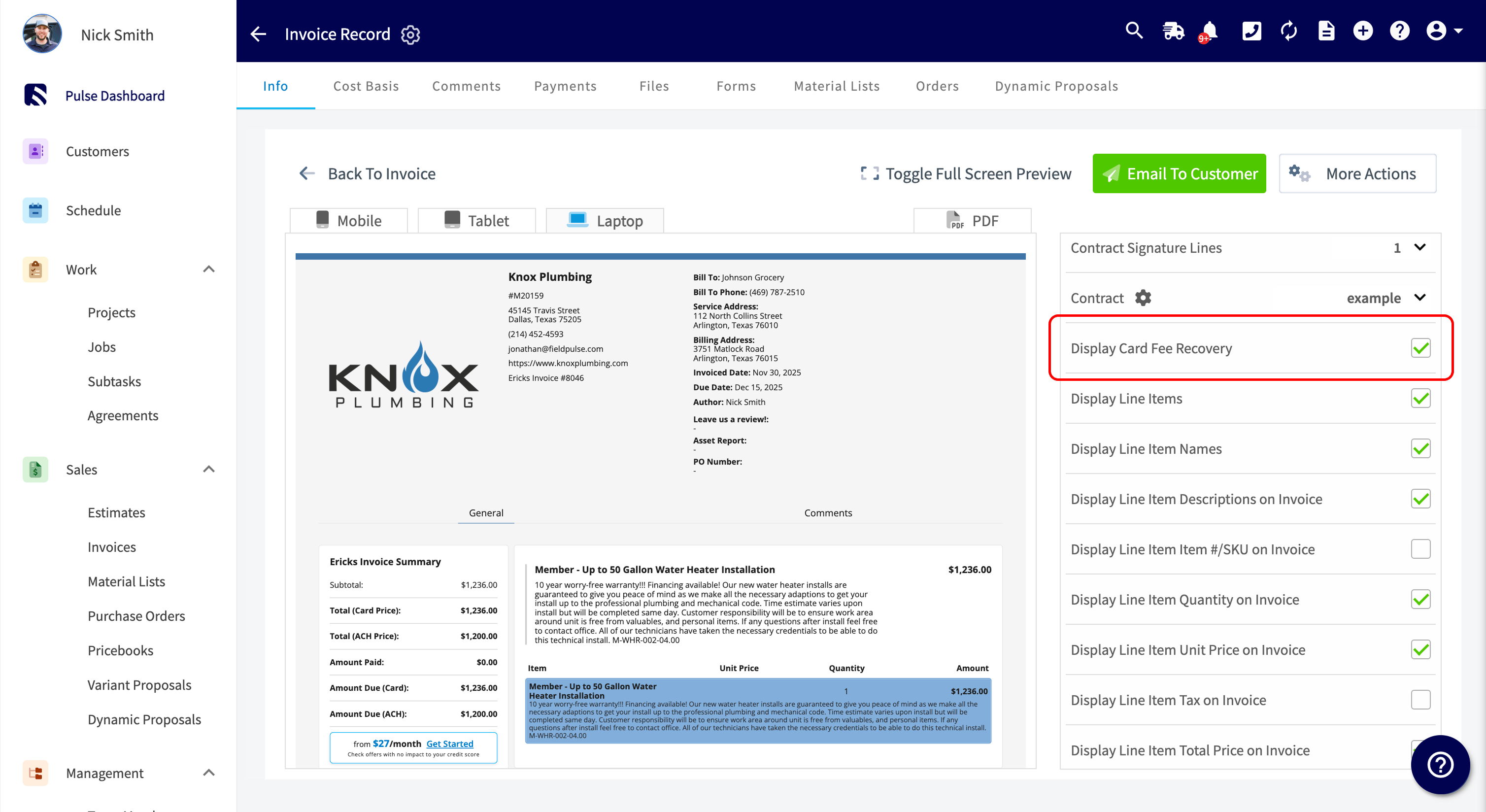
Who uses this: Administrators — the only role that can open Company Settings — enable FieldPulse Payments and request card fee recovery. Availability: Requires FieldPulse Payments, which is available to businesses located in the United States. Card fee recovery is turned on by request through payments@fieldpulse.com.Card fee recovery is a transparent way to recover your card processing fees by adjusting your pricing instead of adding a surcharge. You set a flat fee or percentage that is communicated to the customer upfront, and the invoice shows both the card price and the discounted cash price — so the customer sees exactly what paying by card costs and no fee is hidden.
Overview
Card fee recovery works as dual pricing: the invoice displays two totals, and the customer chooses which one to pay.
The card fee rate you pass on is typically 3%. Each line item on the invoice is increased by that rate, the adjusted line items are totaled, and tax is applied to that subtotal.
Card fee recovery is built for your existing invoicing and accounting workflows in FieldPulse Payments and QuickBooks, so once it is active it applies on its own — no manual adjustments, workarounds, or record-by-record editing.
Before you begin
- Confirm FieldPulse Payments is enabled on your account. Card fee recovery requires it — see the FieldPulse Payments Overview.
- Check whether your account is on FieldPulse Payments Legacy. If it is, you upgrade to FieldPulse Payments as part of the setup below.
Step-by-step setup
- Go to Company Settings.
- Select Features & Plugins.
- On the FieldPulse Payments tile, select Enable. If your account is on FieldPulse Payments Legacy, select Upgrade instead.
- Email payments@fieldpulse.com to express your interest in card fee recovery for your account.
Settings reference
You can turn card fee recovery off for a single estimate or invoice you email or send as a link, using the Display Card Fee Recovery option on that record’s preview. When you process the payment on your end or on-site — over the phone or in person — the payment processor applies card fee recovery regardless of that option. There is no setting to disable it at the point of taking the payment, so adjust the total manually if you do not want the fee included.