Who uses this: Every FieldPulse user — each team member turns notifications on within their own account, independently of everyone else. Availability: FieldPulse web app and FieldPulse mobile app on iOS and Android.There are three primary causes for push notifications not appearing in the FieldPulse web app or mobile app. Work through the three causes below to find the setting that is turned off and turn it back on.
Overview
Push notifications stop appearing for one of three primary causes — notifications are turned off in the FieldPulse web app, turned off on the mobile device itself, or turned off inside the FieldPulse mobile app. Notification settings belong to each user, so a team member has to enable them within their own account; enabling them for one person does not enable them for anyone else. Find the cause below that matches where the setting is turned off, then follow its fix.Common issues
Push notifications aren’t enabled on the web app
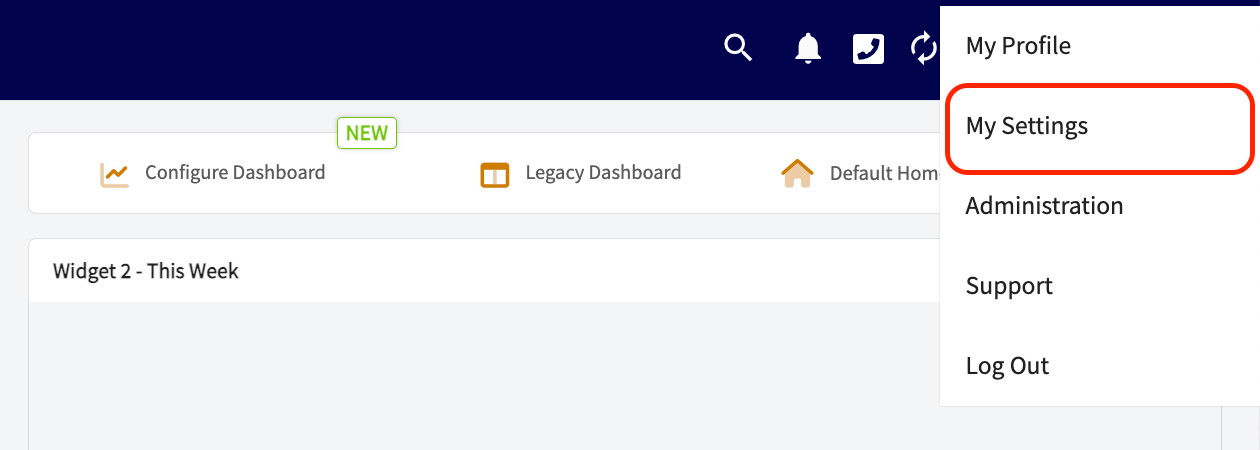
Cause: The team member has not turned on notifications in their own web app settings. Each user enables these settings independently. Fix:- Select the person icon in the top-right corner of the web app.
- Select My Settings from the dropdown.
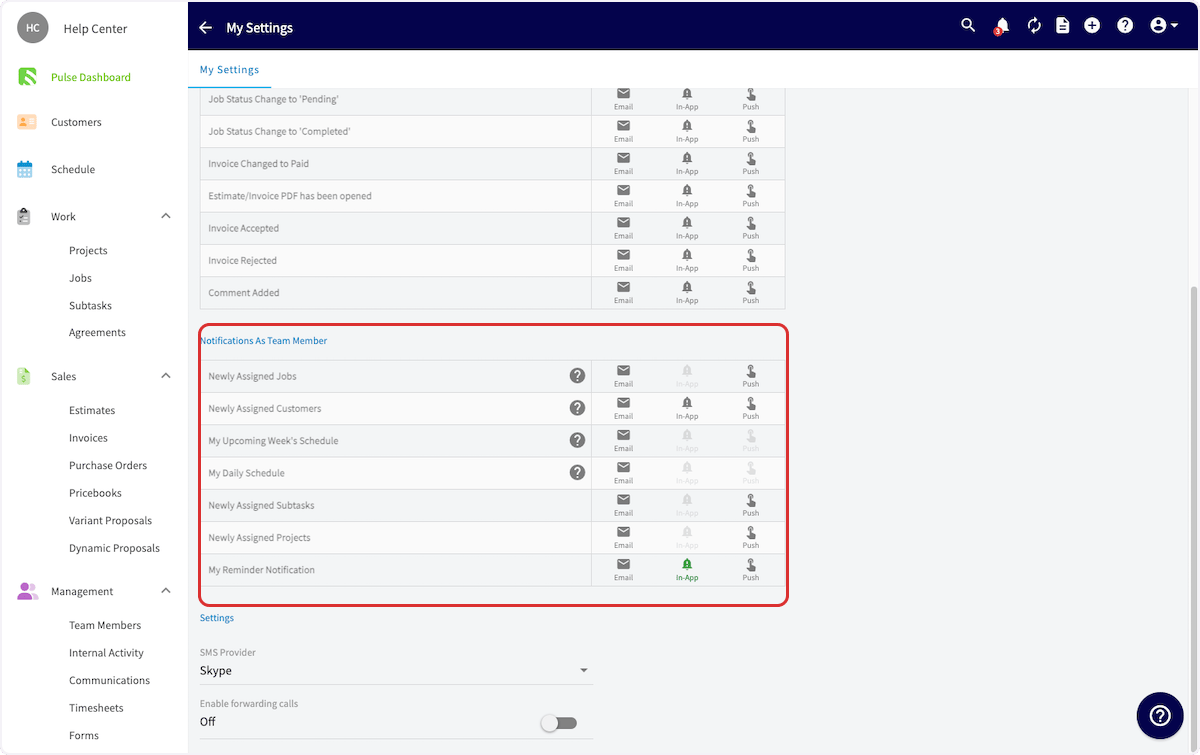
- Adjust your notification preferences on the My Settings page.

Push notifications aren’t enabled on the mobile device
Cause: The device’s own operating system is blocking notifications from the FieldPulse app. Installing or reinstalling the FieldPulse app generally prompts you to allow push notifications on your phone, so use the steps below to turn them on without reinstalling the app. Fix on iOS:- Open the Settings app on your Apple device.
- Scroll down and tap Notifications.
- Select the FieldPulse app.
- Turn on Allow Notifications.
- Customize the notification settings to your preference.
- Open your device’s Settings app.
- Tap Notifications, then App Settings.
- Select the FieldPulse app.
- Turn on the app’s notifications.
- Customize the notification settings to your preference.
Push notifications aren’t enabled in the FieldPulse mobile app
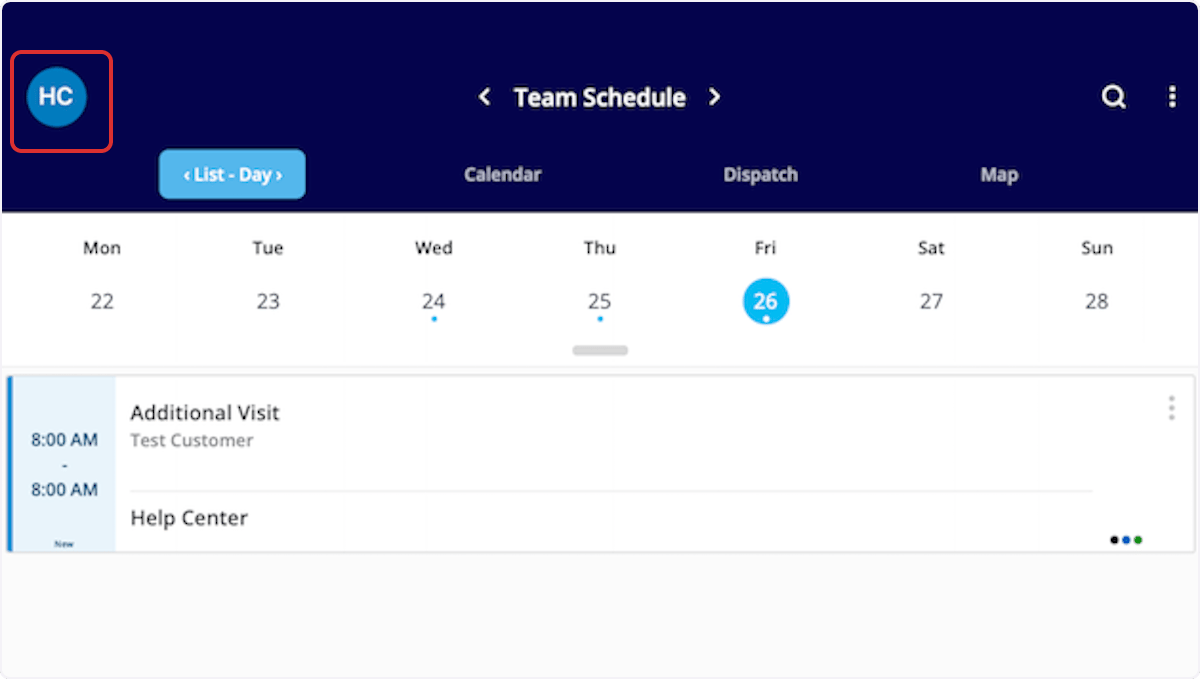
Cause: Notifications are allowed on the device, but they are turned off inside the FieldPulse mobile app’s own settings. Fix:- Tap the profile icon in the top-left corner of your screen.
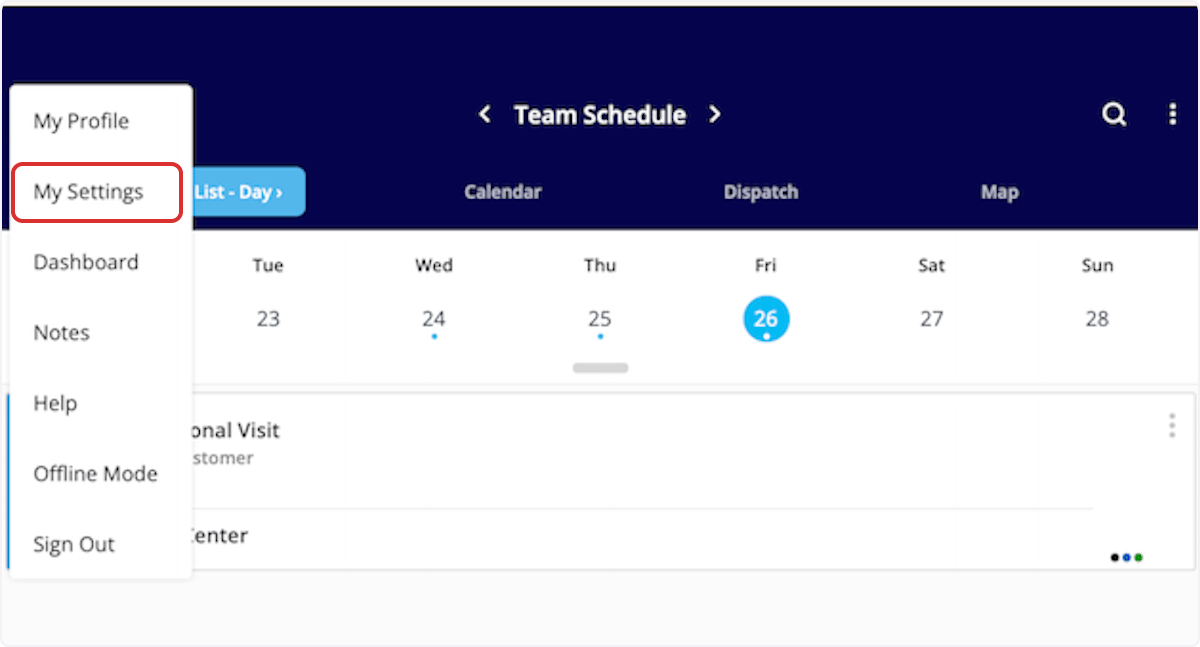
- Tap My Settings.
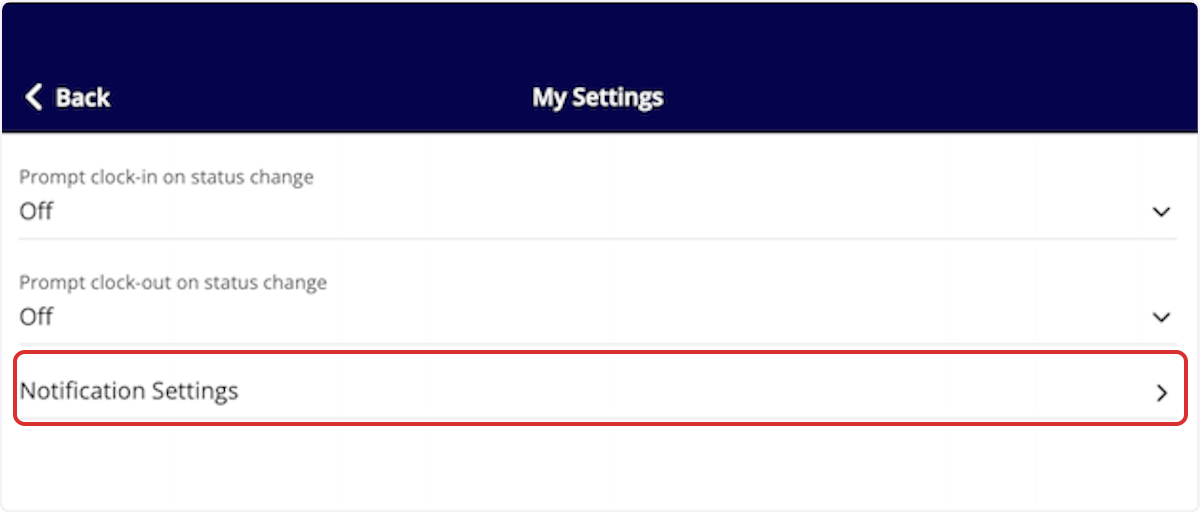
- Tap Notification Settings.
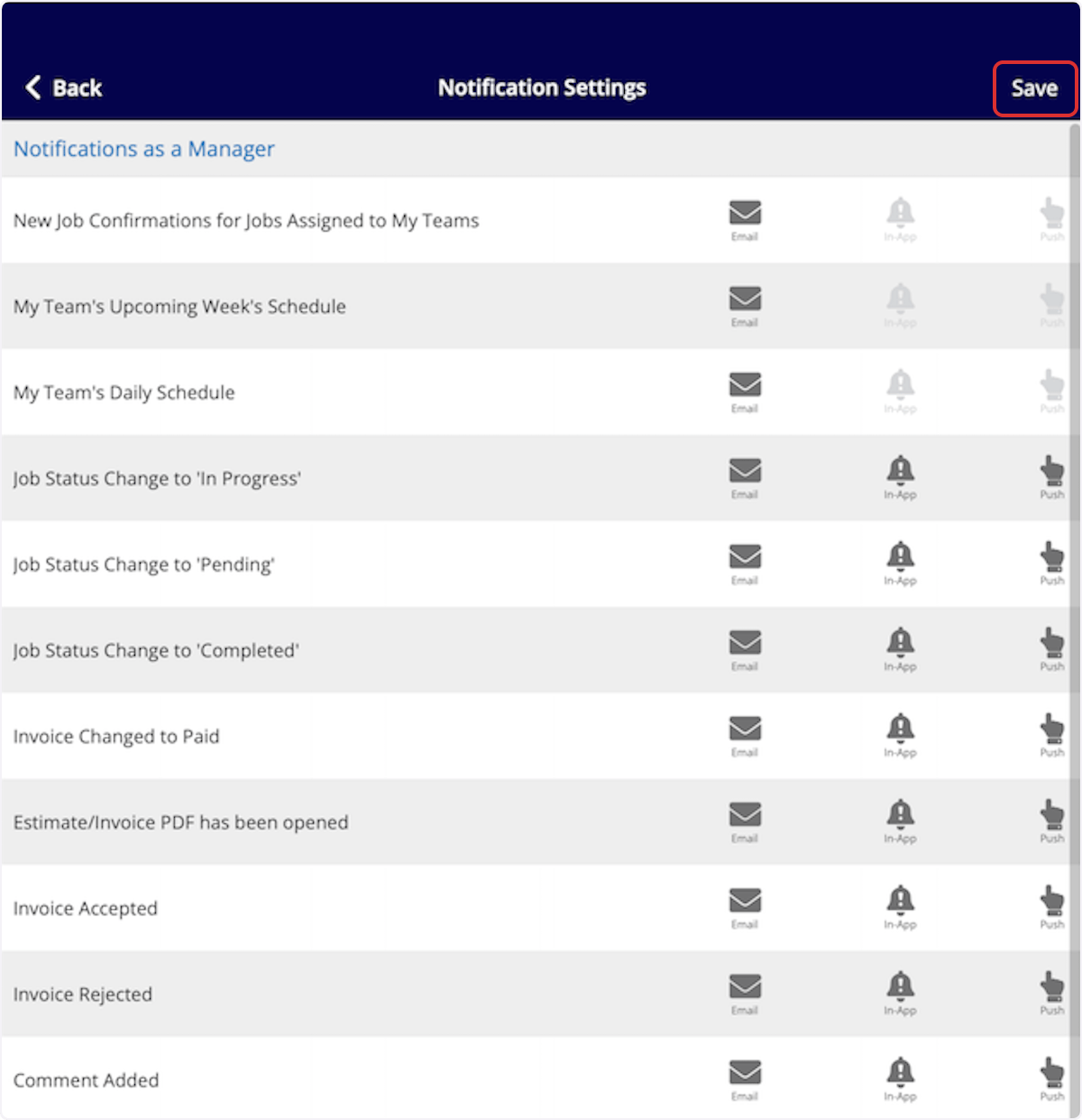
- Customize your notifications, then tap Save.