
Who uses this: Administrators; Team Managers and Service Agents when an Administrator turns on Accept FieldPulse Payments for them in User Feature Permissions (Company Settings › User Accounts); Limited Agents cannot take payments. Availability: Businesses located in the United States, on an approved FieldPulse Payments merchant account.FieldPulse Payments is the in-house FieldPulse payment processor for accepting credit card and ACH payments inside FieldPulse. Because the processor is part of the platform, there are no separate logins or individual payment accounts to set up for each team member, and every payment is linked to the invoice it belongs to.
Overview
FieldPulse Payments closes the gap between the payment and the record. When a customer pays through a separate processor, someone has to match that deposit back to the right invoice later. With FieldPulse Payments, the payment and the invoice live in the same place — the invoice status updates and a payment record is created without extra data entry, and each payment carries its projected deposit date. FieldPulse Payments includes two optional tools you can turn on:- Next-Day Funding — next-business-day deposits on card and validated ACH payments.
- Card fee recovery — pass card processing costs on to customers as an upfront flat fee or percentage, shown on the invoice. See Setting Up Card Fee Recovery.
How it works
FieldPulse Payments works in four stages: you apply for a merchant account, accept payments against an invoice, receive your deposits, and track both in the payment portal.Apply for a merchant account
FieldPulse Payments runs on a merchant account you apply for from inside FieldPulse, in Company Settings › Features & Plugins on the FieldPulse Payments tile. The application requires a credit check, and within 3 business days you receive a notification telling you whether the application was accepted, rejected, or needs more information. Once the application is accepted, you choose which user roles have access to FieldPulse Payments, and you can customize access for each specific user in Company Settings › User Accounts. That access covers both taking payments and issuing refunds.Apply for FieldPulse Payments today. Setting Up FieldPulse Payments covers the application form, every application status, and what to do about a Request for Information.
Accept payments three ways
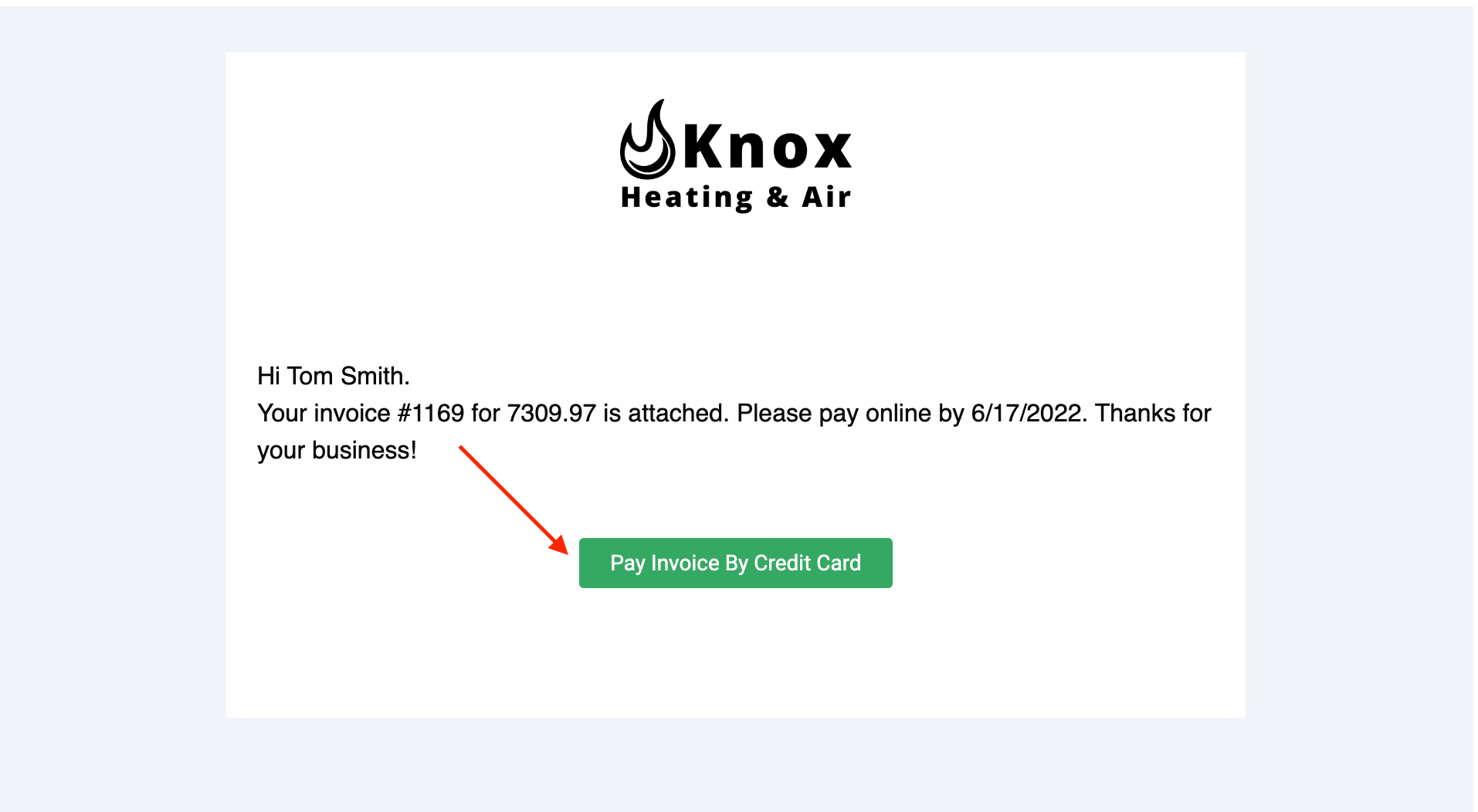
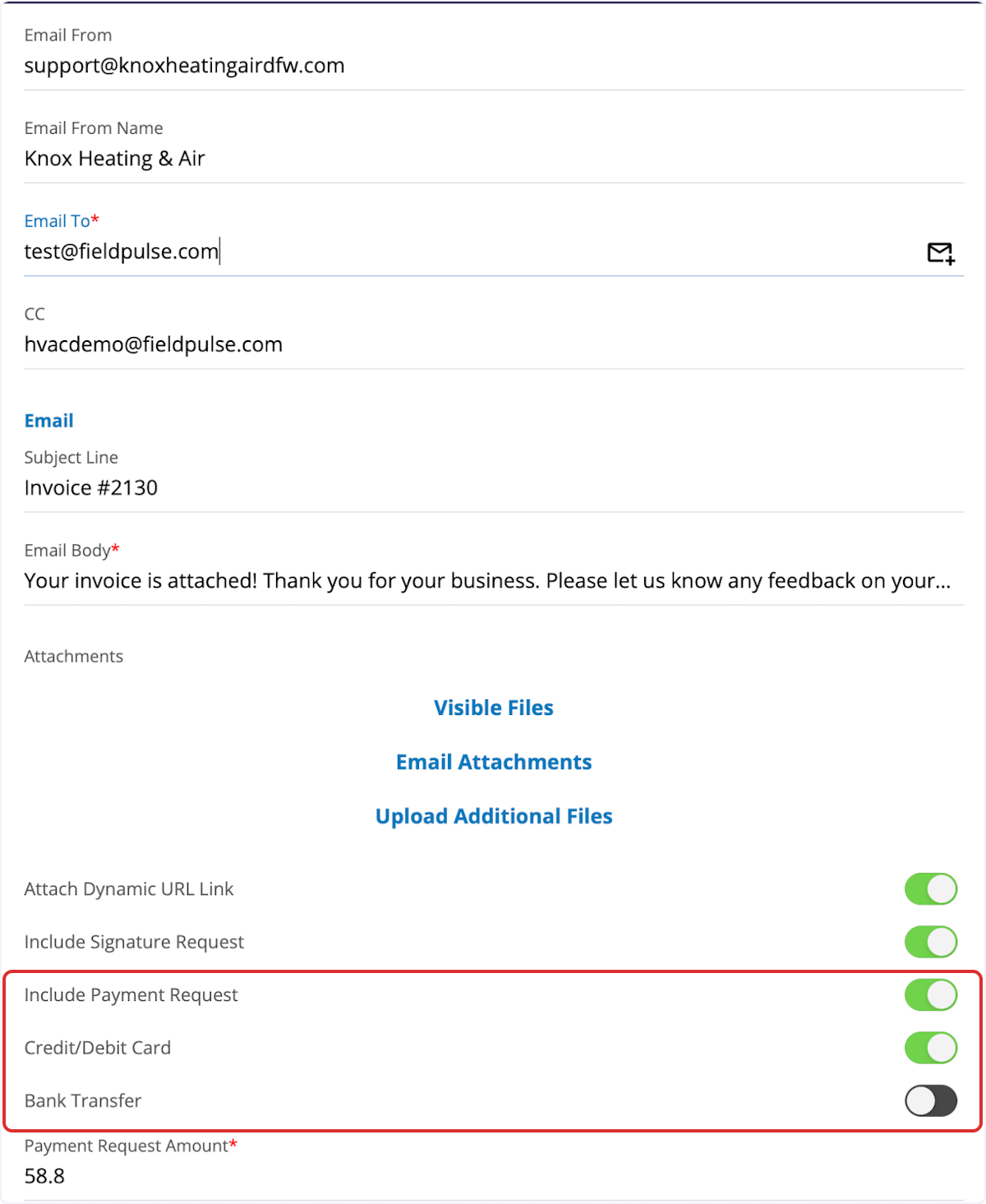
Once FieldPulse Payments is active, you can collect a customer payment three ways:- Email an online payment request from the web app or the mobile app. The customer receives a Pay Invoice By Credit Card button in the email and pays by credit or debit card or by bank transfer (ACH).
- Process the payment on the FieldPulse mobile app for iOS and Android. The card details can be typed in, scanned with the device camera, or swiped.
- Process the payment on the web app, which is the usual choice for a payment taken over the phone.
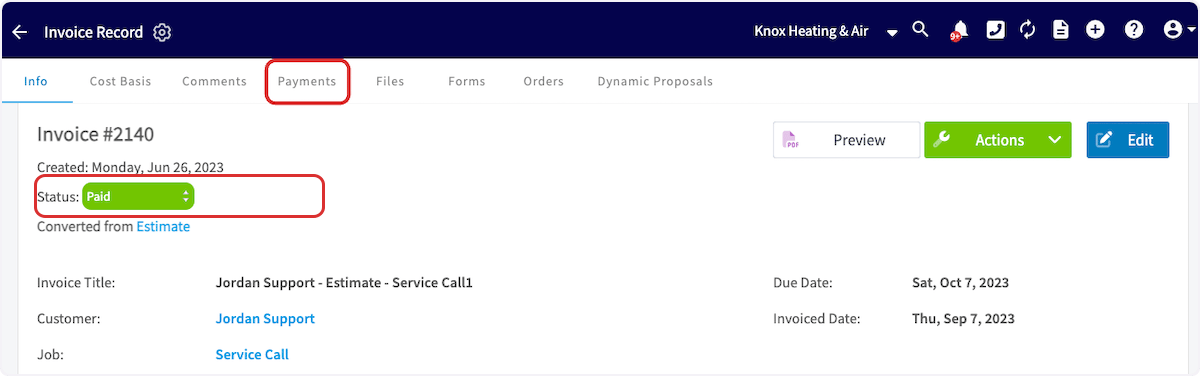
-
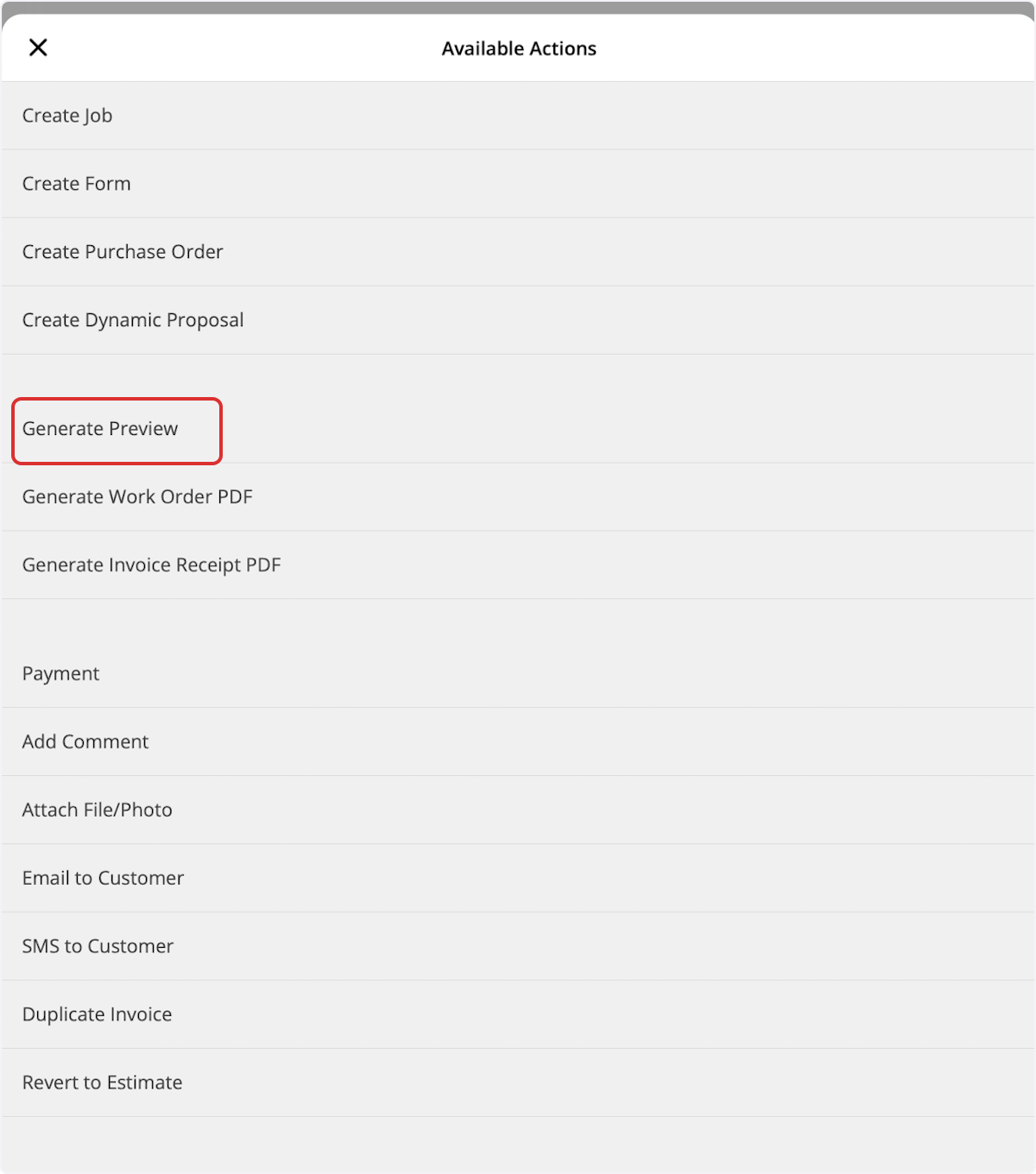
Select Generate Preview.
-
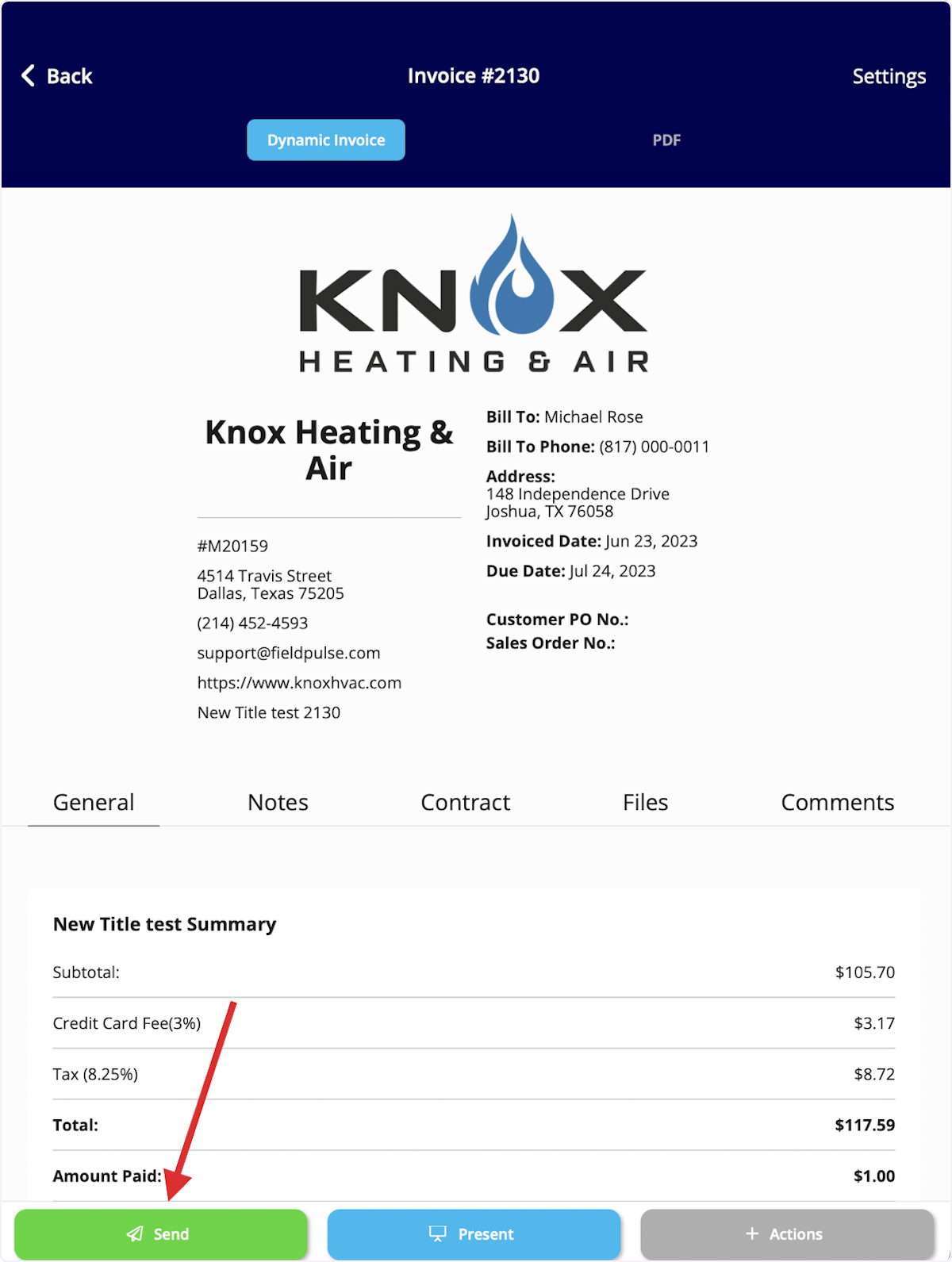
Review the invoice, then select Send.
-
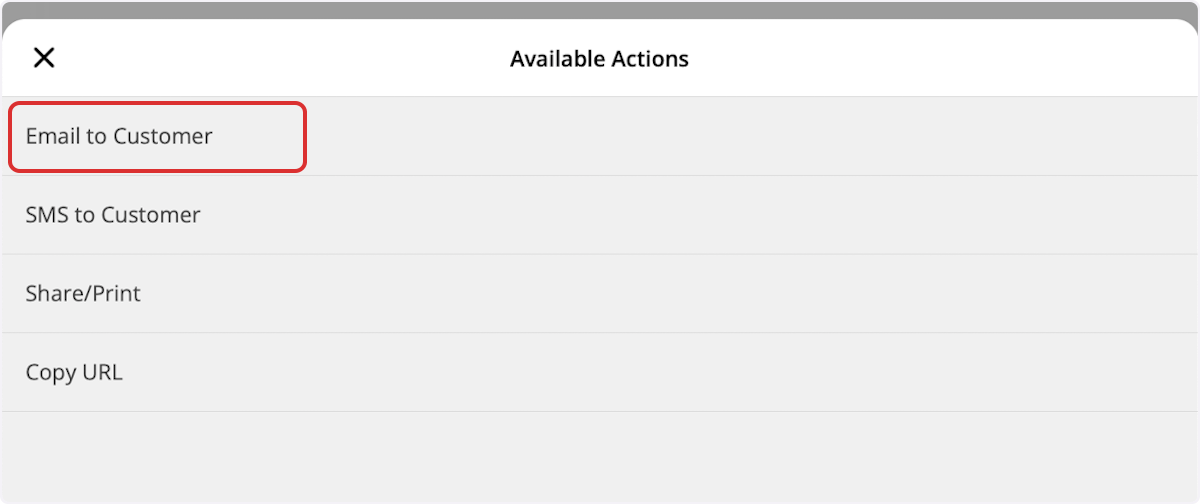
Select Email to Customer.
- Toggle on Include Payment Request, Credit/Debit Card, and Bank Transfer (if applicable), then select Send.
Video walkthrough: FieldPulse Payments
Video walkthrough: collecting payments on the mobile app
Receive your deposits
You receive a deposit on each US banking day for the sum of all transactions available for deposit — card payments, ACH payments, refunds, chargebacks, and ACH returns. How quickly the funds arrive depends on the payment method and on whether Next-Day Funding is turned on.
To turn on Next-Day Funding, email payments@fieldpulse.com.
Track payments and deposits in the payment portal
FieldPulse Payments has its own portal under the FP Payments tab. The FieldPulse Payments page lists individual payments, each one either a payin or a refund, and the FieldPulse Deposits page lists the deposits that move funds to your bank. Every payment and every deposit carries a status, so you can tell whether the money is still processing, has completed, or has failed. Chargebacks are handled in the portal too — see FieldPulse Payments Chargebacks Overview.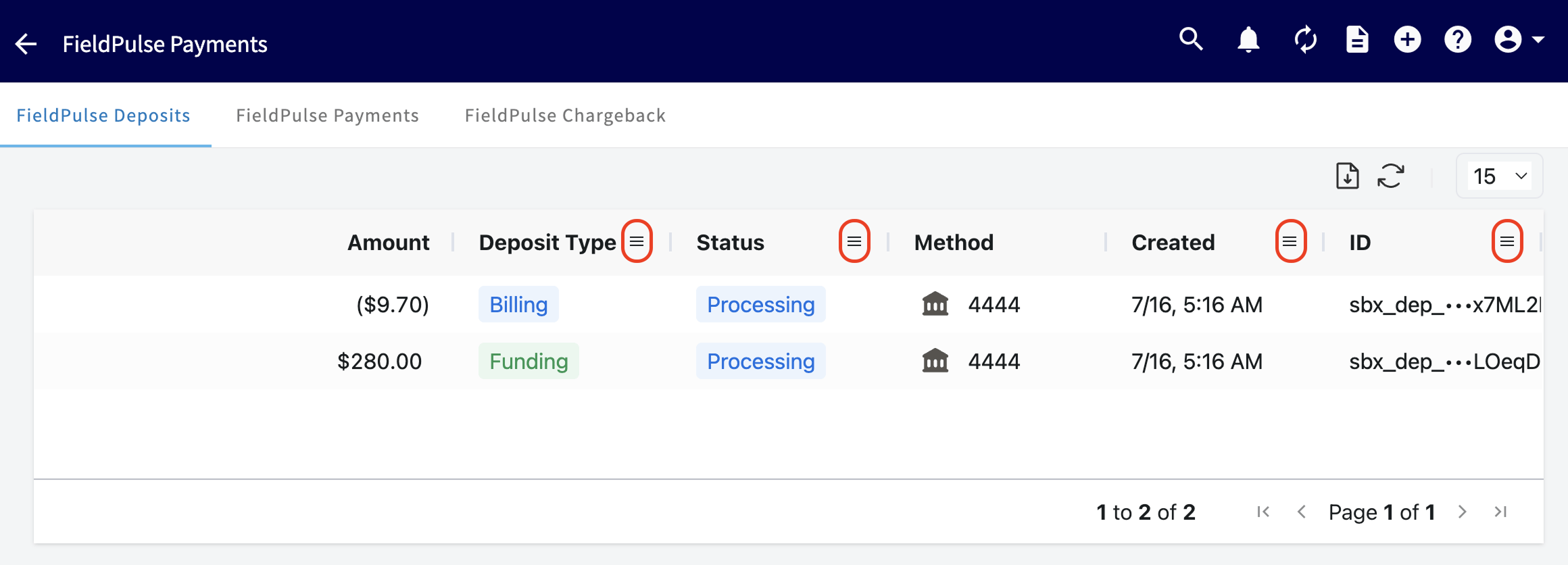
Refunds: A refund appears in the payment portal as its own record, with the payment type set to refund. To learn more about processing refunds in FieldPulse, see How to Process a Refund.