
Who uses this: Admins, Team Managers, and Service Agents, based on each person’s own FieldPulse permissions. Limited Agents and Subcontractors never get Maverick. Availability: FieldPulse Webapp.Maverick is the AI assistant in the FieldPulse Webapp. It answers questions from your own account’s records, and it can create and edit records, run reports, and schedule jobs, with every change waiting for your approval before anything saves. Maverick is included in your FieldPulse base subscription.
Overview
Maverick is an AI assistant built into the FieldPulse Webapp. Ask it a question in plain language and it answers using your own account’s records, including customers, jobs, invoices, and estimates. Maverick can also create and edit records, run reports, and schedule jobs, and every change it makes waits for your approval before anything saves. Maverick exists so you don’t have to build a report to get a number, or click through several pages to find a record. It can also turn a phone call directly into a Customer, Job, or Estimate while you’re still on the line, instead of typing it in from memory afterward. There are no messaging limits. Maverick is designed to support your team’s normal daily volume freely, and we’ll always give you clear advance notice if our usage guidelines evolve in the future.Watch the interactive Maverick demo to see Maverick in action.
How it works
Ask Maverick a question or describe what you want to do, in the chat panel. For a question, it answers from your account’s own records and lists what it used. For a change, it opens a card showing exactly what it’s about to create or update. Review the card, fix anything that’s wrong, and select Create or Save. Nothing saves, sends, or schedules until you do. Open Maverick from the icon in the bottom-right corner of the Webapp, from the Refine tool in a notes field, from the sparkle icon in the top-bar or from Smart search in the top-bar search.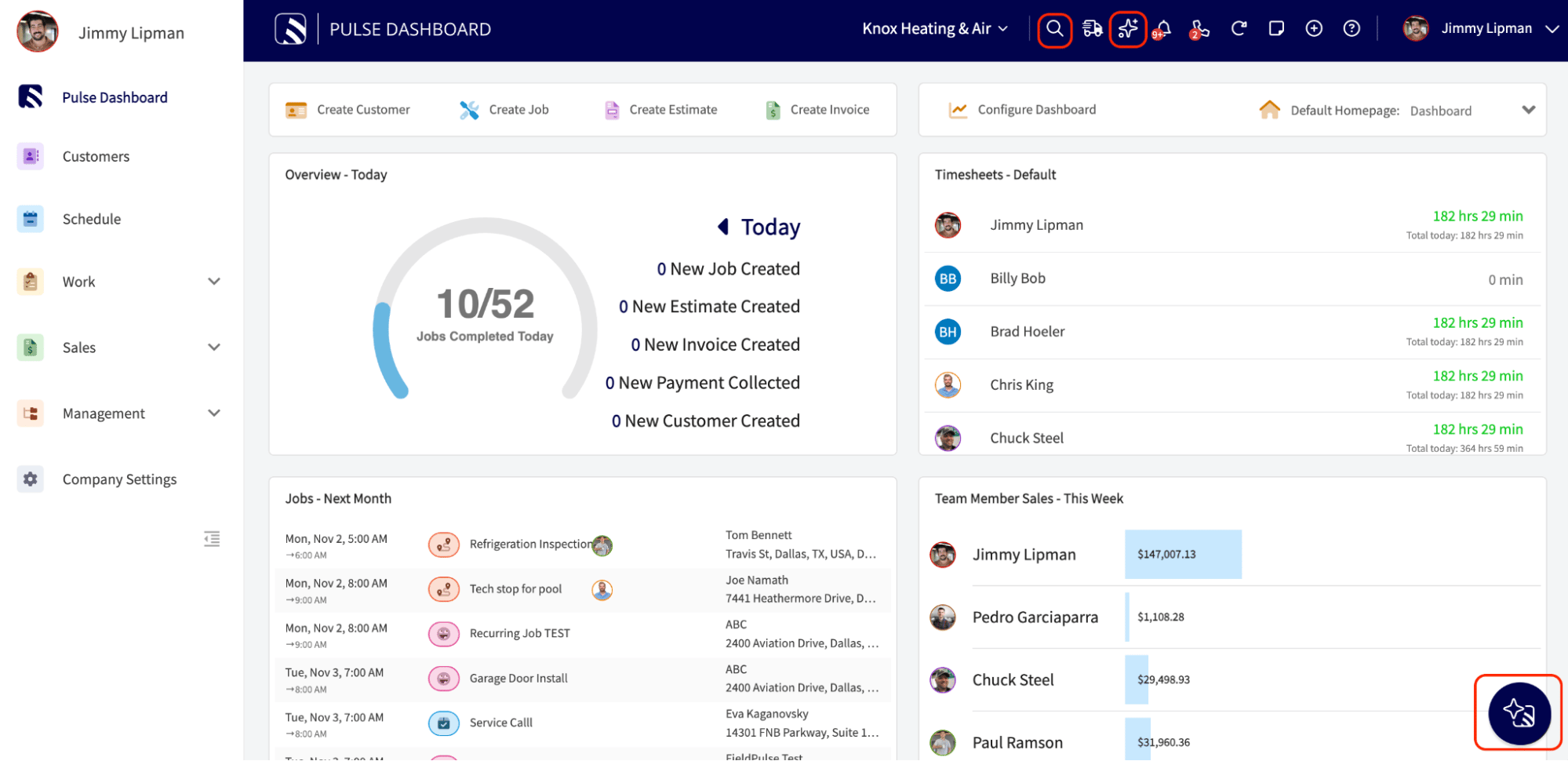
Activating Maverick
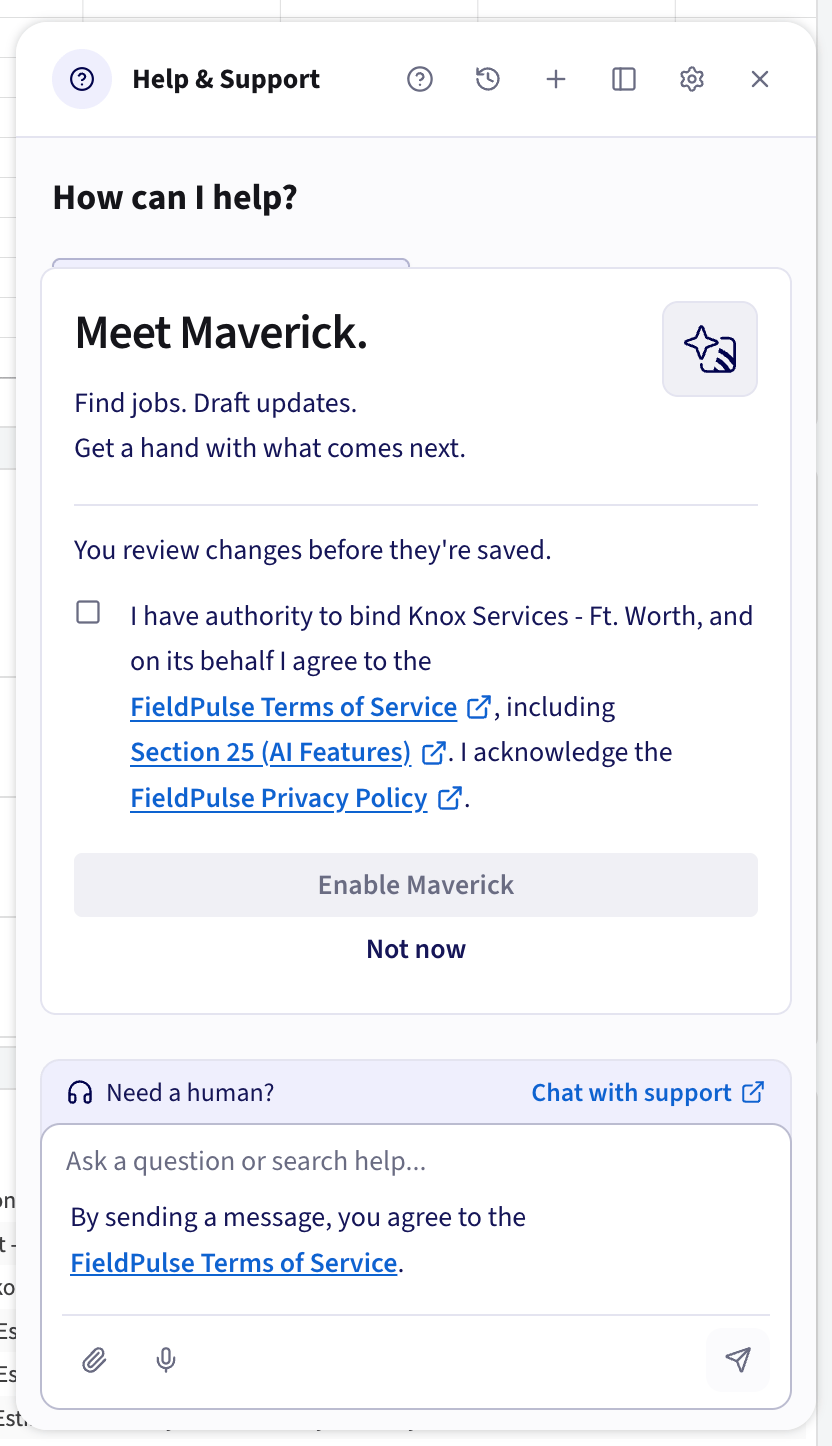
To use Maverick, an Admin must first accept the terms and conditions.- Select the Maverick icon in the bottom-right corner of the Webapp.
- Select the checkbox to agree to the FieldPulse Terms of Service on behalf of your company.
- Select Enable Maverick. The screen also offers Not now, but you must select Enable Maverick to use Maverick.
Settings reference
Maverick has its own Settings area for adjusting how it works. What you see depends on your role.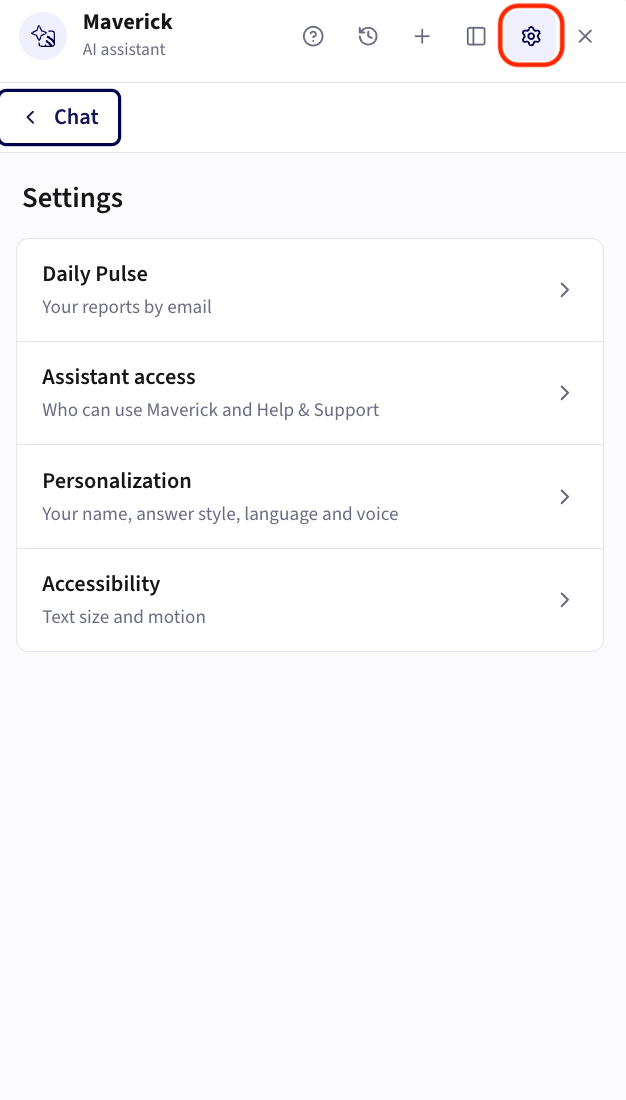
- Choose which reports go in your Daily Pulse email, reorder, pause, or remove them, and send yourself a preview. See The Daily Pulse in the table below.
- Choose which roles can use Maverick. Admin, Team Manager, and Service Agent each have a switch, and all three start on. Anyone in a role that’s switched off gets the Help & Support assistant instead. Limited Agents and Subcontractors never get Maverick. What people can see or do inside Maverick still follows their FieldPulse permissions.
- Set what Maverick calls you and choose short, standard, or step-by-step answers.
- Add a note of up to 500 characters that Maverick keeps in mind in every chat.
- Choose whether you want chats in English or Spanish. Spanish switches Maverick’s replies and the microphone, while cards and settings stay in English.
- A speaker under every reply reads it aloud, and you can pick the voice (five to choose from) and speed (0.8x to 2x).
- Choose from four text sizes, which save to your account so they follow you to any browser.
- Turn off Stream responses to see each reply in full once it’s ready, instead of typed out as it’s written.
- Turn on Reduce motion to remove panel animations and the typing effect. It turns on by itself if your device already asks for reduced motion.
What Maverick can do
Questions to try
Not sure what to ask first? Here are some examples. Maverick answers from your own account’s records, so the more specific you are, the better the answer. Money and profitability- Am I charging enough per job to actually turn a profit?
- Which of my jobs is the most profitable?
- How much of my revenue is sitting in unpaid invoices right now?
- What’s the best way to track my leads in FieldPulse so I stop losing track of who I quoted?
- How many estimates did I send out that I never followed up on?
- Which tech is generating the most revenue, and who’s falling behind?
- Where in my workflow are jobs getting stuck the longest?
- Where are the leaky buckets in my business?
- How do I tell the difference between a slow month and a real problem?
- Can you suggest bundles or groupings that would save me time?
- What kind of upsells should I offer?