
Who uses this: Admins have full reporting access, and Team Managers can be given it. Service Agents and Limited Agents do not have reporting access. Availability: All regions · FieldPulse web app.Building the same “jobs by status” report from scratch on every account is wasted effort. FieldPulse offers a library of pre-built report templates for the things most businesses track — job status, estimate conversion, sales, tax, overdue invoices, commissions, payments — and each one imports into Raw Data Reporting as a saved report.
Overview
A reporting template is a saved Raw Data report exported as a.json file. Download the template you want from the library below, import it under the matching Reporting tab, and it appears in that tab’s Select Report dropdown like any report you built yourself. To build your own reports instead, see How to Use Raw Data Reporting and How to Build and Configure the Custom Reporting Dashboard.
Before you begin
- Each template imports under one Reporting tab — Jobs, Estimates, Invoices, or Payments. The library table below lists the tab for each template.
-
Import from the FieldPulse web app. Save the downloaded
.jsonfile somewhere you can find it from the browser.
On web
Download a template
- Find the template you want in the library below.
-
Select its download link. The file saves to your device as a
.jsonfile.
Import the template
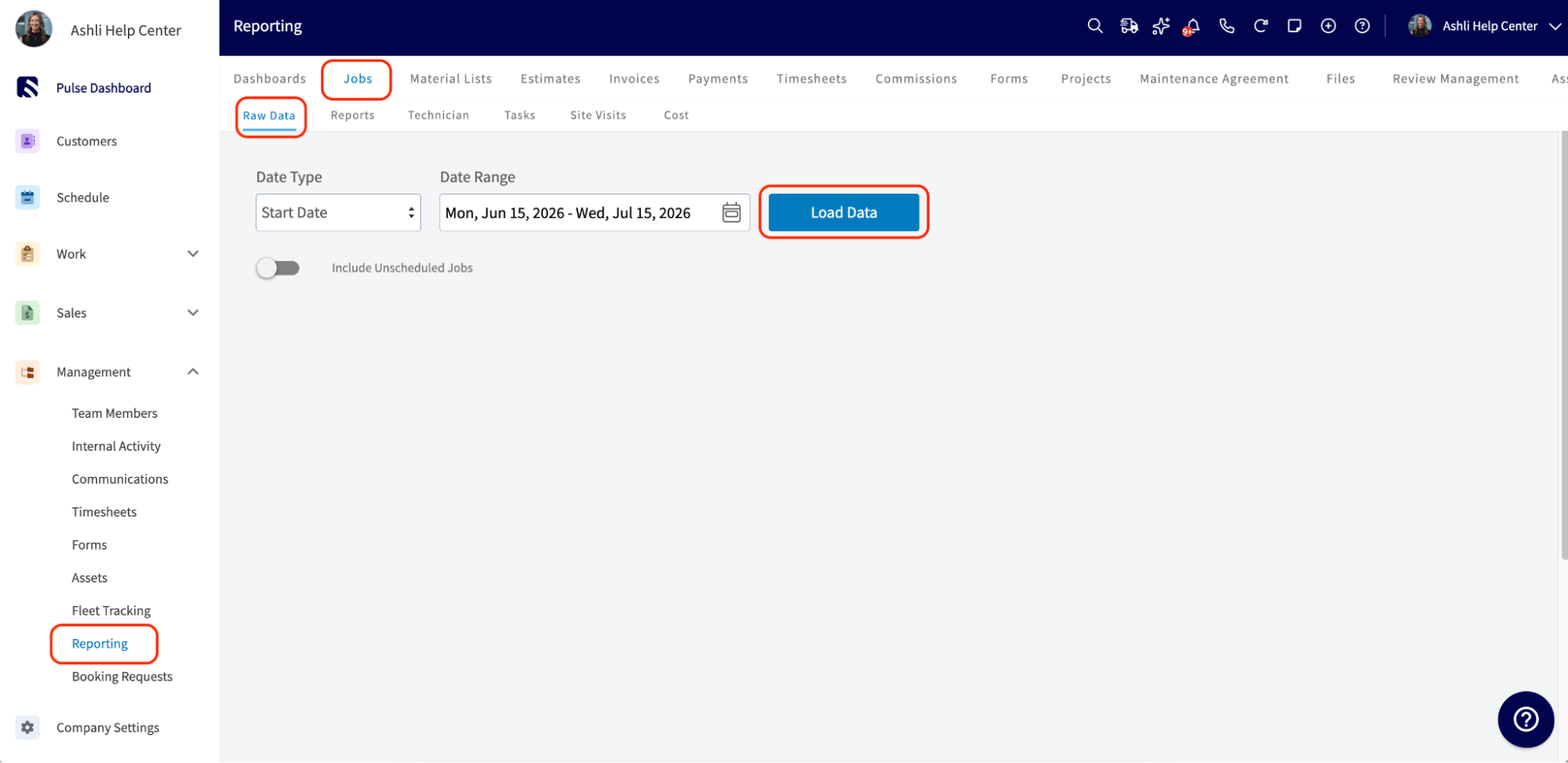
- In FieldPulse, go to Reporting in the left-side menu under the Management section.
- Select the tab the template belongs to — Jobs, Estimates, Invoices, or Payments — then select the Raw Data subtab.
-
Select Load Data. The date range does not matter; this opens the report screen.
-
Select Manage Reports, then drag the downloaded file into the box or select the box to browse for it.
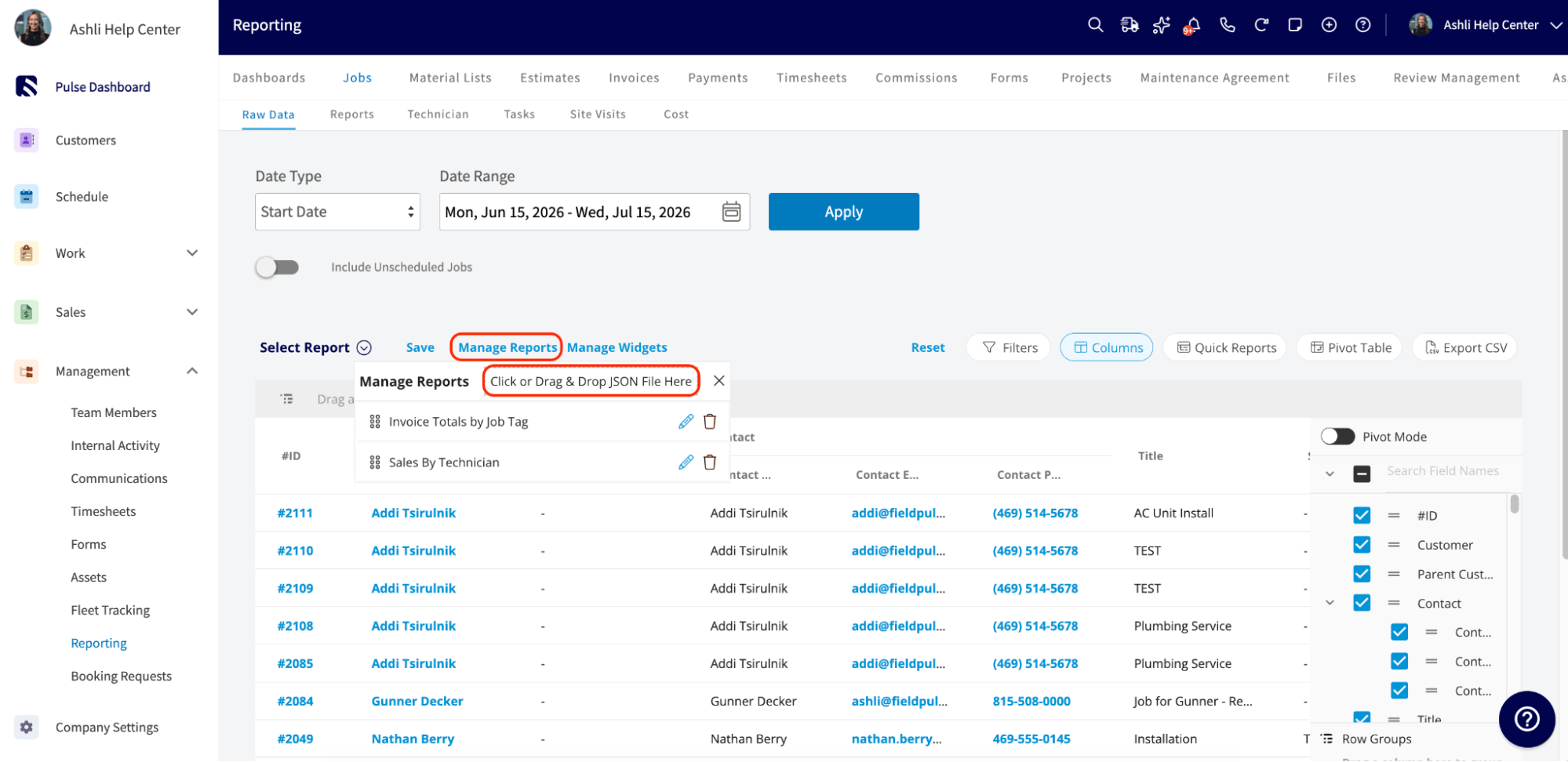
- The new report appears at the bottom of the list. Open it any time from the Select Report dropdown.
Template library
You are done when the template’s name appears in the Select Report dropdown of the tab you imported it under and opens with its columns and filters already set.