Who uses this: Roles with permission to create and edit jobs. Availability: All regions.You can create a job in FieldPulse that is not assigned to a particular team member and not scheduled ahead of time. For example, you may have a job to complete sometime in the next two weeks where the day is flexible and you have not yet decided which team member to assign it to. Create the job now as unassigned and unscheduled, then assign and schedule it at a later date.
Overview
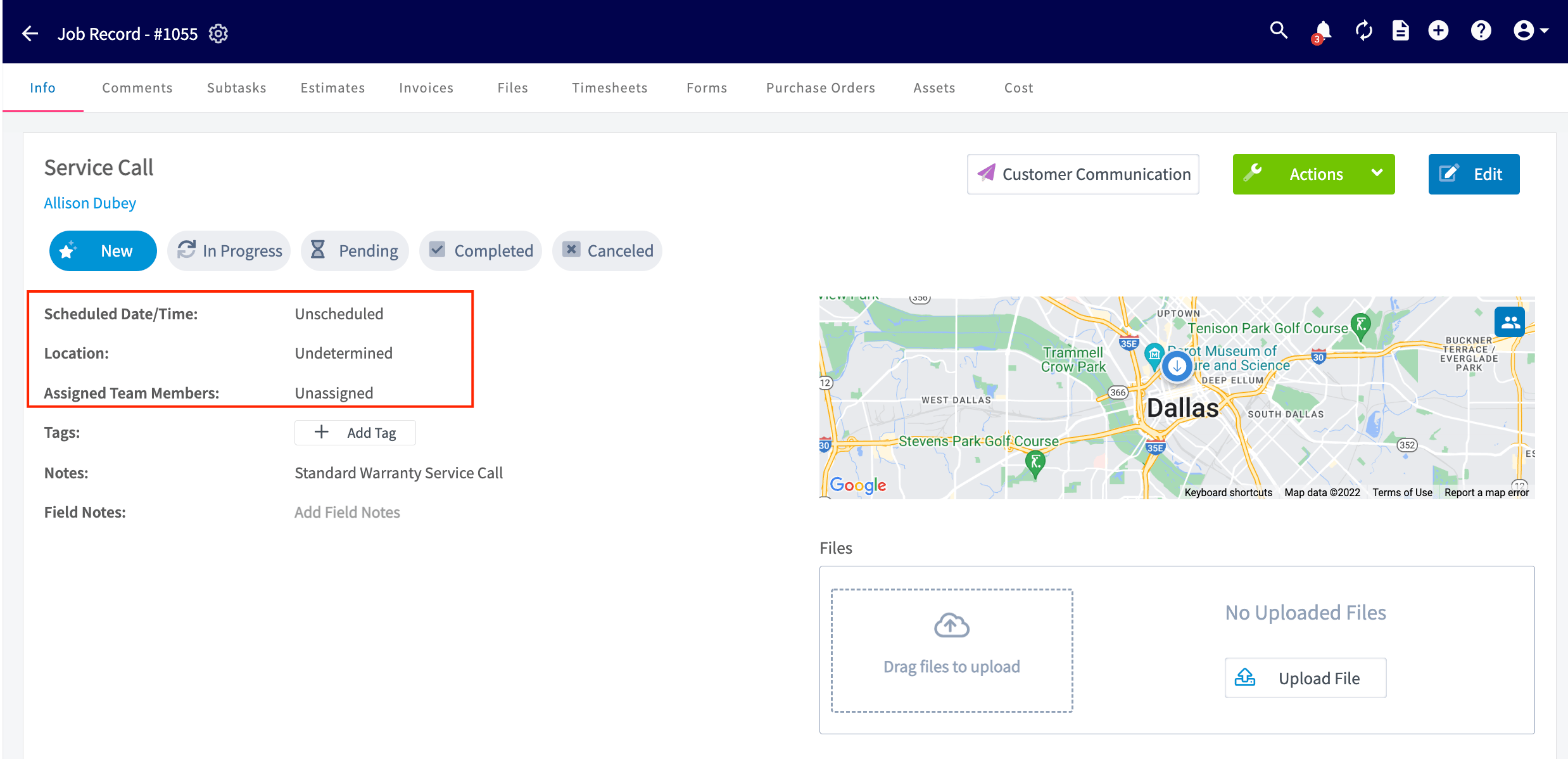
An unassigned job has no team members on it. An unscheduled job has no date on it. A job can be unassigned, unscheduled, or both, and the job record shows each of those states until you fill them in. Once the job exists, you assign and schedule it in one of two places. The Unassigned tab under Jobs lists these jobs so you can open one and edit it, and the Hourglass list on the Schedule page lets you drag one onto a date and time.Video walkthrough
Video walkthrough: unassigned and unscheduled jobs
Before you begin
- Decide what you are leaving blank — the crew, the date, or both. Everything else on the job is filled in the same way as any other job.
- How to Create a Job covers the rest of the job form, including linking the customer and setting the job title.
On web
Create an unassigned or unscheduled job
-
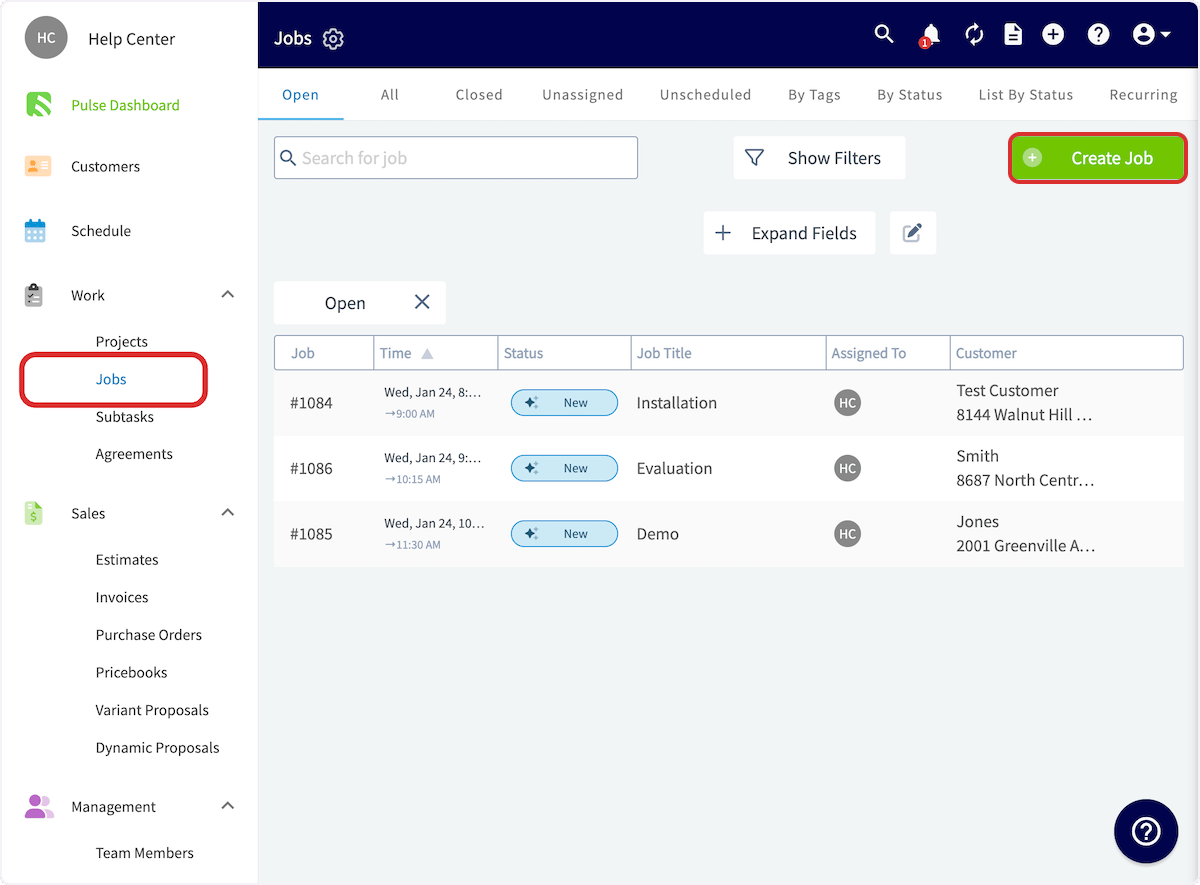
Select Jobs under Work in the left-side menu, then select Create Job.
-
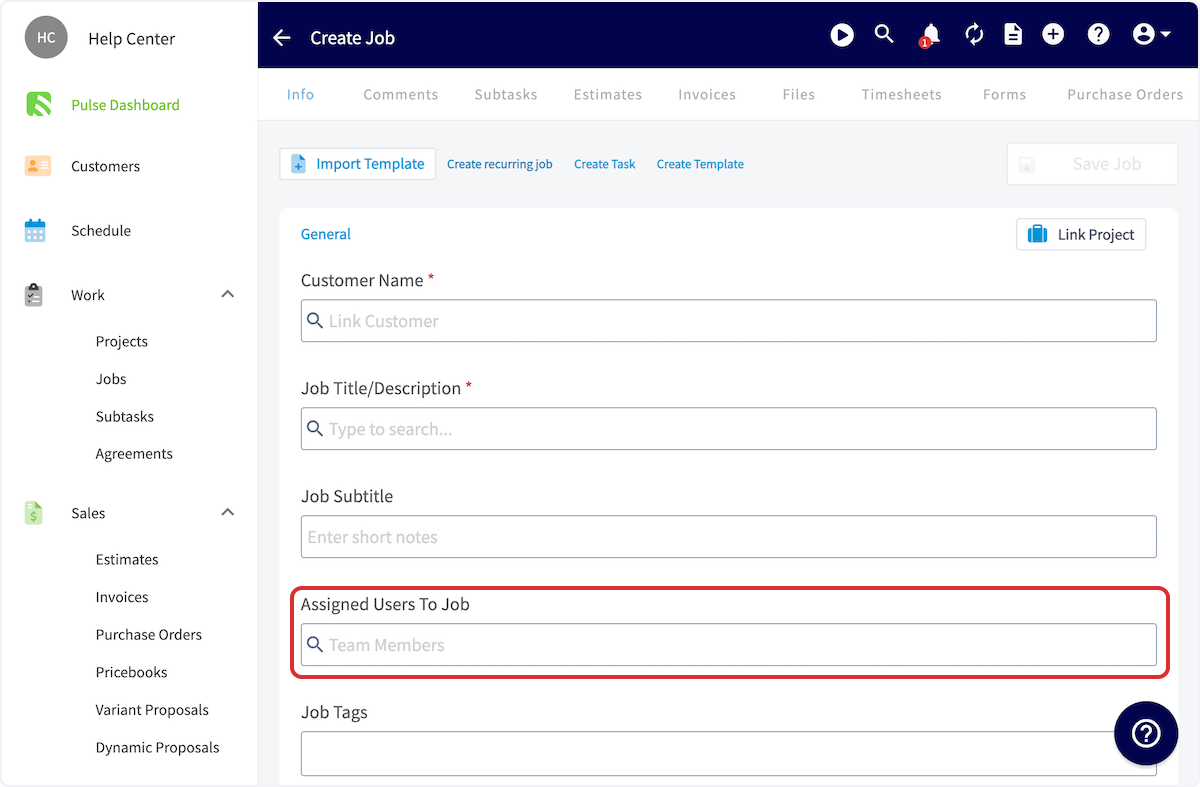
Complete the job details as normal. To create an unassigned job, leave the Assigned Users To Job field empty instead of adding team members.
-
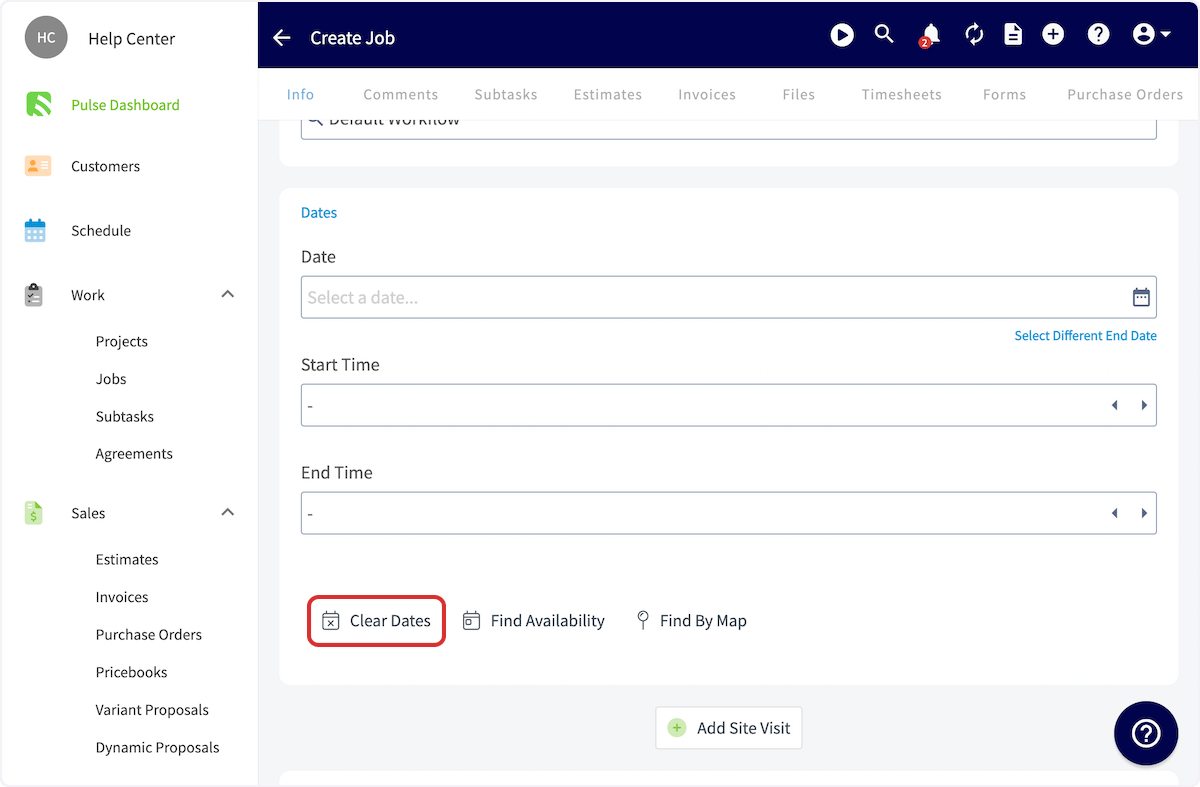
To create an unscheduled job, select Clear Dates in the Dates section to remove the date and time information.
- Add any other details you need, then select Save Job.
Schedule a job from the Unassigned tab
-
Select Jobs in the left-side menu, then select the Unassigned tab. The page lists the jobs that are unscheduled, unassigned, or both.
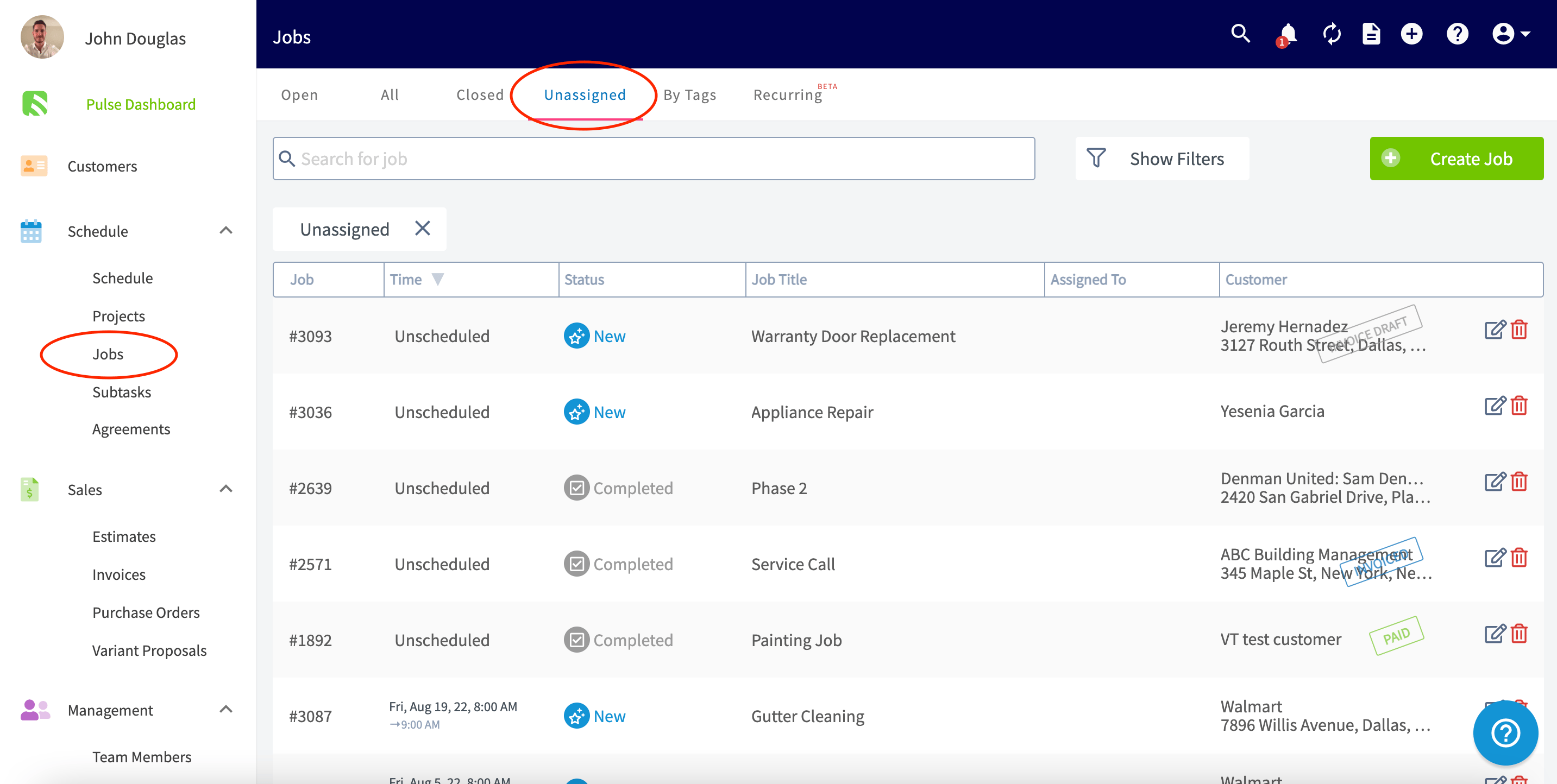
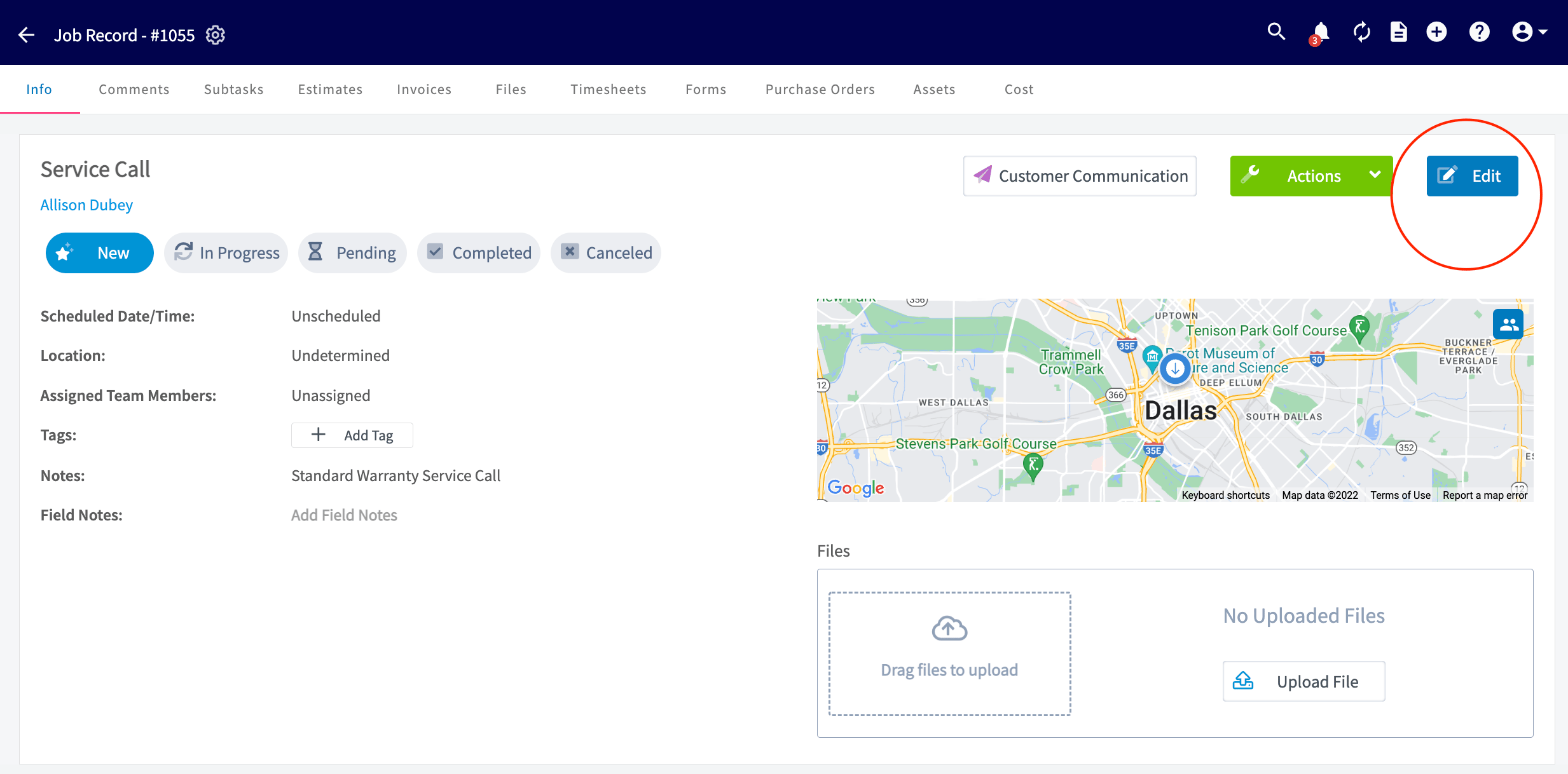
- Select the job you want to schedule or assign.
- Select Edit to add a date and assign team members.
Schedule a job from the Schedule page
-
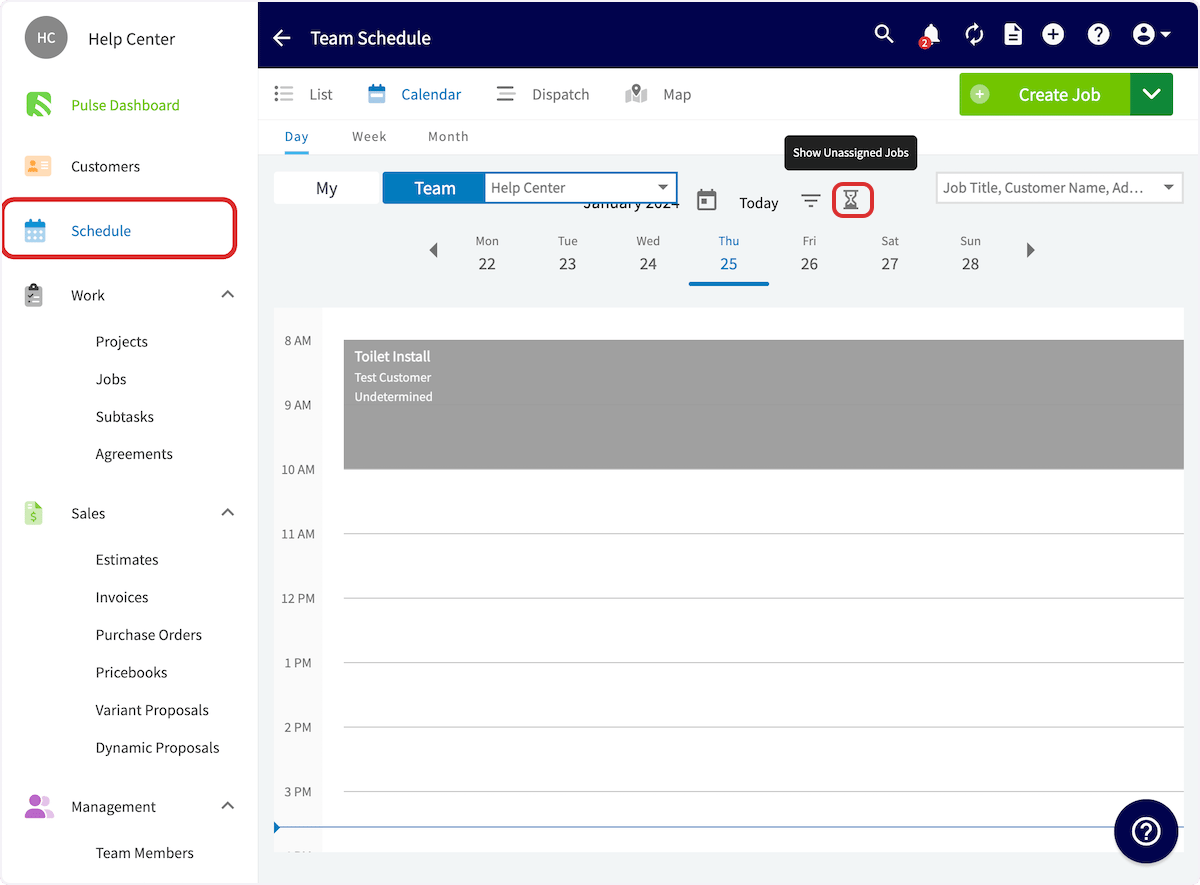
Open the Schedule page and select the Hourglass icon on any schedule view to show unassigned and unscheduled jobs.
-
Drag a job from the Unassigned Jobs list on the left side of the screen onto the date and time you want.
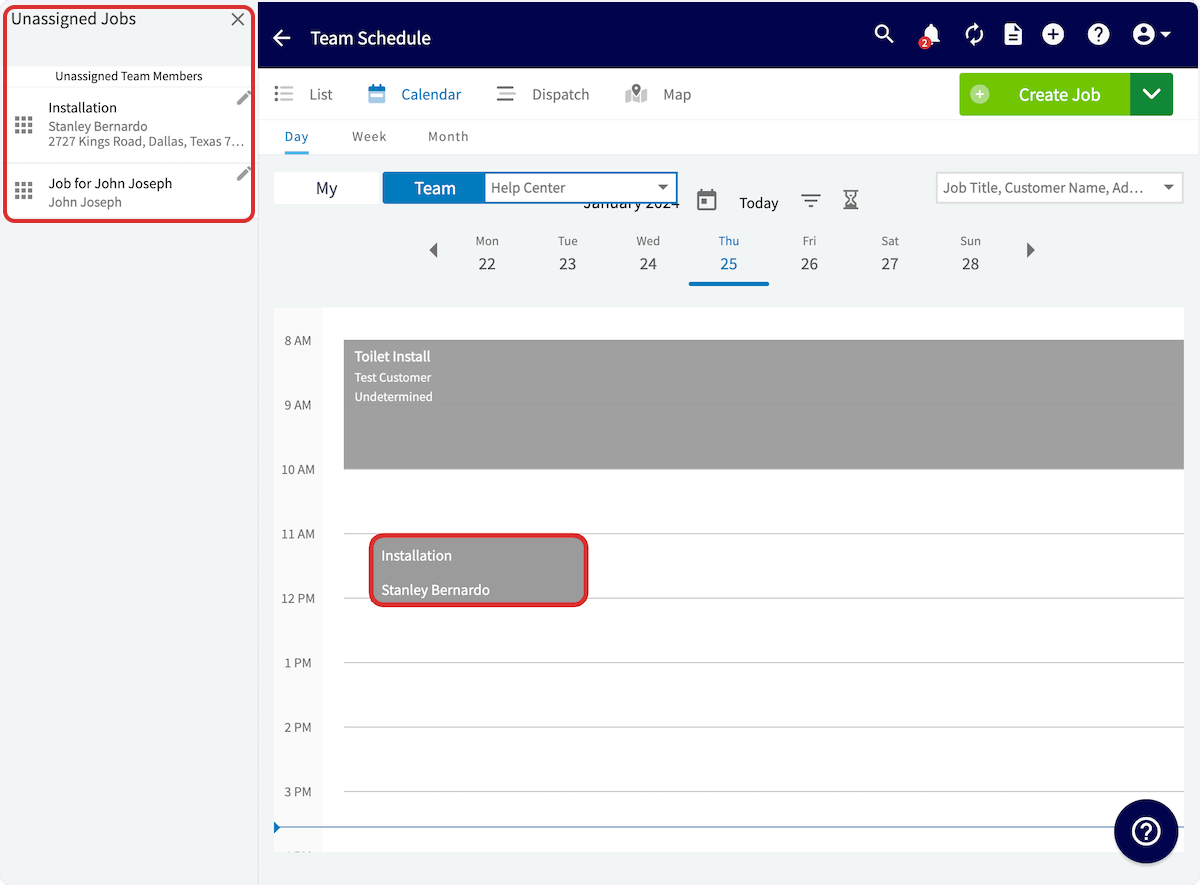
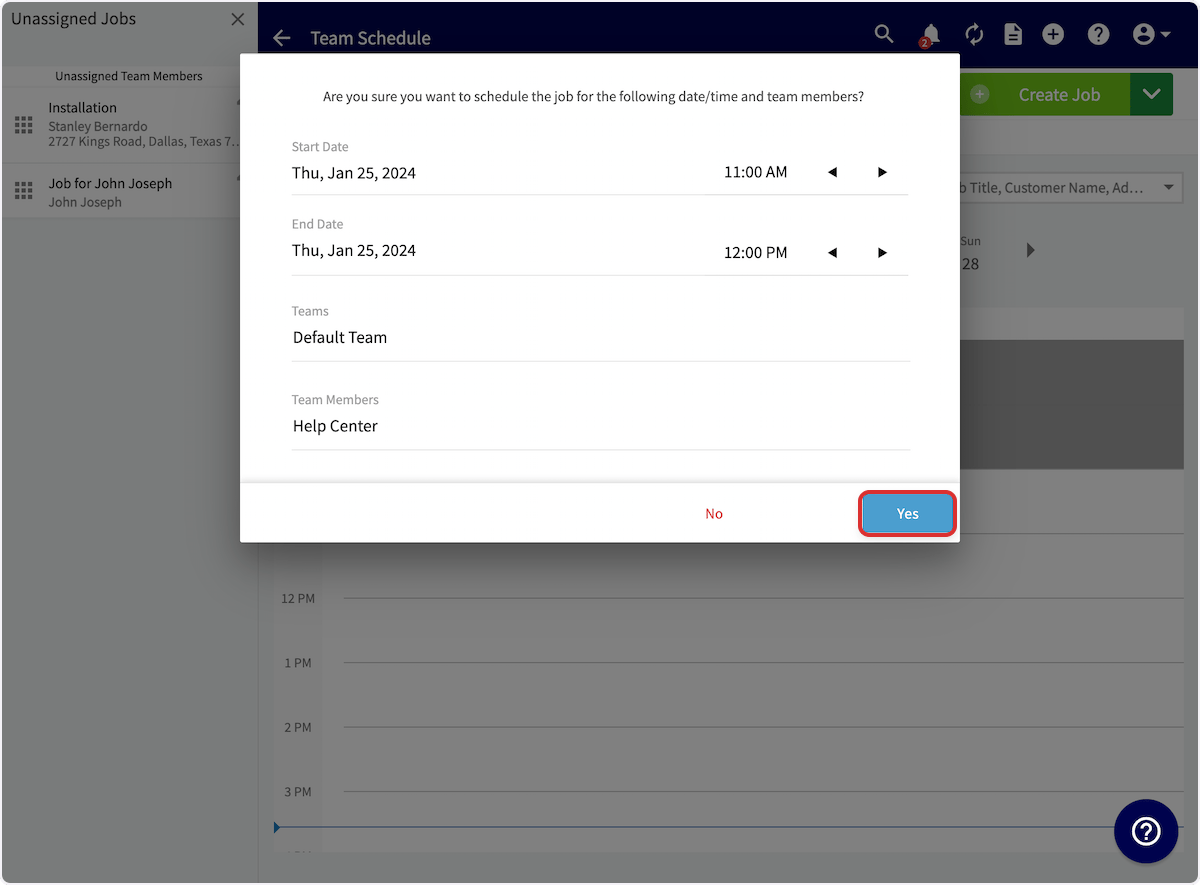
- Review the start date and time, end date and time, teams, and team members in the confirmation prompt.
- Select Yes to schedule the job.