Combine your Purchase Orders [& Reece Australia - Supplier Invoices] seamlessly into a single estimate or invoice
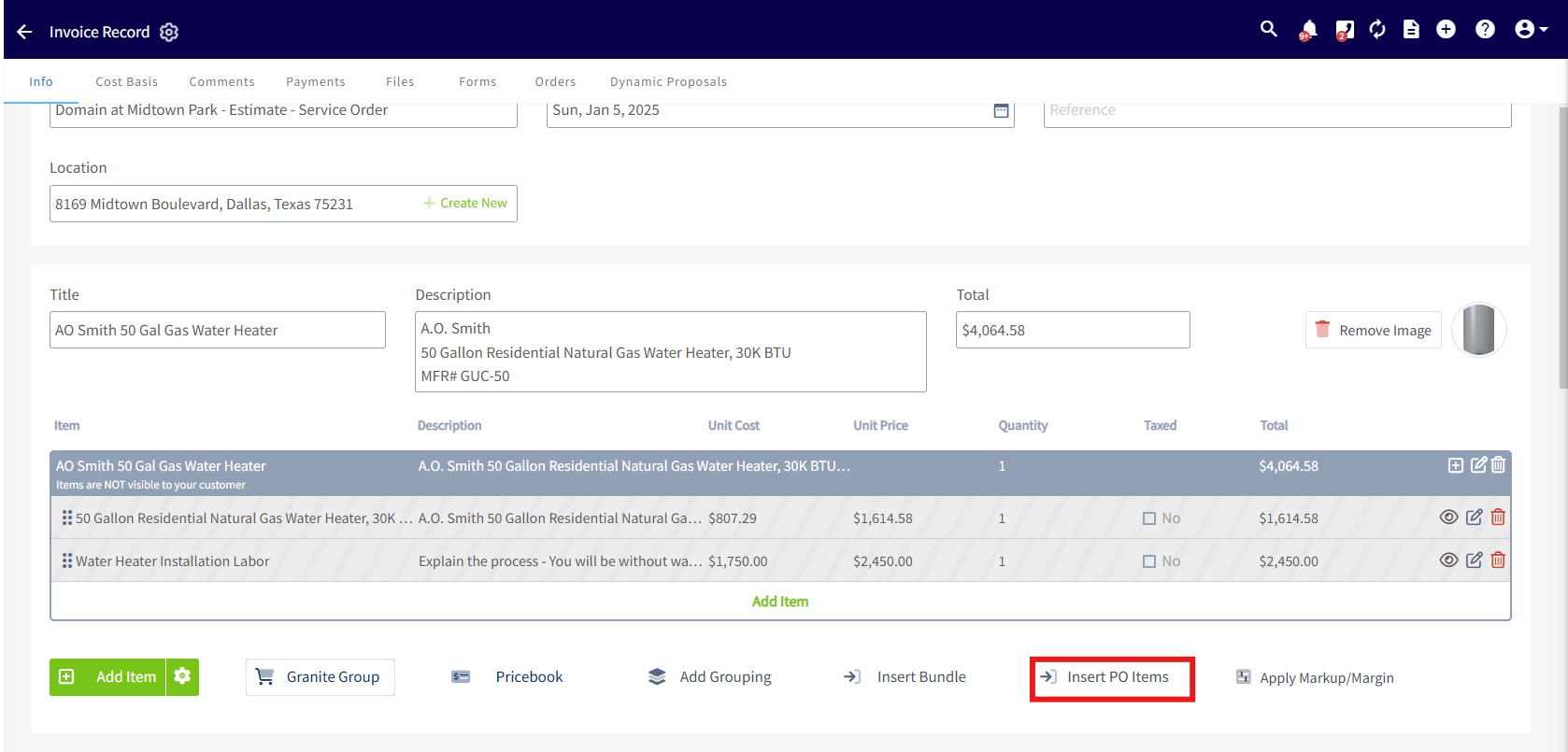
You can now pull in multiple purchase orders (and supplier invoices if your an Australia ReecemaX user) directly into your estimates and invoices! This feature allows you to bundle all your orders into a single, organized invoice to send to your customers. Here’s how to try it out:- While in Edit Mode on an estimate or invoice, select Insert PO Items.
- Search for your PO using any of these attributes: Connected Customer, PO Number, Order Title, Connected Estimate or Invoice Number/Title, Connected Job or Project Number/Title.
- Select your PO, then choose your desired item layout: One big grouping, A grouping per PO, or Individual items.
✨ Insert Email Templates when sending Estimates & Invoices! ✨
You can now swap out the default email subject and body with your pre-created templates. 📝 Customize your messages with personalized text and customer-specific ‘Insertable Fields’. Ready to elevate your communication? Create your templates today! Learn how how to create communication templates.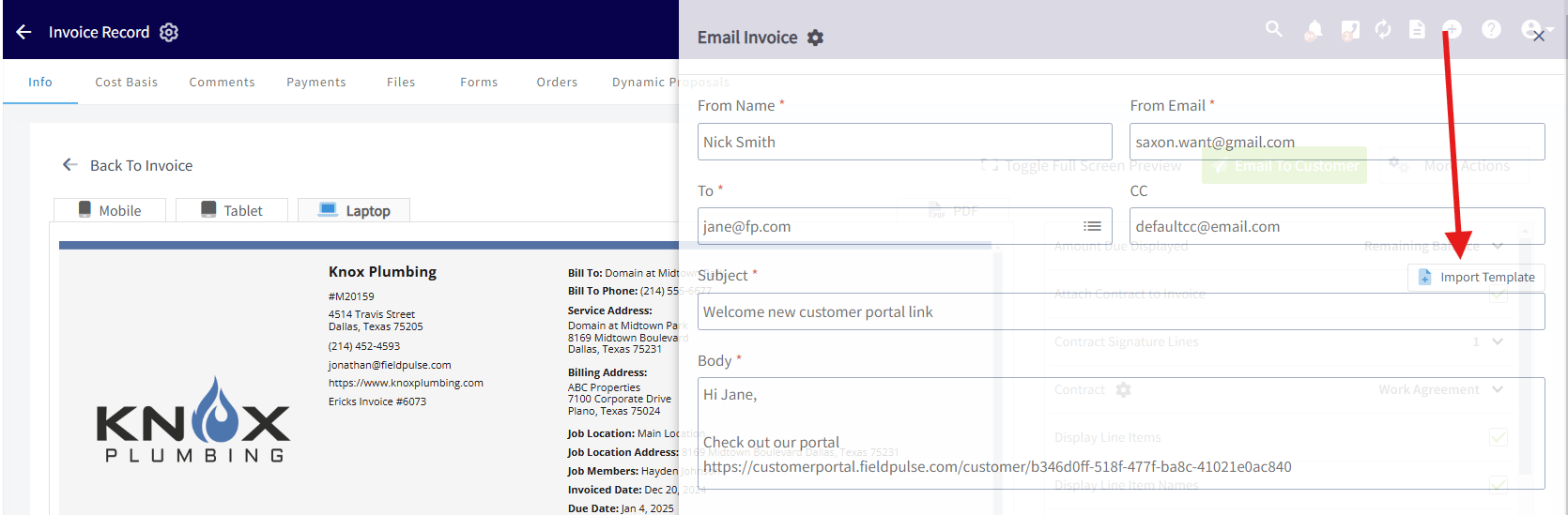
Inventory Audit Reports
The Inventory Audit Report helps you maintain an accurate and transparent record of all inventory changes. Admins can use this report to keep track of who made changes to inventory and when, which inventory hub was adjusted, and how inventory was adjusted (manual adjustment, deducted due to an invoice, auto-replenishment). This report ensures all inventory changes are logged and traceable. To learn more click the link here. > [/using-fieldpulse/reporting/raw-data-reporting-tutorials/inventory-audit-reports)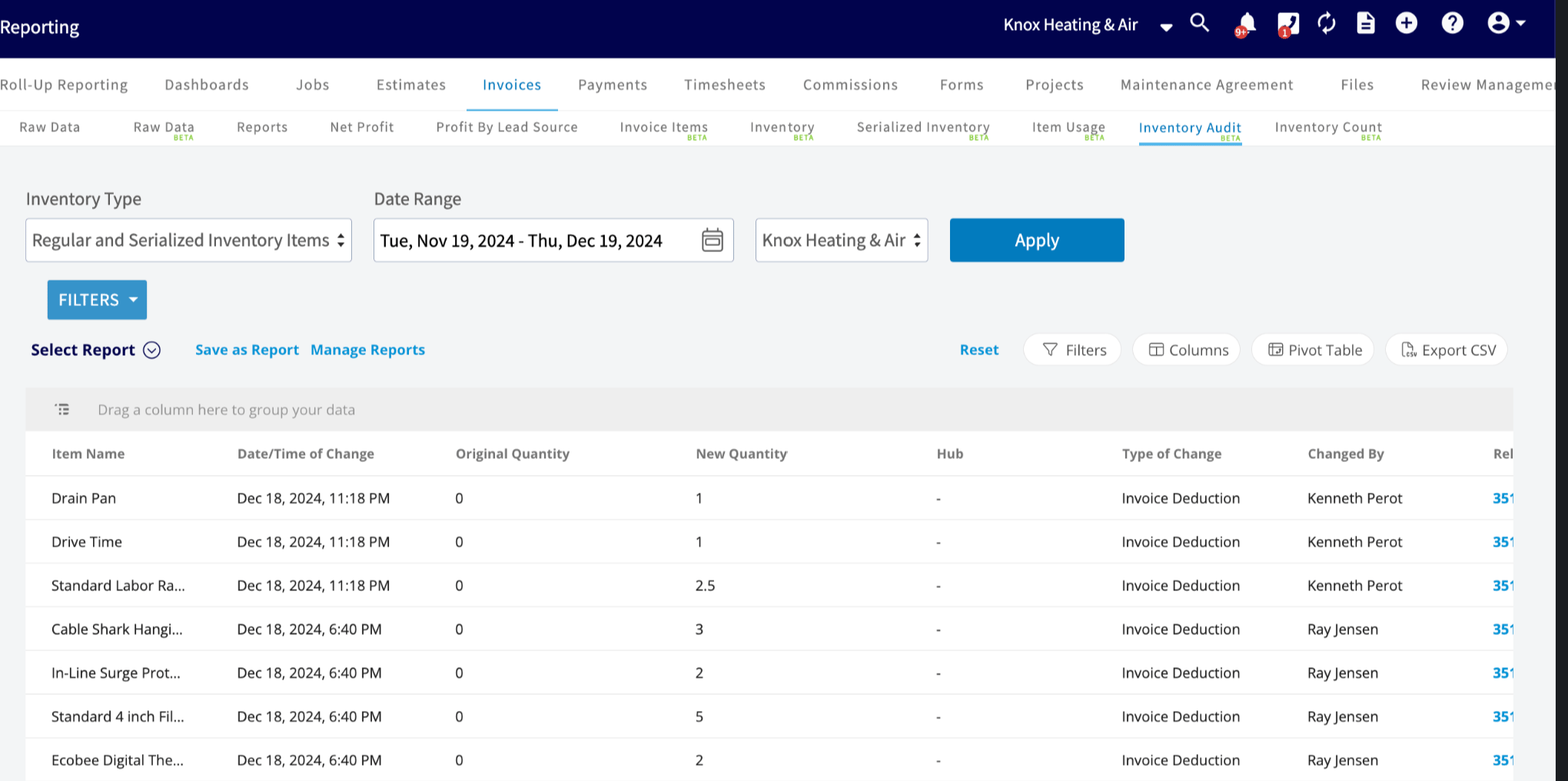
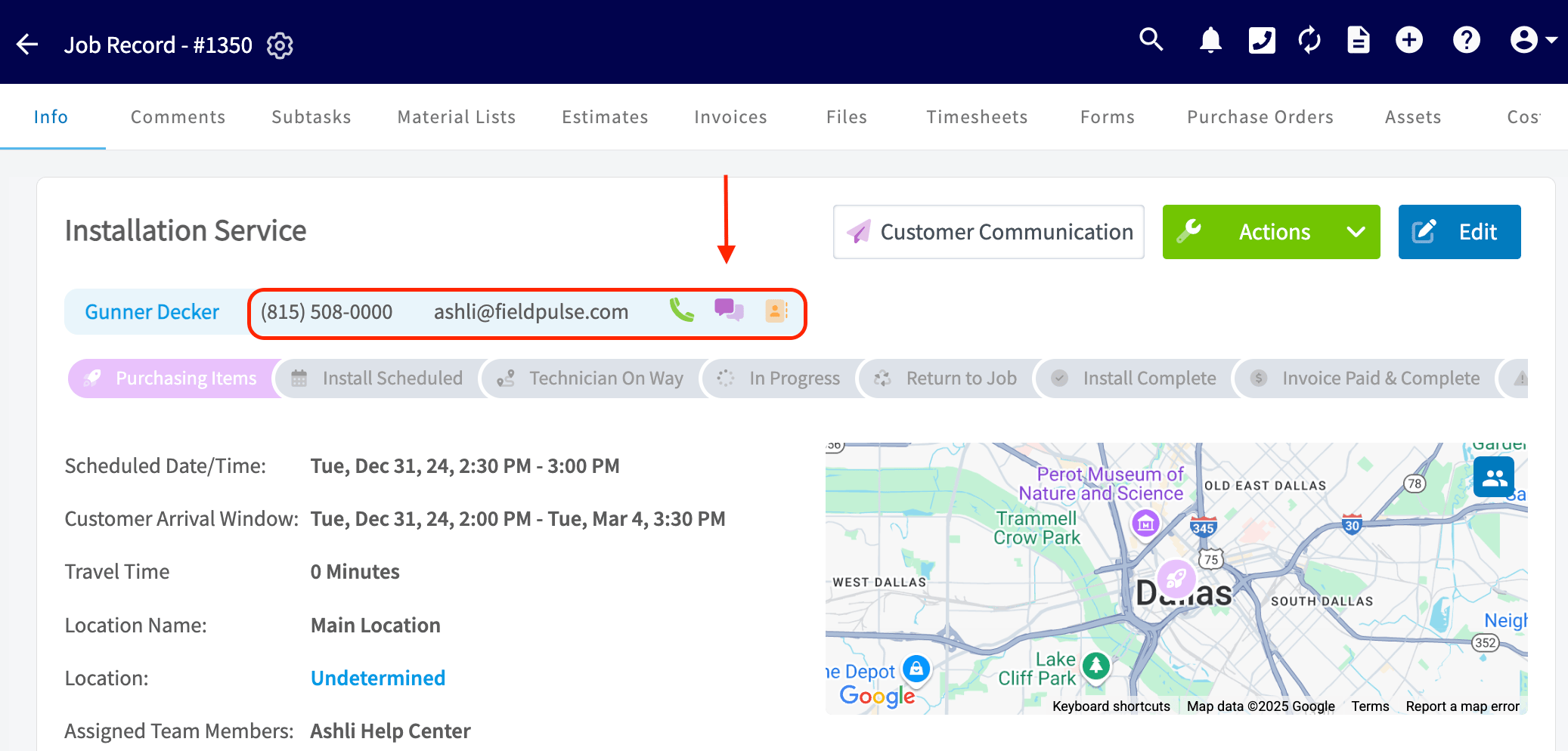
Call, SMS, and Email Icons: Seamless Communication Everywhere
Call, SMS, and Email shortcuts are now available for contacts and Phone 2. Icons work for both Engage and non-Engage users and are live on web and mobile. These shortcuts enable seamless communication at the touch of a button. You can find the new icons on:- Customer Records
- Job Records
- Project Records
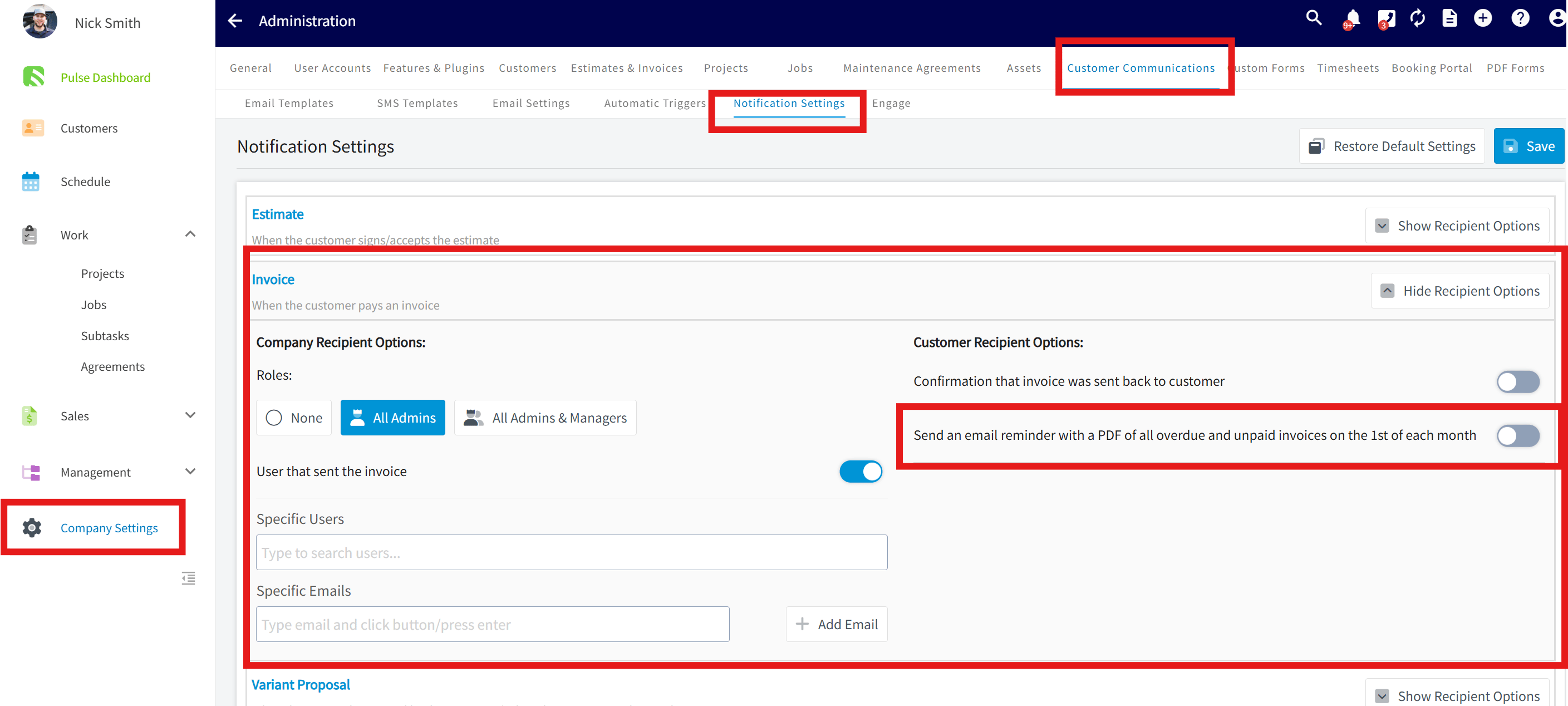
**Monthly Invoice Reminders! **
You can now automatically send your customers an email with a PDF of all overdue and unpaid invoices on the 1st of each month. How to enable:- Go to Company Settings > Customer Communication > Notifications.
- Toggle “Send email reminder with overdue invoices” ON under Invoices.
- Click Save.** **
Service Agent & Team Manager - Asset Visibility & Functionality Permissions
Customize access for Sevice Agents & Team Managers with these new options. To enable, go to Company Settings > User Accounts, select a user, click Edit, navigate to User Permissions, scroll to Asset Visibility & Functionality, select an option, and click Save.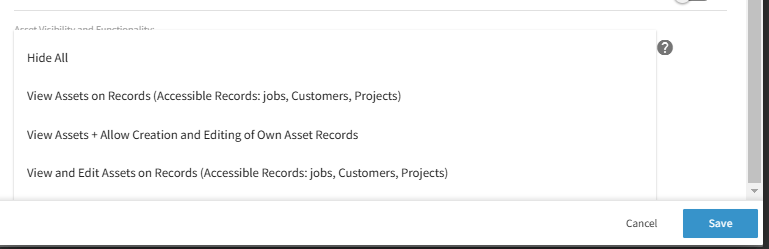
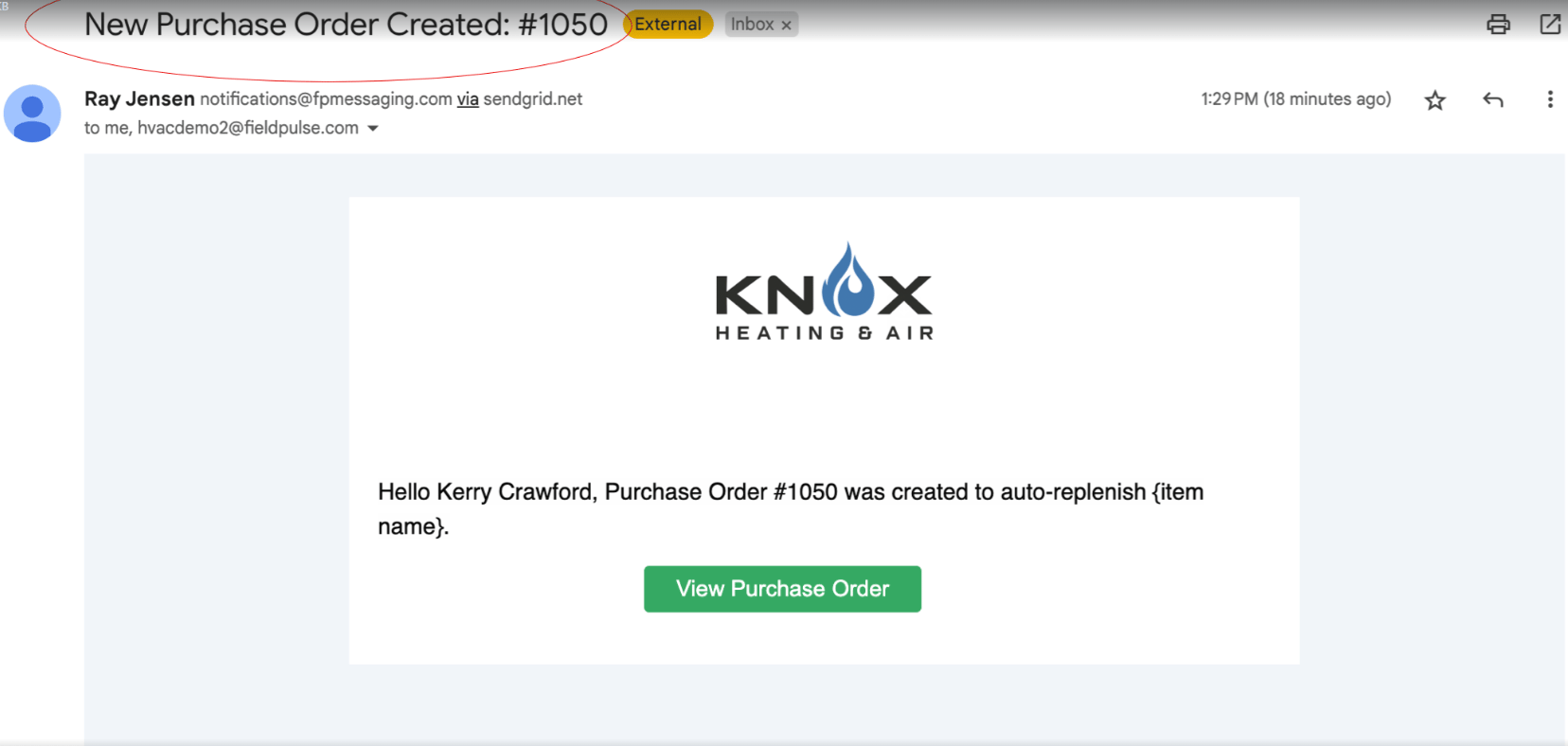
Auto Replenishment Order Notification
When a Purchase Order (PO) is created through auto-replenishment, admins can now receive a real-time notification via: ✅ Email ✅ In-app notification ✅ Optional push notification 🔗 Email Enhancements: The email includes a direct link to view the newly created PO, so you can act quickly and efficiently. Set up via profile icon top right> my settings
💳 New Feature: ACH Payments on Mobile! 💳
CardConnect accounts can now collect ACH payments directly from mobile devices. 📱 Easier payments, less hassle, and more flexibility for you and your customers.📊 New Feature: Reporting Columns 📊
We’ve added new columns to your reports for better visibility and tracking! Our new columns include “Project Raw Data Beta” and “Customer Raw Data Beta”. Project Raw Data Beta- Total Remaining Amount Due
- Total Amount Invoiced
- Accepted Estimate Total Amount
- Total Amount Paid
- Created Date
🎉 Project Tags! 🎉
Easily organize and track your projects with tags. Add custom tags such as: “Urgent”, “Commercial”, “Follow Up”, “Remodel”.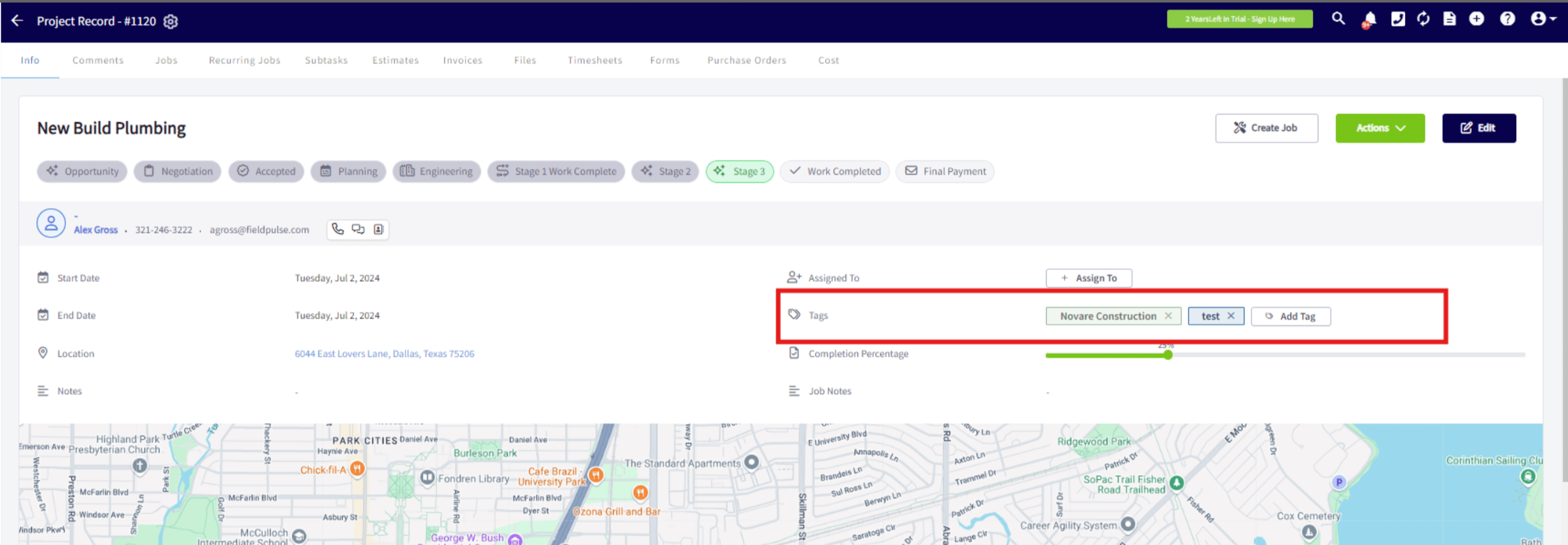
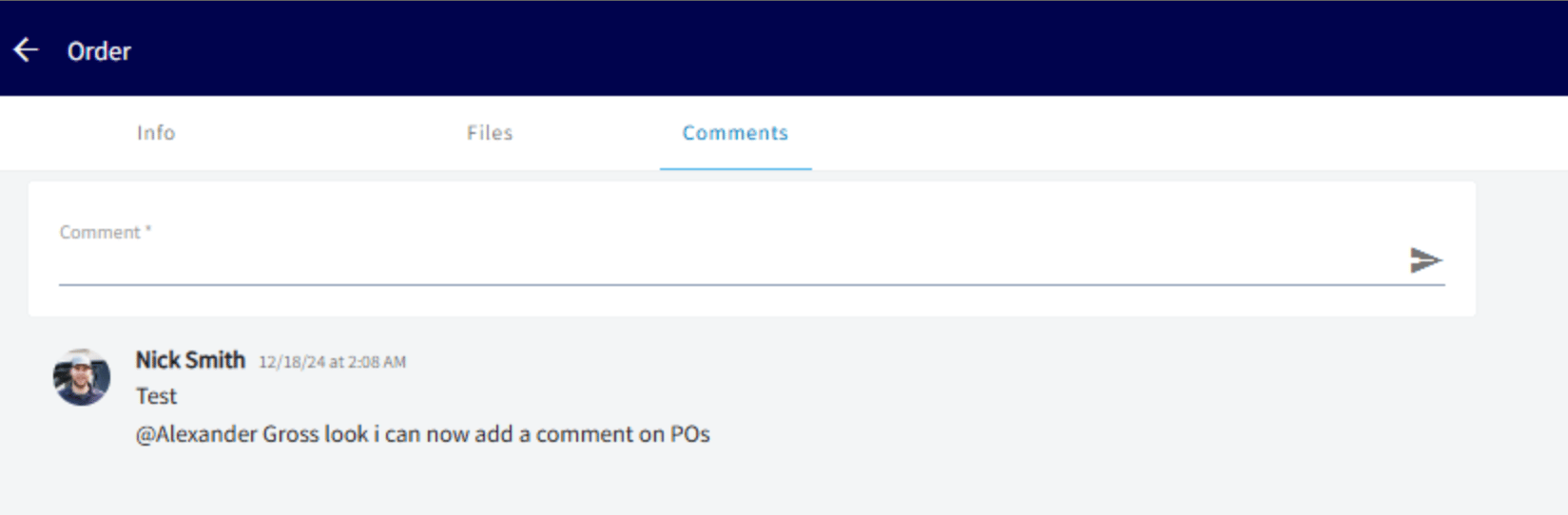
Comments - Purchase Orders
You can now add comments and tag teammates on Purchase Orders! Examples:- “Hey @JohnDoe, confirm the delivery date?”
- “Looks good, @JaneSmith. Send it off!”
New Update for Multi-Business Users! 🌐🔗
We’ve got some GREAT **news **for companies utilizing our multi-business feature: We now check for schedule conflicts across all linked companies! This update ensures seamless coordination by monitoring linked users. Want to learn more about this feature? Check out our detailed article the multi-business management article. Stay organized and conflict-free with our latest enhancement! 🚀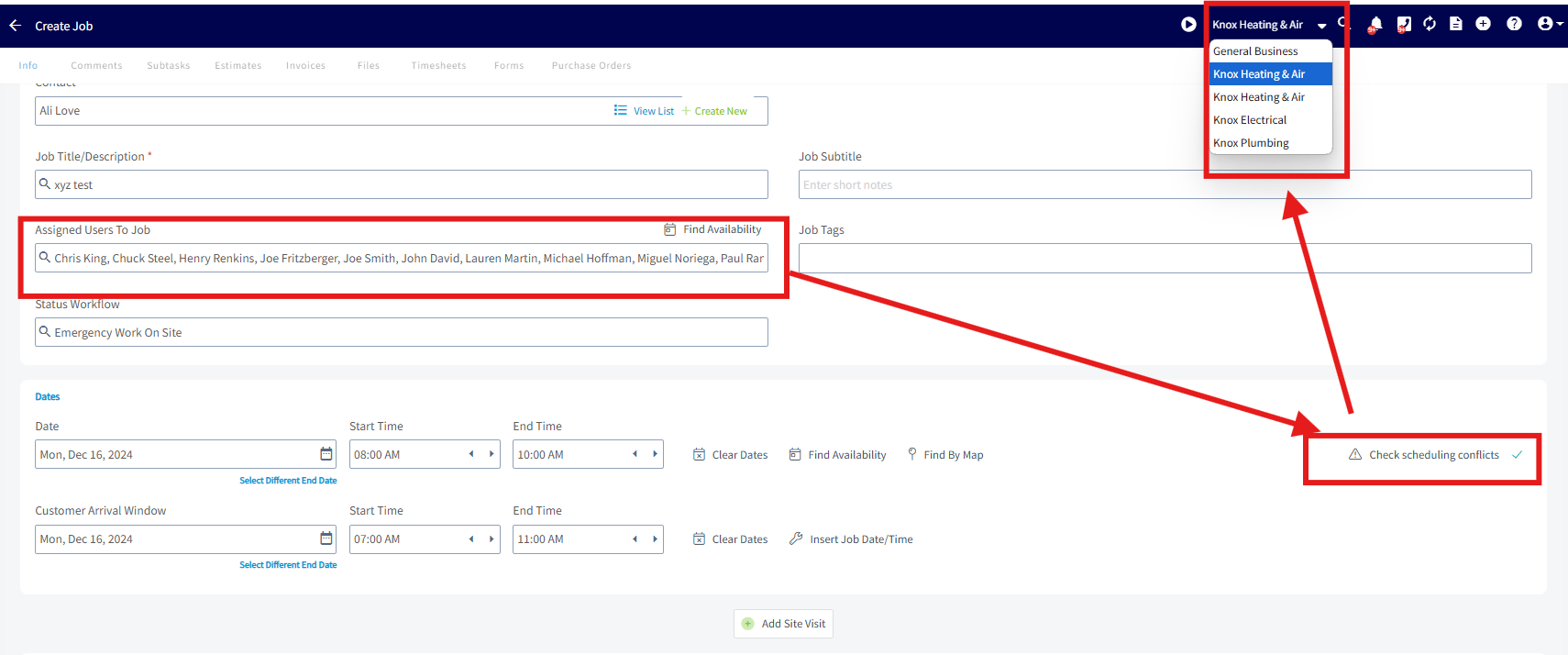
📂✨ New Download Features! 📂✨
We’ve upgraded our “Download All” button—it now keeps your files organized within your folders! Plus, we’ve added download options to sub-folders.

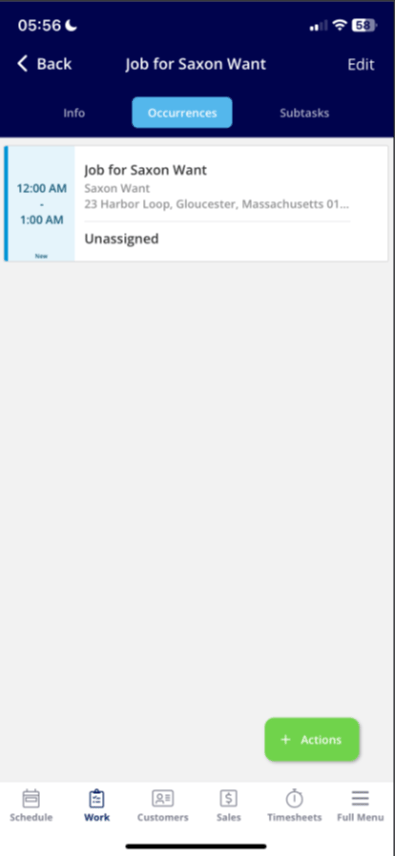
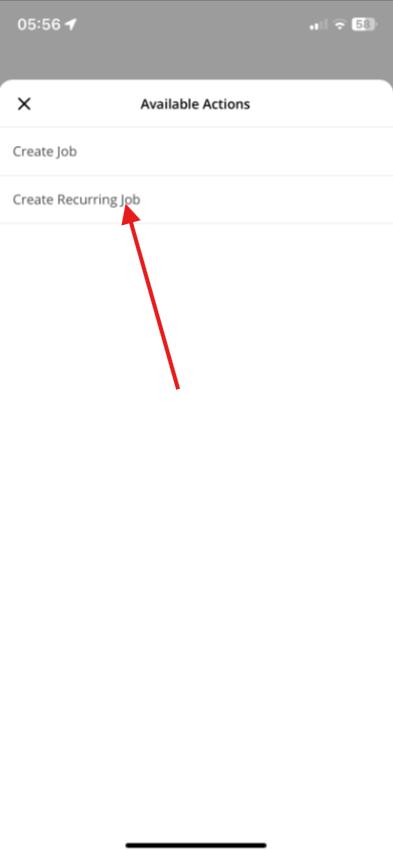
Recurring Jobs Are Now on Mobile
The Recurring sub-tab is now available on our mobile app! Users can view, edit, and create all recurring jobs from their mobile devices.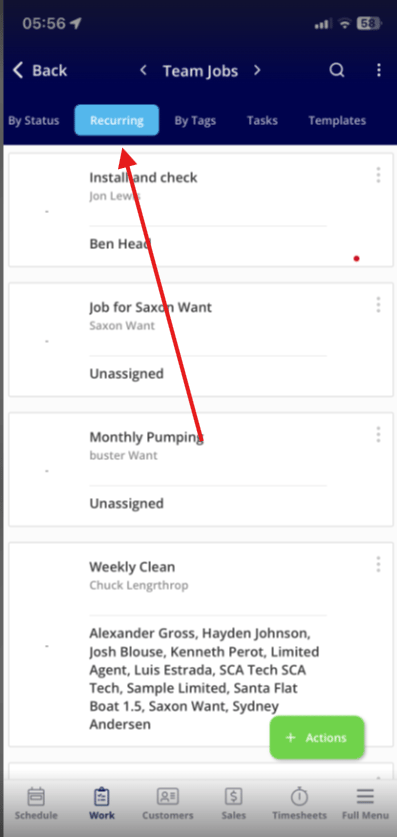
New Auto-Login Feature for Engage on the WebApp!
We’ve simplified the login process! Now, logging into MainApp automatically signs you into Engage. This means instant access to Engage for incoming calls and when using the ‘call’ icon, without the need for additional logins. Enjoy seamless integration and faster access! Multi-Business Management Users - this update now allows you to effortlessly switch between FieldPulse accounts and stay automatically logged into the corresponding Engage account for seamless management.
City Electric Supply Integration: Item Search & Purchase Orders
With our City Electric Supply integration, you can get the most up-to-date material pricing within FieldPulse. Enable this integration to add City Electric Supply line items to your estimates and invoices, plus receive accurate pricing in real-time. the City Electric Supply integration