
Overview
Nobody likes waiting around without knowing when their technician will arrive. This article covers what the trip tracking experience looks like for your customer, from the text they receive to the live map they can follow in real time.Trip Tracking Link
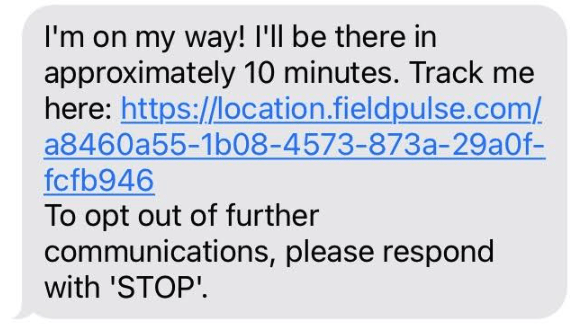
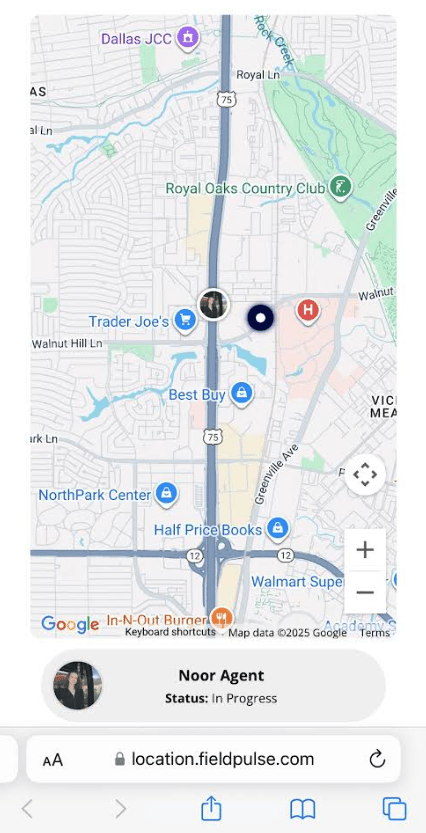
When a technician is heading to a job, they can send the customer a live trip tracking text directly from the FieldPulse mobile app. The customer gets an SMS with a link to a real-time map showing the tech’s location and estimated arrival time. The tracking link stays active for one hour after it’s sent. Enough time for the customer to track the arrival without leaving their location visible all day.Quick tip: The tech can also include their profile photo in the message so customers know exactly who to expect at the door.
What the Customer Receives
The Text
The Live Map
To learn more about Trip Tracking, click the trip tracking guide
Have additional questions? Contact us at support@fieldpulse.com or use the chat feature in the bottom right corner of your screen.