Overview

The Booking Portal is often the first impression a new customer has of your business. This article walks through the full booking experience from landing on your portal to submitting a request, exactly as your customer sees it.

Booking Portal Experience

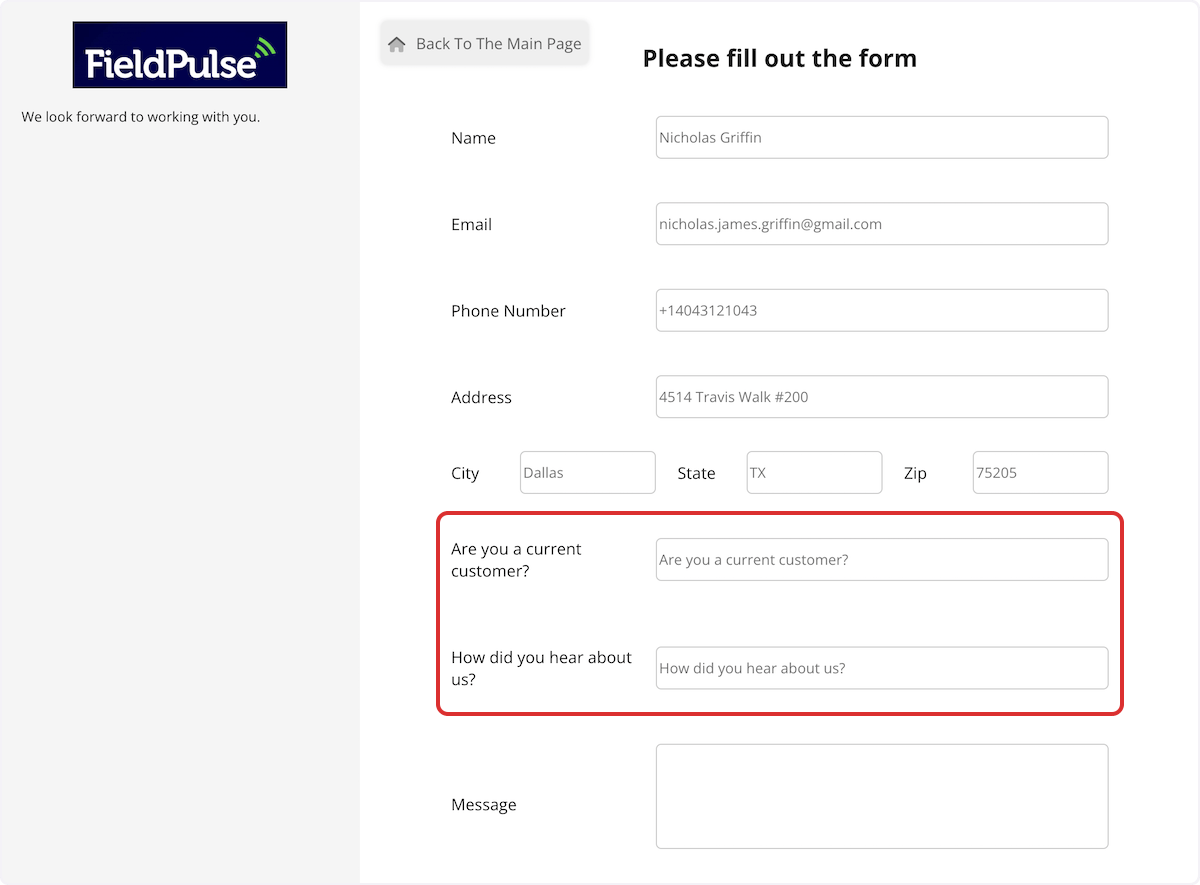
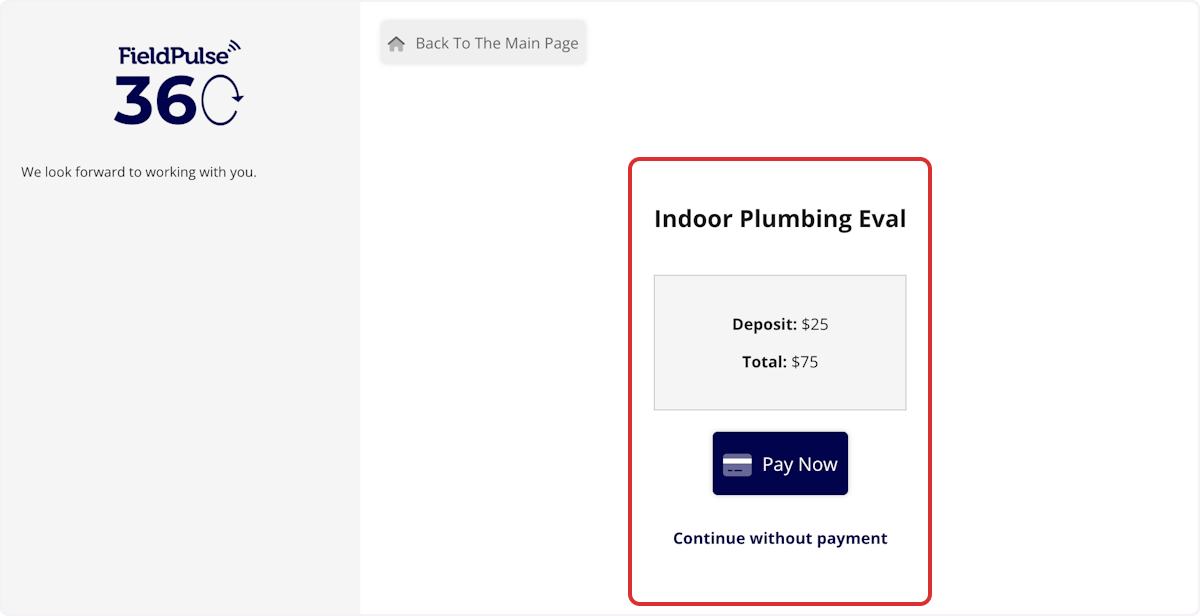
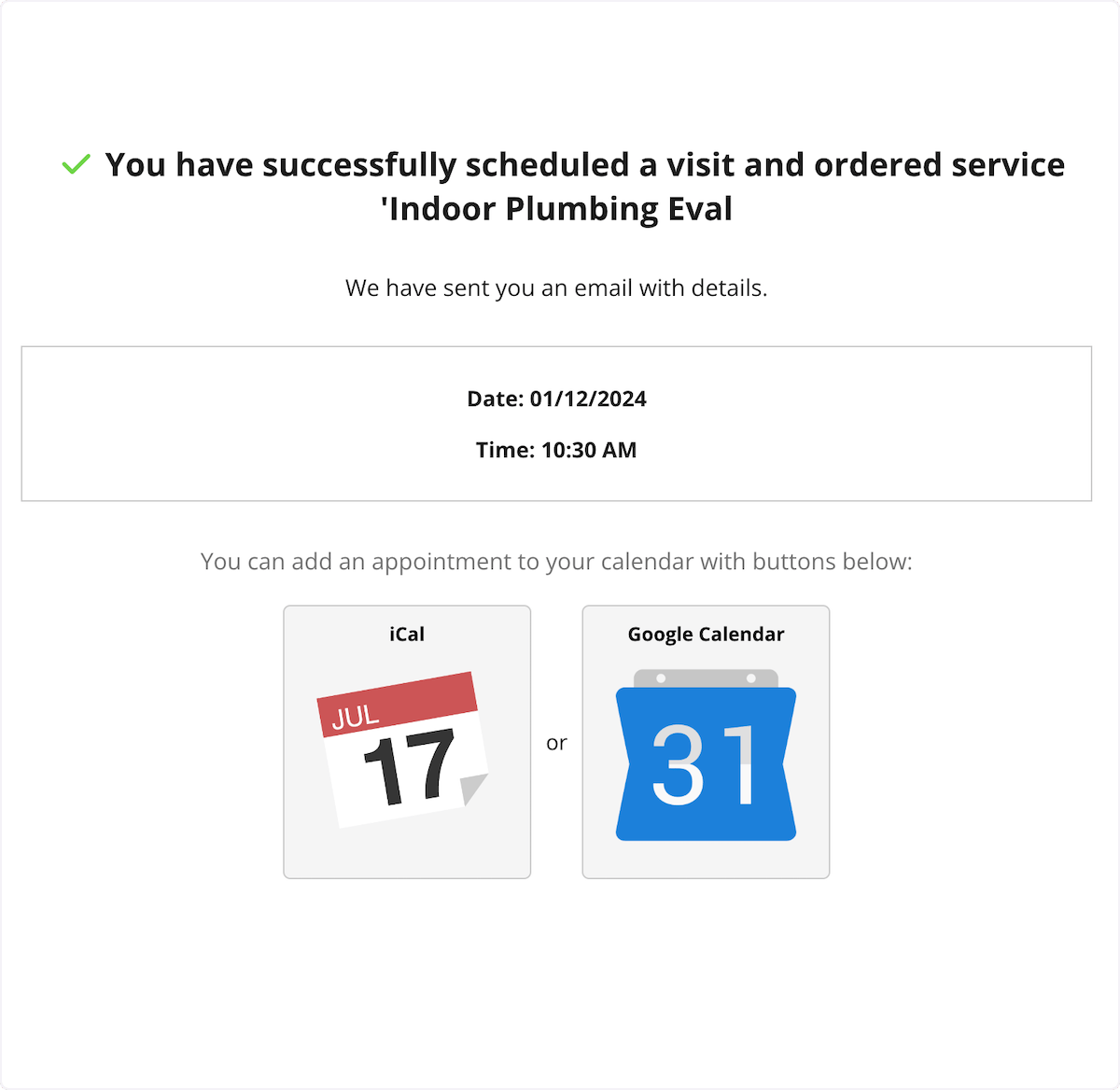
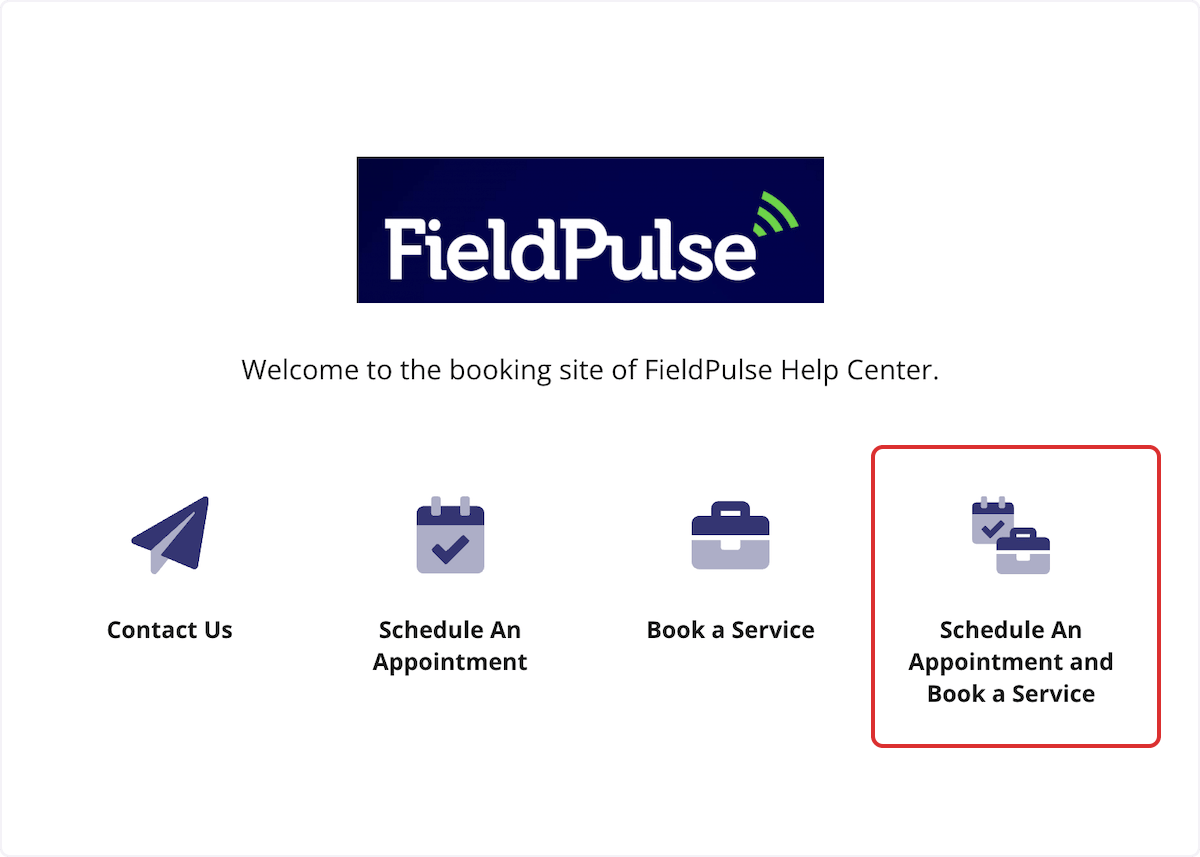
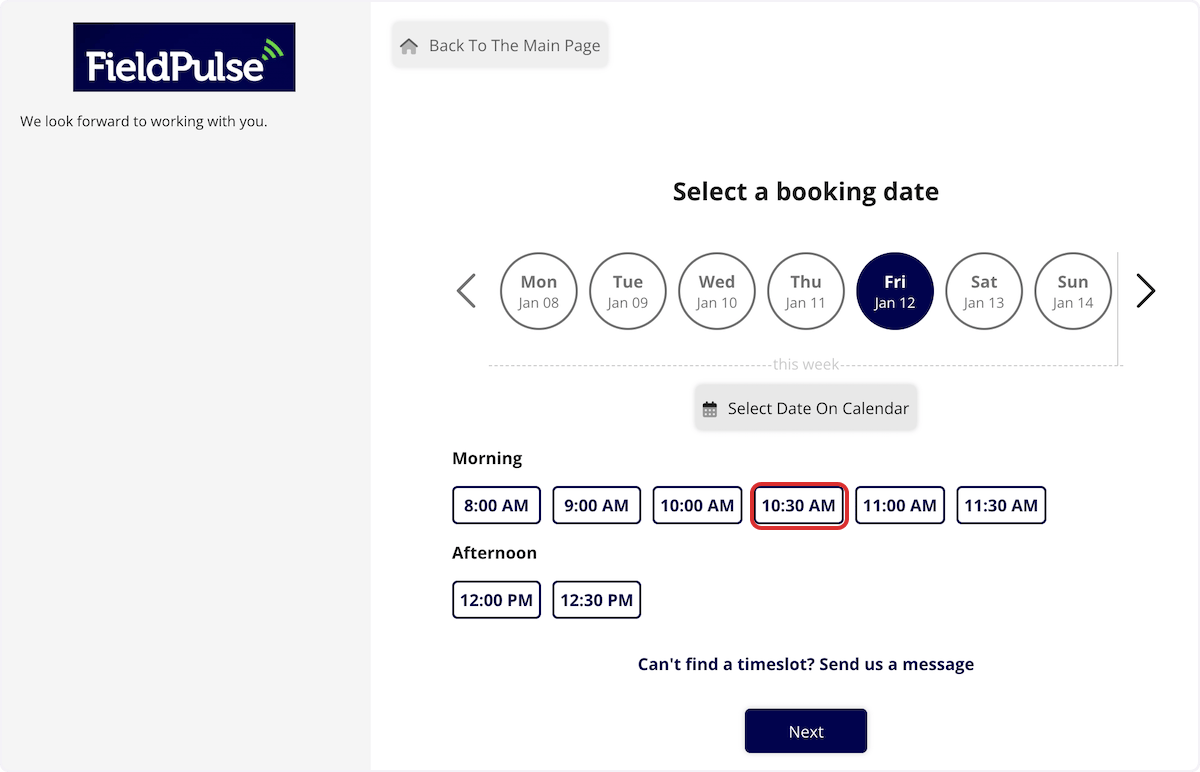
The Booking Portal is your customer-facing scheduling page. New and existing customers can visit it to contact you, request a service, or book a specific time slot. Here’s what they see when they land on your portal: Customer-facing Booking Portal landing page with service options After selecting a service, they choose a time slot (if you’ve enabled scheduling) and fill out their contact details. If you’ve added custom fields, those appear here too. Booking Portal time slot selection and contact detail fields Booking Portal contact form with custom fields shown to the customer If a deposit or full payment is required for the selected service, your customer sees a payment step before their booking is confirmed. Booking Portal payment step shown before a booking is confirmed Once submitted, if you’ve enabled the confirmation email option, the customer receives an email letting them know their request came through. Booking Portal confirmation message after a customer submits a request What’s configurable: Welcome text, service categories, individual services and their pricing display, Smart Scheduler availability rules, custom fields, and whether a confirmation email is sent.
To learn more about the Booking Portal, click the Booking Portal guide

Have additional questions? Contact us at support@fieldpulse.com or use the chat feature in the bottom right corner of your screen.