

- Quick and Easy Set-Up
- Improve Search Visibility
- 10% More Website Sales Guaranteed
- Instant Credibility & Reputation Boost

Enabling NiceJob
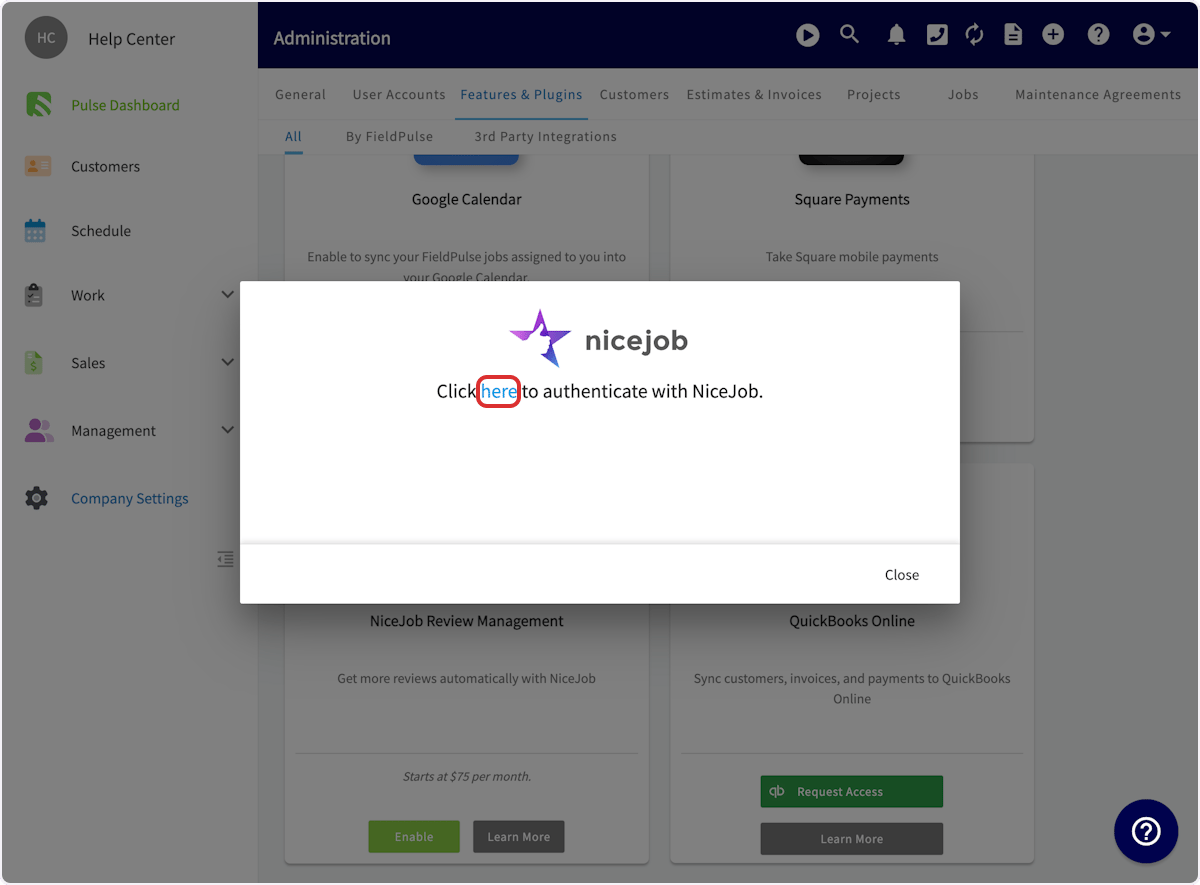
To begin using NiceJob, you’ll first need to enable it. Start by clicking on Company Settings and selecting Features & Plugins. Navigate to NiceJob and select Enable.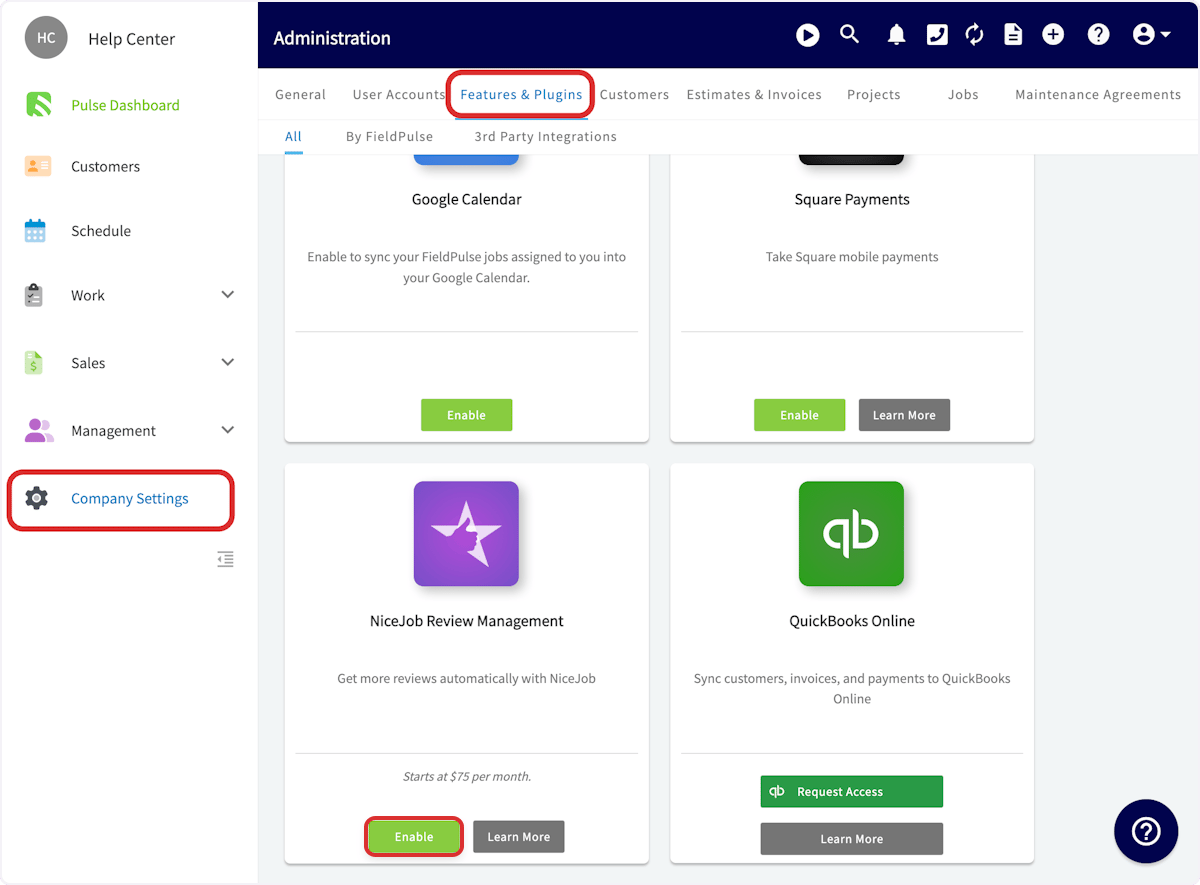
Using NiceJob with FieldPulse
By linking NiceJob to FieldPulse’s CRM, you’ll be able to instantly sync your customer list to the platform and automate requests. Every time you close a job in FieldPulse, NiceJob will automatically follow up with an invitation to review each job. Then, NiceJob will share reviews from across the web to your Google My Business listing, Facebook page, and pages on BBB, HomeAdvisor, City Search, and YellowPages. NiceJob syncs instantaneously with FieldPulse. When you change customer contact information in FieldPulse, it updates in NiceJob. When you get customer referrals through NiceJob, those leads automatically come into FieldPulse for you to follow up. FieldPulse customer events will be used to trigger review and referral requests. These trigger events also carry employee attributions so users can see which of their employees and technicians are receiving the most and/or best reviews and referrals. The following customer events sync with NiceJob and can be used to trigger review and referral requests:- Jobs/Work Orders (created, updated, completed)
- Site Visits (created, completed)
- Estimates (created, updated, approved)
- Invoices (created, updated, paid)
- Payments (completed)
- Tags (users can use the “noreview” tag to prevent an unhappy customers from getting an automatic review request)
Controlling Which Customers Receive Review Requests
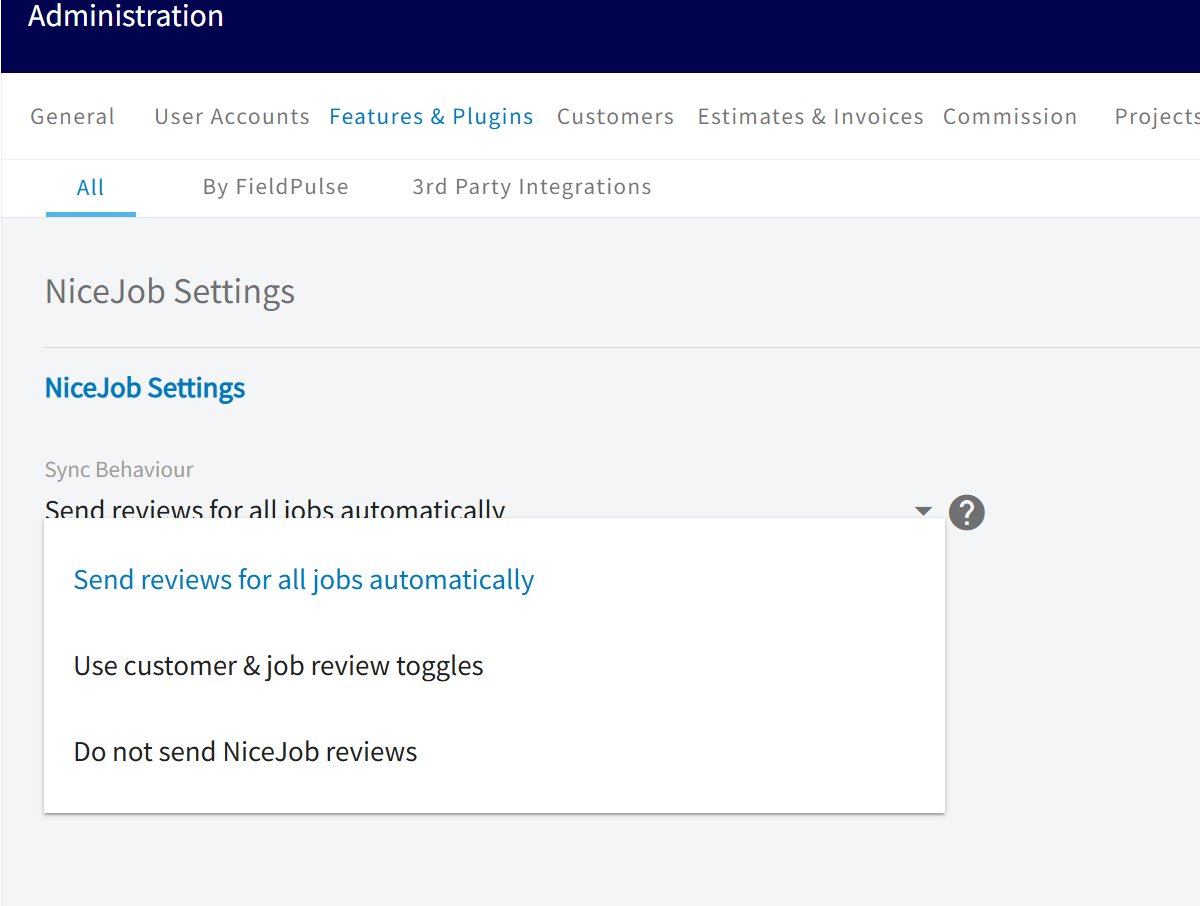
You have control over when review requests are sent: at the company, customer, and job level. Step 1: Navigate to Company Settings → Features & Plugins → NiceJob tile → Settings and configure the Sync Behaviour dropdown. This is your account-wide policy and determines whether per-customer and per-job controls are available.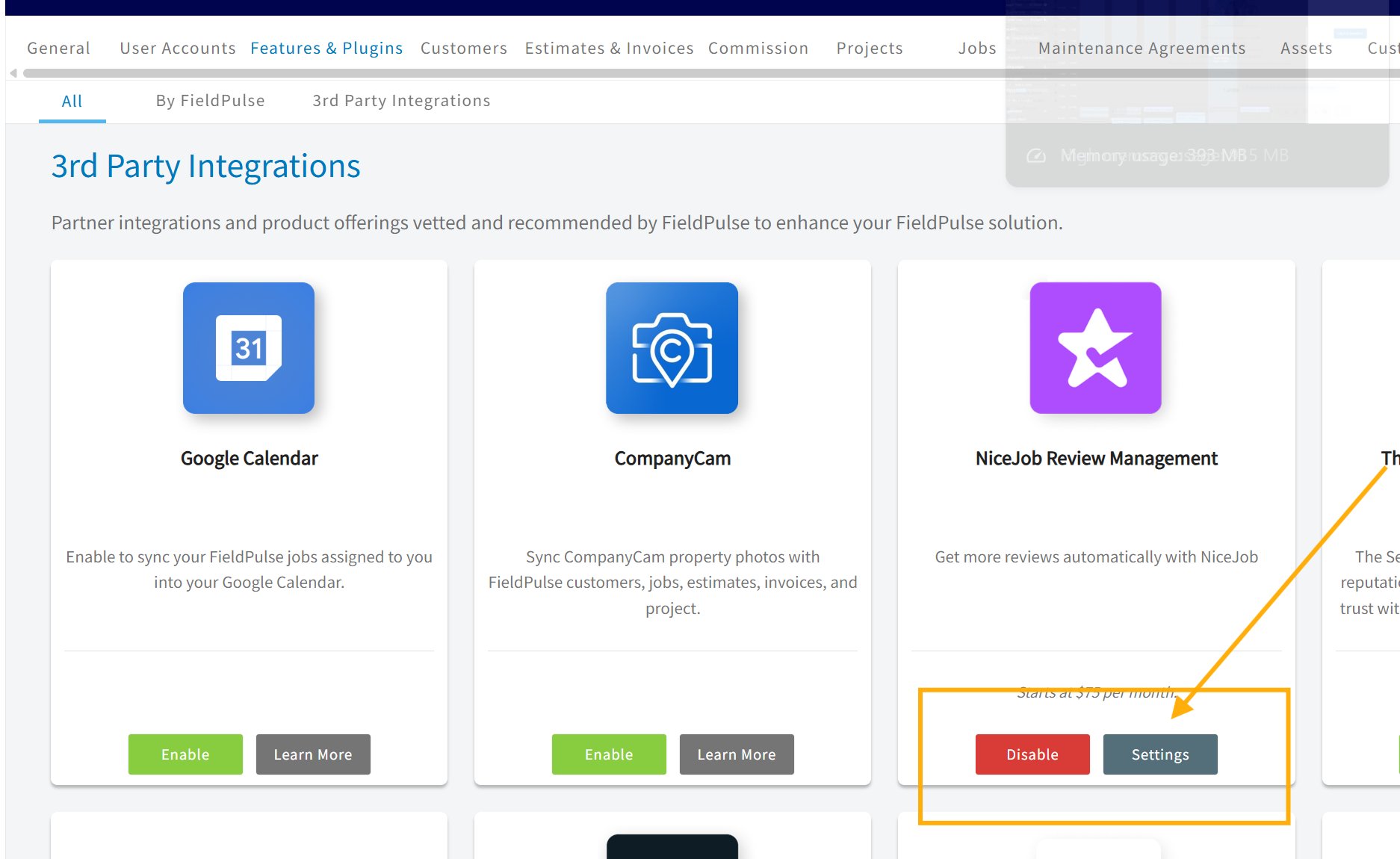
- Send reviews for all jobs automatically: A review request is sent every time a job is marked complete. The per-customer and per-job toggles are hidden in this mode, since the decision is already made at the company level. Choose this if you want maximum review volume with zero manual effort.
- Use customer & job review toggles: Enables per-customer defaults and per-job overrides. When this option is selected, an additional Default Review Setting dropdown appears:
- Send reviews by default: New customers are created with review sending turned on.
- Do not send reviews by default: New customers are created with review sending turned off (opt-in mode).
- Do not send NiceJob reviews: Pauses the NiceJob integration entirely. No review requests are sent, and no data (customers, invoices, or payments) syncs to NiceJob while this mode is active. Choose this if you want to temporarily disconnect without fully disabling the integration.
Generating Repeat Business with NiceJob (Get Repeats)
In addition to automating customer reviews, your FieldPulse integration powers NiceJob’s Get Repeats feature which allows you to automatically send booking reminders and win repeat business from past customers without lifting a finger. How Get Repeats Works with FieldPulse Once a job is completed in FieldPulse, NiceJob uses that booking data to enroll eligible customers into automated follow-up campaigns designed to bring them back for future service.- Automated Booking Reminders: NiceJob sends customized email and SMS follow-ups at timed intervals after a job is completed in FieldPulse, encouraging customers to schedule their next service.
- Event-Driven Triggers: Completed Jobs/Work Orders, Site Visits, and Paid Invoices in FieldPulse serve as the trigger points to start the clock on repeat booking campaigns.
- Full Enrollment Control: Just like review invites, you maintain control over who receives repeat marketing. When marking a job complete in FieldPulse, you can choose whether or not to enroll the customer in a NiceJob campaign, or use tags to exclude specific contacts.
Video Tutorial
FAQs
What is the pricing for NiceJob? NiceJob plans start at $75 per month for the Grow plan. The Grow plan includes:- Automate review and referral campaigns
- Automate social sharing of your top reviews
- Generate repeat business with automated booking reminders
- Monitor reviews across the web for quick action
Have additional questions? Contact us at support@fieldpulse.com or use the chat feature in the bottom right corner of your screen.