
Who uses this: Admins can enable it. Availability: US. Requires a Signpost account.The Signpost integration connects Signpost’s customer-communication tools to FieldPulse so you can automate review requests and follow-up, capture leads, and handle spam calls without leaving FieldPulse. Signpost surfaces inside FieldPulse web, mobile, and the Engage platform, so customer interactions stay in one place instead of scattered across tools.
Overview
Signpost is a customer-communication platform for capturing leads, scheduling, and keeping in touch with customers. Connected to FieldPulse, it offers:- Centralized communication. Manage customer interactions in one place across web, mobile, and Engage.
- Lead capture and messaging available on all devices.
- Engage integration that includes spam handling and automated engagement through FieldPulse.
Before you begin
- You need a Signpost account. To sign up, get started with Signpost or call Signpost Sales at (844) 240-9980.
Connect Signpost
- Sign up for Signpost (see Before you begin).
- In FieldPulse, go to Company Settings > Features & Plugins.
-
Locate the Signpost tile and select Enable.
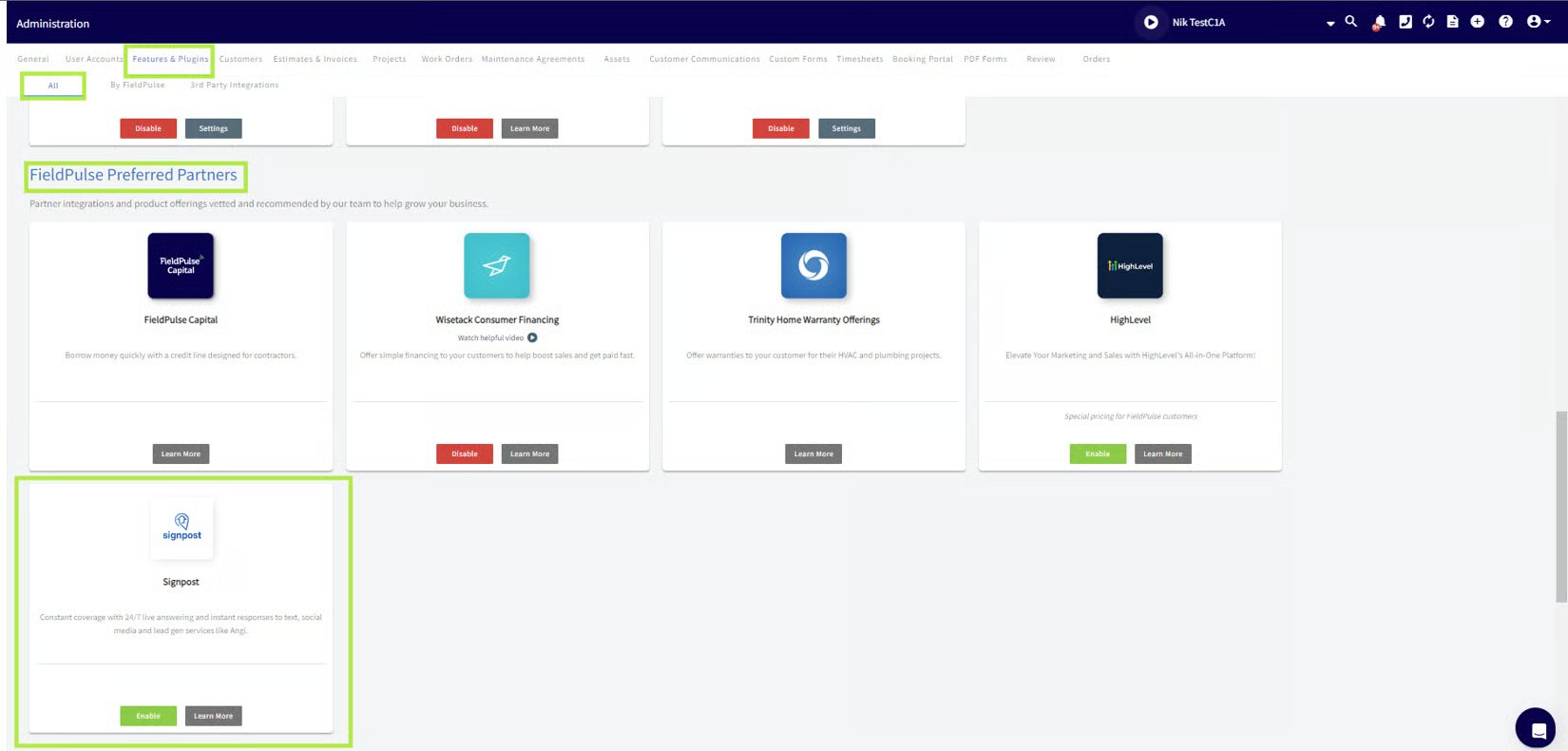
- Open Signpost from the Management tab, or on the Engage platform select the Signpost logo in the top-right corner.
Automate more with Zapier
You can connect FieldPulse and Signpost through Zapier to automate workflows beyond the built-in integration. A few examples:- New customer follow-up. When a new contact is added in Signpost, create a Job in FieldPulse to follow up, so no new lead goes unnoticed.
- Customer sync. When a new customer is added in FieldPulse, create or update their details in Signpost to keep information consistent across both platforms.
- Service reminder. Trigger a Signpost reminder to contact a client scheduled for a recurring service or check-up in FieldPulse.