
Who uses this: An Admin turns on invoice cost basis in Company Settings and sets whether Managers and Service Agents or Managers only can see unit costs on records. Availability: All regions.Invoice cost basis records what each line item on an estimate or invoice actually cost you, so FieldPulse can show the profit and margin on the work. Your item list can store a unit cost that the person building the record never sees, which means you can track profitability internally without putting your buy prices in front of the whole team.
Overview
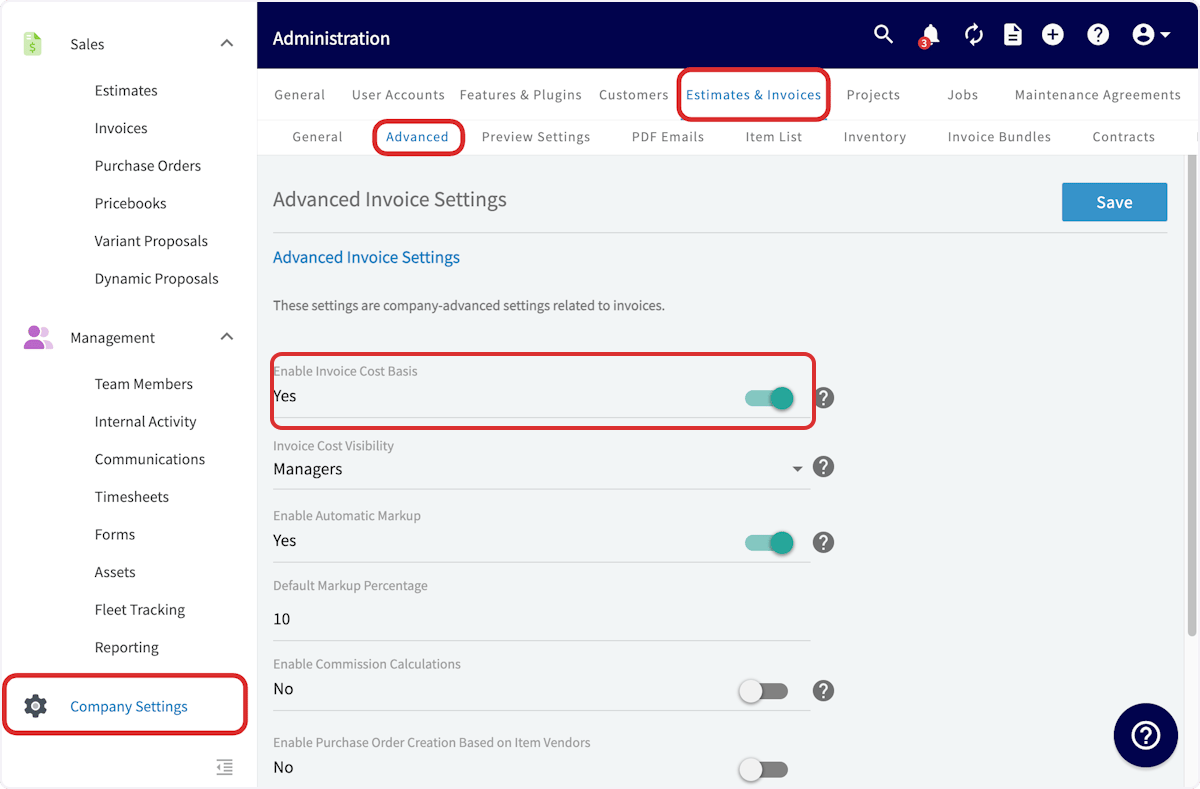
Once invoice cost basis is on, every estimate and invoice gains a Cost Basis tab showing what each line item cost, what it earned, and the margin for the job overall. The cost comes from the unit cost on the line item, so a line item entered without a cost produces no cost basis. Two settings do the work, and both live on the same screen in Company Settings:- Enable Invoice Cost Basis turns the tracking on and adds the Cost Basis tab to estimates and invoices.
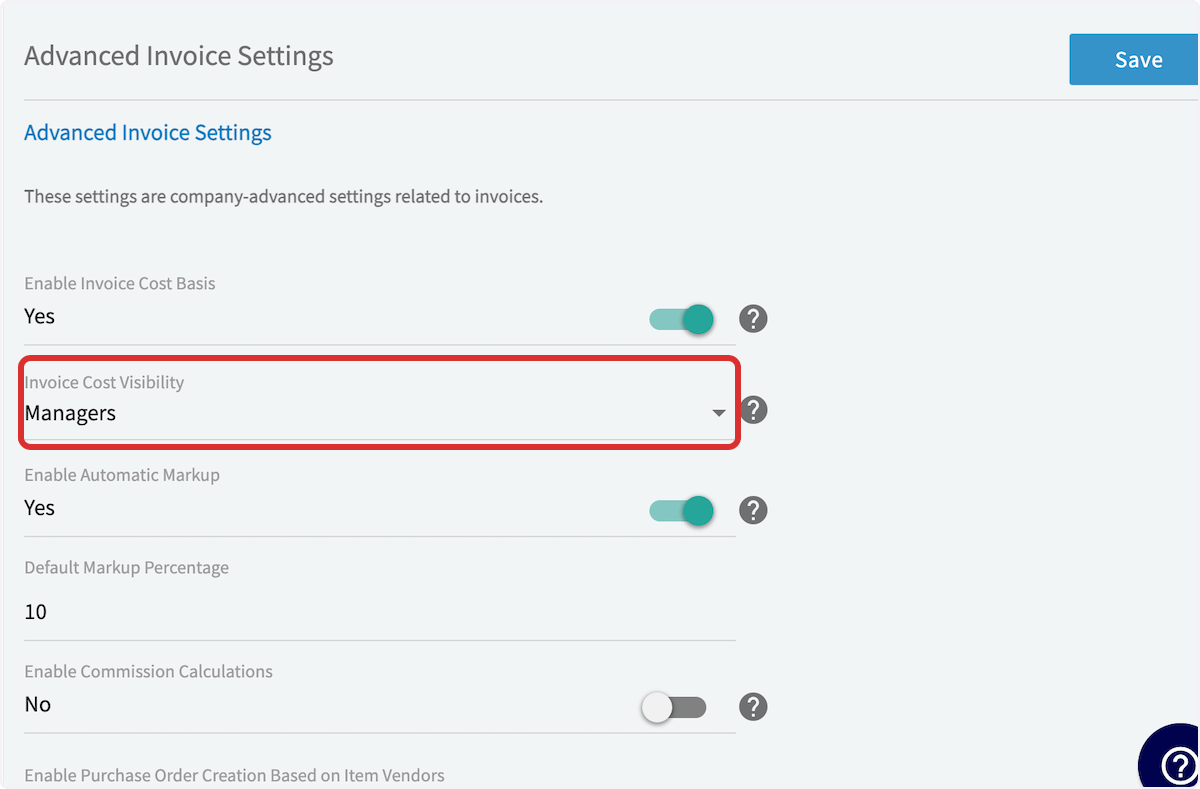
- Invoice Cost Visibility decides who sees unit costs on those records — Managers and Service Agents, or Managers only.
Video walkthrough
Video walkthrough: cost basis and invoice profitability
Before you begin
- Sign in as an Admin. Only Admin users can open Company Settings. See User Roles and Permissions Details.
- Enter unit costs on your line items. If a line item has no cost, FieldPulse cannot generate a cost basis for it. See Setting Up Item List & Inventory.
- Decide who should see unit costs — Managers and Service Agents, or Managers only.
Step-by-step setup
1. Turn on invoice cost basis
- Go to Company Settings in the left-side menu and select Estimates & Invoices.
- Select Advanced in the sub header.
- On the Advanced Invoice Settings page, set Enable Invoice Cost Basis to Yes.
2. Set who can see unit costs
- In the Invoice Cost Visibility dropdown, choose Managers and Service Agents or Managers only.
- Select Save.
Viewing cost basis on a record
- Open an existing invoice, or create a new invoice and enter your line items with their unit costs and the other relevant information.
- Scroll to the bottom of the page and select Save.
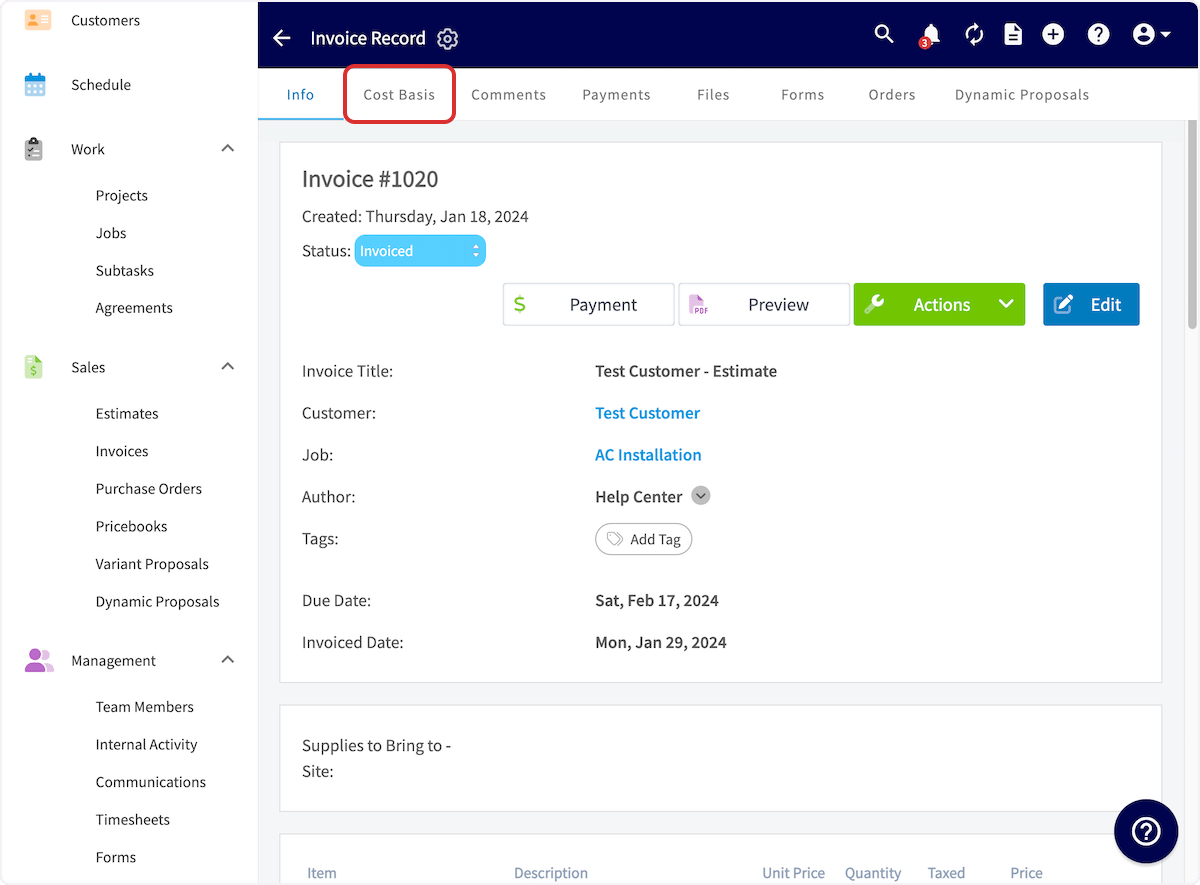
- On the invoice record, select Cost Basis in the top menu.
- Select Add New Expense to record a cost that isn’t a line item on the invoice.
- Select Export to download the breakdown.
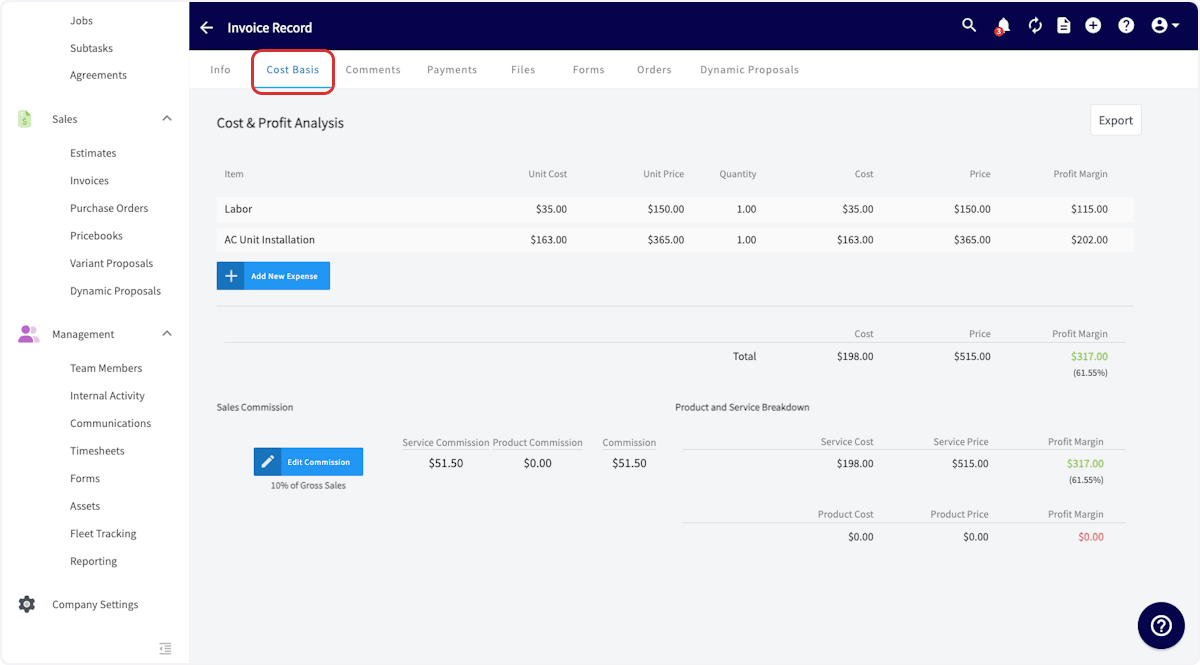
Discounts do not appear on the Cost Basis tab and are not factored into the cost basis calculation — the total invoice amount shown on the tab is the pre-discount total. If you use automatic deposit invoices, the deposit line item on the final invoice is excluded from the cost basis calculation and does not appear on the Cost Basis tab or in the export.