
Who uses this: An Admin turns on commission calculations and sets the default and per-user rates in Company Settings; the commission recipient on a record earns the payout. Availability: All regions.Invoice-level commission is FieldPulse calculating commission on each estimate and invoice from a rate you set. You choose whether the commission is a percentage of gross sales, a percentage of gross margin, or a flat dollar amount, set it once as a company default, and then override it for individual team members whose rates differ.
Overview
Commission is tracked and calculated on the estimate or invoice itself. Once commission calculations are on, new estimates and invoices calculate commission automatically from your default settings, and the amount appears on the record’s Cost Basis tab, where you can edit it or add commission entries by hand. Three settings decide what each payout looks like:- Default Commission Calculation Method per Invoice — percentage of gross sales, percentage of gross margin, or a flat dollar amount.
- Default Commission Rate — the company-wide percentage or dollar amount.
- Default Commission Recipient(s) — who earns the commission by default on a new record.
Before you begin
- Decide your default calculation method and rate, and which team members need a rate of their own.
- To calculate commission as a percentage of gross margin, enter unit costs on your line items and turn on cost basis. See Setting Up Cost Basis and Invoice Profitability.
Not every role has commission access by default. To learn who can view or edit commission, see User Roles and Permissions Details. To adjust a user’s permissions, see How to Add New Users.
Step-by-step setup
1. Turn on commission calculations and set the company default
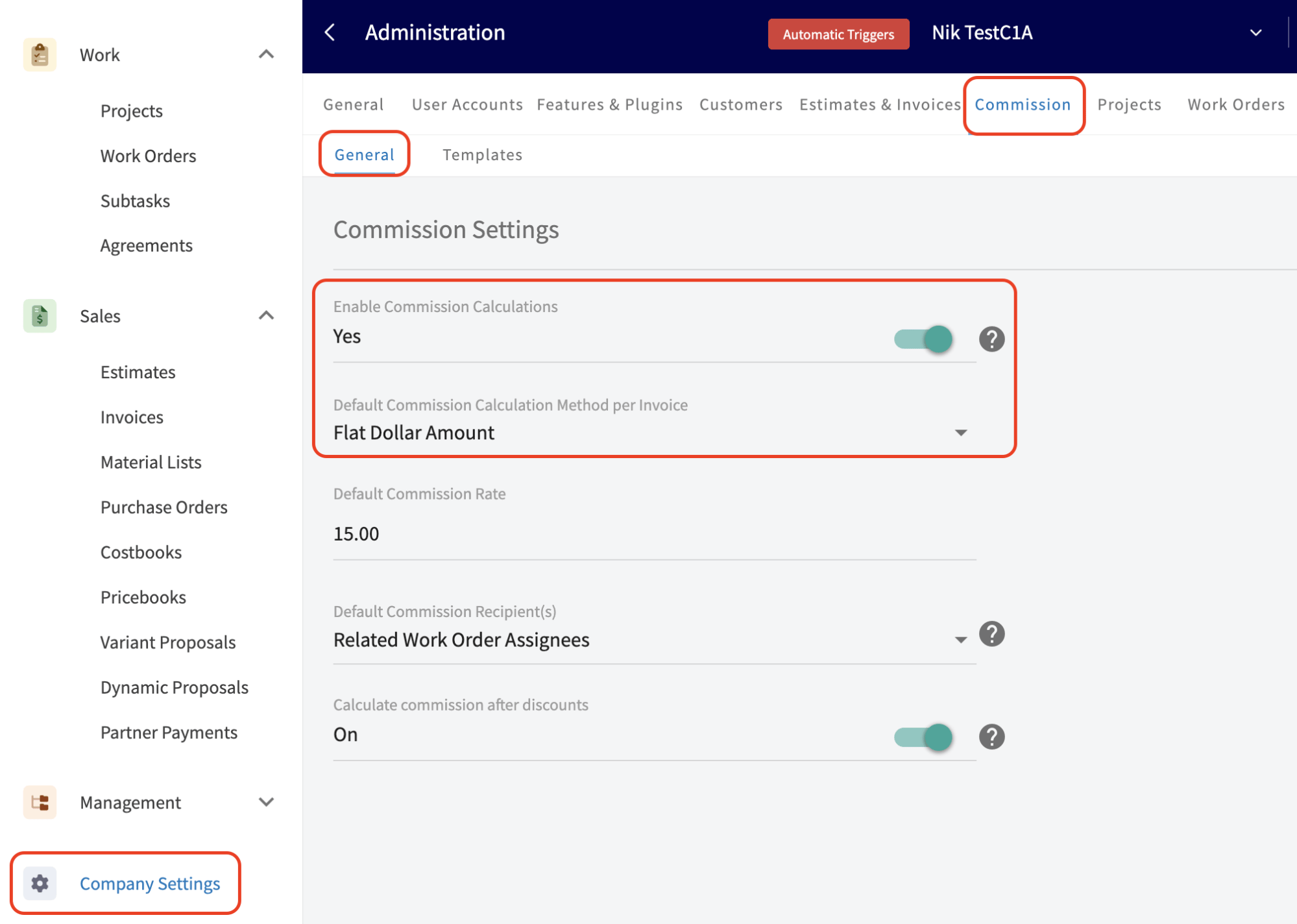
- Select Company Settings in the left-side menu.
- Select the Commission tab, then the General subtab.
- Toggle Enable Commission Calculations on. New estimates and invoices now calculate commission automatically from the default settings below.
- Set Default Commission Calculation Method per Invoice to Percentage of Gross Sales, Percentage of Gross Margin, or Flat Dollar Amount.
- Enter the Default Commission Rate.
-
Select a Default Commission Recipient(s) option:
- Record Author — the person who created the estimate or invoice. This is the default, and it matches how commission has always worked in FieldPulse.
- Related Work Order Assignees — everyone assigned to the related job. If more than one person is assigned, FieldPulse splits the commission equally among them.
- Related Customer Assignee — whoever is assigned to the customer record, regardless of role: Admin, Team Manager, Service Agent, Limited Agent, or Assignment User.
- Select Save.
For the full picture on how splitting commission across multiple people works, including templates and manual overrides, see Commission Structures Overview and How to Create and Use Commission Templates.
2. Decide how discounts affect commission
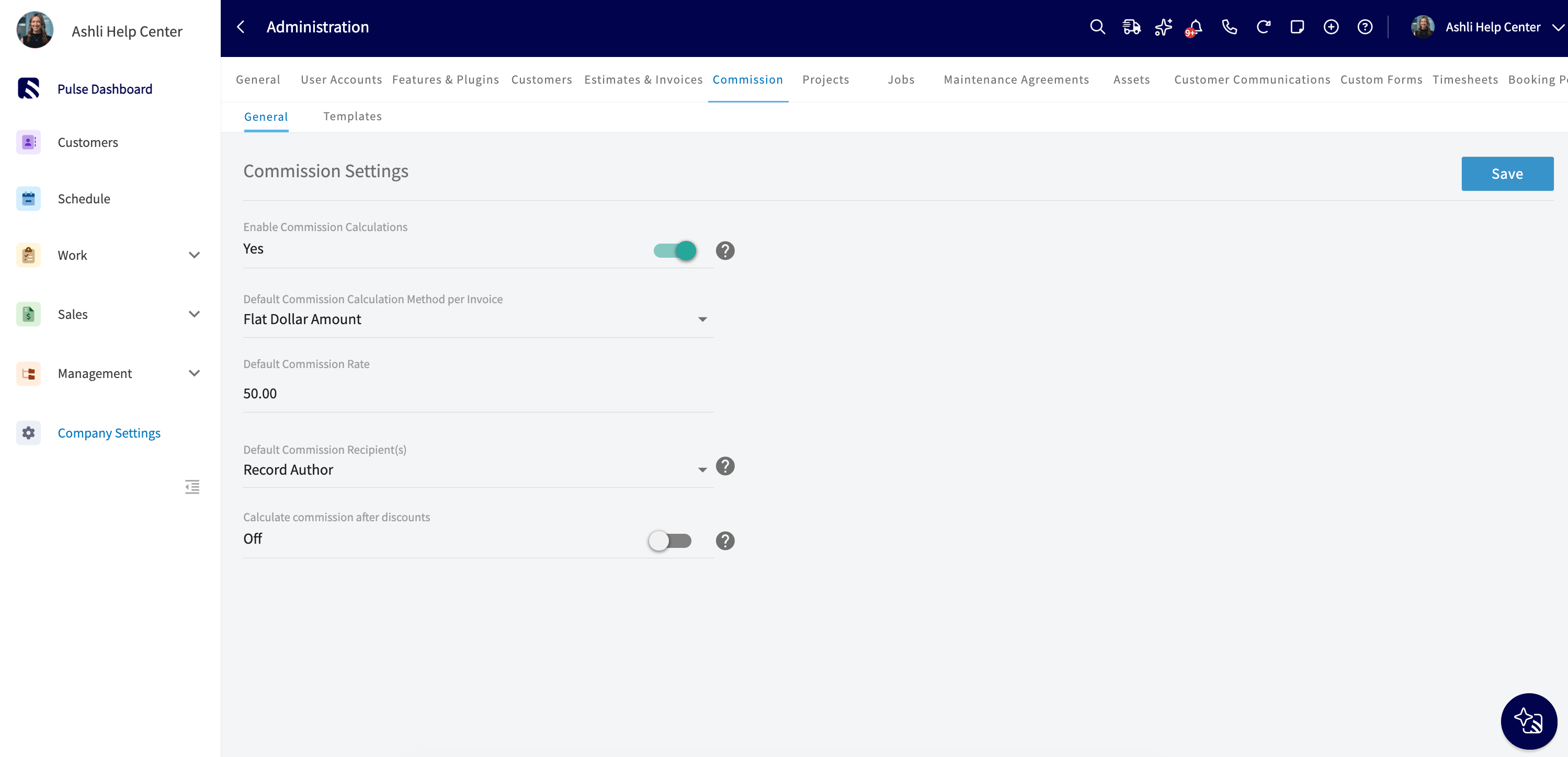
The Calculate commission after discounts toggle sits on the same Company Settings > Commission > General page and controls which invoice total the commission is figured from:- On — commission is calculated on the final invoice total after discounts.
- Off — commission is calculated on the original total before discounts.
3. Set a commission rate for an individual user
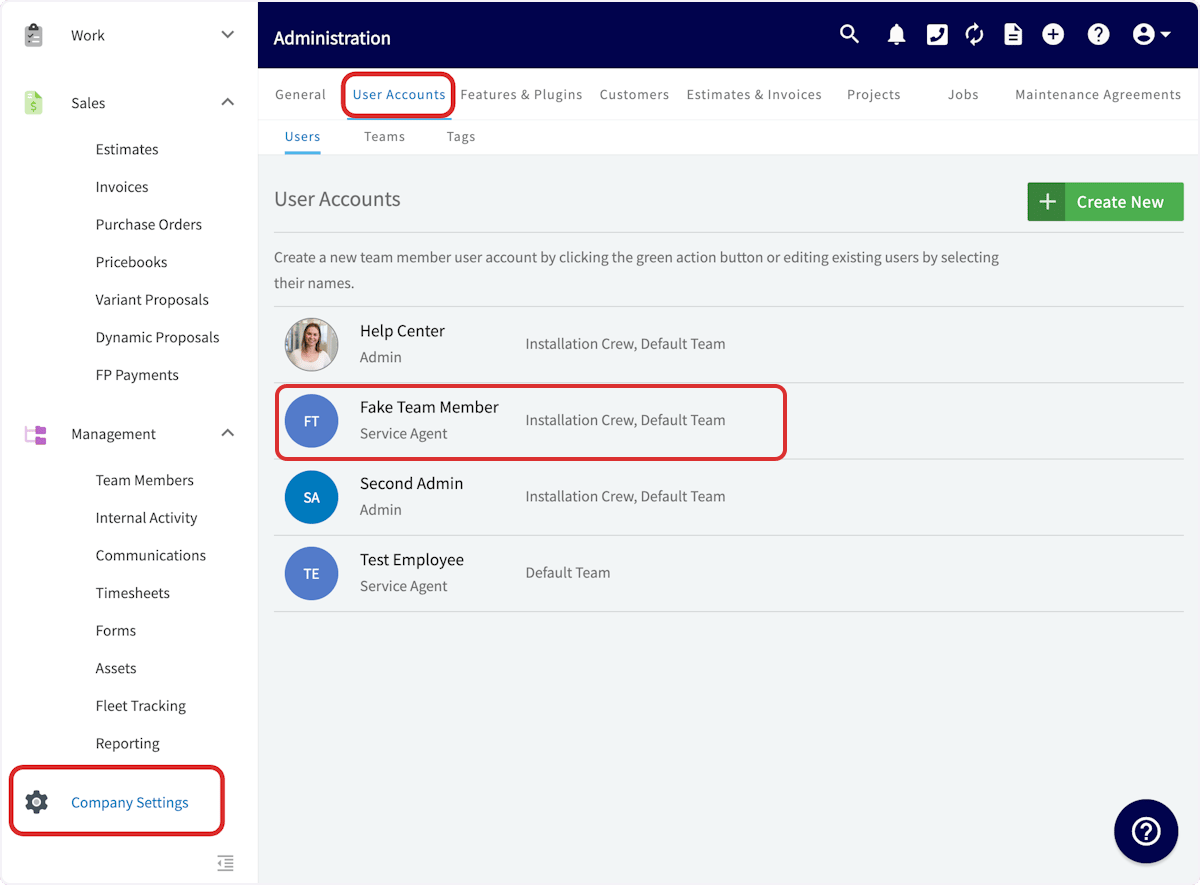
- Select Company Settings, then the User Accounts tab.
-
Select the team member whose commission rate you want to set, then select Edit.
-
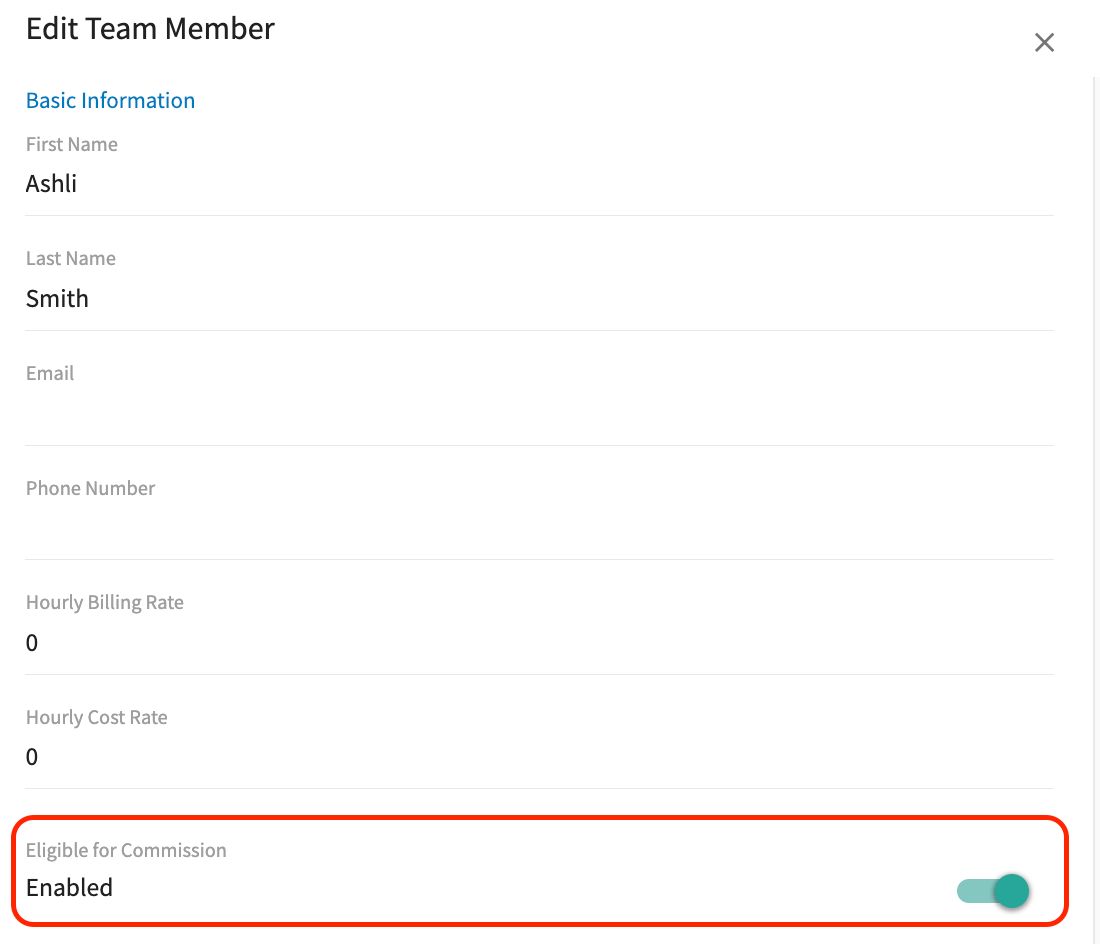
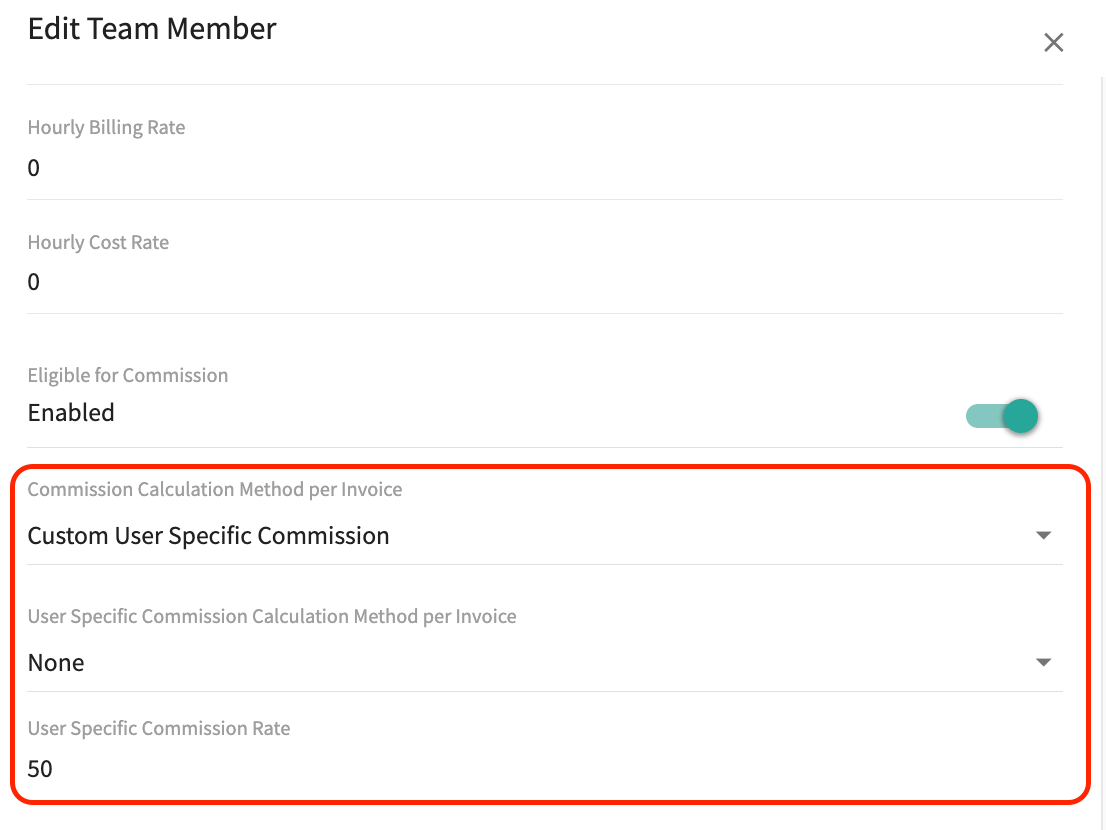
In the Edit Team Member panel, scroll down and toggle Eligible for Commission on. While this toggle is off, the team member is not eligible for commission and does not appear on the commission cost basis page, the commission page, or the commission report. If the toggle was previously on, FieldPulse retains the commission information on the cost basis page and report for that team member.
-
Set Commission Calculation Method per Invoice for this team member:
- Company Default Commission — the team member’s commission follows the default method and rate set in Company Settings.
- Custom User Specific Commission — displays two additional fields, so commission can account for criteria or performance metrics that vary from one team member to another.
-
If you selected Custom User Specific Commission, fill in the two fields it reveals:
- User Specific Commission Calculation Method per Invoice — Percentage of Gross Sales calculates commission from total sales revenue, Percentage of Gross Margin calculates it from the profit margin after costs, and Flat Dollar Amount sets a fixed dollar amount per invoice.
- User Specific Commission Rate — the numeric value for this team member’s rate.
- Select Save.
If your Default Commission Recipient(s) setting is Related Work Order Assignees, individual user rates are ignored for that commission. FieldPulse uses the company default rate and splits it evenly among the assignees instead, so the math stays consistent no matter who is on the job.
4. Set the commission recipient on a record
The Commission Recipient(s) field, located below the Author field on an estimate or invoice, tracks who earns the commission on that record. It defaults to your Default Commission Recipient(s) setting, and you can change it on an individual record. When more than one person is receiving commission, their names are listed and separated by commas. Select the gear icon next to the field to open the Commission Configuration panel, where you can add, edit, or remove recipients.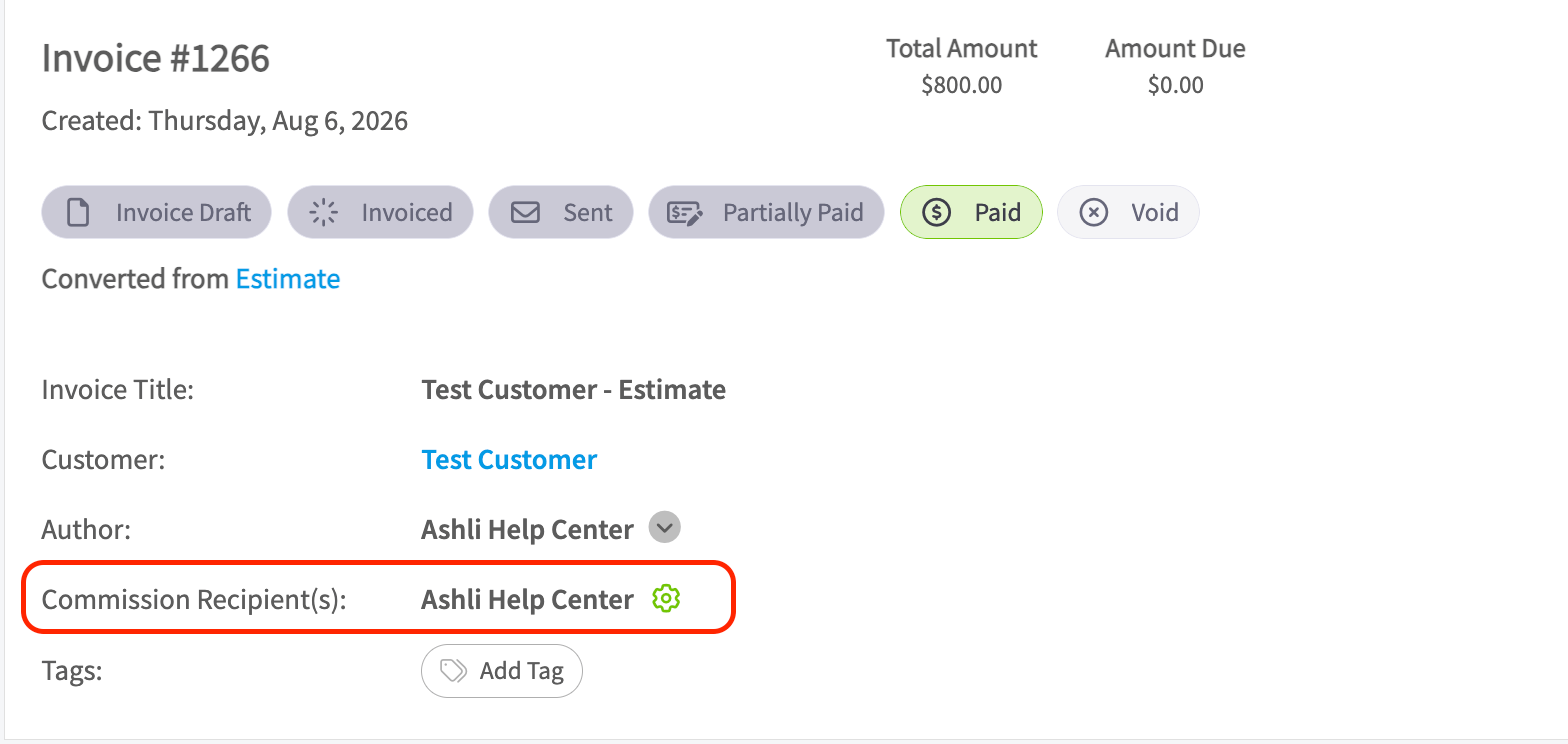
5. Review the calculated commission on a record
- Open an estimate or invoice.
- Select Cost Basis in the header.
- Review the automatically calculated commission. You can edit the system-generated values at any time or add new commission fields as needed.
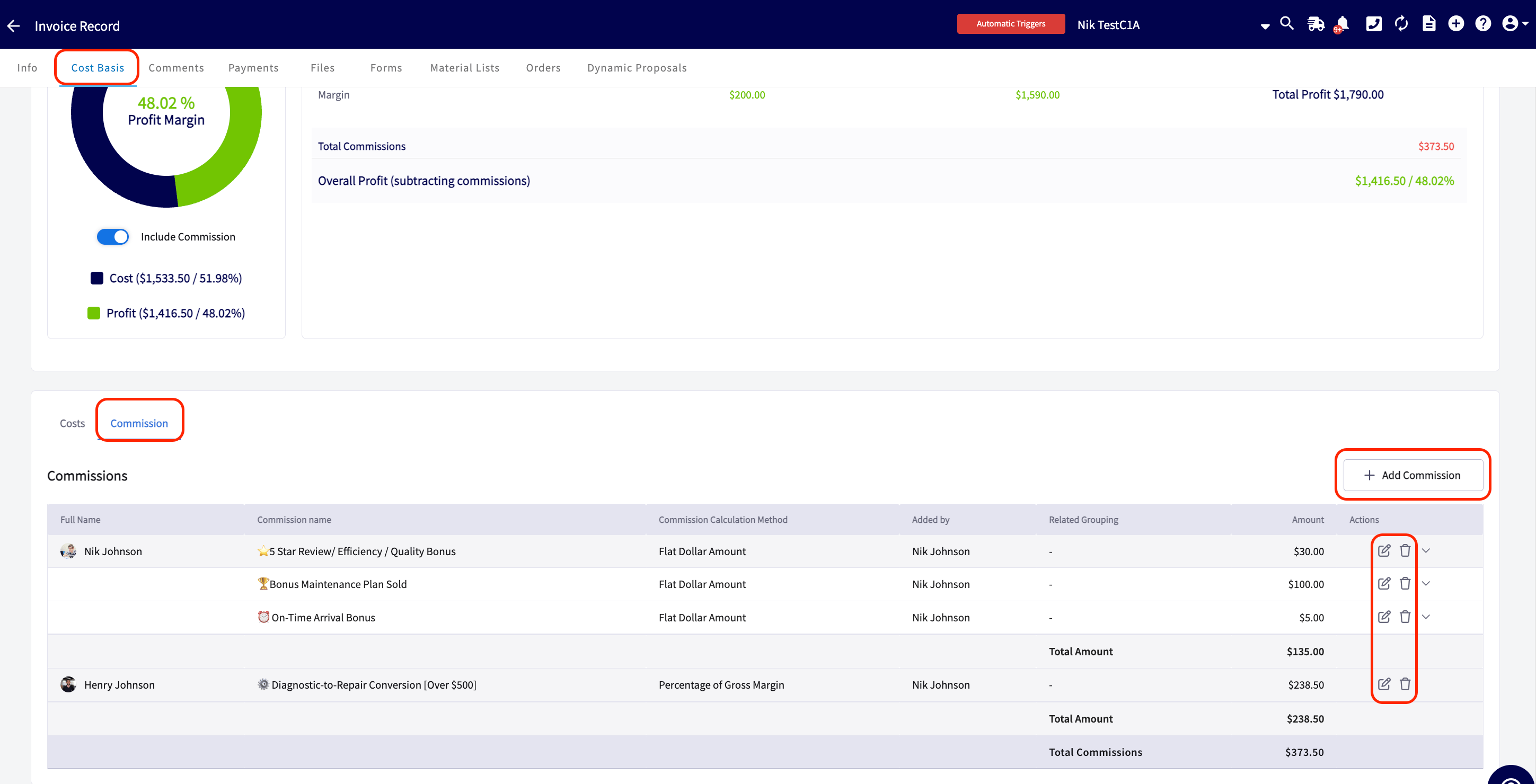
Create commission templates to keep these entries consistent and save yourself time. To learn how, see How to Create and Use Commission Templates.
Settings reference
Commission amounts are adjusted at the time of payment when card fee recovery is enabled and the commission type is a percentage of gross sales or gross margin. It is best practice to report commissions only on fully paid invoices, so the commission you pay your team matches the commission FieldPulse calculated and you avoid over- or under-payment.