
How Blocking Works
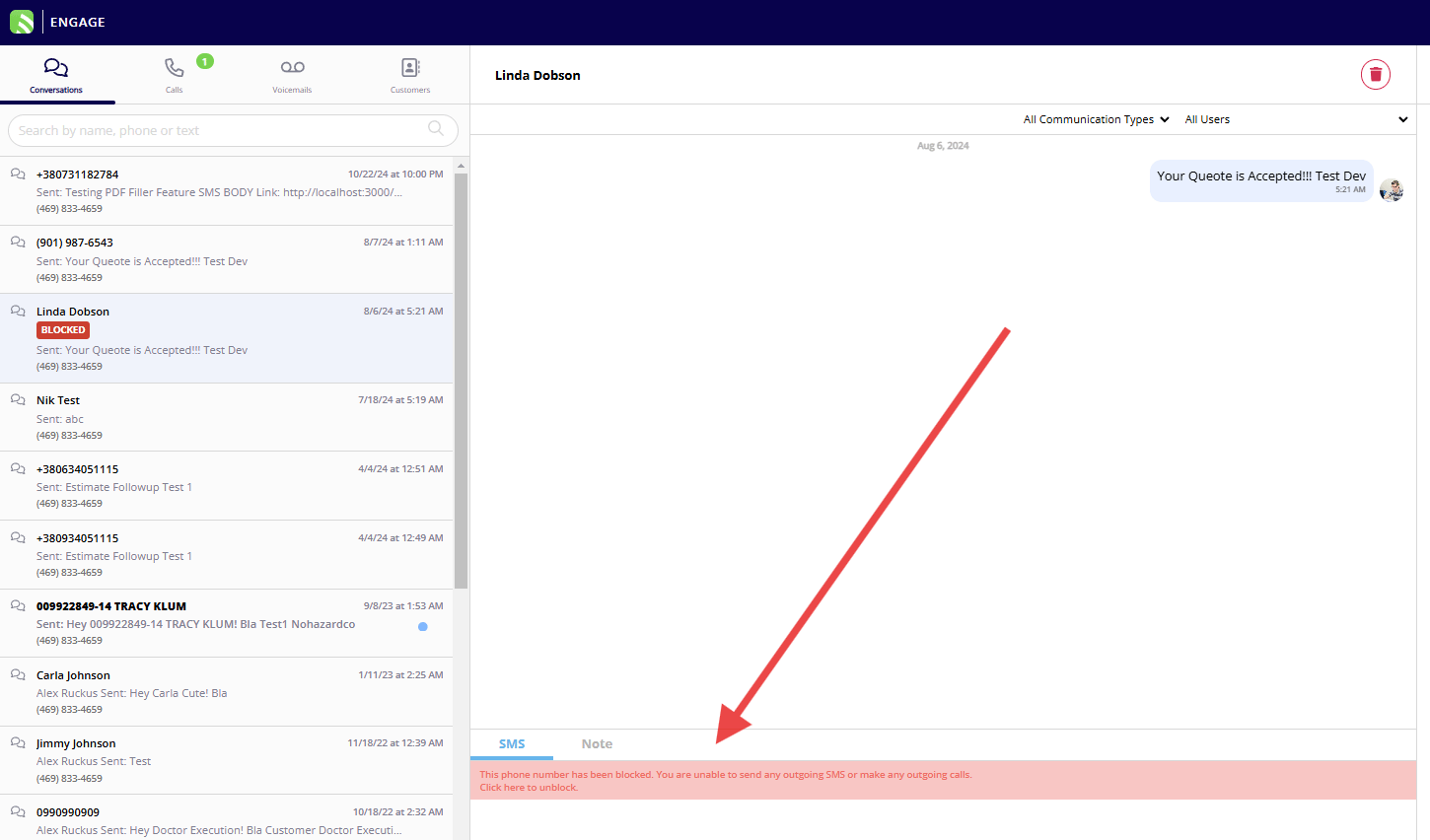
Once a number is blocked in Engage, neither you nor anyone on your team can contact that number via SMS or phone calls, and vice versa. This ensures that all communications with blocked numbers are halted.Step-by-Step Guide to Blocking Numbers:
1. Via Conversation
- Navigate to the conversation thread in your Engage app. - Click on the block icon located in the top right corner of the screen. - Confirm your action when prompted to block the number.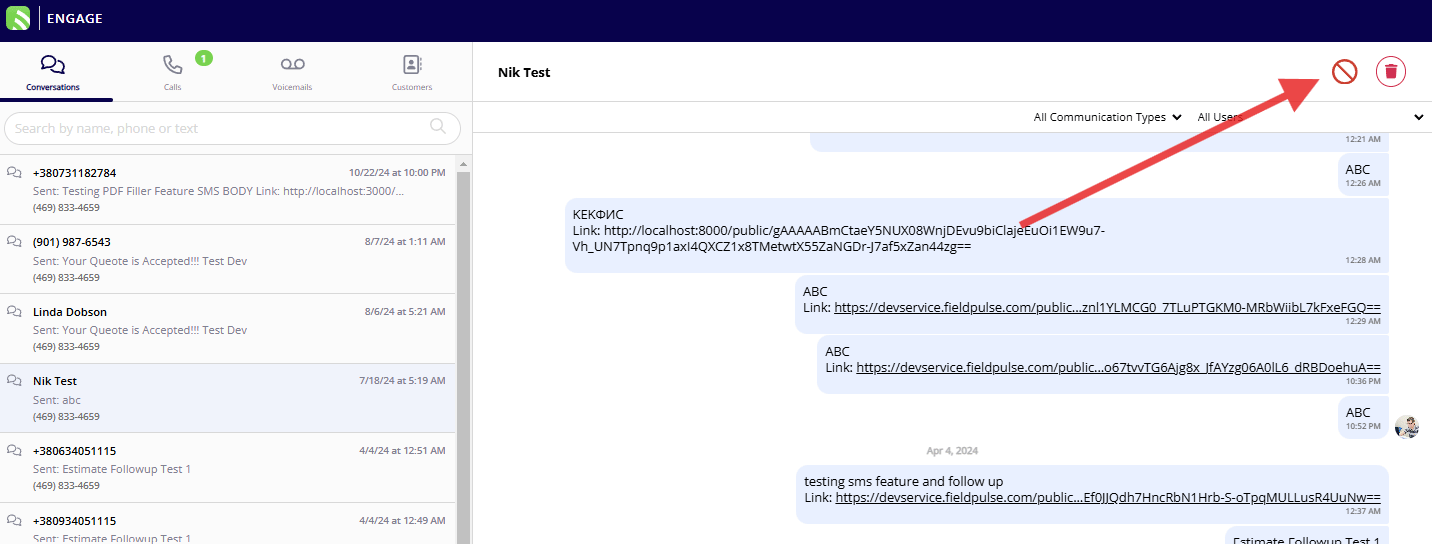
2. Via List Views
- Go to any list view such as calls or voicemails. - Select a number by clicking on it. - Click the block icon visible on the call log detail or voicemail page.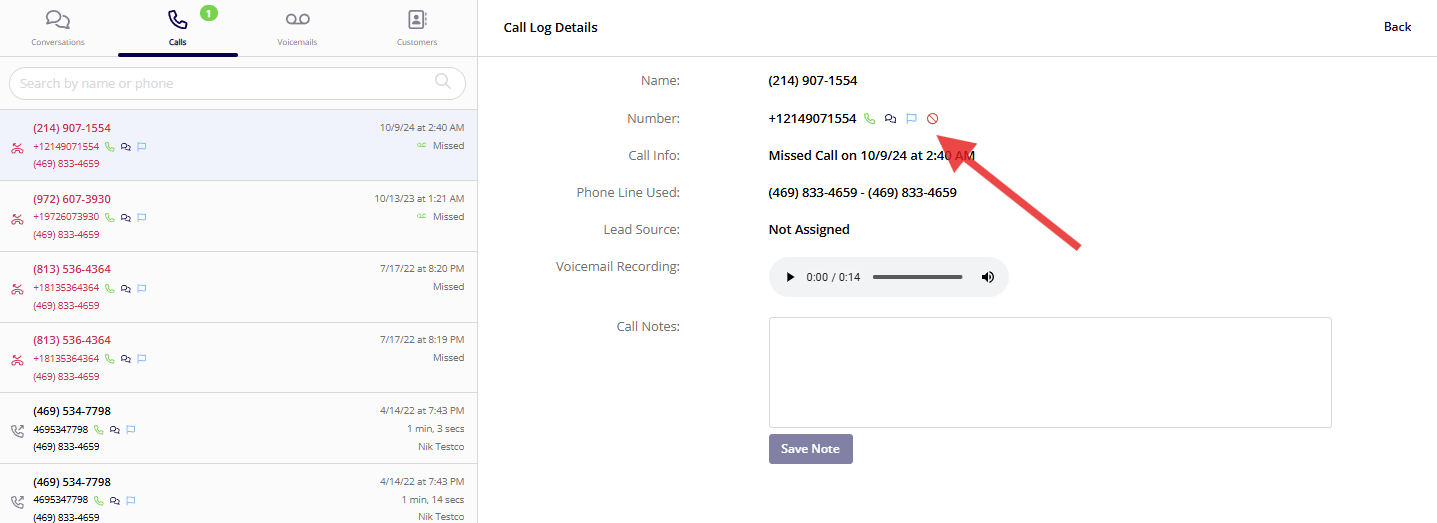
3. For Customers
- Access a customer’s details. - Use the block option provided to prevent any communication.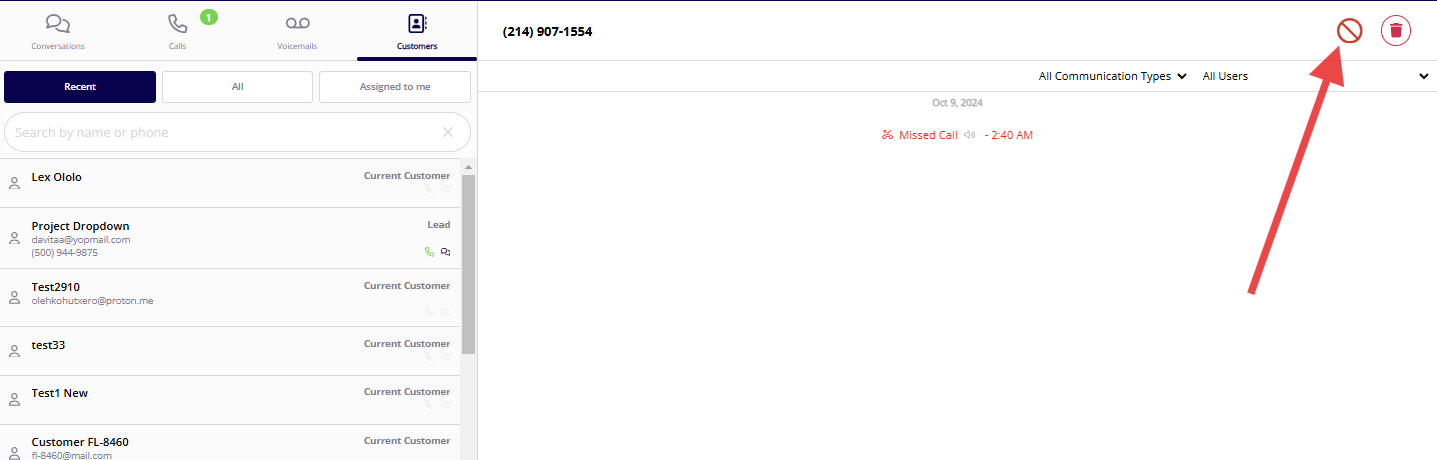
Managing Blocked Numbers
- To view or unblock numbers, navigate to the ‘Blocked Contacts’ section in your Engage settings.
- This area will display all blocked numbers, and you can use the search function to quickly find a specific number.
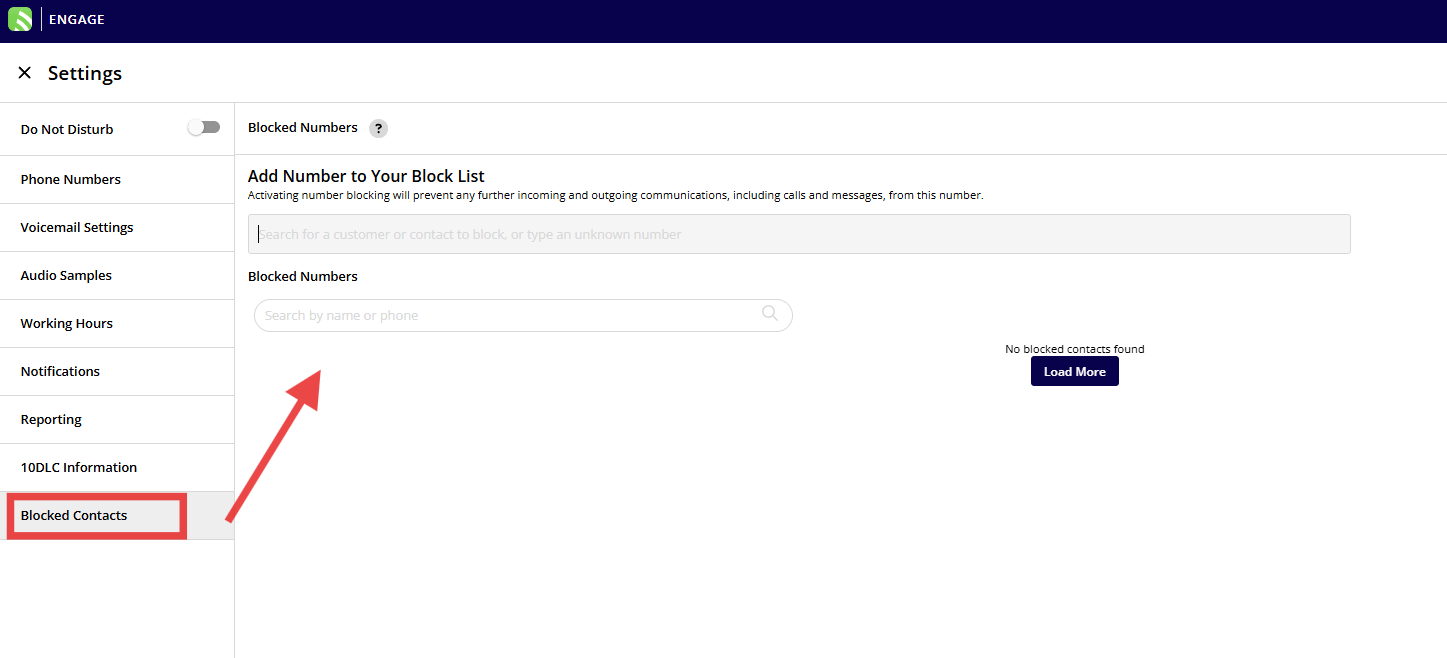
- Numbers can be unblocked by selecting them and confirming your choice to allow communication again.
Additional Tips
- You can add numbers directly to the blocked list even if they have not previously contacted you or if they are not saved in your contacts. This is useful for preemptively blocking known spam numbers.
- There is no limit to the number of numbers you can block.
Have additional questions? Contact us at support@fieldpulse.com or use the chat feature in the bottom right corner of your screen.